
iPhantom X
iPhone, iPad, iPod touch için tasarlandı
Ücretsiz · Uygulama içi satın alma
- Yaş sınırı4+
- KategoriFotoğraf ve Video
- GeliştiriciJoe Kocsis
- Dillerİngilizce
- Boyut33,5 MB
Resmi App Store sayfasına bağlanır
Download.org, iPhantom X için hiçbir dosya barındırmaz. Düğme, uygulamanın App Store üzerindeki sayfasını açar; uygulamayı orada Joe Kocsis yayınlar. Sayfanın son kontrolü: 13.11.2026.
Ekran görüntüleri


Hakkında
Geliştirici bu metni dilinizde sunmamış.
iPhantom-X
Camera Control for Vision Research Phantom Cameras
For over a decade the iPhantom brand has delivered for Phantom professionals worldwide.
Wirelessly control any Phantom Camera from Vision Research through your iOS Device via hard line Ethernet connection or a Wifi Router
Dramatically Increases workflow speed of all cameras
Gives new life into older Phantom Cameras that previous required a tether computer
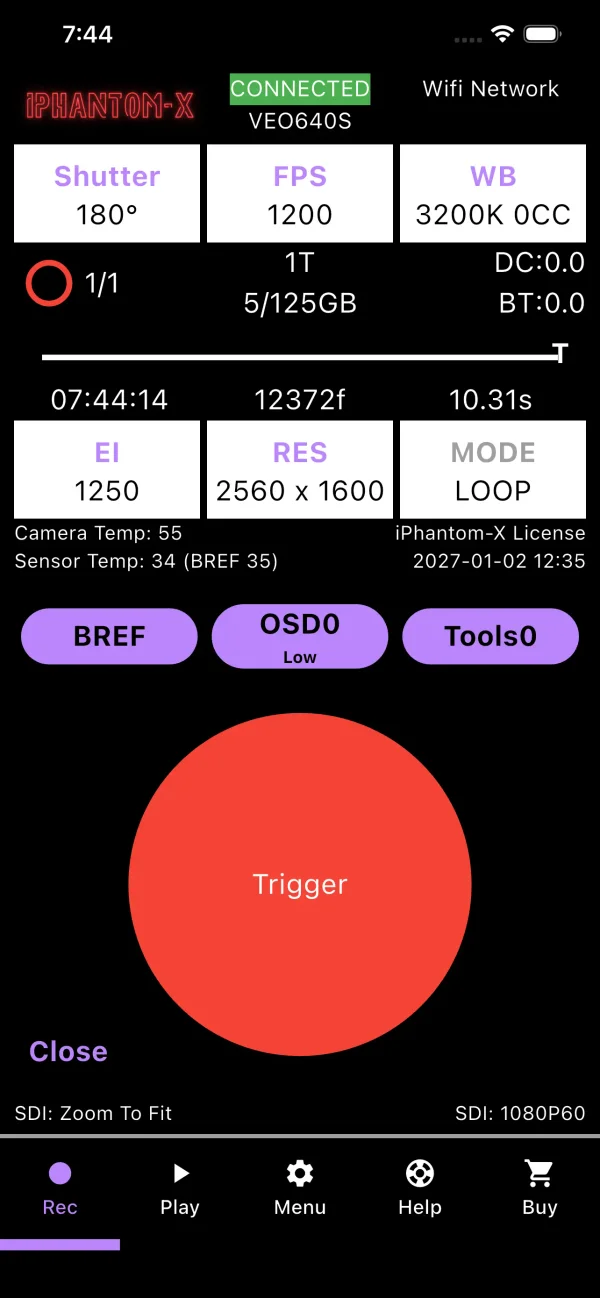
From the "Record Page"
Record, Trigger, Black Reference, OSD, FPS, Resolution, White Balance and more.
From the "Playback Page"
Advanced playback including super quick scrub, tap timeline to scrub, and more. Set in and out points and save clips to Cinemag or CF.
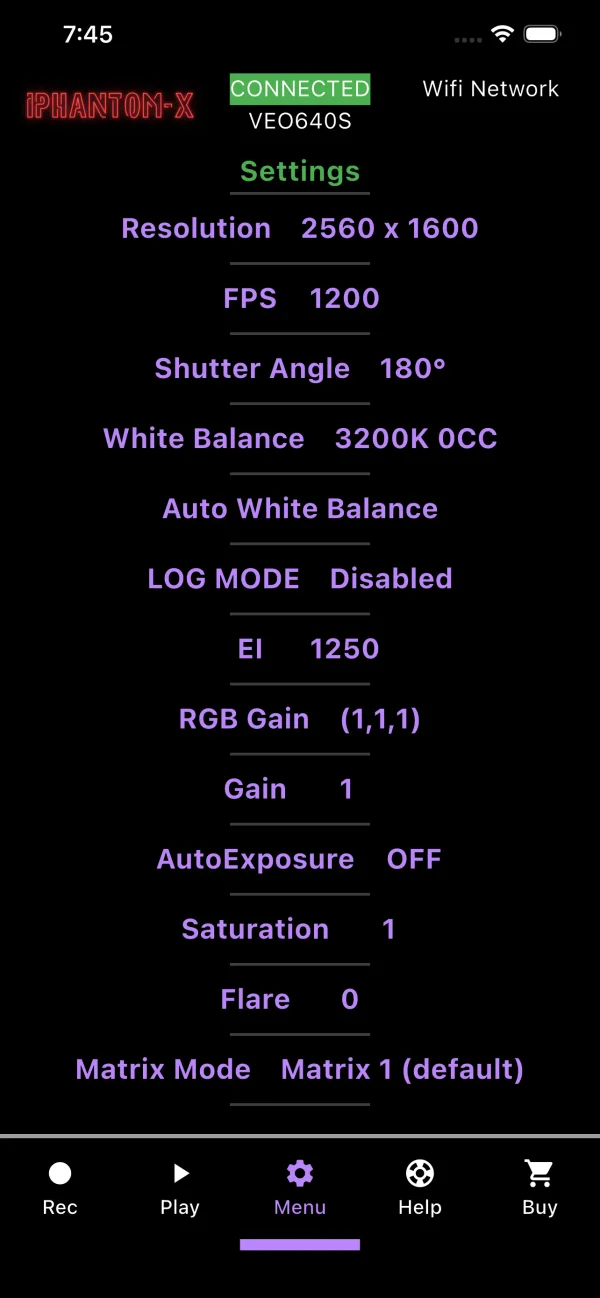
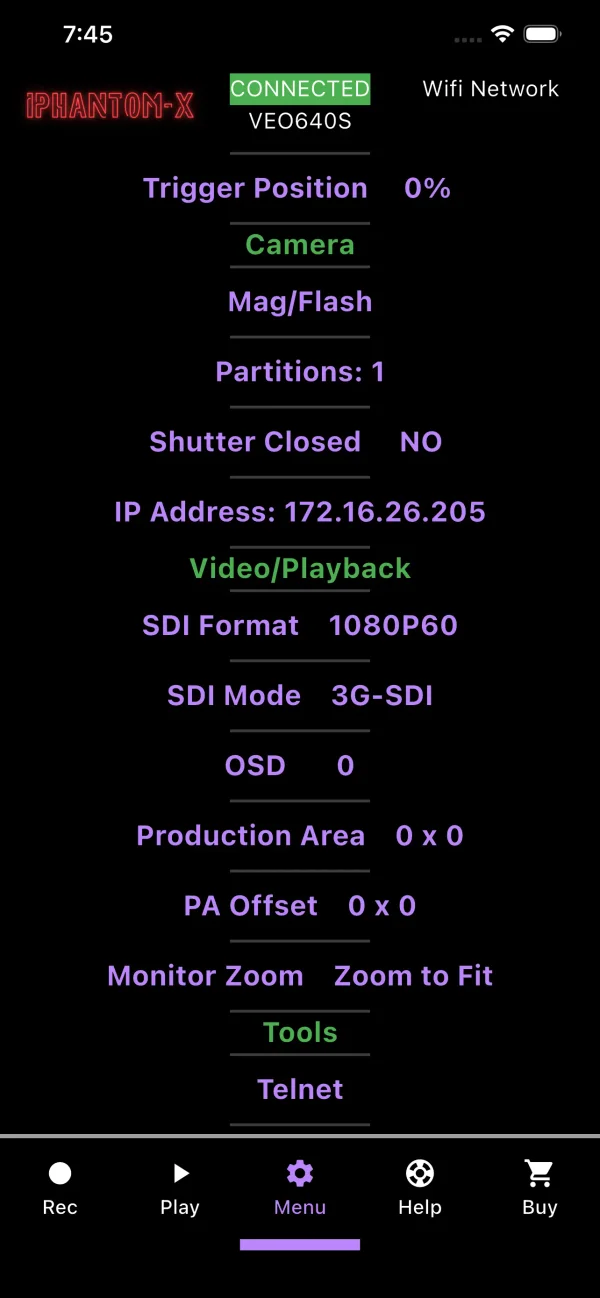
In the "Menu Page"
Adjust the most commonly used settings like fps, shutter angle, white balance, etc...
Built in Telnet
Send Telnet Commands to control advanced functions
Never use a PC to control a Phantom again!
Download iPhantom for free to access a handful of functions and to test your connection. Unlock complete functionality through in-app subscriptions.
Setup is easy.
Plug and Play Router Kits are available at
www.iphantomapp.com
There are many palm-sized Wifi routers on the market that can be powered through USB, and even some with built in battery, that can be connected to your Phantom camera through its Ethernet port. USB power can be provided by a small portable USB battery or by using an adapter cable like PTap to USB.
With a plug and play router, or after following router setup instructions. It’s as easy as connecting your router to the Phantom Camera, connecting your iOS device to the routers Wifi signal, open iPhantom, and click "Detect IP" then click "Connect".
See the built in Quick Start Guide or www.iPhatomApp.com for more information on setup.
iPhantom-X will work with every Phantom Camera uses PH7 or PH16 protocol
It has been thoroughly tested with the following cameras:
Flex4K, VEO4K, Flex2K, Miro, v10, v12.1, v2511, v2512, v642
Requirements:
A Phantom Camera by Vision Research
A Phantom Network Cable, aka Phantom to Ethernet Cable
A Wifi Router
A Power Source for Wifi Router
An iOS Device
This app was not created or maintained by Vision Research.
www.iPhantomApp.com
iPhantom-X is a Subscription Based App
Current Offerings
1) Annual Auto-Renewing Subscription
2) 14 Day Project License
3) 48 Project License
• Payment will be charged to iTunes Account at confirmation of purchase
• Auto Renewing Subscriptions automatically renew unless auto-renew is turned off at least 24-hours before the end of the current period
• Account will be charged for renewal within 24-hours prior to the end of the current period, and identify the cost of the renewal
• Subscriptions may be managed by the user and auto-renewal may be turned off by going to the user's Account Settings after purchase
Terms of Use
http://www.iphantomapp.com/terms-of-use/
Yenilikler
Sürüm 1.0.4 · 15.09.2026
-iOS Compatibility Updates
-iPad OS Decimal Bubble Keyboard Disable Fix
Uygulama gizliliği
Bu uygulamanın verileri nasıl işlediği hakkında Joe Kocsis tarafından App Store üzerinde yapılan beyan.
-
Veri toplanmıyor
Geliştirici bu uygulamadan hiçbir veri toplamıyor.
Gizlilik uygulamaları, örneğin kullandığınız özelliklere veya yaşınıza göre değişiklik gösterebilir.
Bilgiler
- Satıcı
- Joe Kocsis
- Kategori
- Fotoğraf ve Video
- Sürüm
- 1.0.4
- Güncellendi
- 15.09.2026
- Yayın tarihi
- 09.03.2026
- Boyut
- 33,5 MB
- Gereksinim
- iOS 15.0 veya sonrası
- Yaş sınırı
- 4+
- Fiyat
- Ücretsiz
- Uygulama içi satın alma
- Evet
- Diller
- İngilizce
- Telif hakkı
- © 2026 Joe Kocsis
Bunları da beğenebilirsiniz
-
 Tech Scout CameraFotoğraf ve Video
-
 Reeltime ViewerFotoğraf ve Video
-
 Freefly EmberFotoğraf ve Video
-
 Teradek TVFotoğraf ve Video
-
 ARRI ECSFotoğraf ve Video
-
 Vuer HDRFotoğraf ve Video
-
 RED_CONTROLFotoğraf ve Video
-
 Cadrage Director's ViewfinderFotoğraf ve Video
-
 Blackmagic Remote MonitorFotoğraf ve Video
-
 Accsoon SEEFotoğraf ve Video