
Kaleido Pattern Manager
Collect, proof & save patterns
iPad, Mac için tasarlandı
Ücretsiz · Uygulama içi satın alma
- Yaş sınırı4+
- KategoriGrafik ve Tasarım
- GeliştiriciMareika Weber
- Dillerİngilizce+ 1 dil daha
- Boyut35,9 MB
Resmi App Store sayfasına bağlanır
Download.org, Kaleido Pattern Manager için hiçbir dosya barındırmaz. Düğme, uygulamanın App Store üzerindeki sayfasını açar; uygulamayı orada Mareika Weber yayınlar. Sayfanın son kontrolü: 21.11.2026.
Ekran görüntüleri
Hakkında
Geliştirici bu metni dilinizde sunmamış.
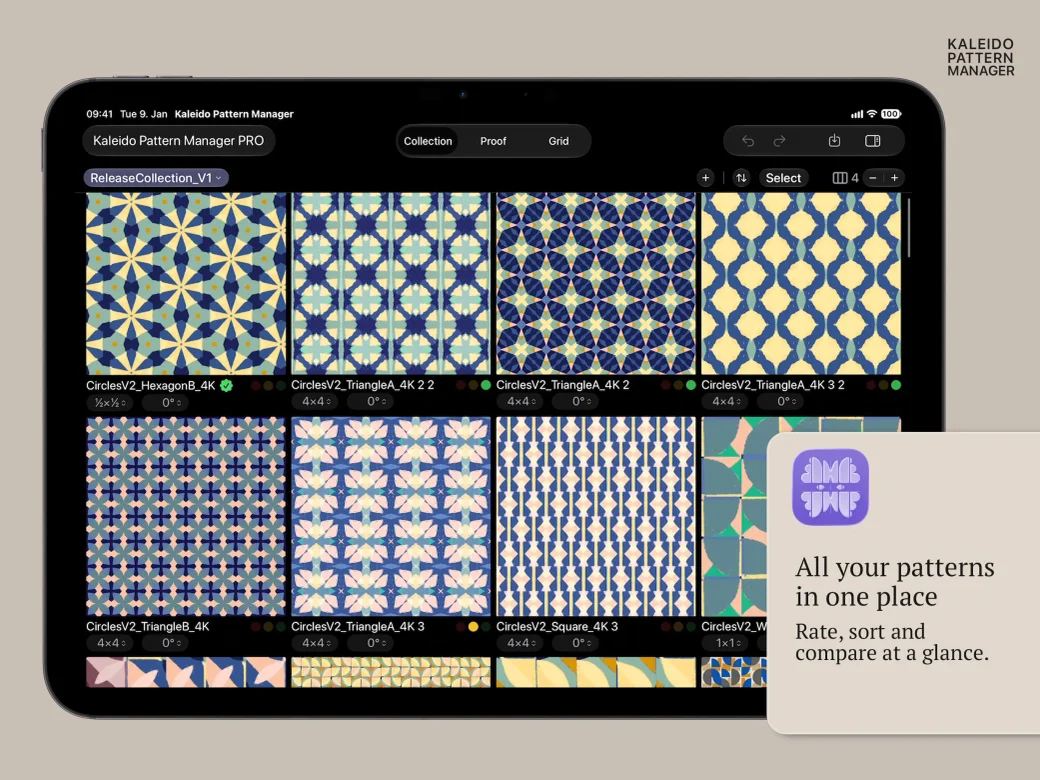
Kaleido Pattern Manager is where your pattern designs come together. Bring in any square repeating pattern you made in your favourite software, see everything in one place, gather designs into collections, check how each one repeats, and export it ready for print, for social, or for wherever you want it next. All in one app, free to try on Mac and iPad.
SEE EVERYTHING YOU HAVE MADE
Point the app at a folder of patterns, subfolders included, and every design appears in a clean thumbnail grid. Scroll, drag the tiles into the order you want, sort them in various ways, and compare at a glance. Rate the ones you love and flag the good ideas that still need work. Add a note about the theme, mood, season or colour story you had in mind, so the thinking behind a design stays with it.
BUILD COLLECTIONS THAT MEAN SOMETHING
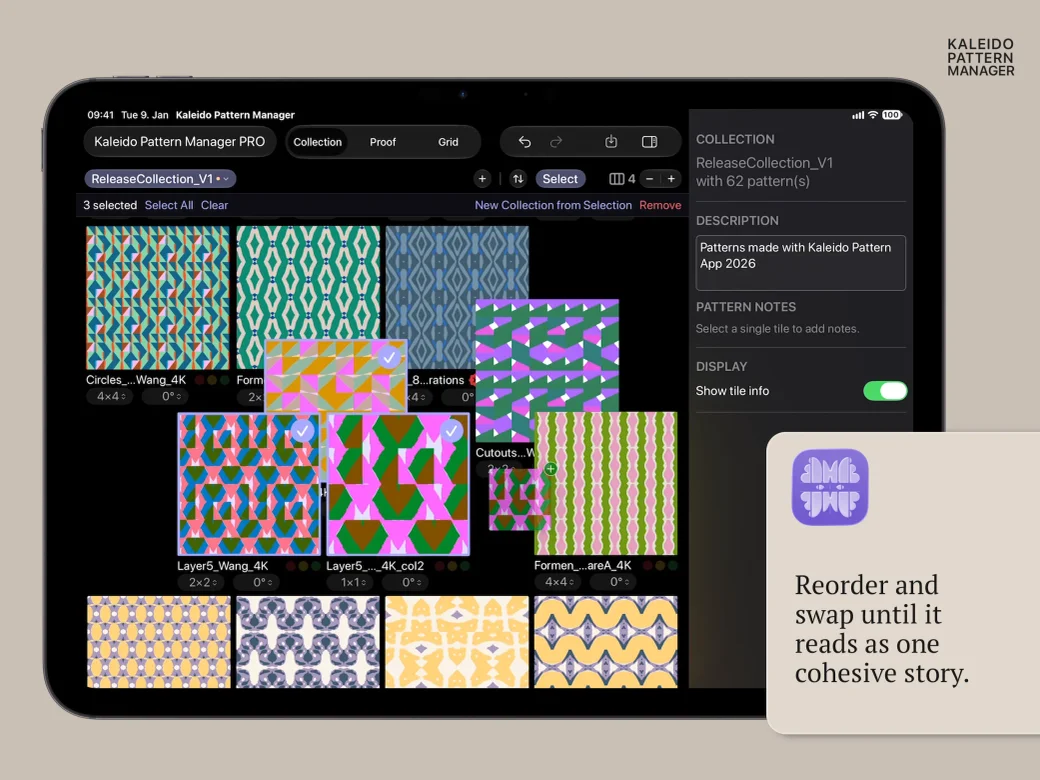
When a theme starts to emerge, gather those designs into a named collection: a spring range, a client pitch, a colourway study, a set you are preparing to license. Inside a collection, groups keep bigger projects in order, one per colourway, per scale study, per client round. A group is simply a subfolder on disk, so what you see in the app is what you find in Finder. Collections open in tabs, so you can hold several ideas open at once. A design can belong to more than one collection and carry its own rating in each. Notes and ratings travel with a design when you copy or move it.
LOOK CLOSELY AND BE SURE
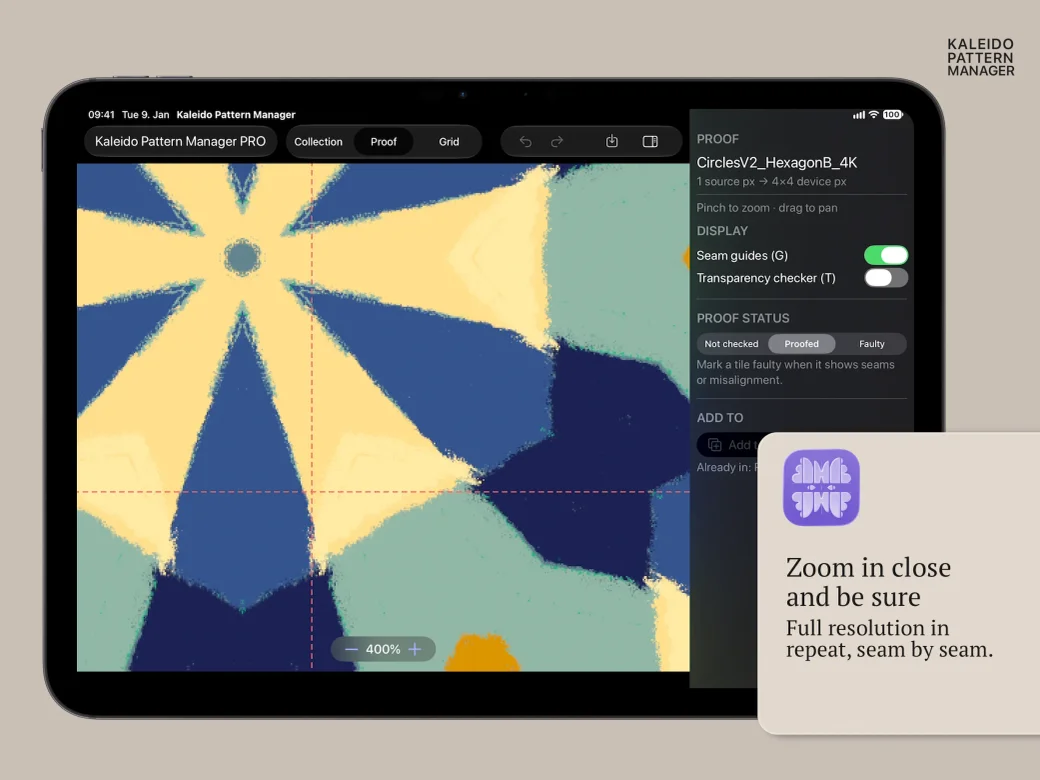
The proofing view shows a single pattern repeating at full resolution, so you can zoom right in on the join and see exactly how the repeat lands. Confirm the edges meet the way you intended, mark it proofed, and move on. The status stays with the design, so you can see at any moment what is signed off and what still needs your approval. It is the check you would want before uploading anywhere for printing, and it takes seconds on your own machine.
FINDING THE RIGHT SCALE
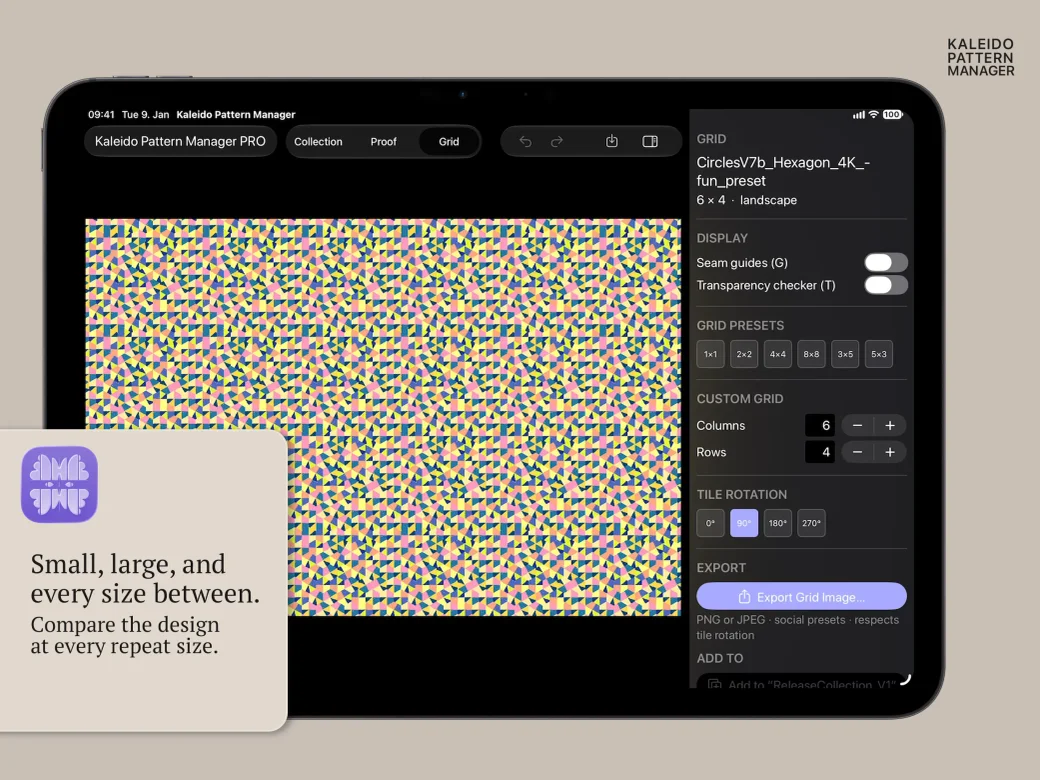
Tile a pattern across a configurable grid and watch how it reads at different repeat sizes. The same design can feel intricate and jewel like when the repeat is tight, then open and architectural when it is scaled up, and you can rotate it to test a new orientation. This is where a good pattern becomes the right pattern.
OPEN YOUR PHOTOSHOP LIBRARIES (PRO)
Import Photoshop pattern libraries and every tile inside a PAT file arrives as a full size image in your collection, at the resolution it was saved with. Sets you collected over the years, or bought and forgot you had, finally become something you can see, rate, proof, tile and export like any other design, without needing Photoshop.
EXPORT FOR ANY OCCASION (PRO)
Export a tiled grid at exactly the dimensions you need, with the number of repeats you choose: a square for a social post, a wide banner, a phone or desktop wallpaper, or something larger for a print submission. Send a whole collection out as a zip to hand to a client or a printer, or generate a contact sheet PDF that presents an entire collection on a single page, ready for a portfolio, a pitch or a review.
YOUR WORK STAYS YOURS
A collection is a folder of your original image files with a small manifest alongside them. Nothing is converted, recompressed, locked into a proprietary format, or sent anywhere off your device. Open the folder in Finder or Files whenever you like and everything is exactly where you left it. Your session restores on launch, so you come straight back to the collections you had open.
WHAT PRO UNLOCKS
-Work with several collections side by side in tabs
-Export grids as PNG or JPEG
-Import PAT pattern libraries (only on macOS)
-Export contact sheets as PDF
-Batch export a whole selection at once
-Share collections as a zip
Everything else stays free for as long as you like.
And if you would like to design patterns as well as organise them, the companion app Kaleido Pattern builds seamless repeats from scratch in a range of geometric modes, in a playful way. Available separately on the App Store.
Uygulama gizliliği
Bu uygulamanın verileri nasıl işlediği hakkında Mareika Weber tarafından App Store üzerinde yapılan beyan.
-
Veri toplanmıyor
Geliştirici bu uygulamadan hiçbir veri toplamıyor.
Gizlilik uygulamaları, örneğin kullandığınız özelliklere veya yaşınıza göre değişiklik gösterebilir.
Bilgiler
- Satıcı
- Mareika Weber
- Kategori
- Grafik ve Tasarım
- Sürüm
- 0.402
- Güncellendi
- 23.10.2026
- Yayın tarihi
- 29.09.2026
- Boyut
- 35,9 MB
- Gereksinim
- iOS 17.6 veya sonrası
- Yaş sınırı
- 4+
- Fiyat
- Ücretsiz
- Uygulama içi satın alma
- Evet
- Diller
- İngilizce, Almanca
- Telif hakkı
- © 2026 Mareika Weber
Bunları da beğenebilirsiniz
-
 Tilework: Pattern MakerGrafik ve Tasarım
-
 Cartora - Map ArtGrafik ve Tasarım
-
 Motif Pattern ArtGrafik ve Tasarım
-
 Seamless Pattern CreatorGrafik ve Tasarım
-
 Orsym: mandala kaleydoskopZen sanatı, simetrik desenler
-
 Patternify - Pattern MakerGrafik ve Tasarım
-
 Kalaa Studio - Mandala ArtGrafik ve Tasarım
-
 GeoMaker Pattern StudioGrafik ve Tasarım
-
 KaleidoPen - Spin Symmetry ArtGrafik ve Tasarım
-
 Symmetry Studio: MandalasGrafik ve Tasarım