Keyboardrop
Collect & paste from keyboard
iPhone, iPad için tasarlandı
Ücretsiz
- Yaş sınırı4+
- KategoriÜretkenlik
- GeliştiriciMASAHITO MATSUSHITA
- DillerJaponca+ 1 dil daha
- Boyut2,1 MB
Resmi App Store sayfasına bağlanır
Download.org, Keyboardrop için hiçbir dosya barındırmaz. Düğme, uygulamanın App Store üzerindeki sayfasını açar; uygulamayı orada MASAHITO MATSUSHITA yayınlar. Sayfanın son kontrolü: 14.11.2026.
Ekran görüntüleri
Hakkında
Geliştirici bu metni dilinizde sunmamış.
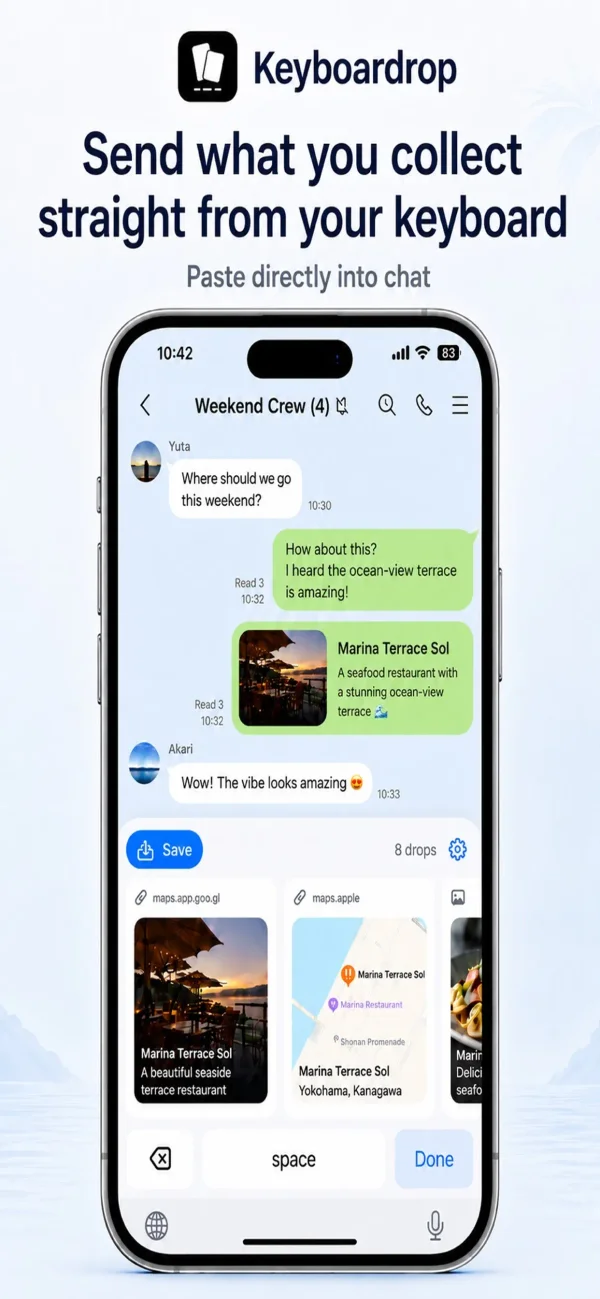
Keyboardrop is a simple clipboard helper that lets you collect the text, URLs, and images you copy as temporary "drops."
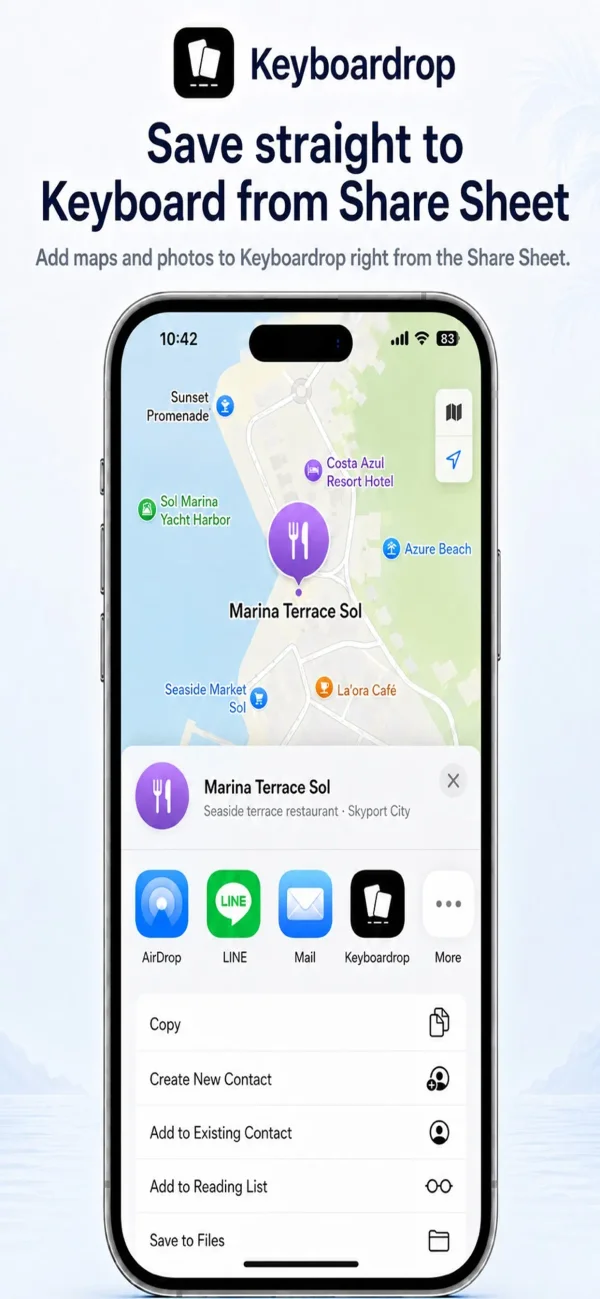
Saved drops are always a tap away from the built-in keyboard, so you can paste what you need — in order — into chats, notes, browsers, and AI apps. You can also add to Keyboardrop straight from the share sheet, such as from Maps or Photos.
WHEN IT HELPS
• Reuse something you just copied in a different app
• Collect images, maps, and URLs and paste them right into a chat
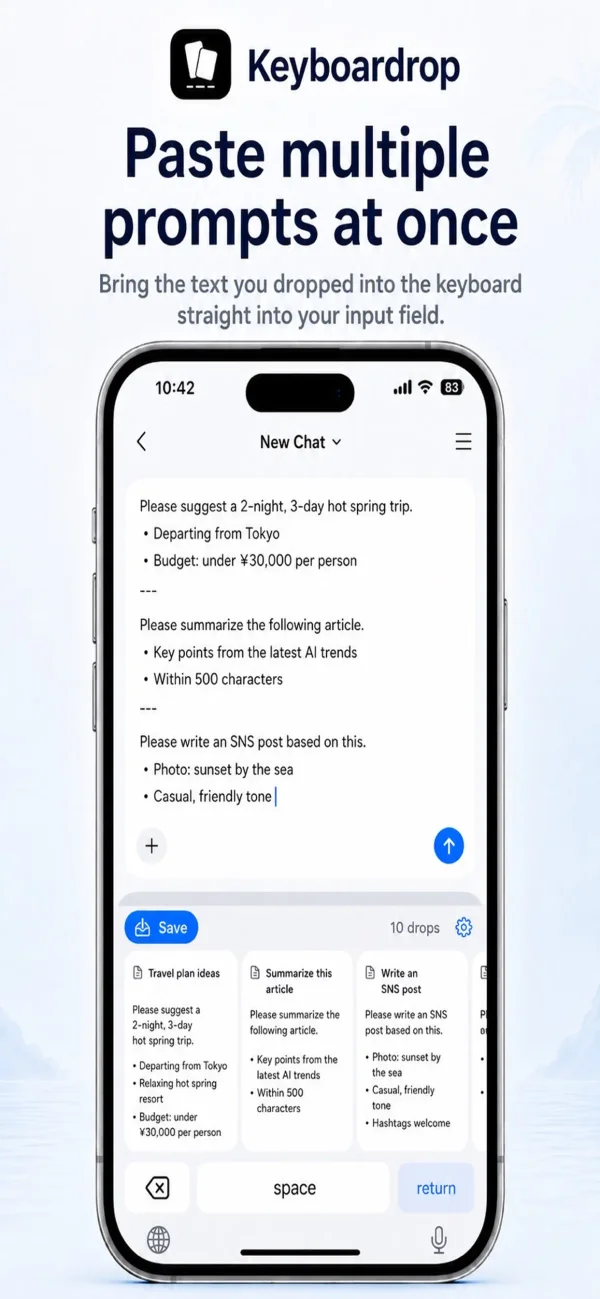
• Bring long text or several prompts into an input field together
• Hand a drop to another device or a person nearby via QR
FEATURES
• Drop up to 10 items (text / URL / image)
• Tap to paste from the built-in keyboard
• Add to Keyboardrop directly from the share sheet
• Automatic title and preview image for URLs
• Send and receive drops via QR code
• Auto-delete on a timer (10 min / 30 min / 1 hour / today / manual)
• English / Japanese
• iPhone / iPad
HOW TO USE
1. Copy text or a URL, or share a photo or map
2. Add a drop from the keyboard's Save button or from Keyboardrop in the share sheet
3. Open the Keyboardrop keyboard in the app where you want to paste
4. Tap the drop you want to insert
To hand a drop to another device, touch and hold it, choose "Send via QR," and scan the code on the other device.
PRIVACY
• No account required.
• Drops are stored on your device.
• We don't collect any data.
• Nothing is sent to our servers.
• We connect to a linked site only when fetching a URL preview.
ABOUT FULL ACCESS
The keyboard needs "Full Access" to save what's on your clipboard. Full Access is used only for saving and pasting — it never collects your input or sends it anywhere.
Keep your copies in Keyboardrop, only when you need them.
Yenilikler
Sürüm 1.0.1 · 15.08.2026
The latest version of Keyboardrop adds new ways to keep important drops visible and easier to reuse.
What’s new:
- Added Favorites. You can mark up to 10 important drops as favorites, and they will not be auto-deleted.
- Favorites are stored separately from regular drops, allowing up to 10 regular drops plus 10 favorite drops.
- Added link previews for URL drops. Supported links can now show real page titles and preview images.
- Shared URLs now try to fetch link previews when saved from the share sheet.
- Saved URL preview images can now appear in the Keyboardrop keyboard.
- Changed the default auto-delete interval from 30 minutes to 1 day.
- Updated QR receiving language to “Receive a drop” and added clearer receiving instructions.
Uygulama gizliliği
Bu uygulamanın verileri nasıl işlediği hakkında MASAHITO MATSUSHITA tarafından App Store üzerinde yapılan beyan.
-
Veri toplanmıyor
Geliştirici bu uygulamadan hiçbir veri toplamıyor.
Gizlilik uygulamaları, örneğin kullandığınız özelliklere veya yaşınıza göre değişiklik gösterebilir.
Bilgiler
- Satıcı
- MASAHITO MATSUSHITA
- Kategori
- Üretkenlik
- Sürüm
- 1.0.1
- Güncellendi
- 15.08.2026
- Yayın tarihi
- 01.07.2026
- Boyut
- 2,1 MB
- Gereksinim
- iOS 17.0 veya sonrası
- Yaş sınırı
- 4+
- Fiyat
- Ücretsiz
- Diller
- Japonca, İngilizce
- Telif hakkı
- © 2026 showheyapp
Bunları da beğenebilirsiniz
-
 Markdown MasterÜretkenlik
-
 DAMO: Voice, Photo, Text NotesÜretkenlik
-
 Grimo AI - Chat, Get OrganizedÜretkenlik
-
 PromptSmithÜretkenlik
-
 Linked Notes - Bi-directionalÜretkenlik
-
 スクロールメモÜretkenlik
-
 CopyPasta - Clipboard HistoryÜretkenlik
-
 Yank Clipboard ManagerÜretkenlik
-
 Textミキサー パパッと文書作成Üretkenlik
-
 CopySafe — Clipboard ManagerÜretkenlik