Keyring – Passwords & 2FA
AutoFill, passkeys and cards
iPhone, iPad, Mac için tasarlandı
Ücretsiz · Uygulama içi satın alma
- Yaş sınırı4+
- KategoriYardımcılar
- GeliştiriciAumatex srls
- Dillerİngilizce+ 10 dil daha
- Boyut58,5 MB
Resmi App Store sayfasına bağlanır
Download.org, Keyring – Passwords & 2FA için hiçbir dosya barındırmaz. Düğme, uygulamanın App Store üzerindeki sayfasını açar; uygulamayı orada Aumatex srls yayınlar. Sayfanın son kontrolü: 26.11.2026.
Ekran görüntüleri

Hakkında
Geliştirici bu metni dilinizde sunmamış.
Your keys, in order.
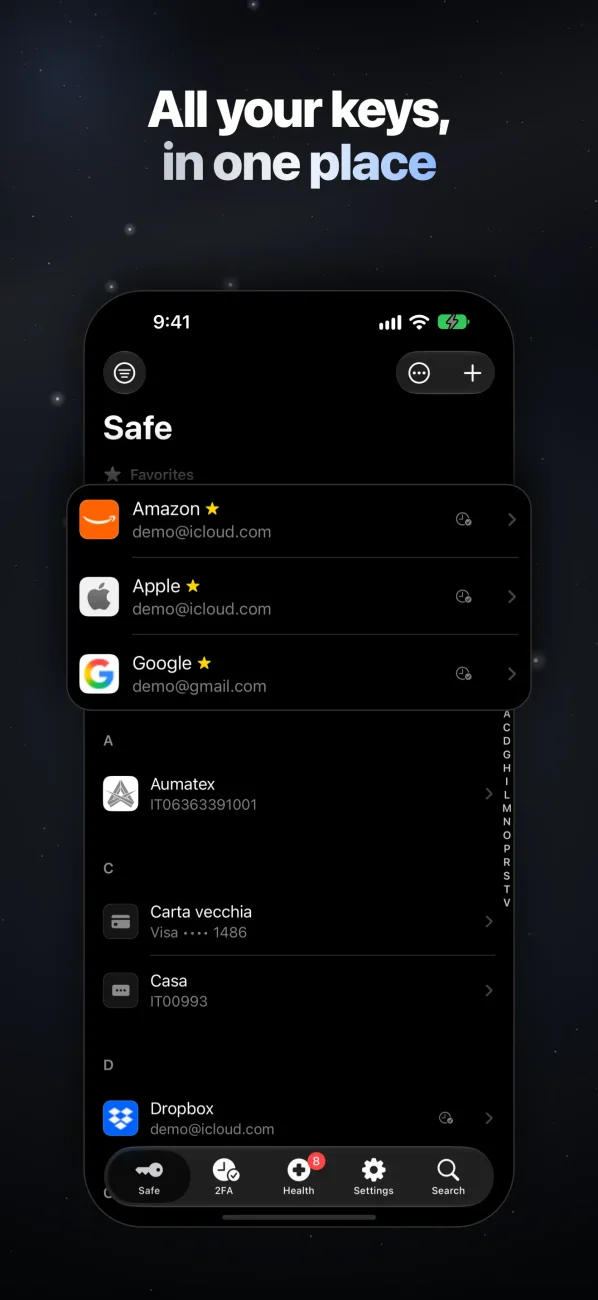
Keyring is a premium password manager for iPhone, iPad, Mac and Apple Watch: passwords, passkeys, codes and cards in one calm, private place, filled in by the system itself.
It is built the way Apple's own Passwords app is built, and picks up where that app stops: more than one vault, every kind of secret, a real authenticator, a health report on all you keep. No account, no server of ours, no ads.
Features
• AutoFill Everywhere
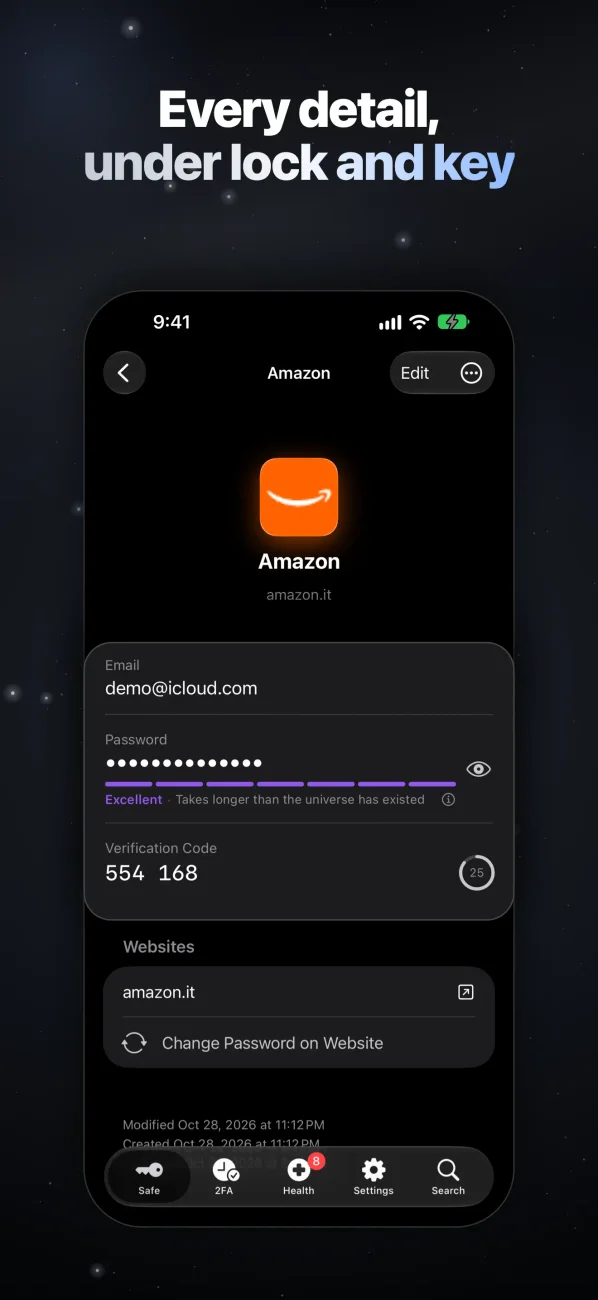
Passwords, passkeys and codes in Safari and in every app, on iPhone, iPad and Mac. Face ID or Touch ID, and the field is filled. Safari hands a new or changed password straight to Keyring, generator included.
• Passkeys, First Class
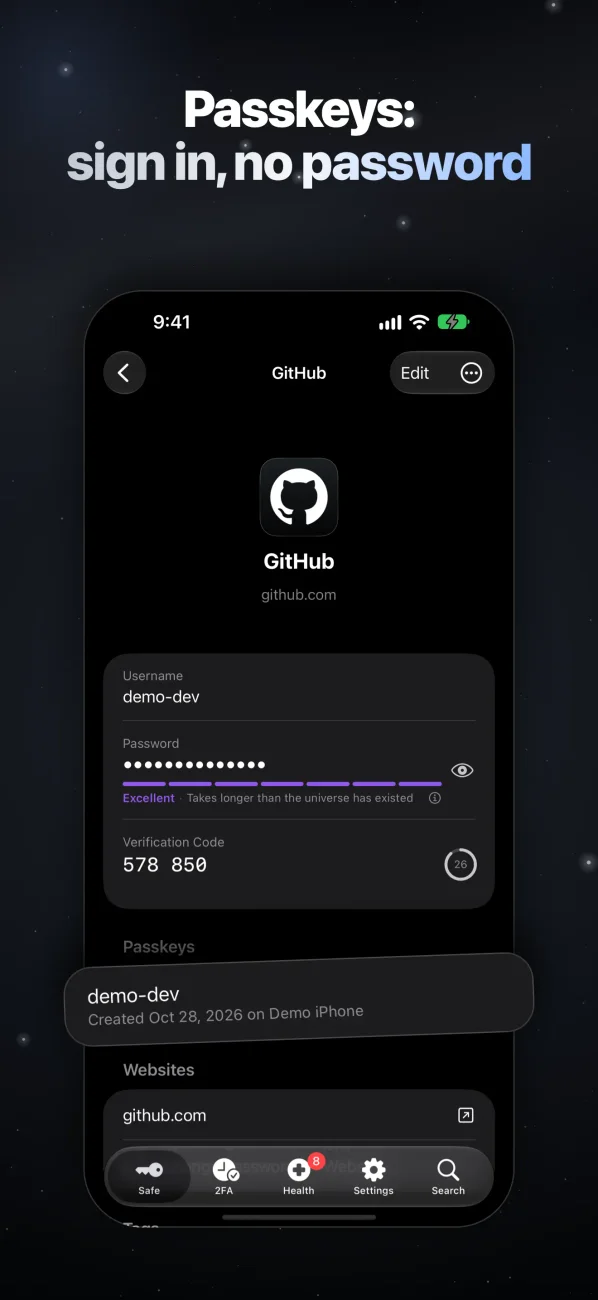
Create passkeys and sign in with them wherever a site offers them. Each one lives inside its login, beside the password it replaces.
• An Authenticator You Will Actually Use
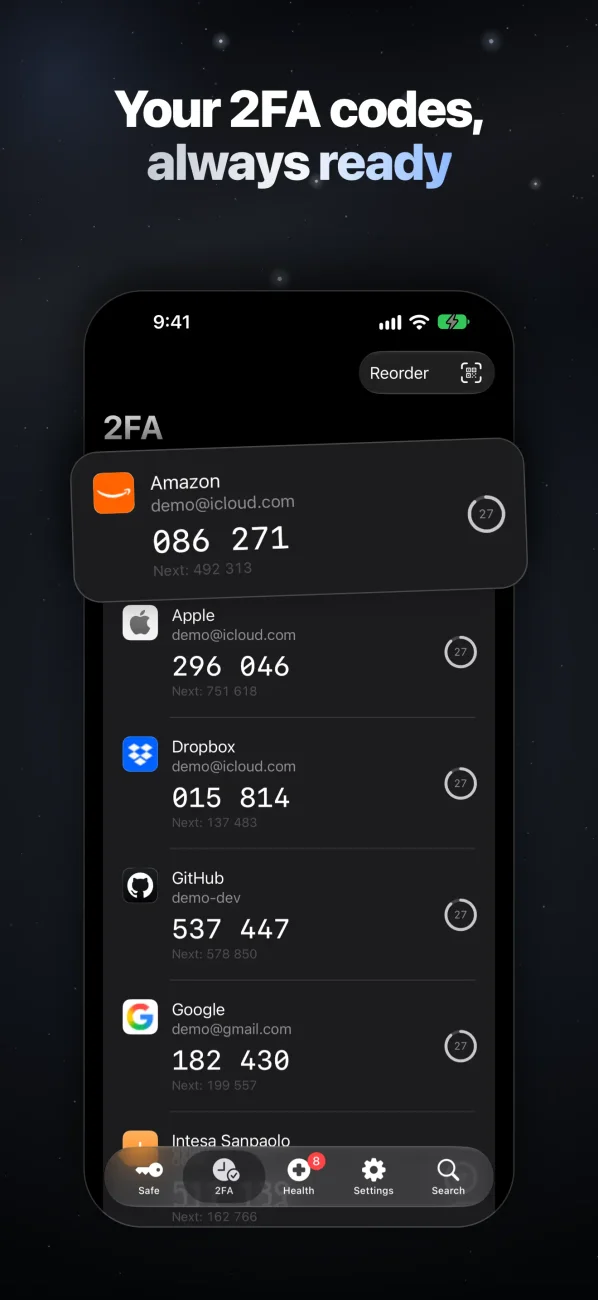
Every code on one screen, in the order you drag them into: large digits, a draining ring, the next code in view, one tap to copy. Scan a QR code, or bring your Google Authenticator library over in one pass.
• Far More Than Passwords
Logins, credit and debit cards, bank accounts, crypto wallets, identities, companies, documents, SIMs, Wi-Fi networks, licenses and secret notes. Card numbers check themselves and the network is read from the number.
• Health, Not Just Storage
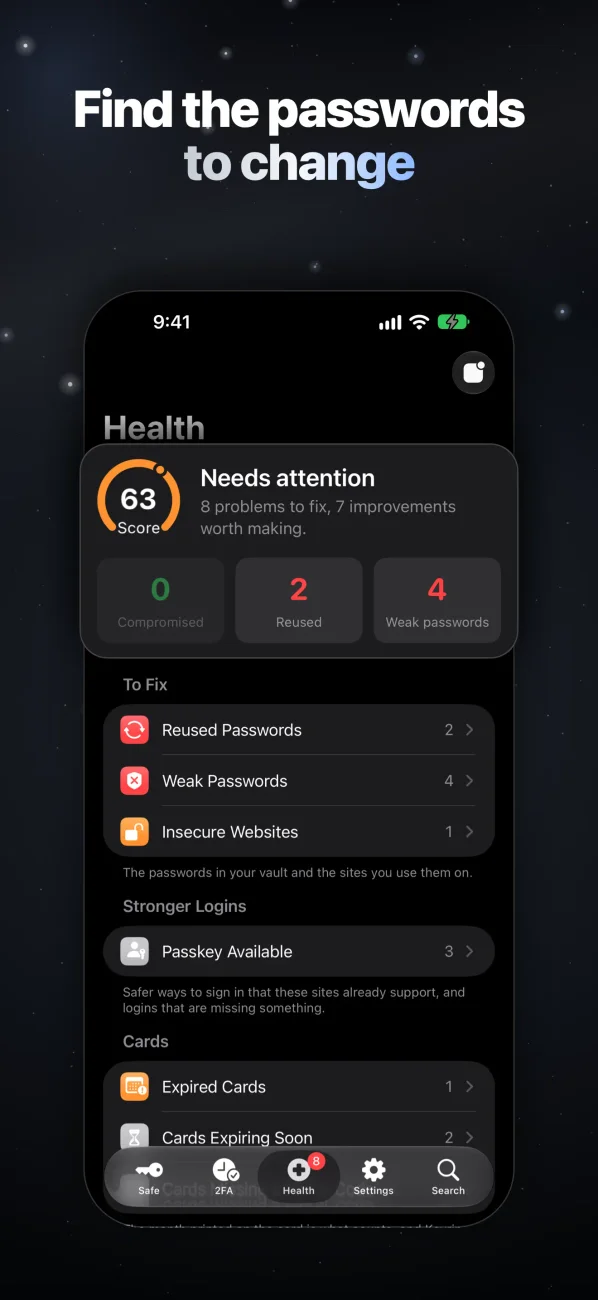
A score out of 100 and the reasons behind it: reused, weak and aging passwords, sites still on http://, Wi-Fi without real encryption, cards expired or expiring, logins that could have a passkey or a code and don't. Breach checking uses Have I Been Pwned; no password leaves your device.
• Your Vaults, Your Rules
One vault or many — work, family, a client — each with its own master password, color and symbol. Tags, favorites, archive, a 30-day trash, and search that finds anything by title, site, user name or tag.
• In Sync Through Your Own iCloud
Every device stays in step through CloudKit in your iCloud account. Apple stores ciphertext it cannot read; we have no servers and no access. A vault can also stay on one device.
• On Your Wrist, and on Your Mac
2FA codes on Apple Watch, with a Next Code complication for the watch face. On the Mac, a native app with a full menu bar and a search panel that opens over anything with ⌥⌘K.
• Built to Be Unreadable
Every item is sealed with AES-256-GCM under a key derived from your master password, plus a 128-bit Secret Key in your iCloud Keychain. The Emergency Kit is a PDF you print and keep: the way back in stays in your hands.
• Yours to Leave With
Import from Apple Passwords, NordPass, SafeInCloud, Google Authenticator or any CSV. Export an encrypted .keyring archive any time, and keep a daily backup of each vault in iCloud Drive.
• Private by Default
No account, no tracking, no analytics, no ads, no third-party services — not even for site icons, fetched from each site directly. Auto-lock, a clipboard that clears itself, a blurred app switcher.
• Beautiful by Design
A native Apple experience in eleven languages, with Light and true black Dark Mode, Dynamic Type and VoiceOver.
Keyring Plus
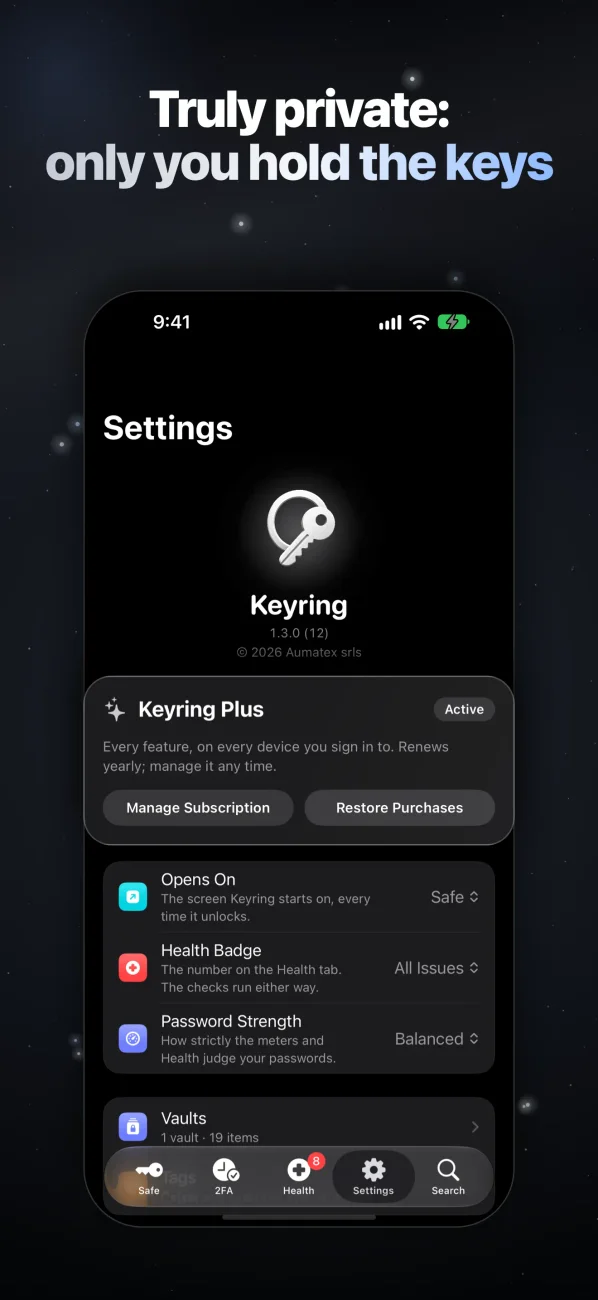
Unlimited items, vaults and devices, breach checking, the Apple Watch app, Quick Access on the Mac and attachments. Yearly with a two-week free trial, or a one-time lifetime purchase, both with Family Sharing. The free plan keeps 100 items in one vault on two devices, and nothing you save is ever held hostage: export stays available.
Perfect for
• Anyone outgrowing the built-in Passwords app
• People who want their 2FA codes and passwords in one place
• Families and freelancers keeping work and home apart
• Anyone leaving SafeInCloud, NordPass or Google Authenticator
• People who value privacy
From the first login to the last code, Keyring keeps your keys in order and your secrets to yourself.
Privacy Policy: https://aumatex.it/keyring-privacy
Terms of Use (EULA): https://www.apple.com/legal/internet-services/itunes/dev/stdeula/
Yenilikler
Sürüm 1.4.1 · 25.11.2026
Removing a code or a field, fixed.
• Fixed: Keyring could quit unexpectedly when you removed a verification code or a custom field while editing an item
• Remove Verification Code is now also in every item's menu, next to Delete: right-click or touch and hold, More in the item's details and, on the Mac, the Item menu. From Codes you take the code away and the password stays where it is
Uygulama gizliliği
Bu uygulamanın verileri nasıl işlediği hakkında Aumatex srls tarafından App Store üzerinde yapılan beyan.
-
Veri toplanmıyor
Geliştirici bu uygulamadan hiçbir veri toplamıyor.
Gizlilik uygulamaları, örneğin kullandığınız özelliklere veya yaşınıza göre değişiklik gösterebilir.
Bilgiler
- Satıcı
- Aumatex srls
- Kategori
- Yardımcılar
- Sürüm
- 1.4.1
- Güncellendi
- 25.11.2026
- Yayın tarihi
- 27.09.2026
- Boyut
- 58,5 MB
- Gereksinim
- iOS 26.0 veya sonrası
- Yaş sınırı
- 4+
- Fiyat
- Ücretsiz
- Uygulama içi satın alma
- Evet
- Diller
- İngilizce, Fransızca, Almanca, İtalyanca, Japonca, Korece, Portekizce, Rusça, Basitleştirilmiş Çince, İspanyolca, Geleneksel Çince
- Telif hakkı
- © 2026 Aumatex srls
Bunları da beğenebilirsiniz
-
 KAESER TelematicsYardımcılar
-
 Şifre Kasası: Şifre YöneticisiÇevrimdışı parola saklama, 2FA
-
 Marvin - AI Chat for WatchYardımcılar
-
 手机定位追踪 - 查找朋友情侣定位找人软件Yardımcılar
-
 VPN Defendr+Yardımcılar
-
 Red Dead - Map & CompanionYardımcılar
-
 PetDriverYardımcılar
-
 Tidur: Çoklu ZamanlayıcıMutfak ve çay için geri sayım
-
 腕上视频播放器Yardımcılar
-
 Darock BrowserYardımcılar