LangLang Live
Offline meeting transcription
iPhone için tasarlandı
Uygulama içi satın alma
- Yaş sınırı4+
- KategoriÜretkenlik
- GeliştiriciMetag
- Dillerİngilizce+ 3 dil daha
- Boyut463,0 MB
LangLang Live şu anda App Store üzerinde mevcut olmayabilir
Son kontrolümüzde mağaza sayfasına ulaşılamadı. Bağlantı yine de resmi App Store sayfasına gider.
Ekran görüntüleri
Hakkında
Geliştirici bu metni dilinizde sunmamış.
Record and transcribe meetings offline.
LangLang records conversations on your iPhone or Apple Watch, transcribes them on the device and shows who promised what, every line linked back to the original audio. No account required. Apple Watch is optional.
Private by design
• Record, transcribe, turn spoken Cantonese into written Chinese and set reminders even in Airplane Mode. On supported iPhones, Apple delivers the key-point model after installation. Once it’s ready, LangLang can find promises offline.
• No account and no sign-in.
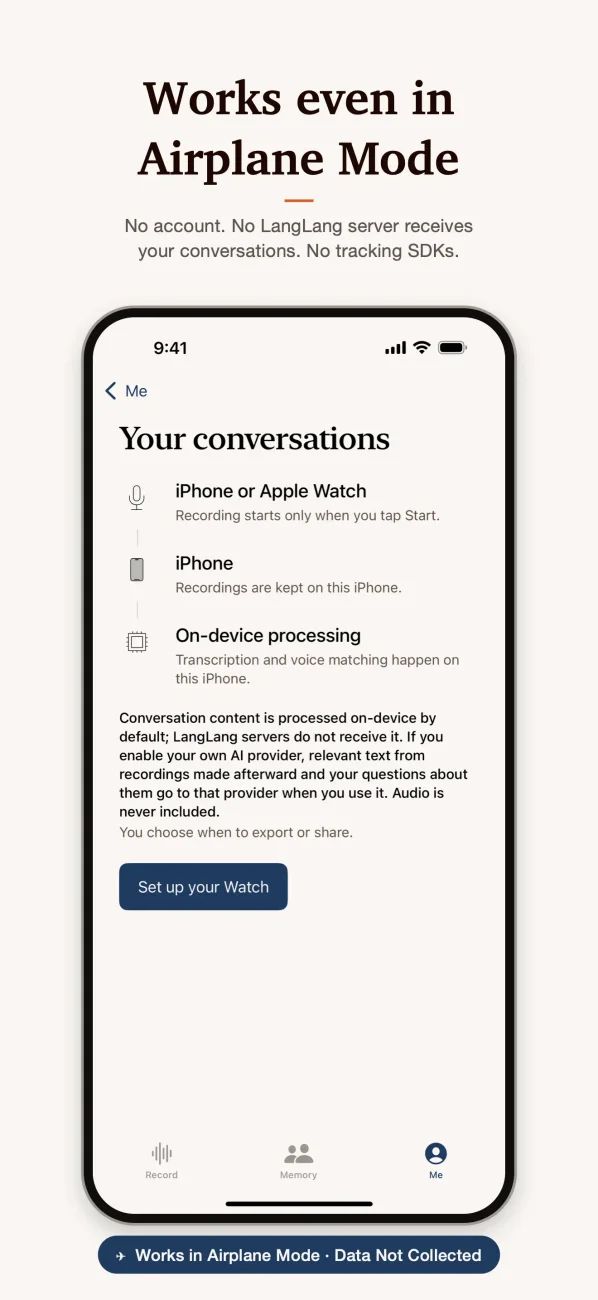
• Processing is on-device by default. No LangLang server ever receives your conversations.
• No third-party analytics or tracking SDKs. Our App Store privacy label: Data Not Collected.
• If you connect your calendar, it is read only on this iPhone.
Optional enhanced transcription needs an initial download from Apple. If you enable your own AI provider key, text is sent to that provider. Exporting or sharing sends the data you choose to your chosen destination.
Cantonese, in writing
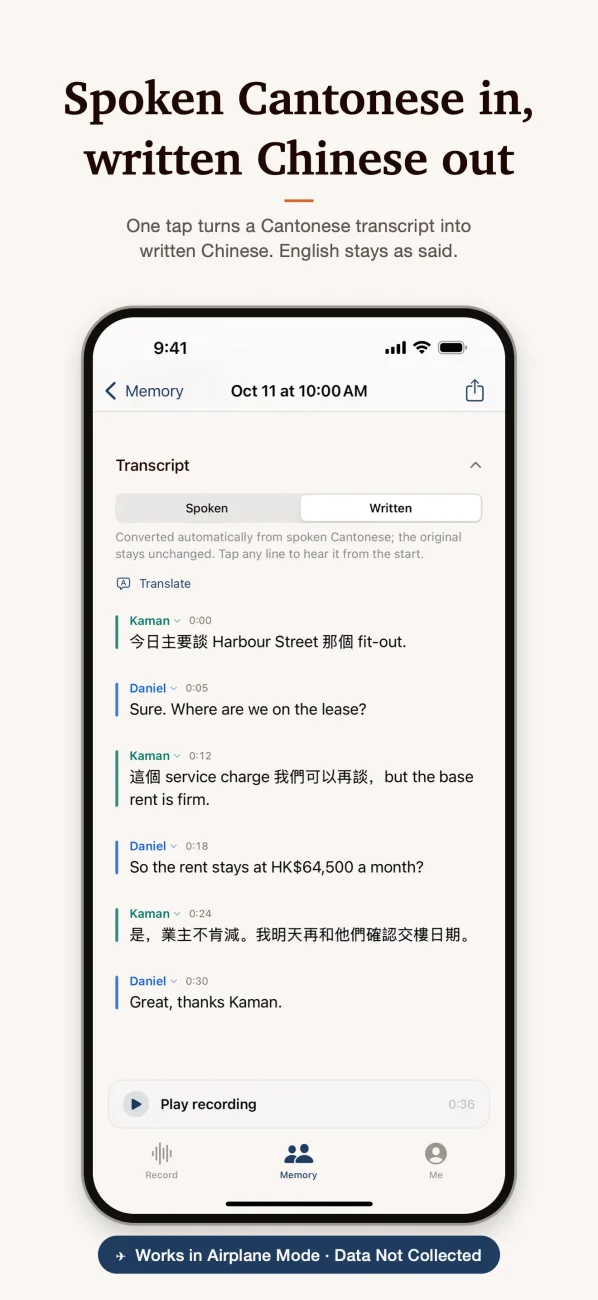
Switch a Cantonese transcript between spoken and written Chinese with one tap. English inside a sentence stays as it was said. Tap any line to hear it from the start, and export either version.
Who promised what, and a reminder at the right time
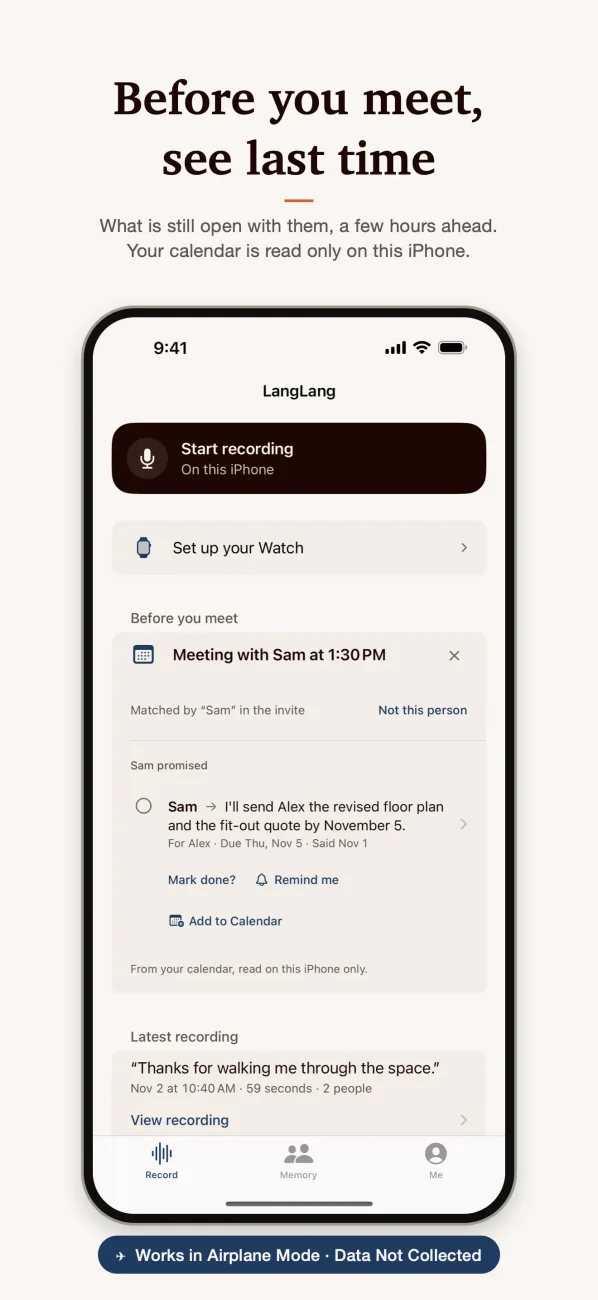
• Promises and deadlines come with the original words.
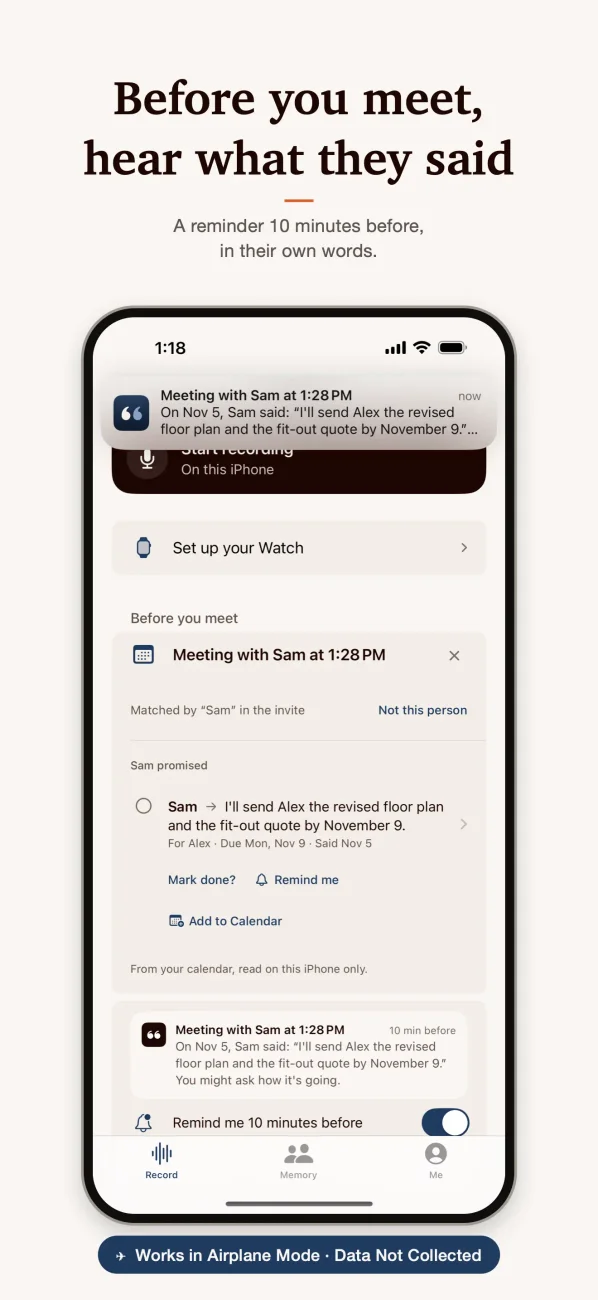
• Tap Remind me and choose when: as agreed, in an hour, tonight or tomorrow morning. On iOS 26.1 or later it can ring like an alarm.
• When it is due, LangLang asks whether you did it, so open promises don't quietly slip.
Before you meet
Connect your calendar and, a few hours before you meet someone you have named, LangLang shows what you discussed last time and what is still open.
Meeting minutes
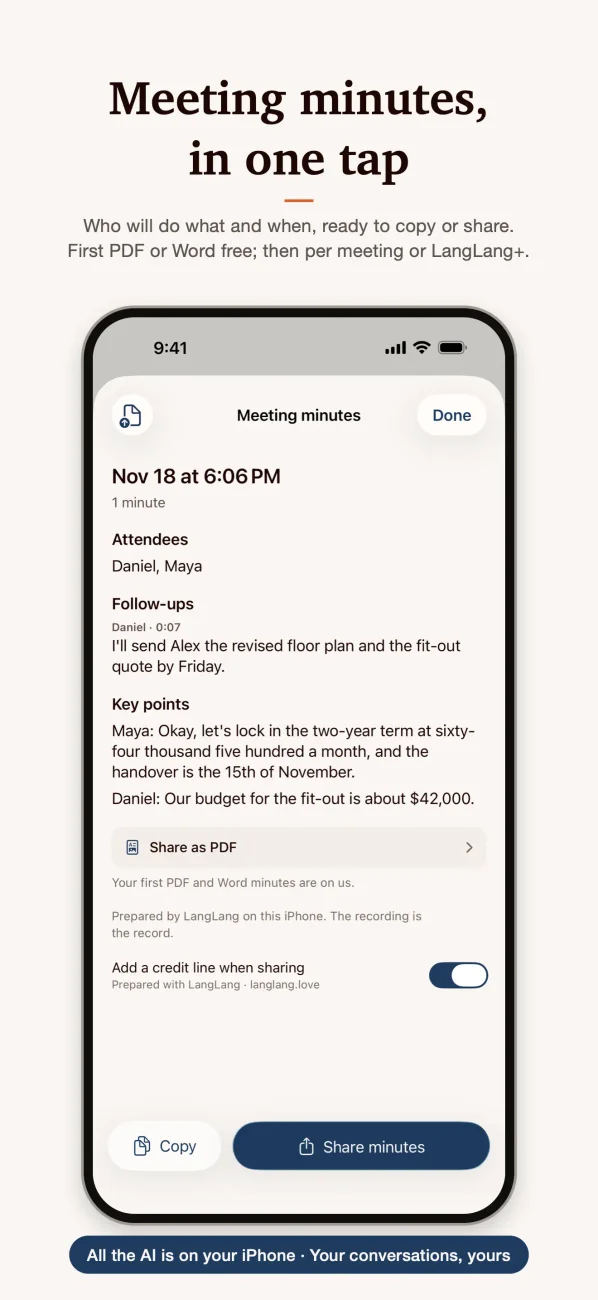
One tap turns a recording into one page of minutes: attendees, who will do what and when, and key points where your iPhone makes them. Copy it or share it as text; your first PDF and Word minutes are on us. For later meetings, unlock just that meeting or get LangLang+.
How it works
• Start recording on your iPhone or Watch. Stop when you are done.
• Read the transcript and return to the audio to check a detail.
• Review key points and commitments with links to their source sentences.
• Name people you recognise and revisit their past conversations.
English, Mandarin and Cantonese
For conversations in these languages, including mixed-language meetings. Background noise and overlapping speech can affect transcription and speaker labels. Check important names, dates and amounts against the recording.
Take your history with you
Export audio, transcripts and voice profiles in a backup file, then restore it on a fresh installation on your next iPhone. Keep backups somewhere private.
Free and LangLang+
Free includes unlimited recording, transcription and playback, naming people, search across your recordings, complete key points for the first three conversations that produce them (then the top point of each), and export of all your data.
LangLang+ adds complete key points and possible next steps for every conversation, each linked to the original words, plus memory across recordings: what is still open with someone, brought back when you meet again. Choose a monthly or yearly subscription, or a one-time lifetime purchase. A separate single-conversation purchase unlocks that conversation's complete key points and its PDF and Word minutes; it does not include LangLang+.
Subscriptions renew automatically unless cancelled at least 24 hours before the end of the current period. Your Apple Account is charged at purchase confirmation, or after an eligible trial ends. Manage or cancel subscriptions in Settings > Apple Account > Subscriptions. Lifetime is a one-time purchase, not a renewing subscription. See the app for current prices and any trial eligibility.
Let other participants know when you record, and follow local recording laws.
Terms of Use: https://www.apple.com/legal/internet-services/itunes/dev/stdeula/
Yenilikler
Sürüm 1.2.6 · 24.11.2026
• Tap the latest recording on Home to open it. Expand your follow-ups when you need them.
• If an older recording has a transcript but no saved key points, you can try extraction again from its details.
• When a recording starts with a short greeting, its preview can now show the longer sentence that follows.
• You can undo a follow-up where you added it in the transcript, then add it again if you change your mind.
• You can still read saved key points in the recording details and meeting minutes while the on-device model is temporarily unavailable.
• If a family purchase request is pending for a meeting, reopening LangLang now shows that request. If it was declined, you can review it before trying again.
• When two meetings have the same title, exporting the second PDF or RTF keeps the first meeting’s file intact.
Uygulama gizliliği
Bu uygulamanın verileri nasıl işlediği hakkında Metag tarafından App Store üzerinde yapılan beyan.
-
Veri toplanmıyor
Geliştirici bu uygulamadan hiçbir veri toplamıyor.
Gizlilik uygulamaları, örneğin kullandığınız özelliklere veya yaşınıza göre değişiklik gösterebilir.
Bilgiler
- Satıcı
- MetaG Inc.
- Kategori
- Üretkenlik
- Sürüm
- 1.2.6
- Güncellendi
- 24.11.2026
- Yayın tarihi
- 10.10.2026
- Boyut
- 463,0 MB
- Gereksinim
- iOS 18.0 veya sonrası
- Yaş sınırı
- 4+
- Uygulama içi satın alma
- Evet
- Diller
- İngilizce, Japonca, Geleneksel Çince, Basitleştirilmiş Çince
- Telif hakkı
- © 2026 MetaG Inc.
Bunları da beğenebilirsiniz
-
 RenoKeep: Renovation PlannerÜretkenlik
-
 ComplicatorÜretkenlik
-
 CaptionNow 廣東話即時字幕・語音轉文字Üretkenlik
-
 Canto AIÜretkenlik
-
 廣東話轉錄Üretkenlik
-
 Notely Voice: AI Voice to TextÜretkenlik
-
 GeoLibreÜretkenlik
-
 Counter-Plan-todo-tasbih-countÜretkenlik
-
 Perenne Note. Digital NotebookÜretkenlik
-
 Canlı Sırpça ÇevirmenAnında Sesli Konuşma