Lineár Calendar
See the Bigger Picture
iPhone, iPad, Mac için tasarlandı
Ücretsiz · Uygulama içi satın alma
- Yaş sınırı4+
- KategoriÜretkenlik
- GeliştiriciTheMM
- Dillerİngilizce+ 3 dil daha
- Boyut8,4 MB
Resmi App Store sayfasına bağlanır
Download.org, Lineár Calendar için hiçbir dosya barındırmaz. Düğme, uygulamanın App Store üzerindeki sayfasını açar; uygulamayı orada TheMM yayınlar. Sayfanın son kontrolü: 17.11.2026.
Ekran görüntüleri
Hakkında
Geliştirici bu metni dilinizde sunmamış.
Zoom Out. See the Bigger Picture.
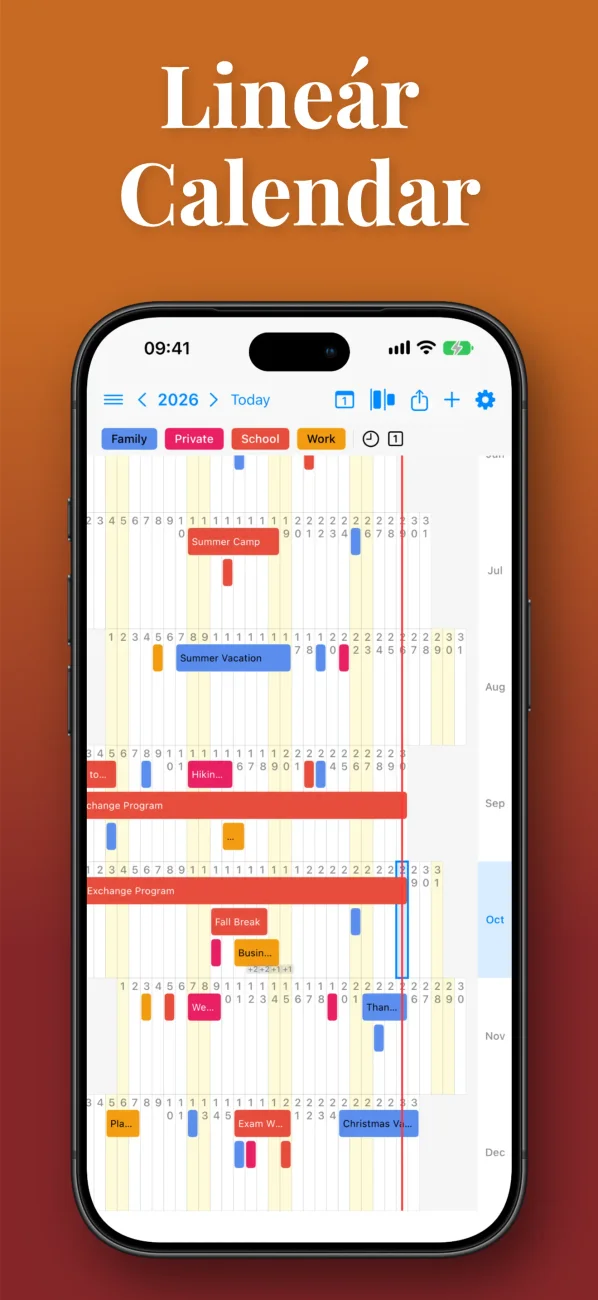
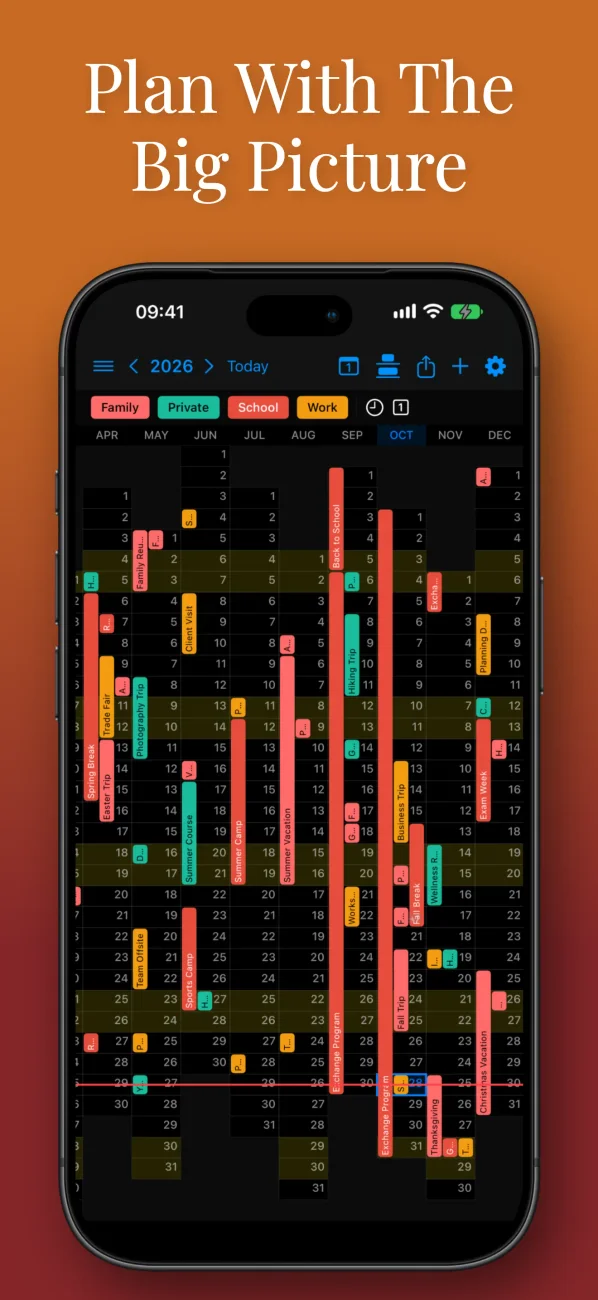
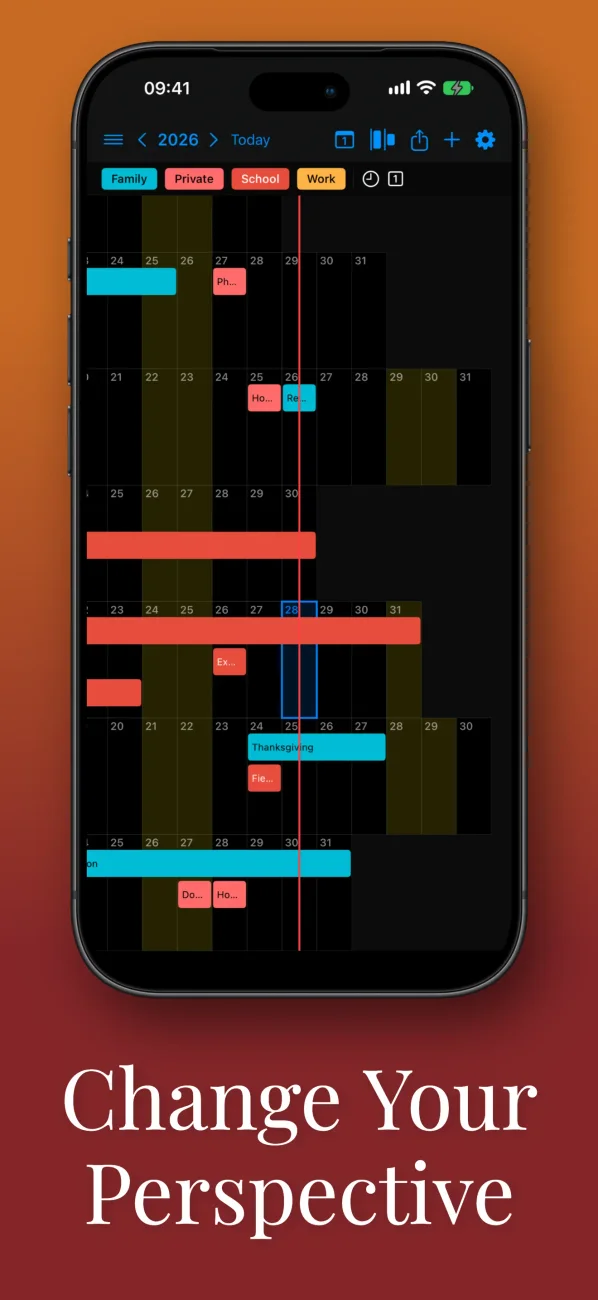
Lineár shows your whole year in a single view: all 365 days at once. Spot busy stretches, find free time, and see how everything fits without flipping through months. Events appear as coloured bars across the days they span. Tap any one for the details.
Scroll Through the Years (New in 2.1)
Keep scrolling past December into the next year, or back into the last one. No switching, no page breaks, just one continuous timeline.
Four Ways to See Your Year
Horizontal (months as rows) or vertical (months as columns, like a wall planner), each with two day arrangements:
- Linear: days align by weekday, so overloaded days and free time stand out.
- Regular: days align by date (1–31), every month's 1st in the same column.
Edit Right on Your Calendar
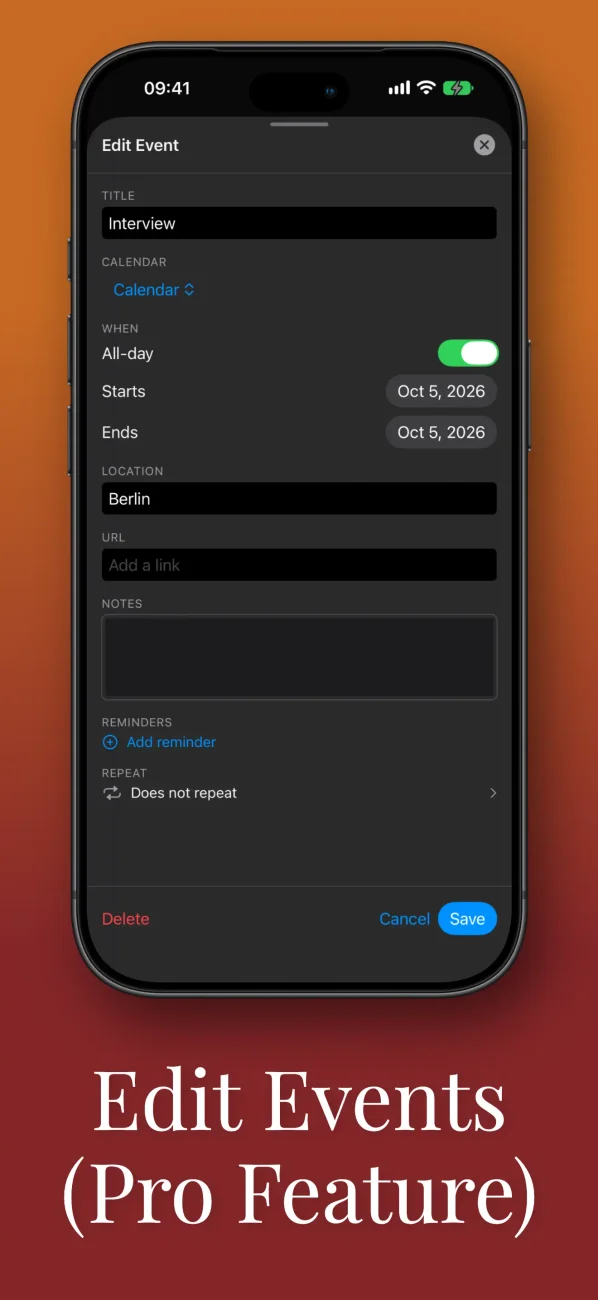
Create, edit, and delete events without leaving Lineár: times, locations, notes, links, reminders, and full repeating events. Move events between calendars and choose a default calendar for new ones. Your first 10 edits are free. Lineár Pro then unlocks unlimited editing as a one-time purchase, no subscription. Viewing always stays free.
Your Calendars, Your Way
Works with iCloud, Google, Exchange, and subscribed calendars in their own colours. Tap a calendar in the toolbar to show or hide it, long press to see only that one. Drag calendars in the sidebar to set which events come out on top, and give any calendar your own colour.
Clean Design, Full Control
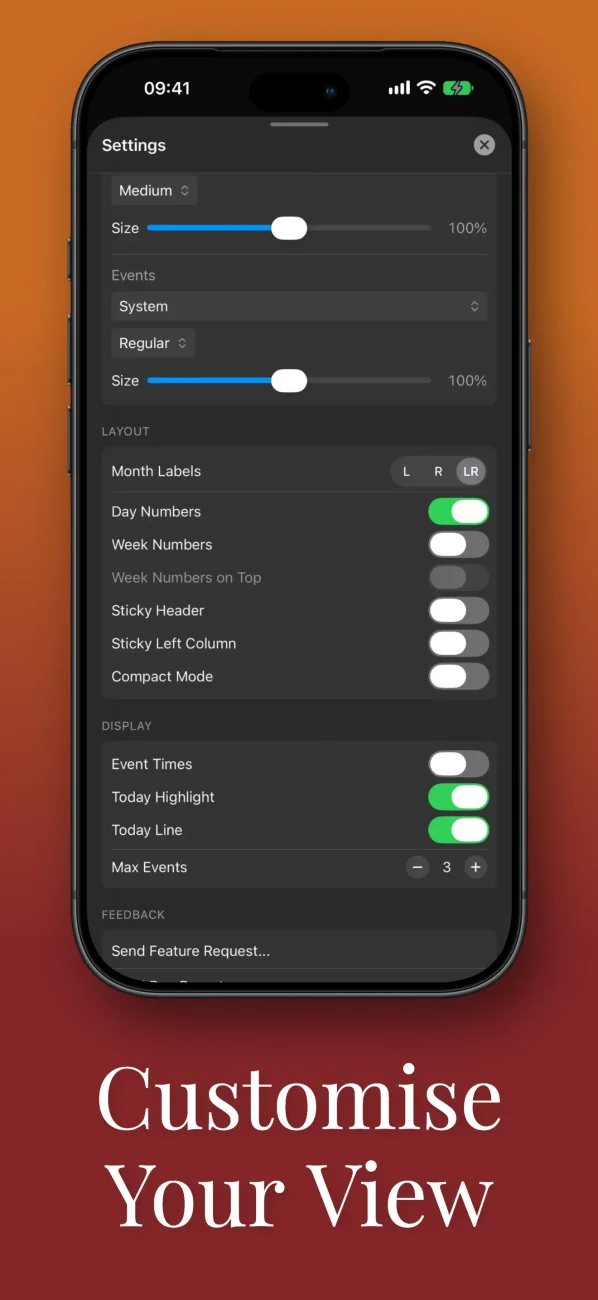
Choose a preset (Yellow, Green, B&W, High Contrast) or customise colours, fonts, and layout. Pin the header or left column while scrolling, like freezing panes in a spreadsheet. Compact mode fits row heights to your events. Filter out timed or single-day events, and show week numbers and event times.
Made for Every Screen
Lineár runs on Mac, iPad, iPhone, and iPhone Duo. On Mac, hover over events for a quick preview and use keyboard shortcuts. On iPhone and iPad, pinch to zoom. An online manual is available from the app.
Print It. Share It.
Export your year as a PDF in A4, A3, Letter, Legal, Tabloid, or Square, portrait or landscape. Print directly on Mac.
Features
- Whole year in one view, horizontal or vertical
- Continuous scrolling across years
- Linear (weekday) and Regular (date) modes
- Create, edit, and delete events, repeats included (Lineár Pro)
- Calendar filters, custom colours, and drag-to-reorder priority
- Colour presets, compact mode, week numbers, event times
- Sticky header and left column
- Zoom, pinch-to-zoom, and scroll to today
- PDF export and printing (Mac)
- Hover previews and keyboard shortcuts (Mac)
- iCloud, Google, Exchange, and subscribed calendars
- Dark mode
Viewing your calendar is always free. Lineár Pro unlocks unlimited editing as a one-time purchase, no subscription.
Yenilikler
Sürüm 2.1.0 · 31.10.2026
- New Continuous Scrolling: scroll straight on from December into the next year, or back into the last one, without switching years. On by default in the horizontal layout, and you can turn it off in Settings
- Events you add or change in other apps, or that arrive by sync, now show up in Lineár right away
- New Default Calendar setting: choose which calendar new events go into, or keep Last Used to continue with the calendar you picked last time
- Lineár now remembers your last view. It reopens in Linear or Regular, horizontal or vertical, just as you left it
- Tapping Edit on an event now opens the editor at full height, so all fields are visible right away
- When space is tight, the Today button now shows an icon instead of its label
- Narrow iPad windows in Split View or Stage Manager now use the compact layout
- Ready for iPhone Duo: unfolded, Lineár uses the full iPad layout with all toolbar controls. Folded, it switches to the compact iPhone layout
Uygulama gizliliği
Bu uygulamanın verileri nasıl işlediği hakkında TheMM tarafından App Store üzerinde yapılan beyan.
-
Veri toplanmıyor
Geliştirici bu uygulamadan hiçbir veri toplamıyor.
Gizlilik uygulamaları, örneğin kullandığınız özelliklere veya yaşınıza göre değişiklik gösterebilir.
Bilgiler
- Satıcı
- Marc Mennigmann
- Kategori
- Üretkenlik
- Sürüm
- 2.1.0
- Güncellendi
- 31.10.2026
- Yayın tarihi
- 06.01.2026
- Boyut
- 8,4 MB
- Gereksinim
- iOS 17.0 veya sonrası
- Yaş sınırı
- 4+
- Fiyat
- Ücretsiz
- Uygulama içi satın alma
- Evet
- Diller
- İngilizce, Fransızca, Almanca, Japonca
- Telif hakkı
- ©2026 by Marc Mennigmann
Bunları da beğenebilirsiniz
-
 Notes to RemindersÜretkenlik
-
 Linear Calendar - ChronosÜretkenlik
-
 Driftnote: Capture & RecallÜretkenlik
-
 DayVo: Searchable Voice MemosÜretkenlik
-
 Yearli – Yearly CalendarÜretkenlik
-
 Textrans – AI Text to ImageÜretkenlik
-
 Simple-Tasks!Üretkenlik
-
 Samay: Time TranslatorÜretkenlik
-
 Easy To Do List: Task,ReminderÜretkenlik
-
 UnTask - One at a timeÜretkenlik