
- Yaş sınırı4+
- KategoriFotoğraf ve Video
- GeliştiriciOskar Gerspach-Wolf
- Dillerİngilizce
- Boyut17,0 MB
Resmi App Store sayfasına bağlanır
Download.org, LiveApp Pro için hiçbir dosya barındırmaz. Düğme, uygulamanın App Store üzerindeki sayfasını açar; uygulamayı orada Oskar Gerspach-Wolf yayınlar. Sayfanın son kontrolü: 14.11.2026.
Ekran görüntüleri

Hakkında
Geliştirici bu metni dilinizde sunmamış.
LiveApp turns your iPad or Mac with Apple silicon into a powerful video playback device for multicam live productions. Output clean custom video playlists via HDMI*. Connect LiveApp to an ATEM Switcher** for more integration and Alpha Video Overlays!
VIDEOCUE
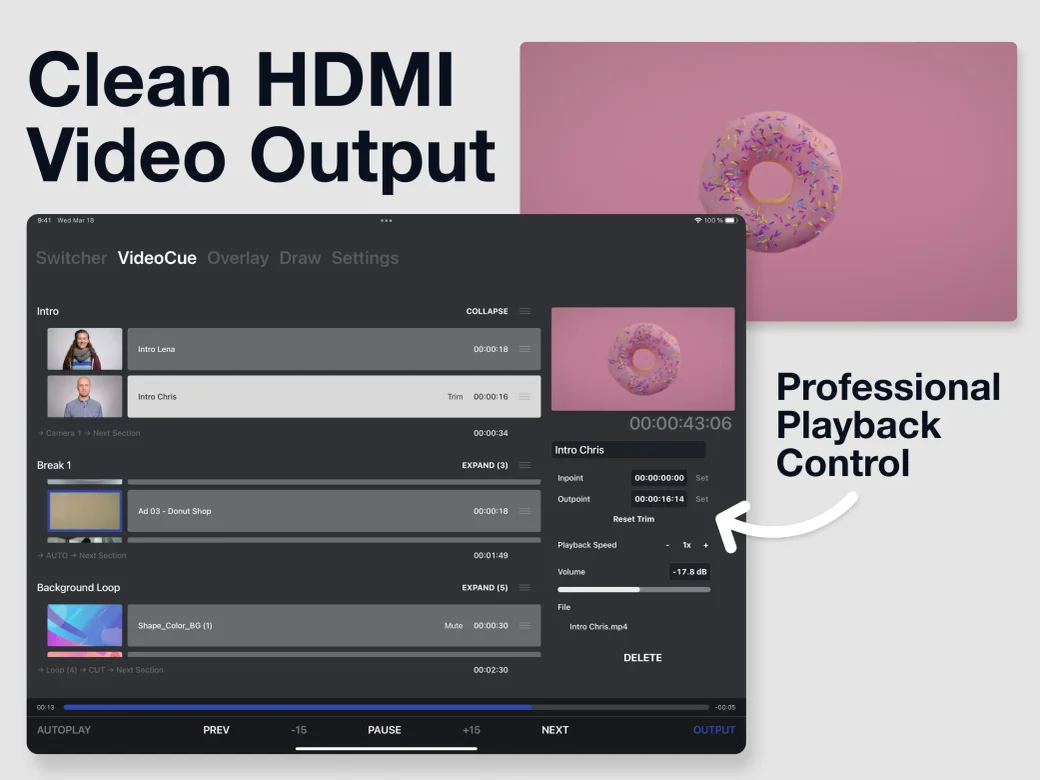
Organize your videos in custom playlists for fullscreen playback via HDMI. If connected to an ATEM Switcher “Autoplay” can be enabled for instant playback when cut to the connected channel. LiveApp cuts back to Preview at the end of the playlist. This makes video playback in your multicam livestream sessions extremely easy. For professional use cases there are a lot of additional powerful features.
INBOX SERVER
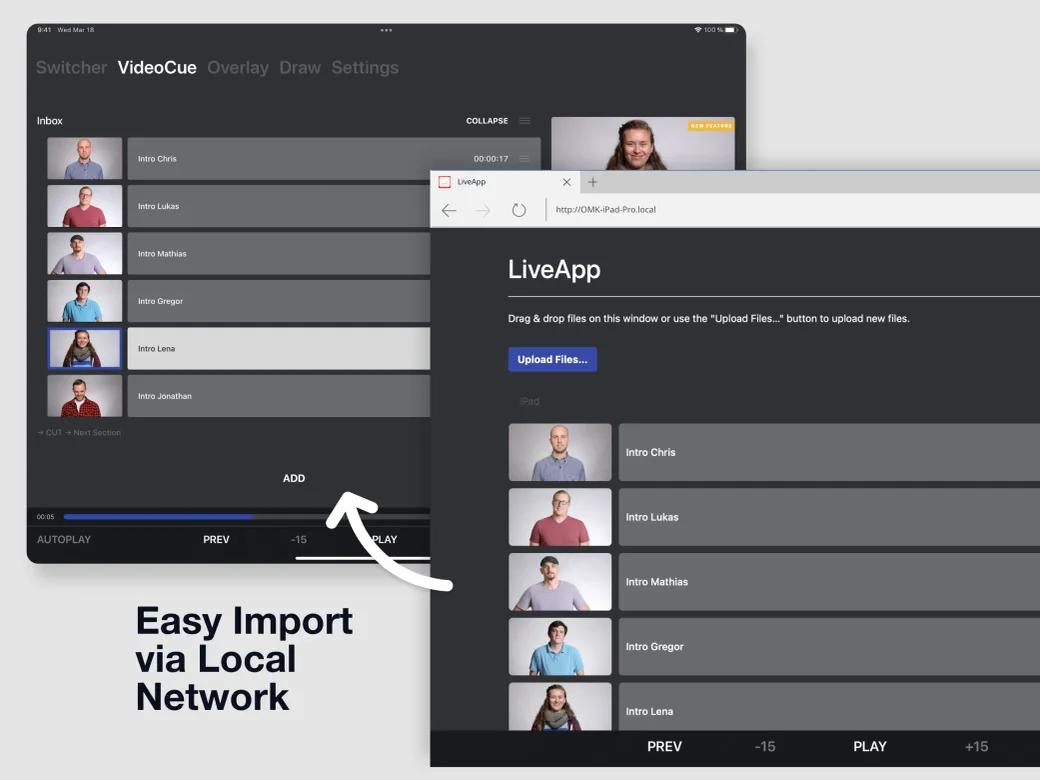
Easily load videos directly into VideoCue over the local network and remotely control playback. To do this, start the Inbox Server in Settings and go to the local LiveApp website with any device on the network. Cross platform, from any web browser.
OVERLAYS
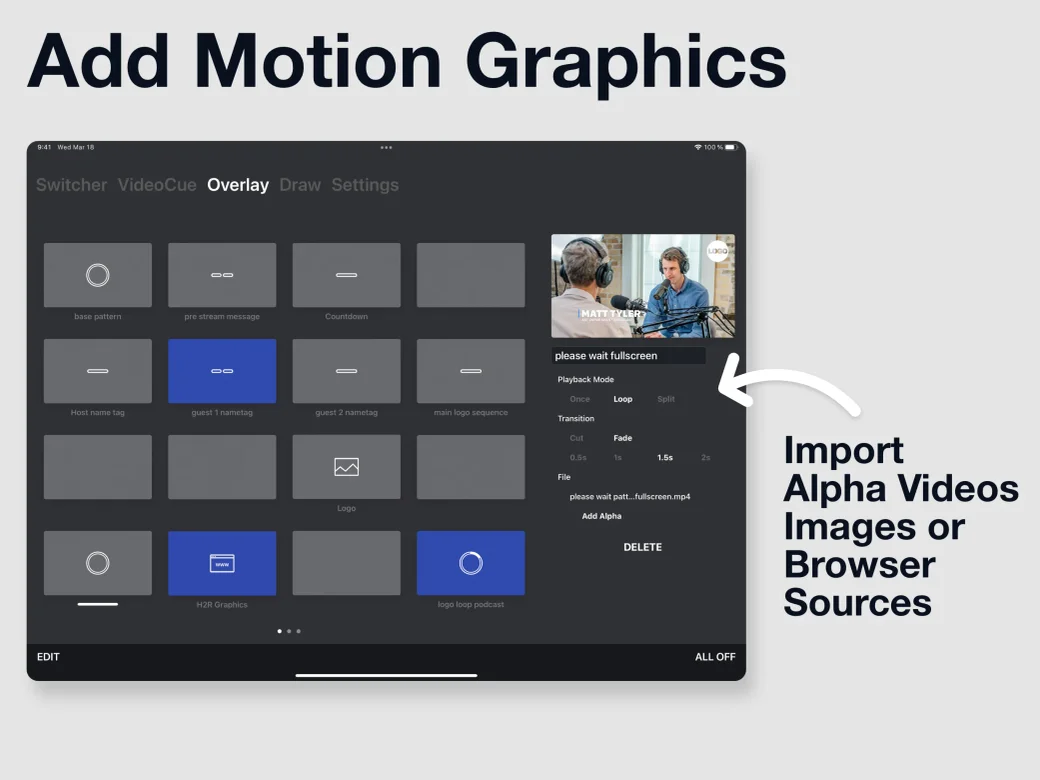
Set up a button grid with custom transparent videos, pictures or web applications for animated overlays. Different playback modes such as once, loop and split make it easy to generate professional overlays. If connected to an ATEM Switcher LiveApp automatically uses the built in keyer to overlay your animations over the active camera stream.
DRAW
Use the fantastic drawing capabilities of iPad to draw over the video output. Either scribble over your VideoCue footage or annotate any ATEM input using the keyer technology. When connected to an ATEM a reference frame can be captured to ensure precise drawing results.
SWITCHER
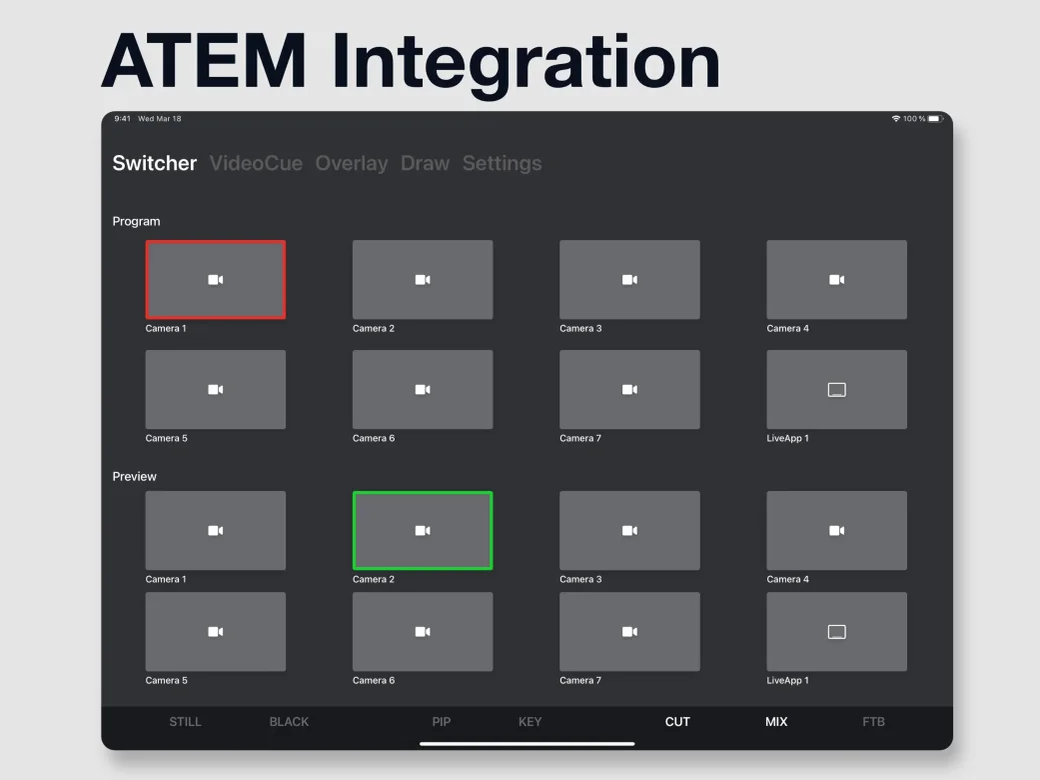
Connect LiveApp to your ATEM Switcher over the local network and unlock remote control capabilities. Find all inputs organized in separate Program and Preview rows and all essential tools for live switching right at your fingertips.
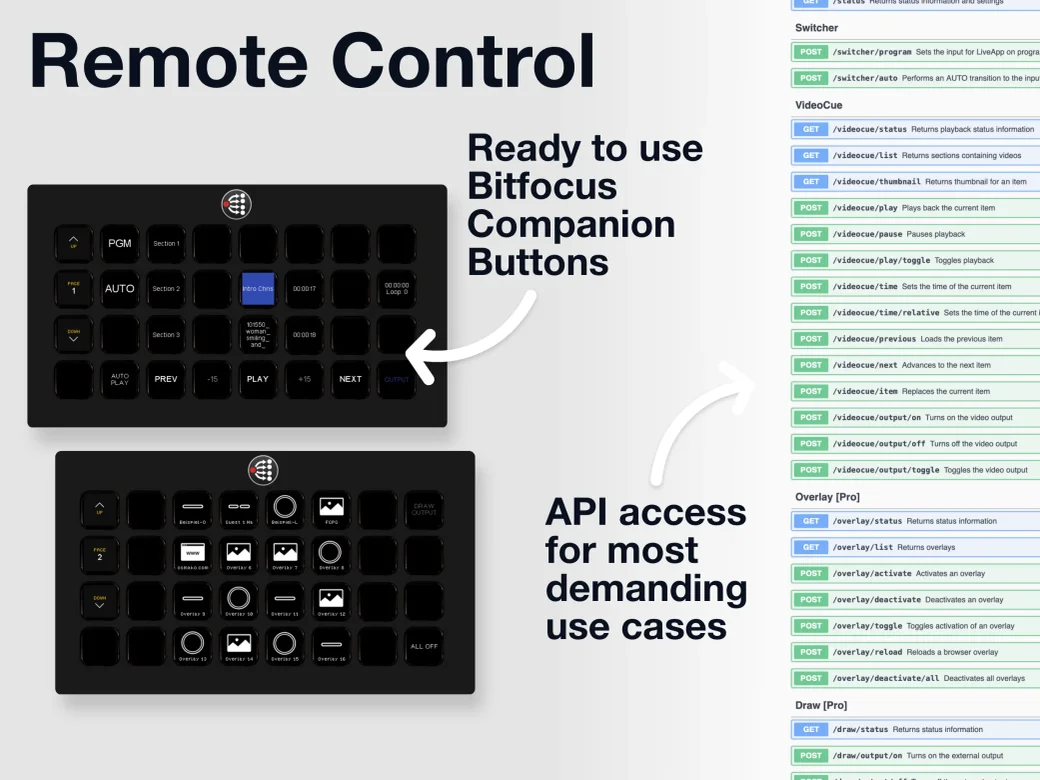
REMOTE CONTROL
Create completely custom solutions with the API or use our pre-built integration with Bitfocus Companion.
DOCUMENTATION
We provide detailed written documentation and video tutorials for every LiveApp feature, please refer to the OSMAKO website and social media channels.
UPDATES AND FEEDBACK
We continuously work on LiveApp to implement new features and provide the best tool for your productions. Therefore, we are happy to hear your feedback and workflow needs. Feel free to reach out via social media or the dedicated contact form on our website.
* additional hardware required, sold separately
** supports the ATEM network protocol (optimized for the ATEM Mini, ATEM Mini Pro and ATEM Mini Extreme family)
Yenilikler
Sürüm 1.5.1 · 25.04.2025
- Companion V3 support
- Support for latest ATEM software
- Hide cursor on video output
- Various optimizations to improve performance
Uygulama gizliliği
Bu uygulamanın verileri nasıl işlediği hakkında Oskar Gerspach-Wolf tarafından App Store üzerinde yapılan beyan.
-
Sizinle ilişkilendirilmeyen veriler
Toplanabilir ancak kimliğinizle ilişkilendirilmez.
- Kullanım verileri
- Tanılama
Gizlilik uygulamaları, örneğin kullandığınız özelliklere veya yaşınıza göre değişiklik gösterebilir.
Bilgiler
- Satıcı
- Oskar Gerspach-Wolf
- Kategori
- Fotoğraf ve Video
- Sürüm
- 1.5.1
- Güncellendi
- 25.04.2025
- Yayın tarihi
- 16.04.2021
- Boyut
- 17,0 MB
- Gereksinim
- iOS 14.0 veya sonrası
- Yaş sınırı
- 4+
- Fiyat
- ₺2.499,99
- Diller
- İngilizce
- Telif hakkı
- © 2021-2025 OSMAKO
Bunları da beğenebilirsiniz
-
 MixEffect Pro - Paid Up-FrontFotoğraf ve Video
-
 MixEffect (Trial & Pro Unlock)Fotoğraf ve Video
-
 TopDirector (NDI,SRT,UVC,RTSP)Fotoğraf ve Video
-
 DirectorMonitorFotoğraf ve Video
-
 Video PencilFotoğraf ve Video
-
 NDI Monitor ProFotoğraf ve Video
-
 Obsbot LiveFotoğraf ve Video
-
 Shoot Pro Camera SourceFotoğraf ve Video
-
 Obsbot StartFotoğraf ve Video
-
 Blackmagic Remote MonitorFotoğraf ve Video