
MarkDeck: PDF EPUB MD Reader
Markdown editor & ebook viewer
iPhone, iPad, Mac için tasarlandı
Ücretsiz · Uygulama içi satın alma
- Yaş sınırı4+
- KategoriÜretkenlik
- GeliştiriciJeisson Segura
- Dillerİngilizce+ 2 dil daha
- Boyut133,4 MB
Resmi App Store sayfasına bağlanır
Download.org, MarkDeck: PDF EPUB MD Reader için hiçbir dosya barındırmaz. Düğme, uygulamanın App Store üzerindeki sayfasını açar; uygulamayı orada Jeisson Segura yayınlar. Sayfanın son kontrolü: 23.11.2026.
Ekran görüntüleri
Hakkında
Geliştirici bu metni dilinizde sunmamış.
MarkDeck is a fast, beautiful reader and editor for Markdown, PDF, EPUB and Word documents on iPhone and iPad. Open any .md, .pdf, .epub or .docx file and read it your way — with your own themes, your own fonts and a clean, focused layout.
Whether you're a developer viewing README files, a student with PDF handouts, a writer keeping Markdown notes or a book lover with an EPUB library, MarkDeck makes reading a delight.
BEAUTIFUL RENDERING FOR EVERY FORMAT
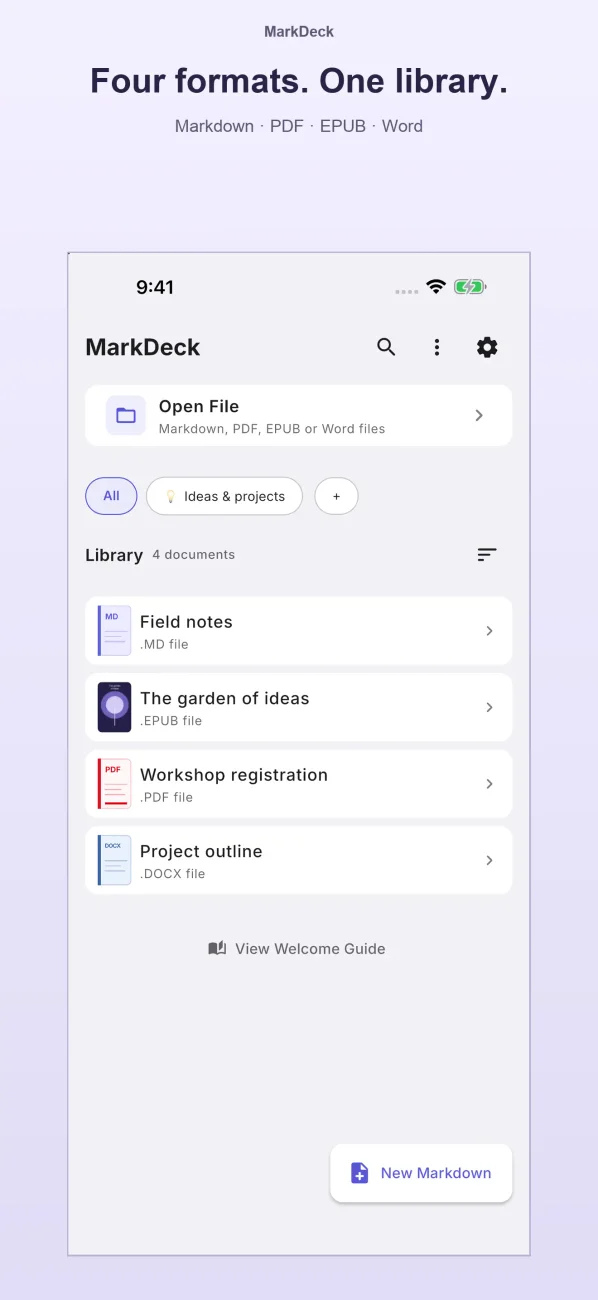
Markdown rendered with pixel-perfect precision: scrollable tables, syntax-highlighted code, clickable links, inline images and Mermaid diagrams drawn offline. PDFs and EPUB books open in the same calm reader, one library for everything you read.
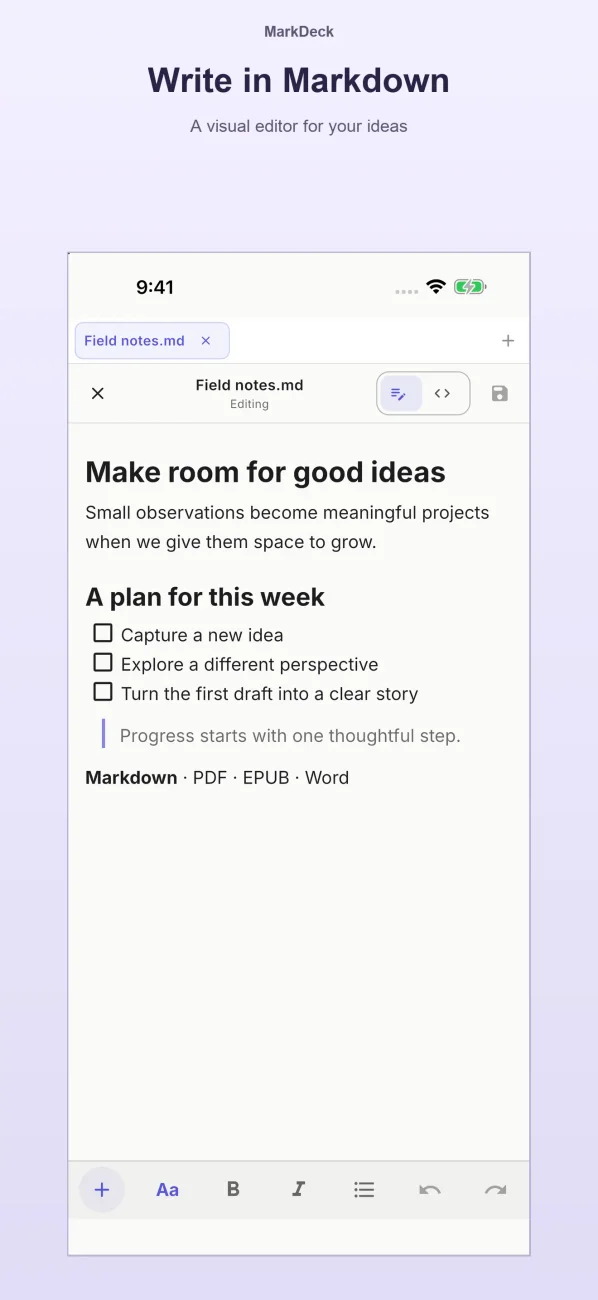
VISUAL MARKDOWN EDITOR
Write and edit like in a word processor: headings, lists, tasks, quotes, code, links, images and tables edited in place, with the Markdown view one tap away. Create new notes and save them straight into your library.
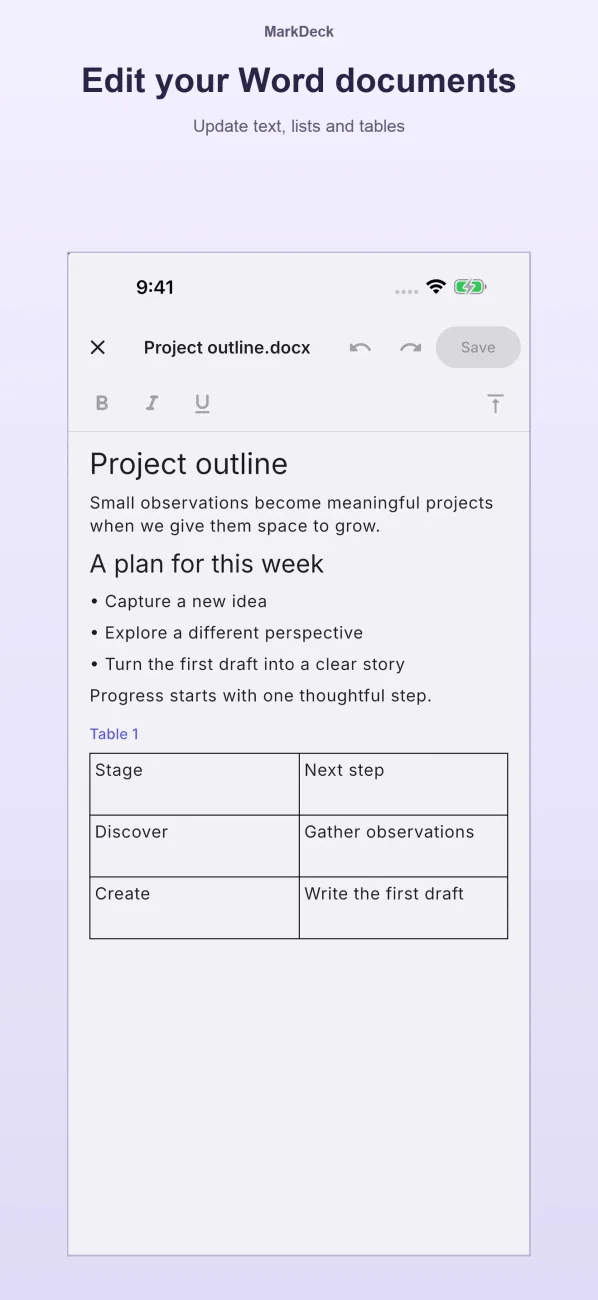
READ AND EDIT WORD DOCUMENTS (.DOCX)
Edit Word documents on iPhone and iPad, free: fix a typo, rewrite a paragraph, add bold or italic. The file keeps its layout, tables and images.
Open Word documents as real pages, like a PDF: page size, headers and footers, tables, images and charts kept. Search the text, jump through the contents built from its headings and pick up where you left off. With Pro, export them to PDF. Templates (.dotx) and macro-enabled files (.docm, .dotm) open too; macros never run.
SAVE A COPY
Keep any document in Files: choose the folder and the name, and the library copy stays as it is. Free.
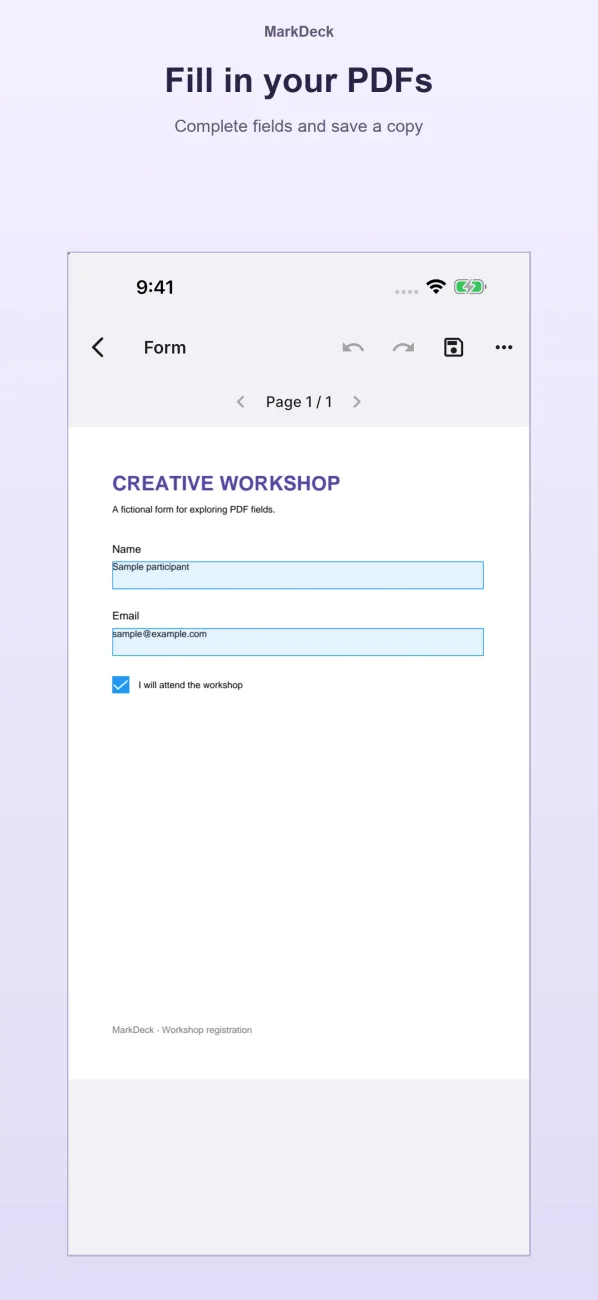
FILL PDF FORMS
Fill in interactive PDF forms (text, checkboxes, options and lists) and save a copy while the original stays untouched.
20 READING THEMES
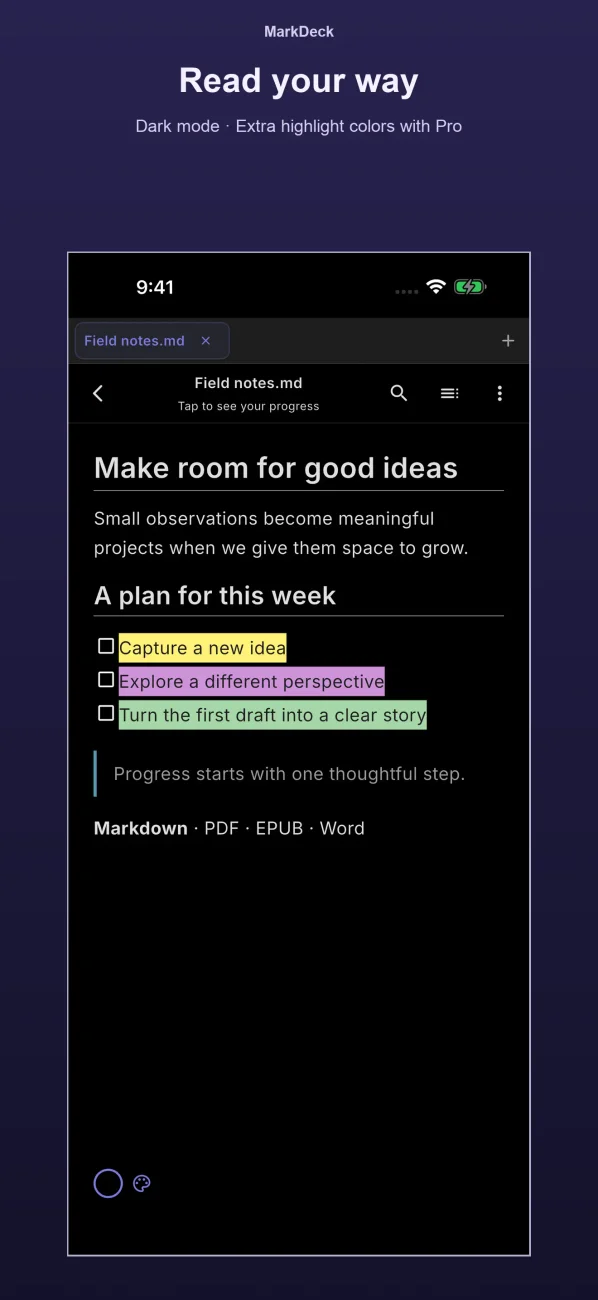
15 themes free (Light, Dark, Sepia, Paper, AMOLED, Nord, Dracula, Solarized, Gruvbox, Tokyo Night and more) plus 5 premium palettes with MarkDeck Pro. Switch themes without leaving the page.
YOUR FONTS, YOUR WAY
One font for the app, another for what you read, so a cozy serif for your book never restyles your menus. Two fonts free, eight more with Pro.
COMFORTABLE PDF READING
Fit-to-width zoom remembered per document, Night and Warm color modes (Pro), password-protected PDFs, and continuous or page-by-page navigation.
FULL-SCREEN READING
One tap hides everything but the page, with a slim progress line so you never lose your place.
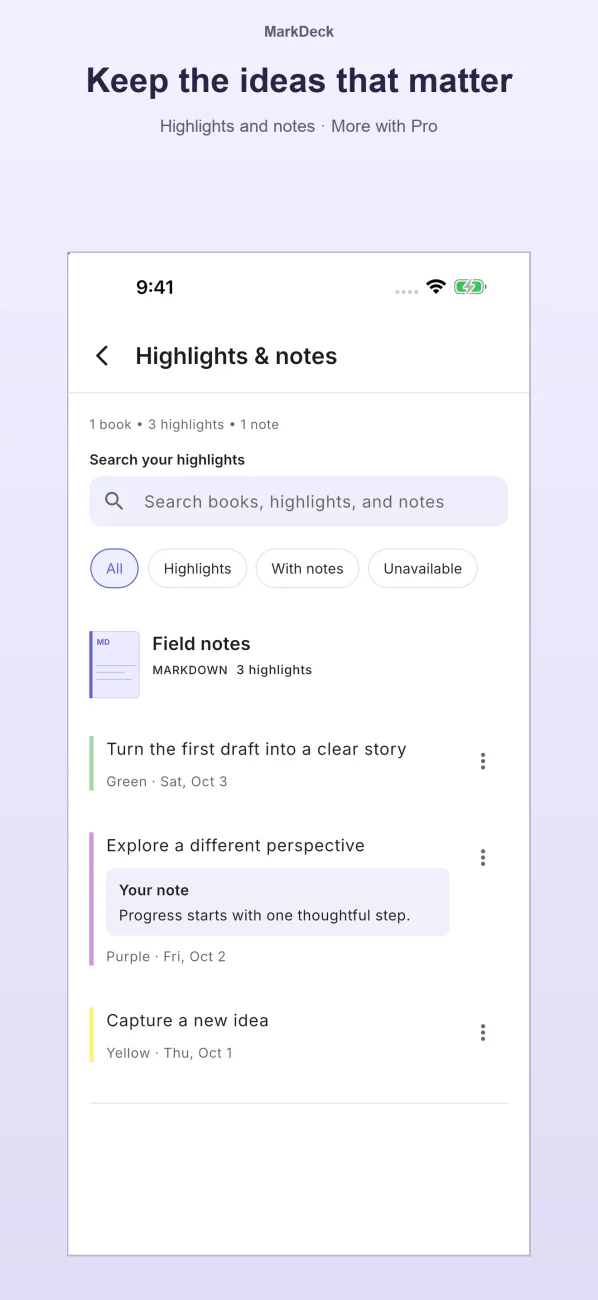
BOOKMARKS, HIGHLIGHTS & NOTES
Bookmarks that take you back to the right spot. Highlight any passage, pick a color and add a note (Pro), then find every highlight and note in one place. A table of contents jumps to any chapter.
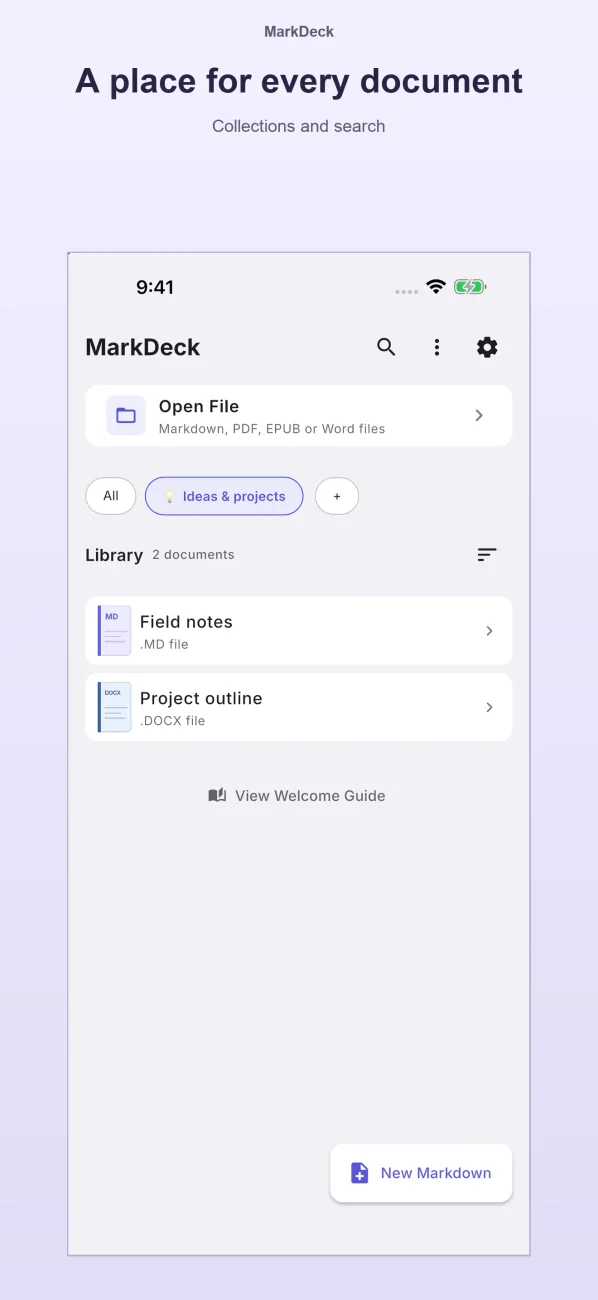
ORGANIZE YOUR LIBRARY
Group documents into collections, search your library and pick up right where you left off.
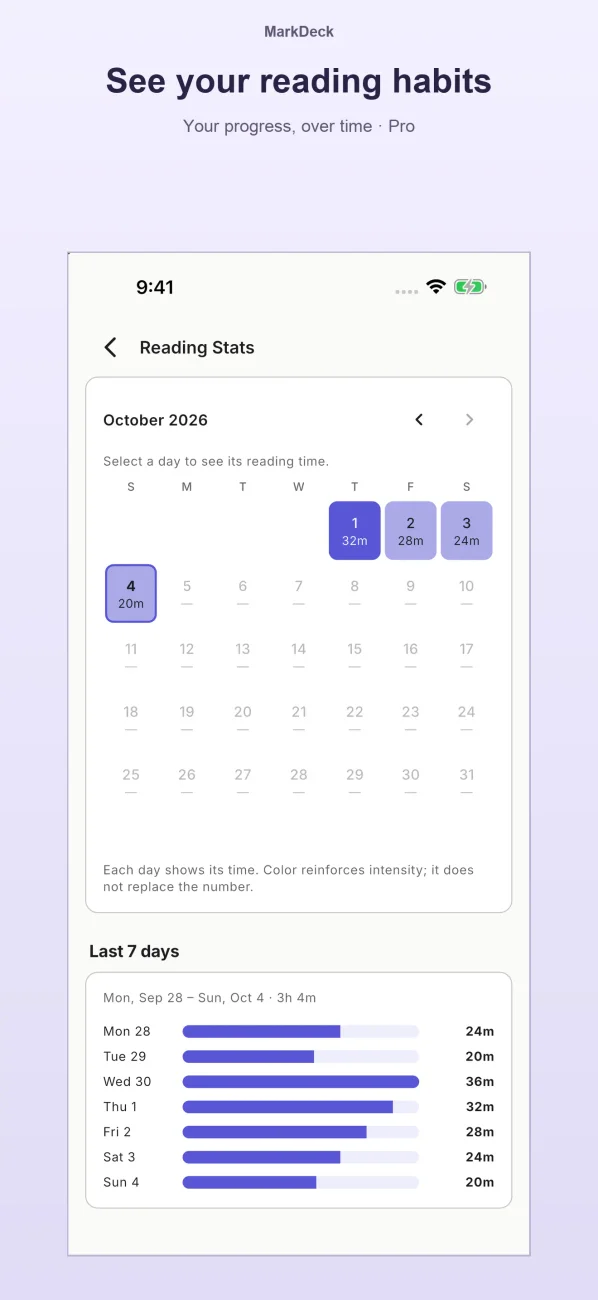
READING STATS
Total time, streak and sessions at a glance; Pro adds a full activity heatmap.
OPEN FILES FROM ANY APP
Got a .md, .pdf or .epub in Mail, Files or a chat app? Open it straight into MarkDeck, including documents inside ZIP files.
PASTE & READ, OR IMPORT A LINK
Paste Markdown from any app or AI tool and read it instantly, or paste a web link and MarkDeck turns it into clean, readable text.
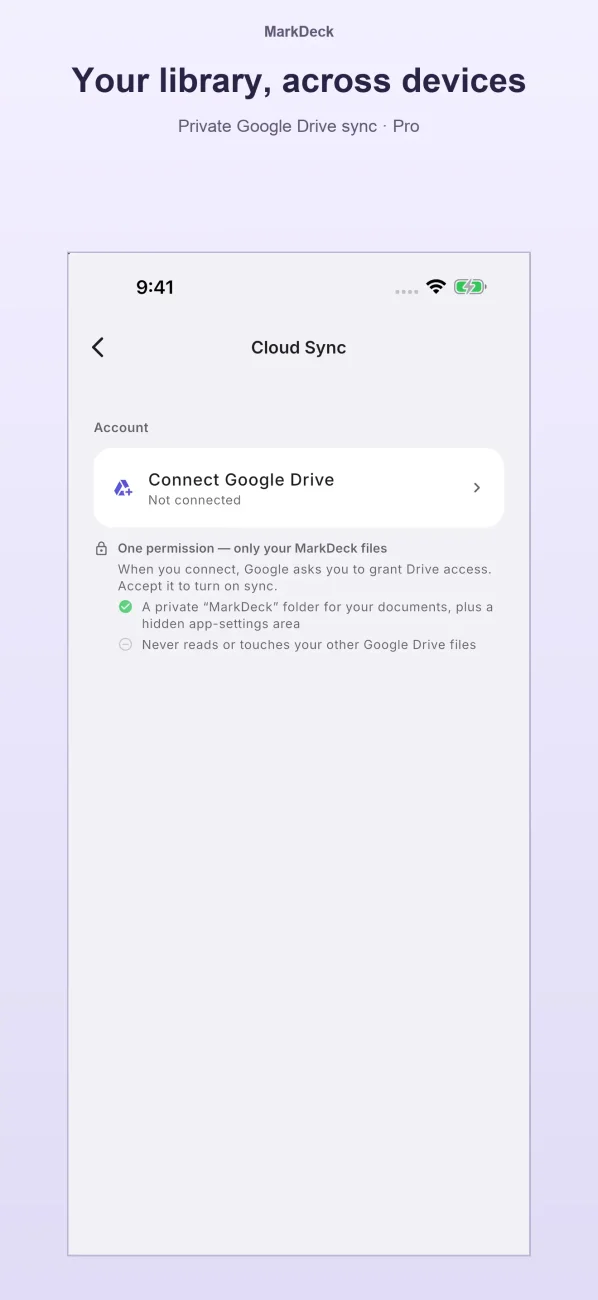
SYNC WITH GOOGLE DRIVE (PRO)
Keep your library, highlights and notes in step across your devices with your own Google Drive.
OFFLINE & PRIVATE
No account needed to read. Everything works offline, and your documents stay on your device unless you turn on Google Drive sync.
MULTILINGUAL
English, Spanish and Portuguese; pick your language independently of your device's.
MARKDECK PRO
Remove ads and unlock every font, all 20 themes, PDF color modes, unlimited bookmarks, color highlights with notes, documents in tabs, PDF export, the full stats dashboard and Google Drive sync. The annual plan starts with a 7-day free trial.
SUPPORTED FORMATS: .md · .markdown · .txt · .pdf · .epub · .docx · .dotx · .docm · .dotm
Privacy Policy: https://markdeck.dev/privacy.html
Terms of Use (EULA): https://www.apple.com/legal/internet-services/itunes/dev/stdeula/
Yenilikler
Sürüm 2.35.0 · 22.11.2026
MarkDeck 2.35
• Choose the reading font and line spacing while you read, from the appearance panel
• See how many words a document has, in the contents panel
• One clear menu in the library, with Send feedback in it
• Paged reading: a heading stays with its paragraph
• Two editor crashes fixed
Enjoying MarkDeck? A review helps.
Uygulama gizliliği
Bu uygulamanın verileri nasıl işlediği hakkında Jeisson Segura tarafından App Store üzerinde yapılan beyan.
-
Sizi izlemek için kullanılan veriler
Başka şirketlere ait uygulamalarda ve web sitelerinde sizi izlemek için kullanılabilir.
- Tanımlayıcılar
-
Sizinle ilişkilendirilen veriler
Toplanabilir ve kimliğinizle ilişkilendirilebilir.
- Konum
- İletişim bilgileri
- Kullanıcı içeriği
- Tanımlayıcılar
- Kullanım verileri
-
Sizinle ilişkilendirilmeyen veriler
Toplanabilir ancak kimliğinizle ilişkilendirilmez.
- Satın alımlar
- Tanımlayıcılar
- Tanılama
Gizlilik uygulamaları, örneğin kullandığınız özelliklere veya yaşınıza göre değişiklik gösterebilir.
Bilgiler
- Satıcı
- Jeisson Segura
- Kategori
- Üretkenlik
- Sürüm
- 2.35.0
- Güncellendi
- 22.11.2026
- Yayın tarihi
- 22.07.2026
- Boyut
- 133,4 MB
- Gereksinim
- iOS 16.0 veya sonrası
- Yaş sınırı
- 4+
- Fiyat
- Ücretsiz
- Uygulama içi satın alma
- Evet
- Diller
- İngilizce, Portekizce, İspanyolca
- Telif hakkı
- © Json Segura
Bunları da beğenebilirsiniz
-
 DeepStudyÜretkenlik
-
 ArcvellumÜretkenlik
-
 MDer: Markdown ReaderÜretkenlik
-
 Markview: Markdown WorkspaceÜretkenlik
-
 Boreal Markdown EditorÜretkenlik
-
 Leaf - PDF EditorÜretkenlik
-
 Markmatic - AI to Word & PDFÜretkenlik
-
 FlowReader ProÜretkenlik
-
 Markdown.md - Notes & PreviewÜretkenlik
-
 QuickMark: Markdown EditorÜretkenlik