Marshal Eye
Fire marshal response app
iPhone, iPad için tasarlandı
Ücretsiz
- Yaş sınırı4+
- Kategoriİş
- GeliştiriciThink EQ Ltd
- Dillerİngilizce
- Boyut29,4 MB
Resmi App Store sayfasına bağlanır
Download.org, Marshal Eye için hiçbir dosya barındırmaz. Düğme, uygulamanın App Store üzerindeki sayfasını açar; uygulamayı orada Think EQ Ltd yayınlar. Sayfanın son kontrolü: 12.11.2026.
Ekran görüntüleri

Hakkında
Geliştirici bu metni dilinizde sunmamış.
Marshal Eye is fire evacuation and emergency response software that helps organisations coordinate fire marshals and fire wardens, manage emergency procedures and maintain operational readiness, particularly in workplaces with hybrid working and flexible shift patterns.
With people working from different locations and on different shifts, planning fire marshal cover is hard. Marshal Eye works on an opt-in principle. When an incident starts, your team claim the areas, roles and tasks they can cover, and everyone on the fire response team can see who has what. Whoever is in that day, you'll always know your cover.
REDESIGNED FOR EMERGENCIES
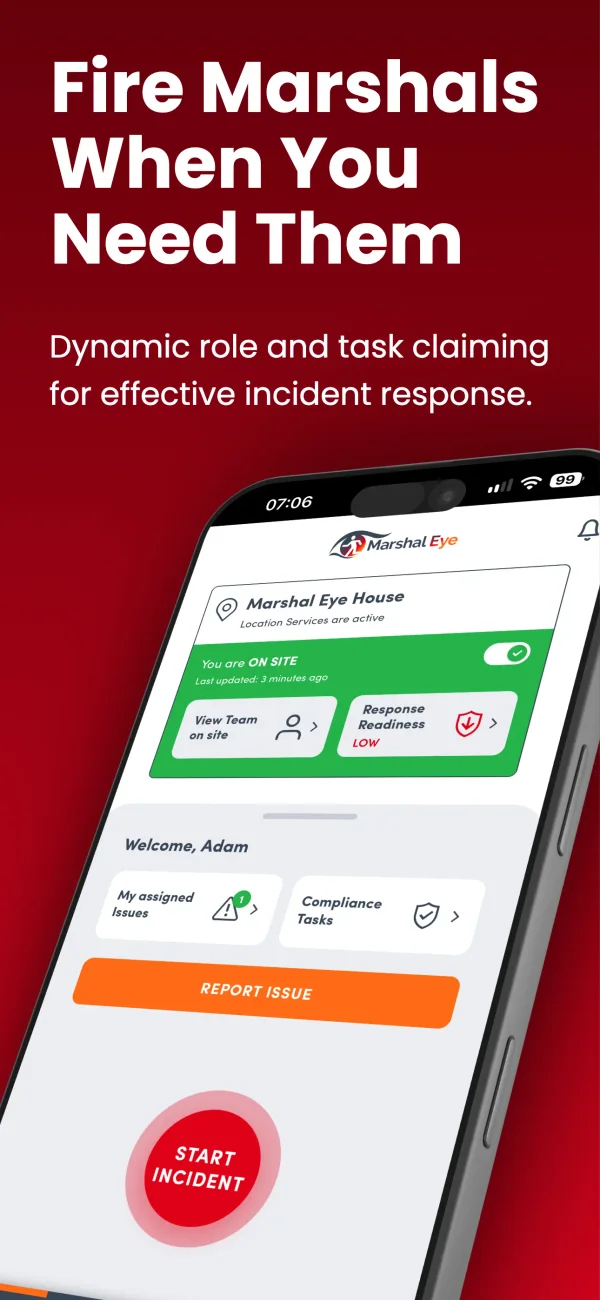
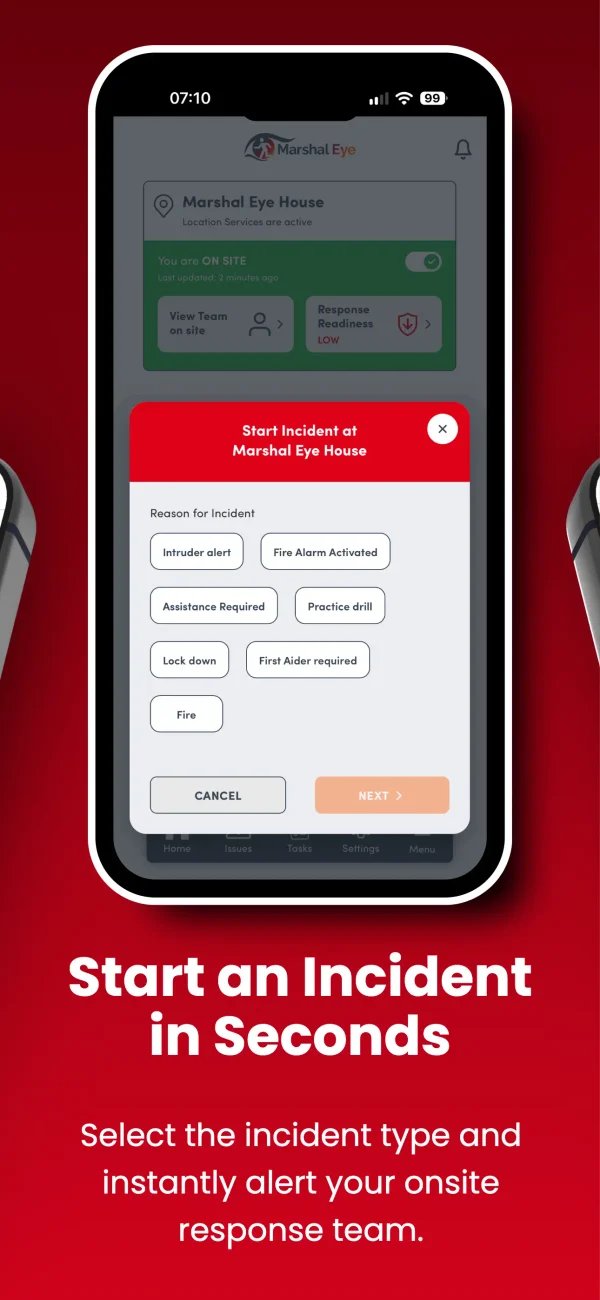
A complete redesign makes Marshal Eye more intuitive during workplace emergencies. A prominent Start Incident button sits within easy thumb reach, and new incident-type selectors make starting a fire evacuation or other emergency response straightforward.
AUTOMATIC GEOFENCING
Marshal Eye automatically marks you as onsite or off site as you arrive at or leave your workplace, giving your team a more accurate picture of available fire marshals without relying on manual sign-ins. To do this, Marshal Eye only uses your location for geofencing in the background when the app is running. You can turn it off at any time on the Settings screen.
OPERATIONAL READINESS
A new tile on the Home screen gives an instant overview of your emergency response preparedness. A warning triangle shows where duties remain uncovered, so you can spot gaps in your arrangements before an incident happens.
DURING AN INCIDENT
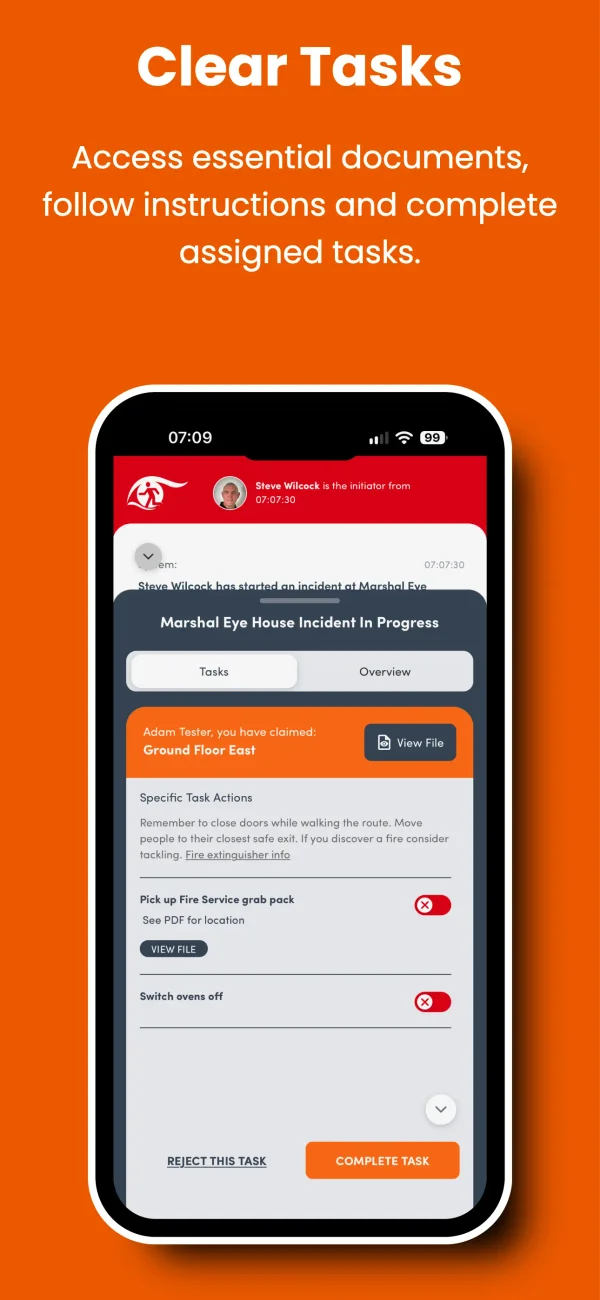
- Claim areas, roles and tasks, each with a checklist of sub-tasks
- The Incident Manager sees every role and task, who claimed it and when, with a colour-coded traffic light system
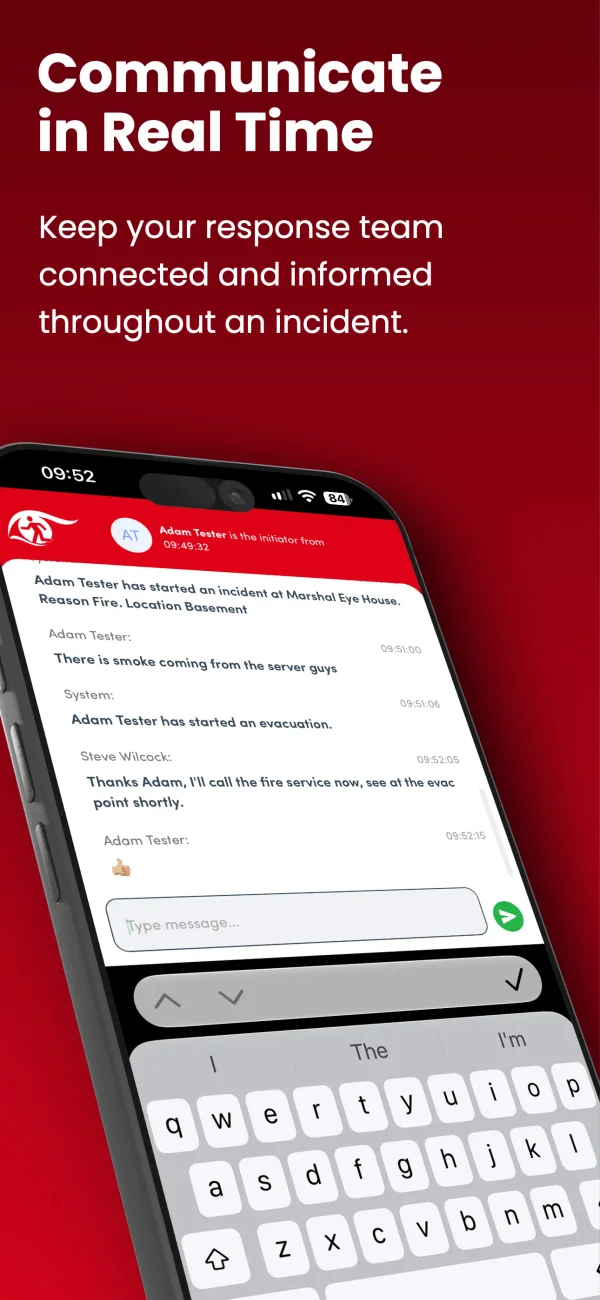
- Live messaging keeps the whole team informed, so decisions are made quickly and false alarms cause less disruption
- Critical and non-critical alerts with their own sounds, so the right people are notified straight away
- Team Onsite shows everyone currently onsite and their role
AFTER AN INCIDENT
- Every role or task claimed and completed is time stamped, along with the messages exchanged, creating a full chronological report for debrief and audit
- Incident History gives a quick summary of closed incidents
FIRE SAFETY MANAGEMENT
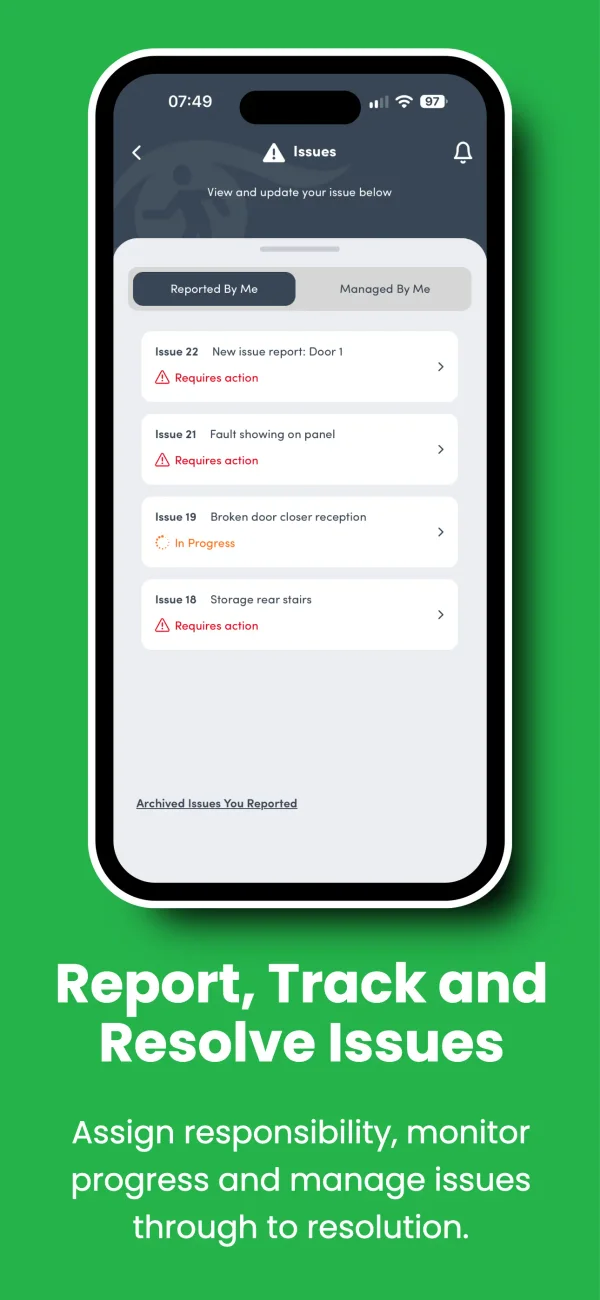
- Report an Issue: report safety concerns such as a blocked fire exit, with a photo or PDF. Issues can be assigned to an owner, who records progress and submits completed actions for sign-off. Both the reporter and the owner can track progress through to resolution.
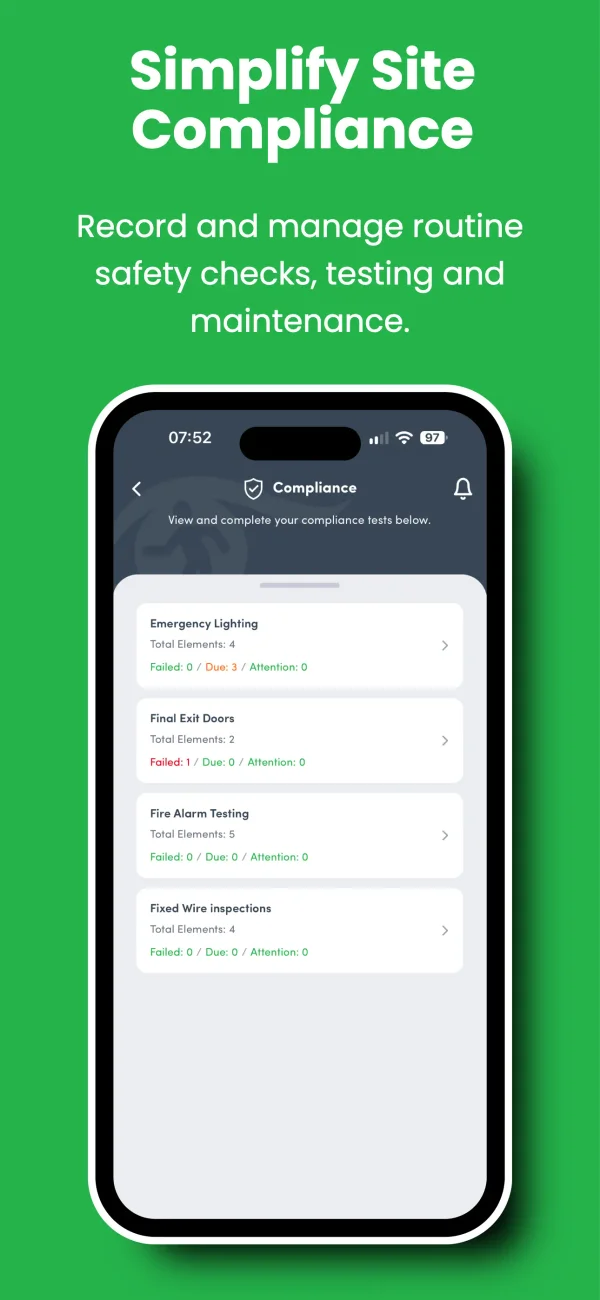
- Building-specific compliance: set up compliance testing and maintenance tasks for each building, reflecting the equipment and arrangements at each location
- Documents: find guides, manuals and procedures, such as how to use a fire extinguisher
- Notifications: company-wide updates and announcements in one place
BESPOKE TO YOUR BUILDING
Areas, tasks and roles are set up by the person responsible for your fire strategy. Administrators can add walking routes, notes, documents and extra actions to each role, such as "pick up visitors log", so nothing is forgotten. All records are kept in the administrator dashboard.
SECURE AND SIMPLE
Log in with a PIN, fingerprint or face recognition, and choose your notification preferences and Geofencing preferences in Settings.
Marshal Eye needs an account set up by your organisation. To find out more, visit marshal-eye.com or email info@marshal-eye.com
Yenilikler
Sürüm 1.0.30 · 06.11.2026
Marshal Eye has been completely redesigned to make it more intuitive during workplace emergencies.
Redesigned interface
- A prominent Start Incident button within easy thumb reach, plus new incident-type selectors
- Updated incident screens show who is undertaking each role and task
Automatic geofencing
- Marshal Eye automatically marks you as onsite or off site, giving a more accurate picture of available fire marshals
Operational Readiness
- A new tile on the Home screen gives an instant overview of your emergency response preparedness
- A warning triangle shows where duties remain uncovered
Improved Report an Issue
- Assign reported issues to an owner, who can record progress, update activity logs and submit completed actions for sign-off
- Both the reporter and the owner can track progress through to resolution
Building-specific compliance
- Set up compliance testing and maintenance tasks for each individual building
Questions or feedback? Email info@marshal-eye.com
Uygulama gizliliği
Bu uygulamanın verileri nasıl işlediği hakkında Think EQ Ltd tarafından App Store üzerinde yapılan beyan.
-
Sizi izlemek için kullanılan veriler
Başka şirketlere ait uygulamalarda ve web sitelerinde sizi izlemek için kullanılabilir.
- Kullanım verileri
-
Sizinle ilişkilendirilen veriler
Toplanabilir ve kimliğinizle ilişkilendirilebilir.
- Konum
- İletişim bilgileri
- Kullanıcı içeriği
- Tanımlayıcılar
- Kullanım verileri
- Tanılama
Gizlilik uygulamaları, örneğin kullandığınız özelliklere veya yaşınıza göre değişiklik gösterebilir.
Bilgiler
- Satıcı
- Think EQ Ltd
- Kategori
- İş
- Sürüm
- 1.0.30
- Güncellendi
- 06.11.2026
- Yayın tarihi
- 06.11.2023
- Boyut
- 29,4 MB
- Gereksinim
- iOS 17.6 veya sonrası
- Yaş sınırı
- 4+
- Fiyat
- Ücretsiz
- Diller
- İngilizce
- Telif hakkı
- © Marshal Eye