
MegaMessenger
Same Messages. No Group Chats.
iPhone, iPad, Mac için tasarlandı
₺149,99
- Yaş sınırı4+
- KategoriÜretkenlik
- GeliştiriciMichael Jandreau
- Dillerİngilizce
- Boyut15,8 MB
Resmi App Store sayfasına bağlanır
Download.org, MegaMessenger için hiçbir dosya barındırmaz. Düğme, uygulamanın App Store üzerindeki sayfasını açar; uygulamayı orada Michael Jandreau yayınlar. Sayfanın son kontrolü: 16.11.2026.
Ekran görüntüleri



Hakkında
Geliştirici bu metni dilinizde sunmamış.
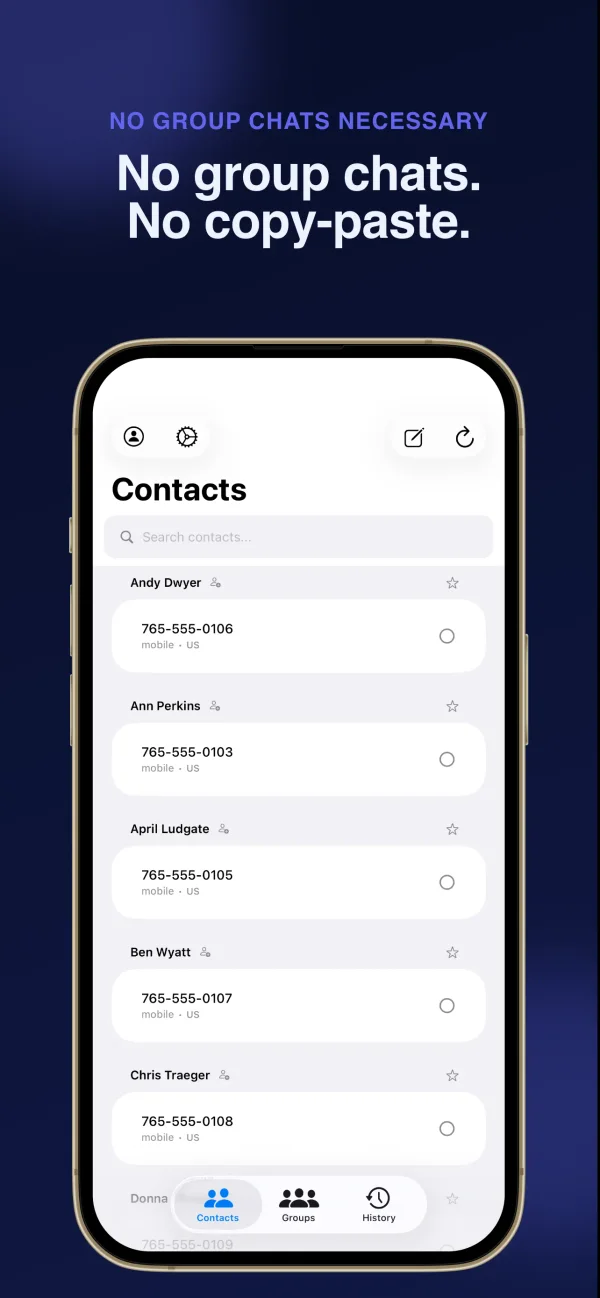
If you need to send the same message to a bunch of people separately but don’t want to copy and paste it every time, and you don’t want to use group chats, MegaMessenger is for you.
Whether you’re coordinating with your team, reaching out to clients, or keeping family and friends in the loop, MegaMessenger handles the heavy lifting. Select your recipients, write your message once, and send — each person gets their own individual message, never a group chat.
What you can do:
Send to dozens (hundreds!) of contacts with just a few clicks — each receives a personal, individual message. No group chats are needed to send everyone the same message!
Attach photos to your messages
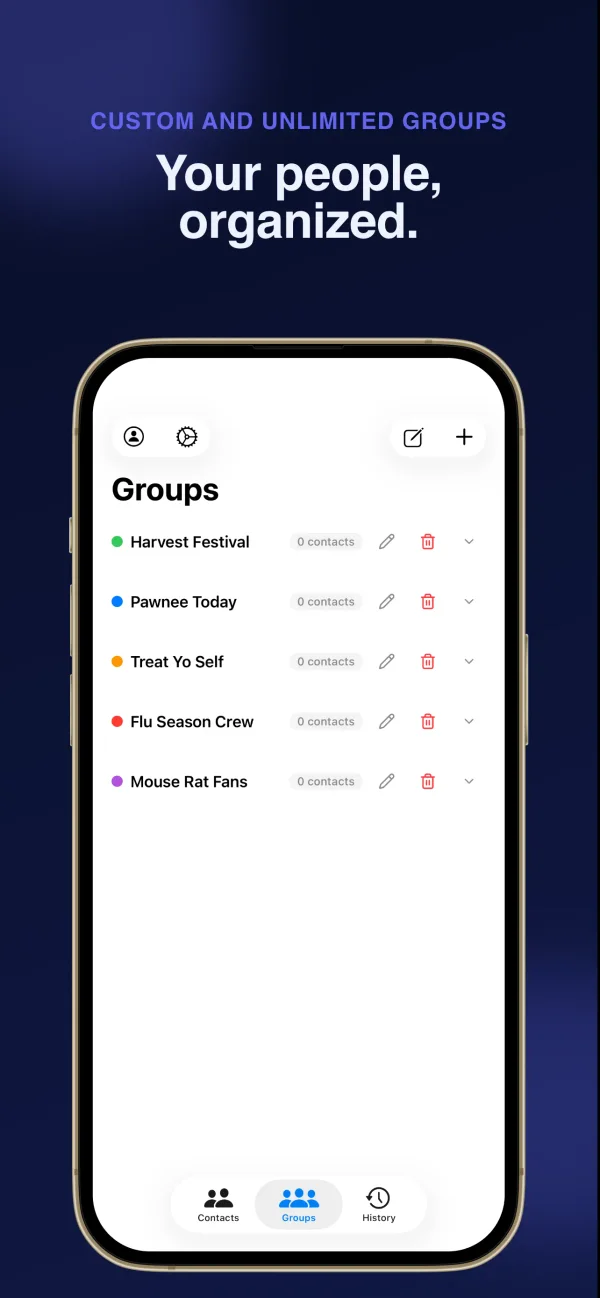
Build named Groups (Family, Work, Book Club) for one-tap recipient selection
Assign keyboard shortcuts (⌘1–⌘9) to your groups for instant access. (macOS and iOS are both included in your purchase)
Search and favorite your most-used contacts
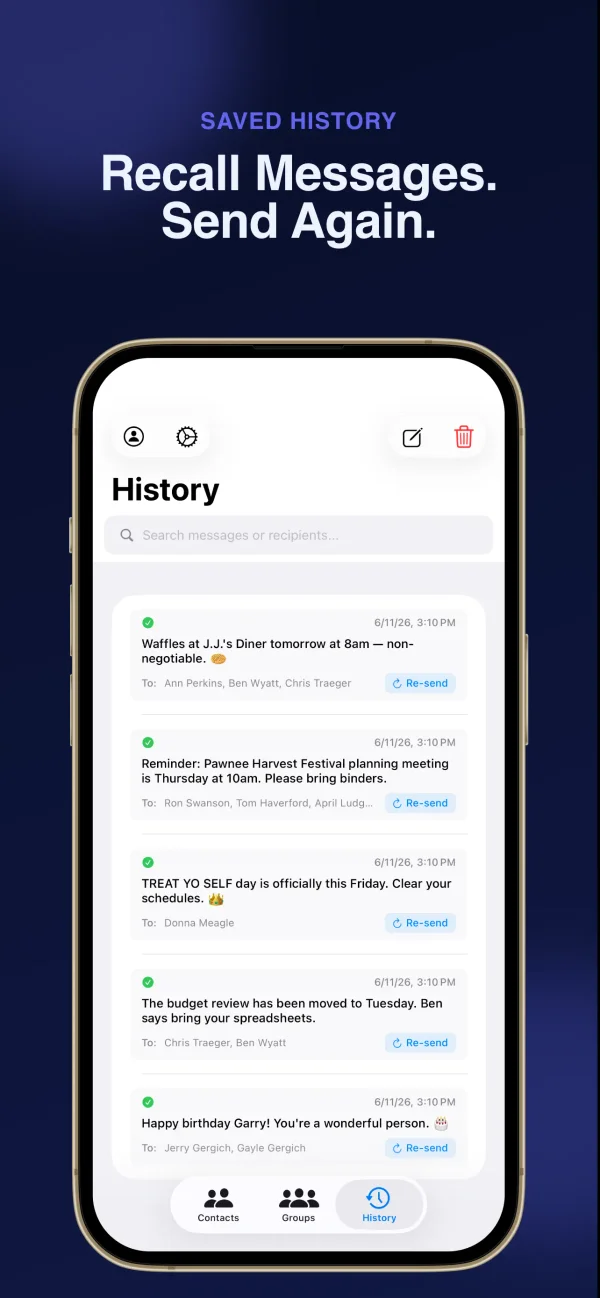
Review your full send history to easily re-send a past message if you missed someone.
Works with iMessage and SMS — automatically falls back to SMS when iMessage isn’t available
How it works:
MegaMessenger uses the Messages app or Google Voice app on your device to send each message. No third-party servers. No account required. Your messages route through Apple’s or Google’s infrastructure, just like sending manually — only faster.
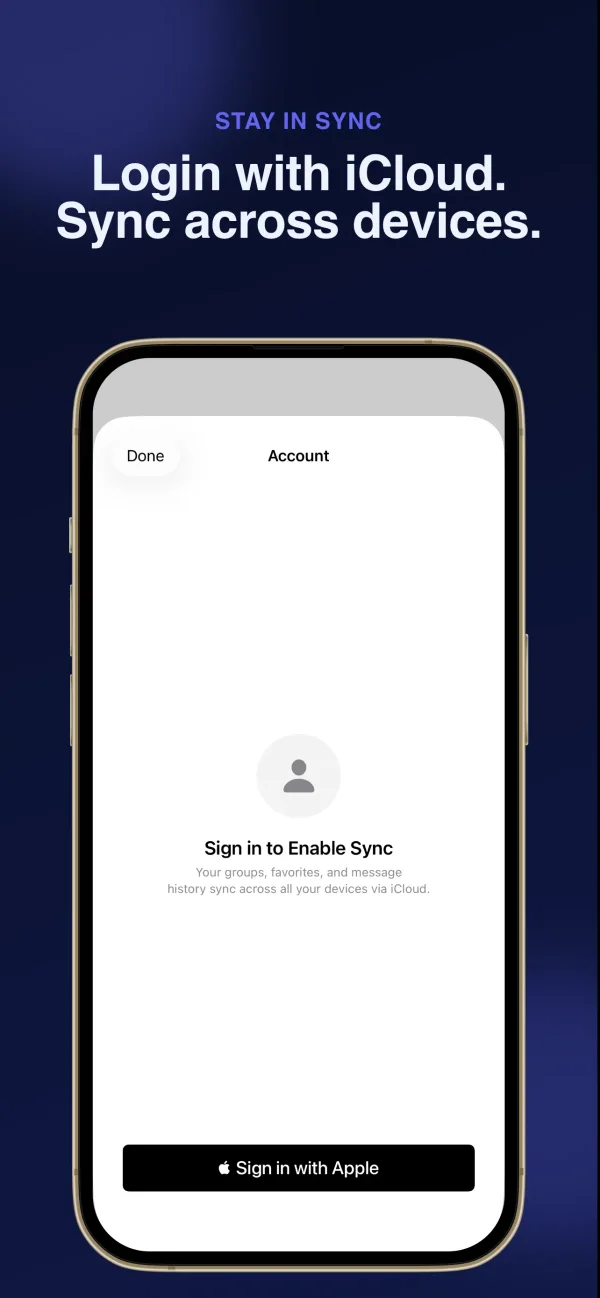
Log in with iCloud:
Sync your Groups and Message History across all of your devices.
Login with Google and the Google Voice app are required for Google Voice to work (iOS only)
Privacy first:
Your contacts and messages never leave your device. MegaMessenger reads your Contacts and controls the Messages app locally — that’s it.
By using MegaMessenger, you agree to Apple’s Standard Licensed Application End User License Agreement (EULA). For more information, please visit https://www.apple.com/legal/internet-services/itunes/dev/stdeula/
Yenilikler
Sürüm 1.1 · 01.10.2026
What's New
• Log in with Google and use Google Voice to send your messages.
• Automatically send iOS or Google Voice Messages with a built-in iOS Shortcut. No more tapping "Send" for every message.
• Auto Send is more reliable — the one-tap send-to-everyone shortcut (iMessage and Google Voice) no longer silently fails partway through a batch.
• Fixed a bug where selecting two different phone numbers for the same contact could send your message twice to one person and skip the other.
• You can now send single-character messages and emoji — Send no longer stays greyed out for short messages.
• Selecting a contact from your address book now shows the right selection state right away.
• First time you use Auto Send, a quick heads-up explains that Shortcuts will briefly open and then bring you back — it won't show again after that.
• Updated setup instructions for Google Voice to match the current iOS Settings path.
• Updated in-app help documentation and an easier way to contact for support
Uygulama gizliliği
Bu uygulamanın verileri nasıl işlediği hakkında Michael Jandreau tarafından App Store üzerinde yapılan beyan.
-
Veri toplanmıyor
Geliştirici bu uygulamadan hiçbir veri toplamıyor.
Gizlilik uygulamaları, örneğin kullandığınız özelliklere veya yaşınıza göre değişiklik gösterebilir.
Bilgiler
- Satıcı
- Michael Jandreau
- Kategori
- Üretkenlik
- Sürüm
- 1.1
- Güncellendi
- 01.10.2026
- Yayın tarihi
- 28.05.2026
- Boyut
- 15,8 MB
- Gereksinim
- iOS 26.0 veya sonrası
- Yaş sınırı
- 4+
- Fiyat
- ₺149,99
- Diller
- İngilizce
- Telif hakkı
- © Mike Jandreau
Bunları da beğenebilirsiniz
-
 SnipStash: Snippet ManagerÜretkenlik
-
 Redactly: Redact PDFÜretkenlik
-
 Documents & Scanner - DocDuckÜretkenlik
-
 Markdown+ Text & Code EditorÜretkenlik
-
 Linkboard: Bookmarks & RSSÜretkenlik
-
 Distill by UNMSÜretkenlik
-
 Sutyo AIÜretkenlik
-
 Control: Ana ekran widget'larıAlışkanlık, bütçe ve görevler
-
 NeuralBox by NeuralCamÜretkenlik
-
 Cue - Text RemindersÜretkenlik