
MindPass: App Blocker
Learn more. Scroll less.
iPhone, iPad için tasarlandı
Ücretsiz · Uygulama içi satın alma
- Yaş sınırı4+
- KategoriÜretkenlik
- GeliştiriciZyur
- Dillerİngilizce
- Boyut19,4 MB
Resmi App Store sayfasına bağlanır
Download.org, MindPass: App Blocker için hiçbir dosya barındırmaz. Düğme, uygulamanın App Store üzerindeki sayfasını açar; uygulamayı orada Zyur yayınlar. Sayfanın son kontrolü: 12.11.2026.
Ekran görüntüleri


Hakkında
Geliştirici bu metni dilinizde sunmamış.
Learn something before you scroll.
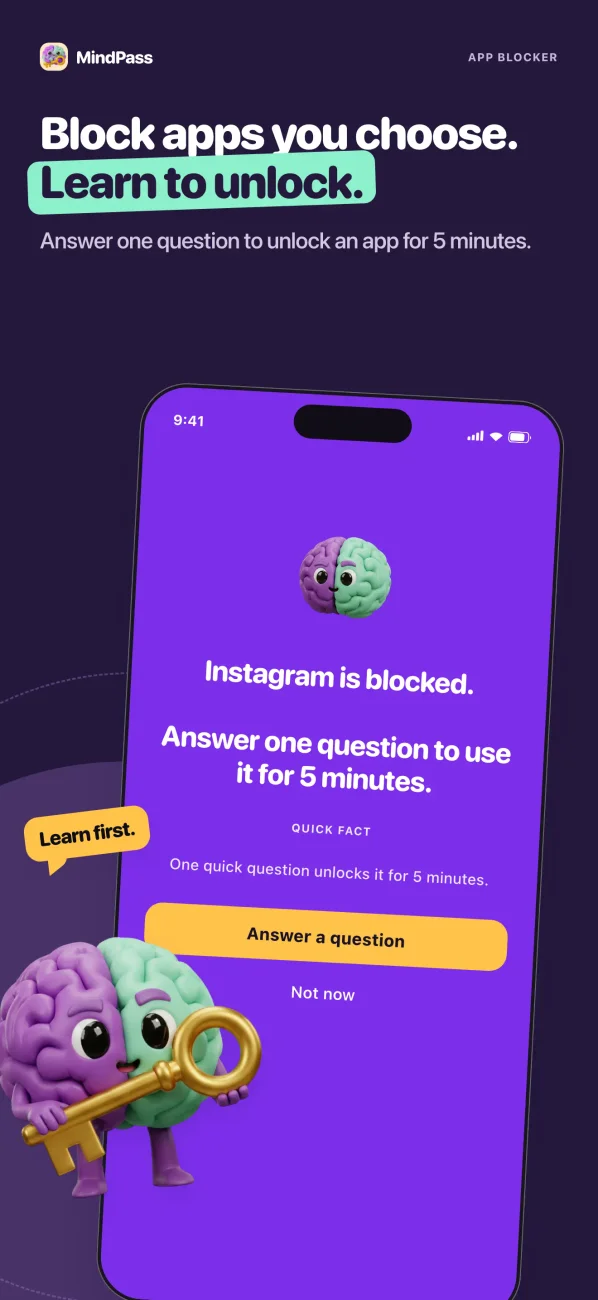
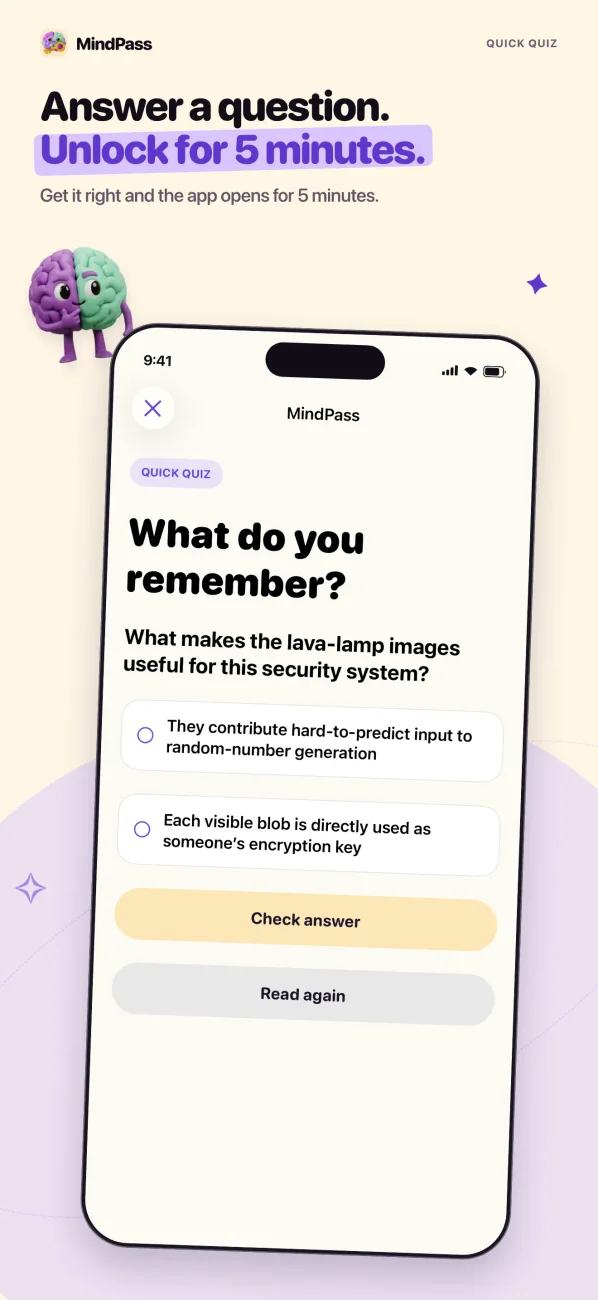
MindPass blocks the apps you choose. To use one, read a short fact and answer one quick question. Then the app unlocks for 5 minutes.
TRY IT FIRST
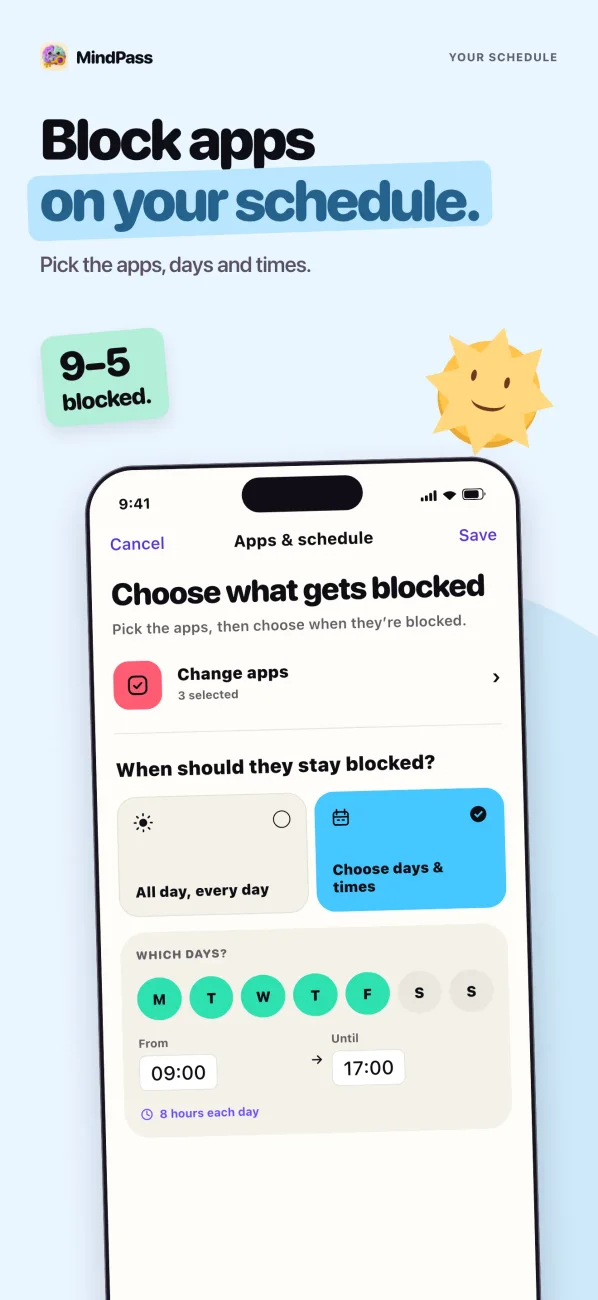
Start with a quick sample. Then pick your apps, your interests, and when to block: all day or on a schedule.
30 SHORT FACTS, WORKS OFFLINE
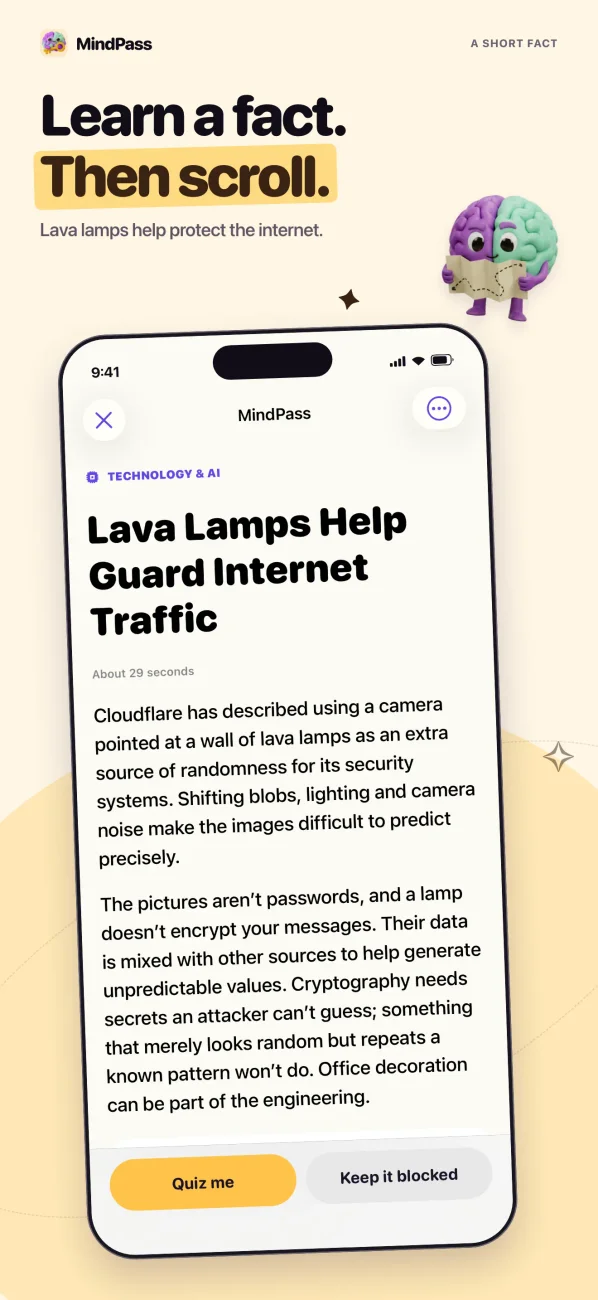
Lava lamps help protect internet traffic. Tattoos last longer than the skin you shed. An angry customer’s complaint was kept on a clay tablet for nearly 4,000 years. MindPass comes with 30 facts on ten subjects, and they work offline. Some facts are just for reading. Others have one question about the idea, not about names and dates. Optional quizzes bring back some facts later. You can skip them.
HOW UNLOCKING WORKS
When you open a blocked app, you see the MindPass block screen. On iOS 26.5 or later, tap “Answer a question” to go to MindPass. On earlier versions, close the app and open MindPass from your Home Screen. Answer correctly to earn an unlock. Use it within 15 minutes, keep reading, or choose not to open the app at all. Your 5 minutes start when you use the unlock, not when you earn it. The time keeps running even if you leave the app. When time is up, the app is blocked again while your blocking schedule is on and Screen Time access stays turned on.
STRICT MODE (OPTIONAL)
Strict mode makes you wait 24 hours before you can turn it off or loosen your settings. You can make blocking stricter right away. Strict mode is off by default. Screen Time access can still be turned off in Settings.
FREE AND PRO
App blocking, schedules, strict mode, standard facts and unlocks are free. Optional MindPass Pro subscriptions add up to 10 personalized topics per UTC calendar month, with six facts per topic. Trial and paid access share the monthly topic allowance, with no rollover. Created topics remain readable after Pro ends. Prices and renewal terms are shown before purchase. Manage or cancel subscriptions in your Apple Account settings.
GOOD TO KNOW
Screen Time permission is required for app blocking. The interface and learning content are currently in English. Online learning features, including creating personalized topics, require an internet connection.
Try your first fact.
Yenilikler
Sürüm 1.5.3 · 15.10.2026
Discover your next topic with a compact mix of popular picks and fresh ideas. See five suggestions at a time, with more when you want them. Completed topics now have a clear finish, and it’s easier to return Home after creating a topic.
Uygulama gizliliği
Bu uygulamanın verileri nasıl işlediği hakkında Zyur tarafından App Store üzerinde yapılan beyan.
-
Veri toplanmıyor
Geliştirici bu uygulamadan hiçbir veri toplamıyor.
Gizlilik uygulamaları, örneğin kullandığınız özelliklere veya yaşınıza göre değişiklik gösterebilir.
Bilgiler
- Satıcı
- Zyur LTD
- Kategori
- Üretkenlik
- Sürüm
- 1.5.3
- Güncellendi
- 15.10.2026
- Yayın tarihi
- 13.01.2025
- Boyut
- 19,4 MB
- Gereksinim
- iOS 18.0 veya sonrası
- Yaş sınırı
- 4+
- Fiyat
- Ücretsiz
- Uygulama içi satın alma
- Evet
- Diller
- İngilizce
- Telif hakkı
- © 2025 Zyur Ltd.
Bunları da beğenebilirsiniz
-
 ClassLog: Attendance TrackerÜretkenlik
-
 ServiceArchiveÜretkenlik
-
 DoTask: Plan & Focus & ReviewÜretkenlik
-
 AtelierRecords for CollectorsÜretkenlik
-
 HabitMkr: Habit TrackerÜretkenlik
-
 BlinkPaste: Snippet KeyboardÜretkenlik
-
 Cairn: Countdown & Days SinceÜretkenlik
-
 Notepad CalculatorÜretkenlik
-
 NoteQuick: Notas y Dictado IAÜretkenlik
-
 Binly: Notes, Links & FilesÜretkenlik