Miniature Studio
Your portable painting desk
iPhone, iPad için tasarlandı
₺149,99
- Yaş sınırı4+
- KategoriGrafik ve Tasarım
- GeliştiriciJake Ellis
- Dillerİngilizce
- Boyut276,7 MB
Resmi App Store sayfasına bağlanır
Download.org, Miniature Studio için hiçbir dosya barındırmaz. Düğme, uygulamanın App Store üzerindeki sayfasını açar; uygulamayı orada Jake Ellis yayınlar. Sayfanın son kontrolü: 26.11.2026.
Ekran görüntüleri

Hakkında
Geliştirici bu metni dilinizde sunmamış.
Your miniature painting desk, wherever you are.
Miniature Studio brings freehand miniature painting to iPhone and iPad. Try a new colour scheme, practise your highlights or enjoy a painting session when your hobby desk is out of reach.
PICK YOUR NEXT MINIATURE
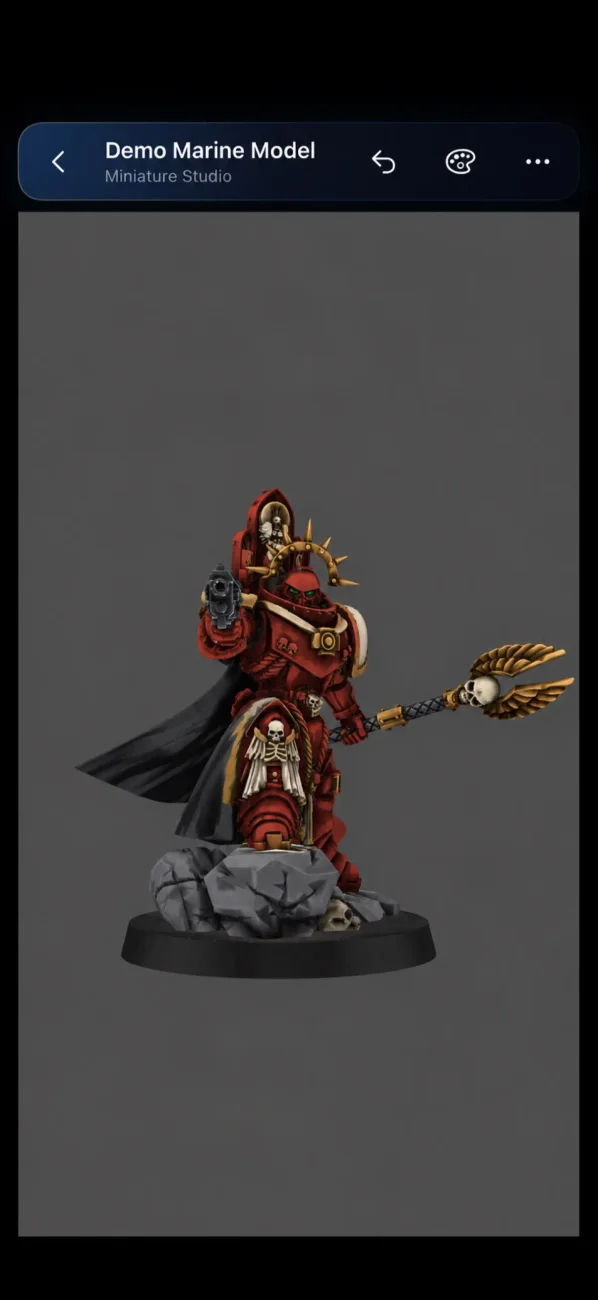
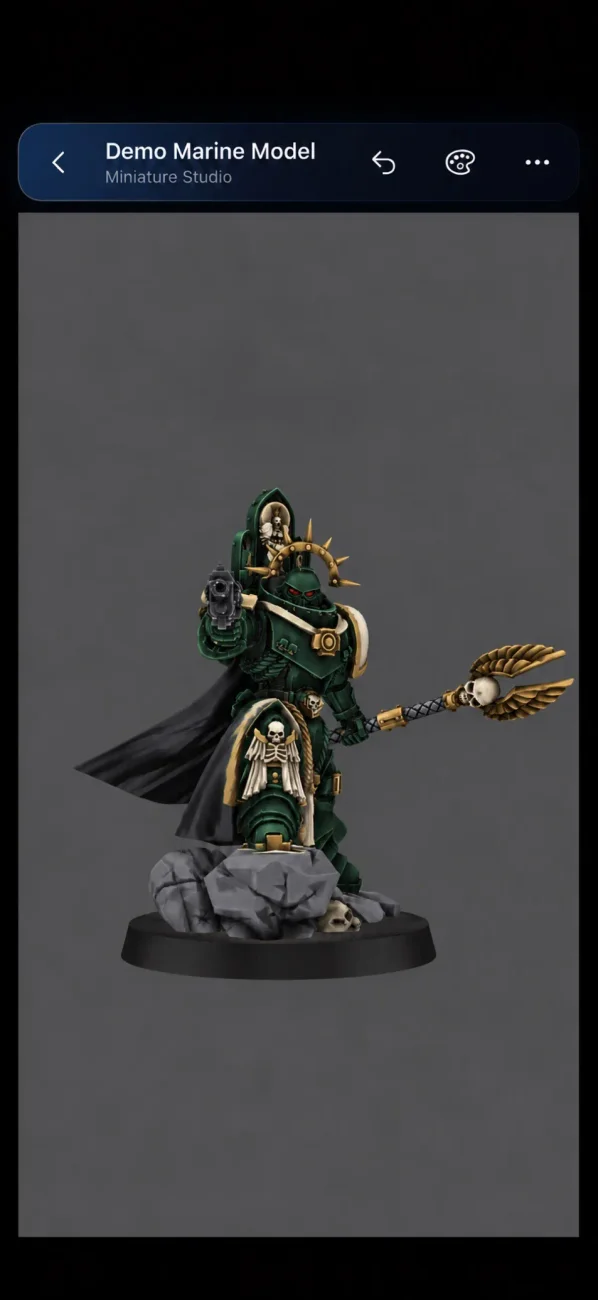
Explore the built-in model library and choose a miniature to paint, even offline. Try different colour schemes by adding a fresh copy of any model.
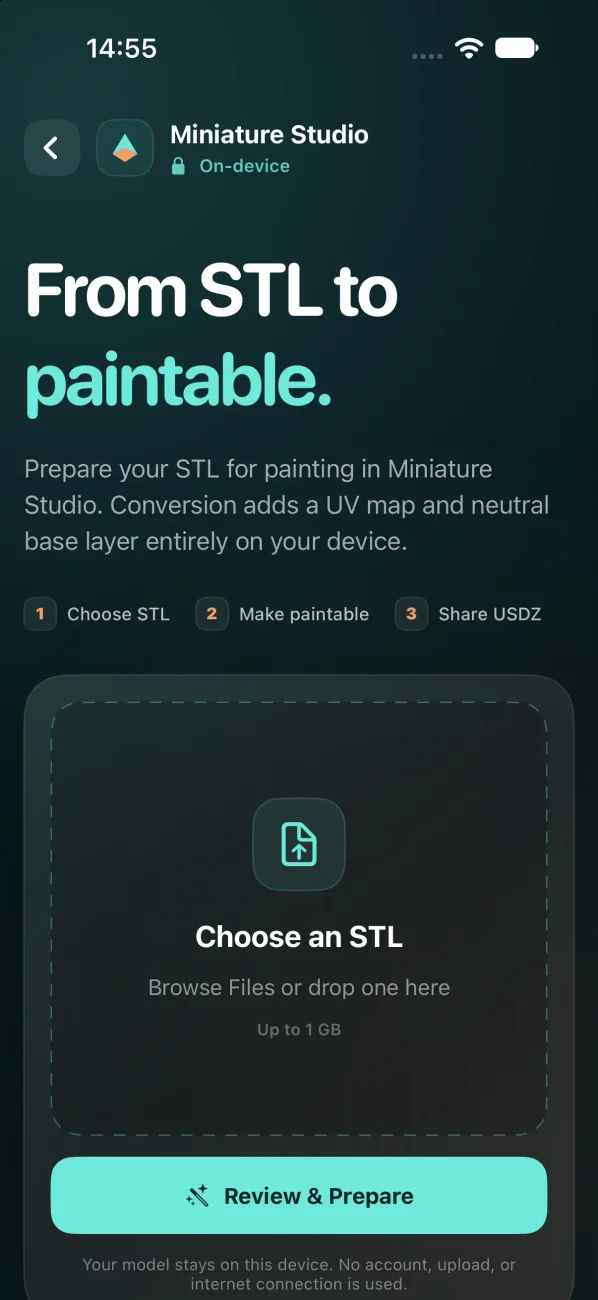
You can also prepare your own STL for painting or open a supported USDZ. STL preparation happens on your device, adding a paintable UV layout and primer.
PAINT DIRECTLY ON YOUR MODEL
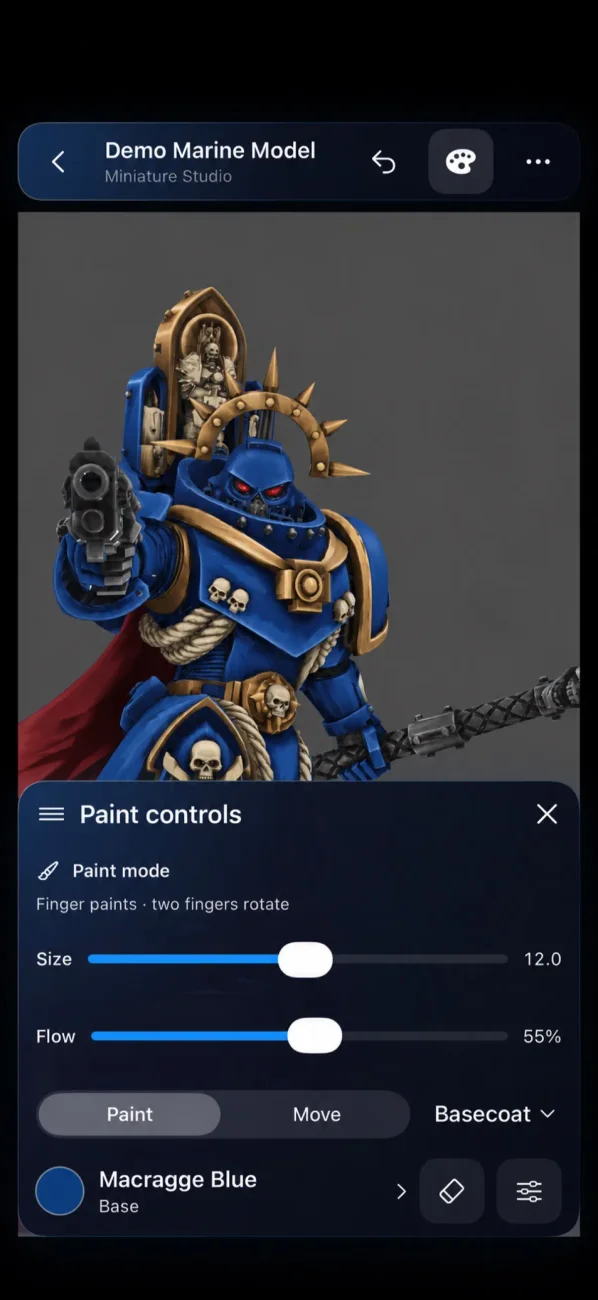
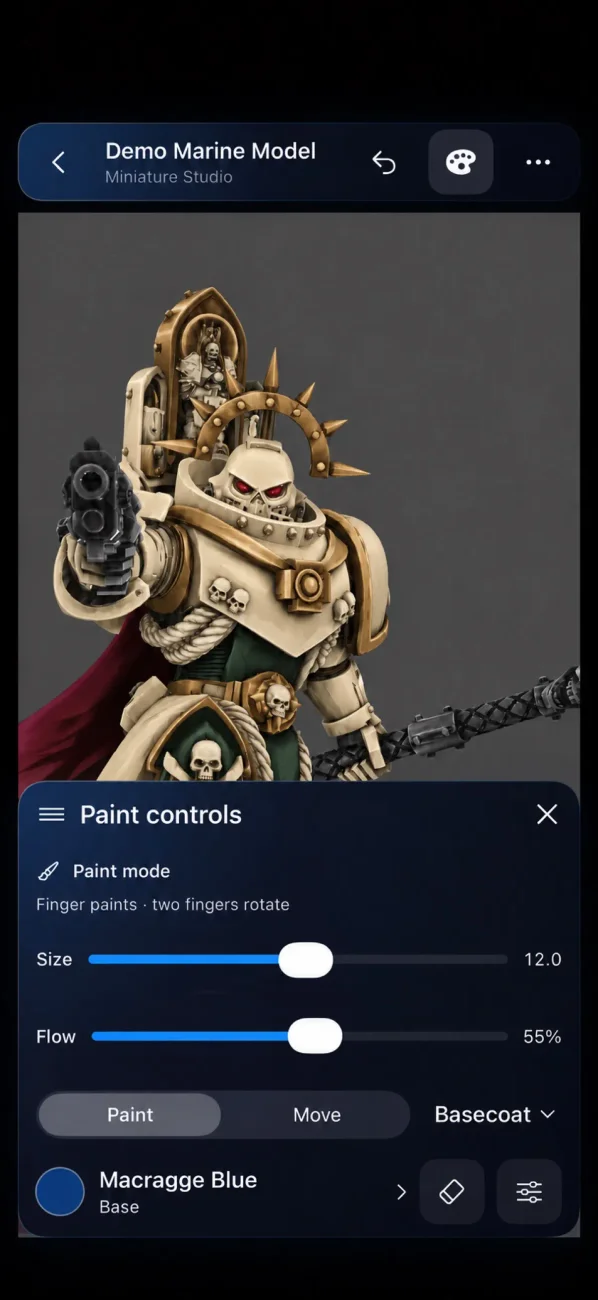
Rotate, zoom and paint with touch or Apple Pencil on a compatible iPad. Build up basecoats and layers, deepen recesses with washes and contrast-style effects, and bring out raised details with adjustable drybrushing.
BUILD YOUR PAINTING IN LAYERS
Keep different parts of your painting on separate layers. Adjust opacity, reorder, hide, duplicate or merge layers as your scheme develops.
Use Alpha Lock to recolour existing paint, add clipping layers to paint within the shape below, or use layer masks to hide and reveal paint without deleting it.
FIND YOUR COLOURS
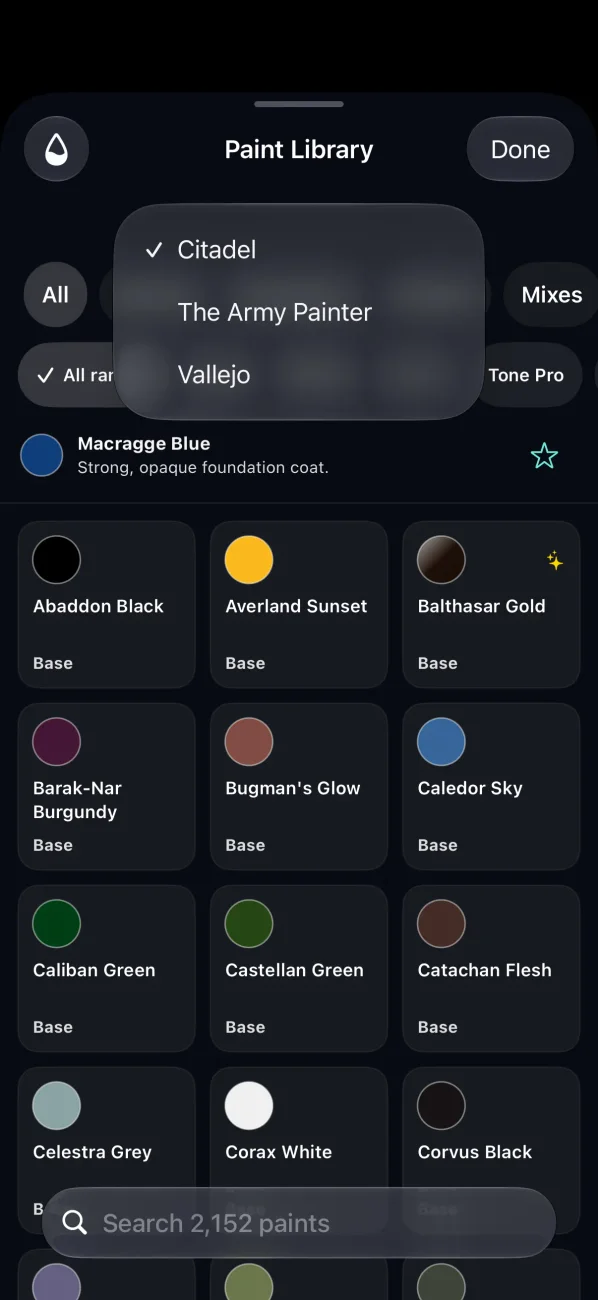
Browse paint-name and colour references from Citadel, The Army Painter, Vallejo and Pro Acryl by Monument Hobbies. Search by name or product code, explore paint ranges and save your favourites.
MAKE YOUR OWN MIXES
Combine up to four supported paints in different ratios—even across brands. Name and save your mixtures, and keep the proportions in your painting recipe.
MAKE ROOM TO CREATE
Move the floating paint controls to suit you, or hide them for an uninterrupted view. Paint with your finger, or use Apple Pencil with finger gestures for navigation on a compatible iPad.
PICK UP ON ANOTHER DEVICE
Enable optional iCloud Projects to keep saved models and paintings available across your iPhone and iPad using the same Apple Account. Saved changes sync after you close the model and return to the library.
Downloaded projects remain available offline. Paint while travelling, then reconnect to sync your saved work.
SAVE AND SHARE YOUR WORK
Save manually at any time. Automatic saving runs every five minutes and when leaving the project or moving the app into the background.
Use the Export button to share painted models as USDZ or an OBJ package with materials and textures, export geometry as STL, or keep an editable project backup.
PLAN IT HERE. PAINT IT WITH LORE.
Plan a colour scheme to share with a commission painter. Export for LORE bundles your coloured 3D model, five reference views and a finished-colour guide with your notes into one ZIP.
Find commission painters on LORE and share your vision. Exporting needs no LORE account and nothing is uploaded automatically. A LORE account is needed to request a quote.
THINGS TO KNOW
• Digital colours, mixtures and brush effects are approximations, not guaranteed matches to physical paints.
• Very dense models may need a lighter working mesh. Fine details can change during preparation.
• Layer capacity depends on available device memory and texture resolution.
• iCloud syncing requires internet access, available iCloud storage and the same Apple Account. Open the app on each device to receive updates.
• Download imported source files and cloud projects before travelling.
• Keep OBJ material and texture files together. STL exports contain geometry only.
• LORE's coloured 3D package requires a textured model.
• Colour 3D printing requires compatible software and hardware. Check exports in your slicer.
• Only import, share or print models you have permission to use.
• Apple Pencil is optional and requires compatible hardware.
Miniature Studio is an independent app by EllisGaming. It is not affiliated with, endorsed by or sponsored by Games Workshop, The Army Painter, Vallejo or Monument Hobbies. Third-party paint names and trademarks belong to their respective owners.
Yenilikler
Sürüm 1.8 · 25.11.2026
Find your next project in the new Model Library, with miniatures ready to paint offline. Add a model more than once to try out different colour schemes.
Ready to bring your design to life? Use Export for LORE to create a package with your painted model, reference images and colour guide to share with a commission painter.
This update also includes interface improvements and bug fixes.
Uygulama gizliliği
Bu uygulamanın verileri nasıl işlediği hakkında Jake Ellis tarafından App Store üzerinde yapılan beyan.
-
Veri toplanmıyor
Geliştirici bu uygulamadan hiçbir veri toplamıyor.
Gizlilik uygulamaları, örneğin kullandığınız özelliklere veya yaşınıza göre değişiklik gösterebilir.
Bilgiler
- Satıcı
- Jake Ellis
- Kategori
- Grafik ve Tasarım
- Sürüm
- 1.8
- Güncellendi
- 25.11.2026
- Yayın tarihi
- 22.10.2026
- Boyut
- 276,7 MB
- Gereksinim
- iOS 18.0 veya sonrası
- Yaş sınırı
- 4+
- Fiyat
- ₺149,99
- Diller
- İngilizce
- Telif hakkı
- © 2026 Jake Ellis trading as EllisGaming
Bunları da beğenebilirsiniz
-
 Model Painter CompanionGrafik ve Tasarım
-
 Paint VaultGrafik ve Tasarım
-
 Art Toolbox Painting Made EasyGrafik ve Tasarım
-
 Renk Çarkı: PaletlerPaletler ve renk uyumu
-
 PicStar - AI Photo GeneratorGrafik ve Tasarım
-
 Brush it Brushes for ProcreateGrafik ve Tasarım
-
 Live Activities - To Do WidgetGrafik ve Tasarım
-
 Feather: Draw in 3DGrafik ve Tasarım
-
 Pixaki 4 IntroGrafik ve Tasarım
-
 Stencil AI - Dövme ŞablonuDövme tasarımı ve stencil yap