
- Yaş sınırı4+
- KategoriYardımcılar
- Geliştirici행정안전부
- Dillerİngilizce+ 2 dil daha
- Boyut227,8 MB
Resmi App Store sayfasına bağlanır
Download.org, Mobile IDentification App için hiçbir dosya barındırmaz. Düğme, uygulamanın App Store üzerindeki sayfasını açar; uygulamayı orada 행정안전부 yayınlar. Sayfanın son kontrolü: 22.11.2026.
Ekran görüntüleri



Hakkında
Geliştirici bu metni dilinizde sunmamış.
※If the app is not updated, errors may occur during app operation.
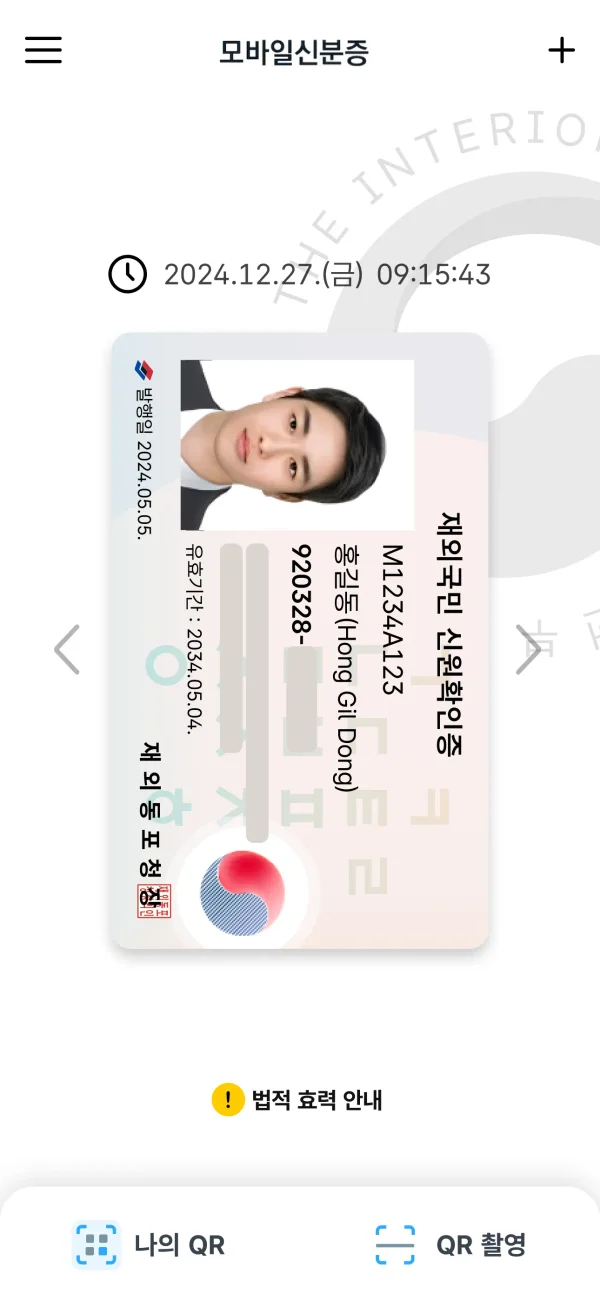
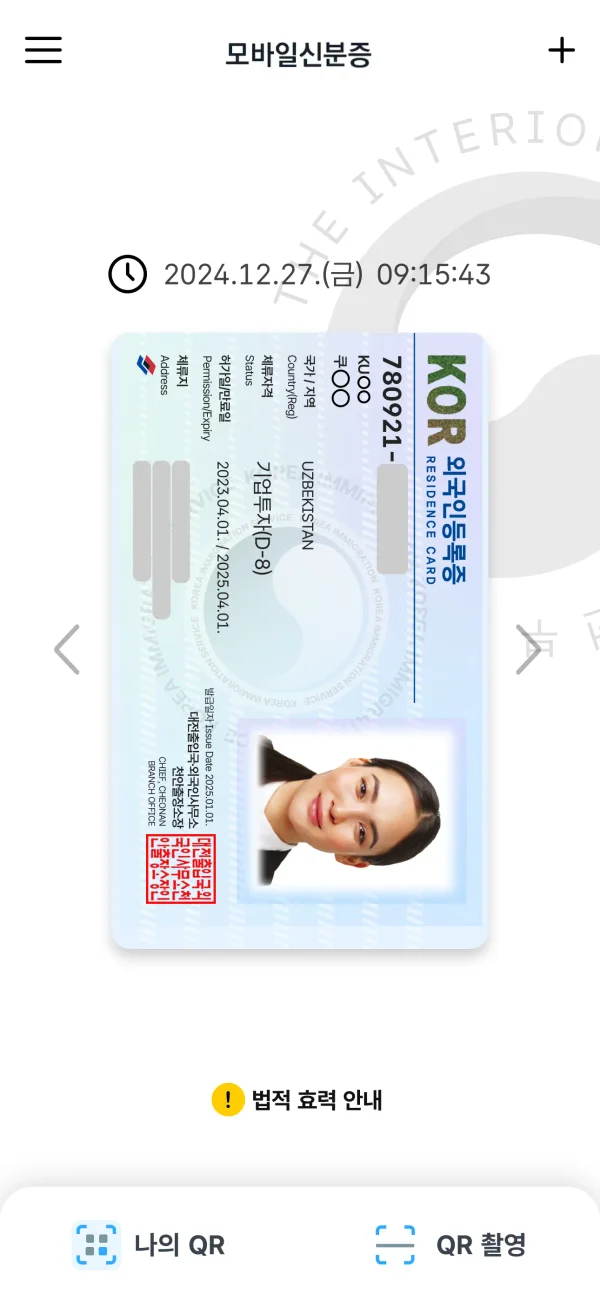
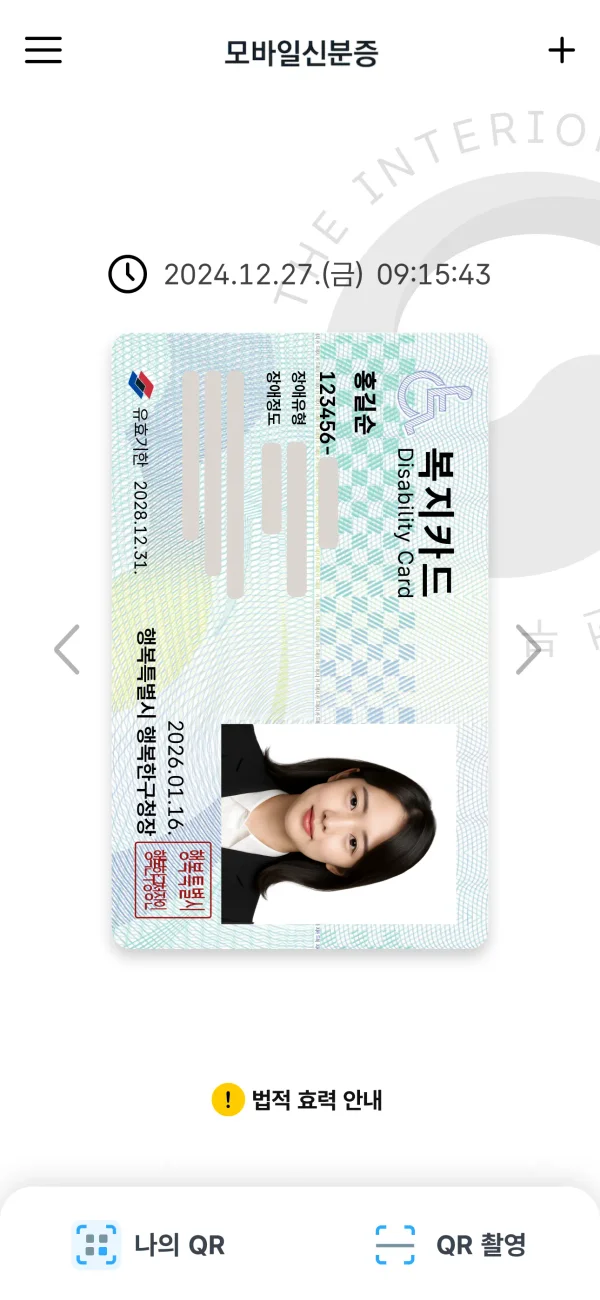
Mobile ID, Mobile Resident Registration Card, Mobile Driver’s License, Mobile National Veterans Registration Card, and Mobile Overseas Koreans Identity Verification Card are IDs that can be issued on personal smartphones and have same legal effect as traditional IDs.
[Mobile ID App Introduction]
Mobile ID, Mobile Resident Registration Card, Mobile Driver’s License, Mobile National Veterans Registration Card, and Mobile Overseas Koreans Identity Verification Card are government-issued IDs stored securely on personal smartphones, carrying the same legal effect as traditional IDs and provides convenient usage.
[Introduction to Mobile Resident Registration Card and Driver’s License]
The Mobile Resident Registration Card and Driver’s License are legal IDs securely encrypted and stored on personal smartphones, issued by the Ministry of the Interior and Safety and the Korean National Police Agency.
[Eligibility and Requirements]
- Holders of a Resident Registration Card or Driver’s License, or new applicants
- Smartphone registered under the applicant’s name
- Subscriber to a domestic mobile network enabling personal identity verification
iOS 16 or higher, with biometric authentication and NFC support
※For non-IC ID holders, QR issuance is available at community centers (Resident Registration Card) or driver’s license test centers (Driver’s License).
※Subscriber of mobile virtual network operator (MVNOs) can also apply.
(Excluding TPlus (KCT – Korea Cable Telecom))
※Corporate-issued phone or anonymous prepaid phones currently cannot be used.
[How to Apply for a Mobile Driver’s License]
To issue your Mobile Driver’s License quickly, bring your physical driver’s license and a smartphone with the Mobile ID app installed to a driver’s license test center. Applications can also be submitted at police department offices or through the Korea Road Traffic Authority's Integrated Driver’s License Services website for online IC driver’s license requests.
▶Issuance Methods (Resident Registration Card, Driver’s License):
- Method 1: Replace your physical ID with an IC ID and issue the mobile ID directly by scanning (tagging) it with your smartphone.
- Method 2: Use on-site QR issuance at community centers (Resident Registration Card) or driver’s license test centers (Driver’s License) without replacing the physical ID.
※ Mobile IDs (Resident Registration Card, Driver’s License) are legal IDs, and at least one in-person identity verification process is required at the issuing agency.
※ If a physical ID is replaced with an IC ID, future reissuance of a mobile ID upon changing smartphones will not require a revisit to the issuing agency.
※ IC Resident Registration Card: Application is available only at community centers, and it takes about 15 days for issuance.
※ IC Driver’s License: Issuance is available on the same day at license test centers or takes approximately 15 days when applying through police departments.
※ For online applications of IC driver’s licenses, select a date for receipt at least 15 days after the application date (excluding public holidays).
※ For details on IC Driver’s License issuance, visit the Korea Road Traffic Authority’s website (www.safedriving.or.kr).
[Precautions]
- Tagging IC IDs (Resident Registration Card, Driver’s License): Remove the smartphone case, place the IC ID on a flat surface, and ensure contact for 3–4 seconds.
※ Tagging area: Back upper section (near the camera).
※ Avoid overlapping IC IDs with other items like transit cards, as it may cause duplicate recognition.
- Facial Recognition Procedure: Clean the smartphone's front camera and position it in a well-lit area. Keep your face about 40–50 cm (arm’s length) away, look straight ahead, and follow the instructions (e.g., blink, turn your head right and left).
[Inquiries]
Mobile ID Call Center: 1688-0990
Yenilikler
Sürüm 5.9.0 · 19.11.2026
Bug Fixed
Uygulama gizliliği
Bu uygulamanın verileri nasıl işlediği hakkında 행정안전부 tarafından App Store üzerinde yapılan beyan.
-
Sizinle ilişkilendirilen veriler
Toplanabilir ve kimliğinizle ilişkilendirilebilir.
- İletişim bilgileri
- Tanımlayıcılar
-
Sizinle ilişkilendirilmeyen veriler
Toplanabilir ancak kimliğinizle ilişkilendirilmez.
- İletişim bilgileri
- Kullanıcı içeriği
- Hassas bilgiler
- Tanılama
Gizlilik uygulamaları, örneğin kullandığınız özelliklere veya yaşınıza göre değişiklik gösterebilir.
Bilgiler
- Satıcı
- Ministry of the Interior and Safety
- Kategori
- Yardımcılar
- Sürüm
- 5.9.0
- Güncellendi
- 19.11.2026
- Yayın tarihi
- 26.01.2022
- Boyut
- 227,8 MB
- Gereksinim
- iOS 16.0 veya sonrası
- Yaş sınırı
- 4+
- Fiyat
- Ücretsiz
- Diller
- İngilizce, Korece, Basitleştirilmiş Çince
- Telif hakkı
- © The Korean Government
Bunları da beğenebilirsiniz
-
 VestMailYardımcılar
-
 ICN SMARTPASS (인천공항 스마트패스)Yardımcılar
-
 Whale - Naver Whale BrowserYardımcılar
-
 터치엔 앱프리 - 모바일 웹 전자서명, 전자계약Yardımcılar
-
 KollusPlayerYardımcılar
-
 네이버 스마트보드 - Naver SmartboardYardımcılar
-
 더치트 - 사기피해 정보공유 공식 앱Yardımcılar
-
 어썸 LED 전광판Yardımcılar
-
 Pass-Ni Smart LoginYardımcılar
-
 Smart Spam FilterYardımcılar