Modo: Notes, Calendar, Widget
Minimal Notes & Daily Planner
iPhone, iPad için tasarlandı
Uygulama içi satın alma
- Yaş sınırı4+
- KategoriÜretkenlik
- GeliştiriciEUNGJIN KIM
- Dillerİngilizce+ 19 dil daha
- Boyut106,6 MB
Modo: Notes, Calendar, Widget şu anda App Store üzerinde mevcut olmayabilir
Son kontrolümüzde mağaza sayfasına ulaşılamadı. Bağlantı yine de resmi App Store sayfasına gider.
Ekran görüntüleri


Hakkında
Geliştirici bu metni dilinizde sunmamış.
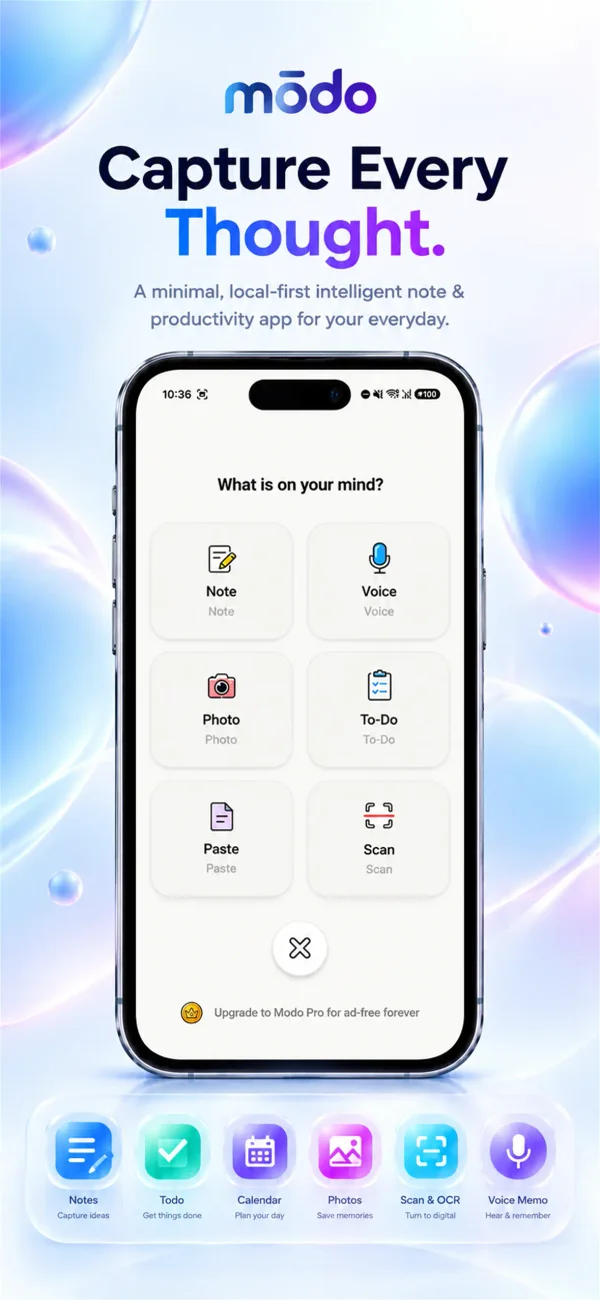
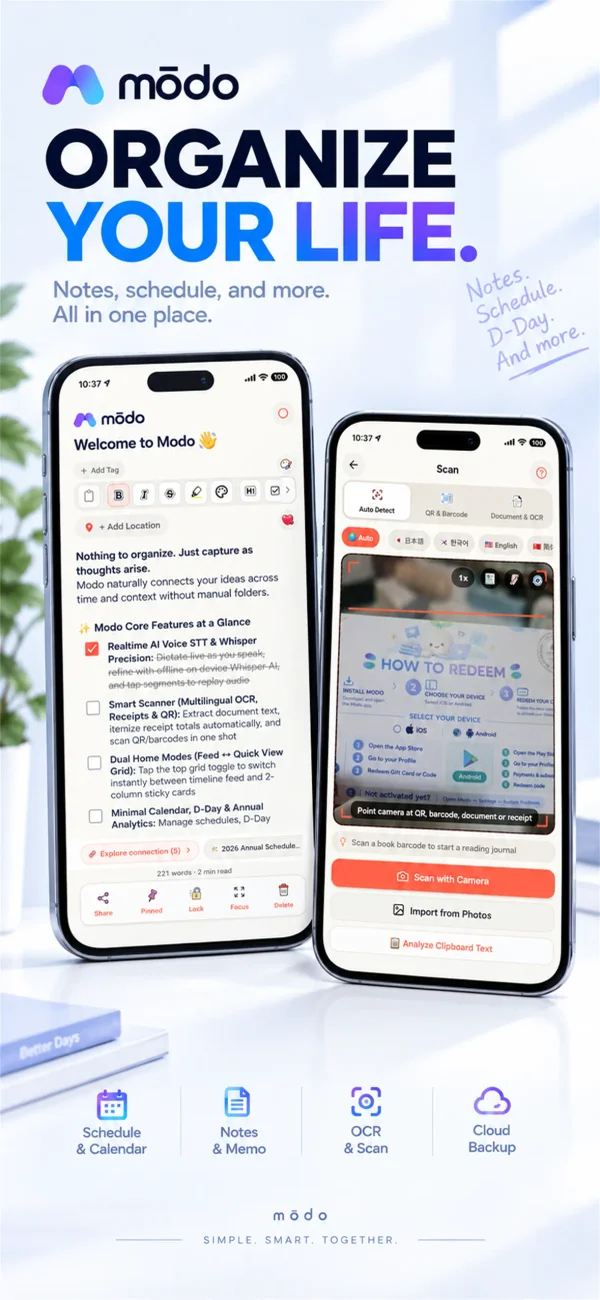
Tired of bloated note apps with complex menus, slow loading, and mandatory sign-ups?
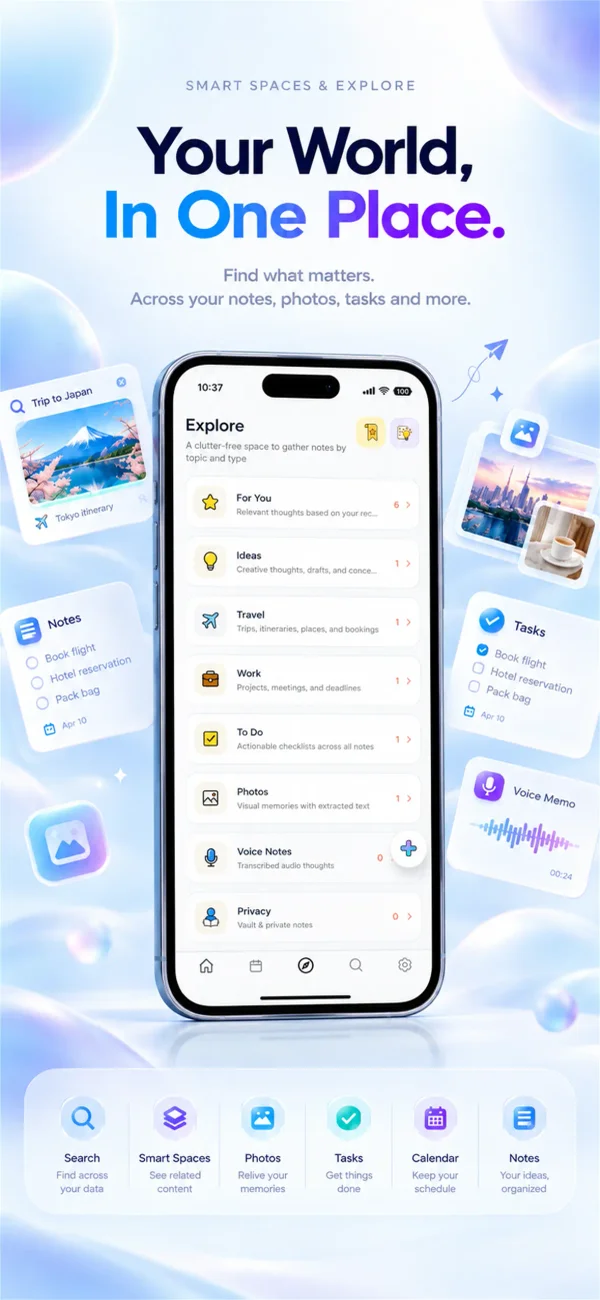
Modo is a fast aesthetic notepad, Dynamic Island notch capsule, AI voice recorder, routine tracker, notebook binder, calendar planner, and widget studio built to capture thoughts cleanly.
No sign-ups · Distraction-free writing · Local-first privacy with refined minimalism.
=== WHY YOU'LL LOVE MODO ===
1. Modo Island & Notch Floating Capsule (Dynamic Island)
• Tap the notch or notification bar from any app for instant notes and live AI voice transcripts.
• Single Idea Note: Streamline spontaneous inspirations into a continuous running note.
• Real-Time Briefing: Glance at priority to-dos and today's schedule from the top capsule.
2. Lock Screen Quick HUD & Pinned Notifications
• Check and complete urgent to-dos the second you turn on your screen.
• Keep important reminders in sight with persistent notification pins.
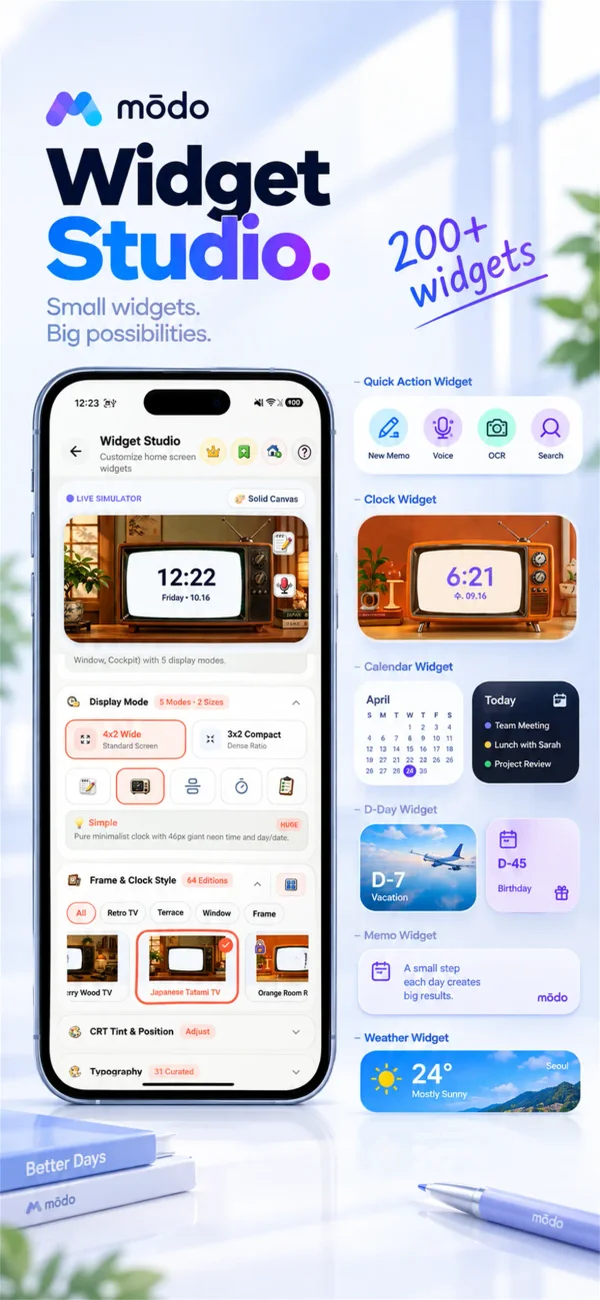
3. Aesthetic Widget Studio (215+ Widgets & Clocks)
• Style your home screen: 151 square 3D frames, 64 wide pro clocks & sticky notes.
• Check notes, to-dos, habits, and D-Days directly on your home screen.
• Tailored Android & iOS setup guides with custom opacity and font scale.
4. Daily Routine & Habit Tracker Suite
• Circular Dial Control: Easy one-handed dial to check and log daily habits.
• Achieve & Limit Modes: Target counters for water, reading, vitamins, and caffeine limits.
• Weekly routine cards and monthly SVG trend charts to visualize personal growth.
5. Subject Notebooks (Binders) & Smart Importer
• Organize thoughts into binders with 25 cute sticker icons.
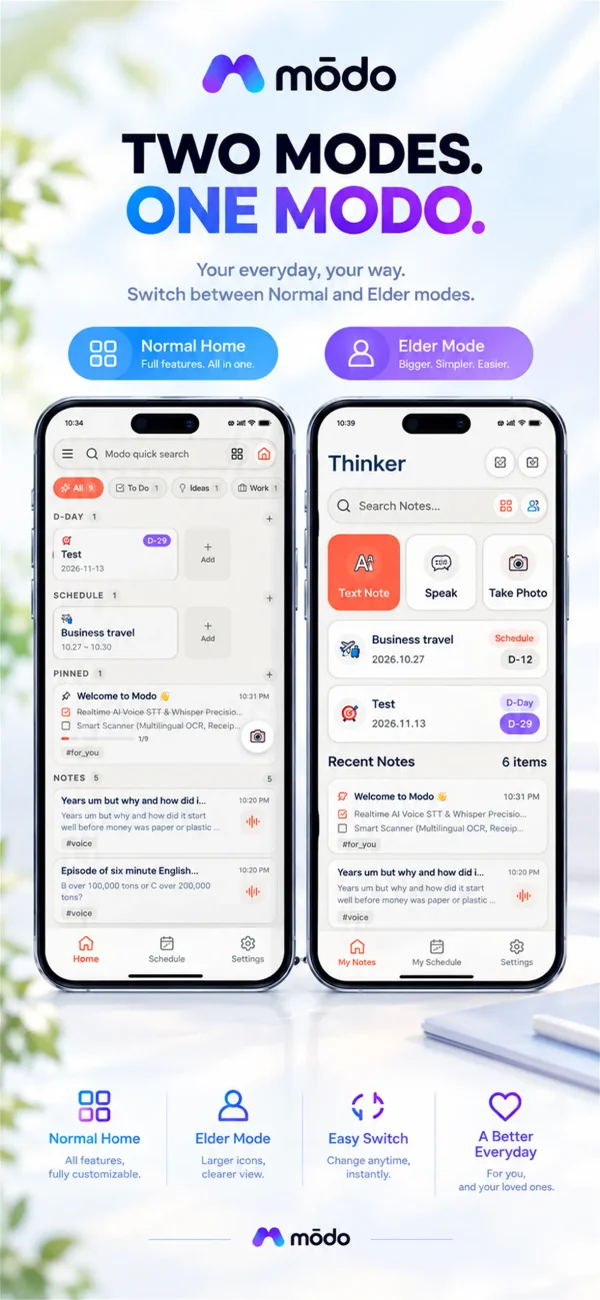
• 2-Way View: Toggle between 1-column accordion and 2-column folder grid in 1 tap.
• Smart Importer: Import Evernote (.enex), Markdown (.zip, .md), and text (.txt) files.
• Focus Reader: Swipe left/right or use the mini-deck to read notes with zero distraction.
6. On-Device AI Voice Denoise (SEMamba) & Live STT
• Studio-Grade Noise Reduction: Clear chatter, wind, and distortion locally with Metal GPU acceleration.
• A/B Audition: Compare raw vs cleaned audio with real-time waveform toggle.
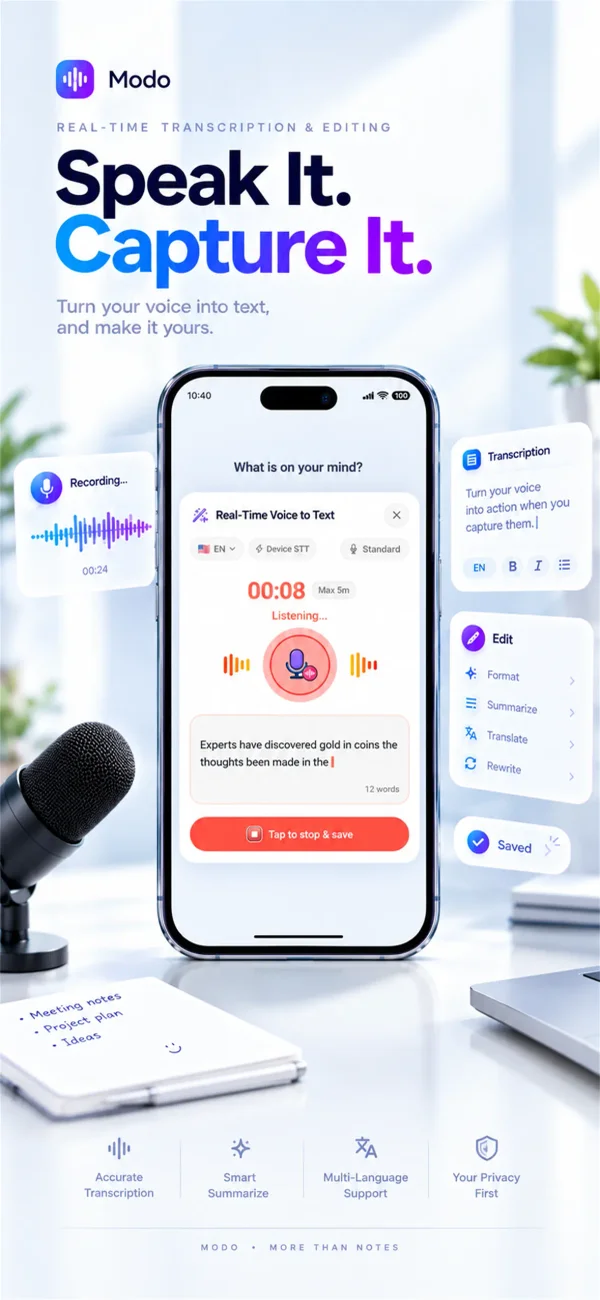
• Live Speech-to-Text: Spoken words turn into text in real time during lectures and meetings.
• Local AI Transcription & Sync: Transcribe locally with zero cloud upload. Tap sentences to jump audio.
• Instant save, silence detection, and checklist extraction.
7. Smart Camera OCR Scanner (On-Device)
• Private Vision OCR: Extract text from books, documents, receipts, and barcodes locally.
• Smart Formatting: Auto-merges broken lines and turns receipts into clean Markdown tables.
8. Multi-Day Ribbon Calendar, 32-Country Holidays & Analytics
• Multi-Day Calendar: Continuous color ribbons for trips and projects, plus Dual Holidays for 32 countries.
• 3-Way Switcher: Monthly calendar, 7-day weekly view, and daily timeline with recurrence support.
• Annual Analytics Hub: Category donut rings, rhythm bars, and weekday completion gauges.
9. Web Clipper & Safari Bookmarks Hub
• Clip web links, formatted text, and images into Modo via the system share sheet.
• Smart YouTube metadata extraction and responsive HTML5 document export.
10. 100% Local AES-256 Vault & Personal Google Drive Sync
• Direct backup to your personal Google Drive app folder without 3rd-party servers.
• Hardware chip (KeyStore / Keychain) AES-256 encryption with Face ID, Touch ID, or PIN.
• Markdown power, slash (/) menu, WikiLinks, Paper White, E-Ink & True Dark Mode.
=== IDEAL FOR ===
• Capturing thoughts in 1 second from the notch or notification bar.
• Students & pros needing on-device AI voice notes, live transcripts, and habit tracking.
• Planners wanting a unified calendar, multi-day ribbons, notebooks, and to-dos.
• Privacy-conscious users demanding local encryption and personal cloud backups.
Download Modo today and experience the purest, smartest way to organize your world!
Yenilikler
Sürüm 1.2.48 · 24.11.2026
• Notification Studio & Lunar Calendar: New 4-tab hub with 36 3D custom alerts, active inbox, quick ON/OFF toggles, today's mute/restore, accurate lunar-to-solar conversion (Korea/China/Vietnam), smart leap-month detection, and a Settings lunar converter.
• Home, Notebooks & Web Clips: Hide web clips from Home into a dedicated notebook, control notebook visibility, switch list/card views, and browse with the 2x4 category panel.
• Minimal Mode & Fonts: Clean Mono & Carta E-Ink themes with full restore, global Sans/Serif/Mono fonts, and refreshed 3-tab Settings.
• Search & Work Shifts: Upgraded Search (highlights, quick filters, multi-select), immersive shift entry with Drive sync, and 1-tap shift–schedule conflict cards.
• Sync, Security & Speed: Safer cloud/ZIP backups with real-time tag sync, stronger App Lock security, faster launch, and smoother scrolling.
Uygulama gizliliği
Bu uygulamanın verileri nasıl işlediği hakkında EUNGJIN KIM tarafından App Store üzerinde yapılan beyan.
-
Sizinle ilişkilendirilmeyen veriler
Toplanabilir ancak kimliğinizle ilişkilendirilmez.
- Satın alımlar
- Tanımlayıcılar
- Kullanım verileri
Gizlilik uygulamaları, örneğin kullandığınız özelliklere veya yaşınıza göre değişiklik gösterebilir.
Bilgiler
- Satıcı
- EUNGJIN KIM
- Kategori
- Üretkenlik
- Sürüm
- 1.2.48
- Güncellendi
- 24.11.2026
- Yayın tarihi
- 30.09.2026
- Boyut
- 106,6 MB
- Gereksinim
- iOS 17.0 veya sonrası
- Yaş sınırı
- 4+
- Uygulama içi satın alma
- Evet
- Diller
- İngilizce, Danca, Hollandaca, Fransızca, Almanca, Endonezce, İtalyanca, Japonca, Korece, Norveççe Bokmål, Lehçe, Portekizce + 8 dil daha
- Telif hakkı
- © 2026 Jun Workspace
Bunları da beğenebilirsiniz
-
 Astra PDF: Scan, Edit & SignÜretkenlik
-
 MediFamily: Health OrganizerÜretkenlik
-
 HabitWing – Life TrackerÜretkenlik
-
 Plan90: Goal & Habit PlannerÜretkenlik
-
 LocalGateKeys Password VaultÜretkenlik
-
 Off Book: Run LinesÜretkenlik
-
 Ritlum: AI Habit TrackerÜretkenlik
-
 Falcon File ManagerÜretkenlik
-
 TermTrack: Probation LogÜretkenlik
-
 RoadPactÜretkenlik