
Modoo Keyboard
Pretty themes, keys that thock
iPhone, iPad için tasarlandı
Ücretsiz · Uygulama içi satın alma
- Yaş sınırı4+
- KategoriYardımcılar
- GeliştiriciModoo
- Dillerİngilizce+ 4 dil daha
- Boyut59,7 MB
Resmi App Store sayfasına bağlanır
Download.org, Modoo Keyboard için hiçbir dosya barındırmaz. Düğme, uygulamanın App Store üzerindeki sayfasını açar; uygulamayı orada Modoo yayınlar. Sayfanın son kontrolü: 23.11.2026.
Ekran görüntüleri

Hakkında
Geliştirici bu metni dilinizde sunmamış.
Thocks when you tap. Looks good while you type. Dress your keys in a pretty theme, and every press sounds like a mechanical keyboard.
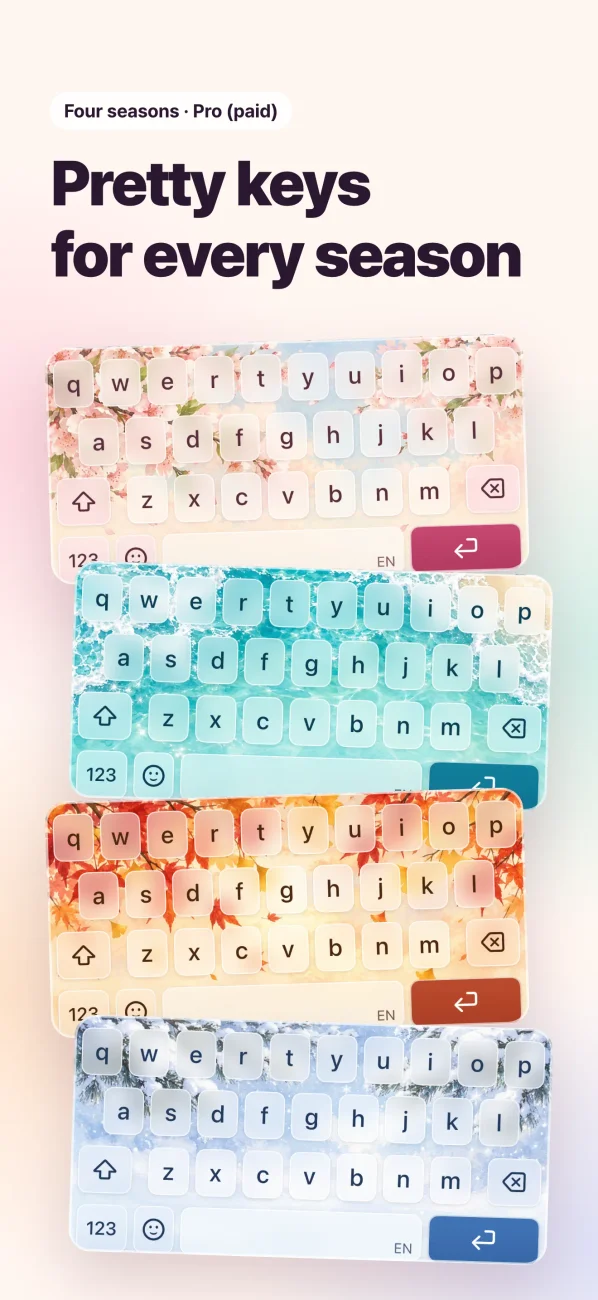
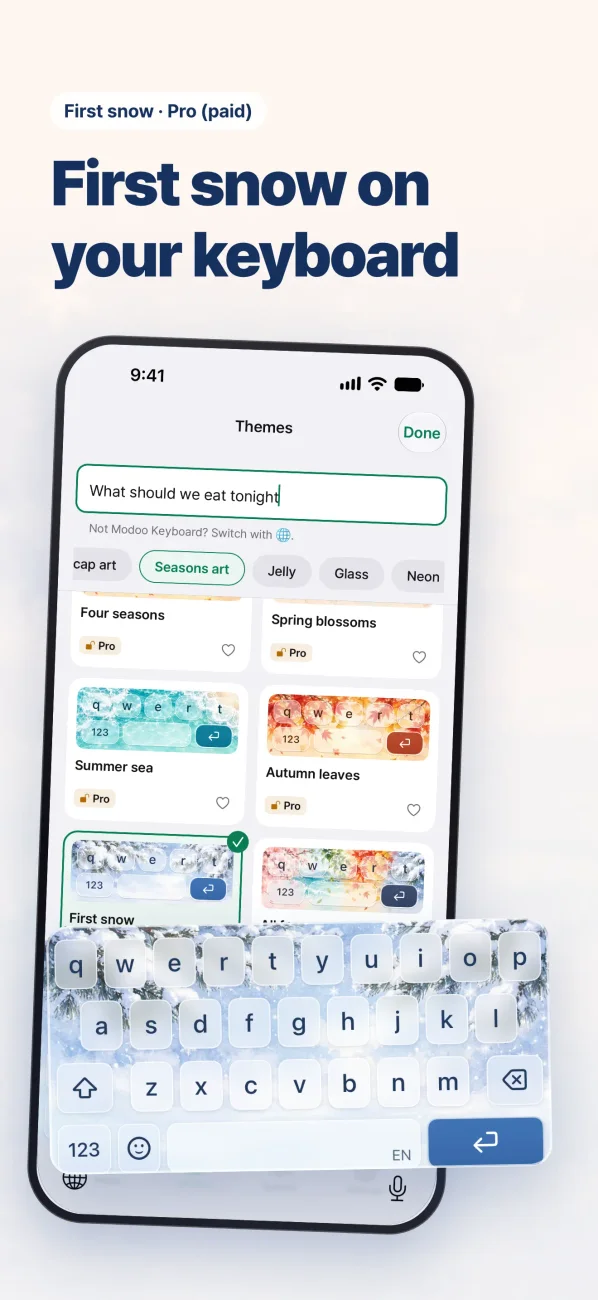
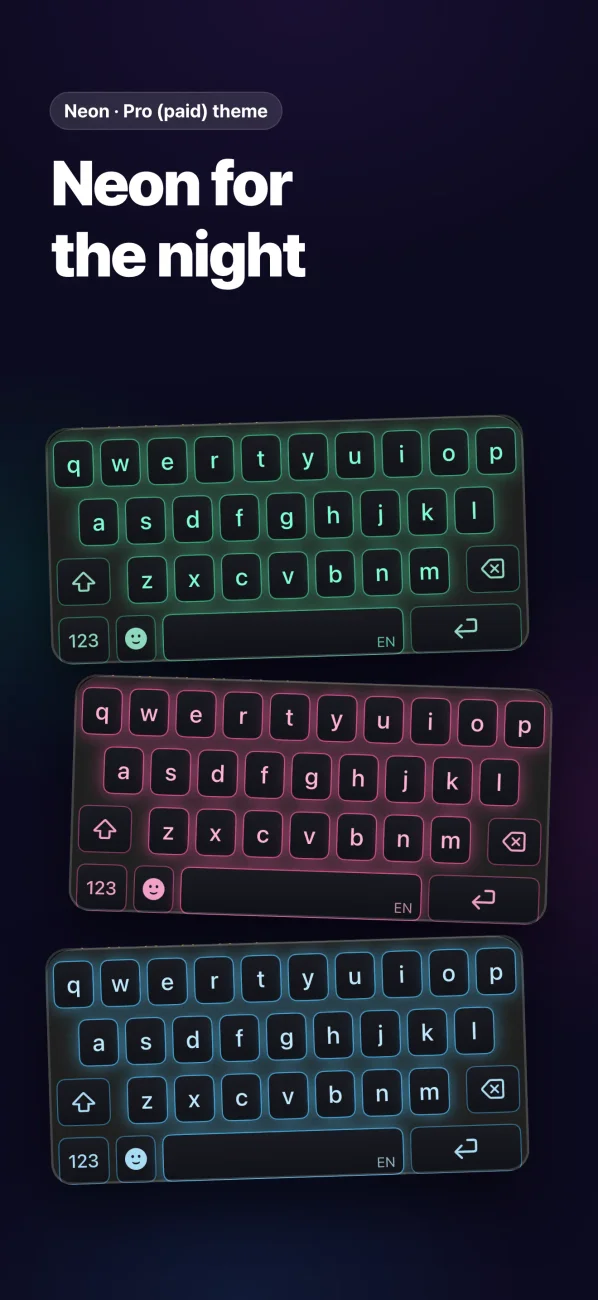
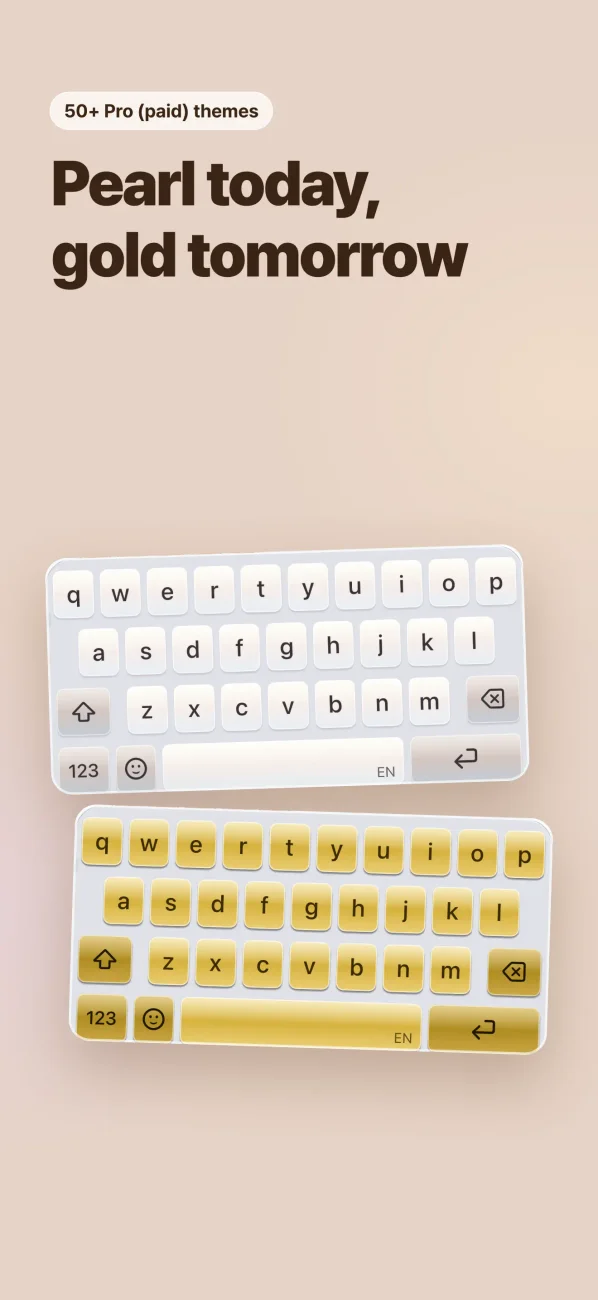
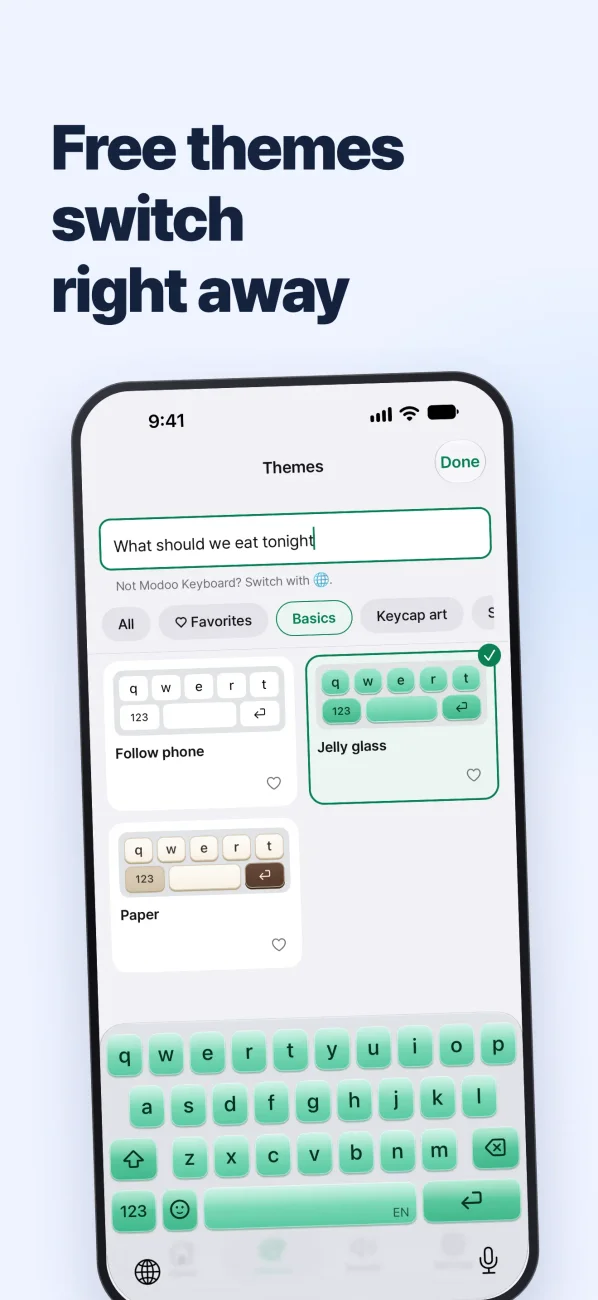
Jelly, glass, neon, keycaps, pearl, gold metal and seasons art, from spring blossoms to first snow — dress it to match your mood. 3 themes are free; 50+ more come with Pro (paid).
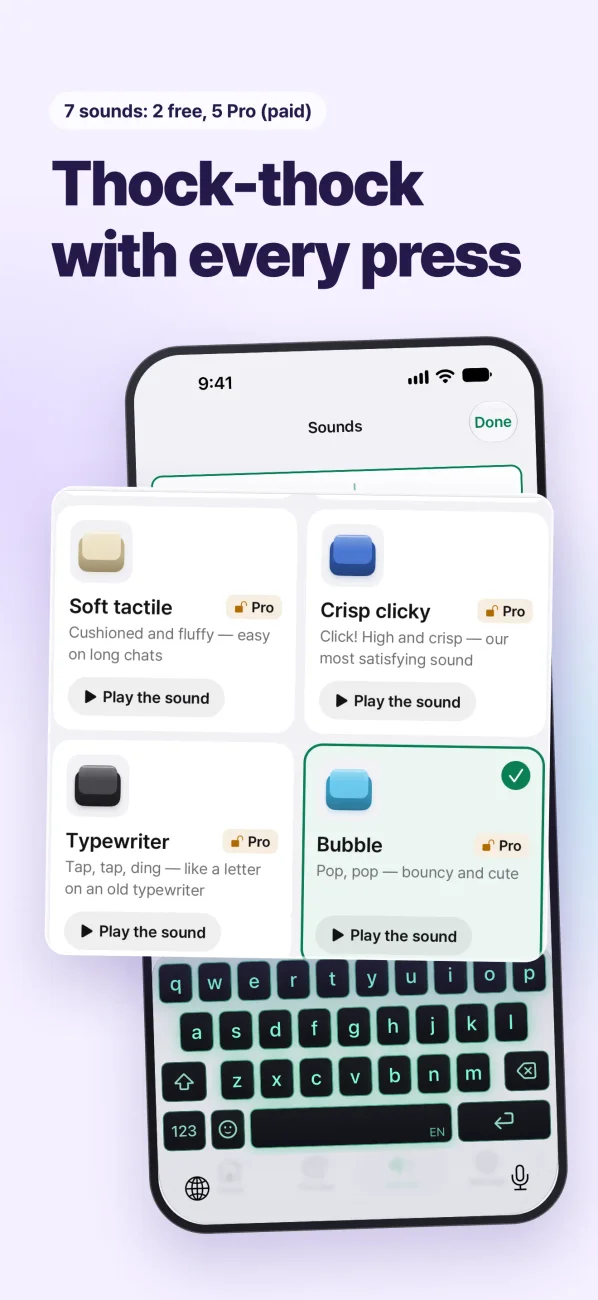
7 switch sounds: Deep thock and Quiet linear are free; Soft tactile, Crisp clicky, Typewriter, Bubble and Glass marble come with Pro (paid). Foam mode (free) makes every sound lower and softer.
The keyboard never stores or sends what you type. It has no code that connects to the internet, and the app has no ads.
It takes the place of your phone's built-in keyboard. The app takes you to the settings screen to turn it on. Type in English (QWERTY), Spanish, French (AZERTY) or German (QWERTZ), plus five Korean layouts — turn on the ones you use in Settings › Keyboard languages.
■ Sound
· Free: Deep thock · Quiet linear
· Pro: Soft tactile · Crisp clicky · Typewriter · Bubble · Glass marble
· Foam mode (free): turn it on and all seven sounds get lower and softer
· 4 volume levels · 3 vibration levels (Off, Light, Strong)
· Not recordings — we made these sounds ourselves to sound like a mechanical keyboard
■ Themes
· Free: Follow phone · Jelly glass · Paper
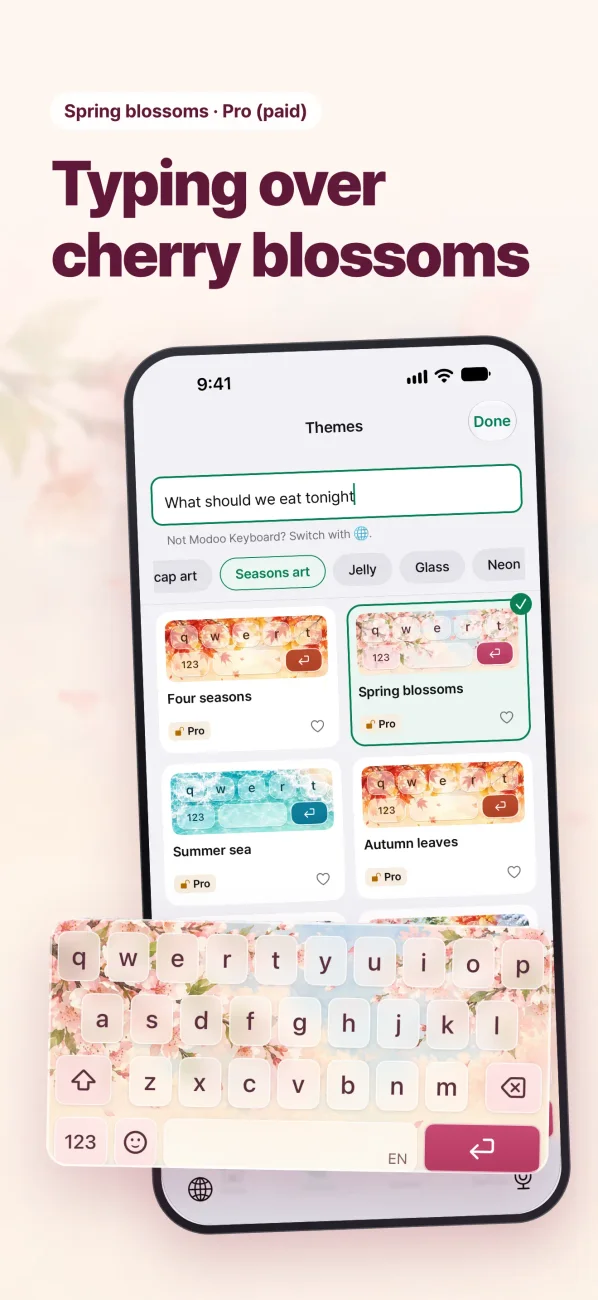
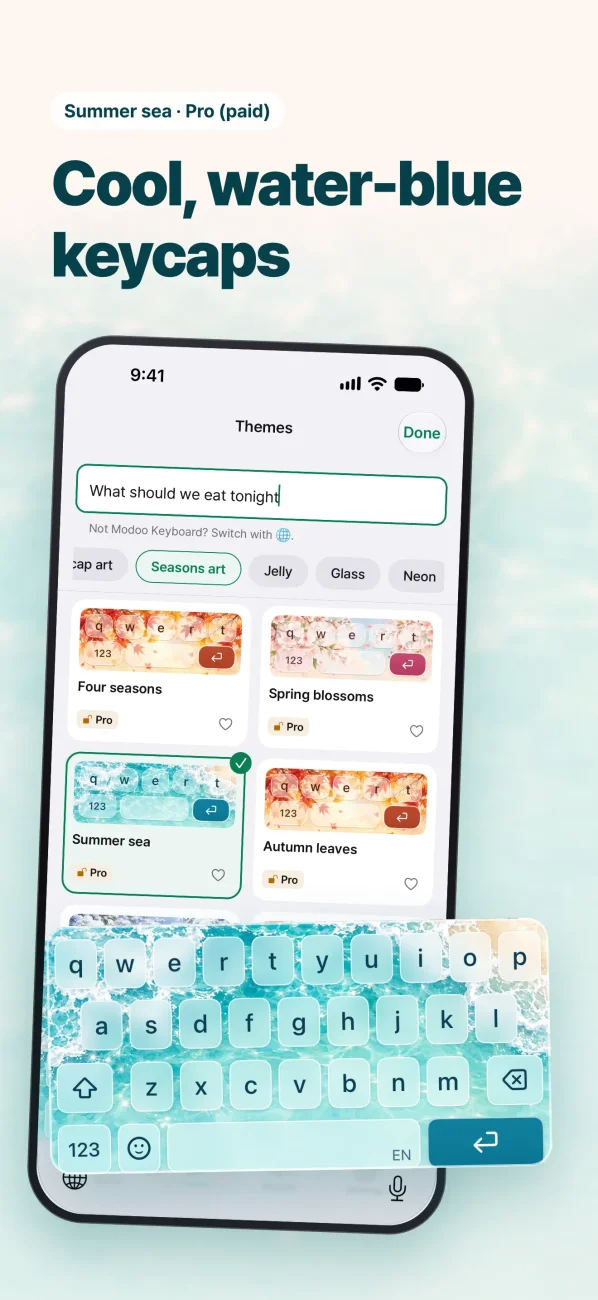
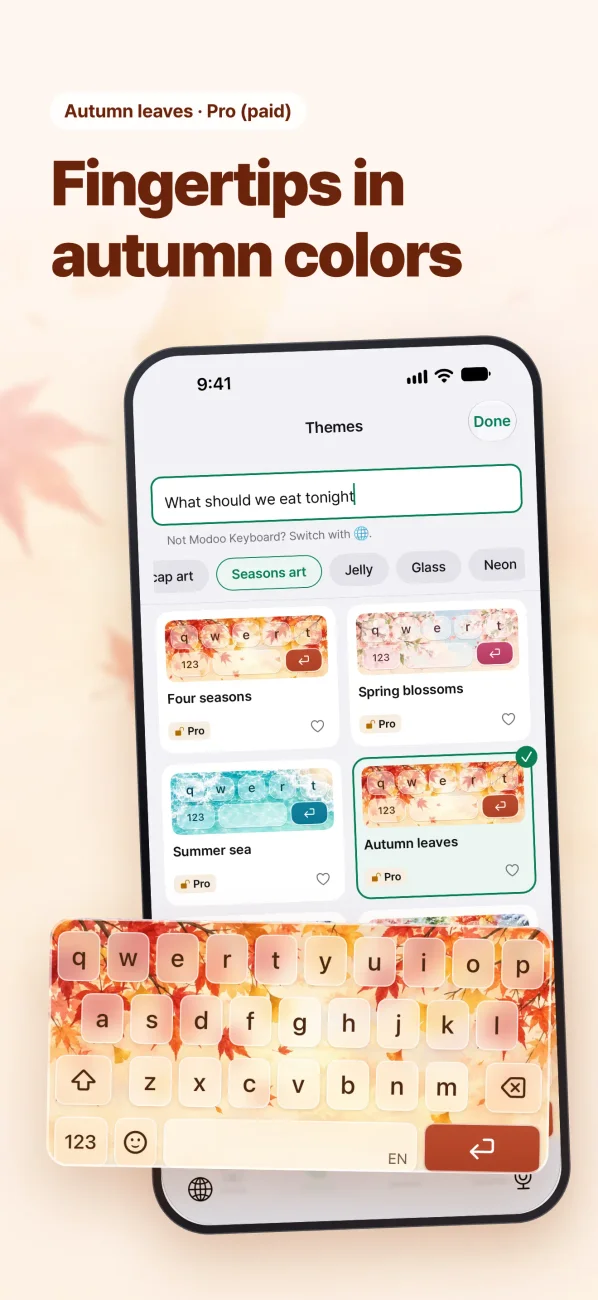
· 50+ Pro: Jelly · Glass · Neon · Keycaps · Metal · Pearl · Matte · Outline · Seasons art (Spring blossoms, Summer sea, Autumn leaves, First snow, and Four seasons, whose painting changes with the month)
· Every card shows keys painted in that theme, so you know the look before you pick
· You can try Pro sounds and themes first, then pick
■ Layouts and typing (all free)
· English QWERTY · Spanish · French (AZERTY) · German (QWERTZ)
· Five Korean layouts: Dubeolsik, laid out like a computer keyboard; Cheonjiin, Naratgeul and Vega, the standard 12-key phone layouts; and Danmoeum, three rows where tapping a key twice gives a tense consonant like ㄲ
· Turn on only the languages you use and switch with the language key
· The letter you press pops up large above the key
· Hold a letter for é, ñ, ü and more
· Capital letter at the start of a sentence; double-tap Space for a period
· Two pages of numbers and symbols, plus an emoji panel
· Hold Delete to keep deleting · double-tap Shift for caps lock
· Nudge the keys up or down, a step at a time, to fit your hand
■ Modoo Keyboard Pro (optional)
· Adds 5 switch sounds and 50+ keyboard themes
· Subscription (monthly or yearly): if it's your first subscription, try it free for 7 days; when the trial ends, you're charged for the period you chose. It renews automatically each period until you cancel. Cancel in your store account's subscription settings at least 24 hours before the trial or period ends and you won't be charged again.
· Lifetime is a one-time purchase you keep using (not a subscription; same store account, for as long as we offer this app).
· Pro is optional. Without it, every layout and typing feature still works. If you reinstall, Restore purchases brings back the Pro you bought.
■ Nothing you type is stored or sent
· The keyboard doesn't store or send what you type
· The keyboard doesn't use the internet
· No word learning, no prediction dictionary — what you type is what you get
· On iPhone, "Allow Full Access" is requested to play sound. Typing still works with it off
■ Also
· Tap any of the three steps on the app's first screen to open that settings screen; "Show me with pictures" walks you through it in pictures
· App in English, Korean, Japanese and Chinese (Simplified, Traditional) · keyboard in English, Korean, Spanish, French and German
· Light and dark mode · iPad support
· No sign-up needed (linking a Modoo ID is optional)
Terms of Use (EULA): https://www.apple.com/legal/internet-services/itunes/dev/stdeula/
Privacy Policy: https://modoo.io/privacy/app/keyboard
Yenilikler
Sürüm 1.0.2 · 19.11.2026
The sample keyboards you can tap in the app, and the keyboard name on the My keyboard card on Home, now follow the keyboard languages you've turned on. With English only, you'll see QWERTY and "English".
If you have Korean and English on, nothing changes.
Uygulama gizliliği
Bu uygulamanın verileri nasıl işlediği hakkında Modoo tarafından App Store üzerinde yapılan beyan.
-
Sizinle ilişkilendirilen veriler
Toplanabilir ve kimliğinizle ilişkilendirilebilir.
- İletişim bilgileri
- Tanımlayıcılar
Gizlilik uygulamaları, örneğin kullandığınız özelliklere veya yaşınıza göre değişiklik gösterebilir.
Bilgiler
- Satıcı
- Violet Soft Co., Ltd.
- Kategori
- Yardımcılar
- Sürüm
- 1.0.2
- Güncellendi
- 19.11.2026
- Yayın tarihi
- 06.11.2026
- Boyut
- 59,7 MB
- Gereksinim
- iOS 16.4 veya sonrası
- Yaş sınırı
- 4+
- Fiyat
- Ücretsiz
- Uygulama içi satın alma
- Evet
- Diller
- İngilizce, Japonca, Korece, Basitleştirilmiş Çince, Geleneksel Çince
- Telif hakkı
- © 2026 Violet Soft Co., Ltd.
Bunları da beğenebilirsiniz
-
 True Clicky - KeyboardYardımcılar
-
 토독 - 기계식 키보드 타건음Yardımcılar
-
 CorgiClipKullanışlı pano ve notlar
-
 찌키 - 폰꾸 키보드 · 내 사진 테마 & 폰트Yardımcılar
-
 Clackey - Custom KeyboardYardımcılar
-
 Nova Keyboard: Klavye TemasıYazı Tipi, Emoji ve Fotoğraf
-
 Tingle: Klavye Süsleme ve TemaŞirin tuşlar, süsler ve sesler
-
 ASMR Typing KeyboardYardımcılar
-
 KIKKU: Cute Keyboard ThemesYardımcılar
-
 Klavye Temaları - Emoji, FontSevimli Sticker, DIY, Kaomoji