
MusiStop
Automatic Stop Music Player
iPhone, iPad için tasarlandı
Ücretsiz · Uygulama içi satın alma
- Yaş sınırı4+
- KategoriMüzik
- GeliştiriciHirame Entertainment LLC
- Dillerİngilizce+ 10 dil daha
- Boyut5,6 MB
Resmi App Store sayfasına bağlanır
Download.org, MusiStop için hiçbir dosya barındırmaz. Düğme, uygulamanın App Store üzerindeki sayfasını açar; uygulamayı orada Hirame Entertainment LLC yayınlar. Sayfanın son kontrolü: 23.11.2026.
Ekran görüntüleri



Hakkında
Geliştirici bu metni dilinizde sunmamış.
----Why MusiStop?----
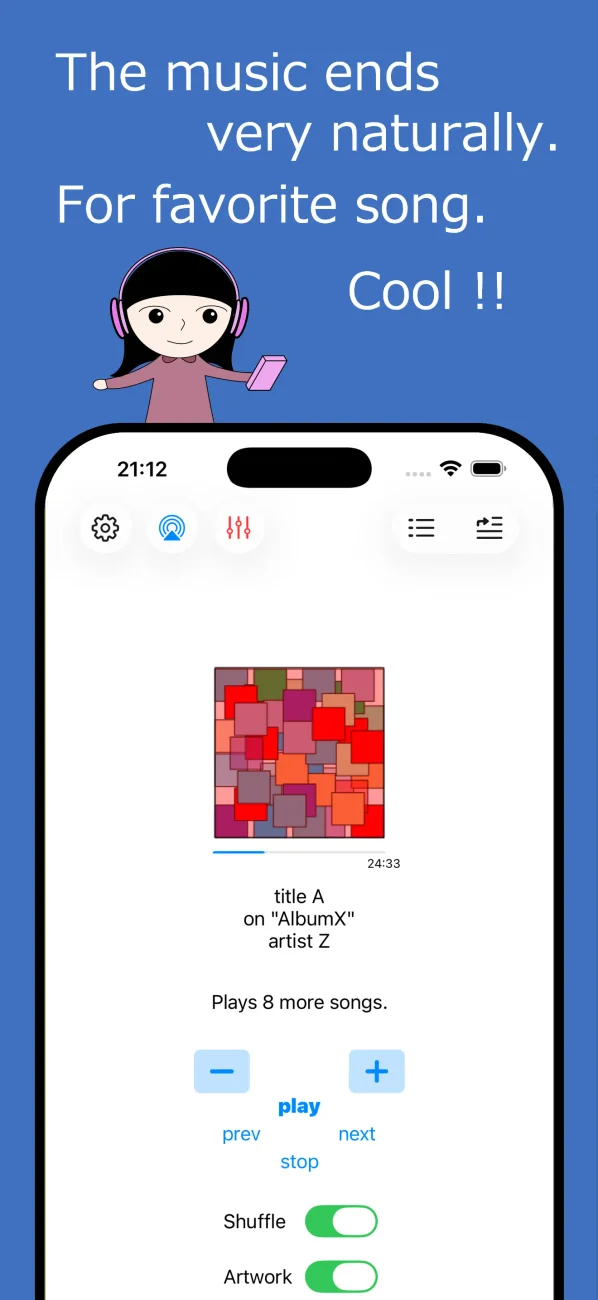
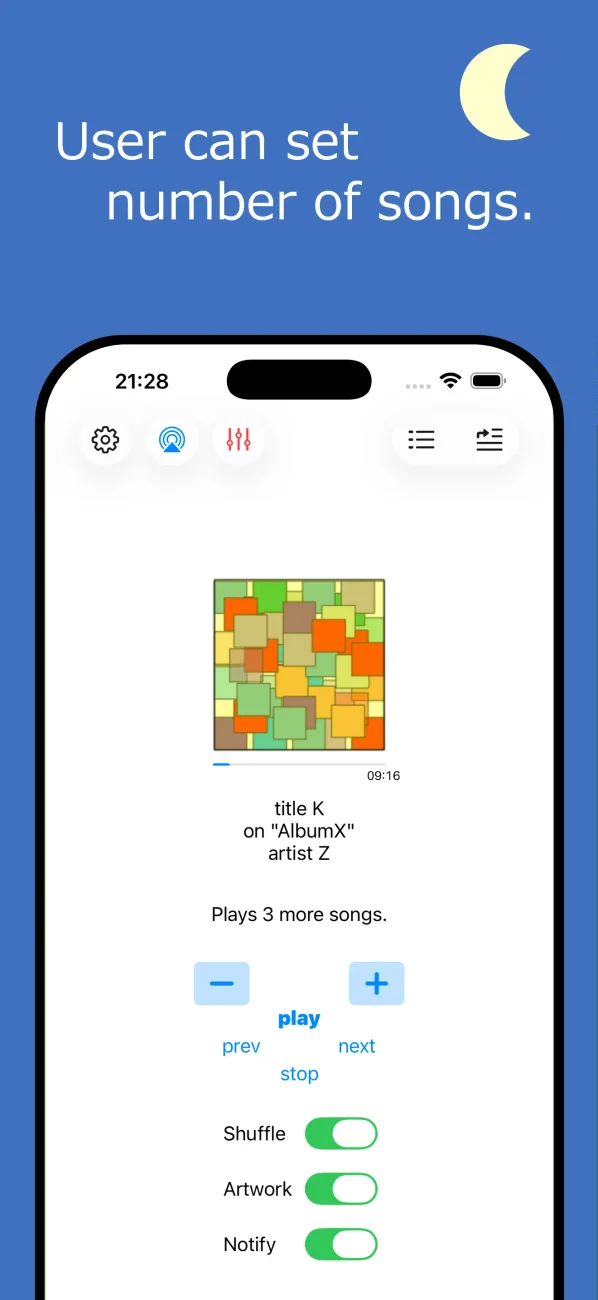
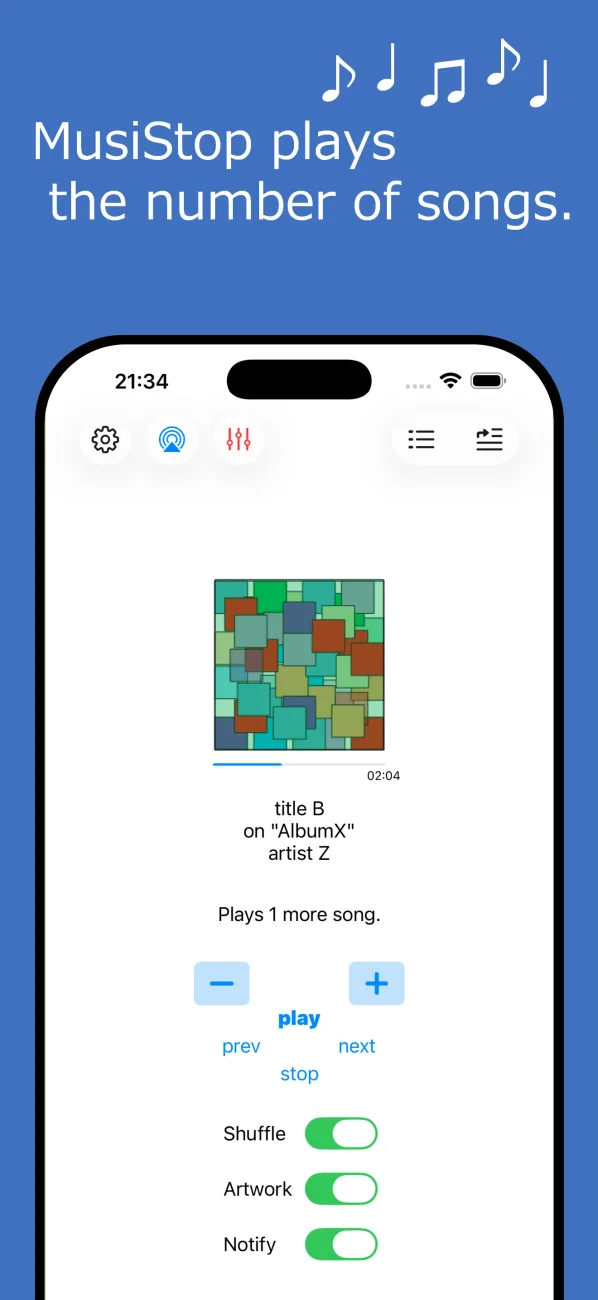
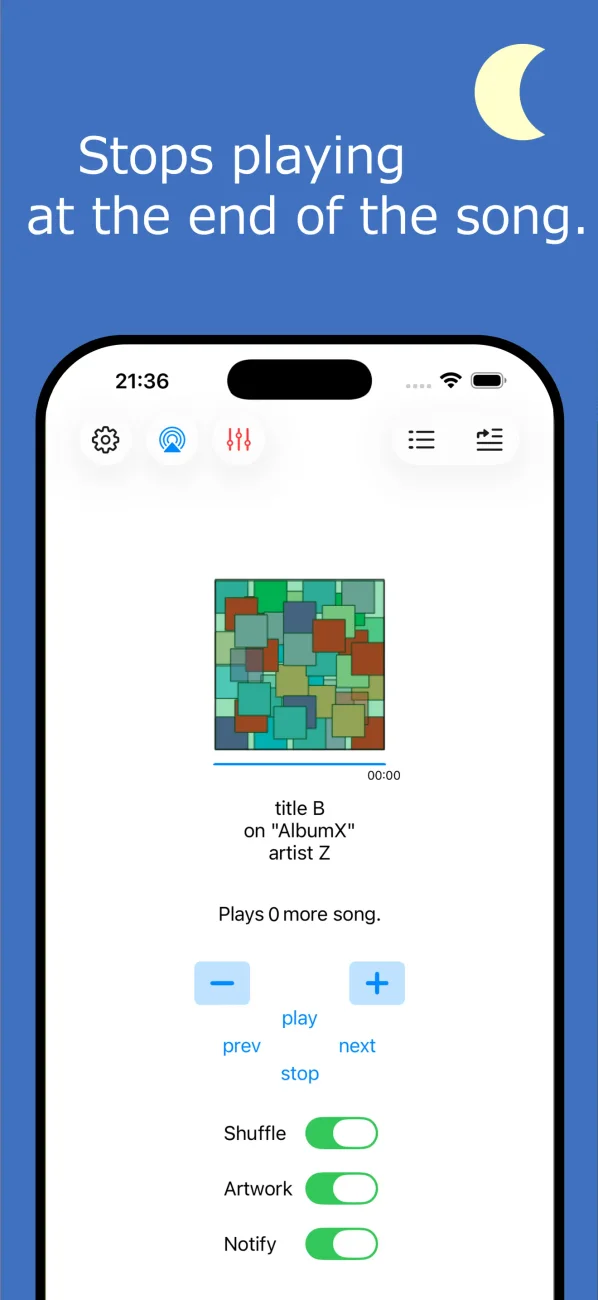
- The user specifies how many more songs to play. That number of songs will be played, and playback will automatically stop at the last song.
- The listening experience ends naturally. Therefore, it's perfect for your favorite songs.
----How to Use----
- Specifying and changing the number of songs is easy.
- Playback automatically stops after the specified number of songs have been played.
- Even if you close the app, you can reopen it and playback will start from the next song.
- Changing albums during playback is also easy. Even if you change albums, the current song will play to the end, and then it will move to the next album.
- While playback is in progress, the user can put their device to sleep or use another app*1.
---- Music items that can be played ----
- Music library (albums, playlists) stored on the device or iCloud
- Recently played items (albums, playlists, stations) on Apple Music*2.
- Recently played items (albums, playlists, stations) on Apple Music Classical*2.
---- Main screen ----
- "Album Artwork": Displays the album artwork. You can switch to a gray display.
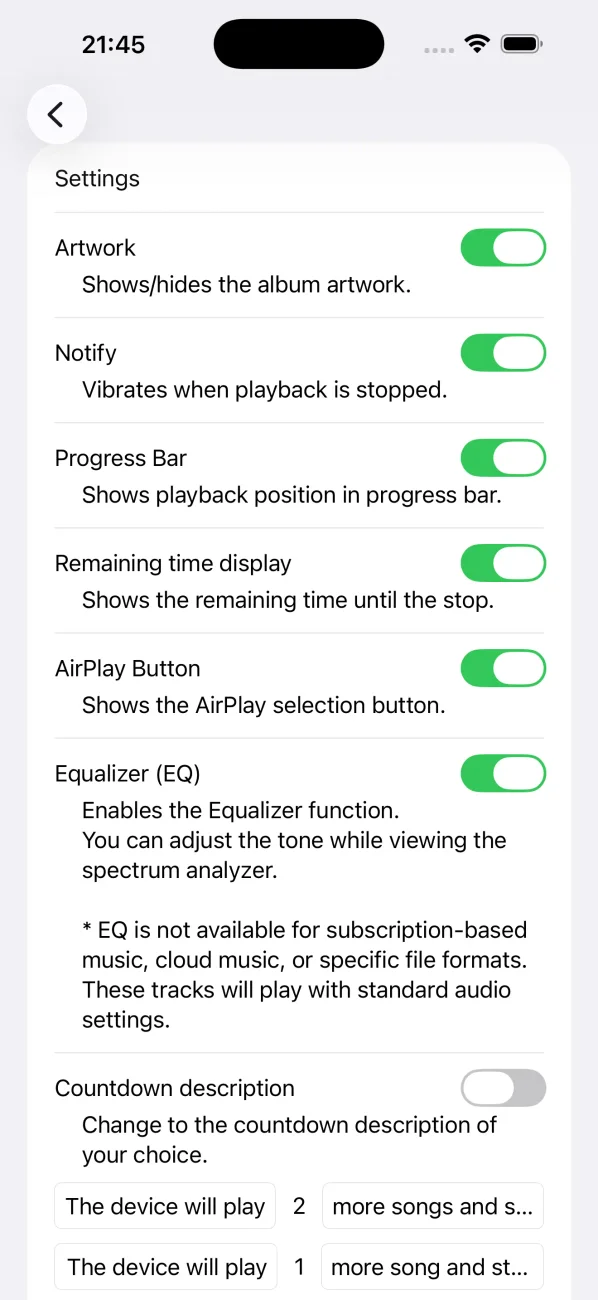
- "Progress bar": Displays the playback position of each song. You can hide the bar.
- "Remaining time display": You can check the playing time of the specified number of songs. You can hide the display.
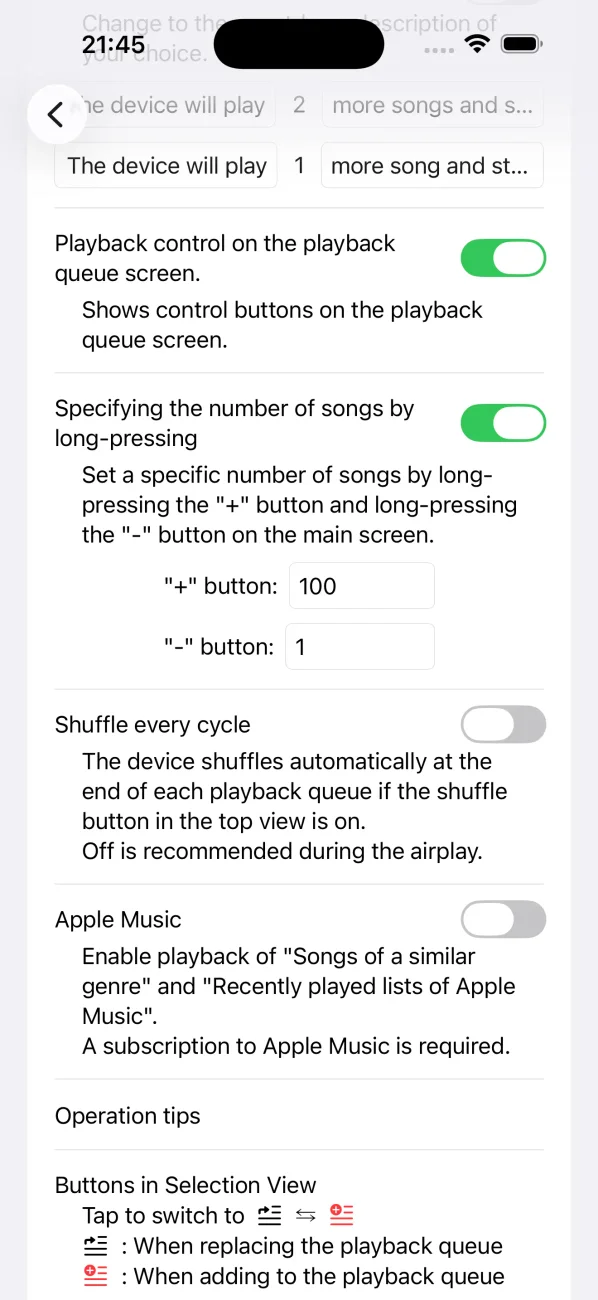
- "-,+" button: Specify the number of songs to play. You can specify a predetermined number by long-pressing.
- "play, stop, next, prev" buttons: play/stop/advance/return operations.
- "Shuffle": Switch to shuffle mode.
- "Artwork": Shows/hides the album artwork.
- "Notify": iPhone notifies of automatic stop by vibration. iPad notifies of automatic stop by the gradual lighting of the screen.
- "Settings" button (upper left): Moves to the settings screen.
- "AirPlay Selection" button (upper left): Displays the AirPlay selection menu. It turns red when AirPlay is selected. You can hide the button.
- "EQ (Equalizer)" button (top left)*3: Displays the EQ screen. It turns red when EQ is on. It turns blue when EQ is off.
- "List" button (upper right): Moves to the playback queue confirmation screen.
- "Select" button (upper right): Moves to the music item selection screen.
----Selection screen----
- A list of music items (playlists, albums, etc.) is displayed.
- Selecting a music item will add it to the playback queue.
- You can add multiple music items. You can also add songs one by one.
- You can also search for music items using text.
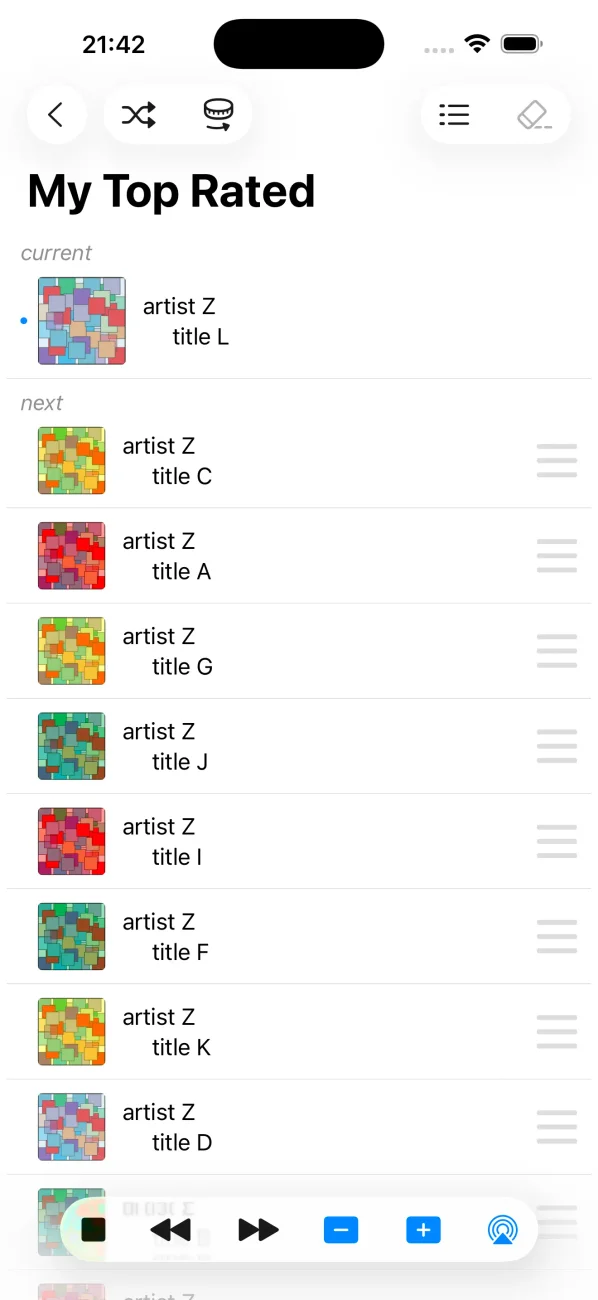
----Playback Queue Screen----
- A list of songs to play is displayed.
- Tap the artwork to display the menu.
- The menu allows you to set this song as the start song or go to the current start song line.
- You can change the order of songs by dragging and dropping. You can change the order of multiple songs at once.
----EQ Screen----*3
-The spectrum of the output waveform is displayed.
-You can adjust the frequency response of the playback output.
-Save up to 4 custom settings.
-Limitations: EQ cannot be applied to the following music data:
Subscription tracks (Apple Music, etc.), special formats like Dolby Atmos, and cloud songs (not downloaded).
These tracks will be played using standard playback.
----Settings screen----
- You can make various settings.
- Also provides operation tips.
----Free trial and in-app purchases----
- During the free trial, the purchase page will be displayed occasionally.
- An in-app purchase will remove the purchase page from displaying.
- There are no functional limitations during the free trial.
- footnote -
* When you start the app for the first time, you will be asked for permission to use the media library. Permission is required to play music.
*1 Application that outputs audio may not be used together.
*2 A paid subscription to Apple Music or Apple Music Classical is required.
*3 The equalizer (EQ) is available on iOS 17 and later, and iPadOS 17 and later.
Yenilikler
Sürüm 2.4.4 · 22.11.2026
- Fixed a crash that occurred after using the search bar.
Uygulama gizliliği
Bu uygulamanın verileri nasıl işlediği hakkında Hirame Entertainment LLC tarafından App Store üzerinde yapılan beyan.
-
Veri toplanmıyor
Geliştirici bu uygulamadan hiçbir veri toplamıyor.
Gizlilik uygulamaları, örneğin kullandığınız özelliklere veya yaşınıza göre değişiklik gösterebilir.
Bilgiler
- Satıcı
- Hirame Entertainment LLC
- Kategori
- Müzik
- Sürüm
- 2.4.4
- Güncellendi
- 22.11.2026
- Yayın tarihi
- 12.12.2022
- Boyut
- 5,6 MB
- Gereksinim
- iOS 16.2 veya sonrası
- Yaş sınırı
- 4+
- Fiyat
- Ücretsiz
- Uygulama içi satın alma
- Evet
- Diller
- İngilizce, Arapça, Fransızca, Almanca, Hindi, İtalyanca, Japonca, Korece, Portekizce, İspanyolca, Geleneksel Çince
- Telif hakkı
- © 2023 Hirame Entertainment LLC