NHCheck Lite
Find what slows your internet
iPhone, iPad için tasarlandı
Ücretsiz
- Yaş sınırı4+
- KategoriYardımcılar
- GeliştiriciJubara Alraiky
- Dillerİngilizce
- Boyut3,0 MB
Resmi App Store sayfasına bağlanır
Download.org, NHCheck Lite için hiçbir dosya barındırmaz. Düğme, uygulamanın App Store üzerindeki sayfasını açar; uygulamayı orada Jubara Alraiky yayınlar. Sayfanın son kontrolü: 12.11.2026.
Ekran görüntüleri

Hakkında
Geliştirici bu metni dilinizde sunmamış.
Your internet is slow. But why?
Is the problem your Wi-Fi, router, ISP, DNS, or internet speed?
NHCheck Lite finds the problem in about 30 seconds.
FIVE SIMPLE CHECKS
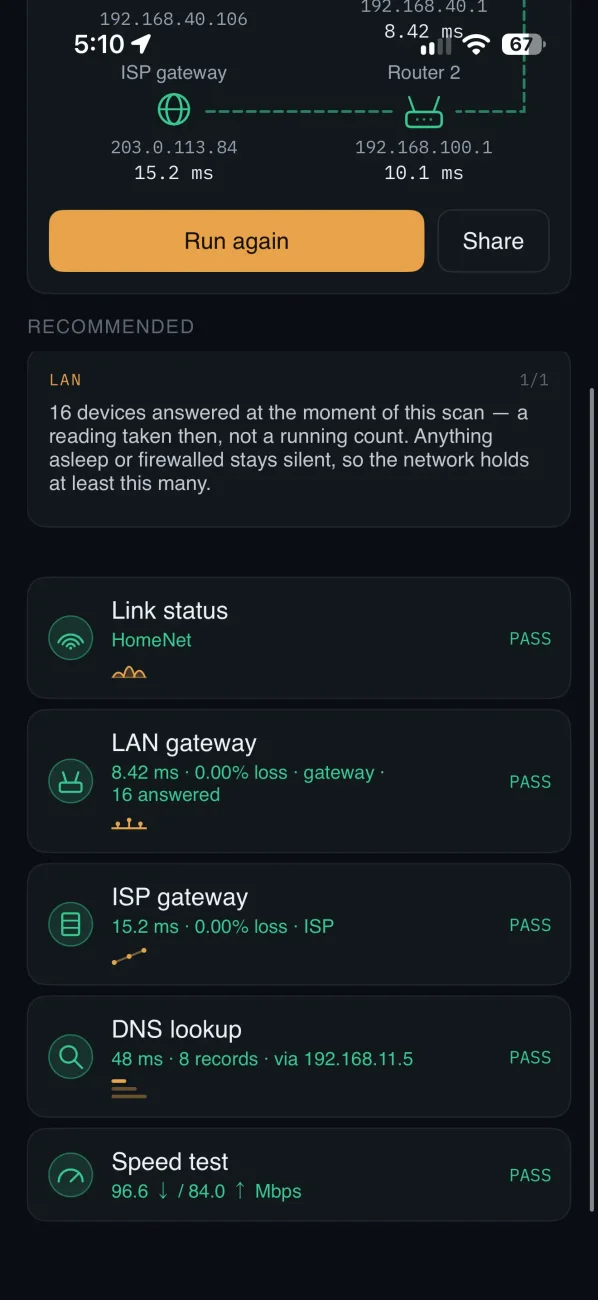
1. Link
Shows how this iPhone is connected: the network's name, its signal, the security in use, and your addresses.
2. Router
Tests the connection to your router for:
• Latency
• Packet loss
• Jitter
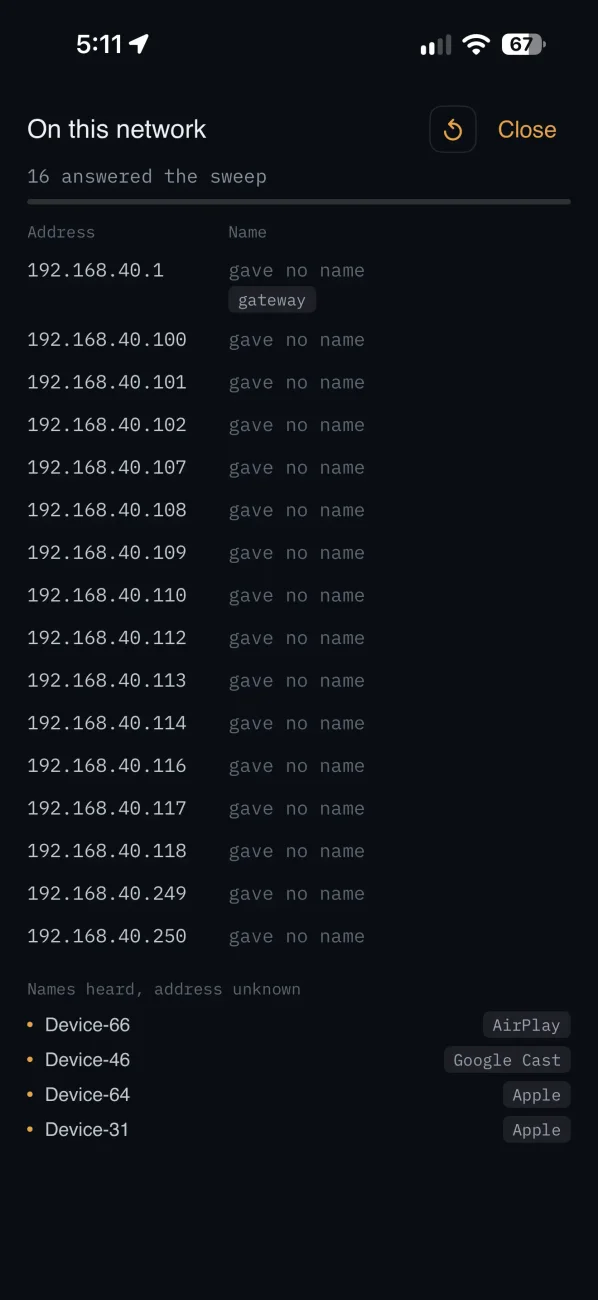
It also finds devices on your local network, and names the ones that say who they are.
3. ISP
Checks the first public router beyond your home router.
This helps tell whether the problem is inside your home or with your internet provider.
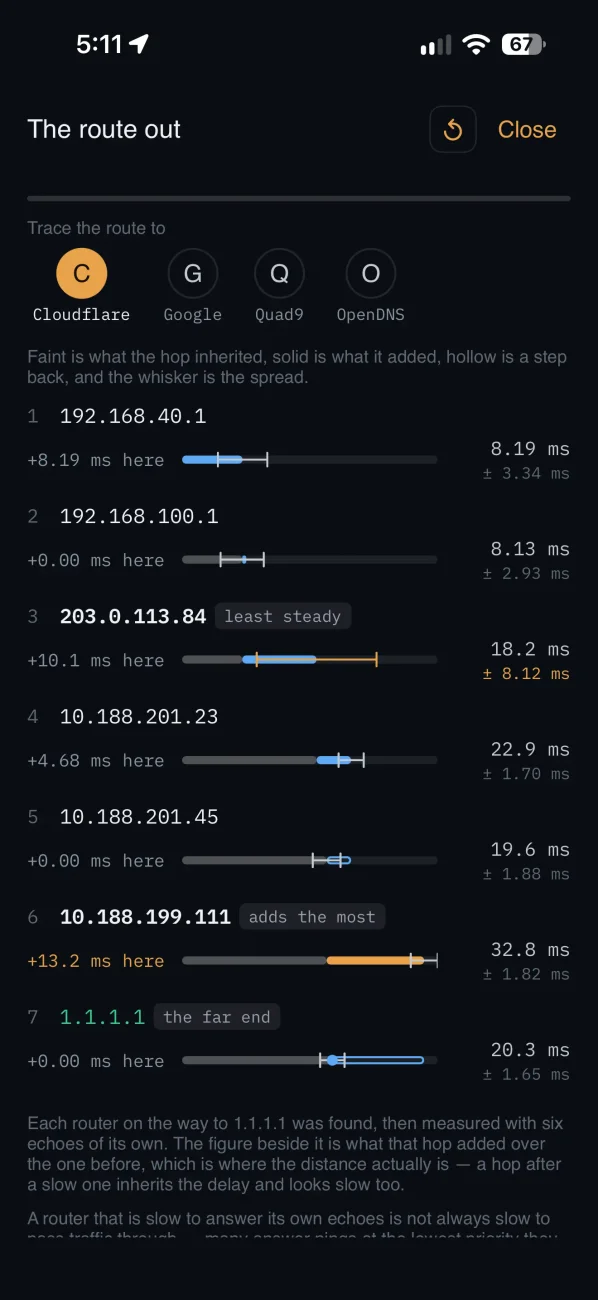
Tap the ISP result to trace the route to Cloudflare, Google, Quad9 or OpenDNS and measure every hop along it, so you can see where the delay is added.
4. DNS
Tests how quickly your network can find website addresses.
DNS can be slow even when your internet connection looks fine.
Tap the DNS result to compare your resolver against Cloudflare, Google, Quad9 and OpenDNS.
Each one is timed the same way, so you can see whether a faster resolver is available — and switch if it is.
5. Speed
Measures real download and upload speed using real network traffic.
Tap the Speed result to compare real downloads from Cloudflare, Google, Fastly, Akamai and Amazon — one connection, then four at once — so a line that is slow to one network can be told from one that is slow everywhere, and see which of them serves each part of X, TikTok, Snapchat or YouTube.
No estimates. No simulated results.
LINE TESTS AND TWO-PHONE SPEED
On the ISP page, one tap runs a minute of pings that tells Wi-Fi drops from line drops, and finds the largest packet your connection carries. A chip beside the language switch measures Wi-Fi speed between two phones with no internet in it.
The speed test also shows how much latency rises when the line is busy, and measures the result against the plan you pay for.
KNOW WHAT TO FIX
NHCheck Lite uses the test results to give you a clear recommendation.
For example:
• High router latency → check your local network
• Packet loss past your router → contact your provider
• Slow DNS → switch to a faster resolver
If everything looks good:
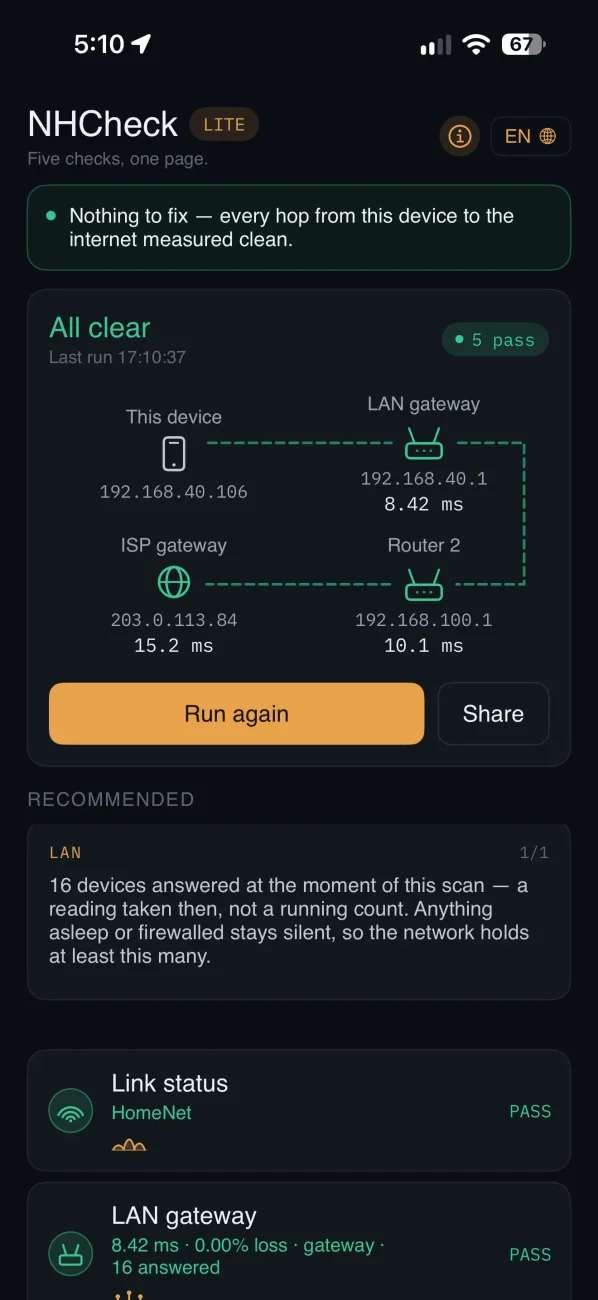
Nothing to fix.
SEE THE PROBLEM
NHCheck shows your connection as a simple path:
Device → Router → ISP → Internet
This makes it easy to see where the problem starts.
SEE YOUR NETWORK
Scan your local network to see which devices respond, and what each one calls itself.
SHARE YOUR RESULTS
Share the complete test result as an image with your ISP, technician, or anyone helping you.
SIX LANGUAGES, DARK OR LIGHT
English, Arabic, Spanish, Urdu, Portuguese and French, switched from the top bar.
Arabic and Urdu are fully displayed right-to-left, including the connection diagram.
Dark, light, or whatever your iPhone is set to.
PRIVATE BY DESIGN
No account.
No tracking.
No ads.
No third-party SDKs.
There is no backend server, and your app activity is not sent anywhere.
The only network traffic is the traffic needed to perform the tests.
LOCATION PERMISSION
iOS requires location permission before any app can read the name of the Wi-Fi network you are on.
NHCheck uses this permission only for that.
NHCheck does not use GPS or track your location.
You can still run every test without location permission.
DATA USAGE
The speed test uses real data.
If you are on a metered or mobile connection, keep this in mind before running the speed test.
Find the problem. Fix the right thing.
Yenilikler
Sürüm 1.8 · 04.11.2026
Line tests on the ISP page: a one-minute stability check pings your router, your provider and the internet four times a second and tells you whether the drops are your Wi-Fi, your line or your provider. A packet-size test finds the largest packet your connection carries, and flags a path that silently drops big ones. And, from the chip beside the language switch, Wi-Fi speed between two phones, paired with a code and with no internet in it, so you can tell a slow Wi-Fi from a slow line.
The speed test now shows how much latency rises when the line is busy and whether the queue is in your router or past it. Type the plan you pay for on the Speed page and every result is judged against it.
The ISP result now notes a second router doing its own address translation (double NAT), carrier-grade NAT, and an IPv6 that is switched on but goes nowhere. The DNS page now checks whether anything on the way rewrites DNS answers, or answers for the public resolvers. The Wi-Fi result tells you when the router behind a network name is not the one it used to be.
Uygulama gizliliği
Bu uygulamanın verileri nasıl işlediği hakkında Jubara Alraiky tarafından App Store üzerinde yapılan beyan.
-
Veri toplanmıyor
Geliştirici bu uygulamadan hiçbir veri toplamıyor.
Gizlilik uygulamaları, örneğin kullandığınız özelliklere veya yaşınıza göre değişiklik gösterebilir.
Bilgiler
- Satıcı
- Jubara Alraiky
- Kategori
- Yardımcılar
- Sürüm
- 1.8
- Güncellendi
- 04.11.2026
- Yayın tarihi
- 02.10.2026
- Boyut
- 3,0 MB
- Gereksinim
- iOS 16.0 veya sonrası
- Yaş sınırı
- 4+
- Fiyat
- Ücretsiz
- Diller
- İngilizce
- Telif hakkı
- © 2026 NHCheck
Bunları da beğenebilirsiniz
-
 WiFi Aid Liteİnternet yok mu? Nedenini bul
-
 VoiceEver: Voice RecorderYardımcılar
-
 SEO Audit: Site CheckerYardımcılar
-
 aaPanelYardımcılar
-
 Baz İstasyonu Sinyal Bulucu 5G4G 3G LTE & İnternet Hız Testi
-
 MBCNOWYardımcılar
-
 SweepScan - Camera DetectorYardımcılar
-
 Whatseen Çevrimiçi Takipçisison görülme kaydını kontrol et
-
 TP-Link FestaYardımcılar
-
 CPU-XYardımcılar