
Ninja Cord
Webhook Sender & Embed Builder
iPhone, iPad için tasarlandı
Ücretsiz · Uygulama içi satın alma
- Yaş sınırı9+
- KategoriSosyal Ağ
- GeliştiriciTakumi Muraishi
- Dillerİngilizce+ 1 dil daha
- Boyut8,8 MB
Resmi App Store sayfasına bağlanır
Download.org, Ninja Cord için hiçbir dosya barındırmaz. Düğme, uygulamanın App Store üzerindeki sayfasını açar; uygulamayı orada Takumi Muraishi yayınlar. Sayfanın son kontrolü: 27.11.2026.
Ekran görüntüleri
Hakkında
Geliştirici bu metni dilinizde sunmamış.
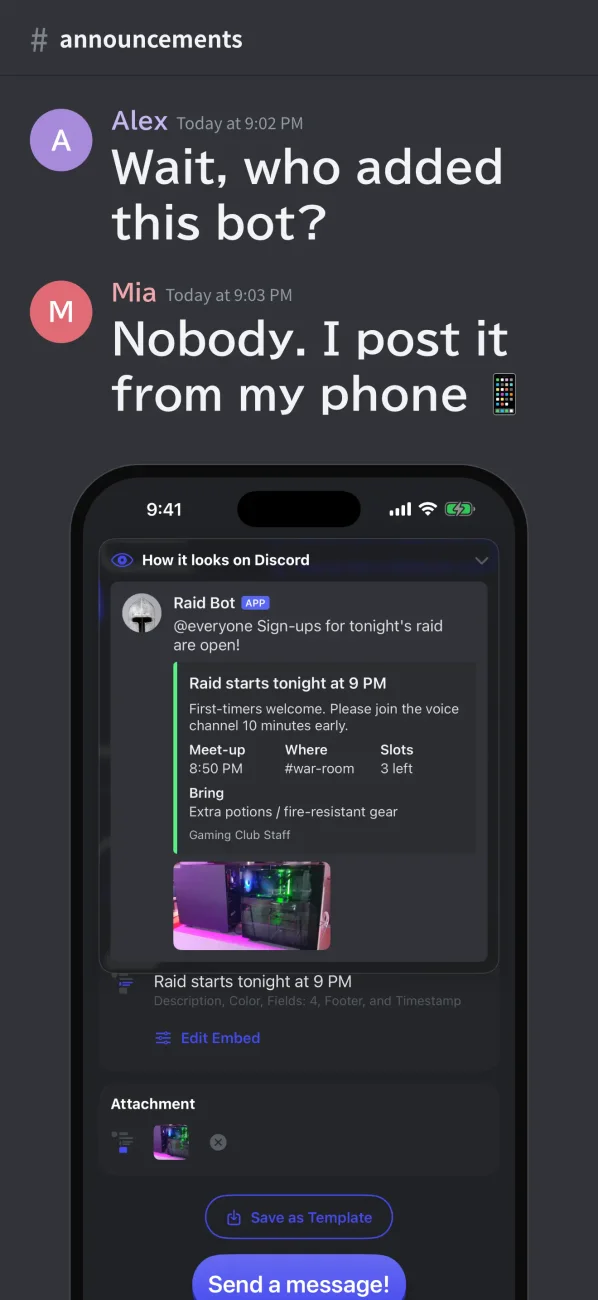
Post to your Discord server from your iPhone or iPad — under any name, with any avatar. Ninja Cord sends messages through Discord webhooks, so there's no bot to code and no server to host. Just paste a webhook URL and post.
Perfect for server announcements, event reminders, match and raid call-outs, status updates and alerts for your community.
■ Post it your way
• Pick the sender name, avatar and message for each post
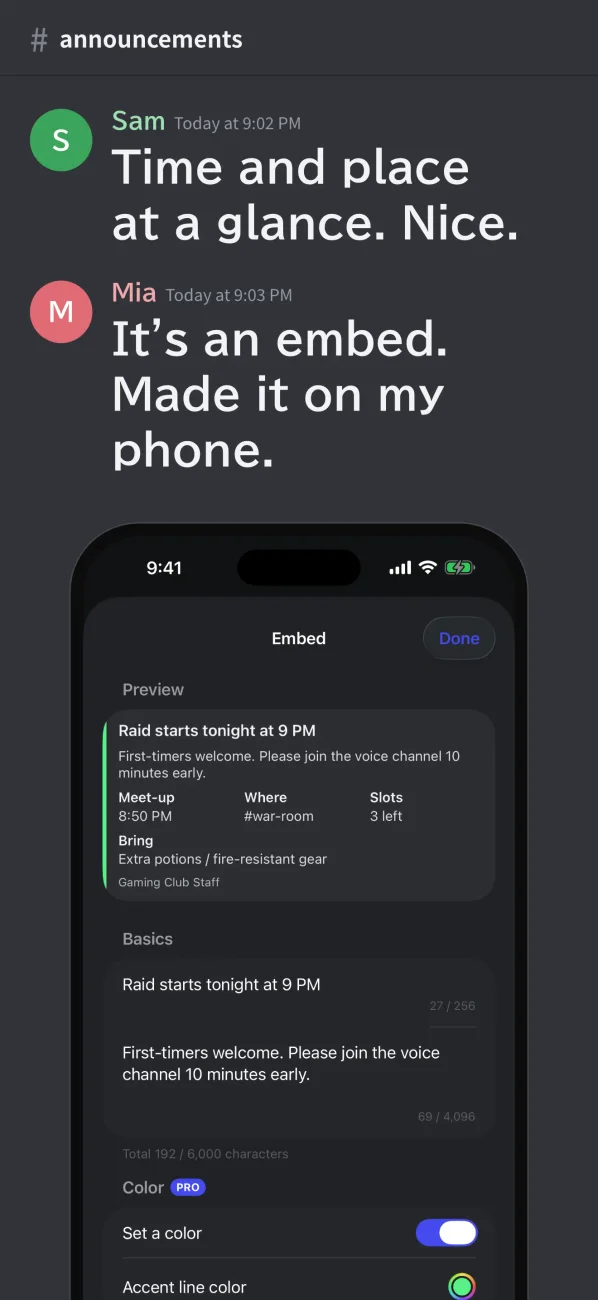
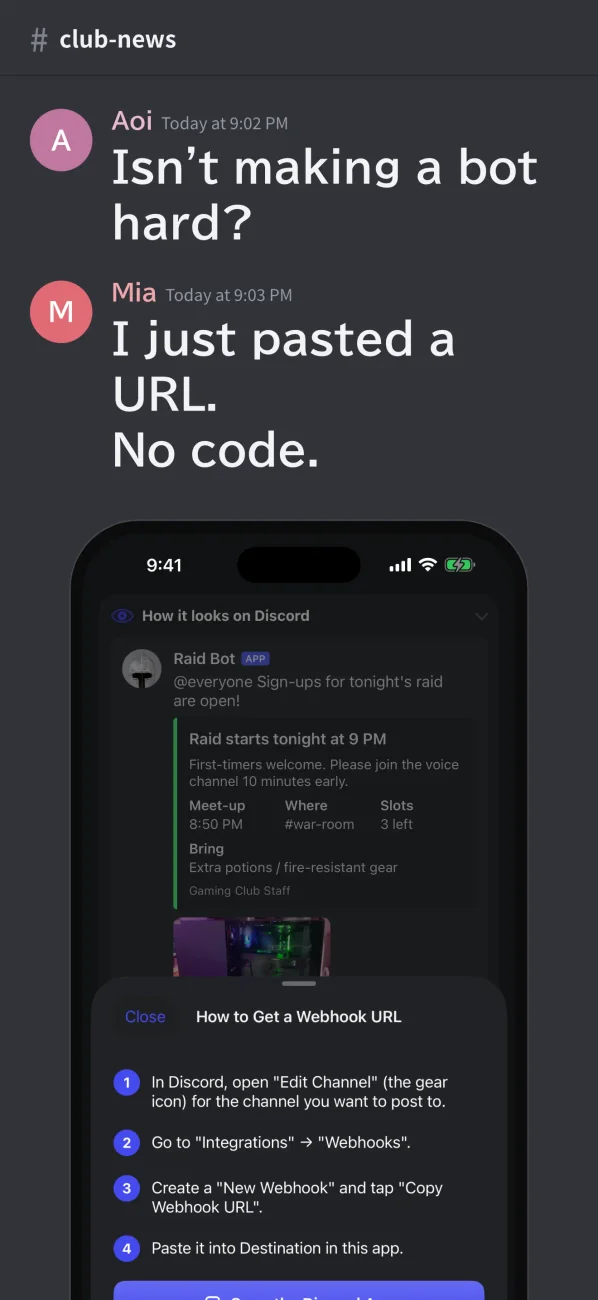
• Build embeds with a title and description, and see exactly how they'll look in Discord with the live preview
• Attach an image (up to 10 MB)
• Post to forum and media channels as a new post with a title
• Send silently, hide link previews, or keep @everyone and @here from notifying everyone
• Send an embed or an image on its own — no message text required
■ Fix it after you post
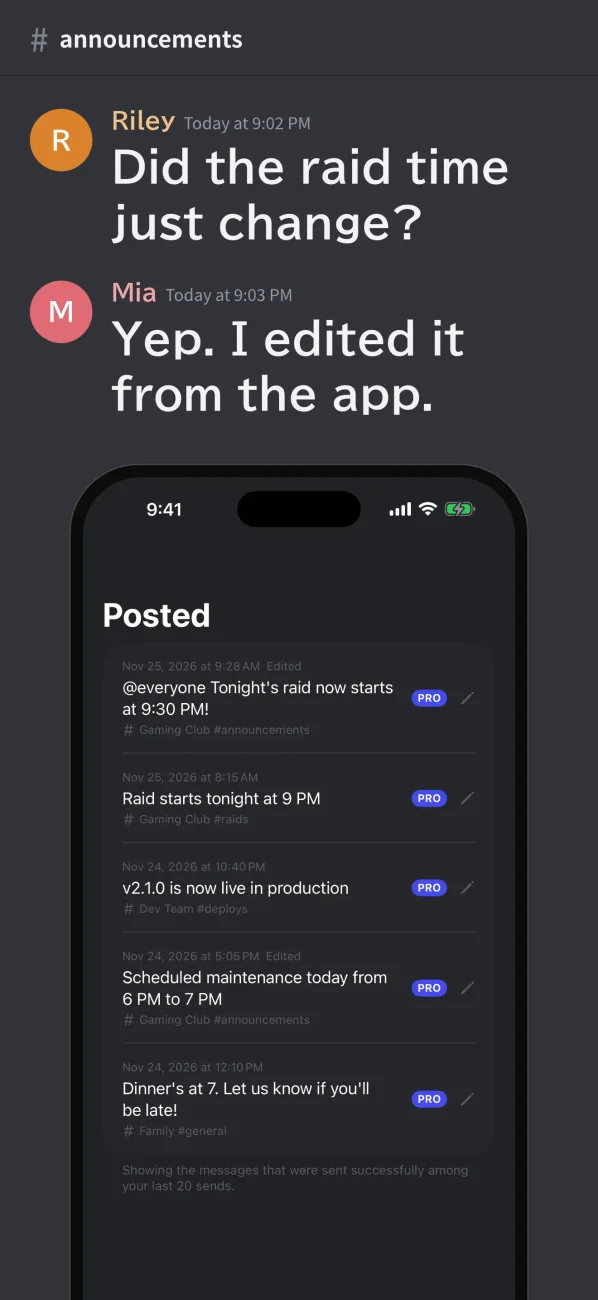
• Edit the text and embed of messages you've already sent, right from the Posted tab (Pro)
• Delete sent messages, or tap Undo right after sending to take back a mistake
(Turn on send history to list the messages you send from this device.)
■ Built for regular posting
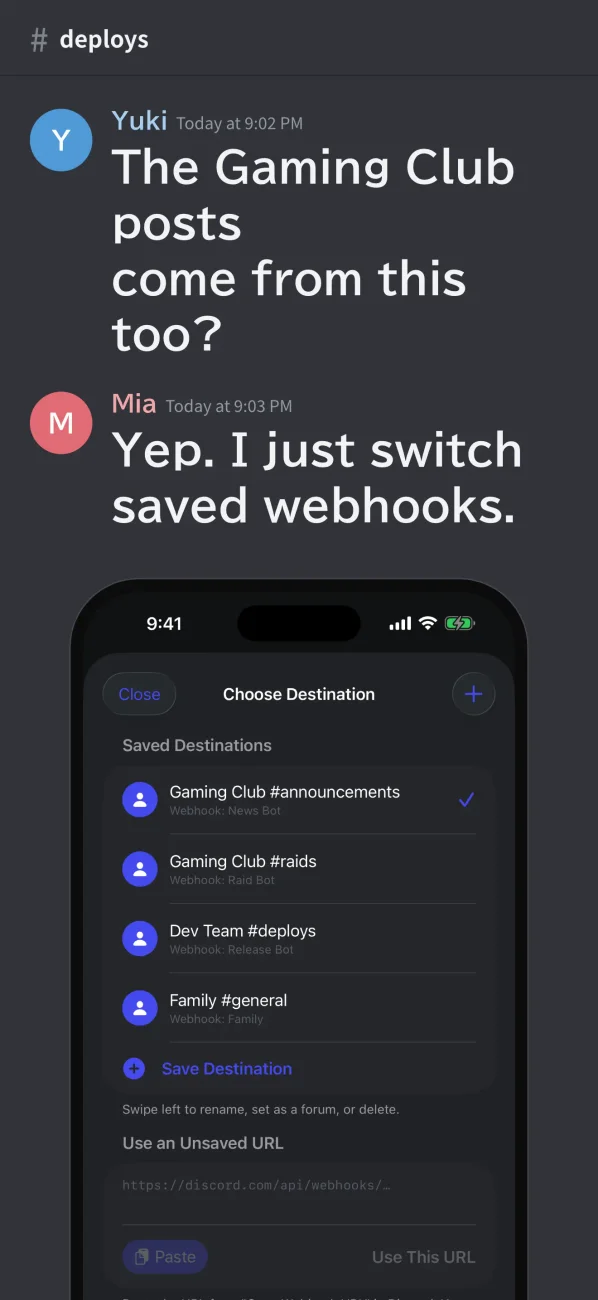
• Save webhook URLs as named destinations, spot them by the webhook's name and avatar, and switch channels in one tap
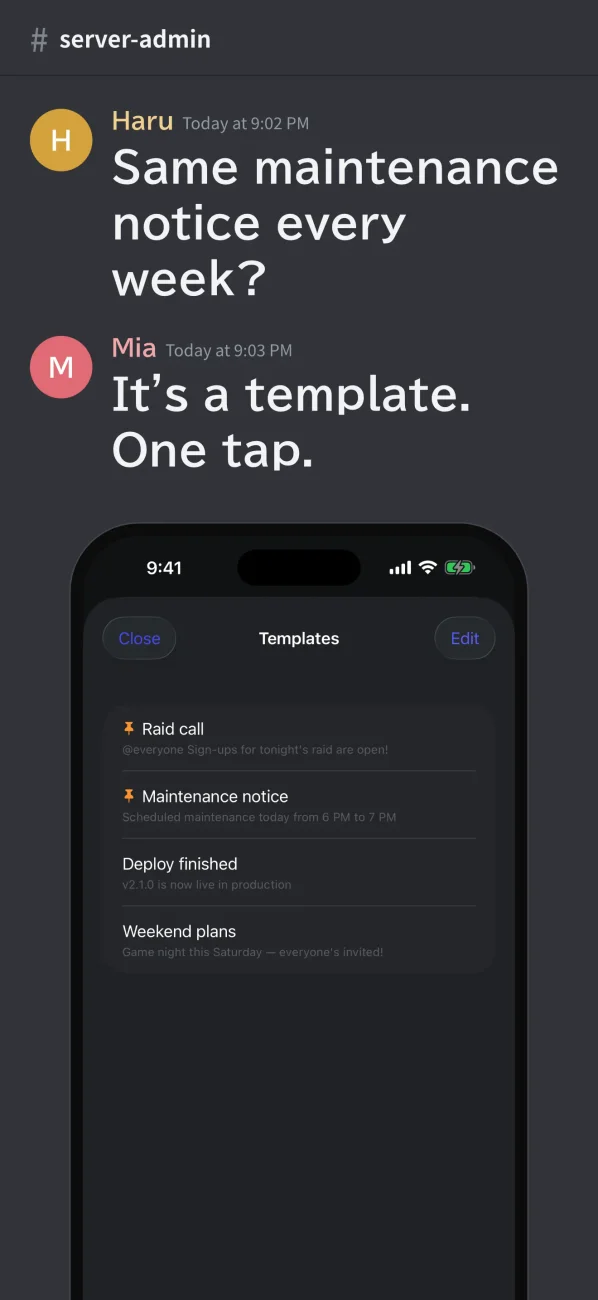
• Save messages you post often as templates, then pin and reorder them
• Send with a saved destination and template from the Shortcuts app, and pair it with an automation to post at a set time (the free plan can use one template)
• See what went through in your send history (stored only on this device, and you can turn it off)
• Light, dark and automatic themes
■ Ninja Cord Pro (monthly auto-renewing subscription)
• No ads
• Unlimited templates (the free plan keeps up to 3)
• Full embeds: color, fields, image, thumbnail, footer and timestamp
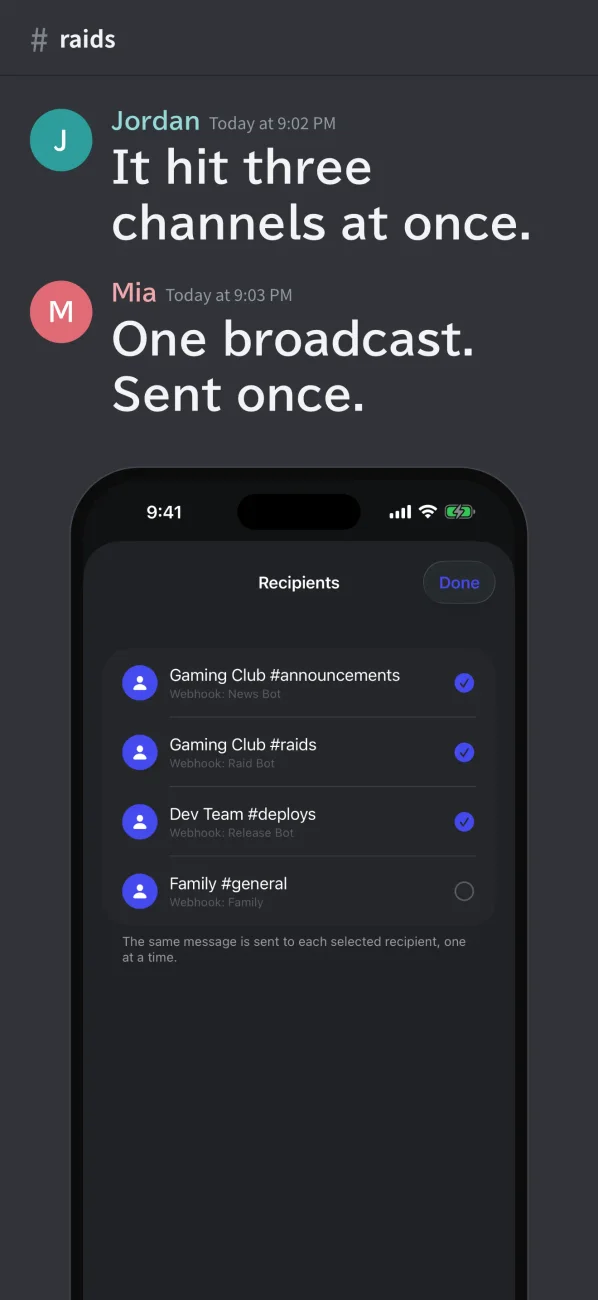
• Broadcast the same message to several saved channels at once
• Edit messages after you post them
• Use any template with Shortcuts
Want to try before you subscribe? Watch an ad to use full embeds, broadcasting or message editing once (ad removal and unlimited templates are not included).
■ Get started in 3 steps
1. In Discord, open Edit Channel → Integrations → Webhooks for the channel you want to post to
2. Tap New Webhook, then Copy Webhook URL
3. In Ninja Cord, tap Destination on the Sending tab, paste the URL and send
You need the Manage Webhooks permission on that server to create a webhook.
■ Good to know
• Anyone with a webhook URL can post to that channel, so keep your URLs private.
• Ninja Cord is not an official Discord app and is not affiliated with or endorsed by Discord Inc.
Terms of Use: https://www.apple.com/legal/internet-services/itunes/dev/stdeula/
Privacy Policy: https://shilokuma.jp/privacy/ninja-cord/
Yenilikler
Sürüm 2.6.0 · 26.11.2026
■ Send from the Shortcuts app
• Use the new "Send to Discord" action to post a template or a message to a saved destination, without opening the app
• Pair it with an automation to send announcements and reminders at a set time
• With send history turned on, messages you send this way appear in the Posted tab, so you can edit or delete them later
• The free plan can use the first template in your list; Ninja Cord Pro can use any template
■ Post to forum and media channels
• Set a destination as a Forum or Media Channel to send each message as a new post with a title
• If you send to one without setting it, Ninja Cord switches the setting based on Discord's response and lets you know
■ New send options
• Send silently (like Discord's @silent)
• Hide link previews
• Don't notify @everyone or @here (users and roles you mention are still notified)
• Save send options with your templates
Uygulama gizliliği
Bu uygulamanın verileri nasıl işlediği hakkında Takumi Muraishi tarafından App Store üzerinde yapılan beyan.
-
Sizi izlemek için kullanılan veriler
Başka şirketlere ait uygulamalarda ve web sitelerinde sizi izlemek için kullanılabilir.
- Tanımlayıcılar
- Kullanım verileri
-
Sizinle ilişkilendirilmeyen veriler
Toplanabilir ancak kimliğinizle ilişkilendirilmez.
- Satın alımlar
- Tanımlayıcılar
- Kullanım verileri
Gizlilik uygulamaları, örneğin kullandığınız özelliklere veya yaşınıza göre değişiklik gösterebilir.
Bilgiler
- Satıcı
- Takumi Muraishi
- Kategori
- Sosyal Ağ
- Sürüm
- 2.6.0
- Güncellendi
- 26.11.2026
- Yayın tarihi
- 01.05.2024
- Boyut
- 8,8 MB
- Gereksinim
- iOS 16.0 veya sonrası
- Yaş sınırı
- 9+
- Fiyat
- Ücretsiz
- Uygulama içi satın alma
- Evet
- Diller
- İngilizce, Japonca
- Telif hakkı
- © 2024 Takumi Muraishi
Bunları da beğenebilirsiniz
-
 WevoovSosyal Ağ
-
 はげましあいSosyal Ağ
-
 good! - 褒め合うSNSSosyal Ağ
-
 Throw – Connect in SilenceSosyal Ağ
-
 SuperExpatSosyal Ağ
-
 DeFO - Web3 Member CommunitySosyal Ağ
-
 famigo - aile, arkadaş sohbetiSevdiklerinle güvenle mesajlaş
-
 VaultCordSosyal Ağ
-
 DAWN for mastodon by NightfoxA polished Mastodon app
-
 Rooms (chat)Sosyal Ağ