NoMachine
Remote desktop for everybody
iPhone, iPad, iPod touch için tasarlandı
Ücretsiz
- Yaş sınırı4+
- KategoriÜretkenlik
- GeliştiriciNoMachine S.à r.l.
- Dillerİngilizce+ 7 dil daha
- Boyut120,8 MB
Resmi App Store sayfasına bağlanır
Download.org, NoMachine için hiçbir dosya barındırmaz. Düğme, uygulamanın App Store üzerindeki sayfasını açar; uygulamayı orada NoMachine S.à r.l. yayınlar. Sayfanın son kontrolü: 17.11.2026.
Ekran görüntüleri


Hakkında
Geliştirici bu metni dilinizde sunmamış.
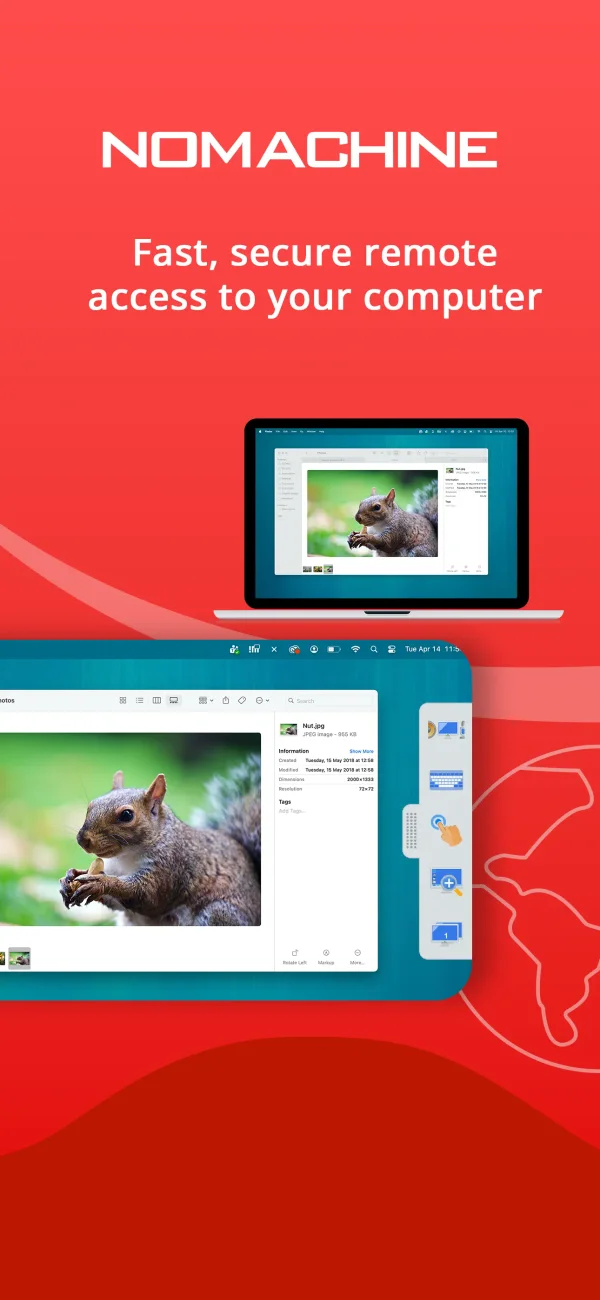
Your computer, anywhere. With NoMachine, secure, fast remote access is always available no matter where you are, putting your files, documents, videos, and music right in the palm of your hand. Whether you're an individual accessing your desktop at home or an IT professional managing an entire infrastructure, NoMachine gives you instant access so you can stay connected to what matters most.
The perfect travel companion, you can use it to:
- Control your office and home computers remotely over any network as if you were sitting in front of them
- Work with all your files, desktop applications and other programs all running on your computer elsewhere
- Share and transfer files easily between devices
- Manage unattended computers and provide on-the-go support to colleagues and friends
- Enjoy your media, including HD movies, TV shows, and music
- Play graphics-intensive games remotely with smooth performance
Key features:
- Connect to any computer, wherever it is
- Sign in to NoMachine Network for easy remote connections
- High-quality video and audio streaming
- Bi-directional file transfer
- Record any activity on the remote desktop
- Intuitive touch and control gestures
- Guest connections to share the desktop, no local account required
- Remote terminal connections (from iPad)
- Protect logins with 2FA through your iPhone or iPad
Quick guide
1) Install this app.
2) Download NoMachine from our website and install it on the computer you want to access.
3) In the NoMachine for iOS GUI enter the IP of your computer or the Machine Id.
4) You must already have an account on the remote computer. Enter the credentials for your system account when prompted or use a guest account.
5) For more detailed instructions check the tutorial here: https://www.nomachine.com/getting-started-with-nomachine-for-ios.
Yenilikler
Sürüm 10.0.57 · 03.08.2026
New features in NoMachine 10:
* Remote terminal connections - a secure virtual shell service that provides remote command line client access through dedicated terminal windows, letting you connect to a system without launching a full desktop connection
* Single Sign-On support for Microsoft Entra ID, Okta, Keycloak, and Google Cloud Identity providers
* General experience improvements and multiple bug fixes
For the complete list of enhancements and fixes available in this version, please consult the announcement on the website: https://kb.nomachine.com/software-updates
Uygulama gizliliği
Bu uygulamanın verileri nasıl işlediği hakkında NoMachine S.à r.l. tarafından App Store üzerinde yapılan beyan.
-
Sizinle ilişkilendirilen veriler
Toplanabilir ve kimliğinizle ilişkilendirilebilir.
- İletişim bilgileri
- Tanımlayıcılar
Gizlilik uygulamaları, örneğin kullandığınız özelliklere veya yaşınıza göre değişiklik gösterebilir.
Bilgiler
- Satıcı
- NoMachine S.a.r.l.
- Kategori
- Üretkenlik
- Sürüm
- 10.0.57
- Güncellendi
- 03.08.2026
- Yayın tarihi
- 15.07.2014
- Boyut
- 120,8 MB
- Gereksinim
- iOS 9.0 veya sonrası
- Yaş sınırı
- 4+
- Fiyat
- Ücretsiz
- Diller
- İngilizce, Fransızca, Almanca, İtalyanca, Lehçe, Portekizce, Rusça, İspanyolca
- Telif hakkı
- © NoMachine S.à r.l.