NoteHero: Math & Geometry
Handwrite, draw, study & more
iPhone, iPad, iPod touch için tasarlandı
Ücretsiz · Uygulama içi satın alma
- Yaş sınırı4+
- KategoriEğitim
- GeliştiriciMinh Nguyen
- Dillerİngilizce+ 1 dil daha
- Boyut46,8 MB
Resmi App Store sayfasına bağlanır
Download.org, NoteHero: Math & Geometry için hiçbir dosya barındırmaz. Düğme, uygulamanın App Store üzerindeki sayfasını açar; uygulamayı orada Minh Nguyen yayınlar. Sayfanın son kontrolü: 23.11.2026.
Ekran görüntüleri

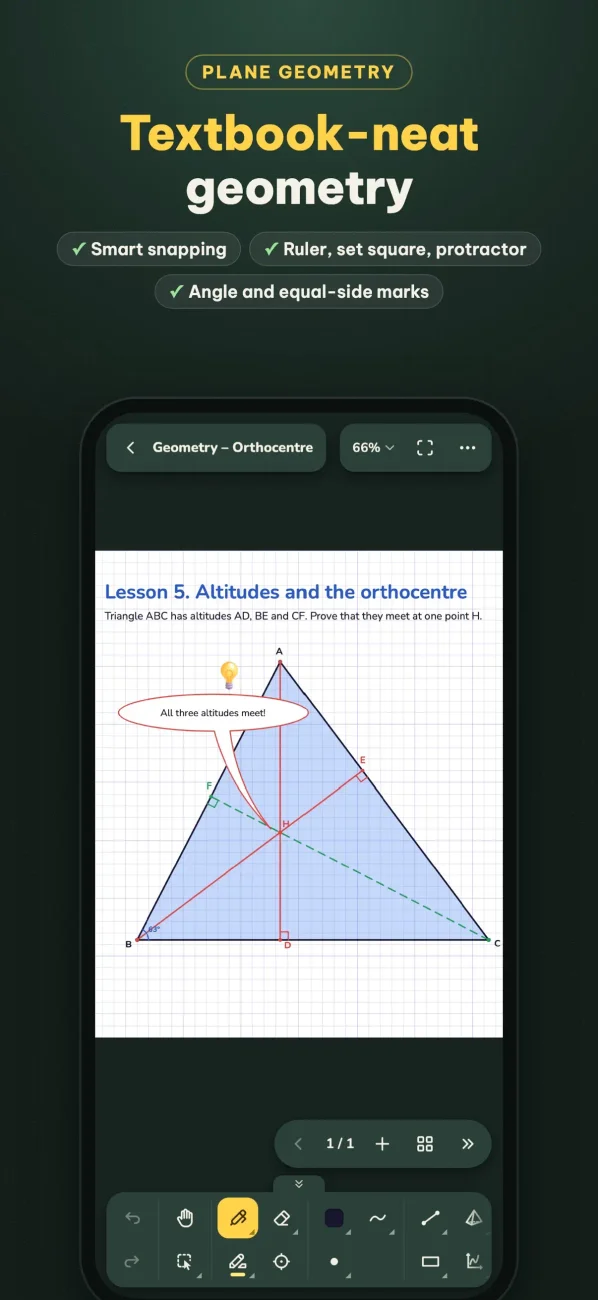
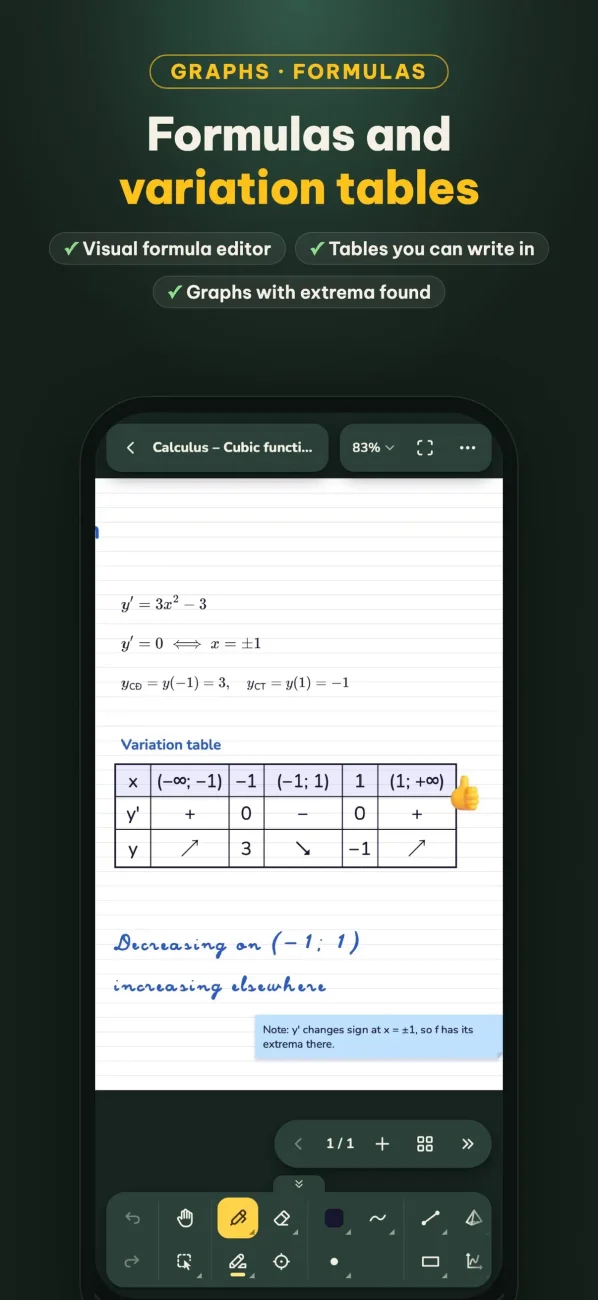
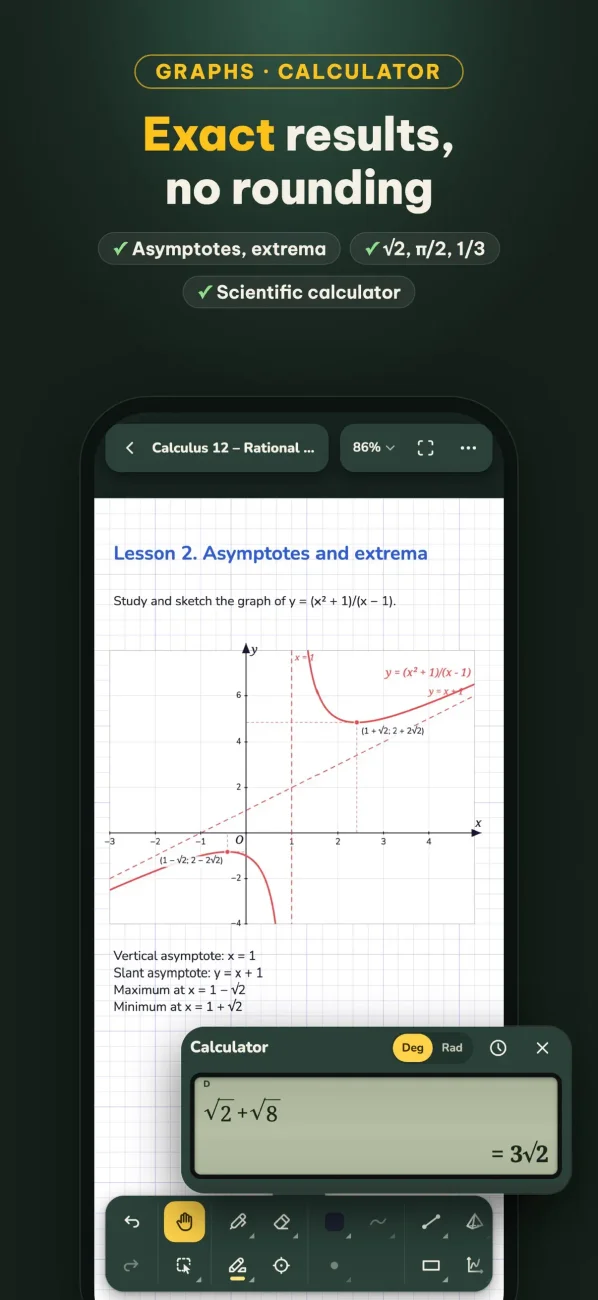

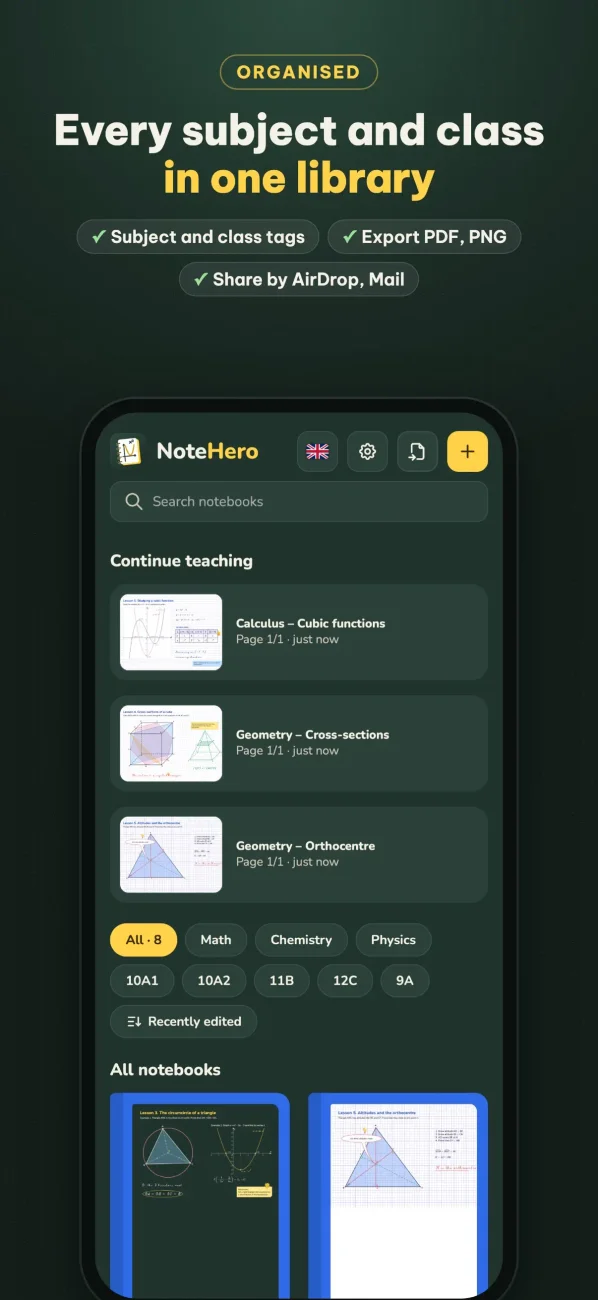
Hakkında
Geliştirici bu metni dilinizde sunmamış.
NoteHero is a teaching whiteboard for iPad, made for teachers and students: plan lessons at home, teach them in class, write on PDF worksheets. Built for math and useful for every subject.
INK THAT FEELS LIKE CHALK
• Smooth, low-latency ink with Apple Pencil or your finger: one finger writes, two fingers scroll and zoom.
• Ballpoint, marker, pencil, highlighter, dashed line, laser pointer; stroke and area eraser.
• Straight lines and shape recognition: sketch a triangle, circle or ellipse and it snaps into a clean shape.
• Select, move, resize, recolor, copy, undo.
PRECISE GEOMETRY
• Segments, rays, arrows, triangles, quadrilaterals, polygons, circles, ellipses; drag vertices, label points.
• Snapping to vertices, midpoints, intersections, centers, grid, horizontal and vertical, 15° steps.
• Ruler, set squares, protractor and compass right on the page.
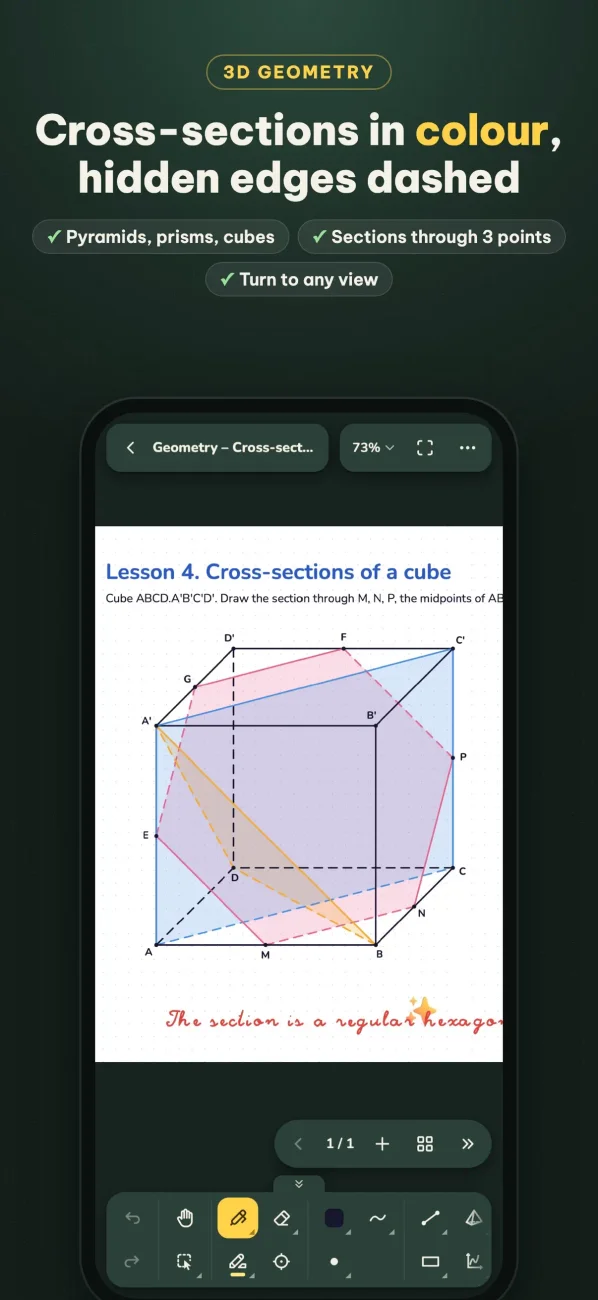
• 3D shapes: pyramids, prisms, boxes, cones, cylinders, spheres; rotate them and hidden edges turn dashed automatically.
GRAPHS AND FORMULAS
• Plot several functions on one coordinate system; find axis intercepts and extrema; vertical lines x = a, implicit equations, points and vectors with coordinates.
• Type formulas in LaTeX with live preview.
• Tables: pick rows and columns, then write or type in each cell.
LIVELY LESSONS
• Lined, grid, school-ruled, dotted, music staff and plain paper; white, green or black board.
• Callouts, speech bubbles and sticky notes in many colors.
• Nearly 300 stickers for praise and fun.
• Insert or take photos; import PDFs to write on tests and worksheets.
EASY SHARING
• Export pages or whole notebooks as PDF or PNG; print with AirPrint.
• Send notebooks to another device by Mail, AirDrop, Files or any chat app.
• Library with subject and class tags and quick search.
PRIVATE
Your notebooks stay on your iPad. No account, no ads, no data collection.
FREE TRIAL AND PURCHASE
• Try every feature free for 14 days, no card needed.
• Then choose a yearly subscription (auto-renewing) or a one-time lifetime purchase.
Terms of Use (EULA): https://www.apple.com/legal/internet-services/itunes/dev/stdeula/
Privacy Policy: https://mathnotehero.app/en/privacy/
Yenilikler
Sürüm 1.4 · 18.11.2026
VERSION 1.4: PROJECTOR SCREEN, ANSWER BOXES, POWERPOINT
Projector screen
• Connect a TV or projector: it shows only the lesson page, filling the screen at the TV's native resolution. The toolbar stays on the iPad.
• A projector button: Page only, Whole screen, Not projecting.
• Live strokes, laser pointer, rulers, compass, calculator and snapping hints also show on the projector.
• While projecting, the iPad screen goes dark after 2 minutes without a touch to save battery; the projector keeps showing. Tap to wake.
• Fixes a 1.3 bug where an HDMI connection did not show on the TV.
Answer boxes
• Multiple choice A/B/C/D, true/false, short answer, check boxes; text with formulas.
• Set hidden answers and tap with the pen to choose; Check marks right in green and wrong in red and counts correct questions; Reset clears them.
• Export to PDF or print as a blank sheet or with the answers given.
PowerPoint
• Export a notebook to PowerPoint, one slide per page.
• Import PowerPoint as a new notebook: each slide becomes a page to write on.
Graphs and pages
• "Contains a point" shaded regions: tap a region to shade it, with its area.
• Page numbers, also when projecting, exporting and printing.
• Many small fixes.
Uygulama gizliliği
Bu uygulamanın verileri nasıl işlediği hakkında Minh Nguyen tarafından App Store üzerinde yapılan beyan.
-
Sizinle ilişkilendirilmeyen veriler
Toplanabilir ancak kimliğinizle ilişkilendirilmez.
- Tanımlayıcılar
Gizlilik uygulamaları, örneğin kullandığınız özelliklere veya yaşınıza göre değişiklik gösterebilir.
Bilgiler
- Satıcı
- Minh Nguyen
- Kategori
- Eğitim
- Sürüm
- 1.4
- Güncellendi
- 18.11.2026
- Yayın tarihi
- 10.11.2026
- Boyut
- 46,8 MB
- Gereksinim
- iOS 15.4 veya sonrası
- Yaş sınırı
- 4+
- Fiyat
- Ücretsiz
- Uygulama içi satın alma
- Evet
- Diller
- İngilizce, Vietnamese
- Telif hakkı
- © 2026