
NoteThing Planner
Notes, Tasks, Goals, Reminders
iPhone, iPad, Mac için tasarlandı
₺149,99
- Yaş sınırı4+
- KategoriÜretkenlik
- GeliştiriciCore Dump Software LLC
- Dillerİspanyolca+ 10 dil daha
- Boyut6,2 MB
Resmi App Store sayfasına bağlanır
Download.org, NoteThing Planner için hiçbir dosya barındırmaz. Düğme, uygulamanın App Store üzerindeki sayfasını açar; uygulamayı orada Core Dump Software LLC yayınlar. Sayfanın son kontrolü: 23.11.2026.
Ekran görüntüleri


Hakkında
Geliştirici bu metni dilinizde sunmamış.
Notes, tasks, goals, and reminders — together in one beautiful app.
NoteThing is the productivity toolkit that replaces four apps with one. Capture quick thoughts, stay on top of deadlines, track habits over time, and never miss a reminder — from a single focused experience that works the same on iPhone, iPad, and Mac.
One purchase covers every Apple device you own. No subscription. No in-app purchases. No account to create.
NOTES
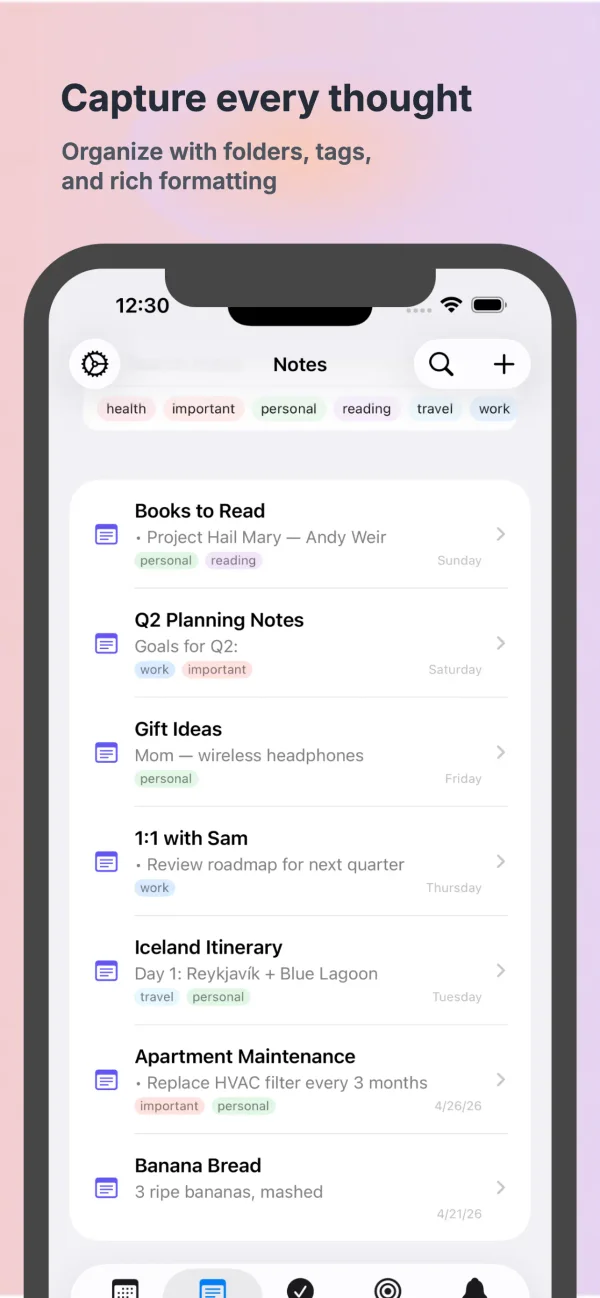
• Rich text editor with formatting toolbar
• Full Markdown mode with live preview
• Folders and color-coded tags for organization
• Fast search across every note
TASKS
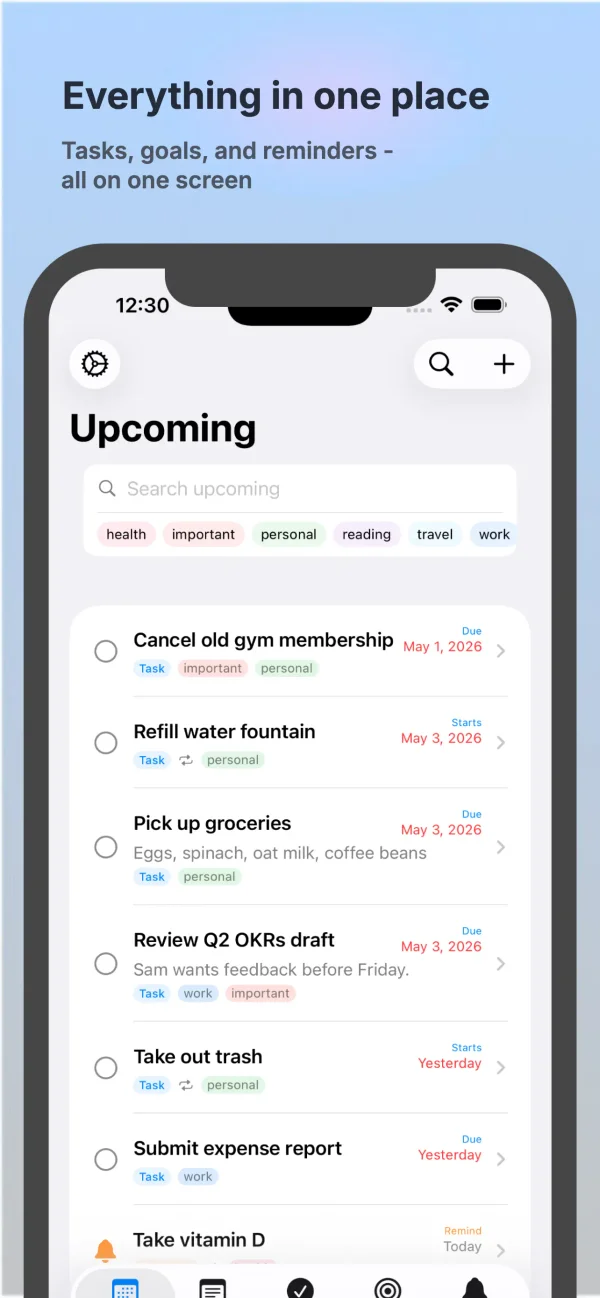
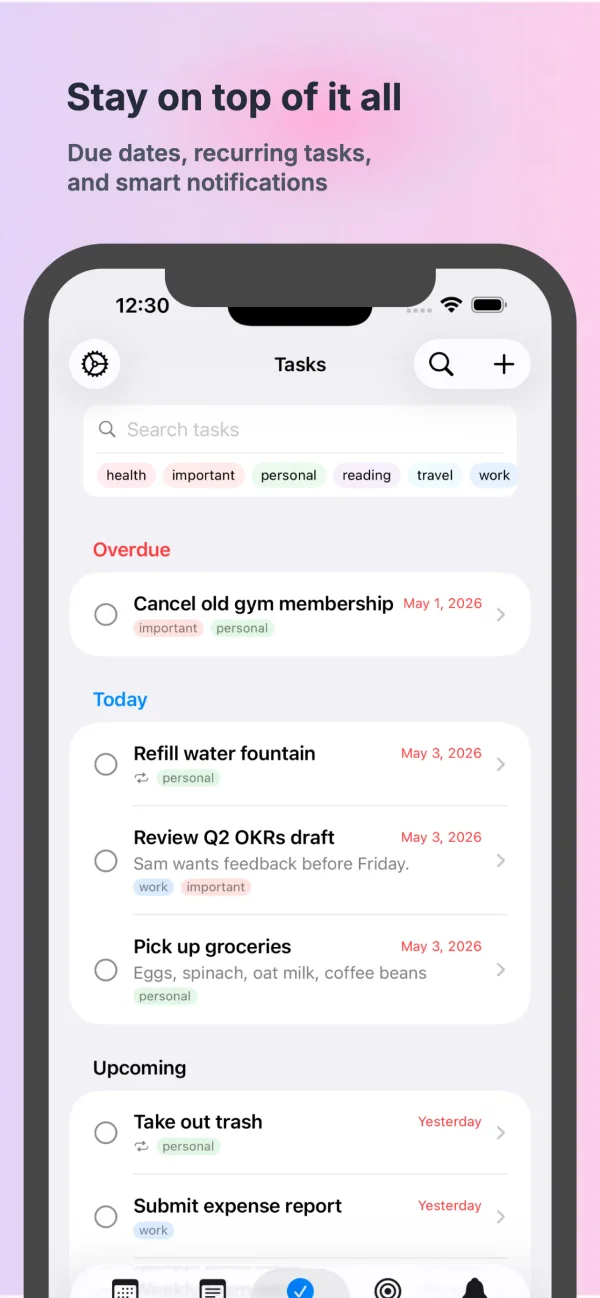
• Due dates with flexible recurrence (daily, weekly, monthly, custom)
• Smart notifications: at time, 15 minutes, 1 hour, or 1 day before
• Completed recurring tasks automatically create the next occurrence
• Upcoming view rolls all your deadlines into a single timeline
GOALS
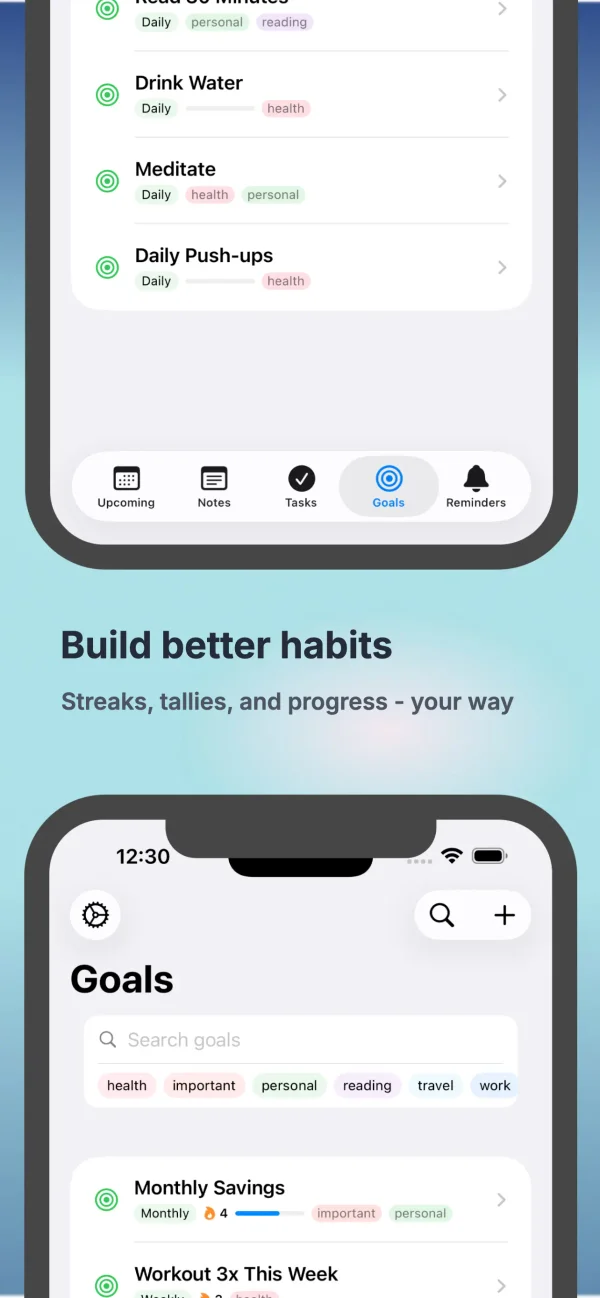
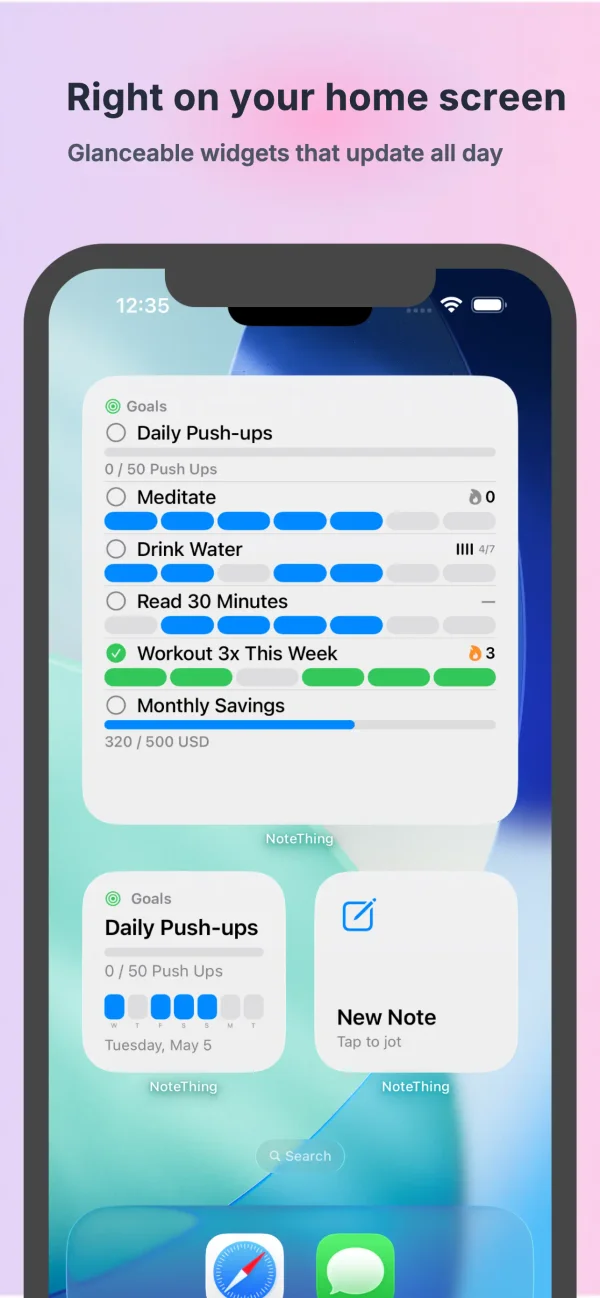
• Track habits daily, weekly, monthly, quarterly, or yearly
• Yes/No tracking or quantity goals (push-ups, miles, dollars saved)
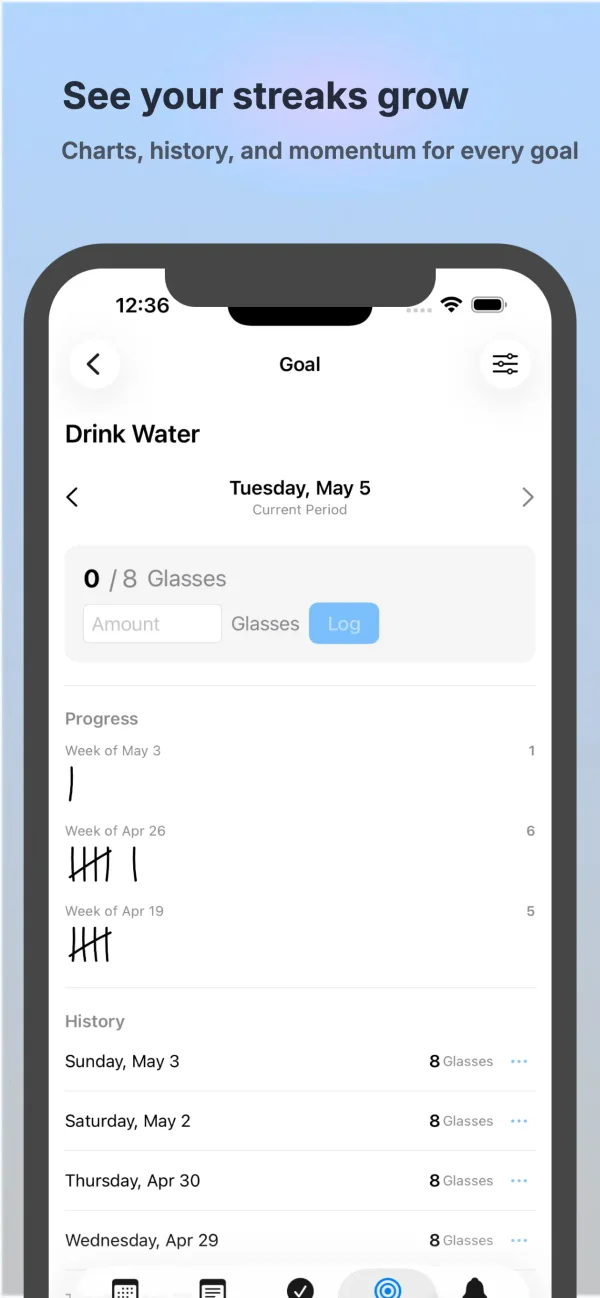
• Four display styles: checkbox, tally marks, streak counter, progress bar
• Complete history with charts and momentum
REMINDERS
• Recurring schedules with the same flexibility as tasks
• Built-in quiet hours so notifications never wake you at 2 a.m.
• Pause and resume individual reminders without losing their schedule
• Smart batching keeps you under the system's 64-notification limit
WORKS EVERYWHERE
• One Universal Purchase covers iPhone, iPad, and Mac
• iCloud sync via your own Apple Account — never our servers
• Home Screen widgets in three sizes
• Native Mac app with keyboard shortcuts, multi-select, and file export
• Family Sharing supported
HONEST PRICING
• Buy once, own forever
• No subscriptions, ever
• No in-app purchases or paywalled features
• No account to create — just your Apple Account
• No ads, no upsells, no nags
• Free updates for the life of the app
SPEAKS YOUR LANGUAGE
Fully translated into English, French, French (Canada), German, Spanish, Spanish (Latin America), Italian, Portuguese (Brazil), Danish, Norwegian Bokmål, Swedish, Japanese, and Korean.
PRIVATE BY DESIGN
NoteThing does not collect or transmit any personal data. Your content lives on your device and — if you choose — in your private iCloud. There are no servers holding your content, no analytics SDKs, and no third-party trackers in the app.
Stop juggling four subscriptions. Get the calm of a single tool that does everything you need, owned outright. NoteThing is the productivity app you'll actually use.
Yenilikler
Sürüm 1.6.0 · 17.11.2026
Sort by due date
Every list can now be sorted by due date, Soonest First or Latest First. Items with no due date stay at the end either way, items due at the same time keep your own order, and a repeating reminder sorts by its next occurrence. Like the other sort options, it is remembered for each folder.
Print a whole list
The printer button above every list prints the list you are looking at, with its folder, tag filter and order, as one compact document: each item with its date, folder, tags and text, and a box to tick beside each task. To keep a copy as a PDF, tap the share button in the print options and choose Save to Files.
Fixed
Printing a rich text note, or saving it with Save to File, left out its formatting. Both now keep its headings, bold, italics and the rest. Text written in Markdown or Plain Text could disappear when the note was switched back to Rich Text. In dark mode, some rich text notes, including notes edited on a Mac, showed black text on a dark background.
The sort and tag menus could cut off their last options.
Uygulama gizliliği
Bu uygulamanın verileri nasıl işlediği hakkında Core Dump Software LLC tarafından App Store üzerinde yapılan beyan.
-
Veri toplanmıyor
Geliştirici bu uygulamadan hiçbir veri toplamıyor.
Gizlilik uygulamaları, örneğin kullandığınız özelliklere veya yaşınıza göre değişiklik gösterebilir.
Bilgiler
- Satıcı
- Core Dump Software, LLC
- Kategori
- Üretkenlik
- Sürüm
- 1.6.0
- Güncellendi
- 17.11.2026
- Yayın tarihi
- 01.06.2026
- Boyut
- 6,2 MB
- Gereksinim
- iOS 17.0 veya sonrası
- Yaş sınırı
- 4+
- Fiyat
- ₺149,99
- Diller
- İspanyolca, Almanca, Korece, Danca, Fransızca, İngilizce, İtalyanca, Japonca, Norveççe Bokmål, Portekizce, İsveççe
- Telif hakkı
- © 2026 Core Dump Software LLC
Bunları da beğenebilirsiniz
-
 Next: Calendar & To Do ListÜretkenlik
-
 CogniLog: Work LogÜretkenlik
-
 Notch: Okul PlanlayiciOdev, not ve butce takibi
-
 dayGLANCE: Daily PlannerÜretkenlik
-
 Inkpad : Aesthetic PlannerÜretkenlik
- Today: To-Do List & PlannerÜretkenlik
-
 Someday - Weekly PlannerÜretkenlik
-
 Dale: Countdown & Year TrackerÜretkenlik
-
 PlanDayÜretkenlik
-
 Super To-Do'sÜretkenlik