
Nulume
LUT Grading for Log Video
iPhone için tasarlandı
Ücretsiz · Uygulama içi satın alma
- Yaş sınırı4+
- KategoriFotoğraf ve Video
- GeliştiriciHisashi Furuta
- DillerJaponca+ 1 dil daha
- Boyut4,9 MB
Resmi App Store sayfasına bağlanır
Download.org, Nulume için hiçbir dosya barındırmaz. Düğme, uygulamanın App Store üzerindeki sayfasını açar; uygulamayı orada Hisashi Furuta yayınlar. Sayfanın son kontrolü: 12.11.2026.
Ekran görüntüleri

Hakkında
Geliştirici bu metni dilinizde sunmamış.
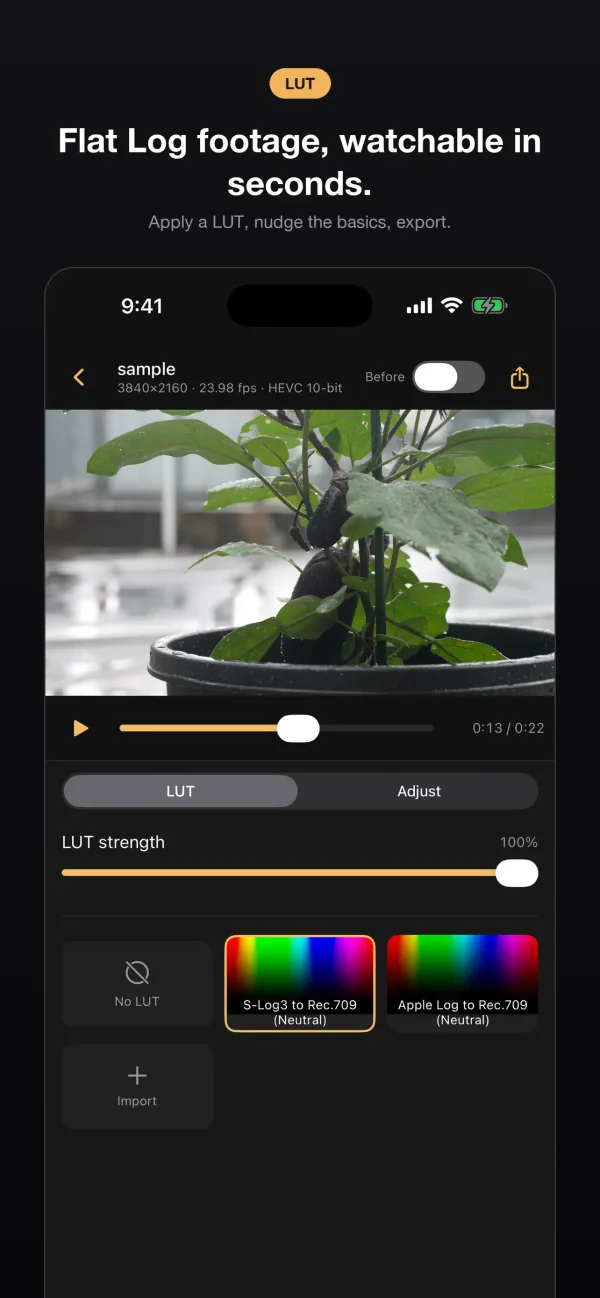
Nulume fixes the colour of Log footage, and nothing else. There is no timeline and no trimming. Apply a LUT, move a few sliders, export. That is the whole app.
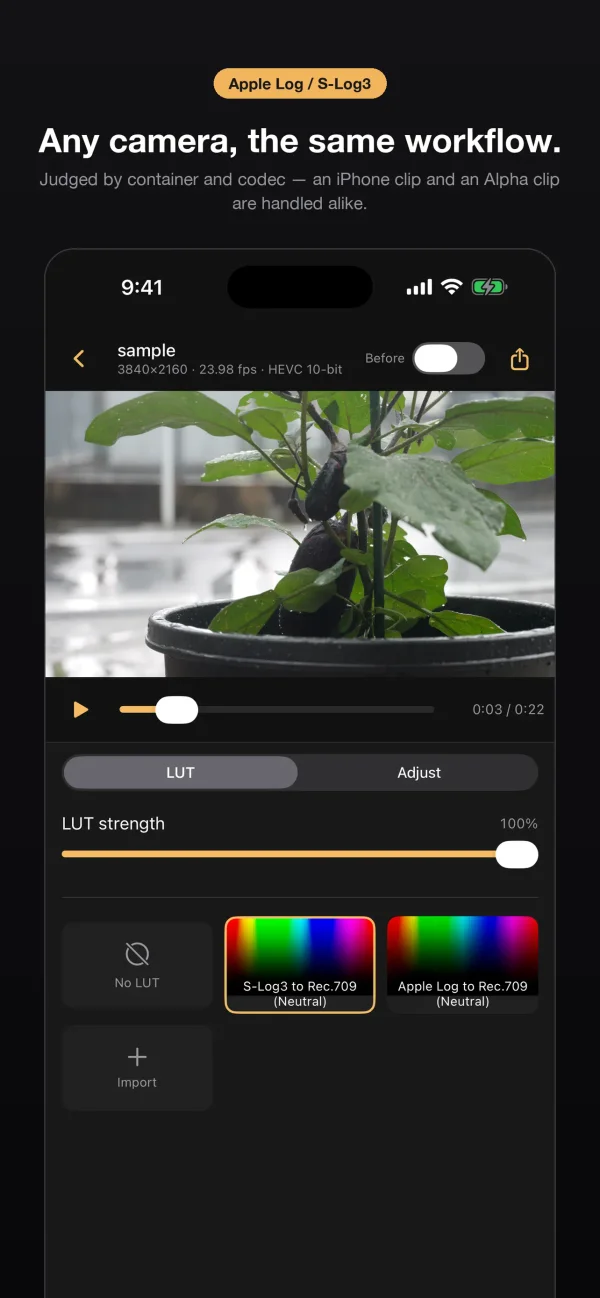
APPLE LOG AND S-LOG3, SAME WORKFLOW
Clips are judged by container and codec, not by camera brand. Anything that is H.264, HEVC or Apple ProRes inside a .mov or .mp4 opens — Apple Log shot on the iPhone, and S-Log3, C-Log, V-Log or F-Log copied in through the Files app from another camera.
THE LUT SEES THE CAMERA'S OWN NUMBERS
A 3D LUT is a lookup keyed on exact code values. If something reinterprets the Log curve before the LUT is applied, the result is wrong. Nulume pins its working colour space and hands frames to the LUT unmanaged, so that cannot happen.
YOUR OWN .CUBE LIBRARY
Import any 3D .cube LUT and it stays in your library with a colour swatch you can pick out at a glance. Two neutral conversions — Apple Log to Rec.709 and S-Log3 to Rec.709 — are built in, so there is something to work with from the first launch.
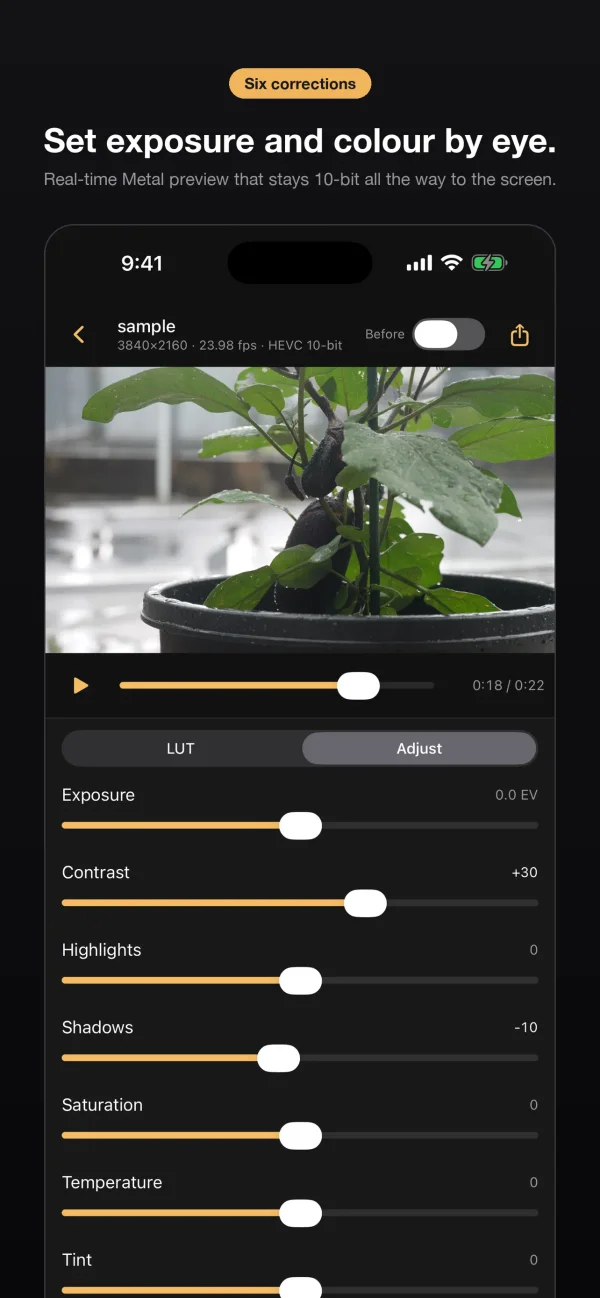
SIX BASIC CORRECTIONS
Exposure, contrast, highlights, shadows, saturation and temperature, plus LUT strength from 0 to 100%. A toggle in the header switches between before and after at any time.
REAL-TIME PREVIEW
The preview renders through Metal at 16-bit float, so a 10-bit source stays 10-bit all the way to the screen. 4K plays back smoothly.
EXPORTS SIZED TO THE SOURCE
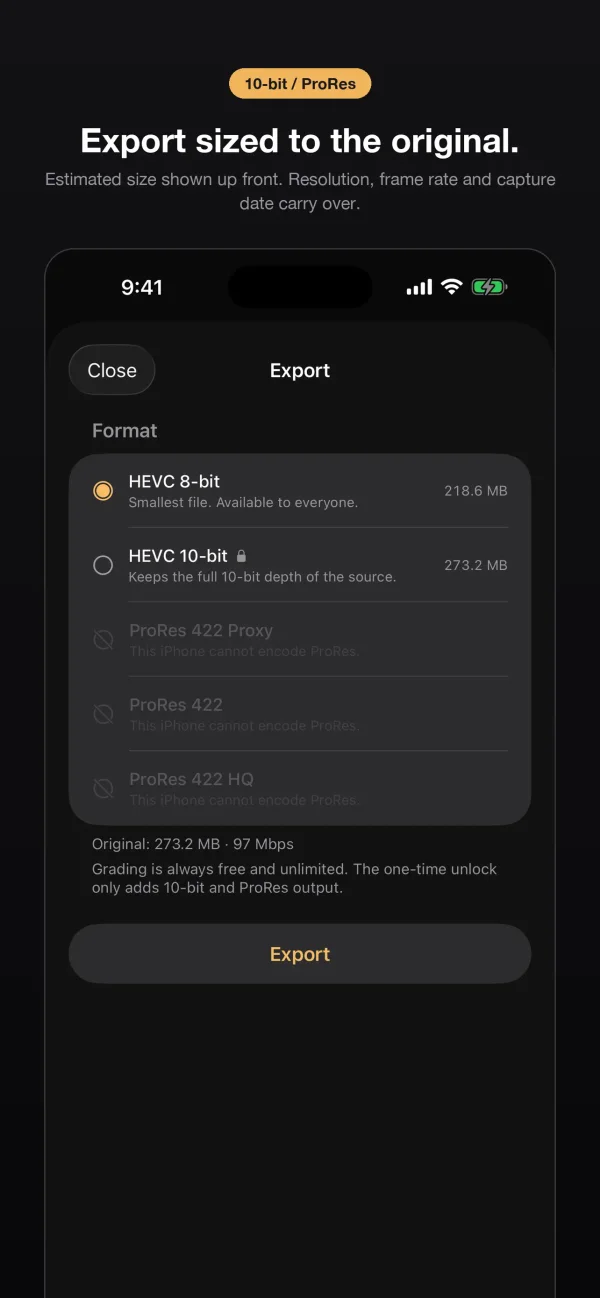
The export bitrate follows what the original actually is, not a figure guessed from resolution — a high-rate camera file is not quietly re-encoded down to a fraction of itself. The estimated size is shown before you commit. Resolution, frame rate, capture date, location and audio all carry over.
NOTHING LEAVES THE PHONE
No networking code, no analytics, no tracking SDKs. Your footage and your LUTs are processed entirely on the device, and the LUT library is deliberately excluded from iCloud and from device backups.
PRICING
All the grading is free. LUT import, preview, LUT strength, all six corrections — and there is no cap on how many times you export. The one-time in-app purchase unlocks 10-bit HEVC and Apple ProRes output, and nothing else. No subscription, no ads.
WHO IT IS FOR
- You shot in Log but opening a full editor is more than the job needs
- You want to hand something off the same day with the tone already sorted
- You want to finish footage from another camera while you are still moving
Input: H.264, HEVC (8/10-bit) and Apple ProRes, in .mov or .mp4
Export: HEVC 8-bit, HEVC 10-bit (Main10), ProRes 422 Proxy / 422 / 422 HQ
LUTs: 3D .cube, LUT_3D_SIZE 2–64
Note: ProRes export requires an iPhone with a ProRes encoder. Formats this device cannot encode are shown greyed out rather than failing mid-export.
Note: Cutting and timeline editing, MXF containers, camera RAW (BRAW, CinemaDNG and similar) and still images are not supported.
Uygulama gizliliği
Bu uygulamanın verileri nasıl işlediği hakkında Hisashi Furuta tarafından App Store üzerinde yapılan beyan.
-
Veri toplanmıyor
Geliştirici bu uygulamadan hiçbir veri toplamıyor.
Gizlilik uygulamaları, örneğin kullandığınız özelliklere veya yaşınıza göre değişiklik gösterebilir.
Bilgiler
- Satıcı
- Hisashi Furuta
- Kategori
- Fotoğraf ve Video
- Sürüm
- 1.0
- Güncellendi
- 24.09.2026
- Yayın tarihi
- 24.09.2026
- Boyut
- 4,9 MB
- Gereksinim
- iOS 17.0 veya sonrası
- Yaş sınırı
- 4+
- Fiyat
- Ücretsiz
- Uygulama içi satın alma
- Evet
- Diller
- Japonca, İngilizce
- Telif hakkı
- © 2026 Hisashi Furuta
Bunları da beğenebilirsiniz
-
 Monochrome Film: B&W CameraFotoğraf ve Video
-
 KINEJI: Text Animation MakerFotoğraf ve Video
-
 Luttie: Log & LUT Color StudioFotoğraf ve Video
-
 FrameStill: Photo BordersFotoğraf ve Video
-
 Glimlog - LUT Video · LiveFotoğraf ve Video
-
 LogGate LUTLabFotoğraf ve Video
-
 Emulsion: RAW Film CameraFotoğraf ve Video
-
 LogBloom: LUT Video GradingFotoğraf ve Video
-
 Remjet – Photo & Video EditorFotoğraf ve Video
-
 Framelo: Video to PhotosFotoğraf ve Video