
Oak Viewer
Private Art Gallery
iPhone, iPad için tasarlandı
Ücretsiz · Uygulama içi satın alma
- Yaş sınırı17+
- KategoriFotoğraf ve Video
- GeliştiriciJeremy Dunlap
- Dillerİngilizce
- Boyut16,8 MB
Resmi App Store sayfasına bağlanır
Download.org, Oak Viewer için hiçbir dosya barındırmaz. Düğme, uygulamanın App Store üzerindeki sayfasını açar; uygulamayı orada Jeremy Dunlap yayınlar. Sayfanın son kontrolü: 22.11.2026.
Ekran görüntüleri
Hakkında
Geliştirici bu metni dilinizde sunmamış.
Oak Viewer is a private, intentional photo viewer for art collectors, photographers, and anyone who loves images.
Discover artwork online, download gallery ZIP files in the built-in browser, and explore your collection in a calm, distraction-free space. Swipe smoothly between images, inspect fine details, and rate your favorites, all while keeping your library fully on-device.
Oak Viewer is designed to feel more like a personal gallery than a utility.
FULL-SCREEN VIEWING
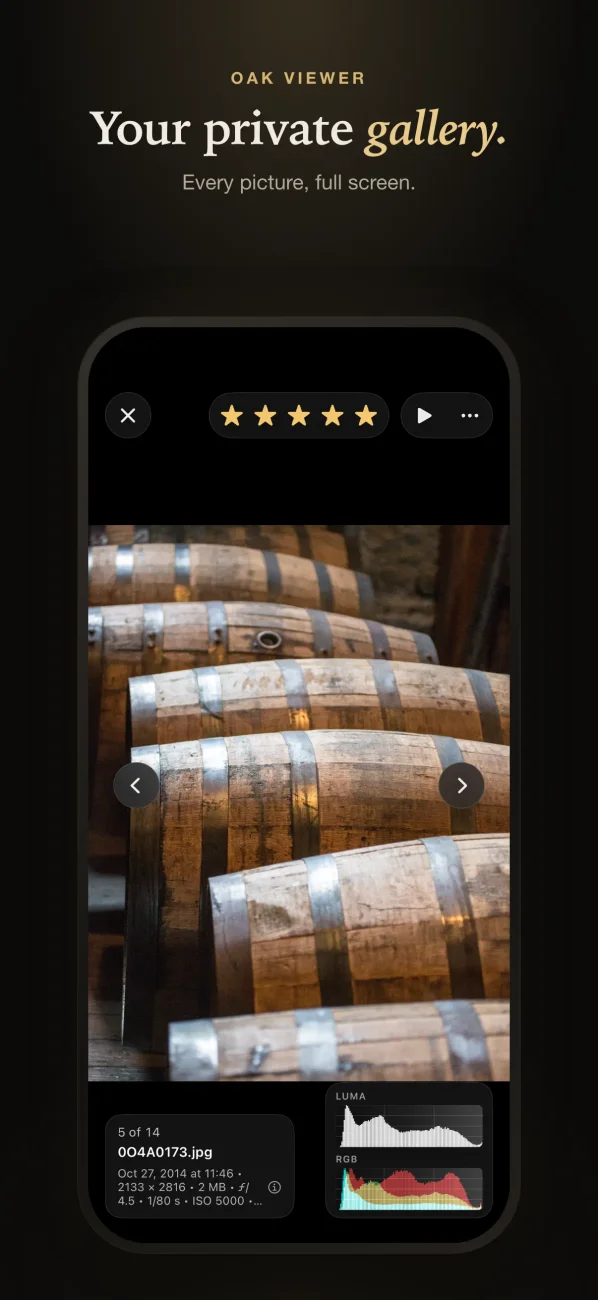
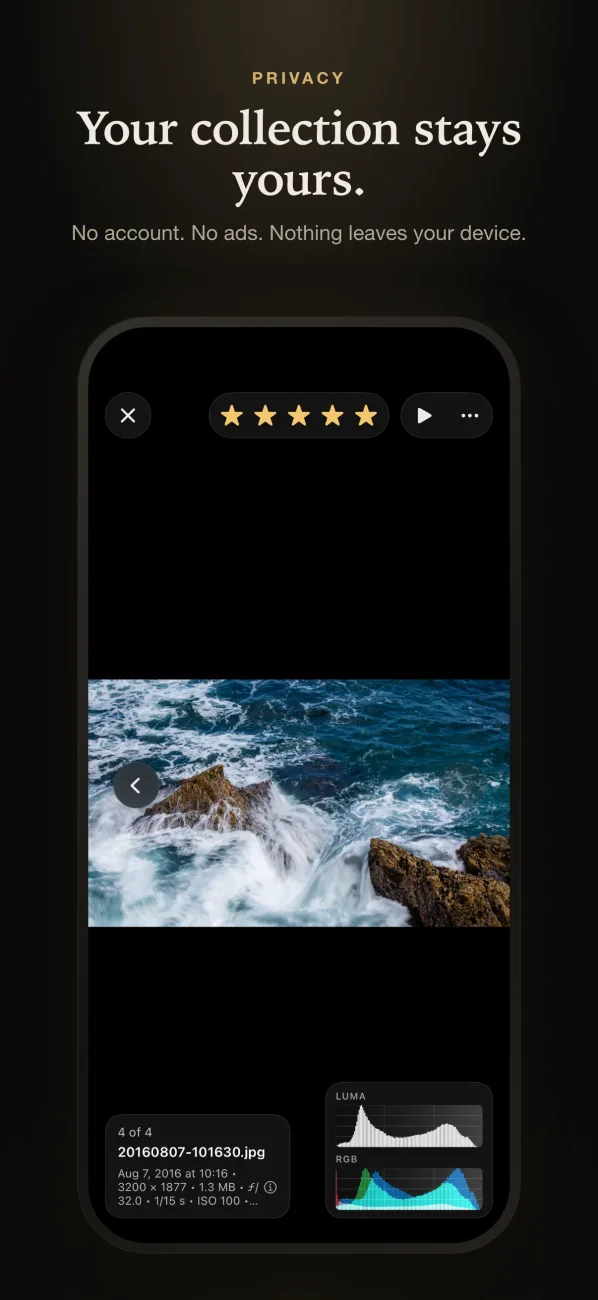
Experience your images the way they were meant to be seen. Swipe fluidly between photos, zoom to pixel level, and explore every detail with intuitive gestures.
A clean interface keeps the focus on your images, while still giving you quick access to ratings, metadata, and tools when you need them.
Also supports videos, PDFs, and text files in the same library.
PRIVATE, ON-DEVICE LIBRARY
Your collection stays on your device.
No accounts. No cloud uploads. Just your library.
Optional biometric app lock adds an extra layer of protection.
DISCOVER & IMPORT COLLECTIONS
Browse art and photography sites with the built-in private browser.
• Long-press to save images directly
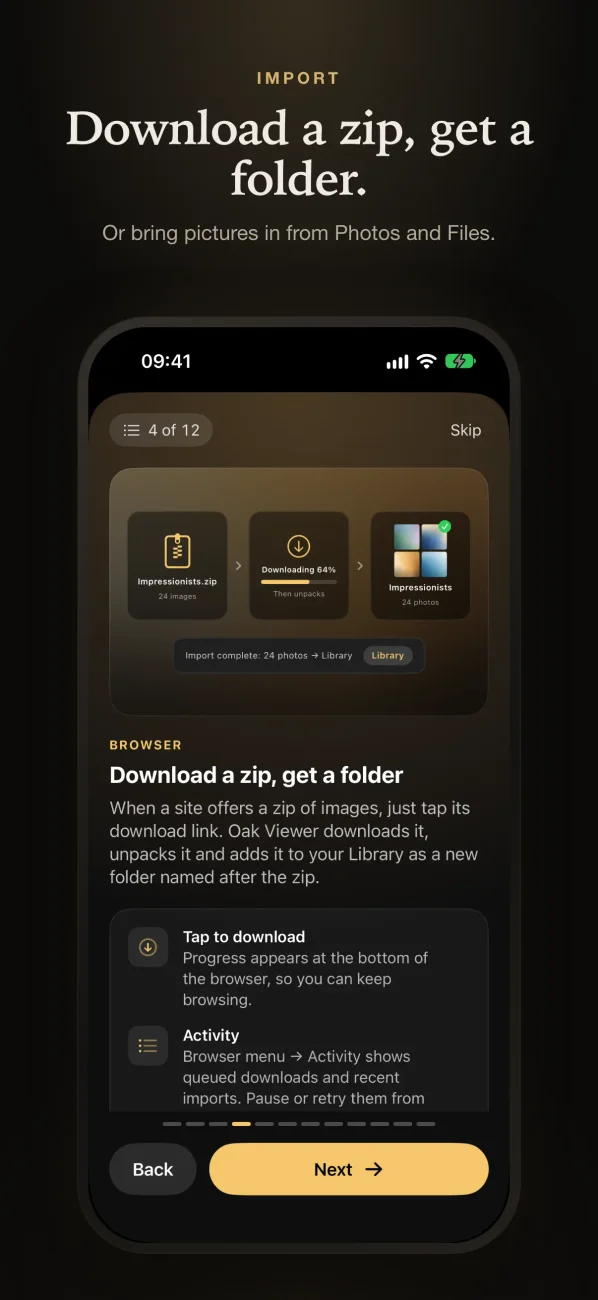
• Import entire ZIP galleries
• Import from Photos or Files, straight into a new folder
• Save site passwords on this device and fill them with Face ID
A new library shows you every way to bring pictures in.
ORGANIZE YOUR GALLERY
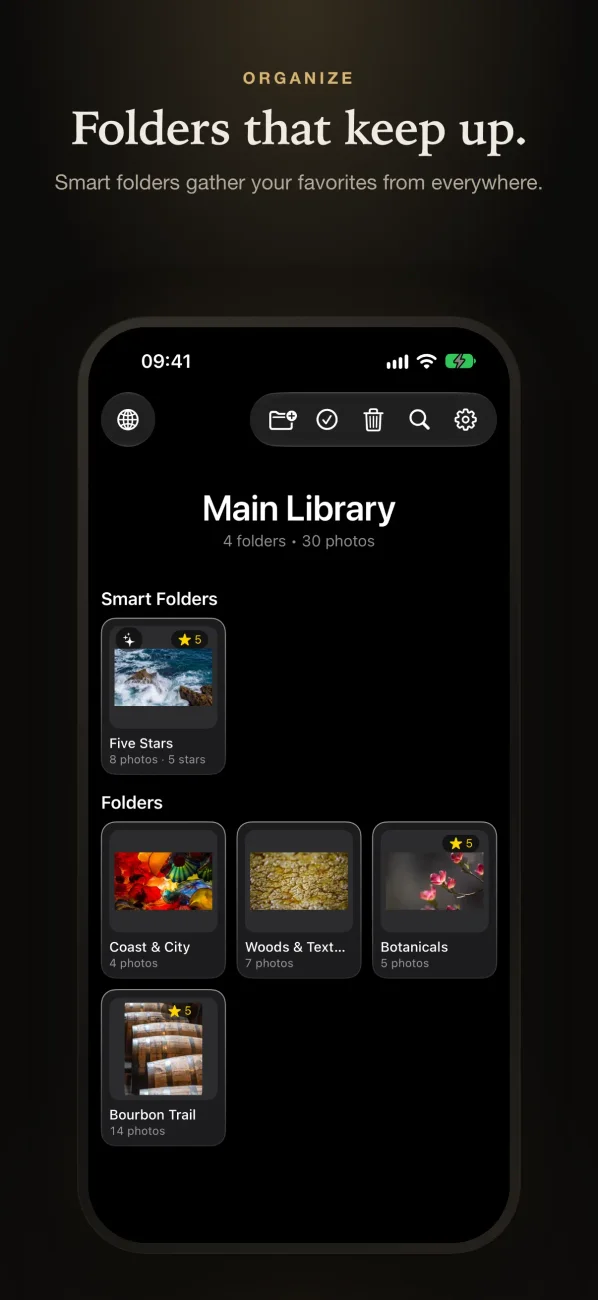
Create unlimited folders and nested folders.
Use Smart Folders to automatically gather images by rating, keeping your best work always within reach.
Pin favorites for instant access. Move or copy photos between folders, and find duplicates.
RATE & CURATE
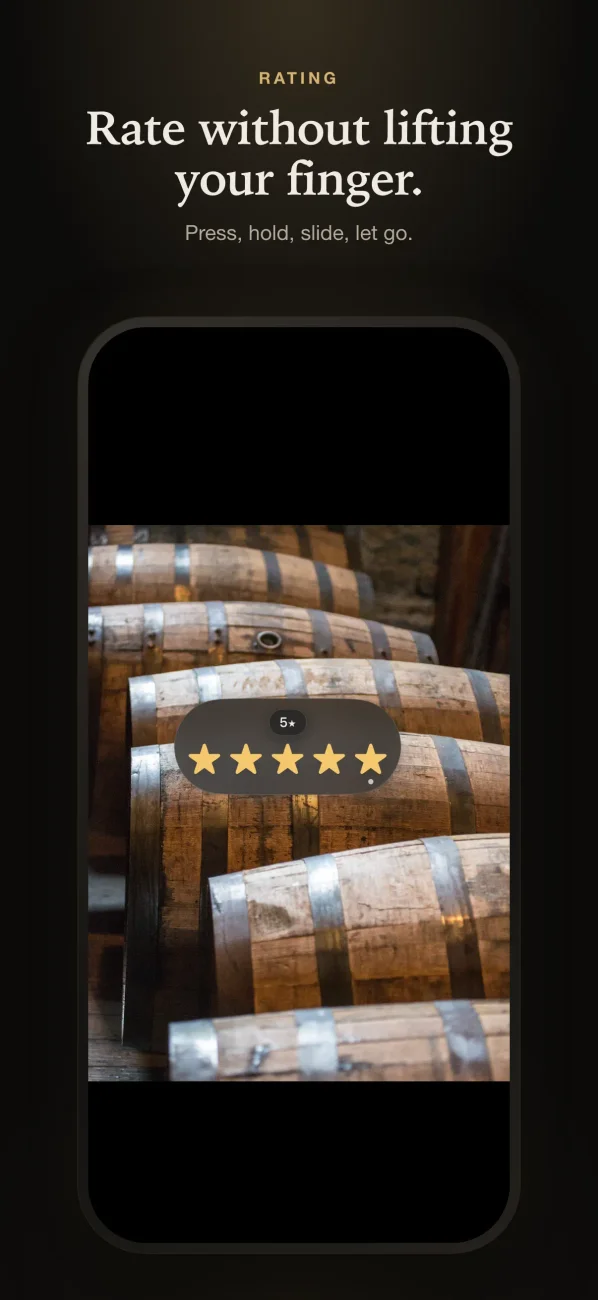
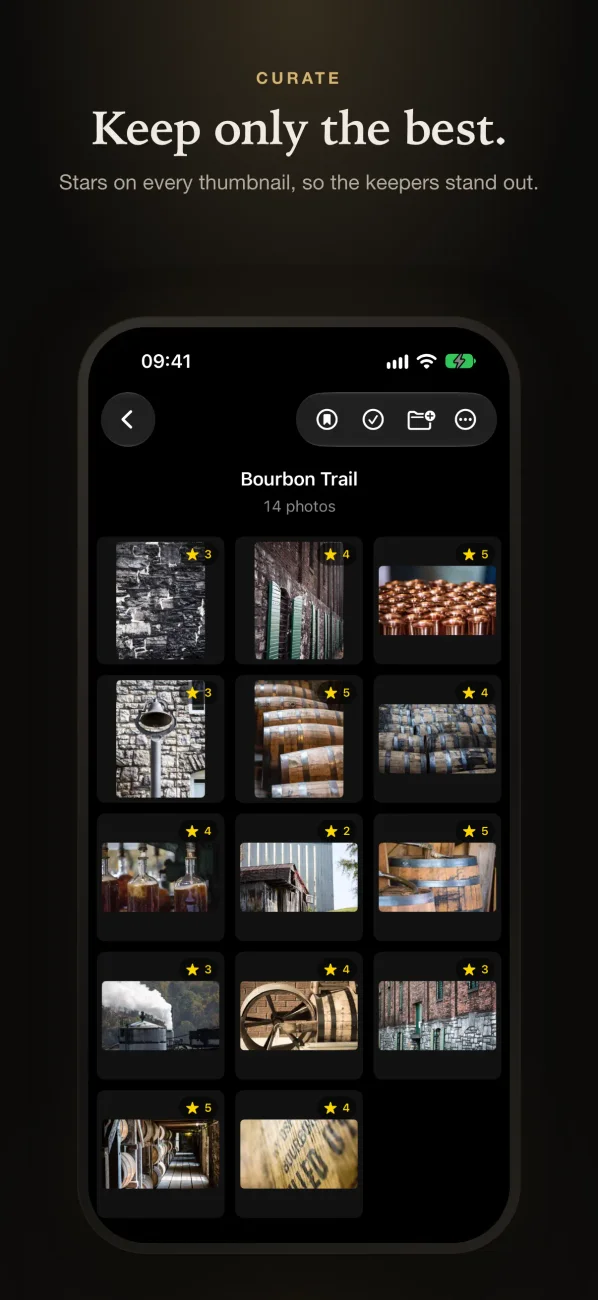
Review your collection with a fluid 1–5 star rating system.
Long-press and slide to rate instantly while browsing, perfect for large collections. When you're done with a set, Finish Set keeps the rated photos and clears the rest in one step.
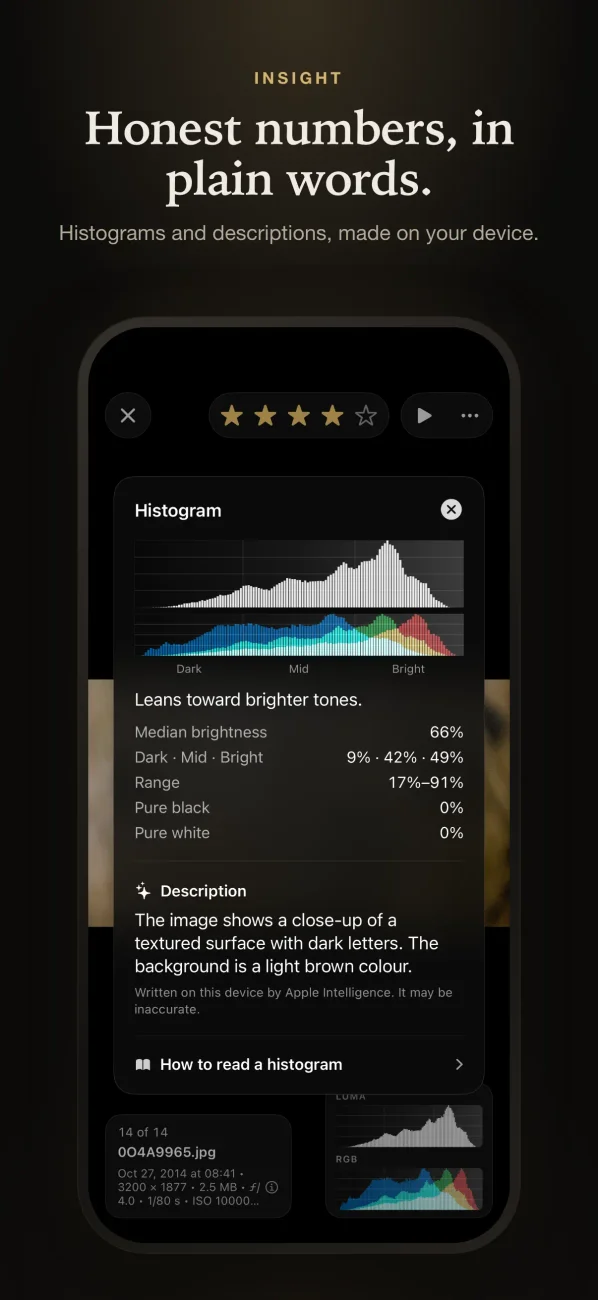
IMAGE INSIGHTS
Learn more about every image:
• Full EXIF metadata
• Filename and resolution details
• Real-time RGB and luminance histograms you can show or hide
• Highlight and shadow clipping indicators
• Precise zoom and panning feedback
BACK UP, SYNC & SHARE
• Back up your library to Files and restore it anytime
• Keep two of your devices in sync over Wi-Fi
• Share a folder with someone nearby
• Move your whole library to a new iPhone or iPad
Everything travels directly between devices. Nothing goes through a server.
WIDGETS, SIRI & SHORTCUTS
• Picture Frame widget rotates favorite folders
• Resume widget jumps back into your last session
• Ask Siri to resume, open a folder, start a slideshow or rate a photo
• Shortcuts actions to find photos and get their files
DESIGNED YOUR WAY
Customize your experience:
• Light, Dark, themes and custom app icons
• Custom library backgrounds
• Adjustable grid density and spacing
• Slideshow viewing
• Keyboard shortcuts on iPad
• Configurable trash policies
TRY IT FREE
Oak Viewer includes a 7-day free trial with full access to every feature. After your trial, choose the plan that works for you:
• Yearly — $2.99/year, auto-renewing
• Lifetime — $9.99, one-time purchase
Payment is processed by Apple. Manage or cancel anytime in Settings > Subscriptions.
Whether you’re collecting digital art, studying photography, or simply enjoying images at your own pace, Oak Viewer gives your collection a private space to breathe.
Terms of Use: https://www.apple.com/legal/internet-services/itunes/dev/stdeula/
Privacy Policy: https://oakviewer.com/privacy
Yenilikler
Sürüm 1.11 · 17.11.2026
Getting started
• A new library now shows how to bring pictures in: browse the web, import from Photos or Files, or make a folder.
• Import from the Library: tap New Folder and choose From Files, From Photos or From Albums to import straight into a new folder.
• The first-launch tour is shorter. The full tour is still in Settings → About → Replay Tutorial.
Viewer and folders
• Hide or show the histogram from the viewer's ••• menu, or in Settings → Full-screen viewer.
• Use as Folder Thumbnail is now in the viewer's ••• menu.
• Finish Set and Delete Unrated say what they do in the folder menu.
• Backup, sync and device transfer are easier to find, near the top of Settings.
• In the browser, tap anywhere on the Saved Password or Save Password bar, not just its small button.
Fixes
• Restoring a photo from Trash could, in rare cases, move a different photo with the same file name out of its folder. It can't any more.
• A photo restored while its folder is also in Trash now goes to a "Restored Photos" folder instead of disappearing from the library.
• Photos that an earlier version left without a folder (restored from Trash, or from a backup) reappear in "Restored Photos".
• Trash now tells you when a photo can't be restored.
• The browser offers to save a password only after you've signed in, not when you tap a show-password button or mistype it.
• With "Lock when app closes" on, filling a saved password no longer locks the app and asks for Face ID twice.
• Siri and Shortcuts: Find Photos no longer returns photos from folders in Trash, and Random is faster on large libraries.
• The Resume widget now shows the right picture after you swipe the app away while viewing a photo. Before, it could keep the previous picture until the next visit.
• Emptying Trash counts photos from start to finish. The number used to jump to several times the real count partway through, and it now updates more often.
Uygulama gizliliği
Bu uygulamanın verileri nasıl işlediği hakkında Jeremy Dunlap tarafından App Store üzerinde yapılan beyan.
-
Veri toplanmıyor
Geliştirici bu uygulamadan hiçbir veri toplamıyor.
Gizlilik uygulamaları, örneğin kullandığınız özelliklere veya yaşınıza göre değişiklik gösterebilir.
Bilgiler
- Satıcı
- Jeremy Dunlap
- Kategori
- Fotoğraf ve Video
- Sürüm
- 1.11
- Güncellendi
- 17.11.2026
- Yayın tarihi
- 18.03.2026
- Boyut
- 16,8 MB
- Gereksinim
- iOS 26.1 veya sonrası
- Yaş sınırı
- 17+
- Fiyat
- Ücretsiz
- Uygulama içi satın alma
- Evet
- Diller
- İngilizce
- Telif hakkı
- © 2026 Jeremy Dunlap
Bunları da beğenebilirsiniz
-
 BePix - adfree multi viewerFotoğraf ve Video
-
 FolderView - Photo GalleryFotoğraf ve Video
-
 Loomey ViewerFotoğraf ve Video
-
 Zoom Compare: Pick Best PhotosFotoğraf ve Video
-
 Photo PacksFotoğraf ve Video
-
 RA4 Light Lab - Film EmulationFotoğraf ve Video
-
 PhotoView: EXIF Photo ViewerFotoğraf ve Video
-
 PicGalleryFotoğraf ve Video
-
 Album Craft - Photo NotesFotoğraf ve Video
-
 Amphi PhotosFotoğraf ve Video