OfficeFlow: Docs & PDF
Edit, scan & convert documents
iPhone, iPad için tasarlandı
Ücretsiz · Uygulama içi satın alma
- Yaş sınırı4+
- KategoriÜretkenlik
- Geliştirici忠法 周
- Dillerİngilizce+ 1 dil daha
- Boyut14,0 MB
Resmi App Store sayfasına bağlanır
Download.org, OfficeFlow: Docs & PDF için hiçbir dosya barındırmaz. Düğme, uygulamanın App Store üzerindeki sayfasını açar; uygulamayı orada 忠法 周 yayınlar. Sayfanın son kontrolü: 23.11.2026.
Ekran görüntüleri
Hakkında
Geliştirici bu metni dilinizde sunmamış.
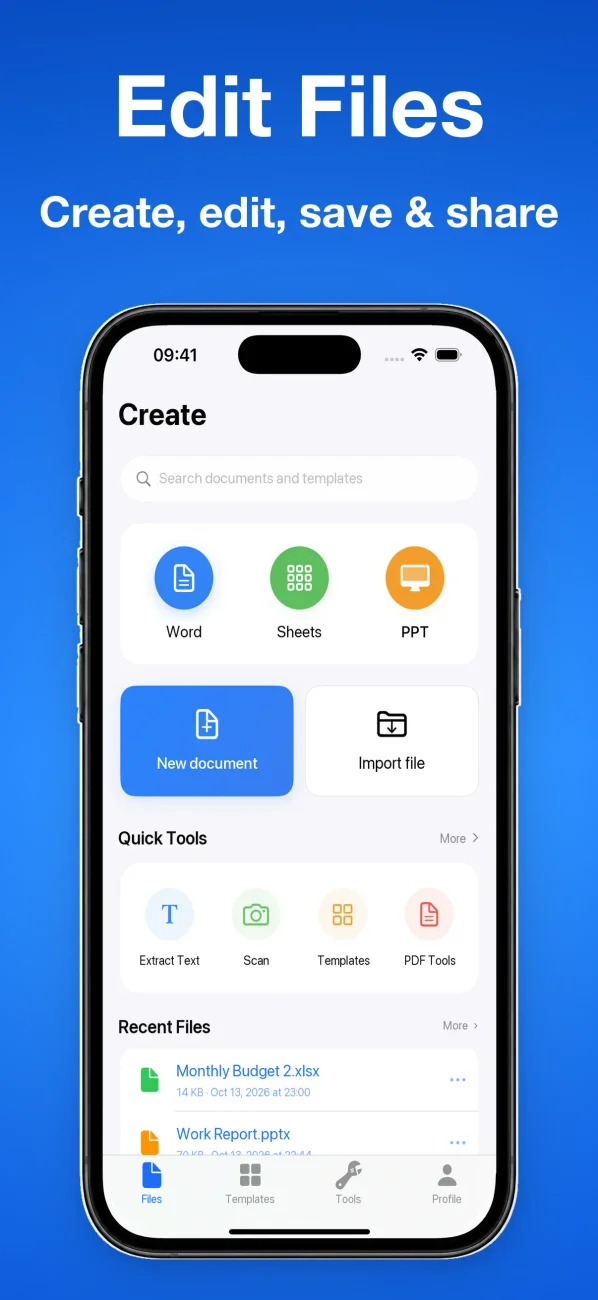
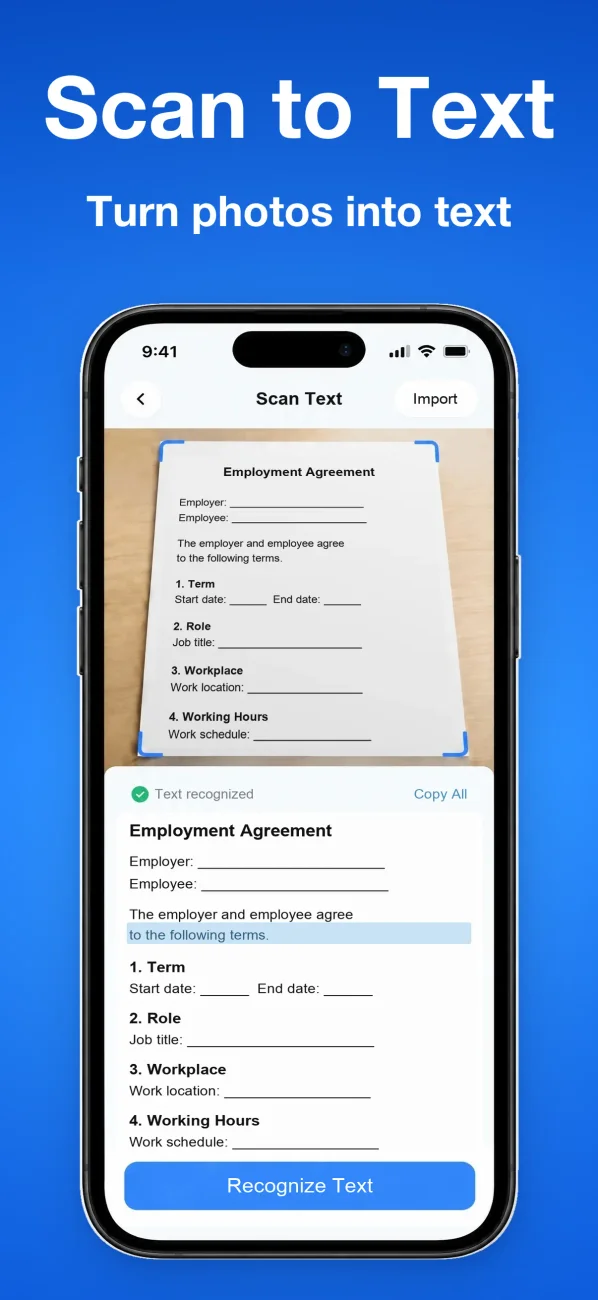
OfficeFlow brings everyday document and PDF tools to your iPhone and iPad. Import files, use templates, scan paper documents, and recognize Chinese and English text without creating an account.
DOCUMENTS AND TEMPLATES
• Import and preview common document formats from Files
• Create Word, Excel, PowerPoint, and PDF documents
• Edit text in supported DOCX files and basic XLSX spreadsheet content
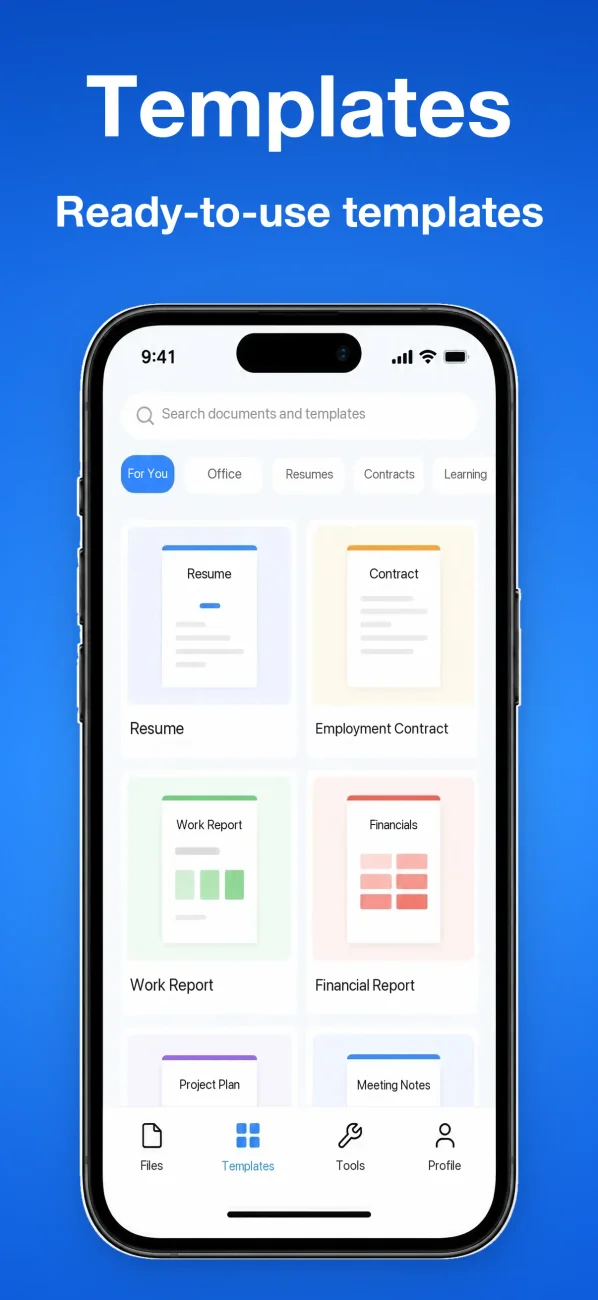
• Browse templates for resumes, reports, meeting notes, study plans, budgets, and projects
• Save files locally and export them through the iOS share sheet
SCAN AND RECOGNIZE
• Scan paper pages into a PDF using your device's camera
• Extract Chinese and English text from images on your device
• Save recognized text as an editable Word document
• Recognize simple tables from photos and review the results before saving
PDF TOOLS
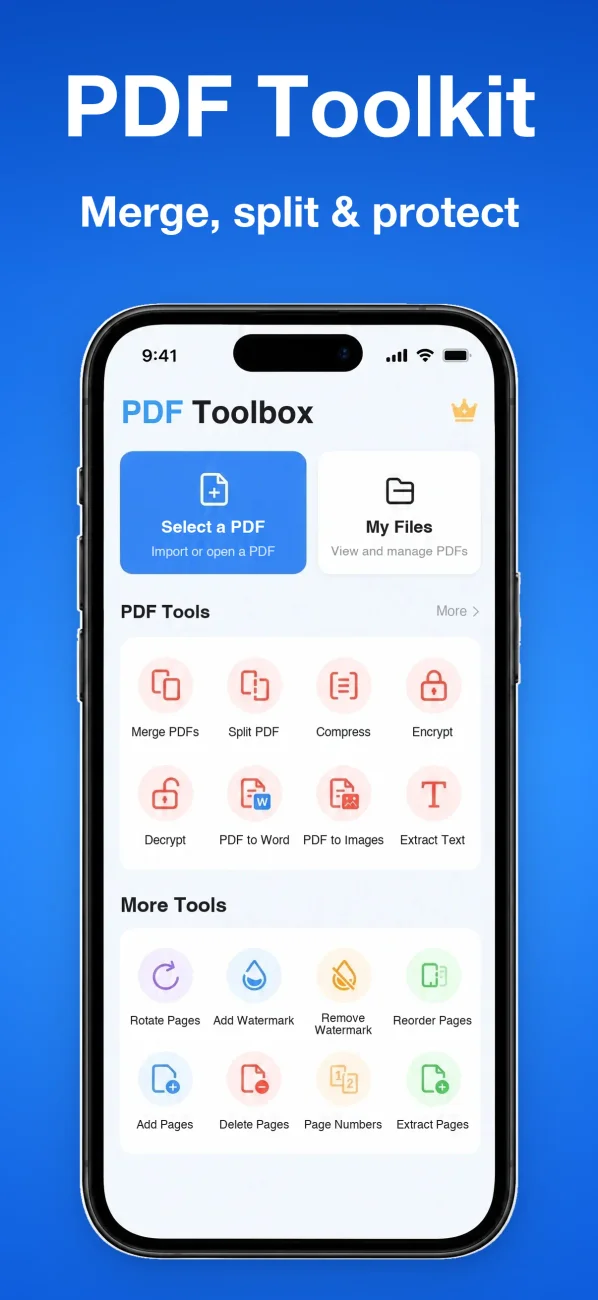
• Merge, split, compress, and password-protect PDFs
• Turn photos into a PDF or export PDF pages as images
• Print documents using AirPrint
ONLINE CONVERSION
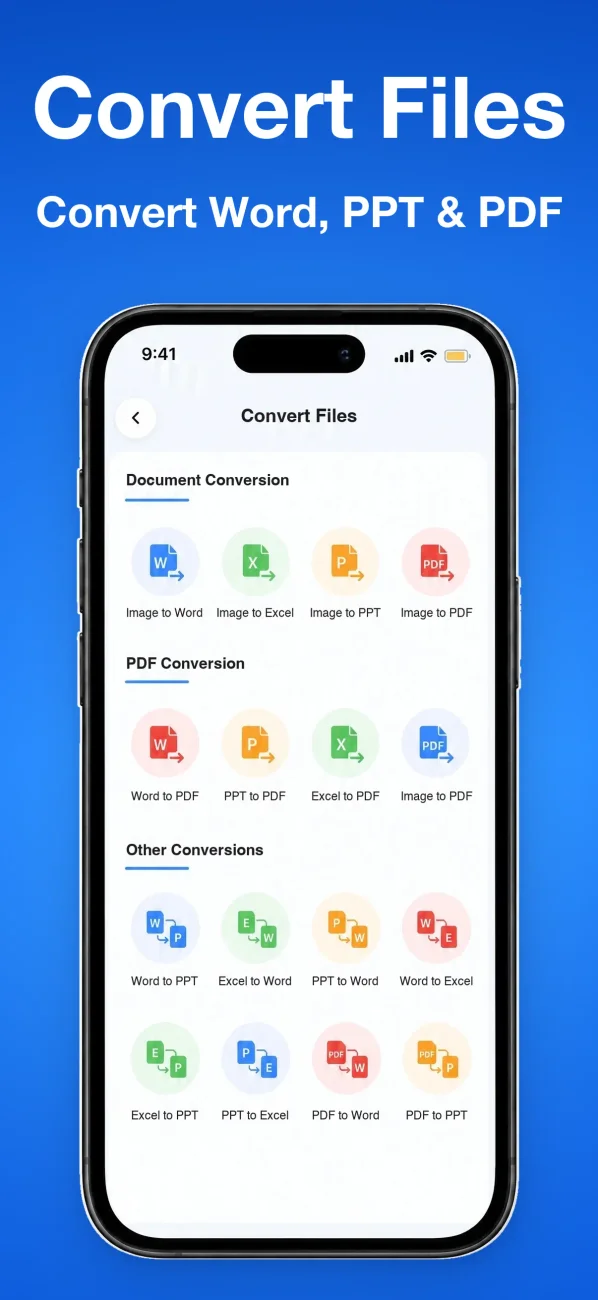
• Convert PDF to Word, PowerPoint, or Excel
• Convert Word or PowerPoint to PDF, or Word to images
• Select and submit a file to start online conversion
• Maximum file size: 50 MB
ENGLISH AND SIMPLIFIED CHINESE
Choose English, Simplified Chinese, or Follow System in Profile → App Language. Switching the interface language does not translate existing documents.
AUTO-RENEWING SUBSCRIPTION
Document creation and related tools require an active auto-renewing subscription with the billing period shown on the subscription screen. Price, currency, free trial eligibility, and trial duration are shown by Apple at purchase. An eligible free trial automatically becomes a paid subscription unless canceled. Cancel at least 24 hours before the current subscription period or trial ends in Settings → Apple Account → Subscriptions. Payment is charged to your Apple Account. Uninstalling the app does not cancel a subscription. To restore purchases, use the purchasing Apple Account and tap Restore Purchases at the bottom of the subscription screen.
Documents are stored locally. Text recognition and common PDF tools run on your device. Online conversion sends the selected file to our conversion service and uses CloudConvert. After you accept the Terms of Use and Privacy Policy, Umeng basic analytics is enabled automatically only for users with a confirmed mainland China region, with no separate analytics toggle. It is not initialized for overseas or unconfirmed regions. Apple ad attribution synchronizes independently when the app opens or returns to the foreground. Under the refund-sharing provision in the revised terms, necessary purchase and usage information may be shared with Apple only when you request a refund. You can withdraw that permission in Profile > Privacy and Security. Apple decides refund outcomes. A subscription does not include cloud document backup.
Editing supports basic tasks and has format and size limits. Complex formatting, advanced formulas, charts, animations, or macros may require a desktop editor. Keep the original file and review your output. Templates are general references, not professional advice.
Microsoft Word, Excel, PowerPoint, Adobe PDF, WPS, and other names and trademarks belong to their owners. OfficeFlow is not developed, sponsored, or endorsed by those owners.
Privacy Policy: https://zhouzhongfa.github.io/officeflow/en/privacy.html
Terms of Use: https://zhouzhongfa.github.io/officeflow/en/terms.html
Yenilikler
Sürüm 1.7 · 22.11.2026
1、Optimize product features.
Uygulama gizliliği
Bu uygulamanın verileri nasıl işlediği hakkında 忠法 周 tarafından App Store üzerinde yapılan beyan.
-
Sizinle ilişkilendirilen veriler
Toplanabilir ve kimliğinizle ilişkilendirilebilir.
- Satın alımlar
- Tanımlayıcılar
- Kullanım verileri
-
Sizinle ilişkilendirilmeyen veriler
Toplanabilir ancak kimliğinizle ilişkilendirilmez.
- Kullanıcı içeriği
Gizlilik uygulamaları, örneğin kullandığınız özelliklere veya yaşınıza göre değişiklik gösterebilir.
Bilgiler
- Satıcı
- 忠法 周
- Kategori
- Üretkenlik
- Sürüm
- 1.7
- Güncellendi
- 22.11.2026
- Yayın tarihi
- 01.10.2026
- Boyut
- 14,0 MB
- Gereksinim
- iOS 17.0 veya sonrası
- Yaş sınırı
- 4+
- Fiyat
- Ücretsiz
- Uygulama içi satın alma
- Evet
- Diller
- İngilizce, Basitleştirilmiş Çince
- Telif hakkı
- © 2026 Zhou Zhong Fa
Bunları da beğenebilirsiniz
-
 手机文档 - 全能Word表格编辑办公软件Üretkenlik
-
 Word Document: PDF ConverterÜretkenlik
-
 iEditor Pro – Text Code EditorÜretkenlik
-
 Daymark - Make every day countÜretkenlik
-
 LifeFeed AI - Akıllı Yer İmiBağlantı Kaydet & Sonra Oku
-
 Docs & PDF Editör ve TarayıcıElektronik Tablo ve Sunum
-
 智寓伙伴Üretkenlik
-
 永中移动Office企业版Üretkenlik
-
 ImageCal: Photo to CalendarÜretkenlik
-
 Mio - Ask MathStudio with AIÜretkenlik