Ownly Planner
Calendar, tasks and notes
iPhone, iPod touch için tasarlandı
Ücretsiz · Uygulama içi satın alma
- Yaş sınırı4+
- KategoriÜretkenlik
- GeliştiriciJUNG YOON KIM
- DillerKorece+ 6 dil daha
- Boyut188,3 MB
Resmi App Store sayfasına bağlanır
Download.org, Ownly Planner için hiçbir dosya barındırmaz. Düğme, uygulamanın App Store üzerindeki sayfasını açar; uygulamayı orada JUNG YOON KIM yayınlar. Sayfanın son kontrolü: 20.11.2026.
Ekran görüntüleri

Hakkında
Geliştirici bu metni dilinizde sunmamış.
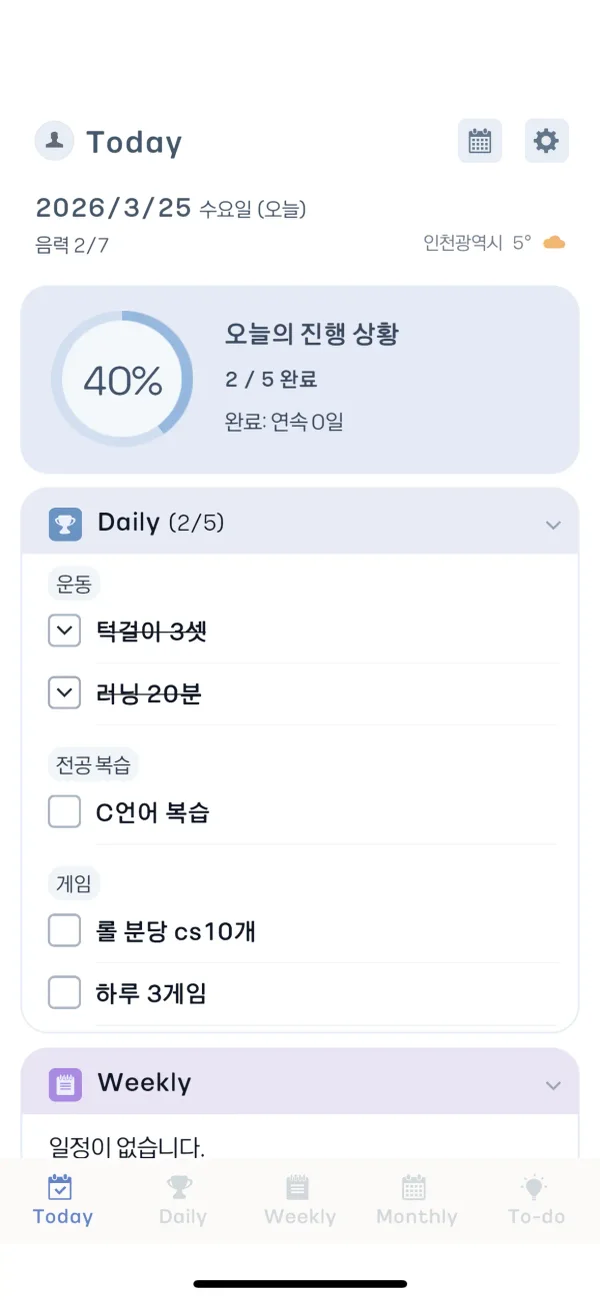
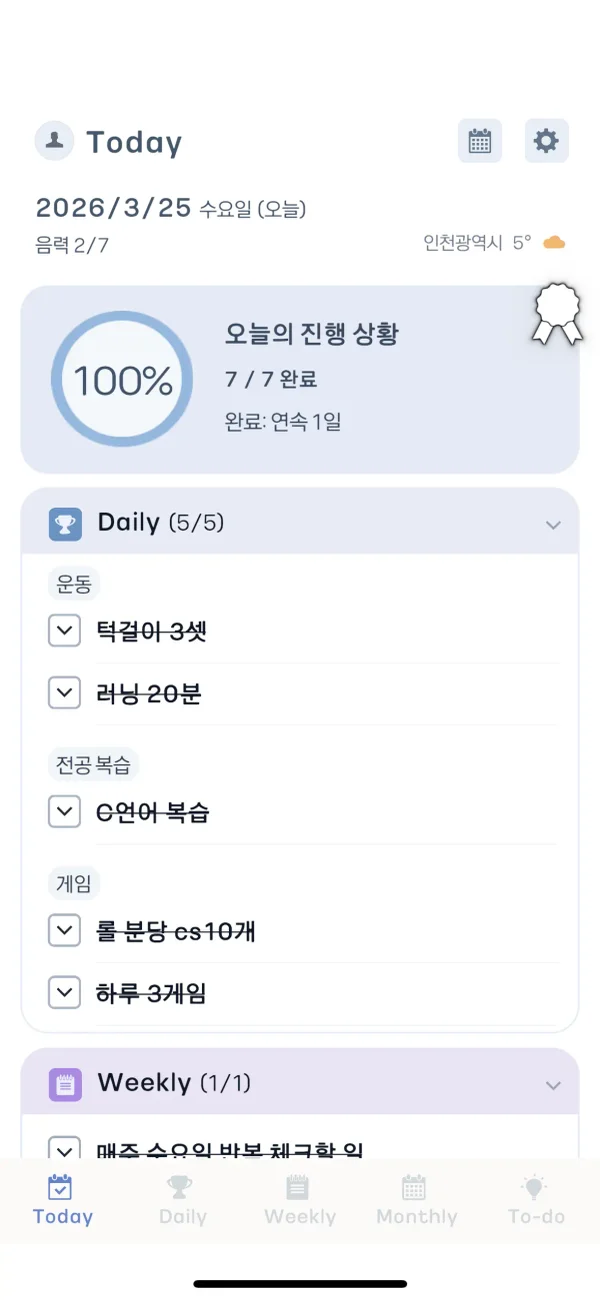
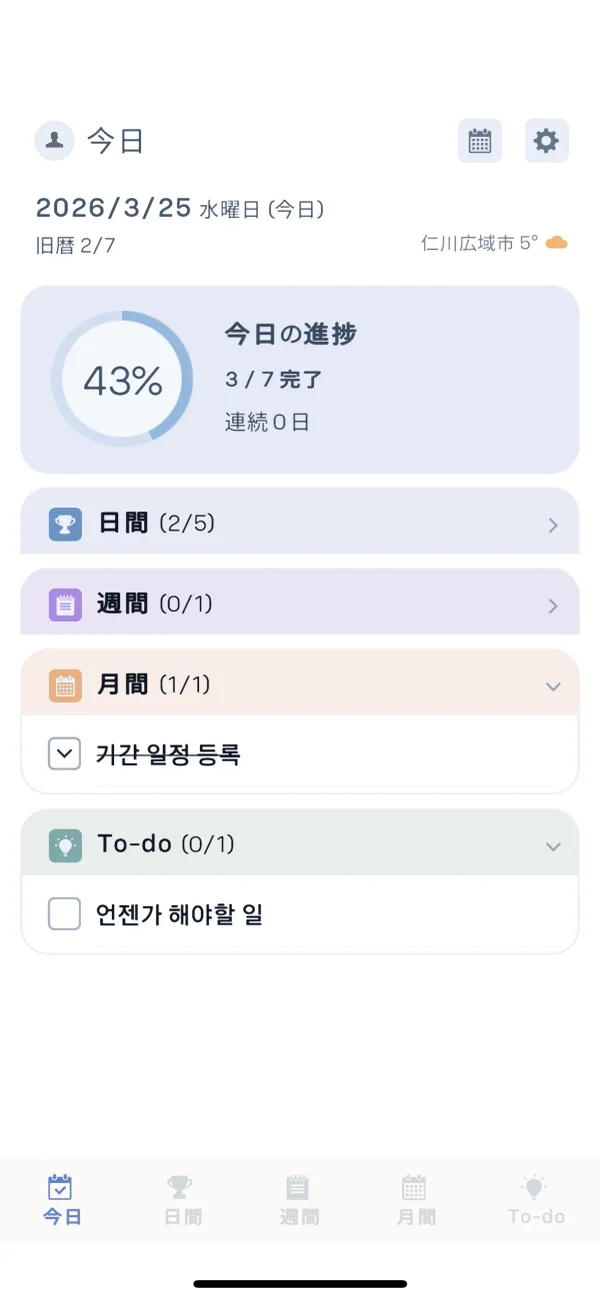
NaeSslman Scheduler is a schedule management app that helps you manage daily tasks, weekly recurring checklists, monthly schedules, and notes in one place.
It focuses on practical features you use often, rather than unnecessary complexity. You can quickly check today’s tasks, keep track of recurring routines, and view monthly schedules at a glance on the calendar.
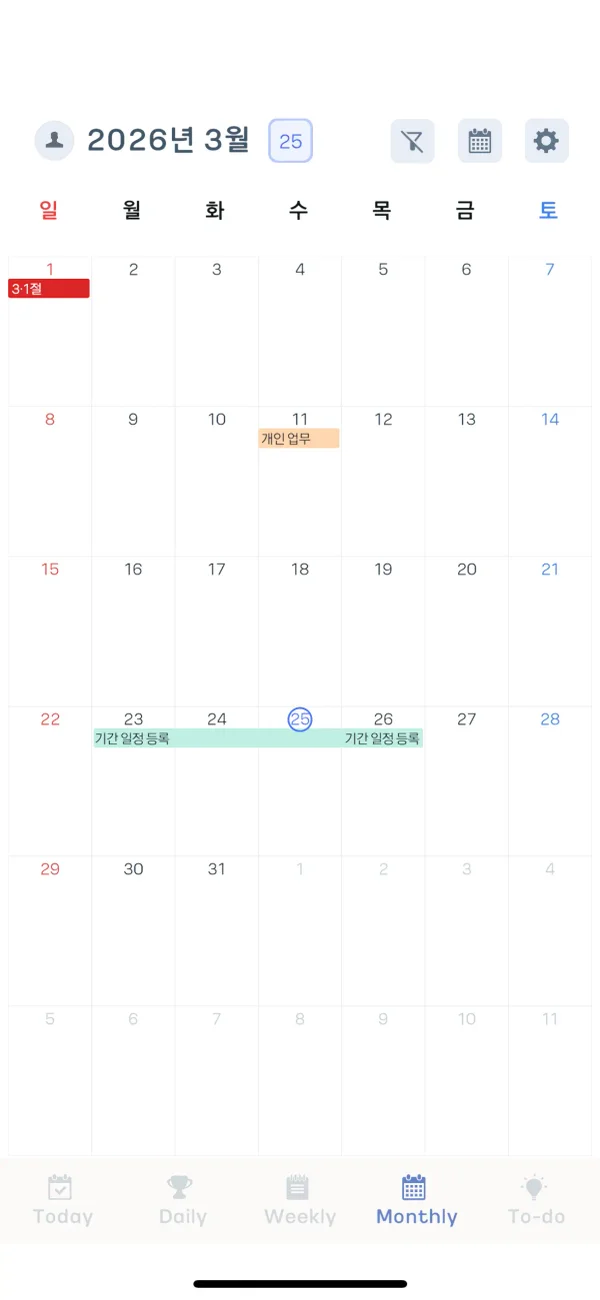
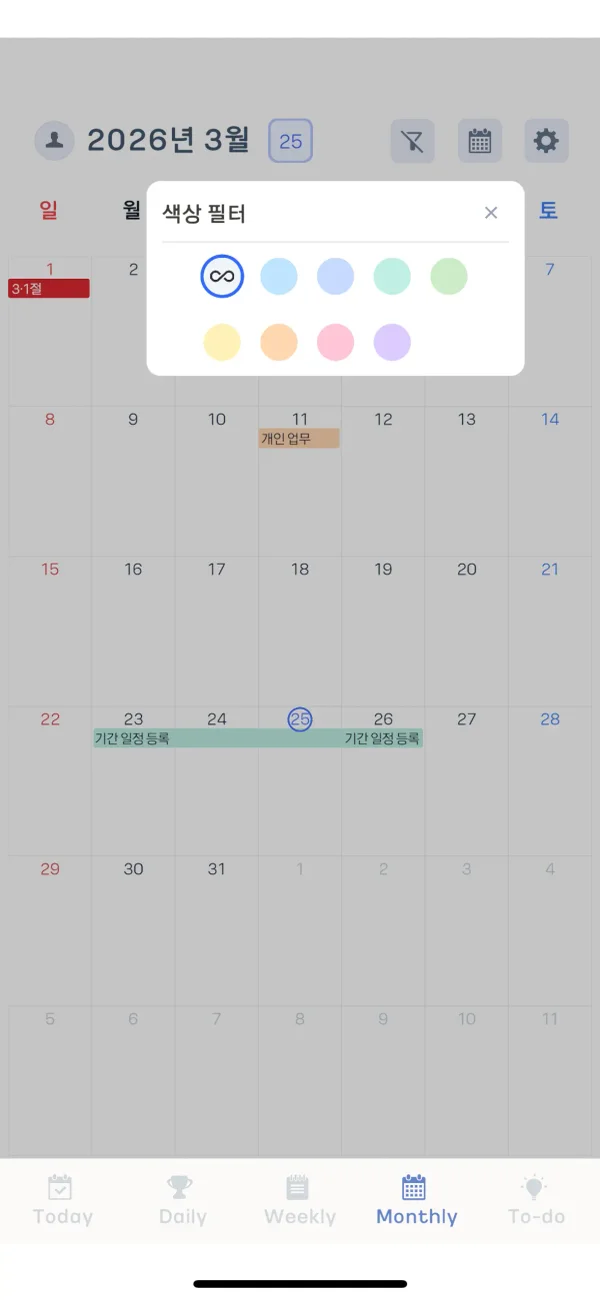
On the calendar, you can view schedules together with birthdays and holidays. Birthdays saved in your device contacts can be displayed on the calendar, and birthdays and holidays are shown with icons in list and detail screens.
The app supports Korean holidays and substitute holidays, and you can choose the holiday display country in Settings. The calendar can also show schedules from the next month, making it easier to manage schedules around the end and beginning of each month.
You can also share schedules with others using the Send Schedule feature. When the recipient opens the shared schedule link, they can add the same schedule to their own calendar. With the Copy Schedule feature, you can copy schedule details to the clipboard and easily share them through messages or other apps.
You can customize the app with app themes and calendar schedule chip color themes to match your style.
Key Features
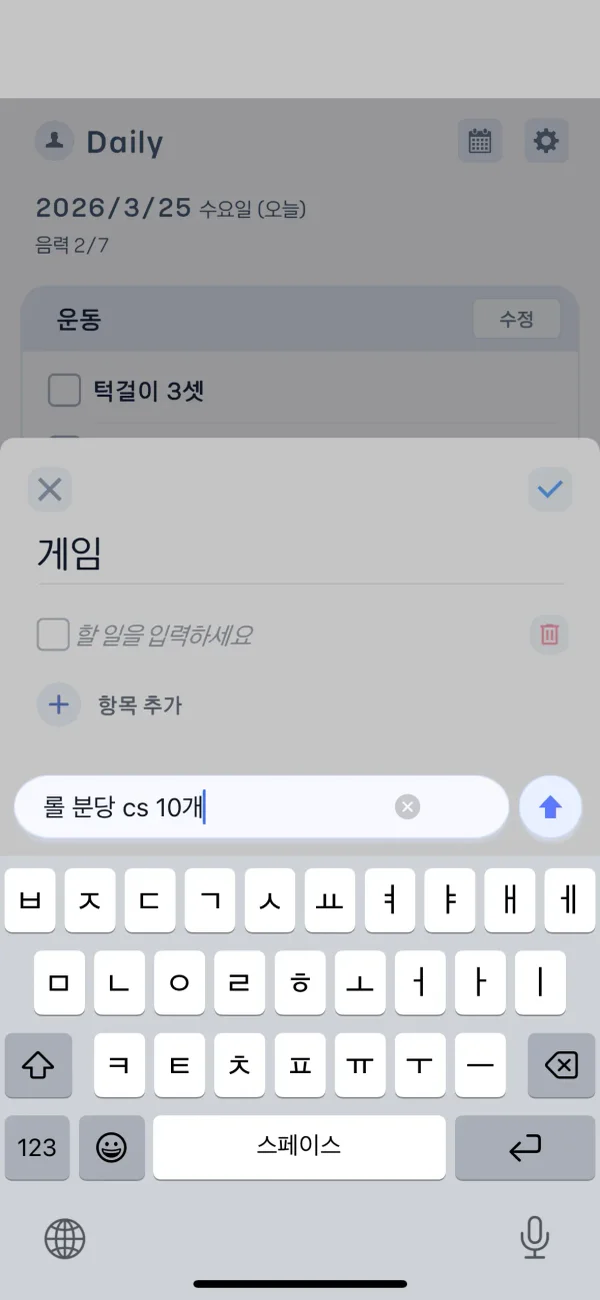
* Daily Check
Add daily tasks and mark them as complete.
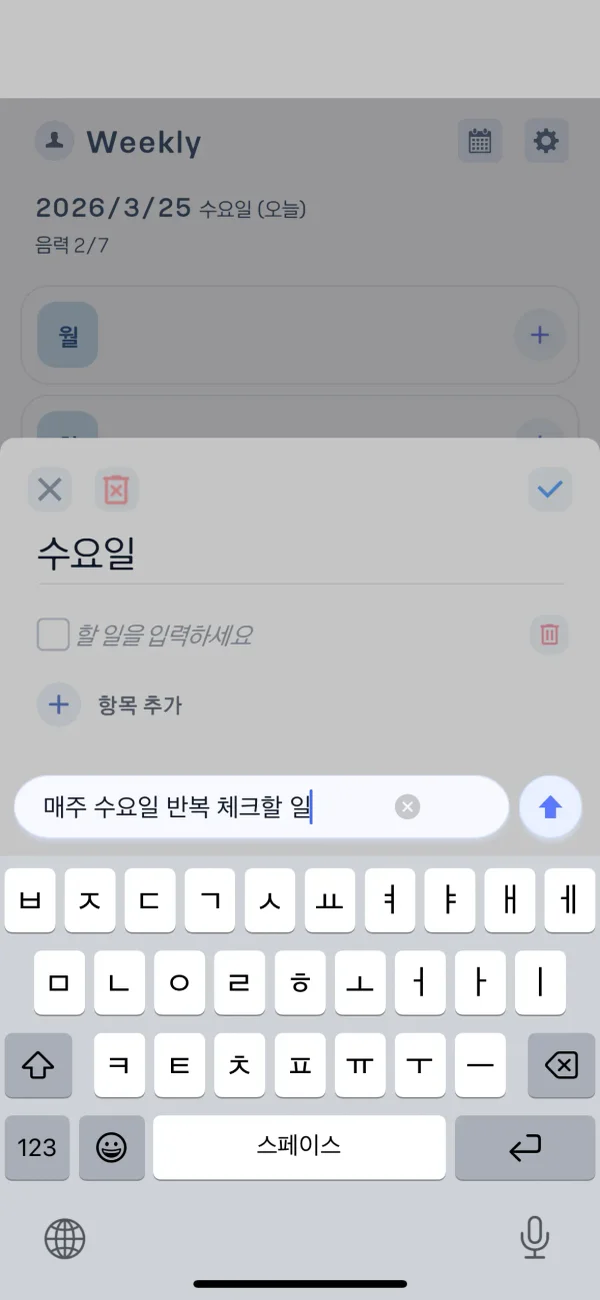
* Weekly Check
Manage recurring tasks, routines, or habits by day of the week.
* Schedule
Add and view schedules on the monthly calendar.
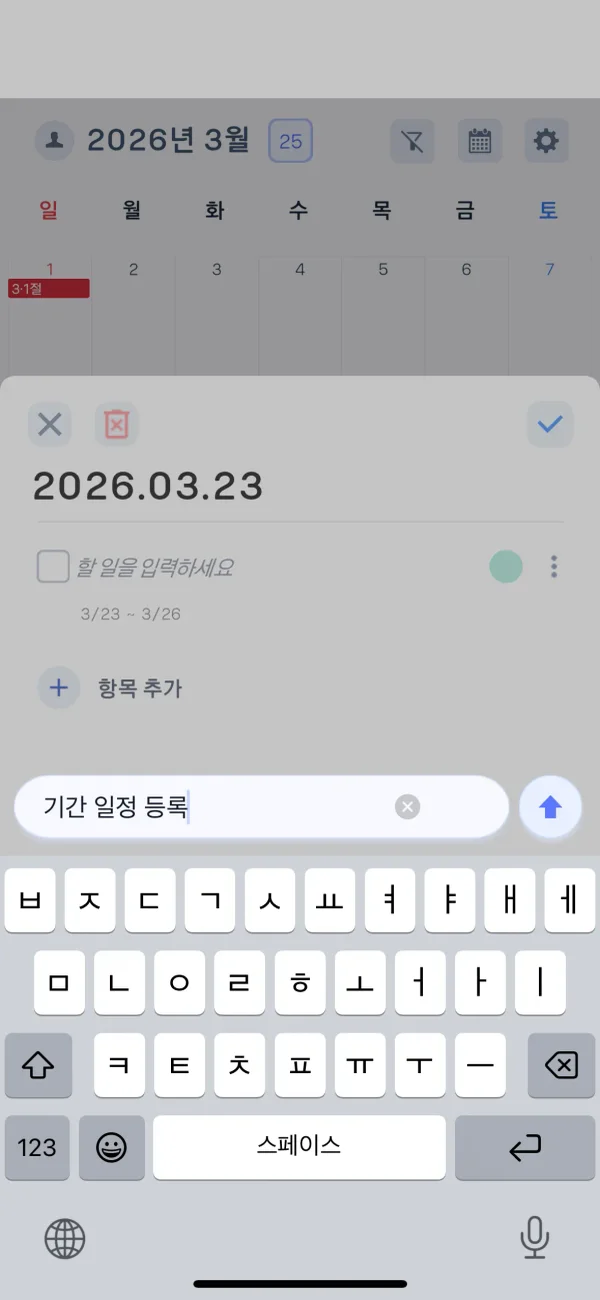
* Recurring Schedules
Add monthly, quarterly, semiannual, and yearly recurring schedules to manage regular events more easily.
* Birthday and Holiday Display
View birthdays and holidays with icons in calendar lists and detail screens.
* Korean Substitute Holidays
When Korea is selected as the holiday display country, Korean substitute holidays are also shown on the calendar.
* Holiday Display Country
Choose which country’s holidays to display on the calendar in Settings.
* Contact Birthday Integration
Display birthdays saved in your device contacts on the calendar.
* Send Schedule
Share a schedule with someone else, and the recipient can add the same schedule to their own calendar by opening the shared link.
* Copy Schedule
Copy schedule details to the clipboard and easily share them through other apps.
* App Themes
Change the overall look and feel of the app with app themes.
* Schedule Color Themes
Choose a color theme for calendar schedule chips.
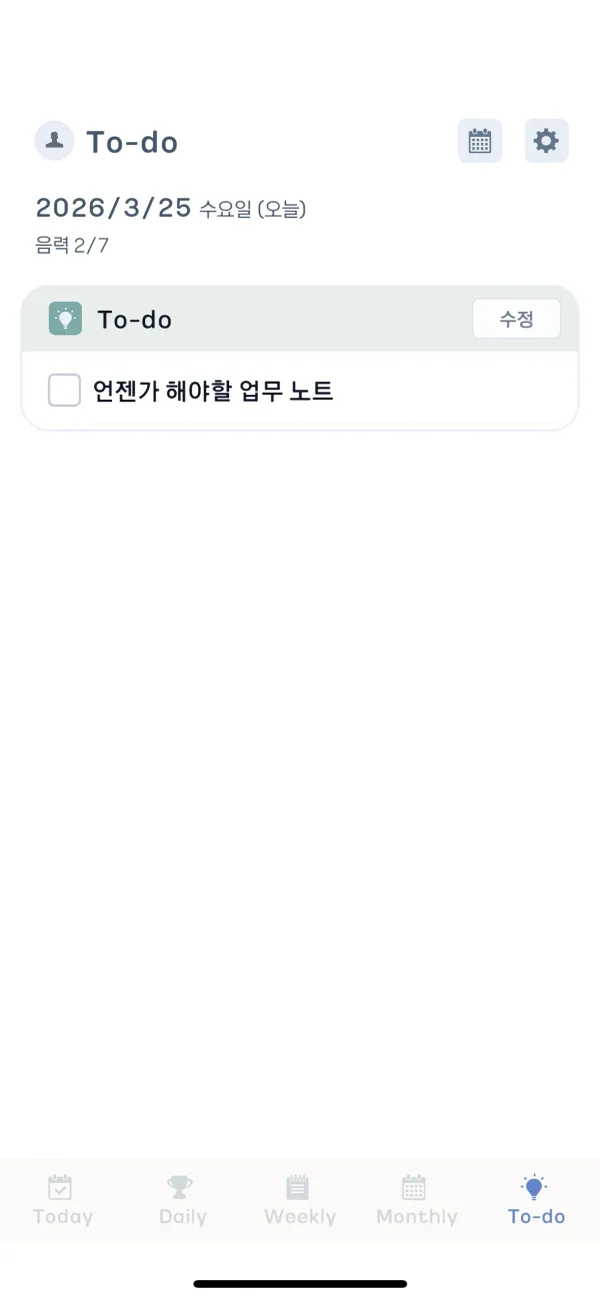
* Note
Organize simple notes or things you may want to do someday.
* Summary
Check today’s tasks and important schedules in one place.
* Widgets
Use Home Screen widgets to check today’s tasks without opening the app.
* Widget Themes
Customize widget themes to match your preference.
* Profile Information
Check the last update time and current app version in the profile area.
NaeSslman Scheduler is recommended for users who:
* Want to keep track of daily recurring tasks
* Want to manage weekly routines
* Want a clean monthly schedule view
* Want to view birthdays and holidays together with schedules
* Want to check Korean substitute holidays on the calendar
* Want to easily share schedules with others
* Want to customize app themes and schedule colors
* Prefer a simple and intuitive schedule app
* Want to quickly check today’s tasks from Home Screen widgets
Manage your daily tasks and recurring schedules more easily with NaeSslman Scheduler.
* Terms of Use: https://naesslman.com/view/naesslman/terms-of-use
* Privacy Policy: https://naesslman.com/view/naesslman/privacy-policy
Yenilikler
Sürüm 1.6.0 · 09.07.2026
- Added an app theme change feature.
- Added a calendar schedule chip theme change feature.
- Improved the calendar to show schedules from the next month.
- Updated the Korean app name from “NaeSslman” to “NaeSslman Scheduler.”
- Added support for Korean substitute holidays.
- Added a holiday display country setting.
- Removed some widget themes due to iPhone compatibility issues.
- Fixed an issue where the schedule order in the calendar cell and schedule popup did not match.
- Fixed To-do screen scrolling issues.
- Fixed several multilingual text and UI display issues.
- Improved overall stability and usability.
Uygulama gizliliği
Bu uygulamanın verileri nasıl işlediği hakkında JUNG YOON KIM tarafından App Store üzerinde yapılan beyan.
-
Sizinle ilişkilendirilen veriler
Toplanabilir ve kimliğinizle ilişkilendirilebilir.
- Satın alımlar
- İletişim bilgileri
- Kullanıcı içeriği
- Tanımlayıcılar
-
Sizinle ilişkilendirilmeyen veriler
Toplanabilir ancak kimliğinizle ilişkilendirilmez.
- Konum
- Kullanım verileri
Gizlilik uygulamaları, örneğin kullandığınız özelliklere veya yaşınıza göre değişiklik gösterebilir.
Bilgiler
- Satıcı
- JUNG YOON KIM
- Kategori
- Üretkenlik
- Sürüm
- 1.6.0
- Güncellendi
- 09.07.2026
- Yayın tarihi
- 17.06.2026
- Boyut
- 188,3 MB
- Gereksinim
- iOS 14.0 veya sonrası
- Yaş sınırı
- 4+
- Fiyat
- Ücretsiz
- Uygulama içi satın alma
- Evet
- Diller
- Korece, Almanca, İspanyolca, İngilizce, Japonca, Basitleştirilmiş Çince, Geleneksel Çince
- Telif hakkı
- © 2026 JUNG YOON KIM