Panel Files: File Manager
Unzip Files, Browse & Organize
iPhone, iPod touch için tasarlandı
Ücretsiz · Uygulama içi satın alma
- Yaş sınırı4+
- KategoriYardımcılar
- GeliştiriciSamarth Tripathi
- Dillerİngilizce
- Boyut24,3 MB
Resmi App Store sayfasına bağlanır
Download.org, Panel Files: File Manager için hiçbir dosya barındırmaz. Düğme, uygulamanın App Store üzerindeki sayfasını açar; uygulamayı orada Samarth Tripathi yayınlar. Sayfanın son kontrolü: 28.11.2026.
Ekran görüntüleri
Hakkında
Geliştirici bu metni dilinizde sunmamış.
Panel is a file manager for people who miss having a real one.
Browse iCloud Drive, the files on your iPhone — all in one place, with the tools you would expect on a computer.
TWO LAYOUTS, ONE TAP APART
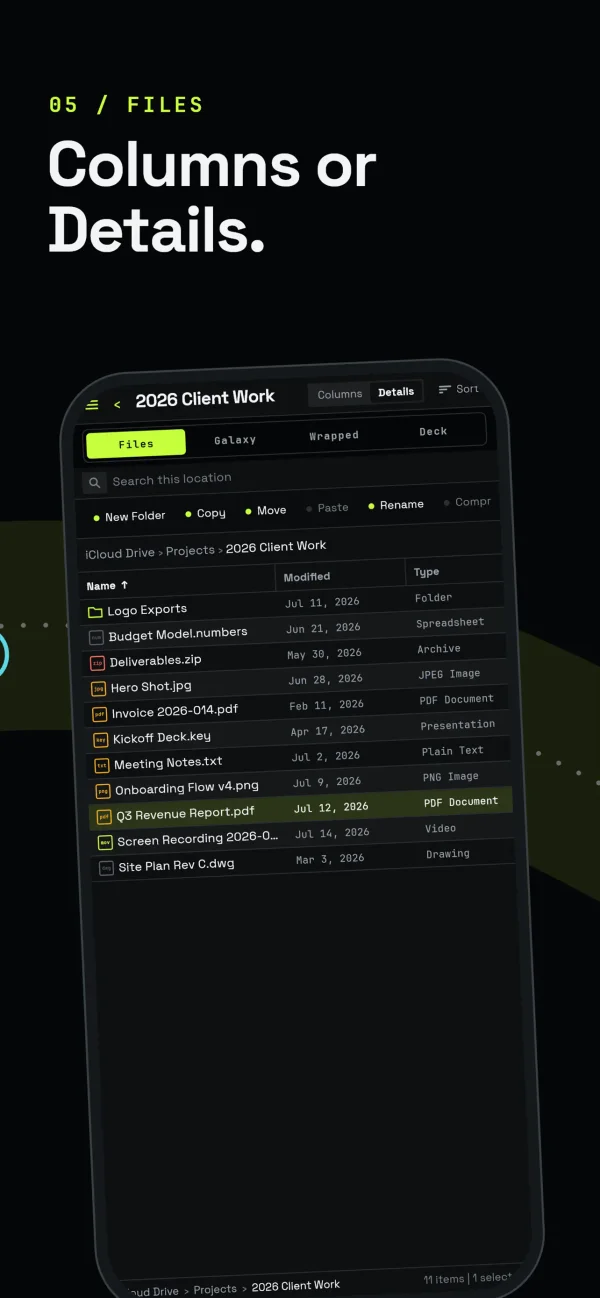
Columns lays every level of a folder side by side, so you can see where you are and where you came from. Details gives you a sortable table — name, date, type and size — for when you need to find the biggest file or the oldest one. Switch between them whenever you like; Panel remembers what you were looking at.
REAL FILE MANAGEMENT
• Copy, move, rename and duplicate
• Select many files at once and act on them together
• Rename a whole selection in one go, numbered and in order
• Create folders wherever you need them
• Create ZIP archives, and open ones you have been sent
• Search a folder, or an entire location, and jump straight to what you find
• Preview anything iOS can open, without leaving the app
DELETING IS NOT FINAL
Deleted files go to Recently Deleted inside that location, so a mistake costs you nothing. Put them back where they came from, or empty it when you are sure.
YOUR FILES STAY YOURS
Panel has no account and no server. Nothing is uploaded, nothing is tracked, and nothing leaves your device. It reads only the folders you explicitly choose, and forgets them the moment you remove them.
NEW WAYS TO SEE YOUR FILES
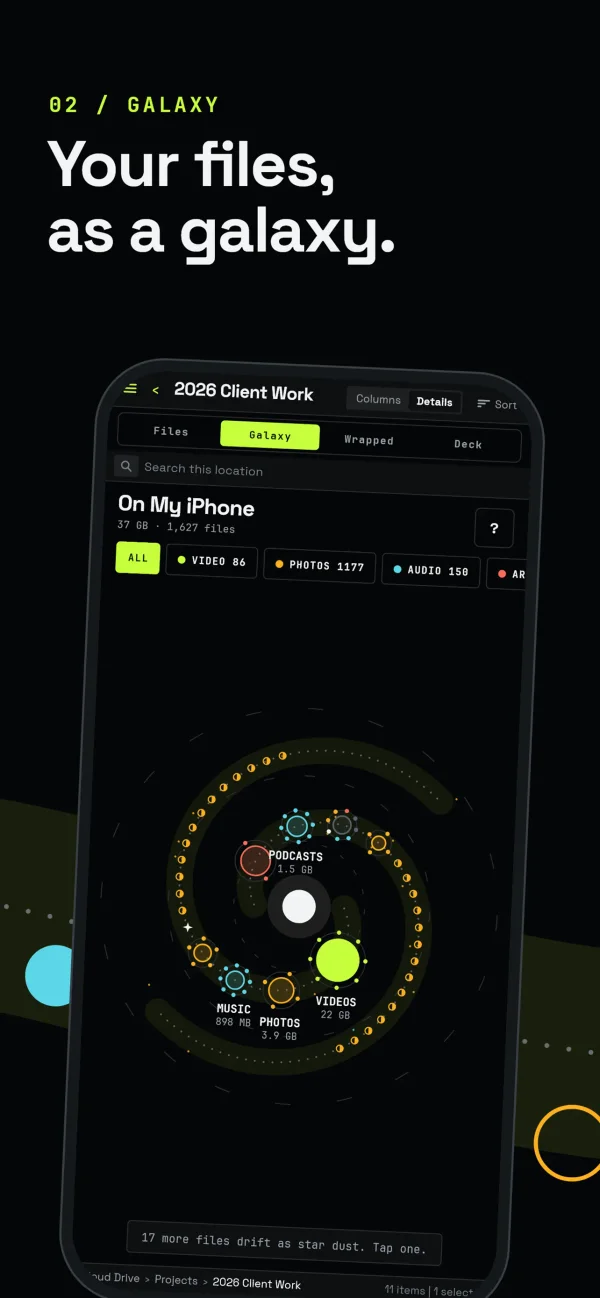
Galaxy turns any folder into a spiral galaxy: the folder is the core, its sub-folders are discs carrying their own contents like satellites, and every file type has its own shape. Tap a disc to fly inside.
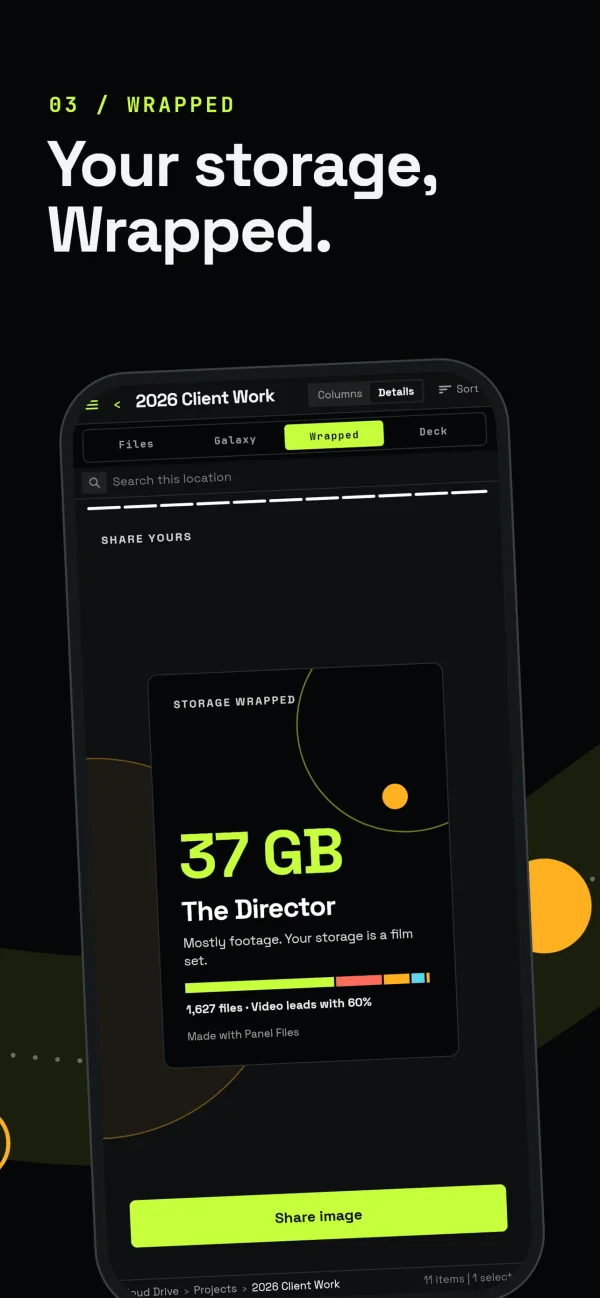
Wrapped tells the story of your storage — biggest files, heaviest folder, favourite file type, a storage personality — and ends with an image to share.
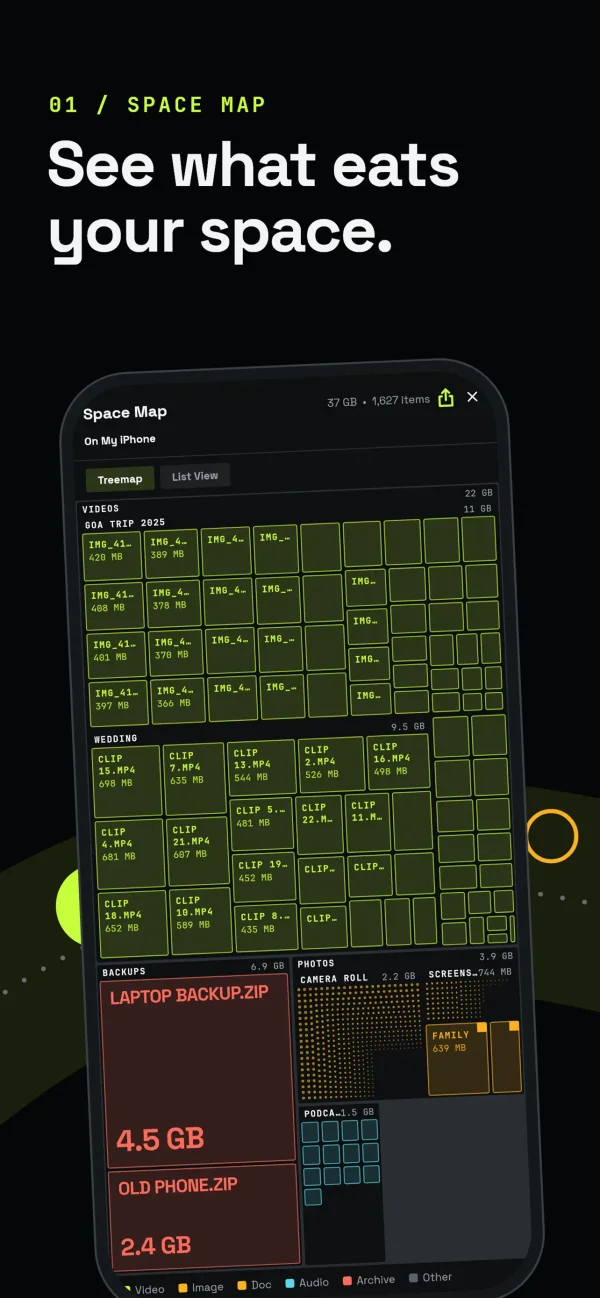
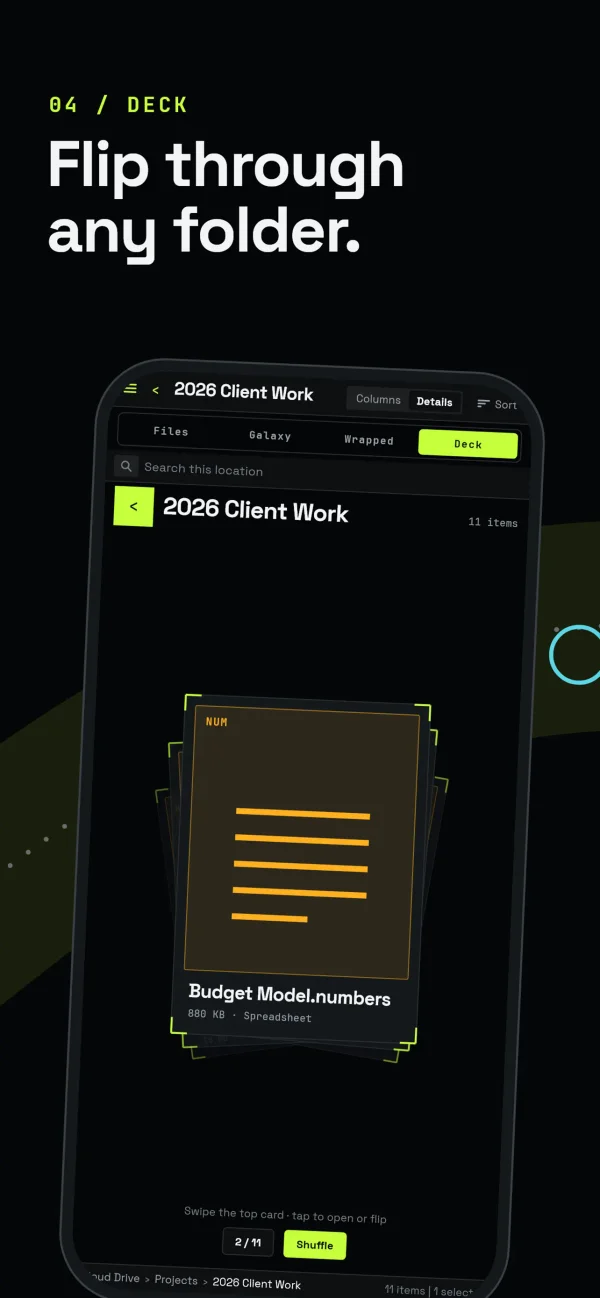
Deck lets you flip through a folder one card at a time, and Space Map shows exactly what is taking up space.
Two looks: Paper for daytime, Night for after dark.
Privacy: https://asgilab.github.io/legal/panel-privacy.html
Terms of Use: https://www.apple.com/legal/internet-services/itunes/dev/stdeula/
Yenilikler
Sürüm 1.2 · 27.11.2026
A whole new way to see your files.
• Galaxy — every folder becomes a spiral galaxy. Big folders are bright discs carrying their contents like satellites; small files drift as star dust. Tap to fly inside, pinch to explore.
• Wrapped — the story of your storage in a dozen cards: your biggest files, your heaviest folder, your favourite file type, your storage personality. Ends with an image made for sharing.
• Deck — flip through any folder one card at a time. Swipe to move on, tap to turn a card over.
• Space Map — a cleaner map of what is taking up space.
• A new look, in two versions: Paper for daytime, Night for after dark. Pick one under Sort → Look.
• Locations: long-press one to rename it or remove it from Panel, with Undo.
Panel Files now asks for payment up front instead of offering a free trial. If you already subscribe, your plan and price stay as they are. If you installed Panel while it was free, it stays free for you.
Uygulama gizliliği
Bu uygulamanın verileri nasıl işlediği hakkında Samarth Tripathi tarafından App Store üzerinde yapılan beyan.
-
Veri toplanmıyor
Geliştirici bu uygulamadan hiçbir veri toplamıyor.
Gizlilik uygulamaları, örneğin kullandığınız özelliklere veya yaşınıza göre değişiklik gösterebilir.
Bilgiler
- Satıcı
- Samarth Tripathi
- Kategori
- Yardımcılar
- Sürüm
- 1.2
- Güncellendi
- 27.11.2026
- Yayın tarihi
- 18.08.2026
- Boyut
- 24,3 MB
- Gereksinim
- iOS 15.0 veya sonrası
- Yaş sınırı
- 4+
- Fiyat
- Ücretsiz
- Uygulama içi satın alma
- Evet
- Diller
- İngilizce
- Telif hakkı
- © 2026 ASGILAB
Bunları da beğenebilirsiniz
-
 NovaClean: Phone CleanerYardımcılar
-
 USB FileYardımcılar
-
 SealSkinYardımcılar
-
 My Files: Dosya Kaydet & PDFBelge, PDF ve Dosya Kaydet
-
 Twin CommanderYardımcılar
-
 Gringo XP Freestyle Panel FFYardımcılar
-
 Rough Country Switch ControlYardımcılar
-
 Sadx FreeStyle ProYardımcılar
-
 JalDrishti: Groundwater AppYardımcılar
-
 Video ve Ses ÇevirisiCanlı altyazı çevirisi