Performance Organizer
MetricKit & Xcode Metrics
iPhone, iPad için tasarlandı
Uygulama içi satın alma
- Yaş sınırı17+
- KategoriGeliştirici Araçları
- GeliştiriciTwin Cities App Dev LLC
- Dillerİngilizce
- Boyut19,7 MB
Performance Organizer şu anda App Store üzerinde mevcut olmayabilir
Son kontrolümüzde mağaza sayfasına ulaşılamadı. Bağlantı yine de resmi App Store sayfasına gider.
Ekran görüntüleri
Hakkında
Geliştirici bu metni dilinizde sunmamış.
Performance Organizer is an all-in-one app quality and release analysis tool for Apple platform developers, helping you catch regressions earlier, triage crashes faster, and make better release decisions with MetricKit Metrics, MetricKit Diagnostics, and Xcode Power & Performance Metrics in one place.
Available on iPhone, iPad, and Apple Vision Pro.
Designed for Apple platform developers, it helps you compare apps, versions, and builds, keep your workspace focused, and quickly see what changed so you can continuously improve app quality and make better release decisions over time.
MetricKit Metrics
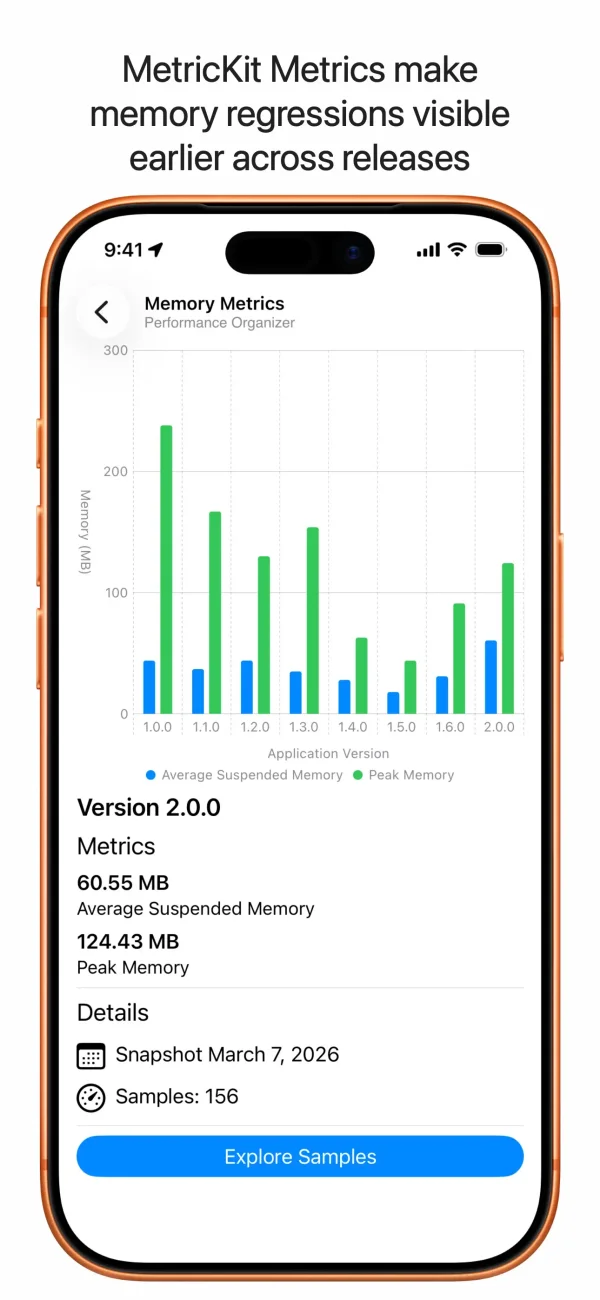
• Analyze MetricKit Metrics across CPU, memory, display, GPU, network transfer, location activity, cellular condition, application time, application exits, disk I/O, disk space usage, launch, responsiveness, animation, and signposts.
• Compare metrics by app and version to spot regressions and validate performance improvements.
• Track launch performance, responsiveness, animation hitches, and signposts to catch issues before they affect more users.
• Review application exit data to understand crashes, watchdog terminations, jetsam, and user-initiated exits.
MetricKit Diagnostics
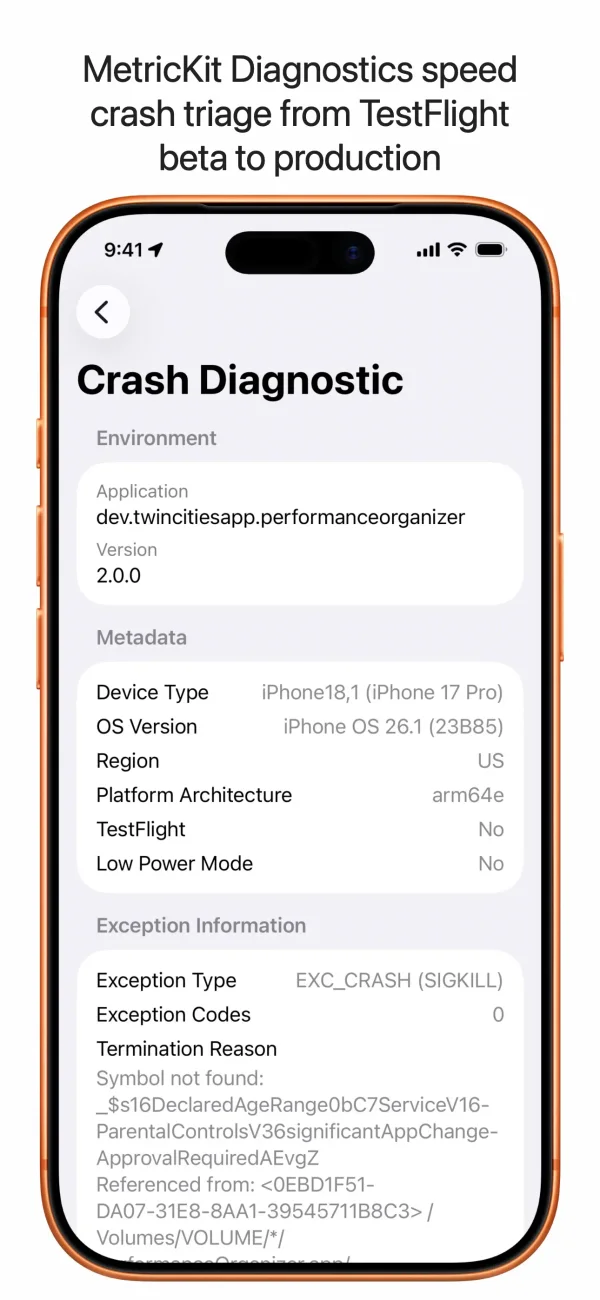
• Investigate MetricKit Diagnostics with readable views instead of digging through raw payloads.
• Review crash diagnostics, CPU exceptions, app launch diagnostics, hang diagnostics, and disk write exceptions.
• Use diagnostics with app and version context to identify affected releases, monitor recurring issues, and guide the next quality improvement.
Xcode Power & Performance Metrics
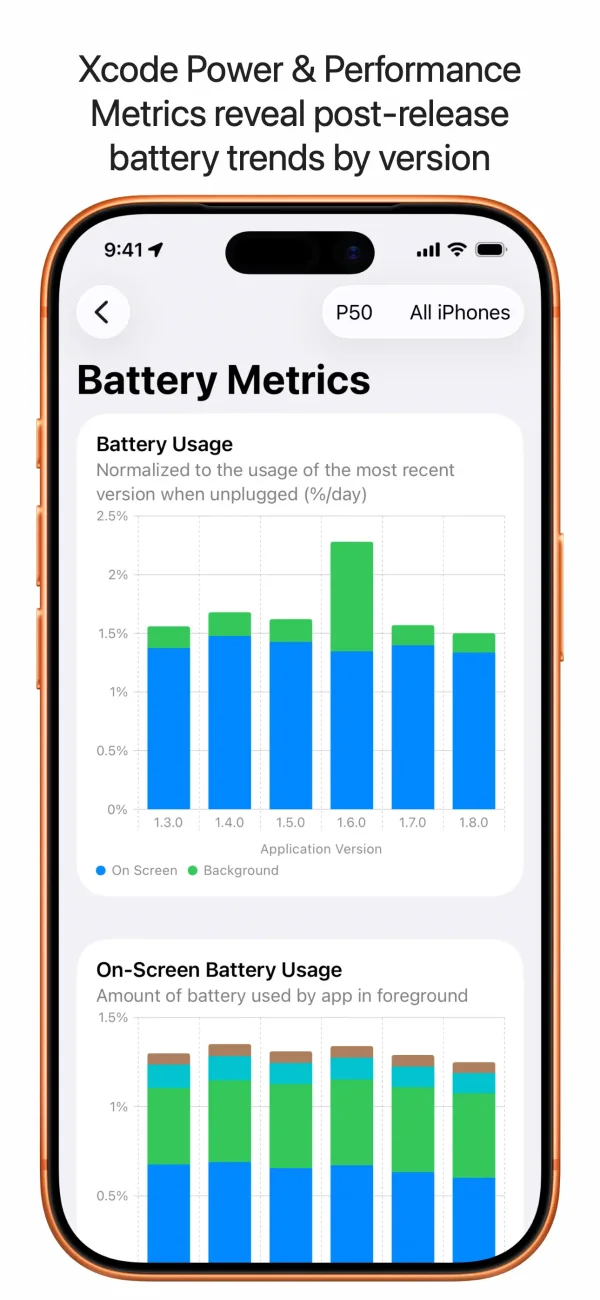
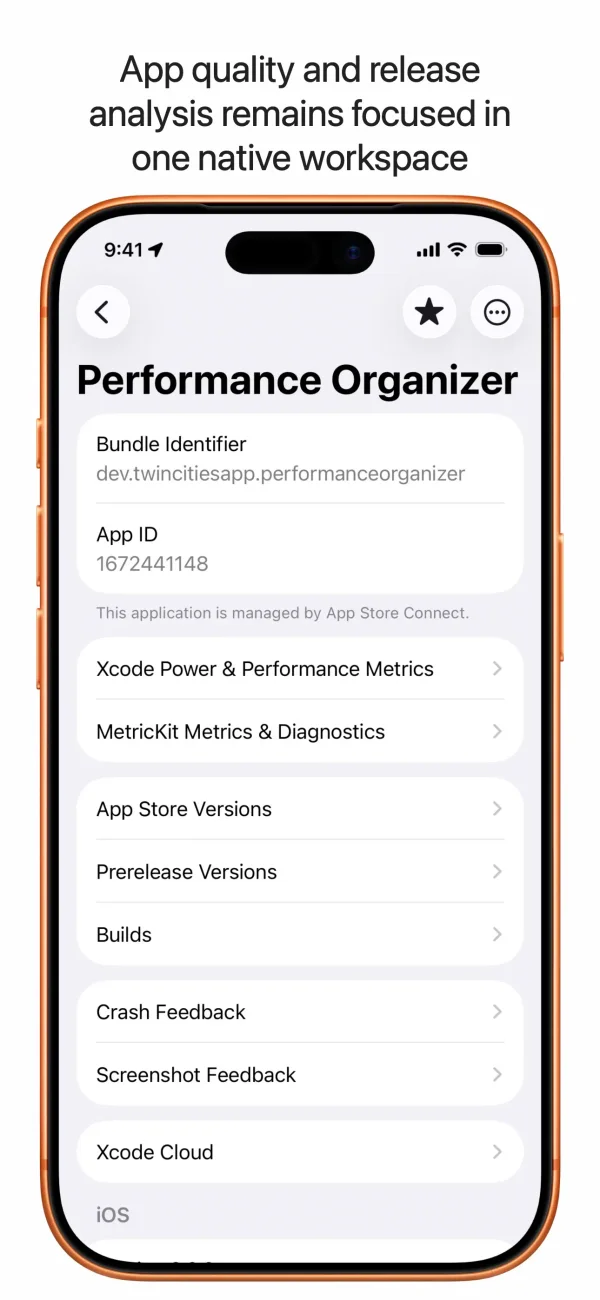
• Visualize Xcode Power & Performance Metrics from App Store Connect alongside your MetricKit workflow.
• Review Xcode Power & Performance Metrics at the app, version, or build level.
• Analyze launch, hang, memory, disk, battery, animation, and termination categories to validate changes and catch release regressions earlier.
App Store Connect Workflows
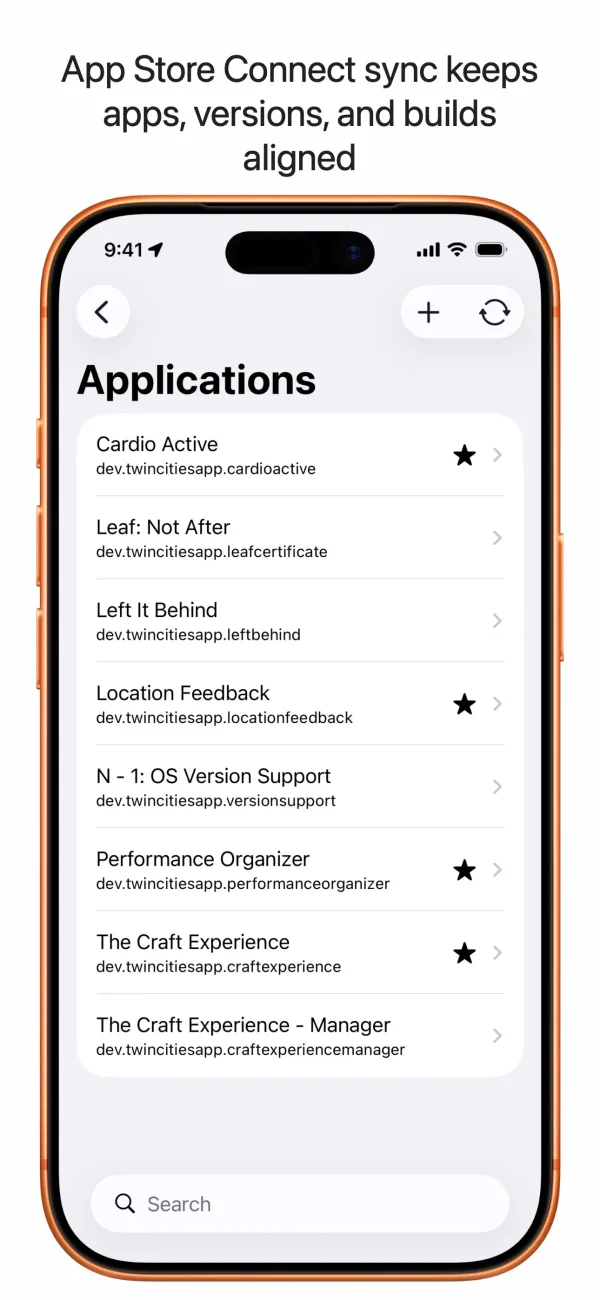
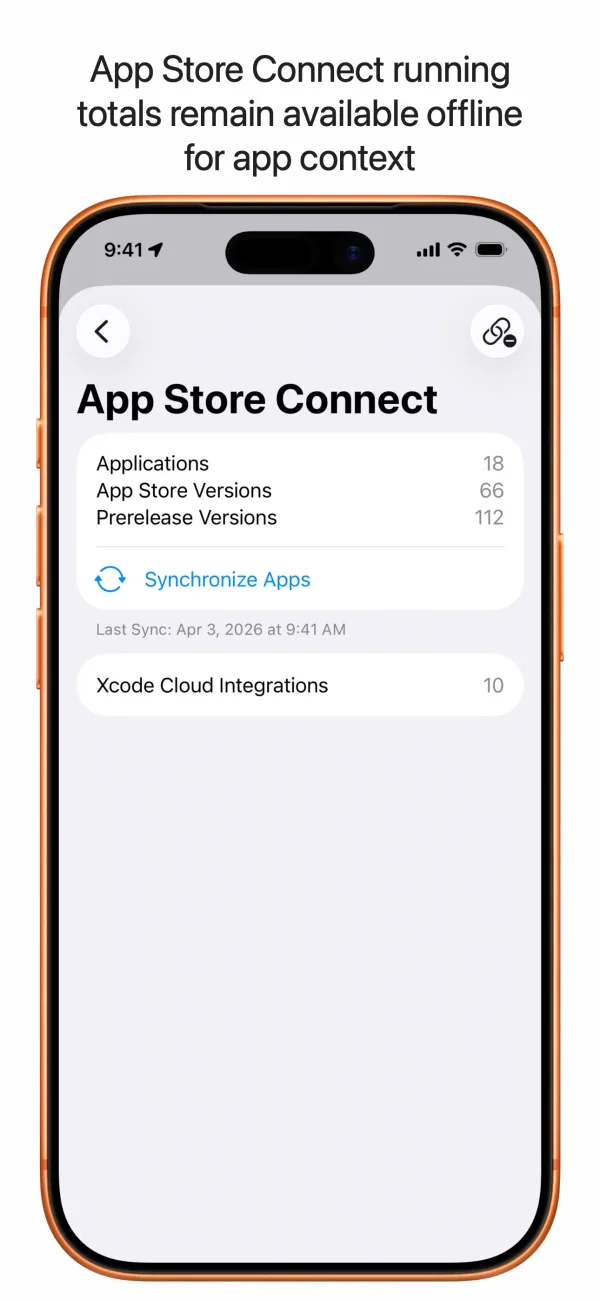
• Sync App Store Connect apps, App Store versions, prerelease versions, and builds to keep analysis aligned with your release pipeline.
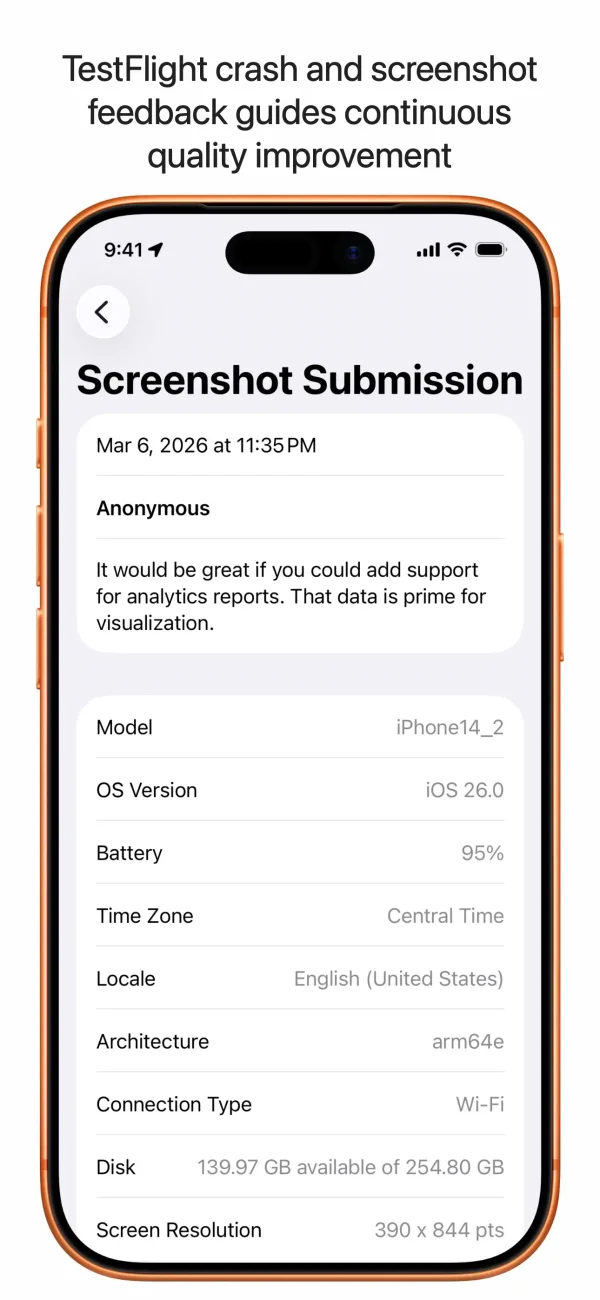
• Review TestFlight beta feedback, including crash submissions and screenshot submissions, in one place.
• Filter TestFlight feedback by prerelease version to speed up QA and release triage.
Access and Permissions
• Support team workflows with App Store Connect API keys while following the Principle of Least Privilege.
• Share scoped access so teammates can review performance, TestFlight feedback, and release context without full App Store Connect access.
• Use a shared API key for scoped team access, or an individual key to work with everything allowed by your App Store Connect role.
Xcode Cloud
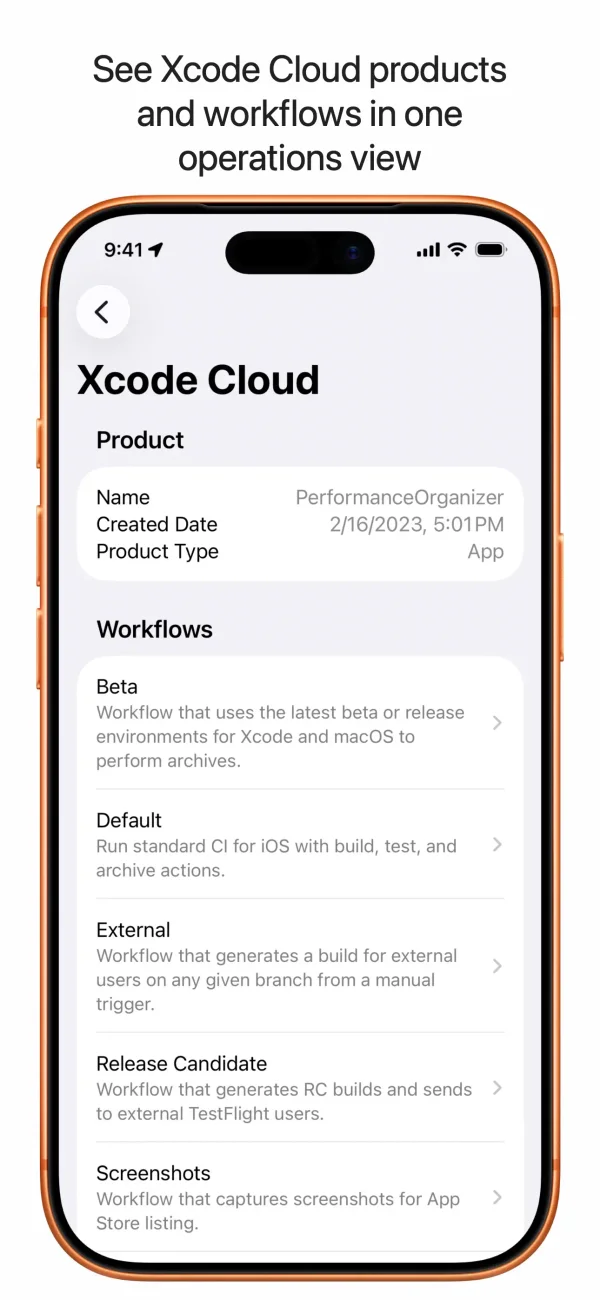
• View Xcode Cloud integrations for your apps.
• Browse available Xcode and macOS versions to confirm build environment context.
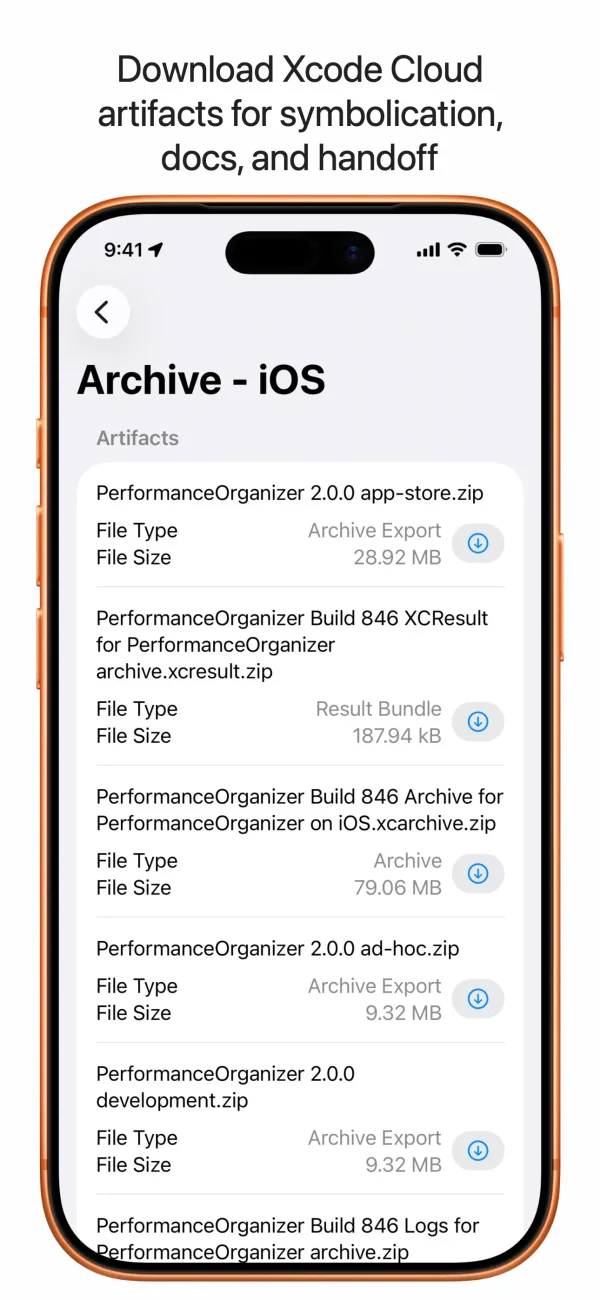
• Review workflows, builds, and artifacts, and download artifacts to speed up investigation, release review, and follow-up.
Subscriptions
• Subscriptions unlock advanced App Store Connect workflows for team review and release operations, including TestFlight beta feedback, Xcode Power & Performance Metrics, and Xcode Cloud features.
Privacy by Design
• Performance Organizer is a privacy-preserving performance and stability tool for Apple platform developers, built around MetricKit and App Store Connect workflows, instrumented with MetricKit in its own development, and designed not to collect private or sensitive customer data from your users.
Terms of Service: https://twincitiesapp.dev/apps/performance-organizer/terms
Privacy Policy: https://twincitiesapp.dev/apps/performance-organizer/privacy
Yenilikler
Sürüm 2.0.0 · 17.03.2026
A milestone release. New integrations. Deeper insights. Refined with Liquid Glass.
Performance Organizer 2.0 introduces deep integration with App Store Connect, bringing your App Store apps and related data into Performance Organizer. It complements MetricKit metrics and diagnostics by adding Xcode Power and Performance Metrics. The integration is built with privacy by default and minimum-required access based on the Principle of Least Privilege. Together, these updates make it easier to move from imported payload analysis to connected App Store Connect, TestFlight, and Xcode Cloud workflows.
Features:
• Import apps from App Store Connect to bring your app data into Performance Organizer.
• Subscriptions now center on advanced App Store Connect features.
• Visualize Xcode Power and Performance Metrics with charts across apps, versions, and builds.
• Download and review TestFlight screenshots and crash feedback for prerelease builds.
• View the latest Xcode Cloud environment configurations.
• Save Xcode Cloud artifacts directly to the Files app for quick access and sharing.
• Added Age Assurance checks powered by Apple's Age Range for Apps.
Enhancements:
• Refined the app layout with Liquid Glass for greater depth, clarity, and focus.
• Removed limits on MetricKit payload import, enabling unlimited metric and diagnostic analysis for all users.
• Added the ability to favorite or hide apps to keep your workspace focused on what matters most.
• Added support for the new Disk Space Usage metric for more complete storage insights.
• Added model identifiers for the iPhone 17 lineup, iPhone Air, and iPad Pro (M5) devices.
• Reworked metric and diagnostic payload detail views with labeled sections for clearer, more scannable data.
• Improved subscription handling and onboarding flow for a more consistent upgrade experience.
Uygulama gizliliği
Bu uygulamanın verileri nasıl işlediği hakkında Twin Cities App Dev LLC tarafından App Store üzerinde yapılan beyan.
-
Sizinle ilişkilendirilmeyen veriler
Toplanabilir ancak kimliğinizle ilişkilendirilmez.
- Kullanıcı içeriği
- Tanımlayıcılar
- Kullanım verileri
- Tanılama
Gizlilik uygulamaları, örneğin kullandığınız özelliklere veya yaşınıza göre değişiklik gösterebilir.
Bilgiler
- Satıcı
- Twin Cities App Dev LLC
- Kategori
- Geliştirici Araçları
- Sürüm
- 2.0.0
- Güncellendi
- 17.03.2026
- Yayın tarihi
- 08.06.2024
- Boyut
- 19,7 MB
- Gereksinim
- iOS 26.0 veya sonrası
- Yaş sınırı
- 17+
- Uygulama içi satın alma
- Evet
- Diller
- İngilizce
- Telif hakkı
- © 2023-2026 Twin Cities App Dev LLC
Bunları da beğenebilirsiniz
-
 StackConnectGeliştirici Araçları
-
 XV: Release RadarYapılar, Betalar ve SDK
-
 Teletype: SSH & Remote DesktopGeliştirici Araçları
-
 DevAssetGeliştirici Araçları
-
 API MatrixGeliştirici Araçları
-
 UI Explorer LightGeliştirici Araçları
-
 ShipNativeGeliştirici Araçları
-
 AppDesk: Sales, Rankings & AdsGeliştirici Araçları
-
 DubDub!Geliştirici Araçları
-
 Conductor for Xcode CloudGeliştirici Araçları