Picnote AI Screenshot Notes
AI Notes from Every Screenshot
iPhone, iPad için tasarlandı
Uygulama içi satın alma
- Yaş sınırı4+
- KategoriÜretkenlik
- Geliştirici聆凬 刘
- Dillerİngilizce+ 1 dil daha
- Boyut18,1 MB
Picnote AI Screenshot Notes şu anda App Store üzerinde mevcut olmayabilir
Son kontrolümüzde mağaza sayfasına ulaşılamadı. Bağlantı yine de resmi App Store sayfasına gider.
Ekran görüntüleri


Hakkında
Geliştirici bu metni dilinizde sunmamış.
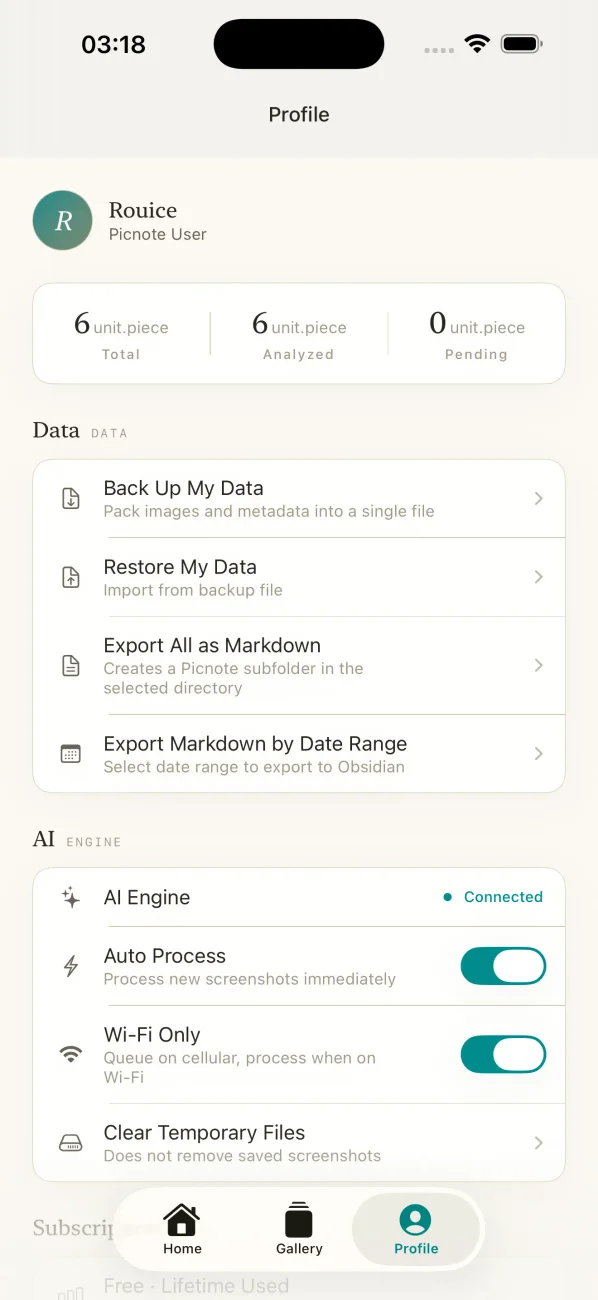
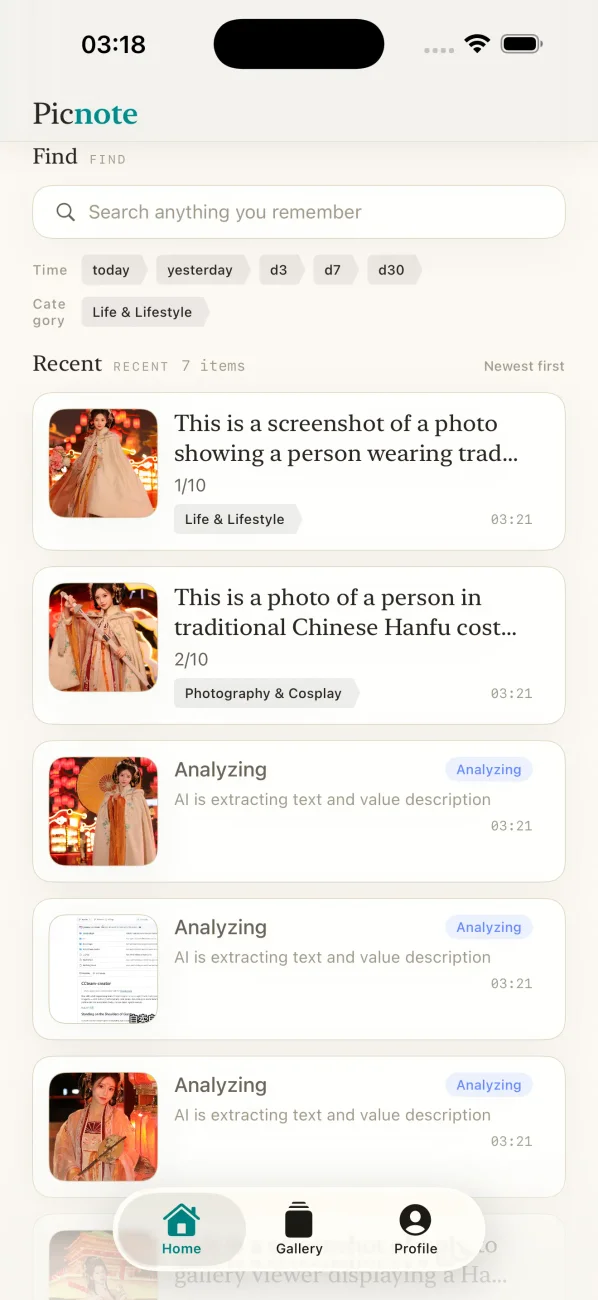
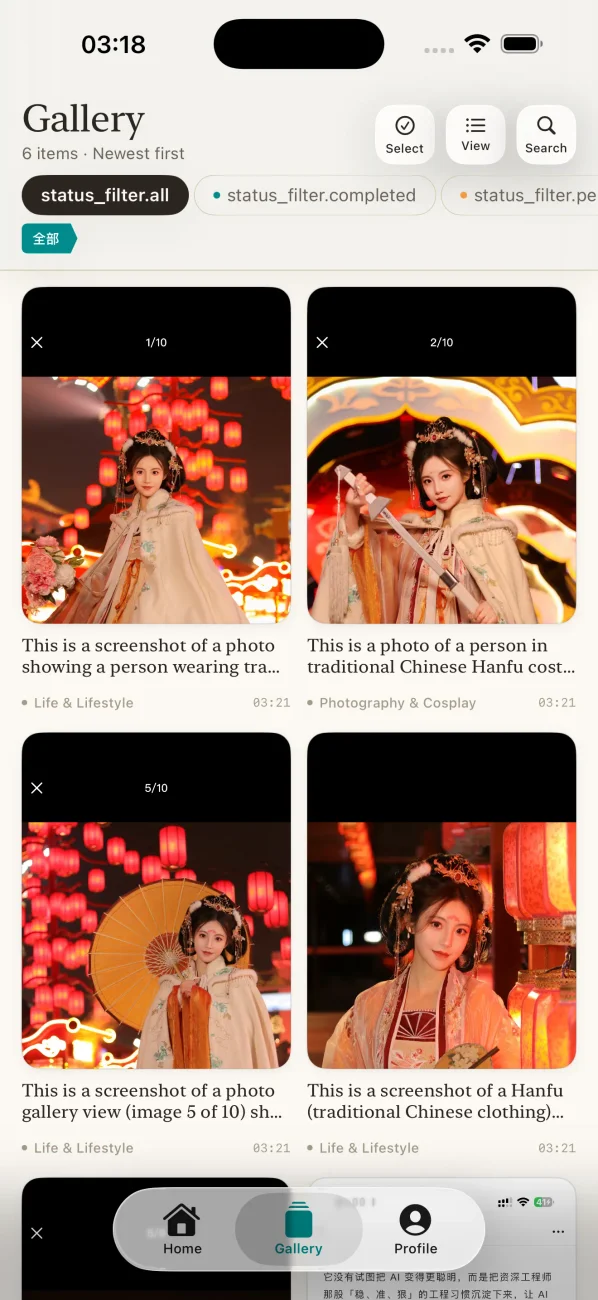
Picnote is a visual capture app built for turning screenshots and photos into a searchable, structured knowledge base.
【Why Picnote】
Every day you photograph street designs, menu prices, product packaging, and event posters.
Every day you screenshot GitHub projects, AI tool pages, article snippets, and chat conversations.
These are valuable visual records — but they sit in your camera roll with no title, no tag, no context. Three days later when you try to find something, you're stuck scrolling through photos, hoping a vague memory leads you to the right one.
Picnote solves this: it turns visual records into structured assets that AI can read, notes apps can store, and knowledge bases can actually use.
【Almost Zero Friction】
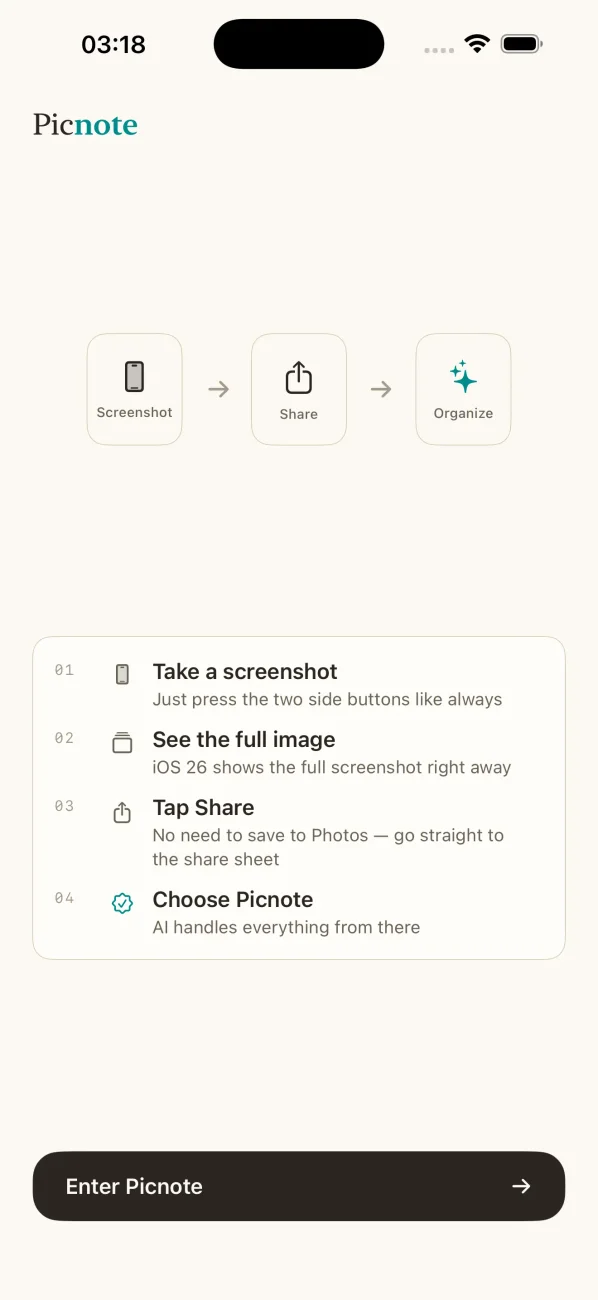
Take a photo or screenshot, then share it to Picnote from the system share sheet. Done.
No need to write a title, pick a category, or add a note.
Picnote takes over all the organizing from there.
【AI That Goes Beyond OCR】
When an image arrives, Picnote's AI:
· Extracts all visible text from the image
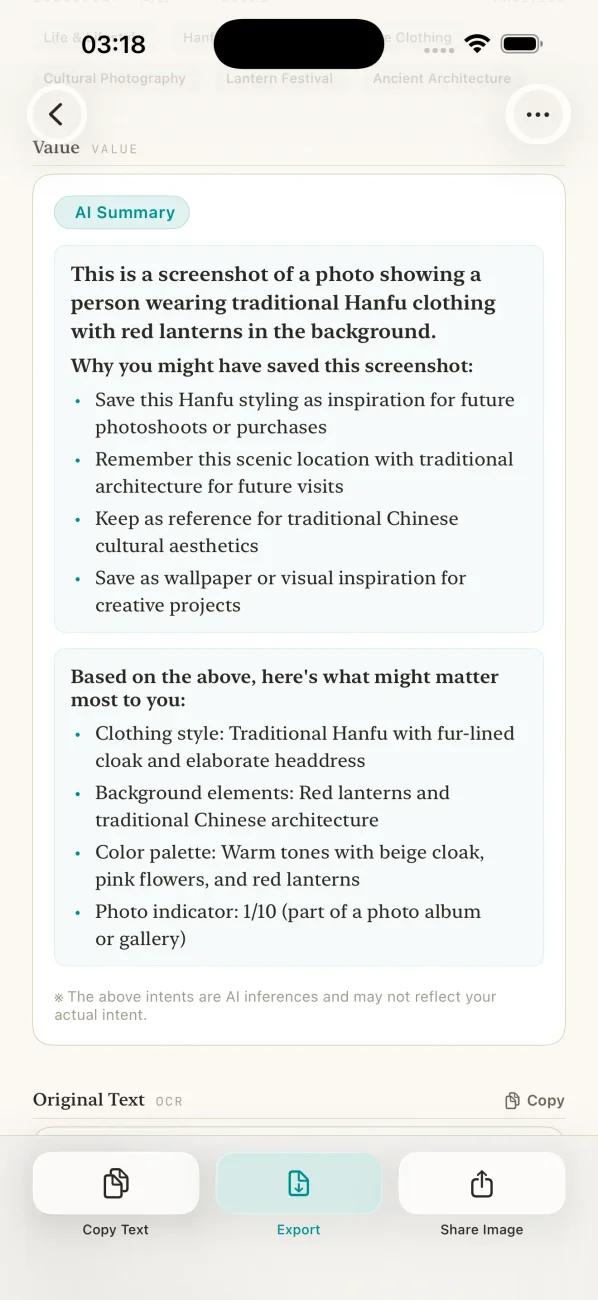
· Identifies the content type (screenshot, poster, menu, article, conversation…)
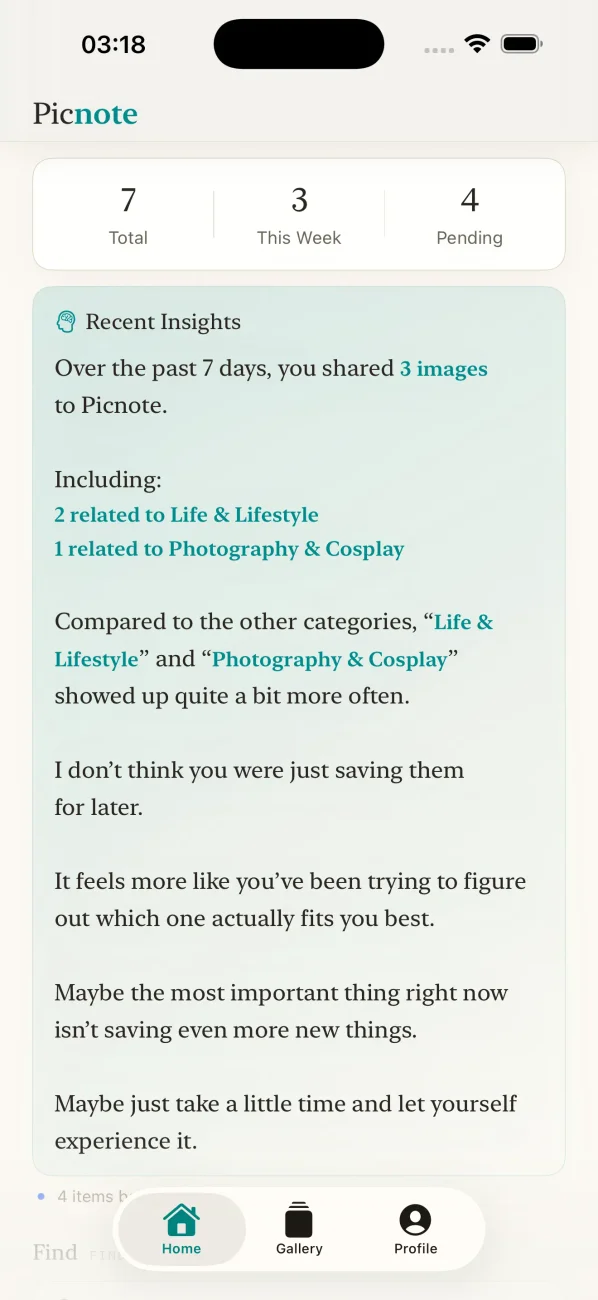
· Infers why you saved it ("tracking this project" / "remembering this restaurant" / "material for writing")
· Extracts key facts (project URL, restaurant name and menu, author's argument, core data)
· Generates structured tags
· Writes a one-line value summary capturing what this image means to you
None of this is simple transcription — it's content understanding based on why you saved it.
【Searchable, Filterable, Connected】
Filter by date, category, or tag.
Type any word you remember into the search box — it searches OCR text, descriptions, and tags all at once.
AI-generated related content links surface inspiration you'd completely forgotten you saved.
【Plug Into Your Knowledge Base】
Picnote isn't where your notes end up — it's the step that gets them organized:
· Individual items: copy text, share the original image, export as Markdown
· Bulk export: turn your entire library into a Markdown vault, ready for Obsidian, Notes, or any folder
· CLI / AI agent friendly: exported Markdown can be read directly by Claude Code or local AI agents, turning your visual records into real context for downstream AI tasks
【Privacy First】
· Picnote never reads your photo library — it only receives images you actively share to it
· Images and results are stored locally on your device
· For AI processing, images are temporarily sent over an encrypted connection to a proxy — not retained after processing
· Your device identifier is used only for quota checks, never for ads, profiling, or cross-app tracking
Picnote is for:
· Creators who photograph design inspiration, posters, menus, and products
· Professionals who screenshot AI tools, open-source projects, and article snippets
· Knowledge workers who pipe visual content into Obsidian or local AI agents
· Anyone who's tired of hunting through their camera roll
Terms of Use (EULA): https://www.apple.com/legal/internet-services/itunes/dev/stdeula/
Note for review: Subscription prices display in USD in the TestFlight sandbox — this is expected StoreKit behavior. Prices for mainland China are correctly configured in App Store Connect and will display in CNY for Chinese users once the app is live.
Yenilikler
Sürüm 1.2.4 · 28.05.2026
- Optimized tag classification logic.
Uygulama gizliliği
Bu uygulamanın verileri nasıl işlediği hakkında 聆凬 刘 tarafından App Store üzerinde yapılan beyan.
-
Sizinle ilişkilendirilmeyen veriler
Toplanabilir ancak kimliğinizle ilişkilendirilmez.
- Kullanıcı içeriği
- Tanımlayıcılar
Gizlilik uygulamaları, örneğin kullandığınız özelliklere veya yaşınıza göre değişiklik gösterebilir.
Bilgiler
- Satıcı
- 聆凬 刘
- Kategori
- Üretkenlik
- Sürüm
- 1.2.4
- Güncellendi
- 28.05.2026
- Yayın tarihi
- 15.05.2026
- Boyut
- 18,1 MB
- Gereksinim
- iOS 17.0 veya sonrası
- Yaş sınırı
- 4+
- Uygulama içi satın alma
- Evet
- Diller
- İngilizce, Basitleştirilmiş Çince
- Telif hakkı
- © 2026 lefenn
Bunları da beğenebilirsiniz
-
 CareFunnelsÜretkenlik
-
 Nemos: Link Kaydet, Diktafonİkinci Beyin ve Sonra Oku
-
 Ai chatbot : Translator AiÜretkenlik
-
 MindVoice - AI语音日记Üretkenlik
-
 AskPics: Search ScreenshotsÜretkenlik
-
 即我-记想法灵感闪念日记Üretkenlik
-
 Vibe Reader: AI Summary CardsReel-like insights to swipe
-
 Habits: Daily GoalsÜretkenlik
-
 Vesikalık Fotoğraf - PasaportBiyometrik ve Resmi Kimlik
-
 NAS File ExplorerÜretkenlik