PlcConsole
Fatek PLC tools and automation
iPhone, iPad için tasarlandı
Ücretsiz
- Yaş sınırı4+
- KategoriÜretkenlik
- GeliştiriciDavid Krzystek
- Dillerİngilizce
- Boyut12,9 MB
Resmi App Store sayfasına bağlanır
Download.org, PlcConsole için hiçbir dosya barındırmaz. Düğme, uygulamanın App Store üzerindeki sayfasını açar; uygulamayı orada David Krzystek yayınlar. Sayfanın son kontrolü: 22.11.2026.
Ekran görüntüleri


Hakkında
Geliştirici bu metni dilinizde sunmamış.
PlcConsole turns your iPhone or iPad into a practical field console for monitoring and controlling Fatek FBs Series PLCs.
Connect directly in Local mode or use optional Remote mode to access configured PLCs through PlcConsole Remote. Inspect PLC status and diagnostics, work with registers, run batch operations and organize Site Automation workflows.
Designed for technicians, engineers and operators, PlcConsole brings connection management, live monitoring, PLC commands, history and repeatable workflows together in one app.
With PlcConsole, you can:
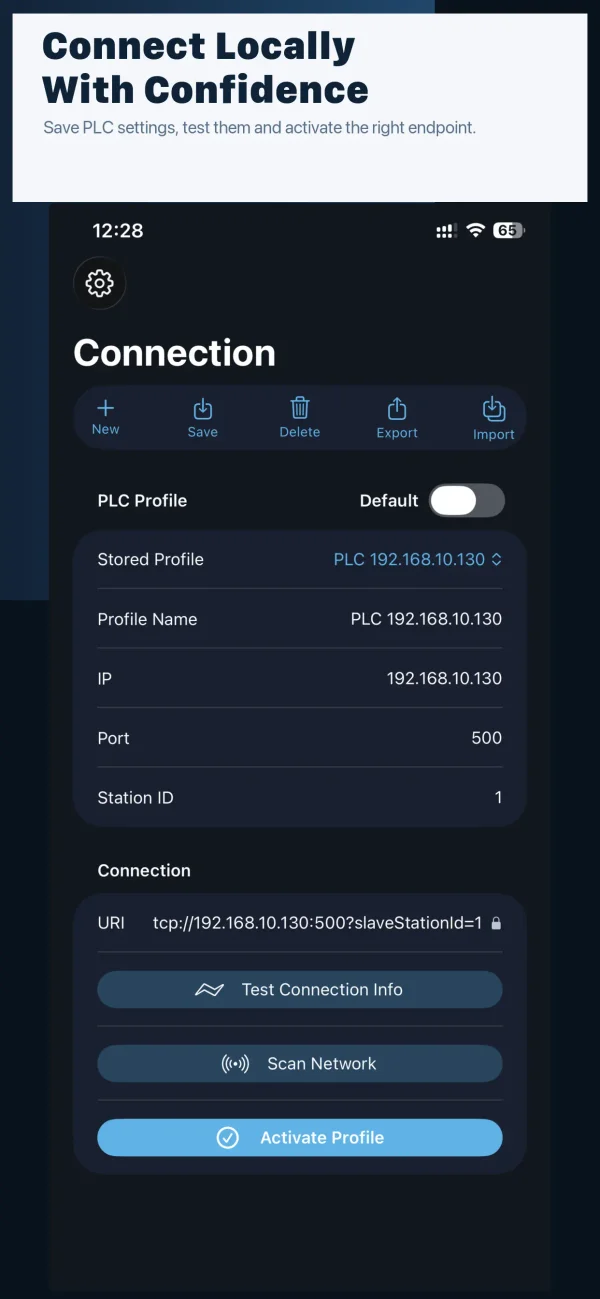
• create, save, test and activate PLC connection profiles
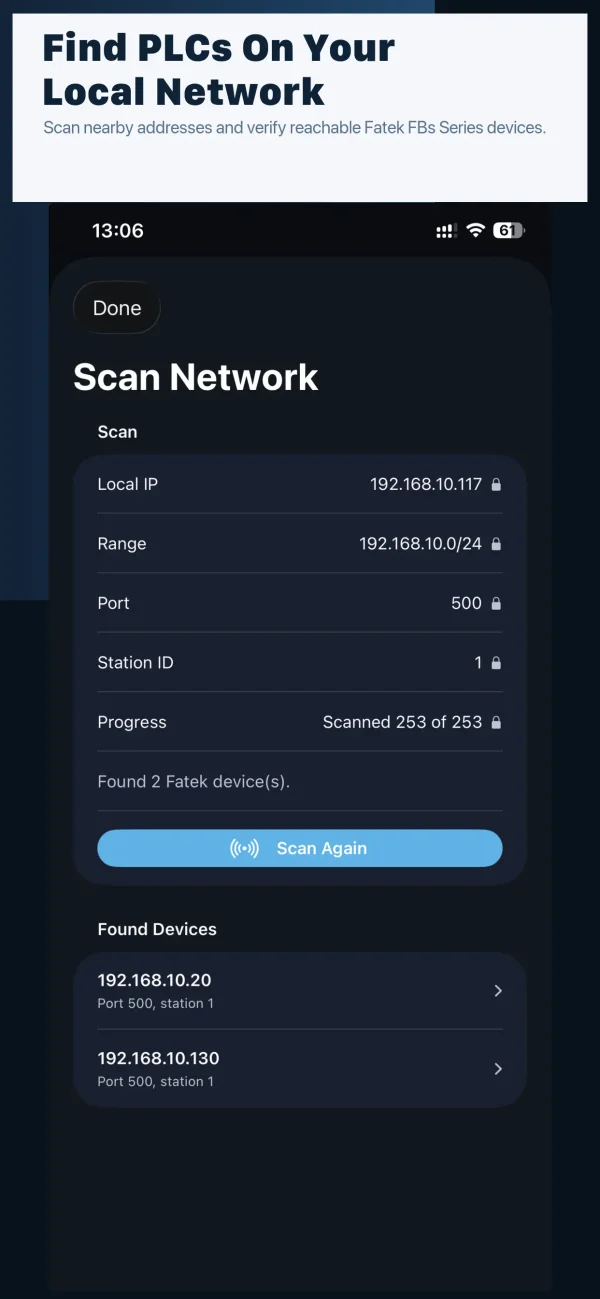
• discover reachable Fatek FBs Series PLCs on your local network
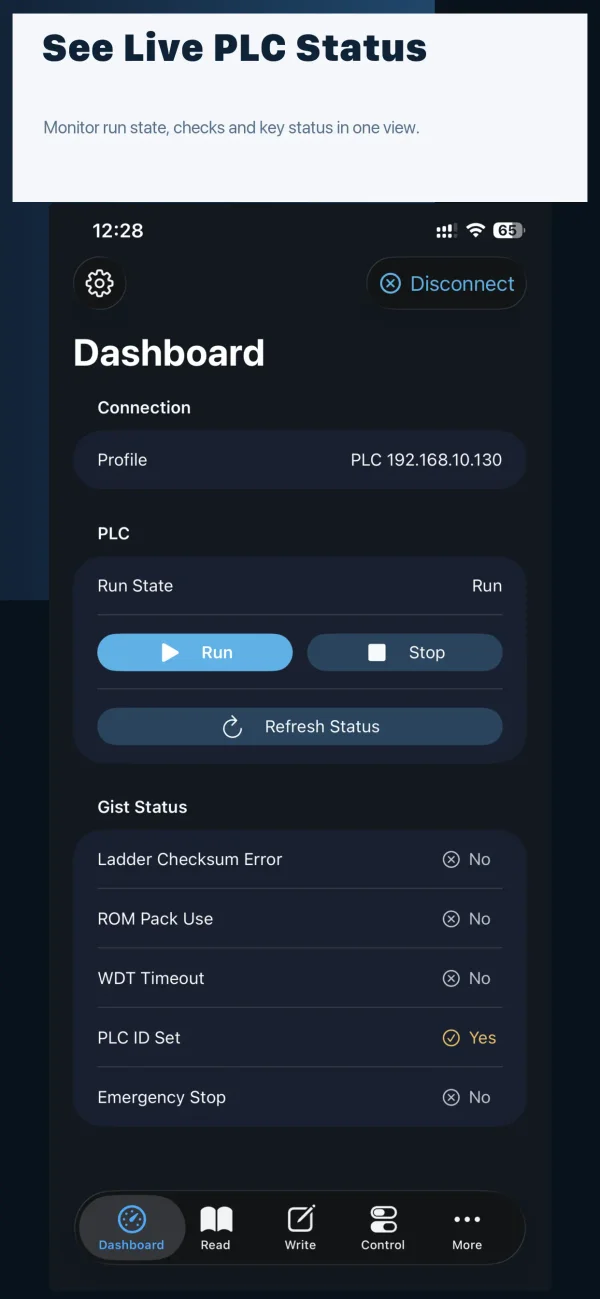
• inspect PLC status and live diagnostics
• read registers in binary, hexadecimal or decimal format
• write register values and send control commands
• safely run and stop the PLC with state-aware controls
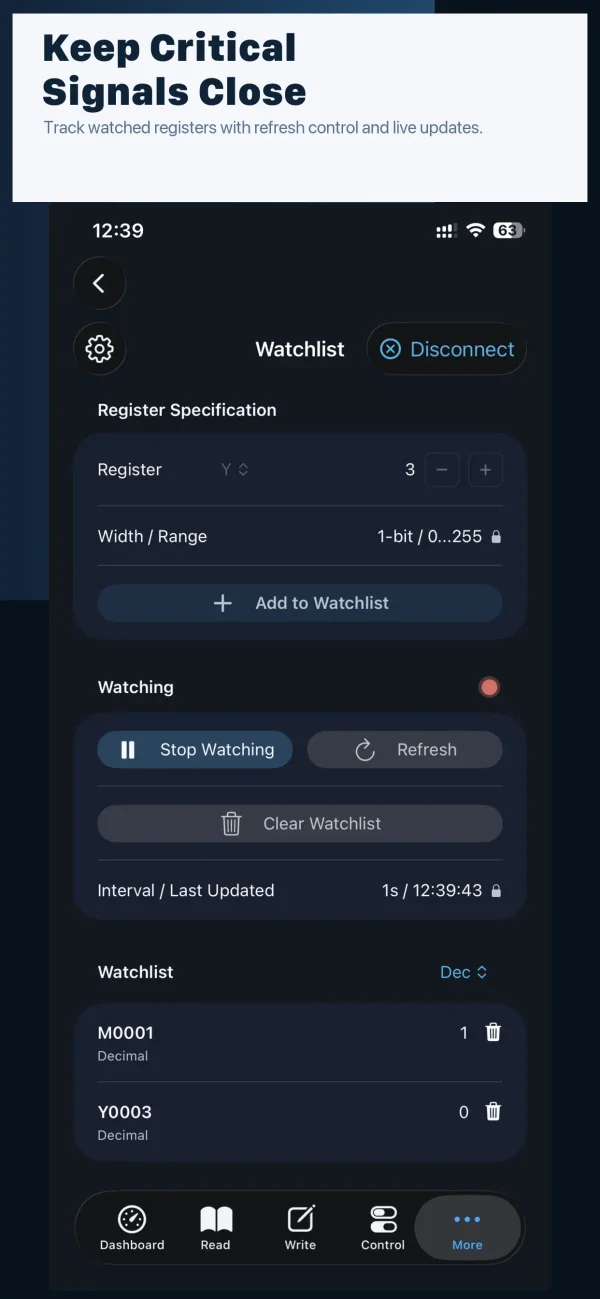
• build watchlists for frequently monitored registers
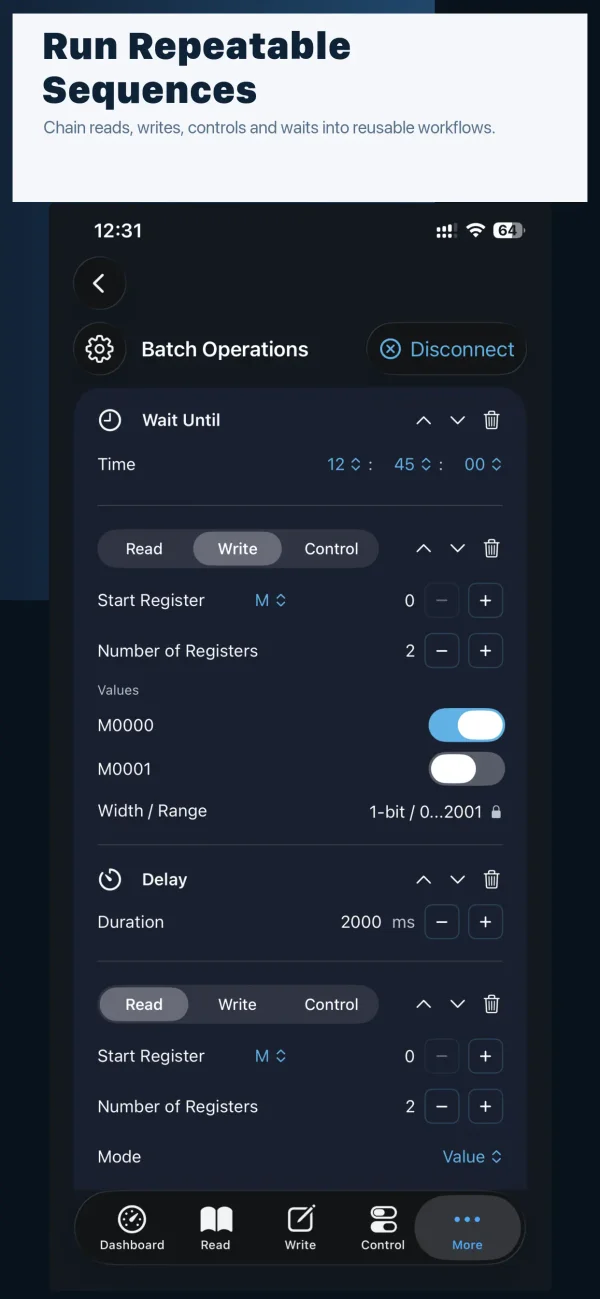
• create reusable batch presets with PLC operations, delays and scheduled waits
• review command history with execution duration and target details
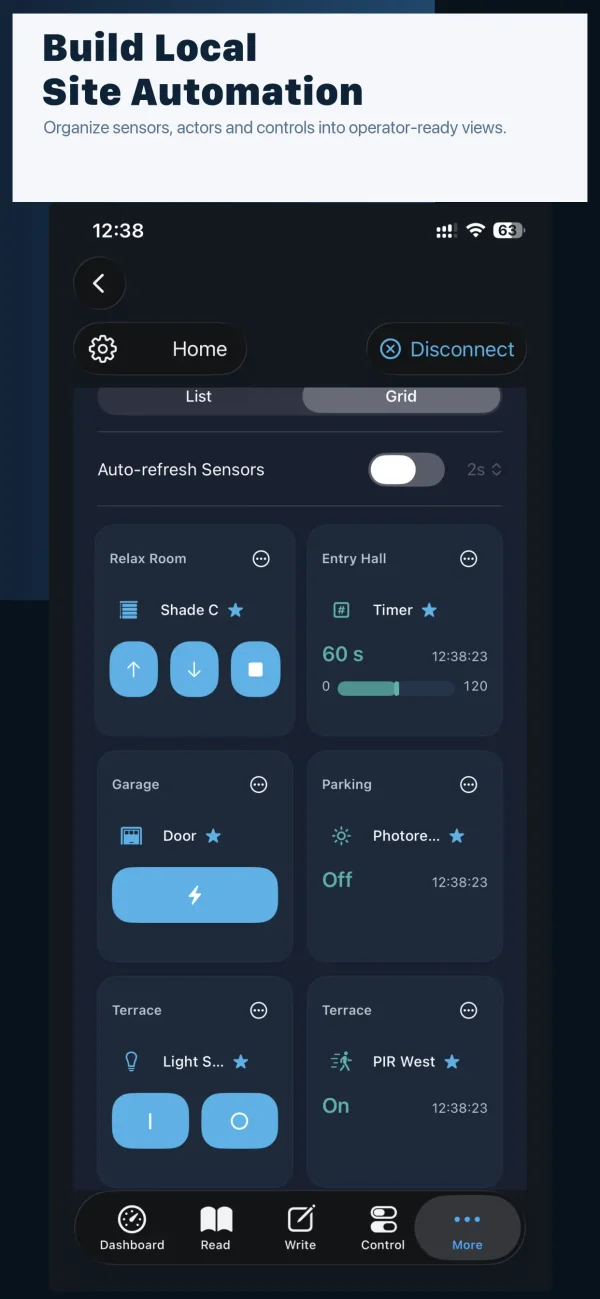
• organize sites and zones with actors, actions and sensors
• filter Site Automation devices and switch between List and Grid views
• refresh visible sensor values manually or automatically
• switch between Local and Remote on the Connection screen
Local mode
------------
Connect directly to a reachable PLC without a cloud account or Remote service. Local mode remains available independently of the Remote pilot and is the default for new installations.
Profiles, command history, watchlists, batch presets, Site Automation definitions and preferences are stored locally on your device.
Remote pilot
-------------
Remote mode provides access to configured PLCs outside your local network. It also supports centrally managed permissions, register policies and an audit trail of PLC operations.
Remote access is currently limited to invited participants in a closed pilot. An administrator provides accounts and assigns PLC access. Public registration is not available.
Remote uses a server to authenticate users, enforce access policies and route PLC operations. The server stores account information and audit records, including operator identity, operation parameters and results. Available operations depend on the permissions and policies assigned to your account.
Participation in the Remote pilot is optional. You can continue using Local mode without an account.
PlcConsole is free to download, allowing you to verify connectivity and confirm that it works with your PLC environment.
Important:
• PlcConsole is intended for Fatek FBs Series PLCs
• Local mode requires a reachable PLC with a compatible TCP network interface
• local network permission is required for Local discovery and communication where enforced by iOS
• Remote mode requires internet access to the configured server, a provisioned account and assigned PLC access
• write, control, batch and automation commands can change PLC state
• always verify register mappings, PLC logic, safety interlocks and equipment conditions before sending commands
Yenilikler
Sürüm 1.1.0 · 21.11.2026
Version 1.1.0 introduces optional Remote access alongside Local mode.
• Switch between Local and Remote directly on the Connection screen.
• Remote mode lets invited pilot participants access configured PLCs outside their local network.
• Remote access uses centrally managed permissions, register policies and an audit trail of PLC operations.
• Remote is currently limited to a closed pilot with preconfigured accounts and assigned PLC access. Public registration is not available.
• Local mode remains available without an account and is the default for new installations.
Uygulama gizliliği
Bu uygulamanın verileri nasıl işlediği hakkında David Krzystek tarafından App Store üzerinde yapılan beyan.
-
Sizinle ilişkilendirilen veriler
Toplanabilir ve kimliğinizle ilişkilendirilebilir.
- İletişim bilgileri
- Kullanıcı içeriği
- Tanımlayıcılar
- Kullanım verileri
- Tanılama
Gizlilik uygulamaları, örneğin kullandığınız özelliklere veya yaşınıza göre değişiklik gösterebilir.
Bilgiler
- Satıcı
- David Krzystek
- Kategori
- Üretkenlik
- Sürüm
- 1.1.0
- Güncellendi
- 21.11.2026
- Yayın tarihi
- 25.07.2026
- Boyut
- 12,9 MB
- Gereksinim
- iOS 18.0 veya sonrası
- Yaş sınırı
- 4+
- Fiyat
- Ücretsiz
- Diller
- İngilizce
- Telif hakkı
- © 2026 David Krzystek
Bunları da beğenebilirsiniz
-
 FATEK IoTÜretkenlik
-
 Backup Contacts: Rehber yedekKişileri aktar veya kaldır
-
 AccuBooks - Keeping NoteÜretkenlik
-
 To-Do Speak AI: Sesli ListeKonuşarak Yapılacaklar Listesi
-
 Superchat - AI Task AssistantÜretkenlik
-
 Codex AI - Remote CodexVibeCode
-
 GO AI 5.0 Türkçe Yapay Zeka 6Chatbot & AI Video Generator
-
 KeePassium — KeePass şifreleriMahremiyetinize saygı duyar
-
 Spark Mail: AI Mail AsistanıGelen kutunu düzenle
-
 VPN Point - Fast Secure ProxySınırsız ve güvenli VPN