- Yaş sınırı4+
- KategoriMüzik
- GeliştiriciKENJI morimoto
- DillerJaponca
- Boyut887,0 KB
PonDashi Remote şu anda App Store üzerinde mevcut olmayabilir
Son kontrolümüzde mağaza sayfasına ulaşılamadı. Bağlantı yine de resmi App Store sayfasına gider.
Ekran görüntüleri

Hakkında
Geliştirici bu metni dilinizde sunmamış.
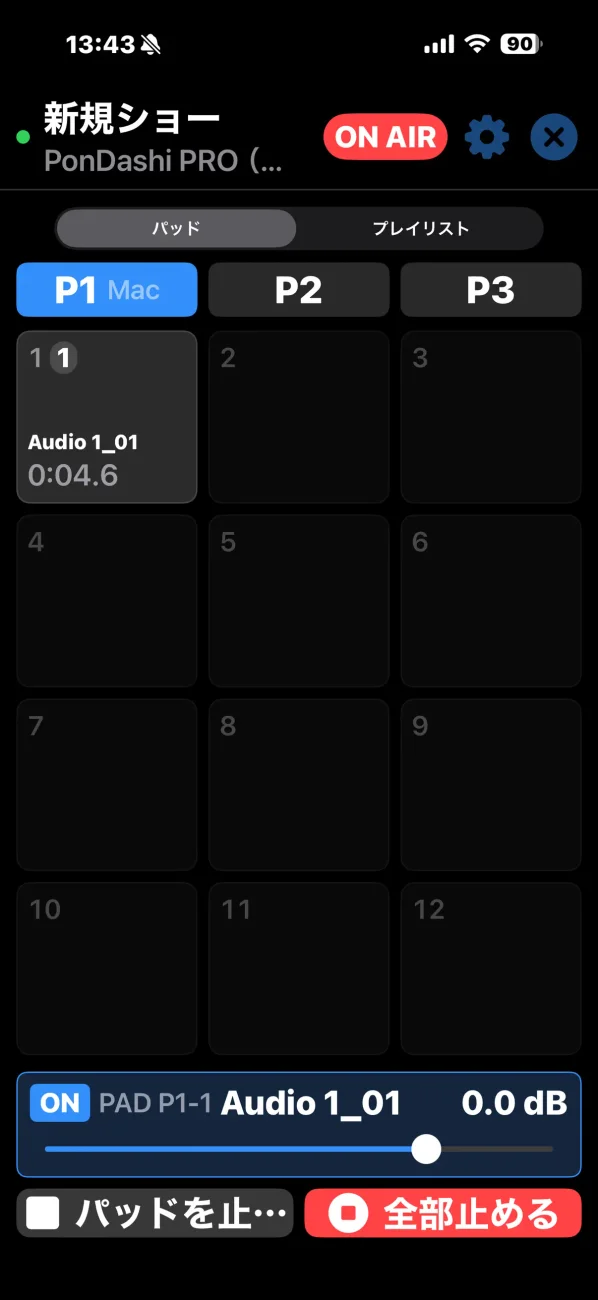
PonDashi Remote は、Mac の音出しアプリ「PonDashi Player Audio」「PonDashi Player Audio PRO」を iPhone・iPad から操作するための、無料のリモコンです。
同じネットワークにある Mac を自動で見つけ、PIN を一度入れるだけでつながります。舞台袖や客席など、Mac から離れた場所でも、パッドやプレイリストを送り出せます。
■ できること
・パッド(3 ページ × 12 個)を鳴らす・止める
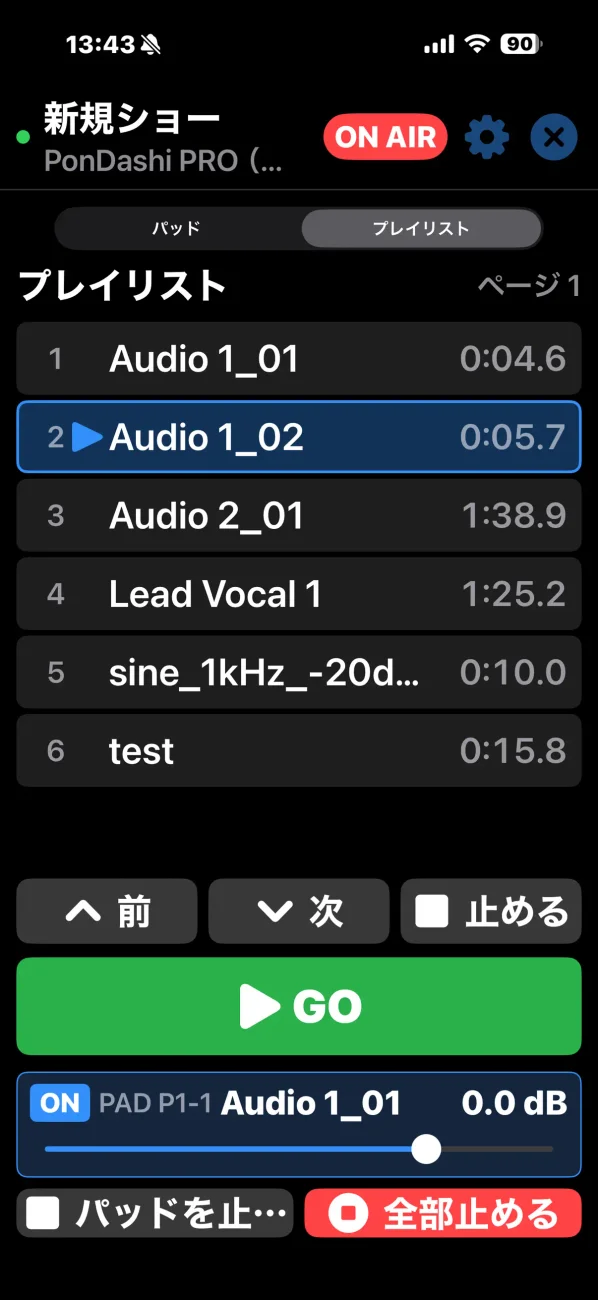
・プレイリストの選択と GO、止める
・全部止める
■ 手元で見える情報
・鳴っているパッドと曲、フェードアウト中かどうか
・残り時間と進み具合
・ショートカット、LOOP、MANUAL の鳴り方
■ 本番で使うための工夫
・指が触れた瞬間に送る(離したときではない)
・同じパッドを続けて押したときは 1 回にまとめる
・操作中は画面が消えない
■ お使いいただくには
・リモコン機能に対応した Mac 用アプリ「PonDashi Player Audio」または「PonDashi Player Audio PRO」が必要です。
・Mac と iPhone・iPad を同じネットワークにつないでください。
・Mac がなくても、「見本モード」で画面と操作を確かめられます。
■ プライバシー
このアプリは、利用者の情報を集めません。通信するのは、同じネットワークにあるご自身の Mac だけです。
Yenilikler
Sürüm 1.1.0 · 11.11.2026
1. Screen recording: attached. Recorded on iPhone 17 Pro Max (iOS 27.0.1), starting from app launch. It shows the new direct connection in 1.1.0: the Mac and the iPhone are not connected to any Wi-Fi network, the Mac appears in the list as "直接接続(ルーターなし)" (Direct connection, no router), and after entering the PIN, pads and GO play on the Mac. It also shows the typical flow: triggering pads, selecting a playlist item and GO, the cue fader, Stop All, and Demo mode. The app has no account registration, login, user-generated content, or paid content.
2. Purpose and audience: PonDashi Remote is a free remote control for "PonDashi Player Audio" and "PonDashi Player Audio PRO", our macOS apps for playing sound effects and music cues. It is for sound operators at live events, theaters, and broadcasts. The operator can trigger cues from an iPhone or iPad away from the Mac (for example, from the stage wing) and see on the device which cues are playing and how much time is left.
3. Setup: (a) On the Mac, open PonDashi Player Audio or PonDashi Player Audio PRO and turn on "Remote" in its "Remote..." window. (b) Open PonDashi Remote; the Mac appears in the list automatically (Bonjour), on the same local network or, new in 1.1.0, by direct connection when there is no router (both devices need Wi-Fi turned on, but do not need to join a network). Tap it and enter the 4-digit PIN shown on the Mac. The PIN is entered only once. No login or sample files are needed. Without a Mac, tap "見本モード(Demo)" at the bottom of the first screen to try every feature with sample data.
4. External services: none. The app communicates only with the user's own Mac, on the same local network or by direct peer-to-peer connection (Bonjour service _pondashi-p2p._tcp, Network framework with includePeerToPeer). It uses no servers, no authentication, payment, analytics, advertising, or AI services, and no third-party SDKs.
5. Regional differences: none. The app works the same in all regions where it is available.
6. Not applicable. The app is not in a regulated industry and contains no protected third-party material. It only displays information (cue titles, remaining time) from the user's own Mac.
Uygulama gizliliği
Bu uygulamanın verileri nasıl işlediği hakkında KENJI morimoto tarafından App Store üzerinde yapılan beyan.
-
Veri toplanmıyor
Geliştirici bu uygulamadan hiçbir veri toplamıyor.
Gizlilik uygulamaları, örneğin kullandığınız özelliklere veya yaşınıza göre değişiklik gösterebilir.
Bilgiler
- Satıcı
- KENJI morimoto
- Kategori
- Müzik
- Sürüm
- 1.1.0
- Güncellendi
- 11.11.2026
- Yayın tarihi
- 20.10.2026
- Boyut
- 887,0 KB
- Gereksinim
- iOS 17.0 veya sonrası
- Yaş sınırı
- 4+
- Diller
- Japonca
- Telif hakkı
- © 2026 KENJI morimoto