QRefine: QR Code Scanner
Binary Reader, Maker & Manager
iPhone, iPad için tasarlandı
Ücretsiz · Uygulama içi satın alma
- Yaş sınırı4+
- KategoriYardımcılar
- GeliştiriciT TECH, LIMITED LIABILITY CO.
- Dillerİngilizce+ 1 dil daha
- Boyut38,0 MB
Resmi App Store sayfasına bağlanır
Download.org, QRefine: QR Code Scanner için hiçbir dosya barındırmaz. Düğme, uygulamanın App Store üzerindeki sayfasını açar; uygulamayı orada T TECH, LIMITED LIABILITY CO. yayınlar. Sayfanın son kontrolü: 16.11.2026.
Ekran görüntüleri
Hakkında
Geliştirici bu metni dilinizde sunmamış.
QRefine is a QR code scanner, generator and manager built for people who need QR codes handled accurately, not just quickly.
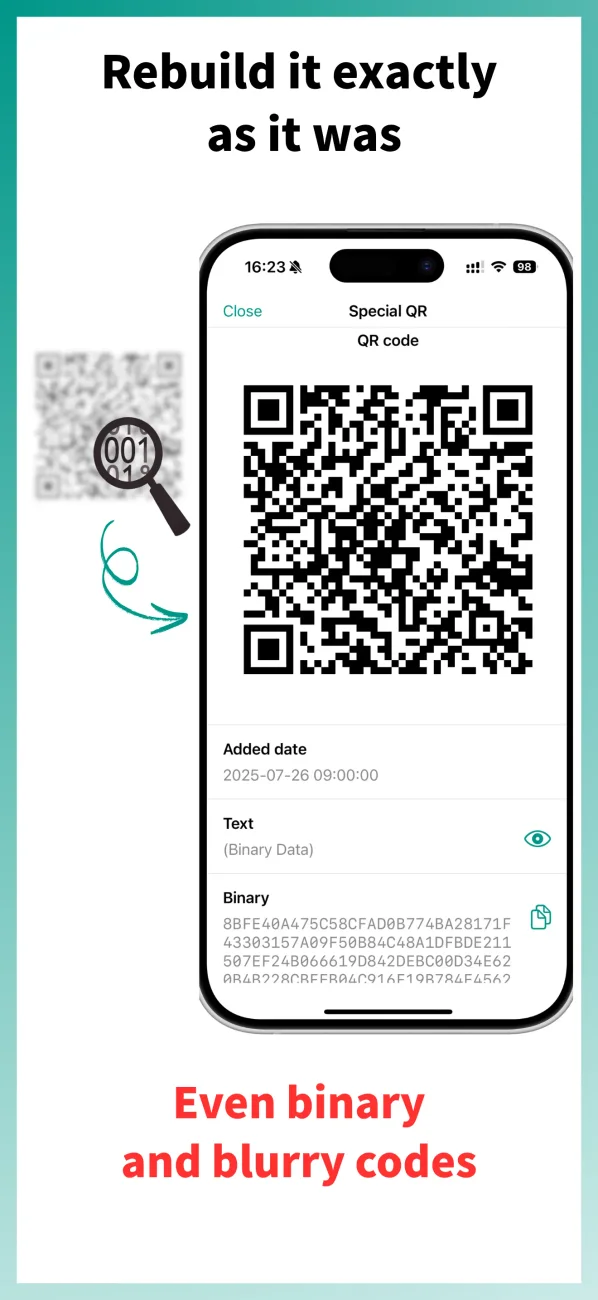
It reads and creates both text and binary QR codes, and it reproduces a scanned code faithfully instead of re-encoding it into something that merely looks similar.
WHY QRefine IS DIFFERENT
Most QR apps stop at "it scanned". QRefine also tells you how the code was built, and lets you rebuild it the same way.
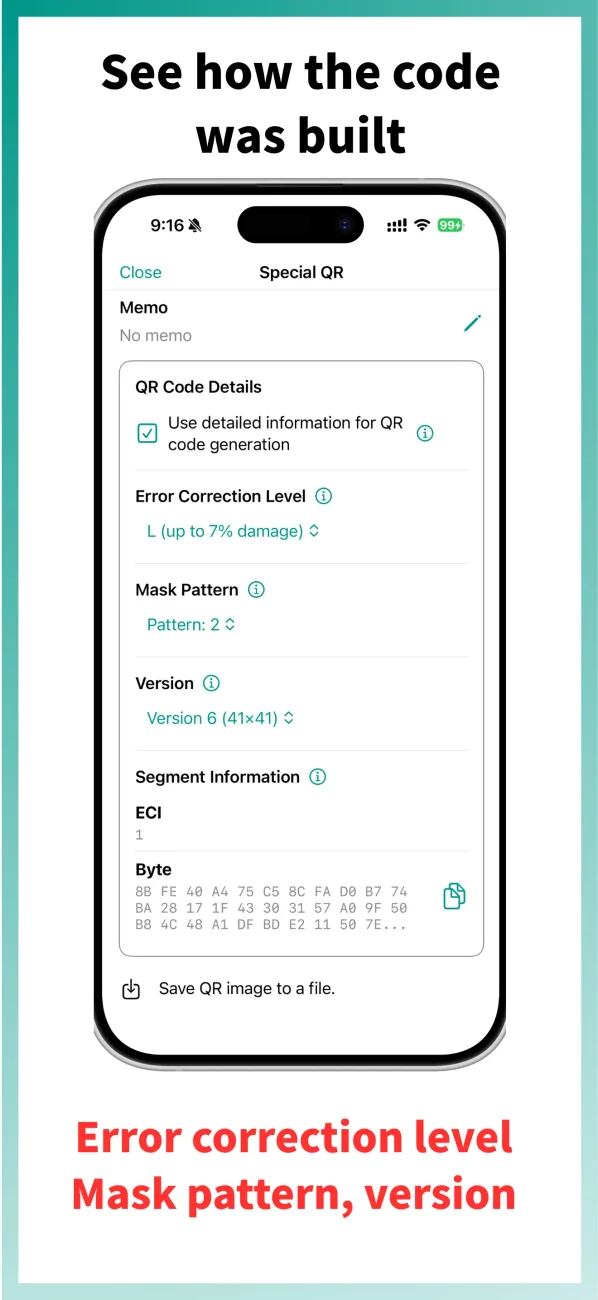
- Read the detailed parameters of a code: error correction level, mask pattern and QR version
- Generate a new code with those exact parameters, so the result matches the original pattern
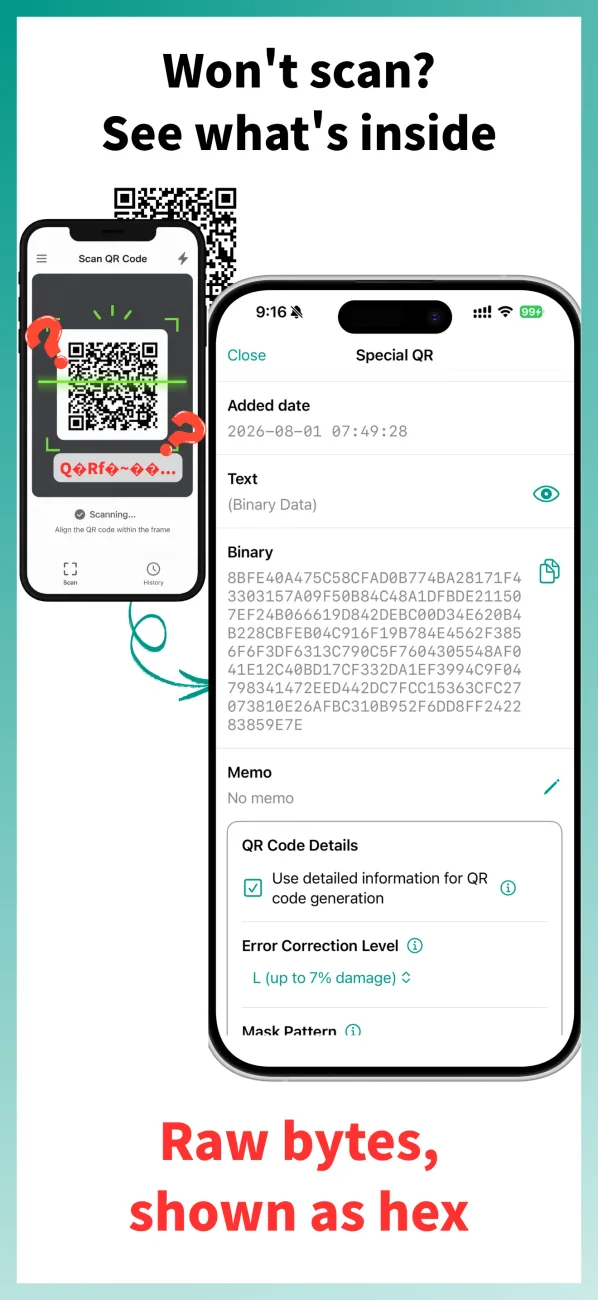
- Full binary support, shown and edited as hex, for game codes and enterprise data payloads
- Regenerate a blurry, low-resolution or photographed code into a clean, scannable image
If your camera recognizes a code but shows nothing, or another app turns it into garbled text, the code is not broken. QRefine gets the data out: the raw bytes are shown as hex, and the text can be read as the code specifies (ECI or Kanji mode) or in the encoding you choose (UTF-8 / Shift_JIS / ISO-8859-1).
SCAN AND CREATE
- Scan with the camera, or import an image from your photo library
- Detect a code embedded inside a screenshot or a saved picture
- Re-read scanned text in a different encoding, or as the code specifies
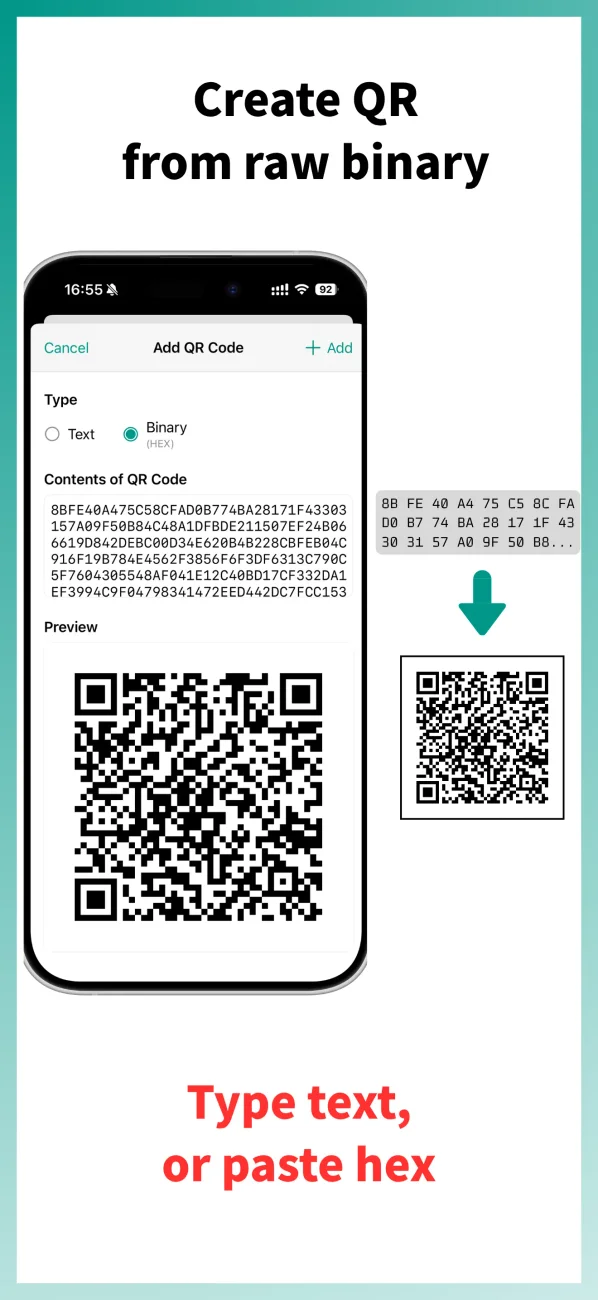
- Type text manually to create a QR code
- Enter binary data as hex to create a code no ordinary generator can produce
- Create a QR code from a file, with its content embedded as binary data (Pro, or free by watching an ad)
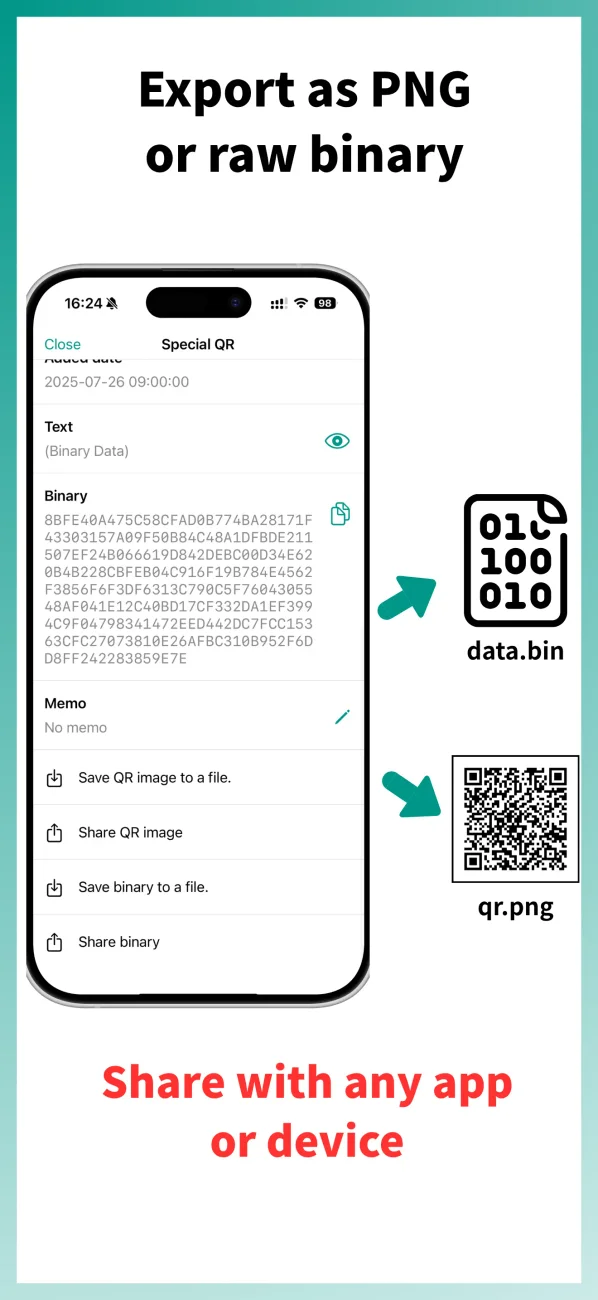
- Save the result as a PNG image, or export the raw binary as a file
- Share the image or the binary data with other apps and devices
ORGANIZE YOUR LIBRARY
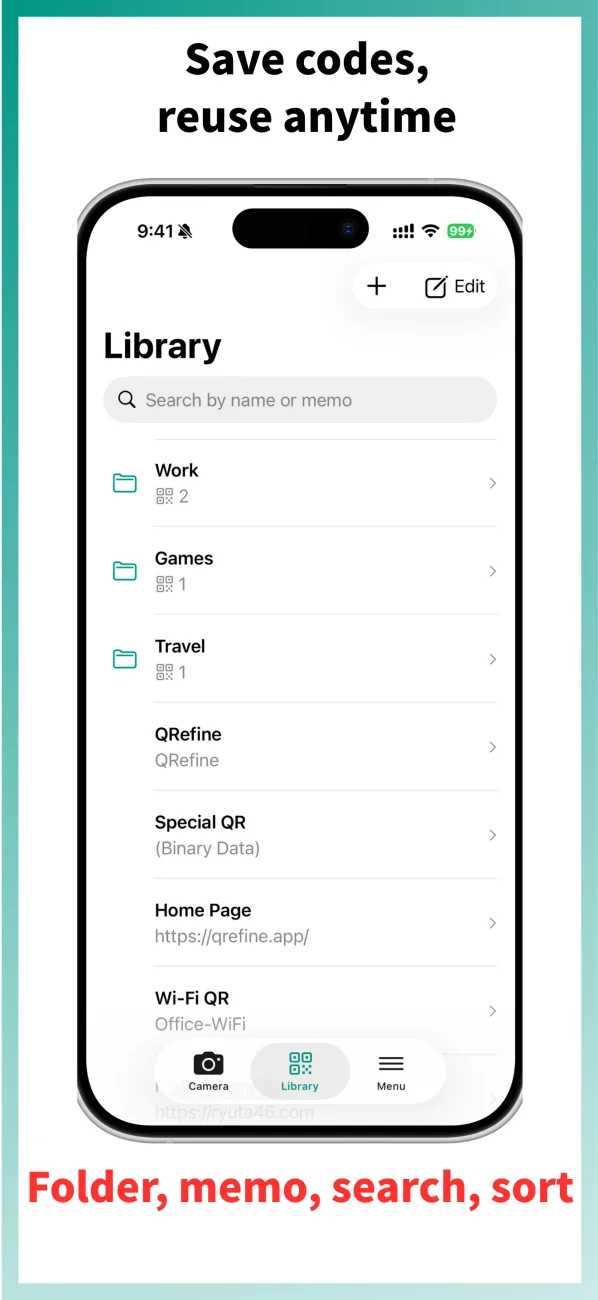
A scan history is fine until you have fifty codes in it. QRefine treats what you save as a library, not a log.
- Give every code a name so you can recognize it later
- Add a memo to record what it is for
- Organize your codes into folders (Pro)
- Search by name or memo
- Sort and reorder the list
- Delete what you no longer need
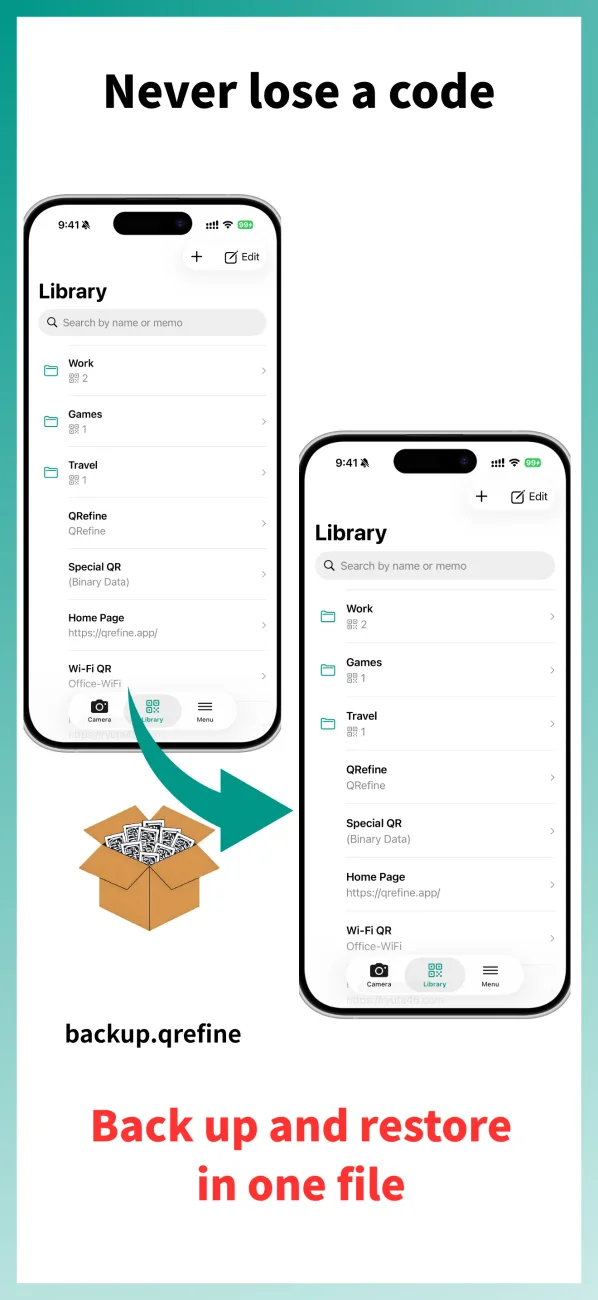
- Back up the whole library to a file and restore it on a new device
WHO IT IS FOR
- Developers and QA engineers who need to test specific payloads and parameters
- Business users who handle enterprise QR codes carrying binary data
- Anyone who receives game codes as images and needs a clean, scannable version
- Anyone who collects Wi-Fi, ticket, payment or contact codes and wants them in one searchable place
QREFINE PRO
QRefine remains free: everything the app could do before is still free. QRefine Pro is an optional plan for those who want more.
- No ads
- Use folders and file-based QR creation without watching ads
- Choose a monthly or yearly subscription, or a one-time lifetime purchase
ALSO INCLUDED
- Dark mode support
- A simple, uncluttered interface
- Works on iPhone and iPad
Scanning, creating, organizing and reusing QR codes, all in one app. If you have ever wished a QR app would tell you what is actually inside the code, this is that app.
Terms of Use: https://qrefine.app/terms/
QR Code is a registered trademark of DENSO WAVE INCORPORATED in Japan and in other countries.
Yenilikler
Sürüm 4.1.0 · 04.09.2026
What's new in this version
– You can now change how a QR code's text is displayed. On the details screen, read it as the QR code specifies (ECI or Kanji mode), or in an encoding you choose (UTF-8 / Shift_JIS / ISO-8859-1). The raw bytes are still shown as hex, and the original data is always kept.
Uygulama gizliliği
Bu uygulamanın verileri nasıl işlediği hakkında T TECH, LIMITED LIABILITY CO. tarafından App Store üzerinde yapılan beyan.
-
Sizi izlemek için kullanılan veriler
Başka şirketlere ait uygulamalarda ve web sitelerinde sizi izlemek için kullanılabilir.
- Tanımlayıcılar
-
Sizinle ilişkilendirilen veriler
Toplanabilir ve kimliğinizle ilişkilendirilebilir.
- Satın alımlar
- Konum
- İletişim bilgileri
- Kullanıcı içeriği
- Tanımlayıcılar
- Kullanım verileri
-
Sizinle ilişkilendirilmeyen veriler
Toplanabilir ancak kimliğinizle ilişkilendirilmez.
- Tanılama
Gizlilik uygulamaları, örneğin kullandığınız özelliklere veya yaşınıza göre değişiklik gösterebilir.
Bilgiler
- Satıcı
- T TECH, LIMITED LIABILITY CO.
- Kategori
- Yardımcılar
- Sürüm
- 4.1.0
- Güncellendi
- 04.09.2026
- Yayın tarihi
- 03.03.2017
- Boyut
- 38,0 MB
- Gereksinim
- iOS 16.0 veya sonrası
- Yaş sınırı
- 4+
- Fiyat
- Ücretsiz
- Uygulama içi satın alma
- Evet
- Diller
- İngilizce, Japonca
- Telif hakkı
- © 2024 Ttech LLC