Ray Recite
English paper assignments
iPhone, iPad için tasarlandı
Ücretsiz
- Yaş sınırı4+
- KategoriEğitim
- GeliştiriciSpectrum Tech Consulting Co. Ltd.
- DillerBasitleştirilmiş Çince
- Boyut11,4 MB
Resmi App Store sayfasına bağlanır
Download.org, Ray Recite için hiçbir dosya barındırmaz. Düğme, uygulamanın App Store üzerindeki sayfasını açar; uygulamayı orada Spectrum Tech Consulting Co. Ltd. yayınlar. Sayfanın son kontrolü: 20.11.2026.
Ekran görüntüleri


Hakkında
Geliştirici bu metni dilinizde sunmamış.
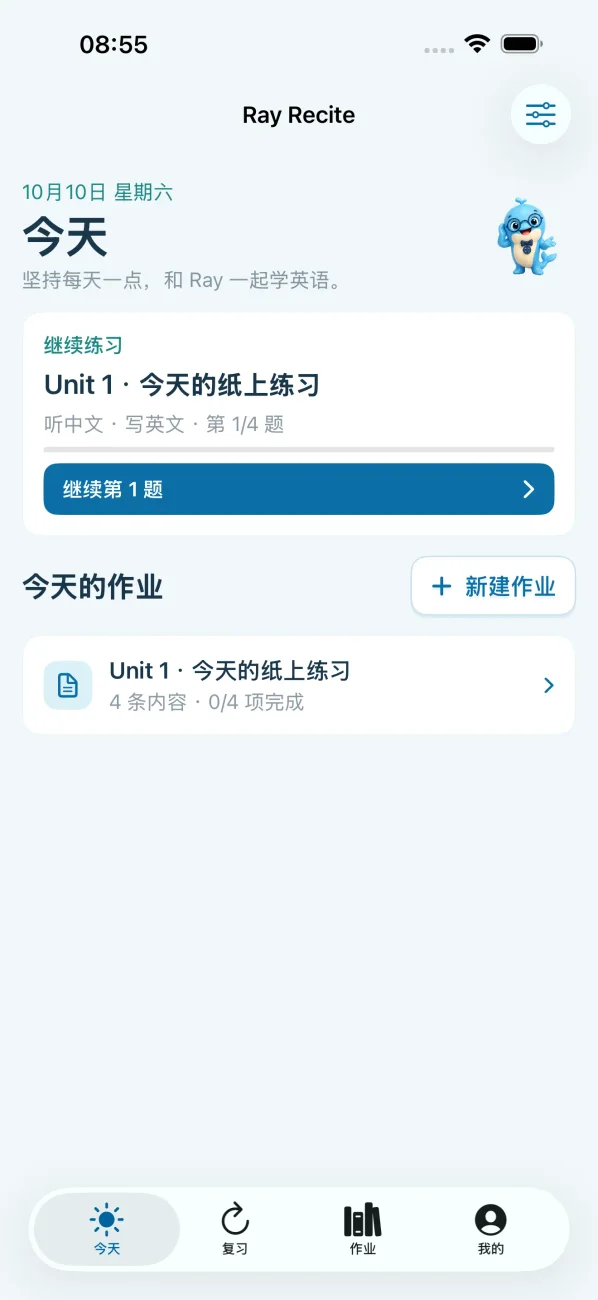
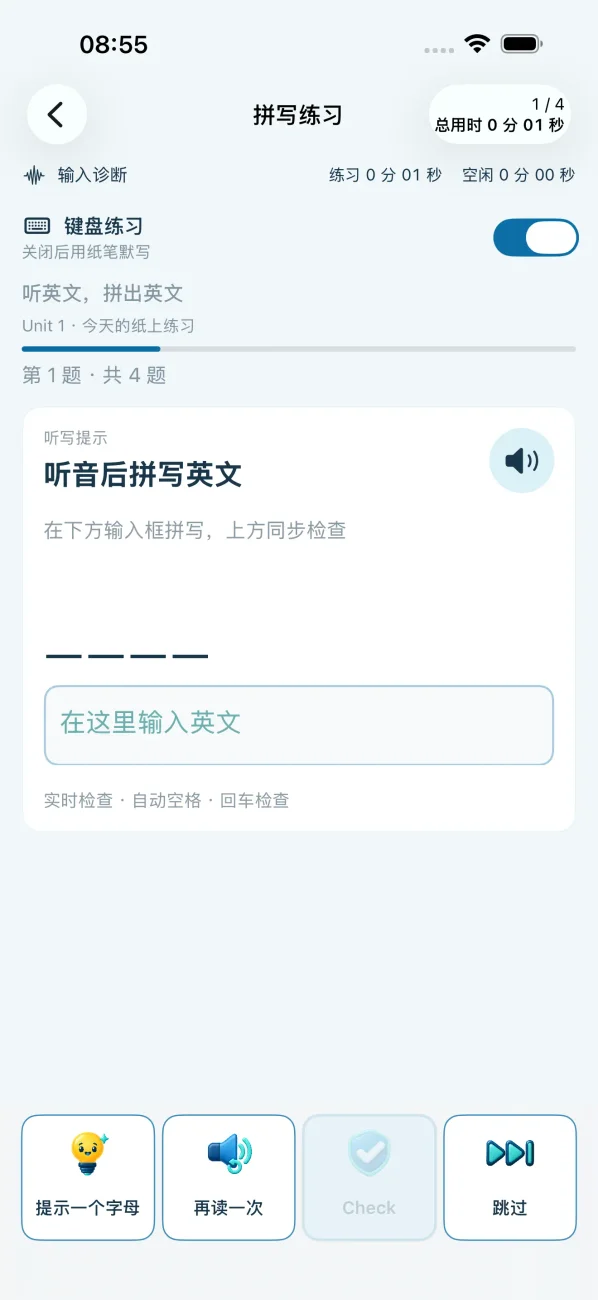
Ray Recite helps families work through English assignments from the teacher. Import photos or a PDF, review the proposed English, Chinese and phonetics, and confirm the material before creating several paper tasks. Children can preview words with bilingual audio, practise spelling on the keyboard, write answers on paper, and revisit mistakes and due material.
Select material across assignments for review, sample a smaller set, or practise prepositions in context. Archived tasks retain results and progress. Keyboard practice shows total, active and idle time; red Chinese-to-English answers are shown and read before the next question. Follow an ordered sequence of preview, English-cued spelling, Chinese-cued spelling and grouped recitation or paper dictation. Groups contain up to 20 items, with an adjustable pace and a Next button when you finish early. After submitting photos, continue studying and check the grading suggestions later. Confirmed mistakes can be practised in a separate retry round.
When you choose photo recognition, speech generation or paper grading, the app sends the needed material to the AI service and model you configure. You supply your own API key and can see the destination domain before using a cloud feature. A parent reviews uncertain readings and has the final say on corrections. Manual entry and local practice remain available without an AI key.
Assignments, source photos, audio and progress stay on the device by default. You can share confirmed learning material and prepared MP3s directly with another device on a local network. Optional private cloud backup is currently available to invited users and requires a separate, explicit upload; photo backup is optional. The app has no ads or in-app subscription. Your selected AI provider may charge separately.
This is a new assignment-focused experience. A database from the older 1.4 vocabulary app remains untouched; if present, saved words can be viewed read-only under My → Legacy vocabulary. Old practice history is not converted into paper assignments.
Yenilikler
Sürüm 2.1.6 · 10.10.2026
Practise recitation and paper dictation in groups, adjust the pace, and move to the next item when you finish early.
Continue studying after submitting photos for grading, then review the results and retry confirmed mistakes separately.
Edit assignment titles in place and save when leaving the field. Chinese placeholder pronunciation is clearer.
Review vocabulary, multiple-choice questions and inline blanks with improved spelling feedback, saved progress and device-to-device sharing.
Uygulama gizliliği
Bu uygulamanın verileri nasıl işlediği hakkında Spectrum Tech Consulting Co. Ltd. tarafından App Store üzerinde yapılan beyan.
-
Veri toplanmıyor
Geliştirici bu uygulamadan hiçbir veri toplamıyor.
Gizlilik uygulamaları, örneğin kullandığınız özelliklere veya yaşınıza göre değişiklik gösterebilir.
Bilgiler
- Satıcı
- Spectrum Tech Consulting Company Limited
- Kategori
- Eğitim
- Sürüm
- 2.1.6
- Güncellendi
- 10.10.2026
- Yayın tarihi
- 07.05.2026
- Boyut
- 11,4 MB
- Gereksinim
- iOS 17.0 veya sonrası
- Yaş sınırı
- 4+
- Fiyat
- Ücretsiz
- Diller
- Basitleştirilmiş Çince
- Telif hakkı
- © 2026 Ray The Whale, Spectrum Tech Co.
Bunları da beğenebilirsiniz
-
 PicToCards: Kelime EzberlemeFotoğraf çek, İngilizce öğren
-
 LingJi ThaiEğitim
-
 LingoCrush: Snap, Save & LearnEğitim
-
 How to Say - Translate & LearnEğitim
-
 Okuma IQ: kitap çevirisiİngilizce ve Almanca romanlar
-
 BetterUsEğitim
-
 DreamDictation - Dikte PratikTTS Dikte ve OCR Değerlendirme
-
 Wakatta: Japanese PodcastsEğitim
-
 SnapSpell 背单词Eğitim