Rebrilo
One purchase, all your devices
iPhone, iPad, Mac için tasarlandı
Ücretsiz · Uygulama içi satın alma
- Yaş sınırı4+
- KategoriFotoğraf ve Video
- GeliştiriciOLGA COUFALIKOVA
- Dillerİngilizce
- Boyut304,6 MB
Resmi App Store sayfasına bağlanır
Download.org, Rebrilo için hiçbir dosya barındırmaz. Düğme, uygulamanın App Store üzerindeki sayfasını açar; uygulamayı orada OLGA COUFALIKOVA yayınlar. Sayfanın son kontrolü: 20.11.2026.
Ekran görüntüleri
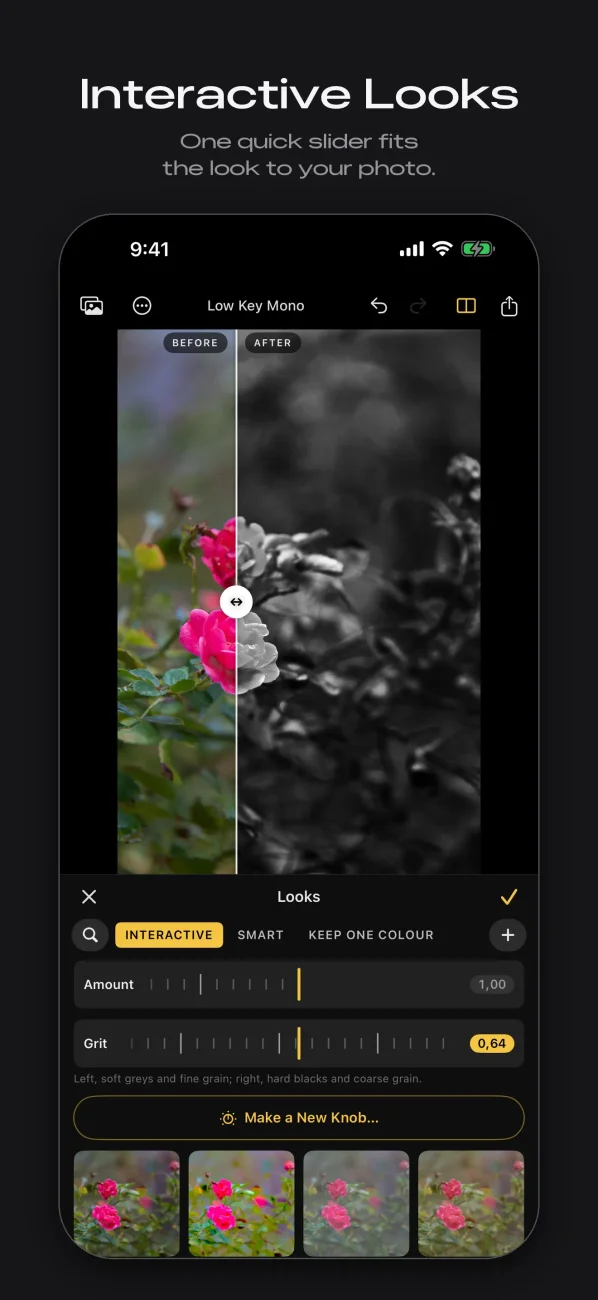


Hakkında
Geliştirici bu metni dilinizde sunmamış.
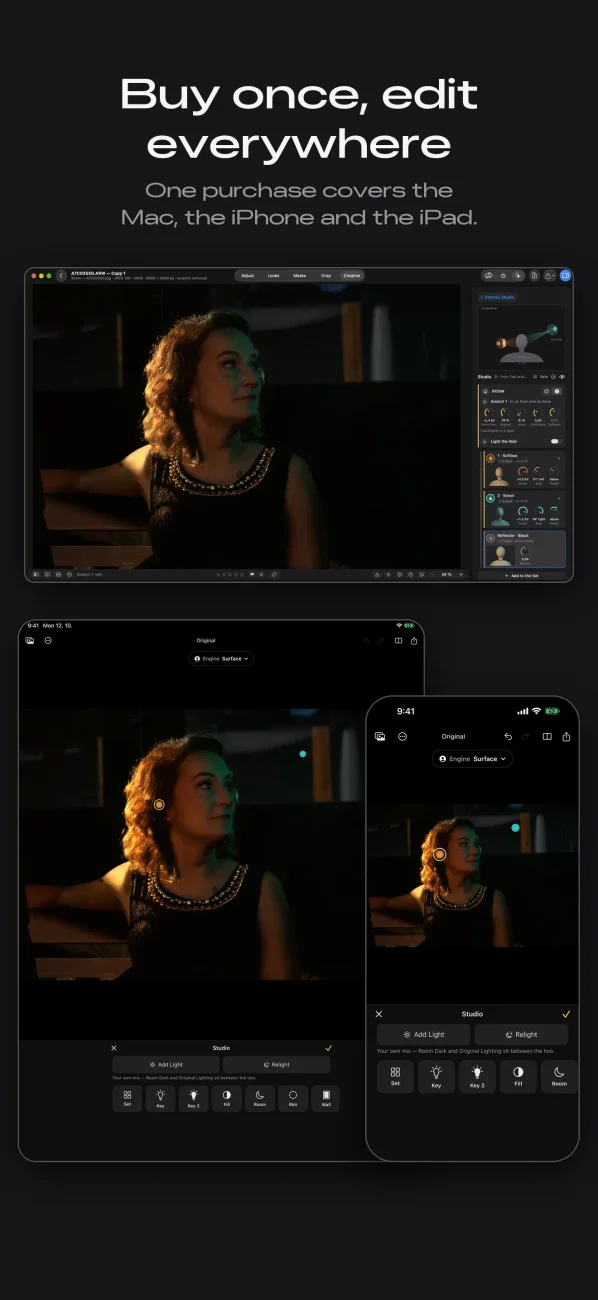
One purchase covers the Mac, the iPhone and the iPad: Rebrilo on the iPhone and the iPad is the same engine as Rebrilo on the Mac.
The photograph on the screen and five tabs under it — Looks, Crop, Creative, Adjust and Masks. Open a photograph and the looks are there; every slider tool turns on a dial under your thumb, with a tick to keep what it did and a cross to put the photograph back.
DEVELOP
Exposure, Highlights, Shadows, Whites, Black Point, Contrast, Brilliance and Dehaze. White Balance on RAW, centred on what the camera recorded. Colour, curves per channel, levels, colour grading, Selective Color, Texture and Clarity, noise reduction, sharpening, lens correction, vignette and grain. A profile decides what the colours start from.
MASKS
Subject, People and Sky (experimental), found on the device itself, plus radial, linear, brush, luminance range and colour range. Each mask carries its own adjustments and its own light.
INTERACTIVE LOOKS
Shelves of looks drawn on your own photograph, each with an Amount and, on almost every one, a slider of its own that takes it from subtle to extreme: cinematic, film colour, night, black and white, vintage, Deep Black. Make a Knob gives any look a slider of your own. Search by name or mood, and save your own.
CROP AND RETOUCH
Aspect shapes, straighten, horizontal and vertical keystone, and a Level button. Heal and clone: tap a blemish and Rebrilo finds a patch that matches.
PORTRAIT STUDIO
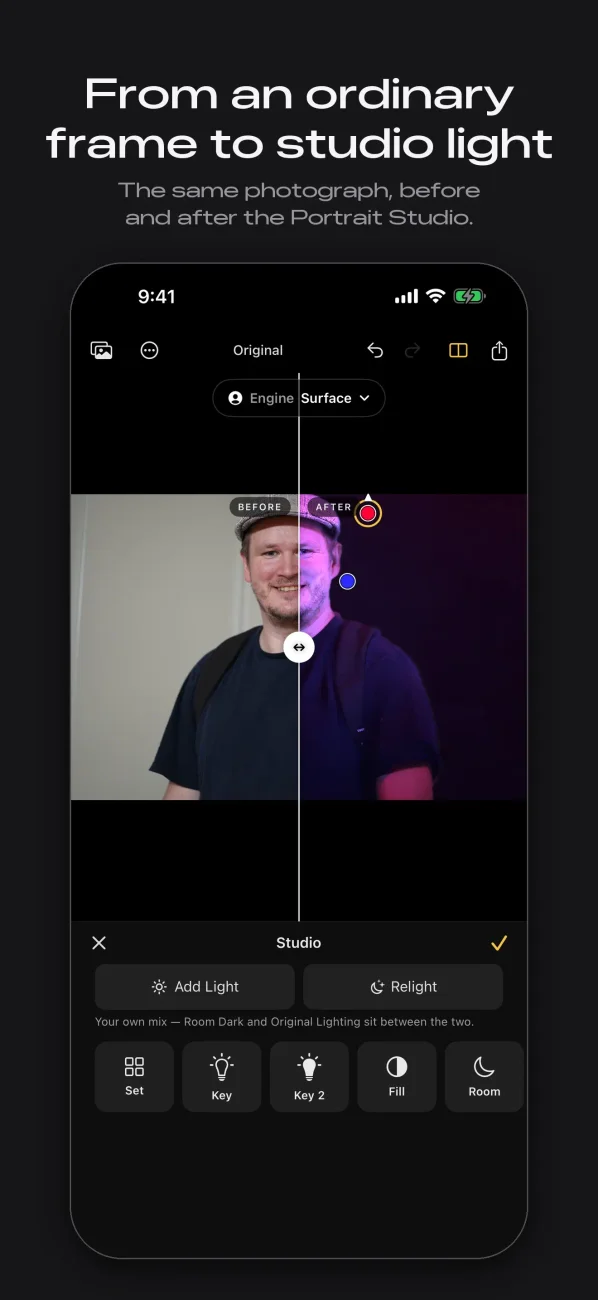
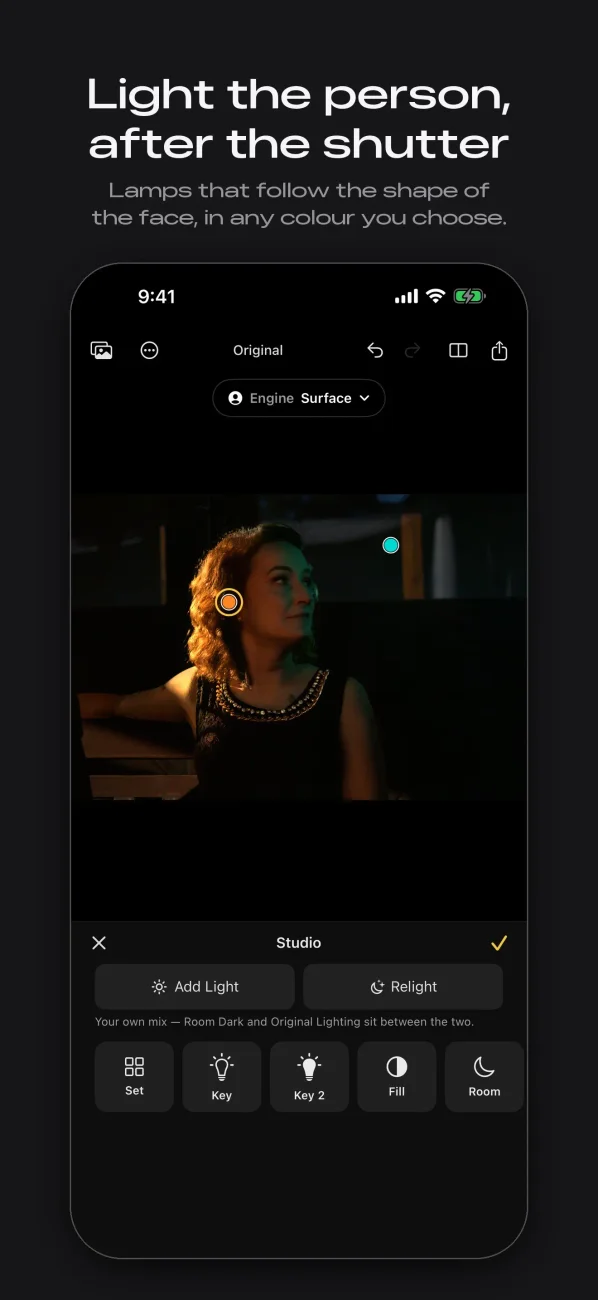
Light a person after the shutter. Drag a light across the photograph with your finger, put a different colour on each side of the face, and choose Add Light or Relight. The fill, the room, the rim, the wall and the backdrop each have a section of their own.
AND ONE ROOM THAT IS NOT SENSIBLE
An effect rack you build like a pedalboard: colour EQ, drive, echo, bloom and more, every pedal drawn and every knob under your thumb. Light you paint on: a torch, a window, the sun or a shadow, in a room you darken first. Multiple exposure.
BEFORE AND AFTER
Drag a line across the photograph, or hold a finger on it to see the original. Every step can be undone.
ON AN IPAD
The same tools, with room to spare. Turn the iPad on its side and the tools stand beside the photograph.
YOUR PHOTOGRAPHS STAY YOURS
There is no Rebrilo account to make, and Rebrilo does not upload your photographs. Open a photograph from your library, RAW included, and share the finished picture: to Photos, to Files or to another app. The last ten photographs you worked on are one tap away.
THE TRIAL
Try the complete app free for 14 days.
After 14 days, saving and sharing need the one-time purchase or a subscription, and the photograph on screen carries a Rebrilo watermark. Editing keeps working.
The one-time purchase: every update for at least two years, on the Mac, the iPhone and the iPad.
Requires iOS 26 or iPadOS 26.
Terms of Use: https://rebrilo.com/terms.html
Privacy Policy: https://rebrilo.com/privacy.html
Yenilikler
Sürüm 2.1 · 22.10.2026
Rebrilo 2.1
• Palette Studio: put your photo's own colours on a wheel and move them into a palette — or paint them, or set each one by hand.
• Palette Looks: one tap moves the photo's colours into two or three shades.
• Looks feel better: Amount and the look's knob stay at the top while you browse, dragging them is smooth, and every look's knob now turns.
• Crop guides: thirds, grid, golden ratio, golden spiral, diagonal and triangle, in a colour and weight you choose.
• New look: Dark Woods. An Instagram export preset at 1080 × 1440.
• Studio haze falls in patterns and shows each lamp's beam.
• Fixes and smoother editing.
Uygulama gizliliği
Bu uygulamanın verileri nasıl işlediği hakkında OLGA COUFALIKOVA tarafından App Store üzerinde yapılan beyan.
-
Veri toplanmıyor
Geliştirici bu uygulamadan hiçbir veri toplamıyor.
Gizlilik uygulamaları, örneğin kullandığınız özelliklere veya yaşınıza göre değişiklik gösterebilir.
Bilgiler
- Satıcı
- OLGA COUFALIKOVA
- Kategori
- Fotoğraf ve Video
- Sürüm
- 2.1
- Güncellendi
- 22.10.2026
- Yayın tarihi
- 24.09.2026
- Boyut
- 304,6 MB
- Gereksinim
- iOS 26.0 veya sonrası
- Yaş sınırı
- 4+
- Fiyat
- Ücretsiz
- Uygulama içi satın alma
- Evet
- Diller
- İngilizce
- Telif hakkı
- © 2026 Olga Coufalíková
Bunları da beğenebilirsiniz
-
 Photographer's Pocket KnifeFotoğraf ve Video
-
 Speed Contact SheetFotoğraf ve Video
-
 Inherent: RAW Photo EditorFotoğraf ve Video
-
 Maple: Raw Photo EditorFotoğraf ve Video
-
 Saffron: AI Fotoğraf IşığıAltın Saat, Gerçekçi Işık
-
 Blenda: RAW Photo EditorFotoğraf ve Video
-
 ProVisual: AI Video & FotoğrafYüz Değiştirme ve Trend Video
-
 CinemaCameraFotoğraf ve Video
-
 Photo Triager: RAW CullingFotoğraf ve Video
-
 StudioLights: Photo 3D RelightFotoğraf ve Video