ReMac
Your machine, in your pocket
iPhone, iPad için tasarlandı
Ücretsiz · Uygulama içi satın alma
- Yaş sınırı4+
- KategoriYardımcılar
- Geliştiricirudy saad
- Dillerİngilizce
- Boyut12,8 MB
Resmi App Store sayfasına bağlanır
Download.org, ReMac için hiçbir dosya barındırmaz. Düğme, uygulamanın App Store üzerindeki sayfasını açar; uygulamayı orada rudy saad yayınlar. Sayfanın son kontrolü: 21.11.2026.
Ekran görüntüleri


Hakkında
Geliştirici bu metni dilinizde sunmamış.
ReMac turns your iPhone or iPad into a remote control for your Mac. View your Mac's screen, move the pointer, type, browse files, and use Terminal.
CONTROL YOUR MAC
- Screen mirroring: view your Mac's screen on your iPhone or iPad.
- Trackpad and keyboard: move the pointer, click, scroll, and type.
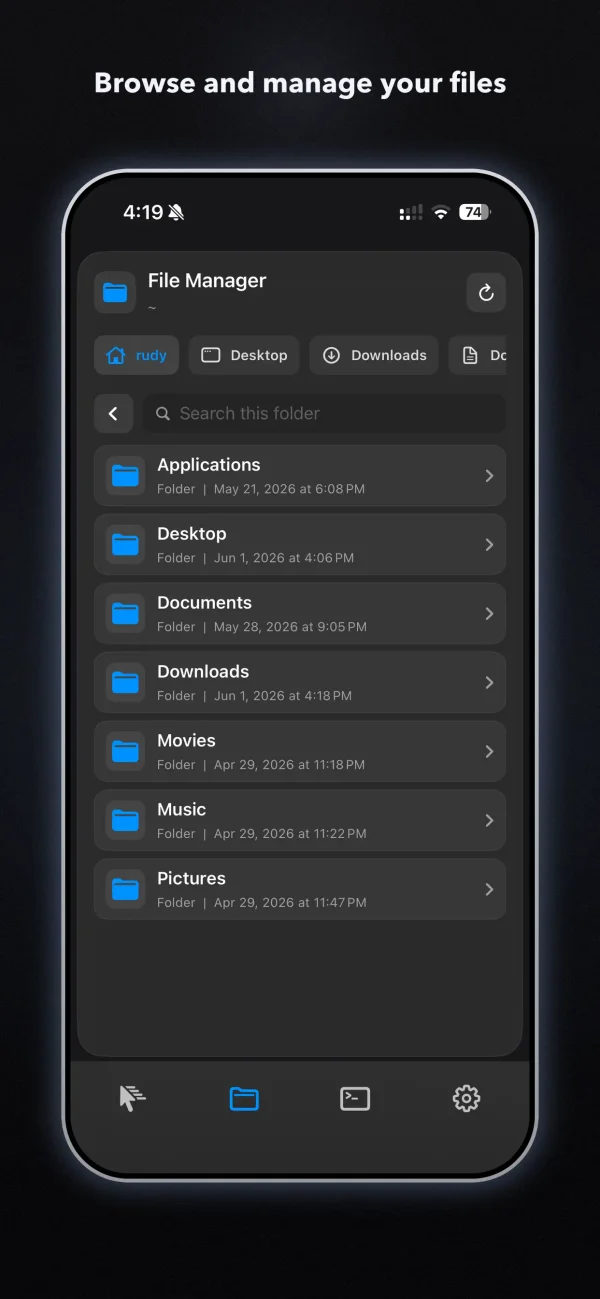
- Files: browse and manage files on your Mac.
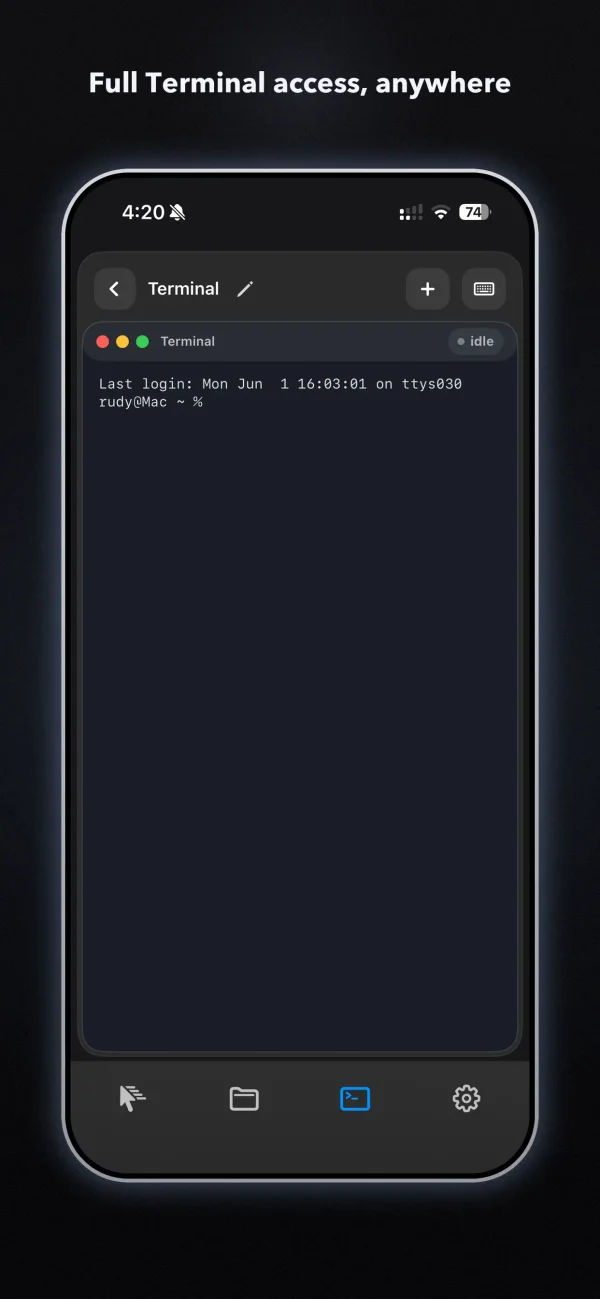
- Terminal: open a Terminal session and send commands to your Mac.
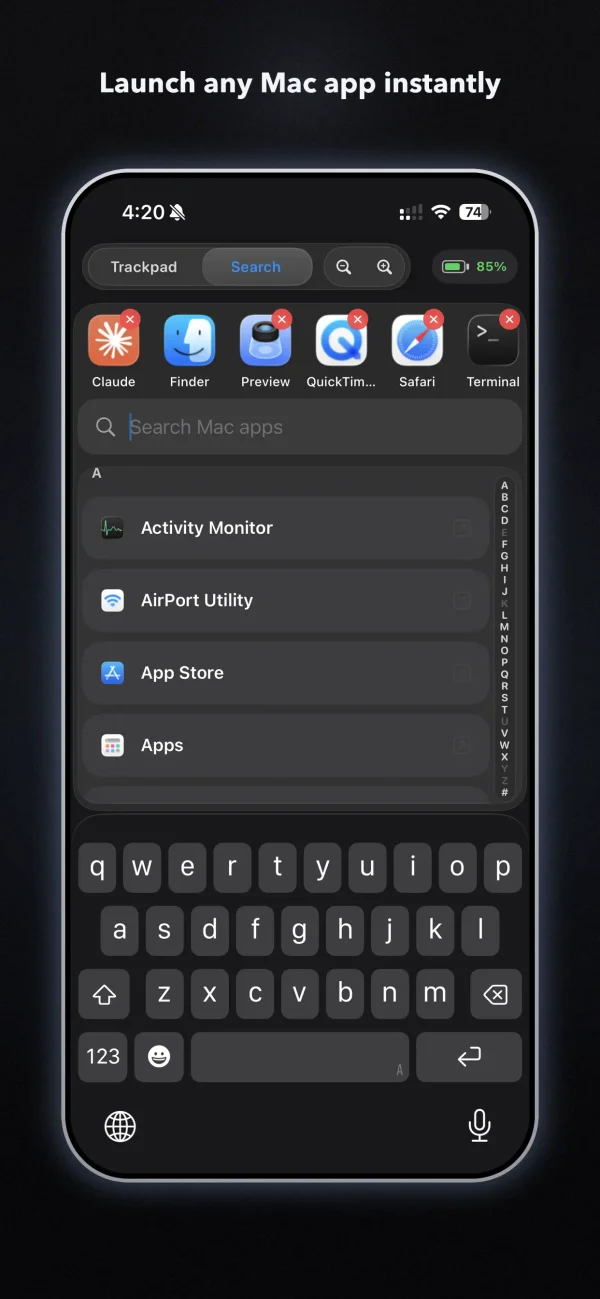
- Apps: launch Mac apps from ReMac.
- iPad: use layouts designed for a larger screen.
FREE LOCAL CONTROL
On the same local network, ReMac includes screen control, keyboard input, file access, one Terminal session at a time, and your Mac's primary display without a subscription. Sign in with Apple and pair your devices before first use.
REMAC CLOUD
An optional ReMac Cloud subscription adds remote access over the internet, unlimited Terminal sessions, and access to every connected Mac display. Unlimited Terminal sessions and additional displays are also available to subscribers during local use.
GETTING STARTED
1. Install the compatible ReMac companion app on your Mac from https://remac.tech.
2. Open ReMac on both devices and sign in with the same Apple account.
3. Grant the requested Mac permissions and allow Local Network and Camera access on your iPhone or iPad when prompted.
4. Keep both devices on the same local network for first-time pairing, then scan the QR code shown in ReMac Setup on your Mac.
ReMac 1.1.0 requires the matching Mac companion 1.1.0 or later. Update both apps together while you have local access to your Mac: update the iPhone/iPad first, then the Mac. Older and newer versions are not a supported mixed-version pair.
Keep your Mac awake and ReMac running while you connect. Remote access requires an internet connection on both devices and a ReMac Cloud subscription.
SUBSCRIPTION
ReMac Cloud is available as a monthly or yearly auto-renewing subscription. Prices and any eligible introductory offer are shown in the app before purchase and may vary by region.
- Payment is charged to your Apple account at confirmation of purchase.
- Your subscription renews automatically unless auto-renew is turned off at least 24 hours before the end of the current period.
- Your account is charged for renewal within 24 hours before the current period ends.
- Manage or cancel your subscription in your Apple subscription settings.
- Deleting your ReMac account does not cancel your Apple subscription.
Privacy Policy: https://remac.tech/privacy
Terms of Use: https://www.apple.com/legal/internet-services/itunes/dev/stdeula/
Yenilikler
Sürüm 1.1.0 · 18.11.2026
ReMac now supports iPad, with layouts designed for larger screens.
This update improves connection reliability, display switching, pointer control, and keyboard, screen-mirroring, and file-browser layouts.
Free local use includes one Terminal session and your Mac's primary display. ReMac Cloud adds remote access over the internet, unlimited Terminal sessions, and access to every connected Mac display.
Please update both apps together while you have local access to your Mac: update ReMac on iPhone/iPad first, then install Mac companion 1.1.0 or later from remac.tech. Older and newer app versions are not a supported mixed-version pair.
Uygulama gizliliği
Bu uygulamanın verileri nasıl işlediği hakkında rudy saad tarafından App Store üzerinde yapılan beyan.
-
Sizinle ilişkilendirilen veriler
Toplanabilir ve kimliğinizle ilişkilendirilebilir.
- Satın alımlar
- İletişim bilgileri
- Tanımlayıcılar
- Kullanım verileri
Gizlilik uygulamaları, örneğin kullandığınız özelliklere veya yaşınıza göre değişiklik gösterebilir.
Bilgiler
- Satıcı
- rudy saad
- Kategori
- Yardımcılar
- Sürüm
- 1.1.0
- Güncellendi
- 18.11.2026
- Yayın tarihi
- 08.06.2026
- Boyut
- 12,8 MB
- Gereksinim
- iOS 17.0 veya sonrası
- Yaş sınırı
- 4+
- Fiyat
- Ücretsiz
- Uygulama içi satın alma
- Evet
- Diller
- İngilizce
- Telif hakkı
- © 2026 Rudy Saad
Bunları da beğenebilirsiniz
-
 PIPin - Pin any Mac windowYardımcılar
-
 Lo DeckYardımcılar
-
 iDock - App LauncherYardımcılar
-
 ScreenCast+Yardımcılar
-
 6th Sense SecurityYardımcılar
-
 Blip StatsYardımcılar
-
 TracePort: Remote DesktopYardımcılar
-
 Toolbox: Günlük Araçlar35+ Pratik Günlük Araç
-
 TouchLink: Trackpad & KeyboardYardımcılar
-
 CloudDeck - Remote ClientYardımcılar