ReQuizNote: Worksheet Eraser
Erase answers, print, retry
iPhone, iPad, iPod touch için tasarlandı
Ücretsiz · Uygulama içi satın alma
- Yaş sınırı4+
- KategoriEğitim
- GeliştiriciKorea Analytics Technology
- Dillerİngilizce+ 1 dil daha
- Boyut62,3 MB
Resmi App Store sayfasına bağlanır
Download.org, ReQuizNote: Worksheet Eraser için hiçbir dosya barındırmaz. Düğme, uygulamanın App Store üzerindeki sayfasını açar; uygulamayı orada Korea Analytics Technology yayınlar. Sayfanın son kontrolü: 23.11.2026.
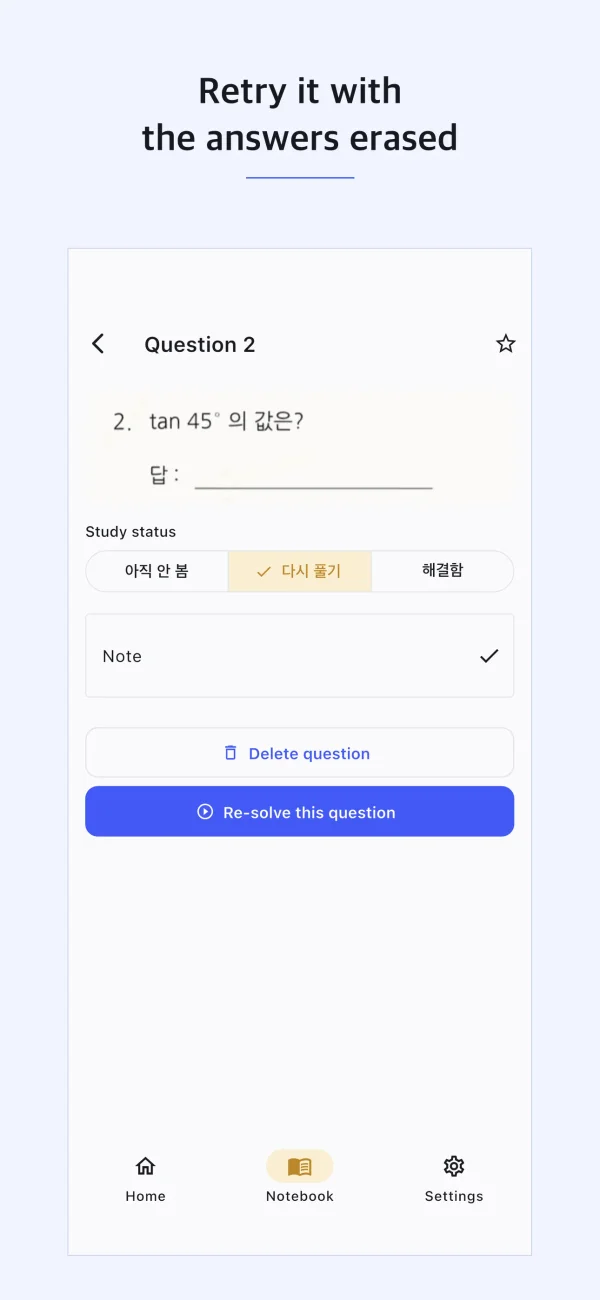
Ekran görüntüleri


Hakkında
Geliştirici bu metni dilinizde sunmamış.
First 14 days: every feature free · No payment info needed
ReQuizNote turns marked tests and used workbooks back into clean paper. Scan, erase, print — and solve it again. Every page you erase is kept in "My sheets", so you can print it again any time.
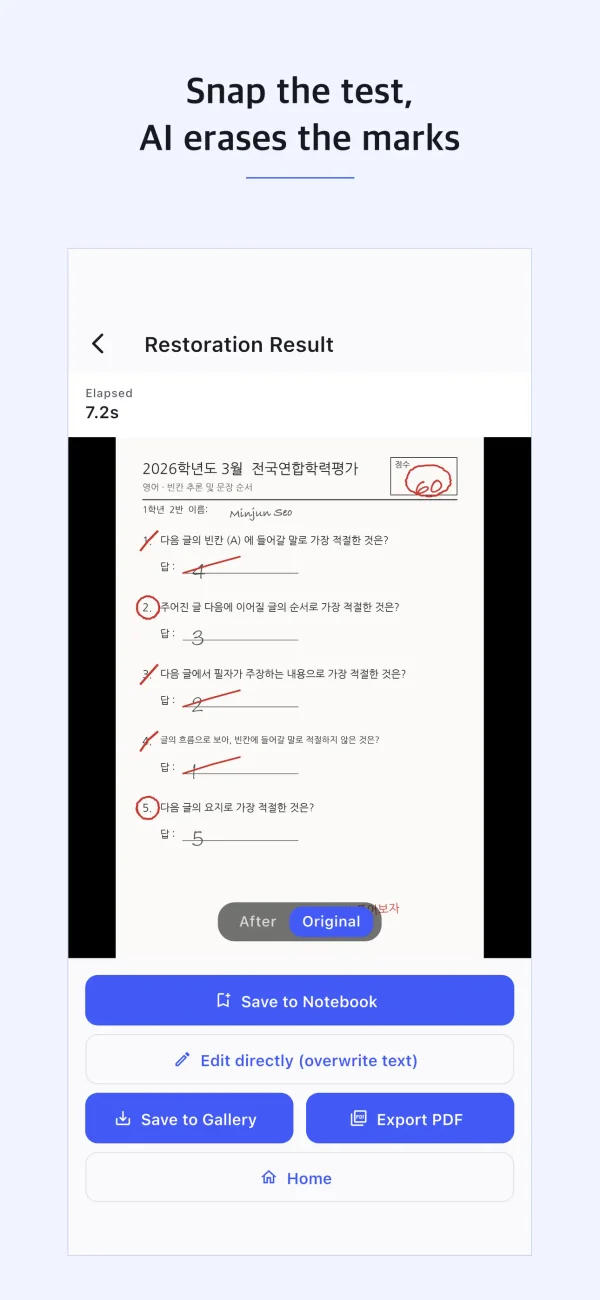
Practicing again needs paper without the answers and without the marking. But the test you got back, and the workbook you already finished, are covered in handwriting, red circles and slashes. Instead of copying questions out by hand or covering them with correction tape, ReQuizNote does it from one scan.
It works for students studying on their own, parents helping with homework, and teachers reusing class handouts.
■ How it works
1. Tap "Scan" and capture a test, workbook or worksheet. Scan several pages in a row, or pick photos from your library.
2. AI removes the handwriting and grading marks and leaves just the questions. It usually takes 20–30 seconds.
3. Print right away or save as a PDF. Multiple pages become one PDF.
4. Erased pages are saved to "My sheets" automatically. Next time, print again without erasing again.
■ When to use it
- Retry a midterm or final exam paper
- Reuse a finished workbook or worksheet as fresh paper
- Practice past papers and mock tests more than once
- Keep class handouts as tidy PDFs
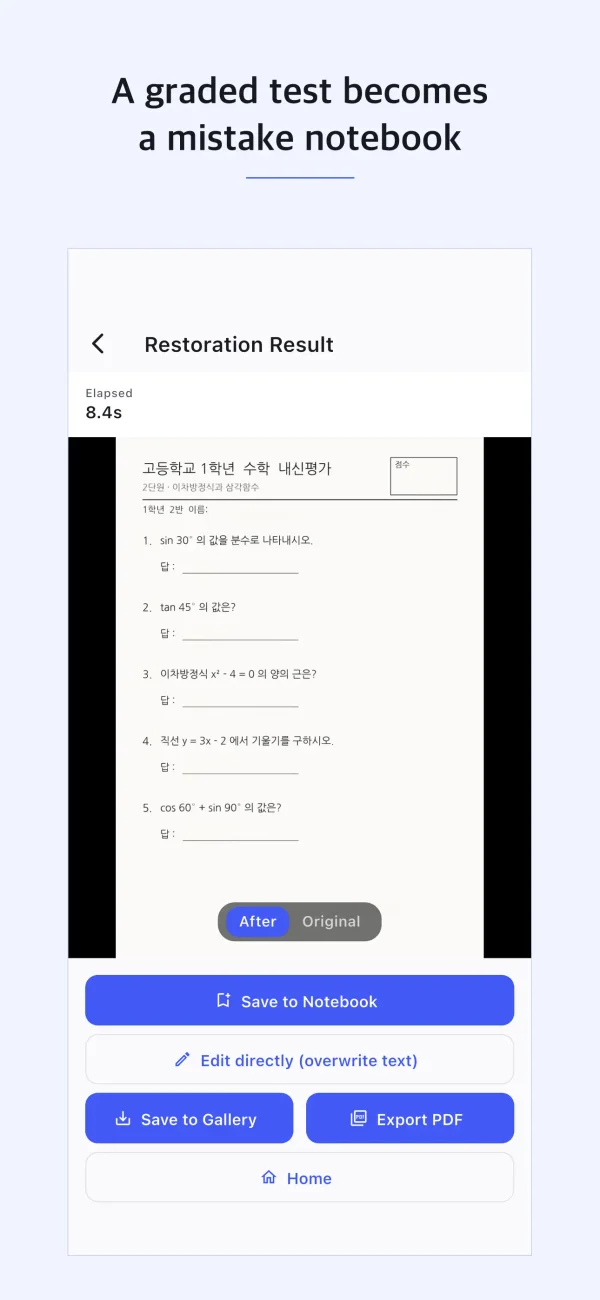
- Collect the questions you got wrong into a mistake notebook
■ What's inside
- Document scanning — multiple pages in a row, automatic edge correction
- AI answer eraser — handwriting and grading marks removed
- Printing — straight from your phone (AirPrint / Android printing), A4 or Letter picked automatically
- Clean black and white — faint leftover marks turn white, text stays sharp
- Save as PDF, save to Photos
- My sheets — keep erased pages and print them again any time
- Mistake notebook — crop just the questions you missed, sort them by subject and tag, and see mastered ones again after 30 days
- ZIP backup and restore for the mistake notebook
- 11 languages including English, Korean, Japanese, Chinese and Spanish
No printer? Save a PDF and print it at school, a library or a print shop.
■ Pricing
- Your first 10 AI erasures are free. Printing, reprinting, saving and reviewing are never limited.
- Premium (monthly or yearly) gives you 40 AI erasures every month, Pro gives you 100. They reset monthly and do not roll over.
- No ads.
- Subscriptions renew automatically and can be cancelled any time in your store settings.
■ Privacy
- Your photos, My sheets and your mistake notebook are stored on your device.
- Only photos you choose to erase are sent to our restoration server and Google Gemini for AI processing, and they are not kept on the server afterwards.
- If a page shows a name or school, crop that part out before erasing.
- No advertising ID is collected.
- Signing in is optional. Sign in to use your subscription on another device.
AI erasing is not perfect. Depending on the print and the handwriting, some faint traces may remain — please check the result before printing.
Terms of Use: https://koat.co.kr/terms/term_requiz.html
Privacy Policy: https://koat.co.kr/terms/privacy_policy.html#requiz
Terms of Use (EULA): https://koat.co.kr/terms/terms_of_service.html
Privacy Policy: https://koat.co.kr/terms/privacy_policy.html
Yenilikler
Sürüm 1.6.3 · 22.11.2026
Scan several pages at once and restore them together. Before starting, you'll see how many pages will be processed and how many restores you have left.
Uygulama gizliliği
Bu uygulamanın verileri nasıl işlediği hakkında Korea Analytics Technology tarafından App Store üzerinde yapılan beyan.
-
Sizinle ilişkilendirilen veriler
Toplanabilir ve kimliğinizle ilişkilendirilebilir.
- Satın alımlar
- Konum
- İletişim bilgileri
- Tanımlayıcılar
- Kullanım verileri
- Tanılama
-
Sizinle ilişkilendirilmeyen veriler
Toplanabilir ancak kimliğinizle ilişkilendirilmez.
- Tanılama
Gizlilik uygulamaları, örneğin kullandığınız özelliklere veya yaşınıza göre değişiklik gösterebilir.
Bilgiler
- Satıcı
- Korea Analytics Technology
- Kategori
- Eğitim
- Sürüm
- 1.6.3
- Güncellendi
- 22.11.2026
- Yayın tarihi
- 05.10.2026
- Boyut
- 62,3 MB
- Gereksinim
- iOS 15.5 veya sonrası
- Yaş sınırı
- 4+
- Fiyat
- Ücretsiz
- Uygulama içi satın alma
- Evet
- Diller
- İngilizce, Korece
- Telif hakkı
- © 2026 Korea Analytics Technology