Rok Power Remote
Build the Roku remote you want
iPhone, iPad için tasarlandı
Ücretsiz · Uygulama içi satın alma
- Yaş sınırı4+
- KategoriYardımcılar
- GeliştiriciJames Kinsman
- Dillerİngilizce
- Boyut3,8 MB
Resmi App Store sayfasına bağlanır
Download.org, Rok Power Remote için hiçbir dosya barındırmaz. Düğme, uygulamanın App Store üzerindeki sayfasını açar; uygulamayı orada James Kinsman yayınlar. Sayfanın son kontrolü: 17.11.2026.
Ekran görüntüleri


Hakkında
Geliştirici bu metni dilinizde sunmamış.
Rok Power Remote is a Roku remote you build yourself.
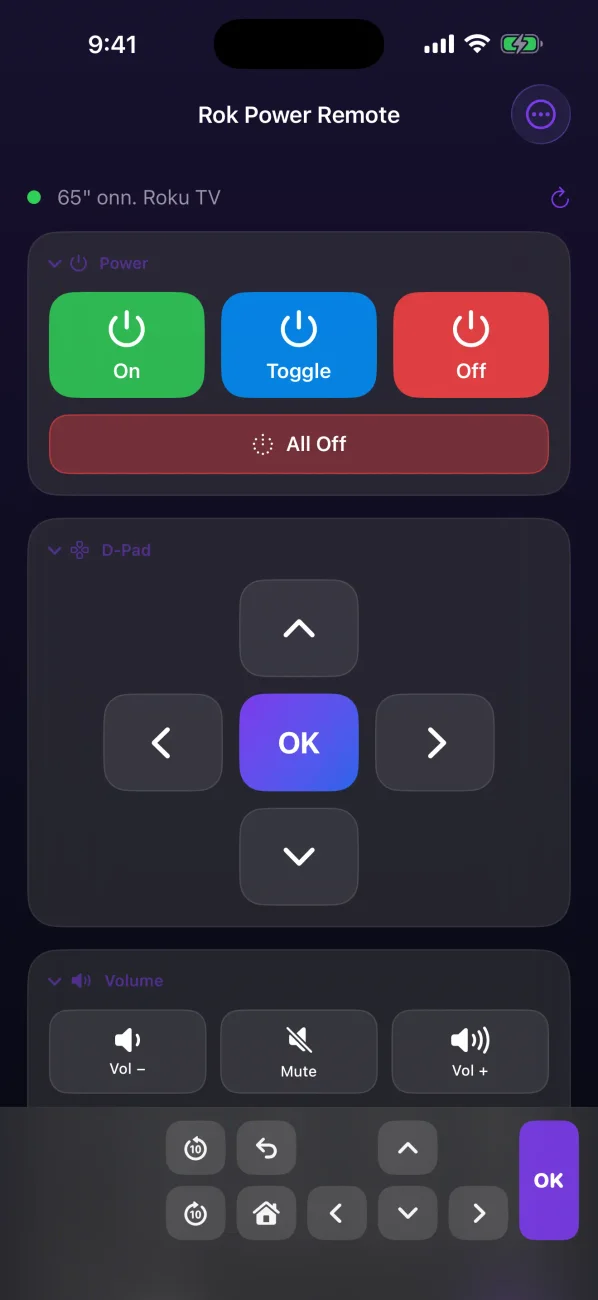
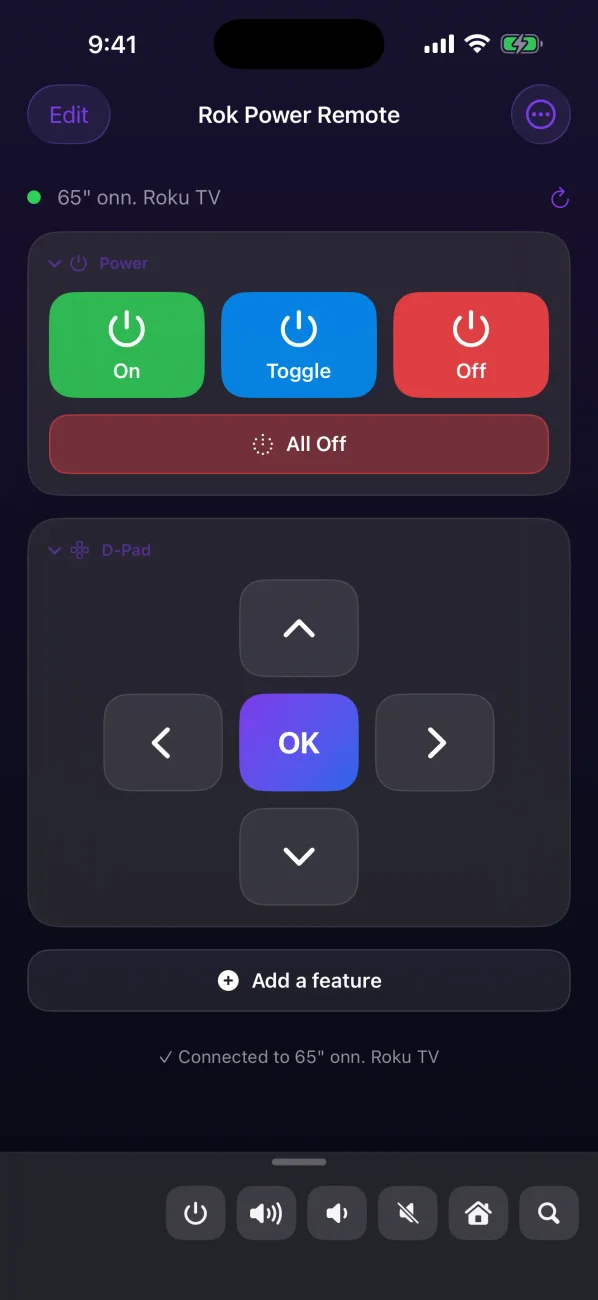
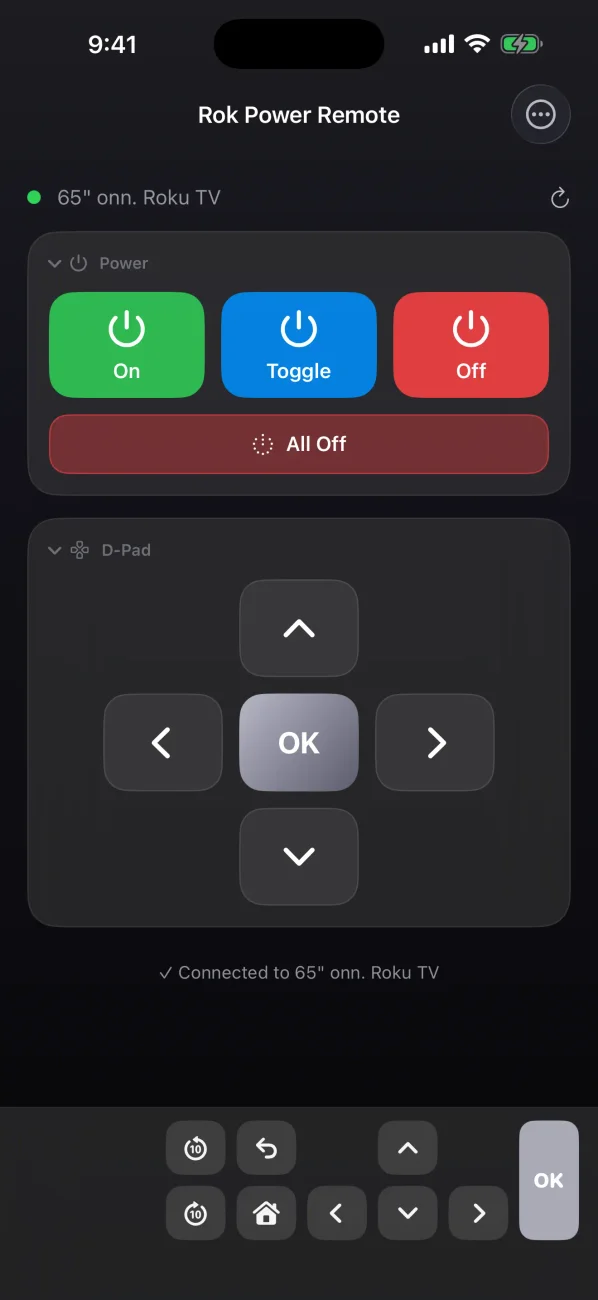
It starts about as simple as a remote gets: On, Off, and a D-pad. Everything else — playback, volume, HDMI inputs, your channels, a keyboard, macros — is a panel you add when you want it and drag exactly where you want it. What you don't use never clutters the screen.
FINDS YOUR TV ON ITS OWN
There's no "tap scan to begin". The app connects when you open it and reconnects when you come back to it. If your router hands the TV a new address, it matches your TV by its hardware ID and reconnects anyway. The On button wakes a TV that has dropped off Wi-Fi in standby, using Wake-on-LAN and a retry ladder rather than giving up.
SIMPLE UNTIL YOU WANT MORE
The app opens in a simple mode: a remote, and nothing to configure. Everything you can add lives in one menu. Turn on Advanced mode when you want to rearrange panels, resize the docked bar, and build your own buttons.
BUILD THE REMOTE YOU WANT
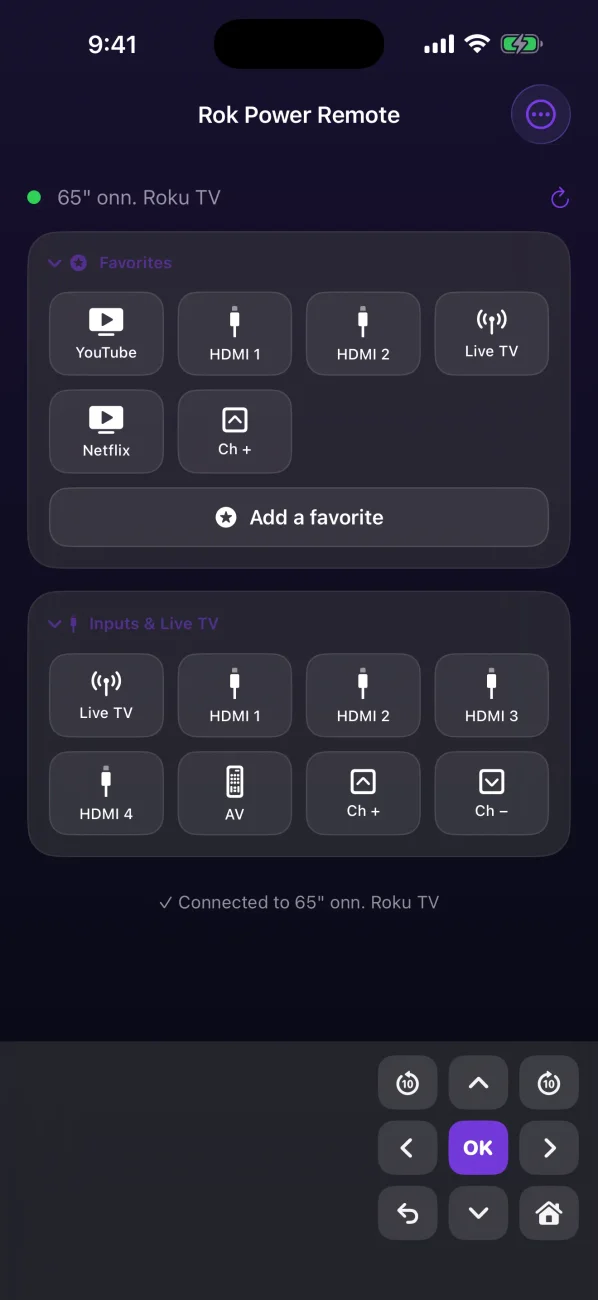
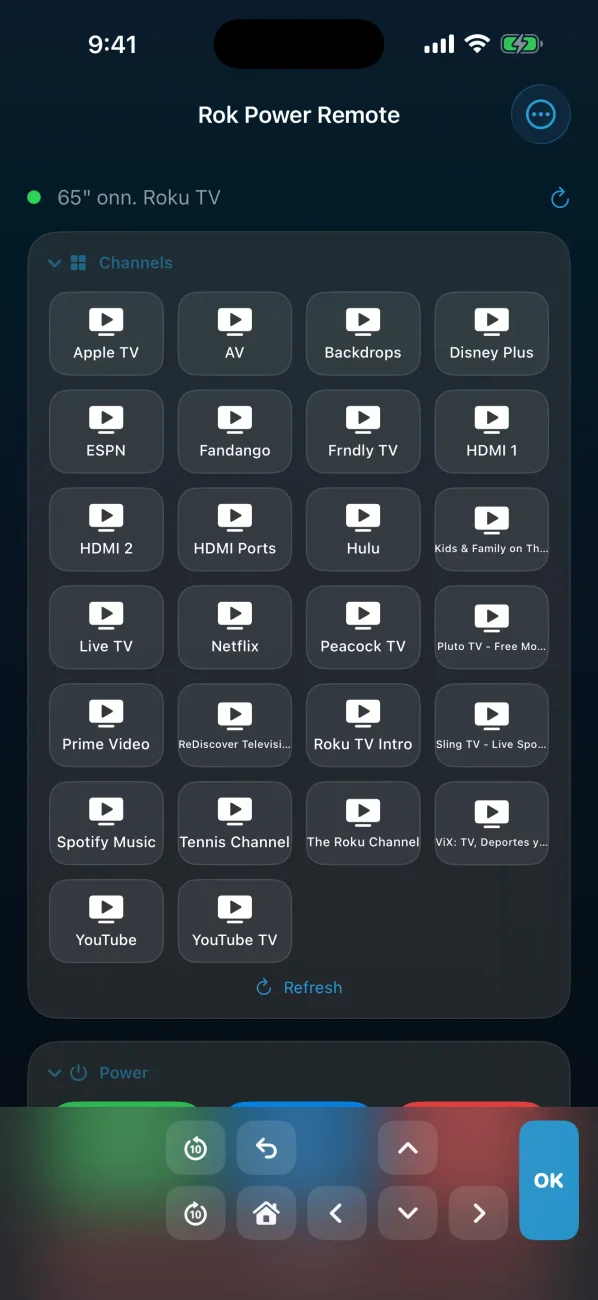
• 18 panels: Power, D-Pad, Navigation, Playback, Volume, Inputs & Live TV, Favorites, Channels, Keyboard, Macros, My Buttons, Message on TV, History, Picture & Brightness, Controllers, Away from Home, Browser Remote, and Type on the TV keyboard
• Add or remove any panel, and drag them into the order you like
• My Buttons is your own grid — any key, any macro, any channel
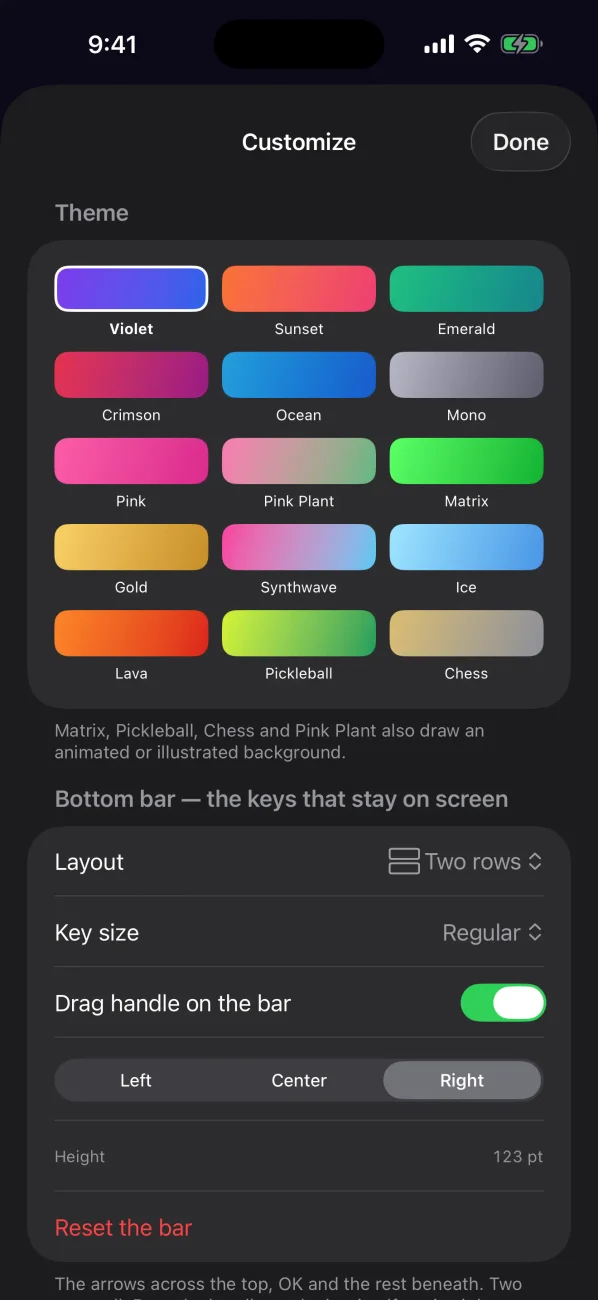
• A docked bar of keys that never scrolls away: a full D-pad cross, two rows, one row, or your own buttons — drag its divider to size it from barely-there to half the screen, and park it left, centre or right so it falls under your thumb
• Put volume, inputs, channels or a macro on that bar and drag them into the order you want
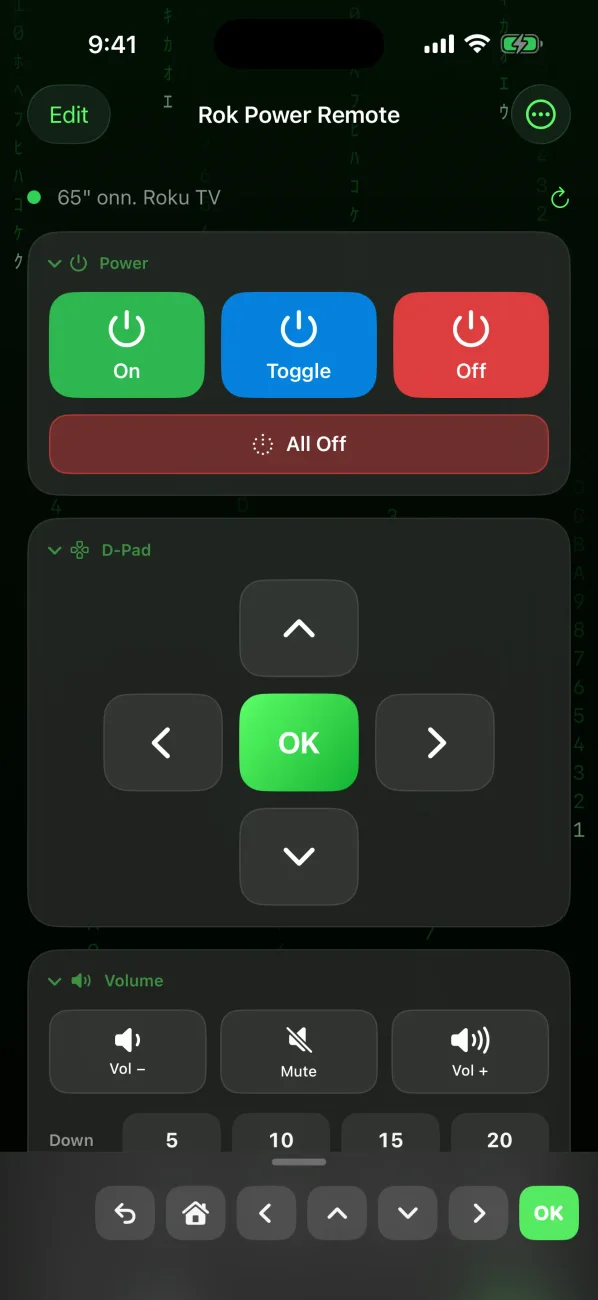
• 15 themes, including an animated Matrix background
WHAT IT DOES
• Power on, off, or toggle — with a real wake sequence behind the On button
• All Off turns off every Roku on your network at once, on the way out the door
• Volume by single steps, by 5/10/15/20 presses, or set to an exact level
• Favorites — the few places you actually go, one tap away: YouTube, HDMI 2, Live TV
• Launch any channel installed on the TV
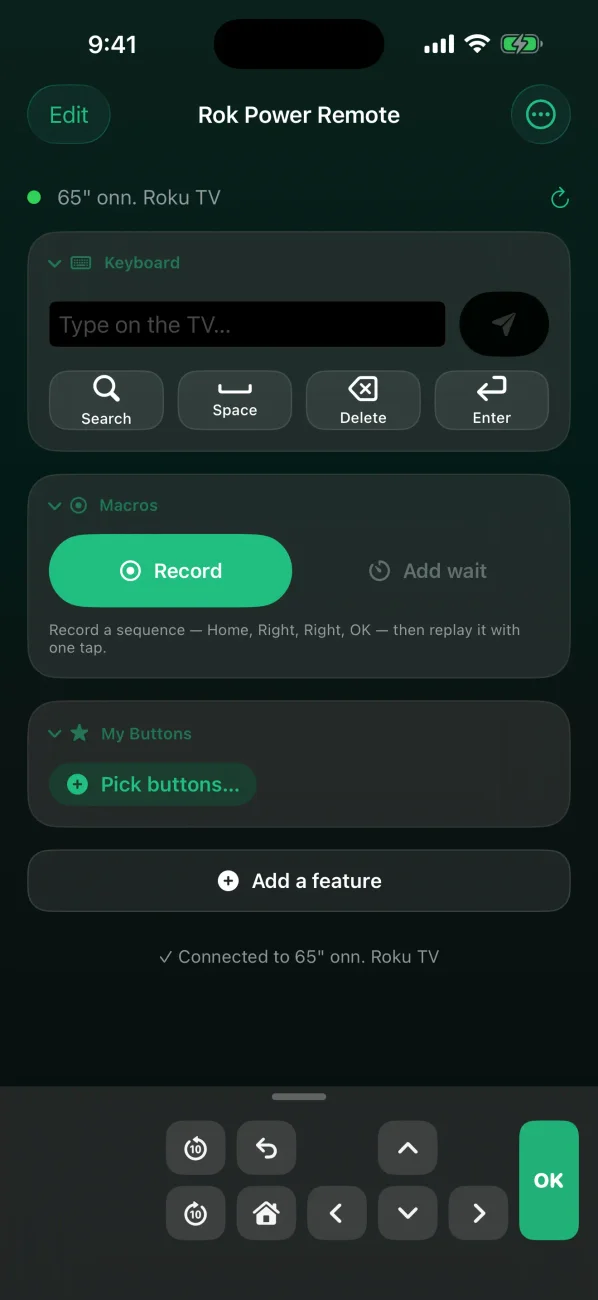
• Type onto the TV using your phone's keyboard, and re-send anything you typed before
• Put a message on the TV screen — typed out letter by letter, word by word, scrolling, or looping
• Record a macro (Home, Right, Right, OK) and replay the whole thing with one tap
• HDMI 1–4, AV, the tuner, and channel up/down on Roku TVs
• Hide screen — one press jumps to an unused HDMI port to clear the TV, the next press brings it back
• Turn Display Off — one press mutes the TV and switches its picture off, right from the docked bar. Make any bar key 2× or 3× so it's the easiest thing to hit
• Drive the TV's own picture menu to change brightness, backlight and contrast
• Use a connected game controller as the remote
FREE, AND ONE OPTIONAL PURCHASE
Power, D-Pad, Navigation, Playback, Volume, Inputs & Live TV, History, Picture & Brightness, Controllers, Browser Remote and four themes are free. No ads, no account, no tracking. One optional $4.99 purchase unlocks Favorites, Channels, Keyboard, Message on TV, Macros, My Buttons, the custom docked bar, Away from Home, Type on the TV keyboard, and all 15 themes — permanently. It's a one-time purchase, not a subscription, and it restores on your other devices.
ON A MAC
The arrow keys or WASD drive the TV, with Return for OK and Escape for Back. Every key can be remapped, and the remote shows you which key fired and what it did, so you can tell a dead key from a sleeping TV. Macros and your own buttons can take keys too.
WHAT YOU NEED
Your iPhone or iPad and your Roku have to be on the same Wi-Fi network — the app talks straight to the TV over your local network and sends nothing to any server. iOS will ask for Local Network permission the first time; without it the app cannot reach your TV.
Yenilikler
Sürüm 1.2.5 · 07.11.2026
Shake your phone to black out the TV.
• Phone gestures: with the app open, shake the phone to hide the TV's picture instantly. Find them in Customize → Phone gestures.
• Three more to try: flip the phone face down, twist your wrist, or knock twice on the back.
• Each gesture can press any button, input, app or macro — or be turned off.
• Set how hard you have to move (Gentle, Normal or Firm), and watch the line in Customize light up the moment a gesture is caught.
• Type on the TV keyboard no longer uses the camera: pick Roku or YouTube for the keypad and type. The app no longer asks for access to your camera or photos.
Uygulama gizliliği
Bu uygulamanın verileri nasıl işlediği hakkında James Kinsman tarafından App Store üzerinde yapılan beyan.
-
Veri toplanmıyor
Geliştirici bu uygulamadan hiçbir veri toplamıyor.
Gizlilik uygulamaları, örneğin kullandığınız özelliklere veya yaşınıza göre değişiklik gösterebilir.
Bilgiler
- Satıcı
- James Kinsman
- Kategori
- Yardımcılar
- Sürüm
- 1.2.5
- Güncellendi
- 07.11.2026
- Yayın tarihi
- 16.09.2026
- Boyut
- 3,8 MB
- Gereksinim
- iOS 16.0 veya sonrası
- Yaş sınırı
- 4+
- Fiyat
- Ücretsiz
- Uygulama içi satın alma
- Evet
- Diller
- İngilizce
- Telif hakkı
- © 2026 James Kinsman
Bunları da beğenebilirsiniz
-
 Smart Remote Roku TVYardımcılar
-
 Virtual TV RemoteYardımcılar
-
 Remote Control for Roku TV |Yardımcılar
-
 RemoteNest - Smart TV RemoteYardımcılar
-
 Demote: Universal TV RemoteYardımcılar
-
 Universal Remote - TV CastYardımcılar
-
 Remote For Roku TV PlusYardımcılar
-
 Google TV için KumandaWi-Fi ile Android TV Kumandası
-
 Rokmate: Remote for Smart TVYardımcılar
-
 Uzaktan Kumanda - OpusAkıllı TV Kumandası Programı