Scanner – Scan PDF, ID & Docs
Edit, Sign, Convert Documents
iPhone, iPad, iPod touch için tasarlandı
Ücretsiz · Uygulama içi satın alma
- Yaş sınırı4+
- Kategoriİş
- GeliştiriciLuni
- Dillerİngilizce+ 20 dil daha
- Boyut171,5 MB
Resmi App Store sayfasına bağlanır
Download.org, Scanner – Scan PDF, ID & Docs için hiçbir dosya barındırmaz. Düğme, uygulamanın App Store üzerindeki sayfasını açar; uygulamayı orada Luni yayınlar. Sayfanın son kontrolü: 29.11.2026.
Ekran görüntüleri


Hakkında
Geliştirici bu metni dilinizde sunmamış.
Stacks of receipts piling up? Contracts you need signed today, not next week? Handwritten notes you can never find again? Scanner turns your phone into a professional-grade scanner, converting any paper document into a searchable, shareable, secure digital file in seconds.
Trusted by 30M+ users, Scanner combines high-precision image processing with a top-tier OCR engine to handle contracts, invoices, IDs, receipts, passports, whiteboards, and multi-page reports, all from your camera.
Scanner app will maximize your document management efficiency: a mobile scanner for your smartphone, to change paper into PDF, while saving both time and storage. Scanner supports image processing and can transform, rotate, sharpen your images, for best document quality, combined with a top edge OCR engine, recognizing text in English, Spanish, French, German, Arabic, Hindi, Japanese, Korean, and Chinese, and more.
WHY SCANNER
Most built-in phone scanning tools stop at a basic PDF. Scanner goes further: sign documents on the spot instead of printing and re-scanning them, add text anywhere on a page, blur out confidential details, lock sensitive files with password protection, export to the format you need, and scan IDs and passports with a mode built specifically for that shape and size.
FEATURES
— High resolution scans that preserve most of the original paper document details
— Built with OCR technology
— Multiple page PDF support: combine, reorder, merge, or split pages into one organized file
— Modify, delete pages
— Image processing engine that allows you to change contrast, enhance, sharpen for the perfect document quality
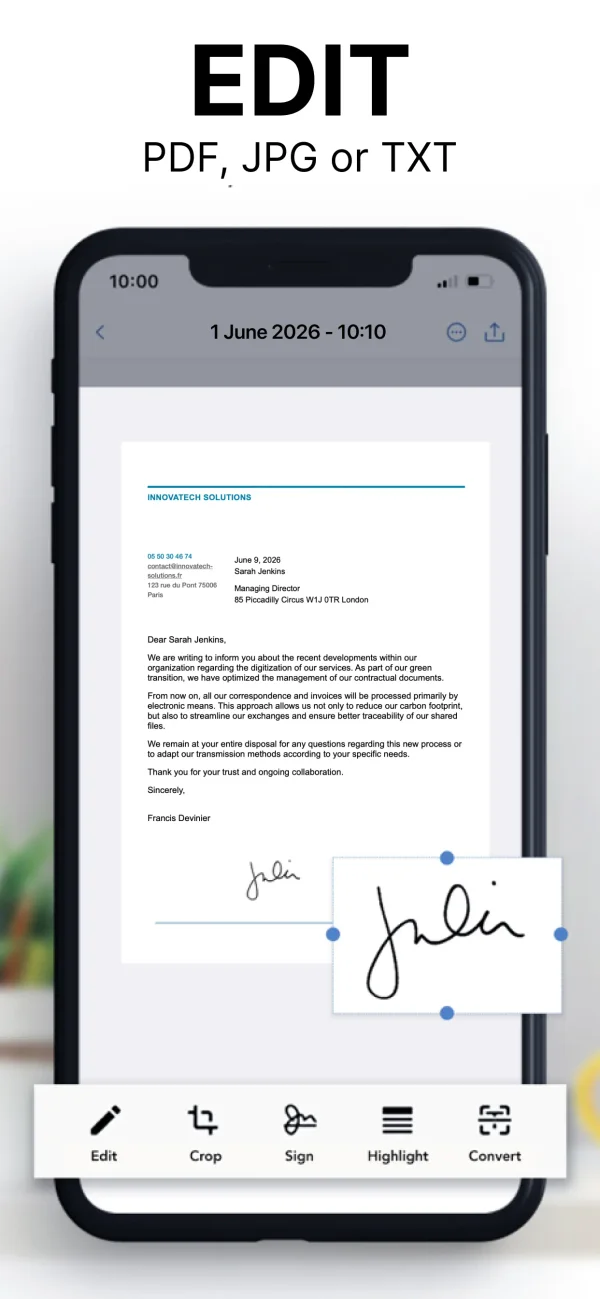
— E-signature: sign documents directly in the app, no printing or workarounds
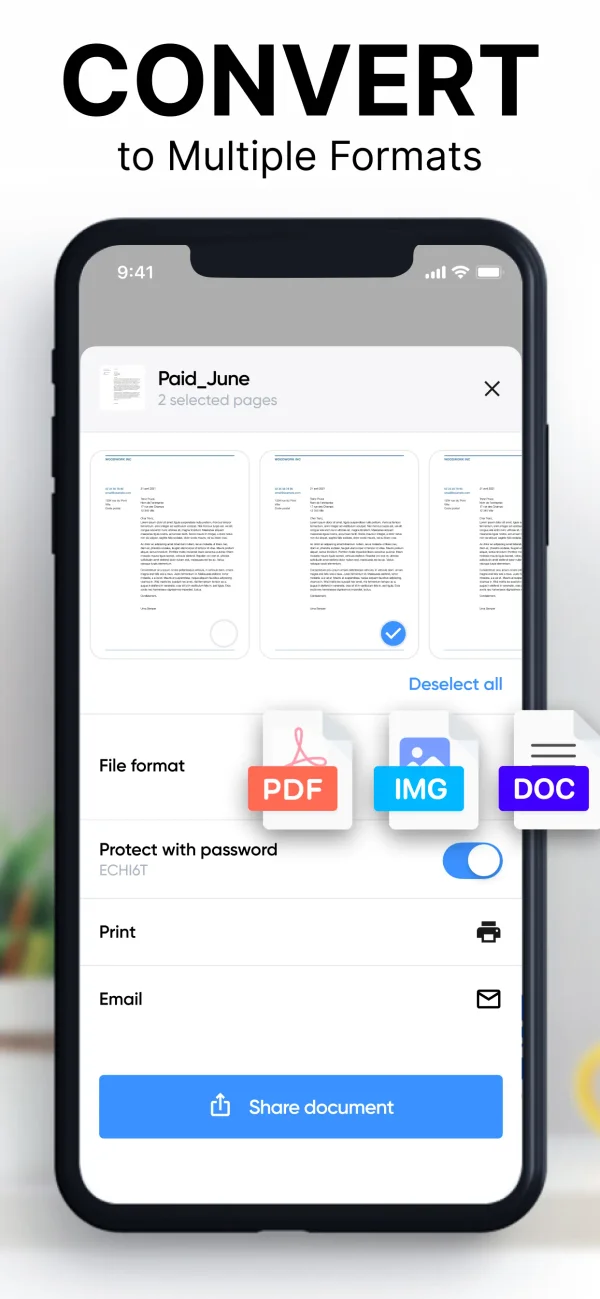
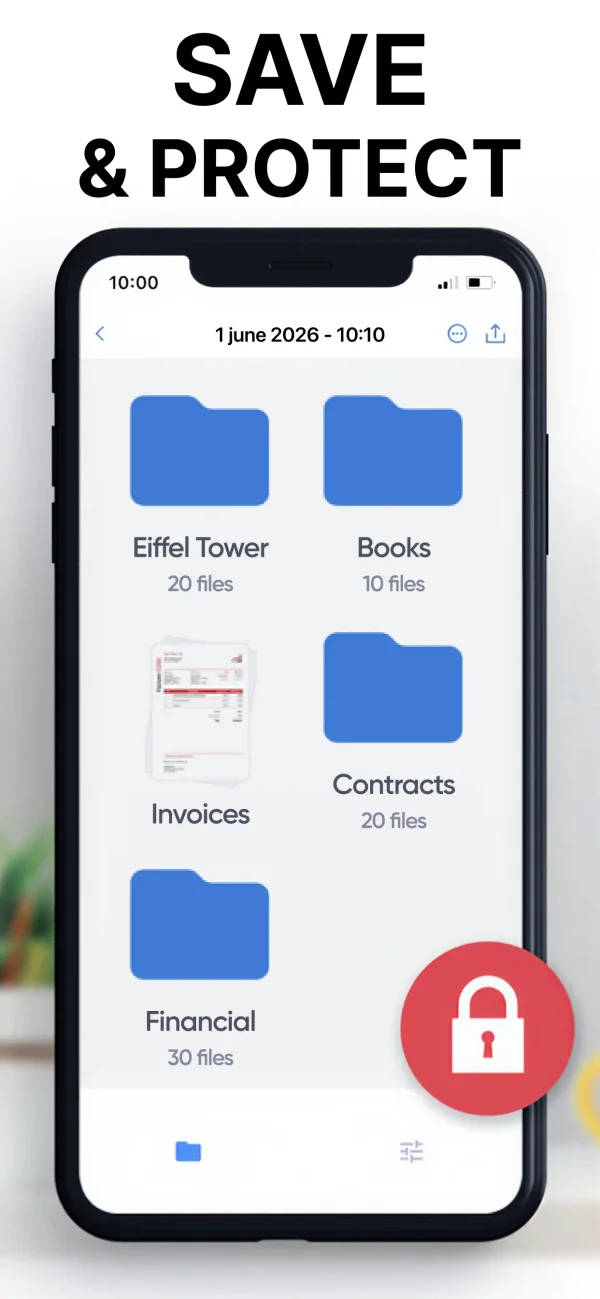
— Password protection for sensitive PDFs like contracts, IDs, and financial records
— Dedicated ID and passport scan mode
— Export to PDF, JPG, PNG, or Word
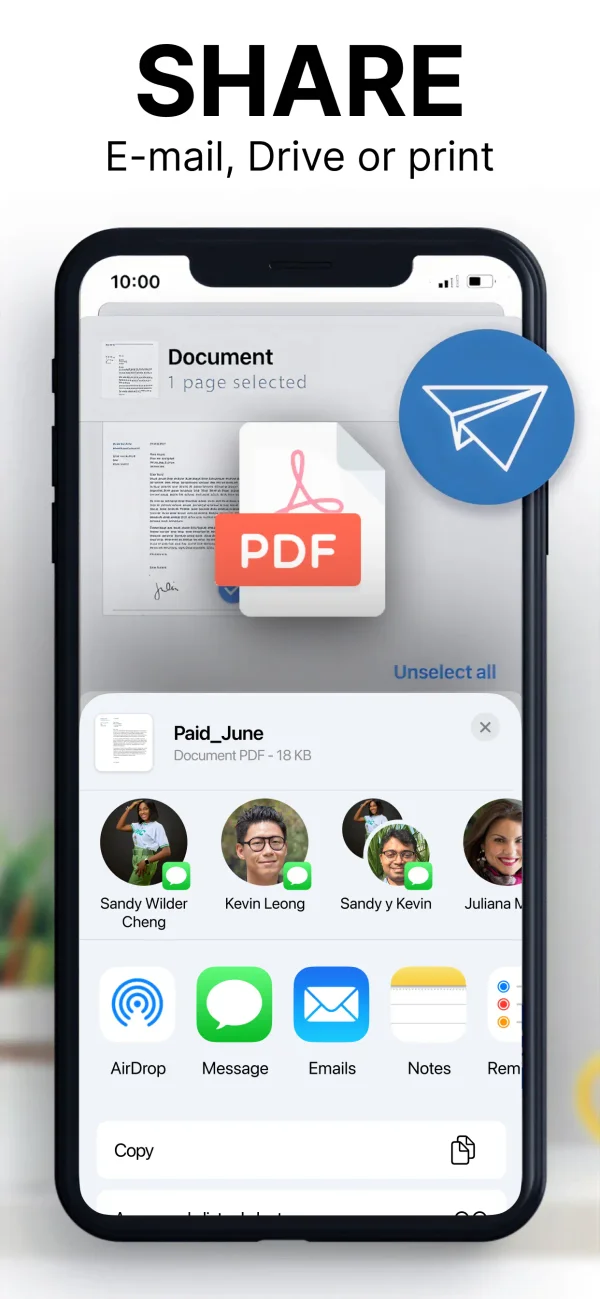
— Share data with friends or colleagues, with just a few taps
BUILT FOR REAL SITUATIONS
Freelancers and small business owners use Scanner to digitize invoices, receipts, and contracts for accounting and tax season. Students and researchers convert handwritten notes and textbook pages into searchable files. Remote workers sign and send documents the same day, without leaving their desk. Anyone with a drawer full of insurance policies, warranties, or legal paperwork uses it to build a secure, searchable digital archive instead.
WHEN TO USE SCANNER
Use Scanner anytime you need a document digitized, signed, converted, or organized faster than your phone's built-in tools allow, especially when you need OCR in a language your device doesn't reliably support, a password-protected file, a dedicated ID scan mode, or a signature on the spot.
GETTING YOUR FIRST SCAN
1. Open the app, place your document on a flat, well-lit surface, and tap the camera button. Scanner automatically detects the edges and frames the page for you.
2. Review, crop, and enhance the scan, then choose PDF or JPG, sign if needed, and save or share.
For best results, scan in bright, even lighting on a flat, uncluttered surface.
SUBSCRIPTION
This app contains subscription:
— You can subscribe for premium account with unlimited scans, premium features and no ads
— Subscription is from $9.99 USD monthly*
— Subscription automatically renews for the same price and duration period as the original "one week"/"one month"/"one year" package unless auto-renew is turned off at least 24-hours before the end of the current period
— Payment will be charged to iTunes Account at confirmation of purchase
— Subscriptions may be managed by the user and auto-renewal may be turned off by going to the user's Account Settings after purchase
— Any unused portion of a free trial period, if offered, will be forfeited when the user purchases a subscription to that publication, where applicable
Terms of Service and Privacy Policy:
https://www.iubenda.com/terms-and-conditions/44220384
Yenilikler
Sürüm 2.12.13 · 26.11.2026
We've made some adjustments to boost stability and reliability throughout the app. Thanks for your feedback, and enjoy a smoother experience!
Uygulama gizliliği
Bu uygulamanın verileri nasıl işlediği hakkında Luni tarafından App Store üzerinde yapılan beyan.
-
Sizi izlemek için kullanılan veriler
Başka şirketlere ait uygulamalarda ve web sitelerinde sizi izlemek için kullanılabilir.
- Tanımlayıcılar
-
Sizinle ilişkilendirilmeyen veriler
Toplanabilir ancak kimliğinizle ilişkilendirilmez.
- Satın alımlar
- Tanımlayıcılar
- Kullanım verileri
- Tanılama
Gizlilik uygulamaları, örneğin kullandığınız özelliklere veya yaşınıza göre değişiklik gösterebilir.
Bilgiler
- Satıcı
- Luni
- Kategori
- İş
- Sürüm
- 2.12.13
- Güncellendi
- 26.11.2026
- Yayın tarihi
- 05.10.2017
- Boyut
- 171,5 MB
- Gereksinim
- iOS 15.4 veya sonrası
- Yaş sınırı
- 4+
- Fiyat
- Ücretsiz
- Uygulama içi satın alma
- Evet
- Diller
- İngilizce, Arapça, Hollandaca, Filipince, Fransızca, Almanca, İbranice, Hindi, Endonezce, İtalyanca, Japonca, Kazakh + 9 dil daha
- Telif hakkı
- © Luni
Bunları da beğenebilirsiniz
-
 Scan Hero: PDF TarayıcıPDF Belge Tarayıcı ve Yazıcı
-
 Belge Tarayıcı・PDF TarayıcıGörüntüleri PDF'ye tarayın
-
 PDF Belge Tarama - Scanner AppEvrak Oluşturma & Düzenleme
-
 Tarayıcıdan PDF'e - TapScannerPDF İmzalama ve Düzenleme
-
 Tiny Scanner - PDF Scanner Appİş
-
 Scanner Pro - Scan to PDFİş
-
 Tarayıcım - PDF'yi düzenleFotoğraf ve belge tarama, OCR
-
 Clear Scan: Doc Scanner Appİş
-
 QR Code Reader & PDF Scannerİş
-
 iScanner - PDF Belge TaramaDosya Okuyucu ve Düzenleme