Scannr - Document Scanner
iPhone, iPad için tasarlandı
Ücretsiz · Uygulama içi satın alma
- Yaş sınırı4+
- KategoriÜretkenlik
- GeliştiriciSaurav kumar Sharma
- Dillerİngilizce
- Boyut2,0 MB
Resmi App Store sayfasına bağlanır
Download.org, Scannr - Document Scanner için hiçbir dosya barındırmaz. Düğme, uygulamanın App Store üzerindeki sayfasını açar; uygulamayı orada Saurav kumar Sharma yayınlar. Sayfanın son kontrolü: 17.11.2026.
Ekran görüntüleri
Hakkında
Geliştirici bu metni dilinizde sunmamış.
Now with Scannr Pro — search across all scans, merge PDFs, and password-protect your documents with a one-time purchase.
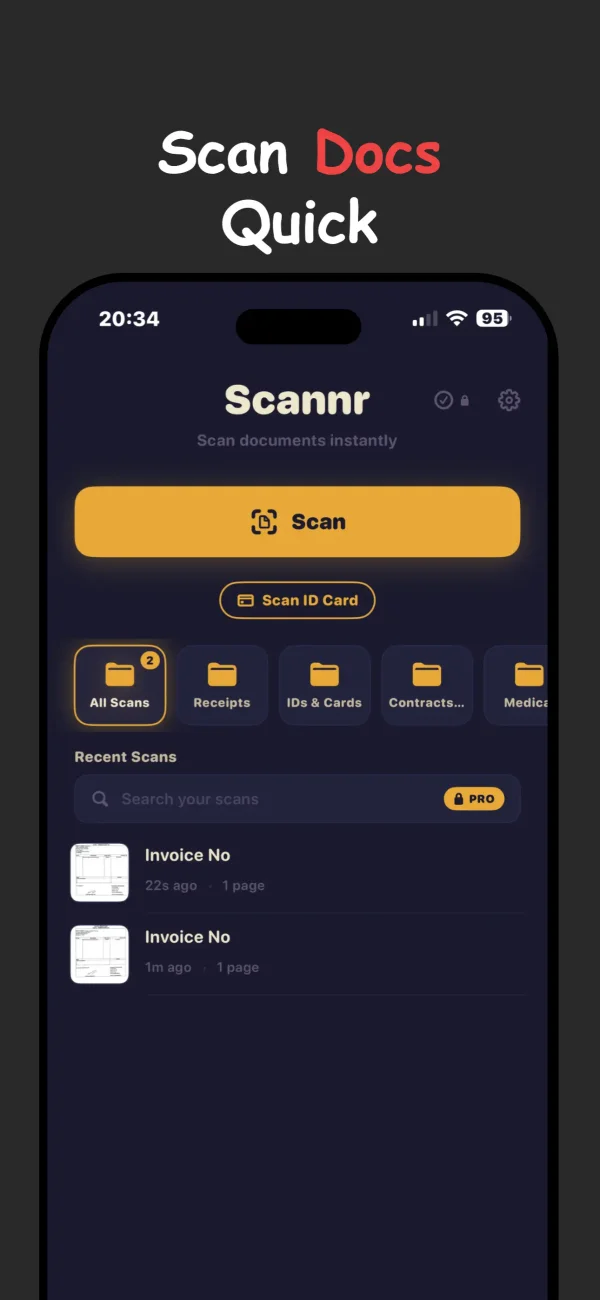
Organize everything with smart folders: Receipts, IDs, Contracts, Medical, Finance & more. Create your own custom folders.
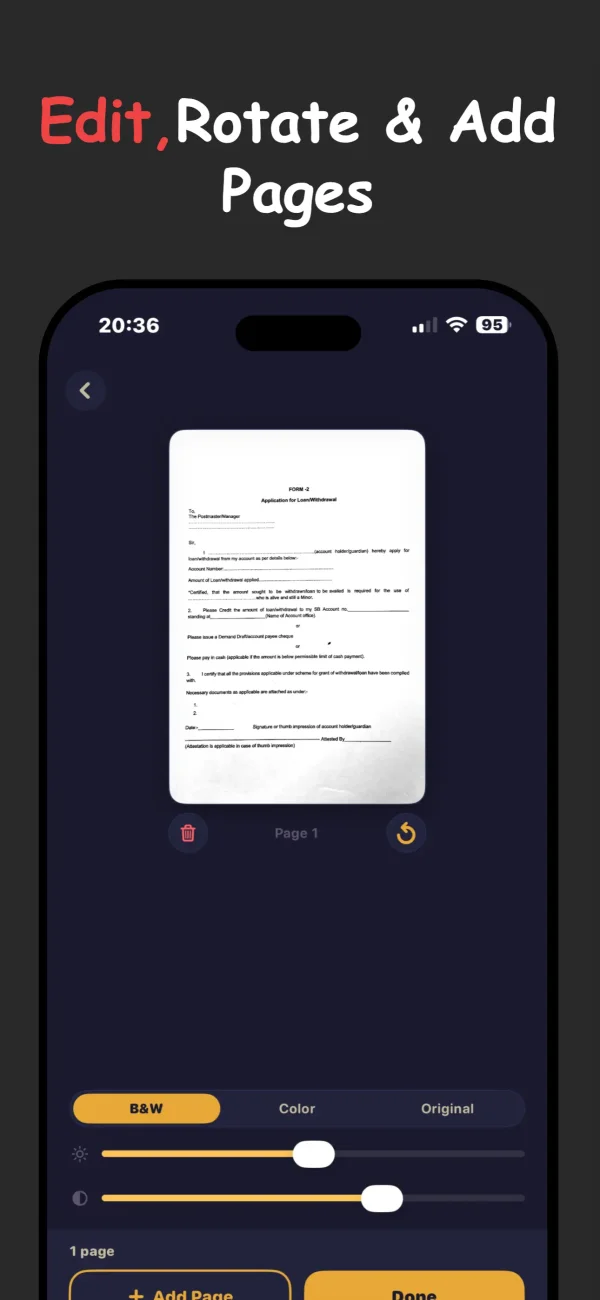
New: ID Card mode scans front & back on a single page. Color & Original scan modes. Brightness & contrast controls.
Scannr turns your iPhone into a fast, intelligent document scanner. Capture any document — receipts, notes, contracts, IDs, whiteboards — and instantly convert it into a clean, searchable PDF. No account needed. No cloud uploads. Everything stays on your device.
SMART SCANNING
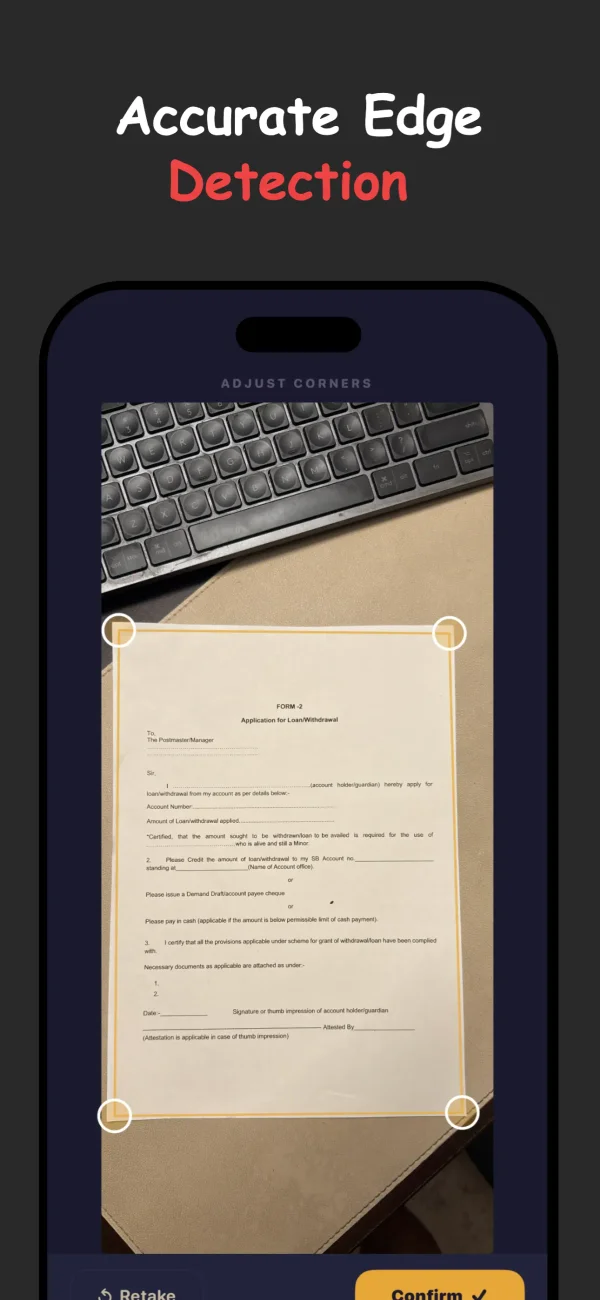
Point your camera at any document and Scannr automatically detects the edges in real-time. Fine-tune with draggable corner handles if needed, then tap confirm. Your document is instantly perspective-corrected and enhanced with a high-contrast scan filter for crystal-clear results.
MULTI-PAGE DOCUMENTS
Scanning a multi-page document? Just keep adding pages. Drag to reorder, tap to preview, swipe to delete. When you're done, everything is combined into a single PDF.
SEARCHABLE PDF WITH OCR
Every scan is processed with on-device text recognition (OCR). The result is a fully searchable PDF — find any word, copy text, or select passages. All processing happens on your iPhone. Your documents never leave your device.
SMART FILENAMES
Scannr reads the first line of your document and uses it as the filename. No more "Scan_001" — your files are named after what they actually contain.
SHARE ANYWHERE
Export your scanned PDF to WhatsApp, Telegram, Mail, Google Drive, AirDrop, Files, Print — or any app that accepts files. Choose your preferred compression level (low, medium, or high) to balance quality and file size.
SCAN HISTORY
Every scan is saved locally on your device. Browse your past scans, view them anytime, and re-share with a single tap. Your scans are always at your fingertips.
KEY FEATURES
Auto edge detection with real-time camera overlay
Draggable corner handles for precise cropping
Perspective correction and document enhancement
Multi-page scanning with drag-to-reorder
On-device OCR for searchable, selectable text in PDFs
Smart filename generation from document content
PDF compression options (Low / Medium / High)
Flashlight toggle for low-light scanning
Gallery import — scan from existing photos
Full share sheet — WhatsApp, Telegram, Mail, Drive, AirDrop, Print, Files
Local scan history with re-share capability
Dark theme designed for comfortable scanning
Zero data collection — 100% private, 100% offline
No account required — just open and scan
Yenilikler
Sürüm 2.0.3 · 11.06.2026
• Tighter Scanning — What you frame is what you scan. No more unexpected off-screen edges appearing after capture.
• Smarter Edge Detection — Powered by Apple's advanced document segmentation ML model. Corners now snap more accurately to your document, even with wrinkles, folds, or shadows.
• Faster Capture Processing — Enjoy a quicker shutter-to-crop experience with reduced delay after taking a photo.
• Everything from v2.0.2 — Includes per-page rotation, larger page previews, and significantly faster PDF export.
Uygulama gizliliği
Bu uygulamanın verileri nasıl işlediği hakkında Saurav kumar Sharma tarafından App Store üzerinde yapılan beyan.
-
Veri toplanmıyor
Geliştirici bu uygulamadan hiçbir veri toplamıyor.
Gizlilik uygulamaları, örneğin kullandığınız özelliklere veya yaşınıza göre değişiklik gösterebilir.
Bilgiler
- Satıcı
- Saurav kumar Sharma
- Kategori
- Üretkenlik
- Sürüm
- 2.0.3
- Güncellendi
- 11.06.2026
- Yayın tarihi
- 27.03.2026
- Boyut
- 2,0 MB
- Gereksinim
- iOS 16.0 veya sonrası
- Yaş sınırı
- 4+
- Fiyat
- Ücretsiz
- Uygulama içi satın alma
- Evet
- Diller
- İngilizce
- Telif hakkı
- © 2026 Saurav Kumar Sharma
Bunları da beğenebilirsiniz
-
 OCR Scanner : Text & DocumentÜretkenlik
-
 Cloud - EMSÜretkenlik
-
 Daymark - Birthday ReminderÜretkenlik
-
 Paradoc: PDF Document ScannerÜretkenlik
-
 PocketScan: PDF ScannerÜretkenlik
-
 SC - Scanner app for documentsÜretkenlik
-
 Todo Aid - To Do List & HabitÜretkenlik
-
 Crisp ScanÜretkenlik
-
 Doc Scanner : scan to pdfÜretkenlik
-
 Essay AI Detector & HumanizerÜretkenlik