Seconds+: Precise Clock Widget
Status Bar & Lock Screen Time
iPhone için tasarlandı
₺29,99
- Yaş sınırı4+
- KategoriYardımcılar
- GeliştiriciYUKI UMEDA
- Dillerİngilizce+ 8 dil daha
- Boyut11,9 MB
Resmi App Store sayfasına bağlanır
Download.org, Seconds+: Precise Clock Widget için hiçbir dosya barındırmaz. Düğme, uygulamanın App Store üzerindeki sayfasını açar; uygulamayı orada YUKI UMEDA yayınlar. Sayfanın son kontrolü: 12.11.2026.
Ekran görüntüleri

Hakkında
Geliştirici bu metni dilinizde sunmamış.
Your clock, now with seconds.
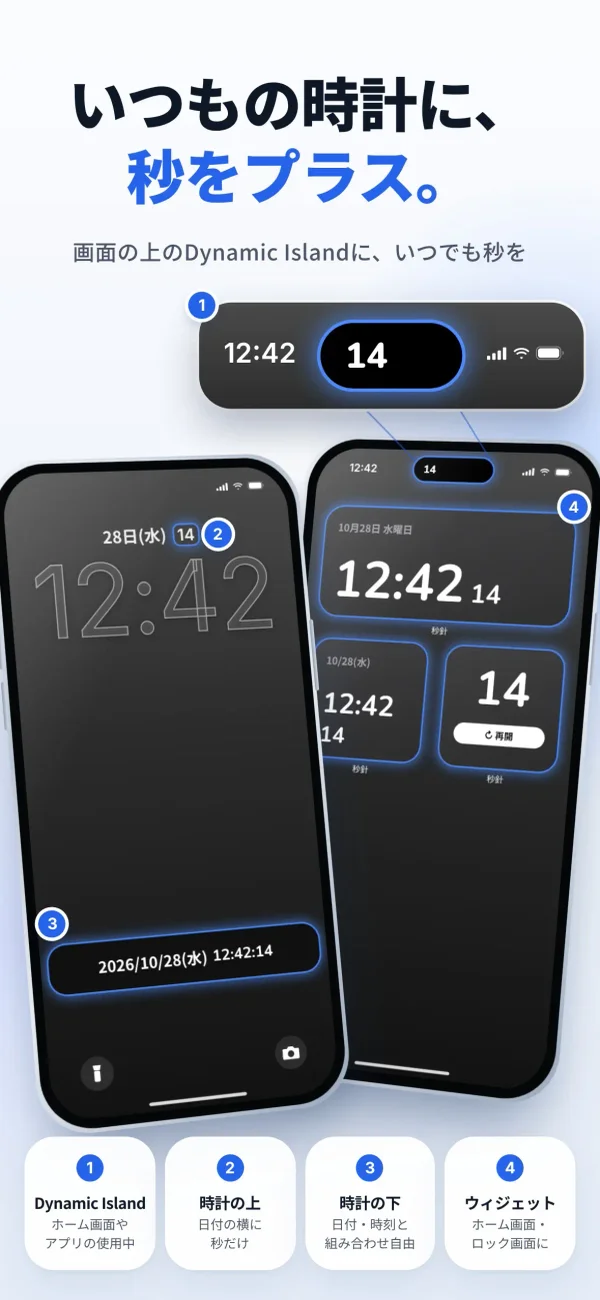
Seconds+ shows the current second in the Dynamic Island, on the Lock Screen and in widgets.
Hours and minutes stay right where they are in the status bar. Seconds+ simply adds the one thing that was missing: the seconds.
PAY ONCE, WORRY-FREE
• One purchase unlocks every feature
• No subscriptions, no in-app purchases, no ads
• No data collection and no server connection. Your settings stay on your iPhone
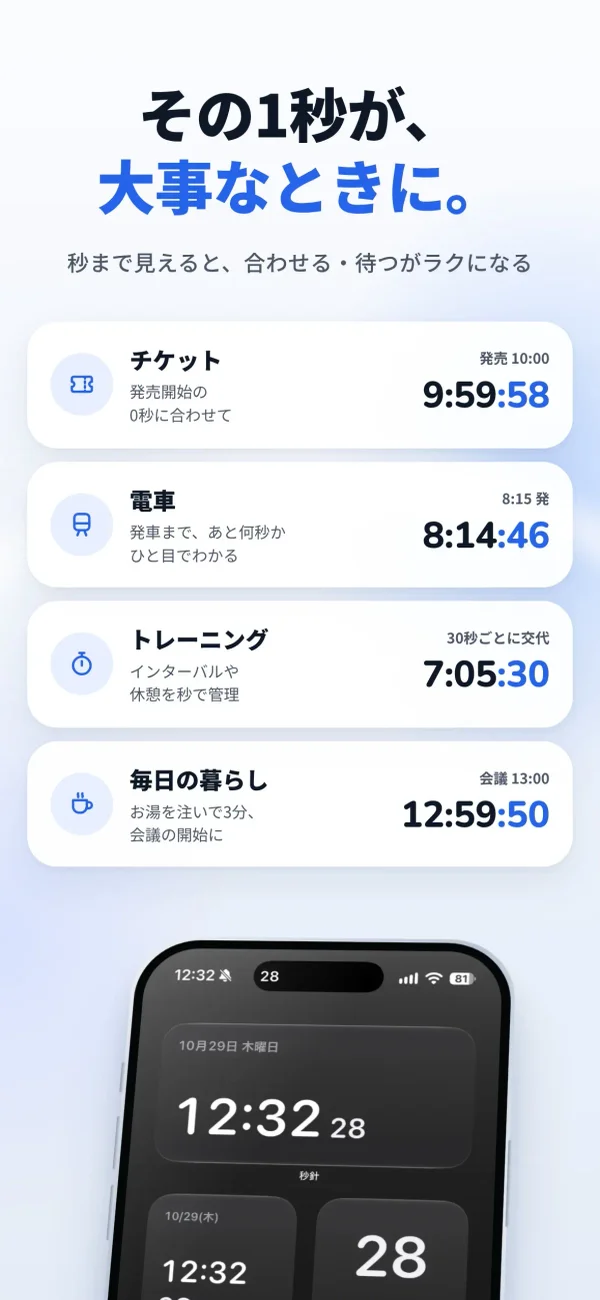
WHEN EVERY SECOND COUNTS
• Be right on the second when tickets or reservations open
• See how many seconds are left before your train leaves
• Time workout intervals and rest periods by the second
• Everyday moments, from brewing tea to starting a meeting on time
WHERE THE SECONDS APPEAR
1. Dynamic Island: on the Home Screen and while you use other apps
2. Above the Lock Screen clock: just the seconds, next to the date
3. Below the Lock Screen clock: mix with year, date, weekday and time
4. Widgets: Home Screen (small and medium) and Lock Screen
MAKE IT YOURS
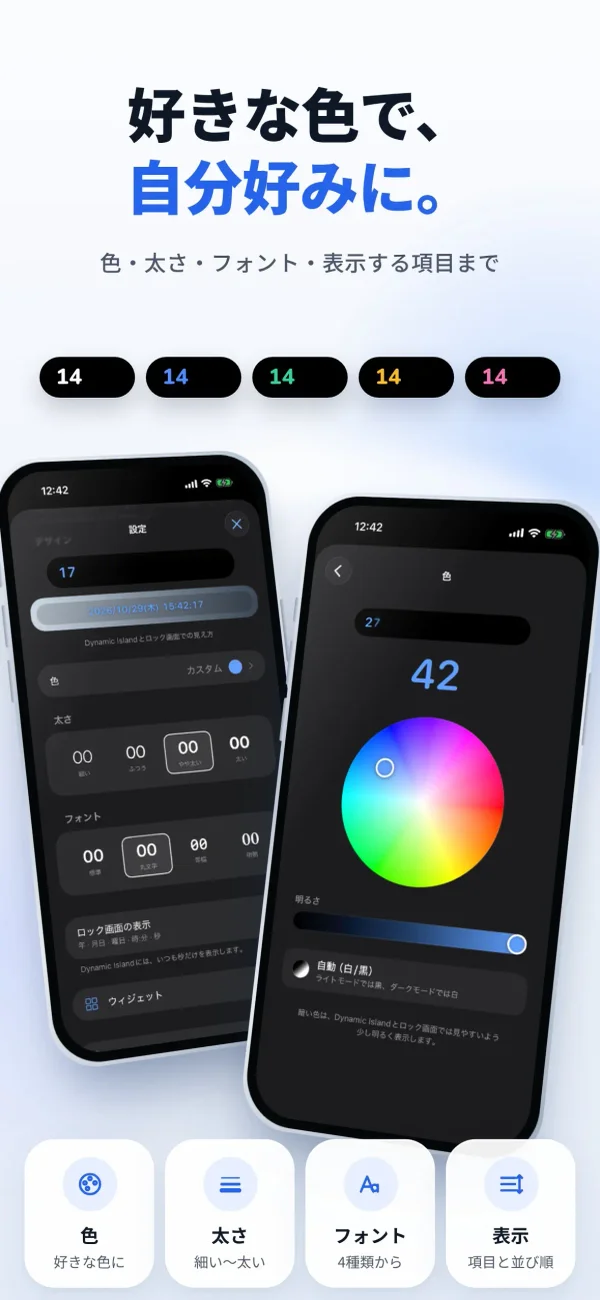
• Color: pick any color on a color wheel, or Auto (black in Light Mode, white in Dark Mode)
• Weight: four levels, from light to bold
• Font: Default, Rounded, Mono or Serif
• Lock Screen layout: turn the year, date, weekday, time and seconds on or off and drag them into any order. Choose the seconds style and text size, too
LIVE, EVERY SECOND
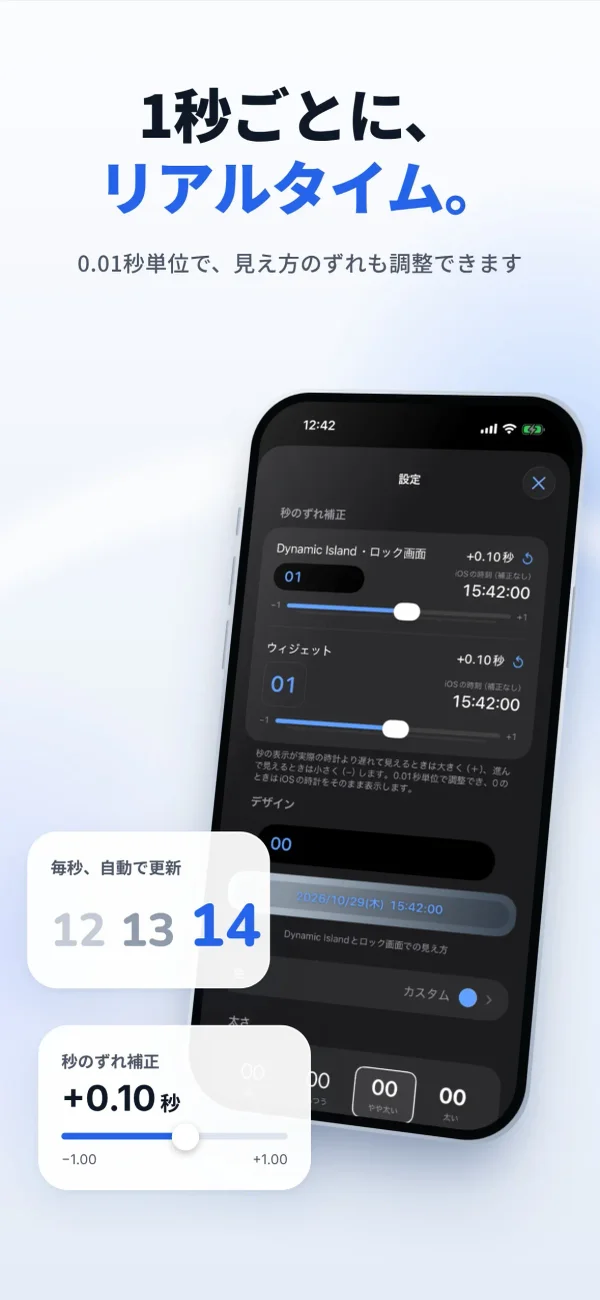
• iOS redraws the seconds every second
• If they look slightly off compared with another clock, fine-tune the timing in 0.01-second steps
• The app doesn't keep running in the background, so battery impact stays small
• Supports Light and Dark Mode, larger text sizes and VoiceOver
ALL-DAY SECONDS, MADE EASY
Setup takes just a few minutes: create four automations in the Shortcuts app, and that’s it.
• The in-app guide shows you every step with a picture of each Shortcuts screen
• Set it once, and the display restarts automatically every 6 hours, so there’s nothing to do day to day
• Shortly before the display ends, a notification lets you know. Just tap it to start again. You can also start from a Control Center button
• Widgets show the seconds any time, with no setup at all
PLEASE NOTE BEFORE YOU BUY
• When the seconds appear in the Dynamic Island, they also appear on the Lock Screen. On iOS, the Dynamic Island and the Lock Screen display (a Live Activity) come as a set, so an app can’t show only one of them. This is the same for every app, not just Seconds+. The Lock Screen display is a single, subtle line, and you can choose what it shows
• iOS ends Live Activities after 8 hours at most. This also applies to every app, not just Seconds+. With the easy setup above, Seconds+ restarts the display automatically and keeps the seconds on all day
• The display at the top of the screen requires an iPhone with the Dynamic Island. Other models can use the Lock Screen and widgets
• Requires iOS 26 or later
Uygulama gizliliği
Bu uygulamanın verileri nasıl işlediği hakkında YUKI UMEDA tarafından App Store üzerinde yapılan beyan.
-
Veri toplanmıyor
Geliştirici bu uygulamadan hiçbir veri toplamıyor.
Gizlilik uygulamaları, örneğin kullandığınız özelliklere veya yaşınıza göre değişiklik gösterebilir.
Bilgiler
- Satıcı
- YUKI UMEDA
- Kategori
- Yardımcılar
- Sürüm
- 1.0
- Güncellendi
- 03.11.2026
- Yayın tarihi
- 05.11.2026
- Boyut
- 11,9 MB
- Gereksinim
- iOS 26.0 veya sonrası
- Yaş sınırı
- 4+
- Fiyat
- ₺29,99
- Diller
- İngilizce, Fransızca, Almanca, Japonca, Korece, Portekizce, Basitleştirilmiş Çince, İspanyolca, Geleneksel Çince
- Telif hakkı
- © 2026 Ichirin