SessionsAI
What do you want to do today?
iPhone, iPad, Mac için tasarlandı
₺799,99
- Yaş sınırı4+
- KategoriÜretkenlik
- GeliştiriciErich Champion
- Dillerİngilizce
- Boyut87,1 MB
Resmi App Store sayfasına bağlanır
Download.org, SessionsAI için hiçbir dosya barındırmaz. Düğme, uygulamanın App Store üzerindeki sayfasını açar; uygulamayı orada Erich Champion yayınlar. Sayfanın son kontrolü: 18.11.2026.
Ekran görüntüleri
Hakkında
Geliştirici bu metni dilinizde sunmamış.
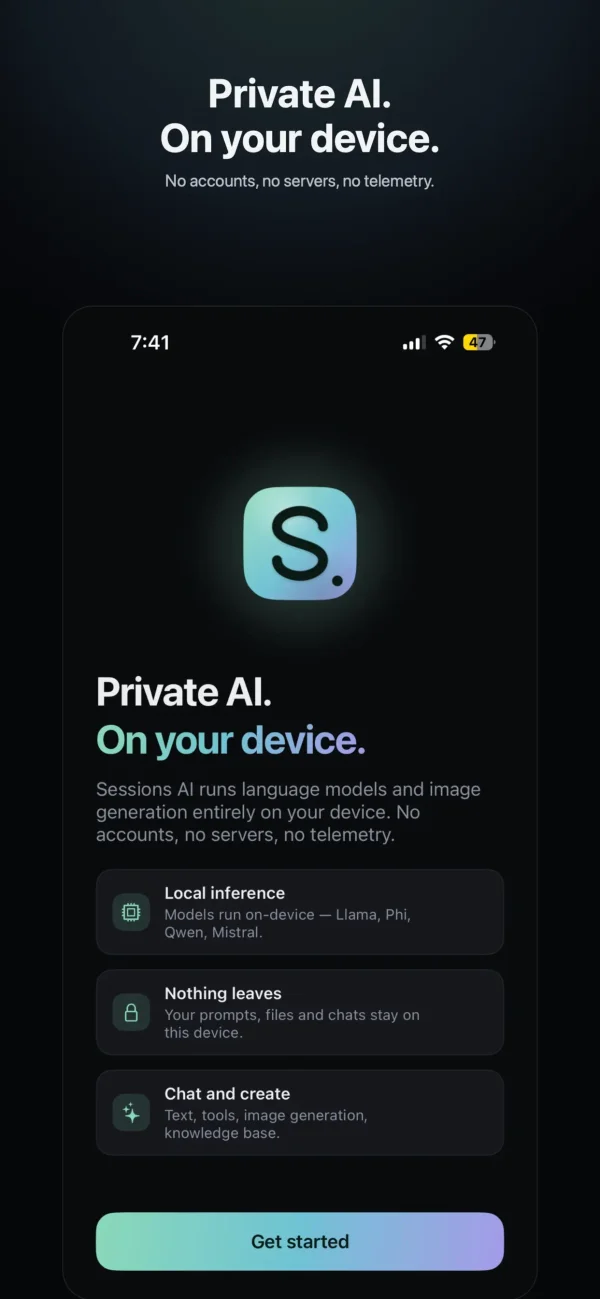
Sessions AI is a private AI workspace that runs entirely on your iPhone, iPad, or Mac. Not just a chat box: it uses real tools, works from your own documents, and creates images—all on device, with no account and no cloud.
More than a chat box
Most on-device AI apps just run a model. Sessions AI gives the assistant real tools and lets it do the work: calculate, convert units, look things up on Wikipedia, check your calendar, add reminders, search the web, fetch a page, generate an image. Ask for something involved and it writes a plan first—which you can read, edit, and approve before it spends a moment of compute. You see every step it takes.
Ask by voice, or from a Shortcut
Say "Start a chat in Sessions AI" to Siri and speak your question—it opens the app and lands the answer in a real conversation you can carry on. The Ask Sessions AI action appears in Spotlight and the Shortcuts app too, so you can build it into your own workflows.
Ground answers in your own knowledge
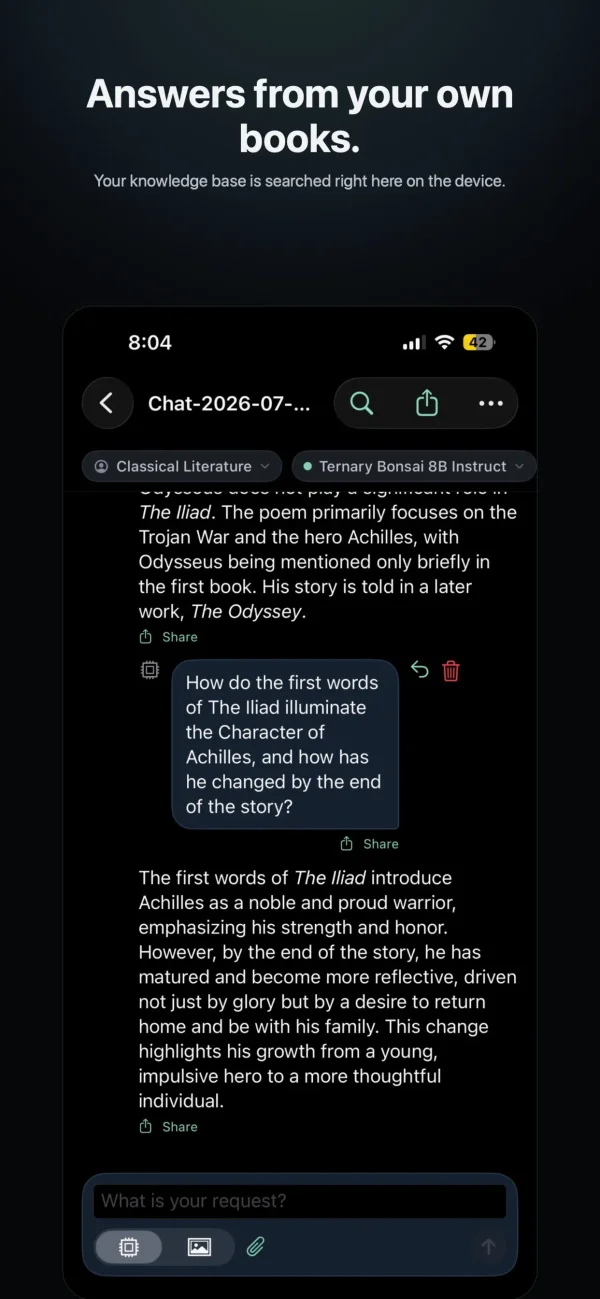
Give a persona its ownprivate knowledge base—add documents from a file or a URL, including Word, RTF, and PDF. When you ask a question, Sessions AI searches that content on device and bases its answer on it, and shows you which passages it used. Nothing is uploaded; indexing and search happen locally.
Personas that keep work separate
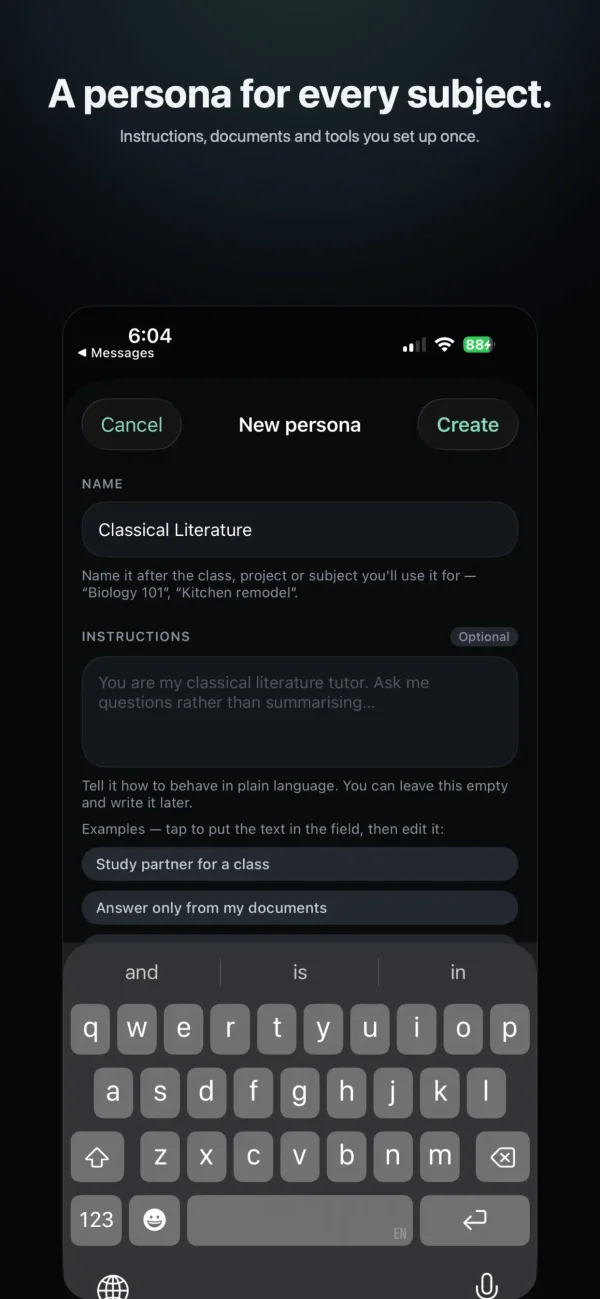
Set up a persona for each kind of work, each with its own system prompt, knowledge base, and connected tools. Switch per chat. Research stays separate from writing, and work stays separate from home.
Bring your own tools (MCP)
Connect Model Context Protocol servers and their tools appear right in your chat, alongside the built-in ones. Add custom HTTP headers for authentication, stored securely in the Keychain. It's your workspace—extend it however you like.
Create images on device
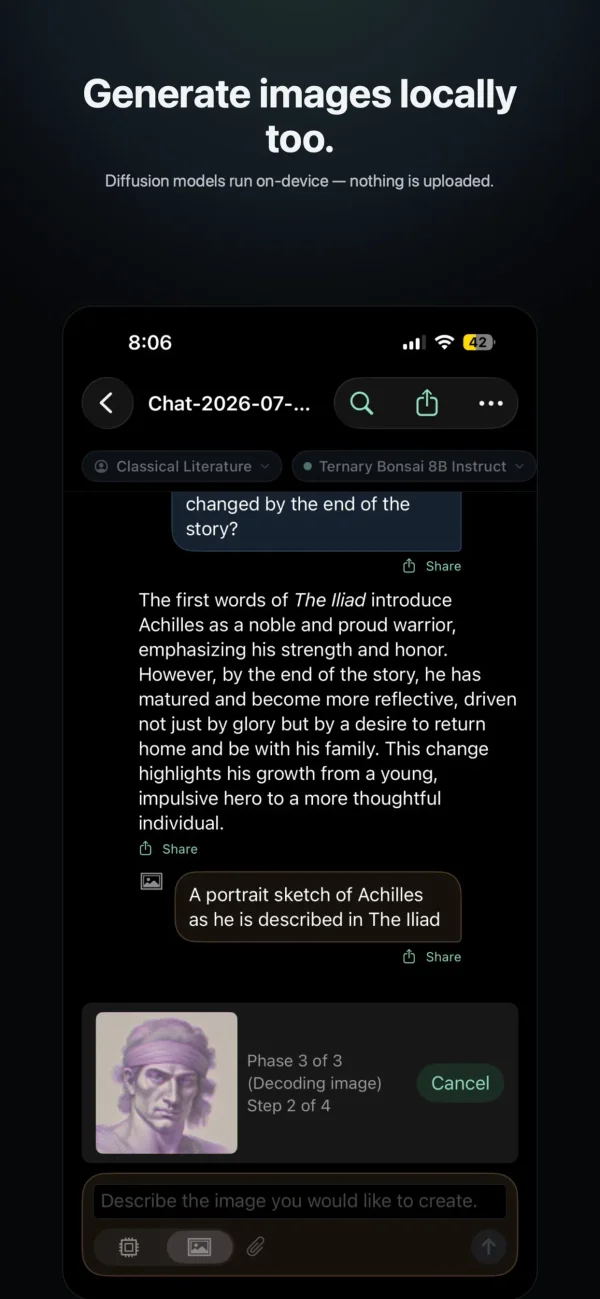
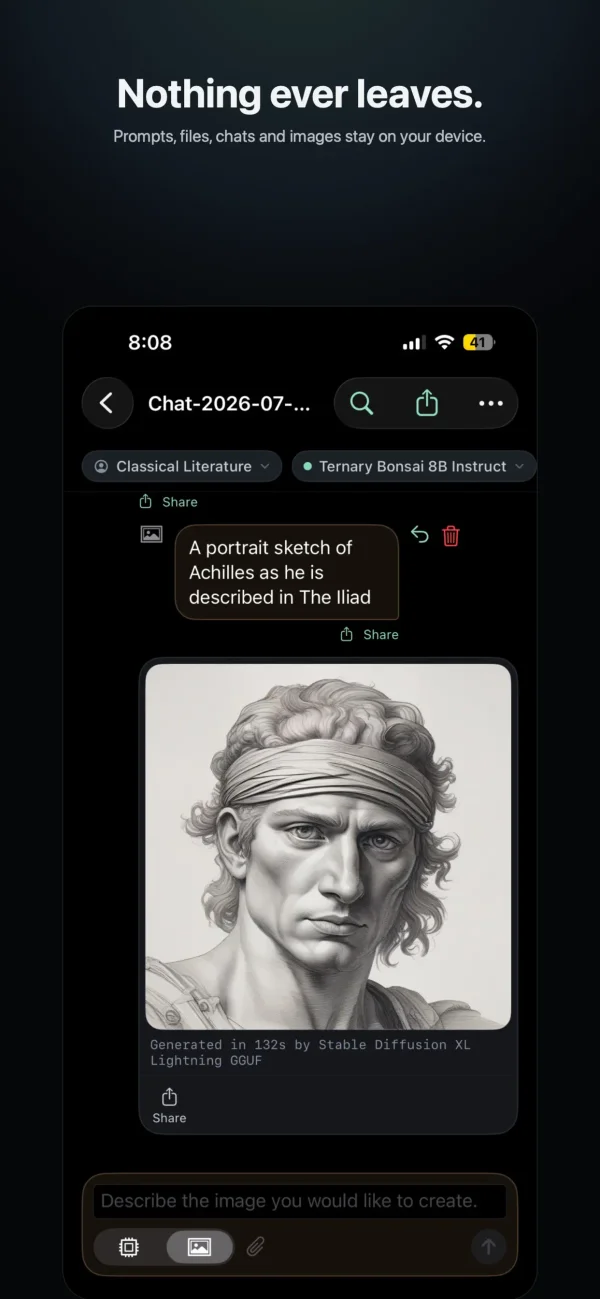
Ask the assistant to draw, sketch, or visualize—and it generates images right on your device, no cloud APIs. Choose from fast models like Stable Diffusion XL Lightning and Z-Image Turbo through to higher-quality ones like FLUX.2 Klein, with larger models such as Qwen Image on high-memory Macs. Watch a live preview as it draws, start from one of your own photos with image-to-image, and reuse the seed shown with each result to reproduce or vary it. Browse everything you've made in a built-in Gallery.
Your chats are yours
Every conversation is saved on your device as a plain Markdown file you can open in the Files app—no proprietary format, no lock-in, no export button needed. Pin, rename, group, and search across every chat by name or content.
Your model, your choice
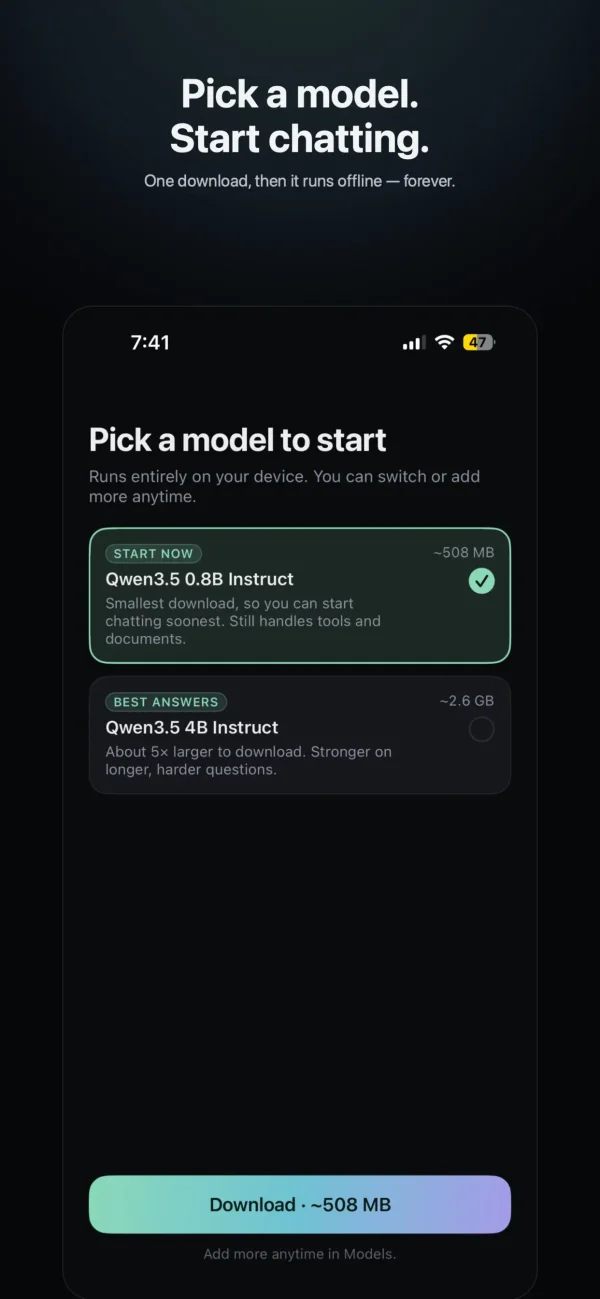
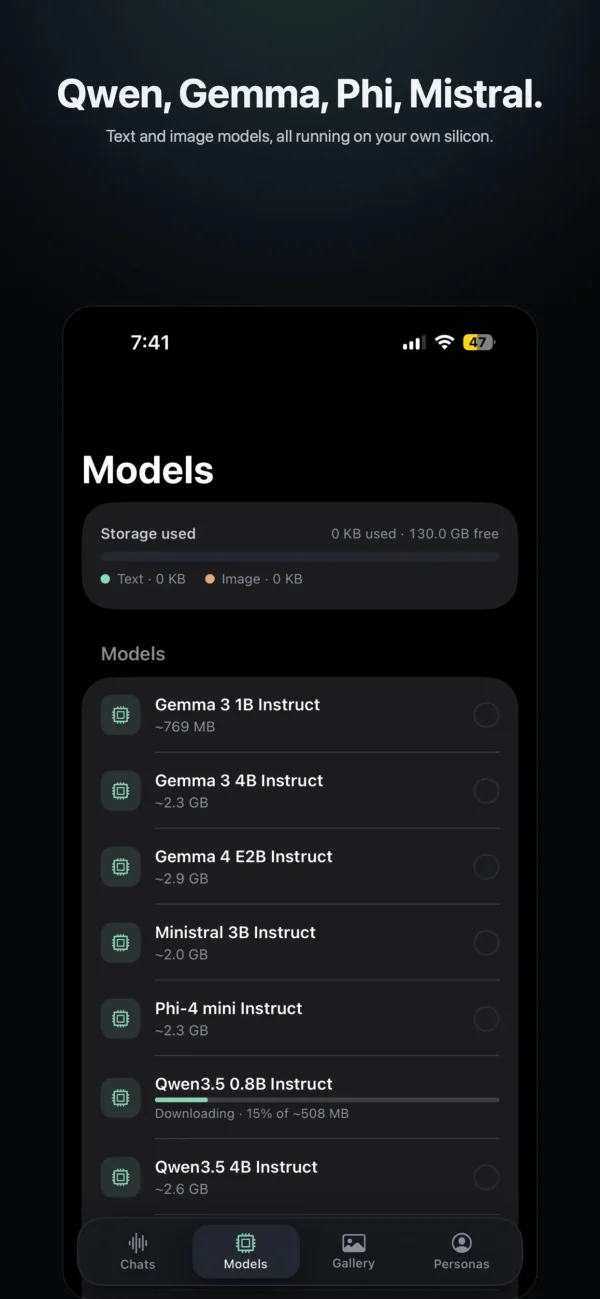
Sessions AIruns open language models in a range of sizes—Gemma, Qwen, Ministral, Mistral, and Ternary Bonsai families among them. Pick a small, fast model for quick answers or a larger one for harder work, and set a different model per conversation. Download only what you need; remove any model to free space.
Made for every screen
Designed for iPhone, iPad, and Mac, with full Dark Mode support. On iPad and Mac, a roomy sidebar lets you group and pin chats and jump between your models and Gallery; on iPhone, a simple tab bar keeps everything a tap away.
Built for privacy
Chat transcripts, the knowledge base, and all model data stay on your device. Language models and image generation both run locally—nothing you type is sent to the cloud for AI processing. Calendar and reminder access are used only on device to answer your questions. Web search is optional; when enabled, only the search query is sent to the provider (e.g. DuckDuckGo), not your full conversation. No telemetry, no analytics, no account—just you and your device.
Who it's for
Sessions AI is for anyone who wants a capable AI workspace without handing their work to the cloud. Whether you care about privacy, work offline, or simply prefer to own your data, it gives you a full assistant that runs where you do: on your own device.
Yenilikler
Sürüm 1.2.1 · 24.09.2026
Fetching works in an existing chat
- Askingagain fetches again: Repeating a request like "fetch this site and summarize the headlines" in a chat that already has an answer now goes back to the web, instead of repeating the earlier summary.
- No answer from thin air: If the assistant states figures or quotes for a live-data question without actually looking anything up, the app asks it to fetch before answering.
- Today's headlines means today: An earlier reply is treated as out of date, not as the current answer.
Uygulama gizliliği
Bu uygulamanın verileri nasıl işlediği hakkında Erich Champion tarafından App Store üzerinde yapılan beyan.
-
Veri toplanmıyor
Geliştirici bu uygulamadan hiçbir veri toplamıyor.
Gizlilik uygulamaları, örneğin kullandığınız özelliklere veya yaşınıza göre değişiklik gösterebilir.
Bilgiler
- Satıcı
- Erich Champion
- Kategori
- Üretkenlik
- Sürüm
- 1.2.1
- Güncellendi
- 24.09.2026
- Yayın tarihi
- 27.02.2026
- Boyut
- 87,1 MB
- Gereksinim
- iOS 26.0 veya sonrası
- Yaş sınırı
- 4+
- Fiyat
- ₺799,99
- Diller
- İngilizce
- Telif hakkı
- © 2026 Erich Champion