SetFlow: Set & Rest Timer
Simple Workout Timer
iPhone, iPod touch için tasarlandı
Ücretsiz
- Yaş sınırı4+
- KategoriSağlık ve Fitness
- GeliştiriciIan Hulme
- Dillerİngilizce
- Boyut24,7 MB
Resmi App Store sayfasına bağlanır
Download.org, SetFlow: Set & Rest Timer için hiçbir dosya barındırmaz. Düğme, uygulamanın App Store üzerindeki sayfasını açar; uygulamayı orada Ian Hulme yayınlar. Sayfanın son kontrolü: 11.11.2026.
Ekran görüntüleri
Hakkında
Geliştirici bu metni dilinizde sunmamış.
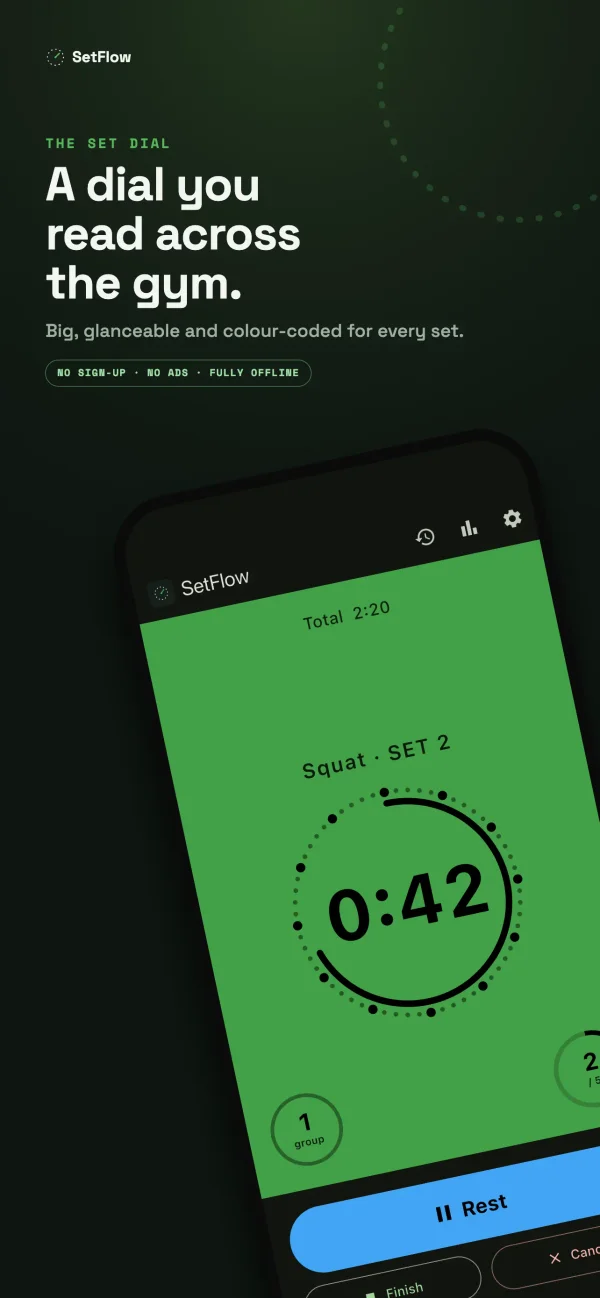
SetFlow is the simplest way to time your sets and rests in the gym. Start a set, tap once when you rack the weight, and SetFlow logs the set and counts down your rest — then automatically starts the next one. No fiddling, no menus. Just lift.
Built for people who want a clean, glanceable timer and an honest log of every session — with nothing to sign up for.
WHY SETFLOW
• One-tap flow — start set, tap Rest, repeat. Your next set starts automatically (or turn that off for manual control).
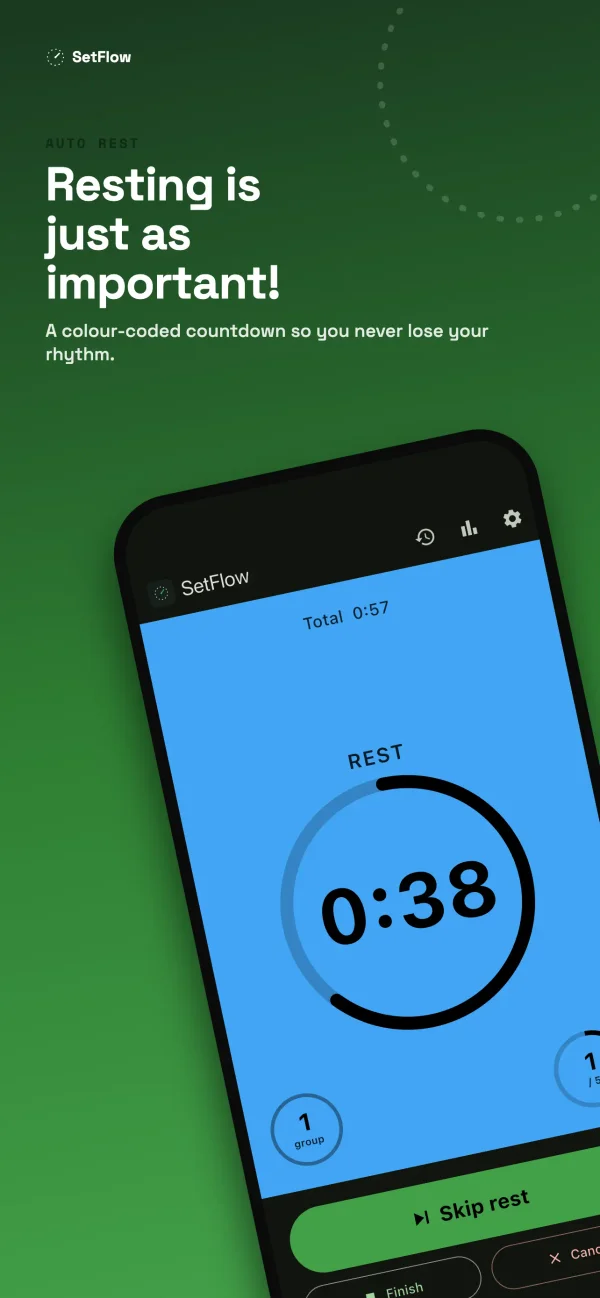
• A timer you can read across the gym — a big clock-face set dial and a colour-coded rest ring.
• Group by exercise — name what you're doing (Squat, Bench, Deadlift) and SetFlow counts your sets per exercise. Set a per-exercise target and it nudges you on to the next one when you hit it.
• Knows your rhythm — set a default rest time and an optional target number of sets.
• Heads-up cues — beeps, a 3-2-1 countdown and haptics. Cues play over your music instead of stopping it.
• Stays accurate — lock your phone or switch apps and the timer never drifts; a notification fires the moment rest ends.
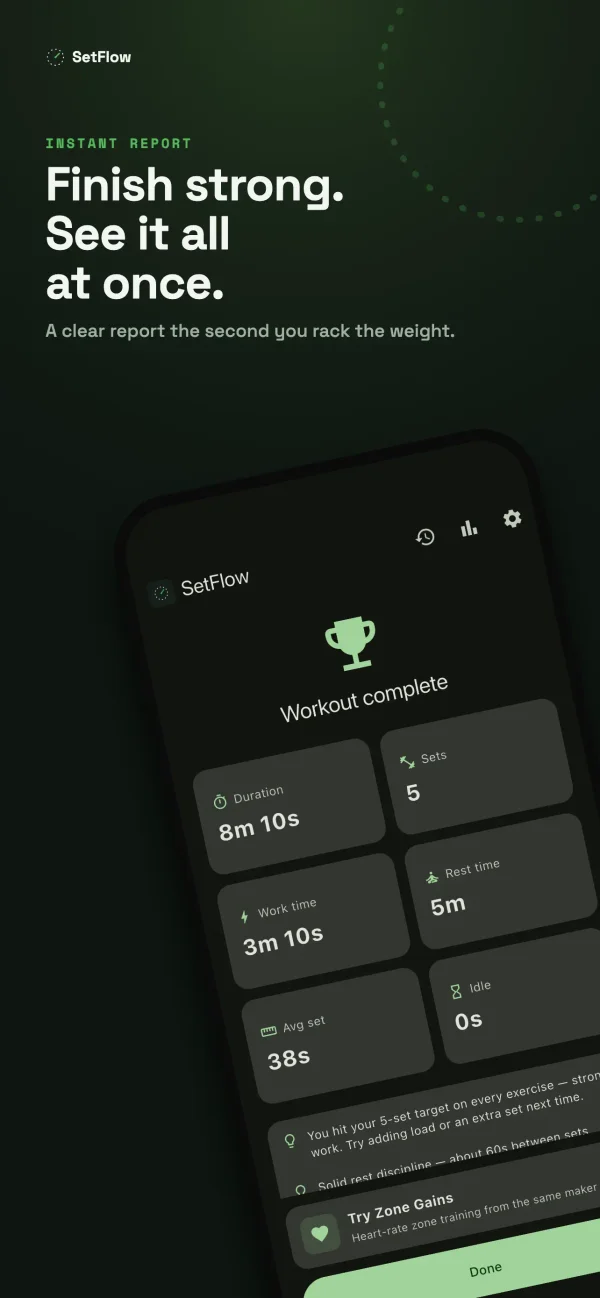
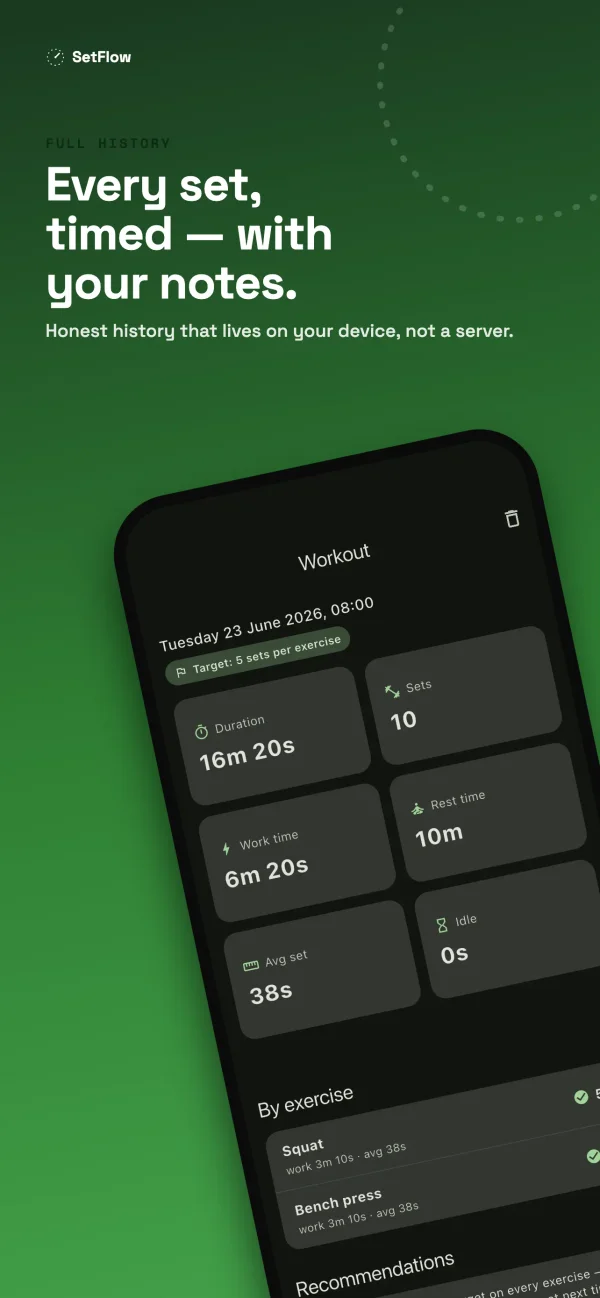
• Honest history — every workout is saved with total time, work time, rest time, average set, and a breakdown of each exercise.
• Coaching tips — after every workout, SetFlow turns your numbers into plain-language suggestions on targets, rest discipline and pacing.
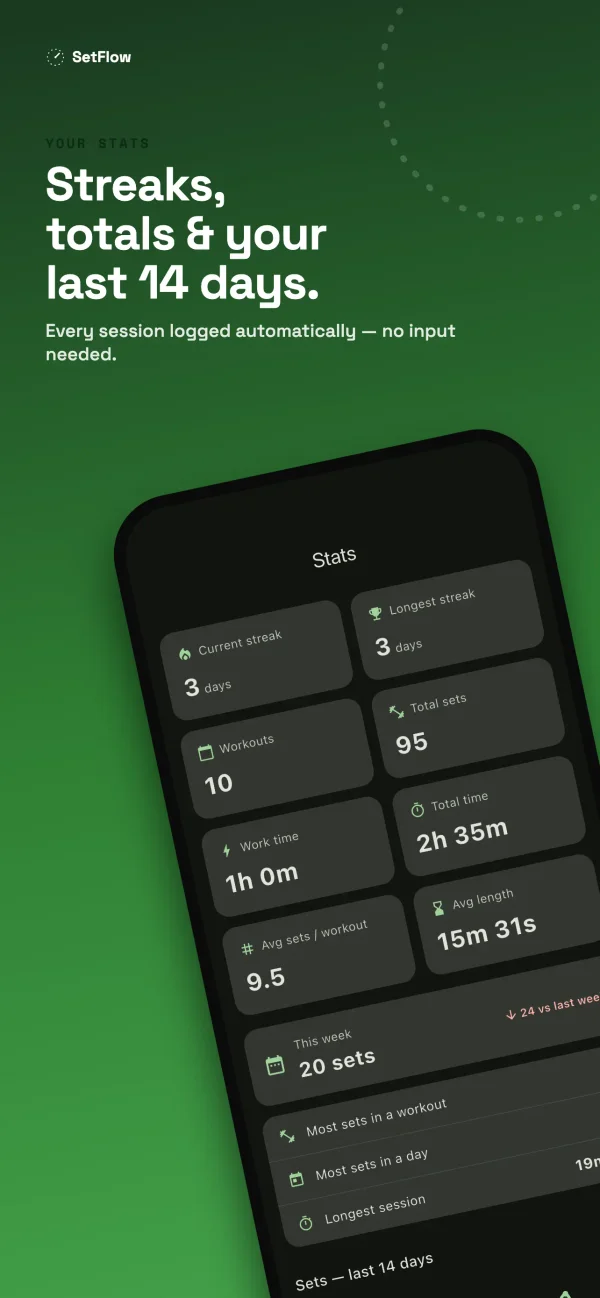
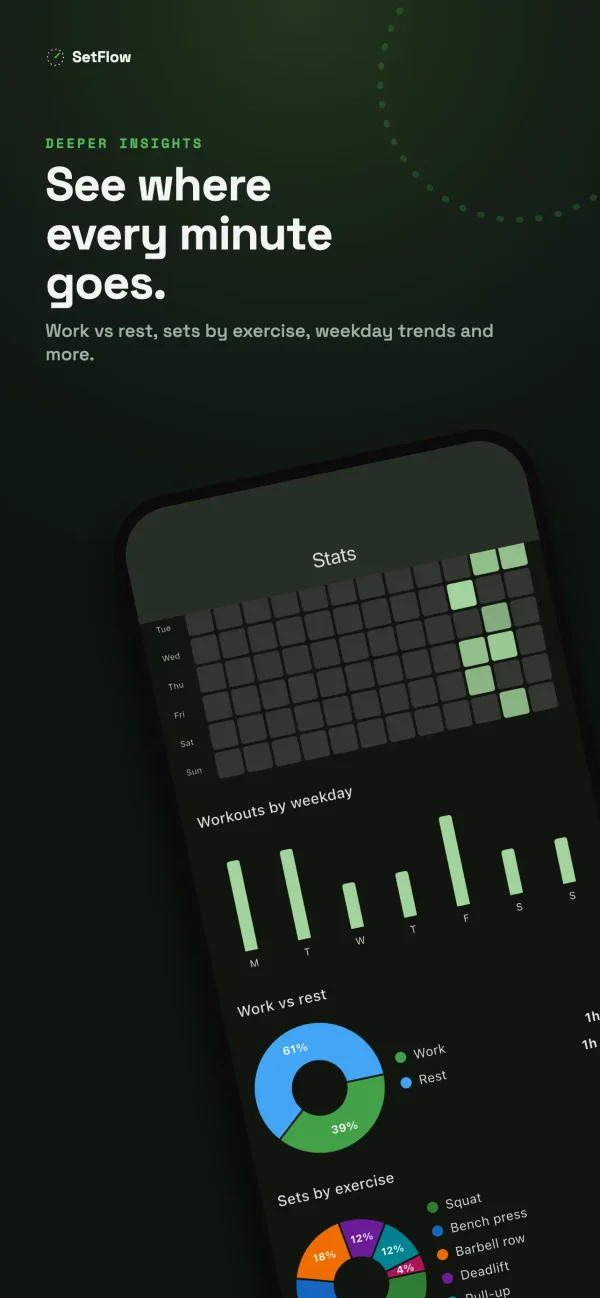
• See your progress — current and longest streaks, lifetime totals, an activity heatmap, a sets-per-day chart, work-vs-rest and sets-by-exercise breakdowns, workouts by weekday, and personal bests.
• Export anytime — share your full history as CSV or JSON.
PRIVATE BY DESIGN
SetFlow works fully offline. No accounts, no third-party ads, no tracking, no analytics. Your data lives on your device and never leaves it unless you choose to export it.
HOW IT WORKS
1. Tap Start workout.
2. (Optional) Tap the "+" ring to name your exercise.
3. Tap Start set — the dial counts up.
4. Tap Rest — your set is logged and the rest countdown begins.
5. Rest ends → the next set starts automatically.
6. Tap Finish for your report and tips, saved to history.
Great for weight training, calisthenics, and any set-and-rest routine.
No subscription. No catch. A timer that gets out of your way.
SetFlow is a workout timer, not medical advice. Consult a doctor before starting any exercise programme and stop if you feel unwell — you train at your own risk.
Yenilikler
Sürüm 1.0.2 · 23.07.2026
Small fixes for more accurate sessions:
• Finishing a workout right after a set no longer logs a stray few-second rest, so your rest totals and averages read true.
• Added a confirmation when you tap Finish from the exercise-target prompt, so a workout can't end by accident.
Uygulama gizliliği
Bu uygulamanın verileri nasıl işlediği hakkında Ian Hulme tarafından App Store üzerinde yapılan beyan.
-
Veri toplanmıyor
Geliştirici bu uygulamadan hiçbir veri toplamıyor.
Gizlilik uygulamaları, örneğin kullandığınız özelliklere veya yaşınıza göre değişiklik gösterebilir.
Bilgiler
- Satıcı
- Ian Hulme
- Kategori
- Sağlık ve Fitness
- Sürüm
- 1.0.2
- Güncellendi
- 23.07.2026
- Yayın tarihi
- 30.06.2026
- Boyut
- 24,7 MB
- Gereksinim
- iOS 13.0 veya sonrası
- Yaş sınırı
- 4+
- Fiyat
- Ücretsiz
- Diller
- İngilizce
- Telif hakkı
- © 2026 Designed 2 Use
Bunları da beğenebilirsiniz
-
 SetFlow: Interval TrainingSağlık ve Fitness
-
 Just'a Tabata: HIIT SayacıAralıklı ve dairesel antrenman
-
 Gym Rest Timer - Ağırlık AntreKaldırma Arası İçin Zamanlayıc
-
 Spor Salonu GünlüğüReklamsız, Dinlenme Sayacı
-
 Rest: Spor Salonu ZamanlayıcıDinlenme süresi ve set takibi
-
 Pacelab Interval TimerSağlık ve Fitness
-
 Ares - İnterval ZamanlayıcıHIIT, Tabata, yoga, esneme
-
 Gym Radar - Boş Spor SalonlarıEn İyi Antrenman Zamanları
-
 Gym Timer ™Sağlık ve Fitness
-
 Fitocracy - Antrenman PlanıEvde Egzersiz ve Spor Salonu