
- Yaş sınırı12+
- KategoriÜretkenlik
- GeliştiriciMark Schwab
- Dillerİngilizce
- Boyut40,6 MB
Resmi App Store sayfasına bağlanır
Download.org, SFirewall için hiçbir dosya barındırmaz. Düğme, uygulamanın App Store üzerindeki sayfasını açar; uygulamayı orada Mark Schwab yayınlar. Sayfanın son kontrolü: 18.11.2026.
Ekran görüntüleri

Hakkında
Geliştirici bu metni dilinizde sunmamış.
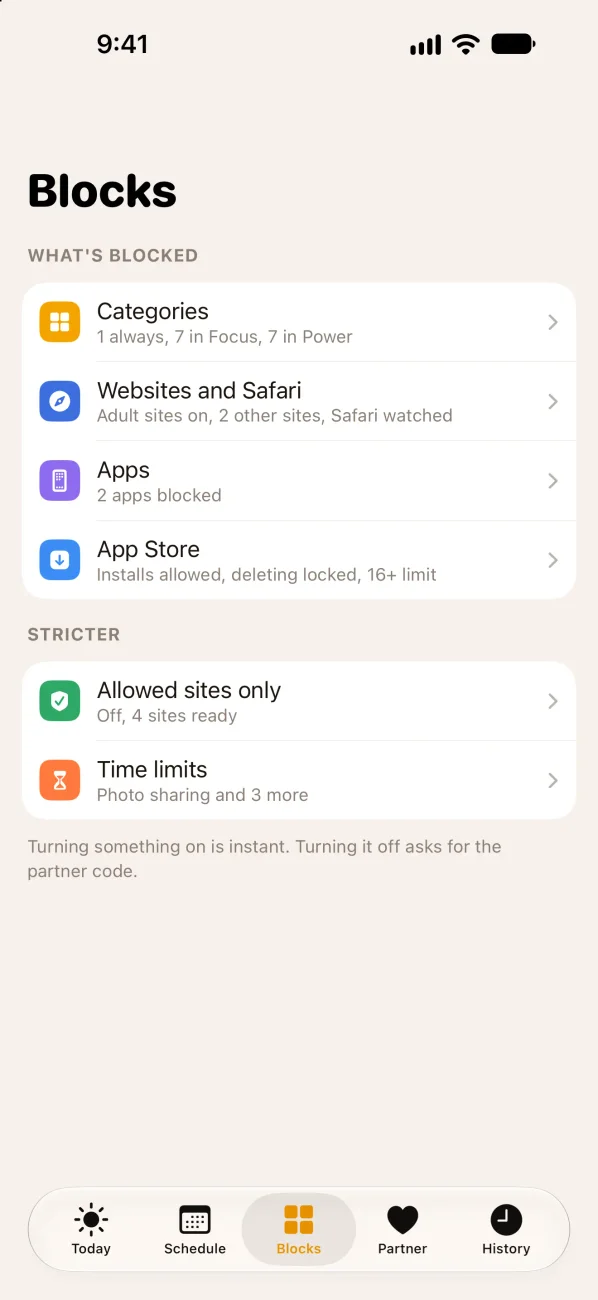
SFirewall helps you step away from the apps and websites that pull you in, and keeps you there. It uses Apple's Screen Time to block apps and sites on your iPhone, and only your accountability partner can loosen what you set.
HOW IT WORKS
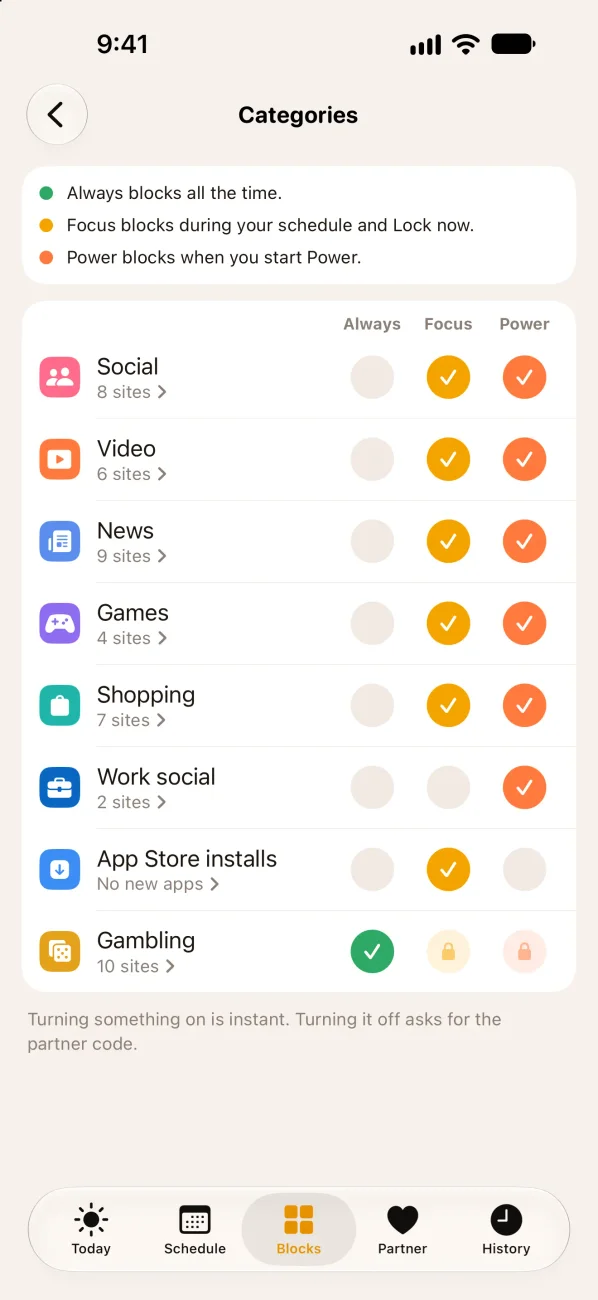
Pick what pulls you in: social, video, news, games, shopping, work social, gambling and adult sites. Choose the exact apps with Apple's own picker. Then hand your iPhone to someone you trust and they choose a 4 digit partner code. Adding a block is always instant. Turning a block off, removing an app or a site, or loosening a limit takes the partner code. If the code is ever forgotten, a 7 day reset lets you set a new one, blocks stay in place meanwhile, and your partner is told.
ALWAYS ON, FOCUS AND POWER
Always on: blocked all the time, like gambling and adult sites.
Focus: the categories you choose, during the hours you schedule.
Power: a stricter set for when you need a hard stop.
Set weekly blocks on the Schedule tab, or start Focus or Power right away with Lock now. A running block keeps its end time, even with the code.
ALLOWED SITES ONLY
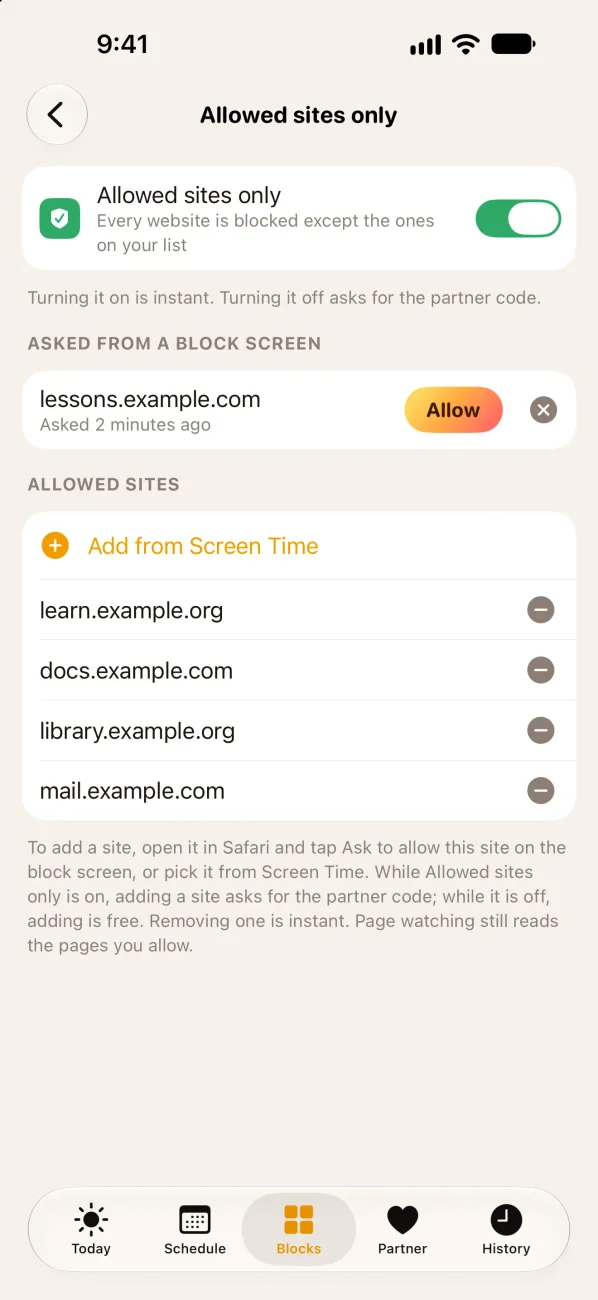
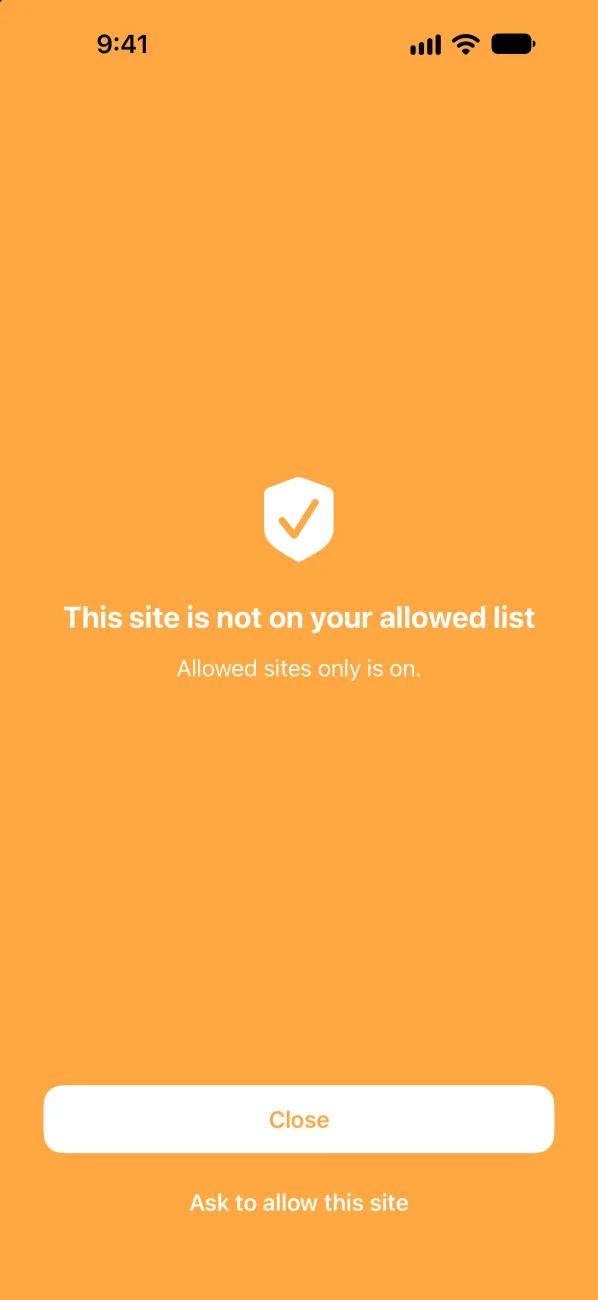
Block every website except a short list you allow. When you land on a blocked site, tap Ask to allow this site, and your partner approves it with the code.
TIME LIMITS
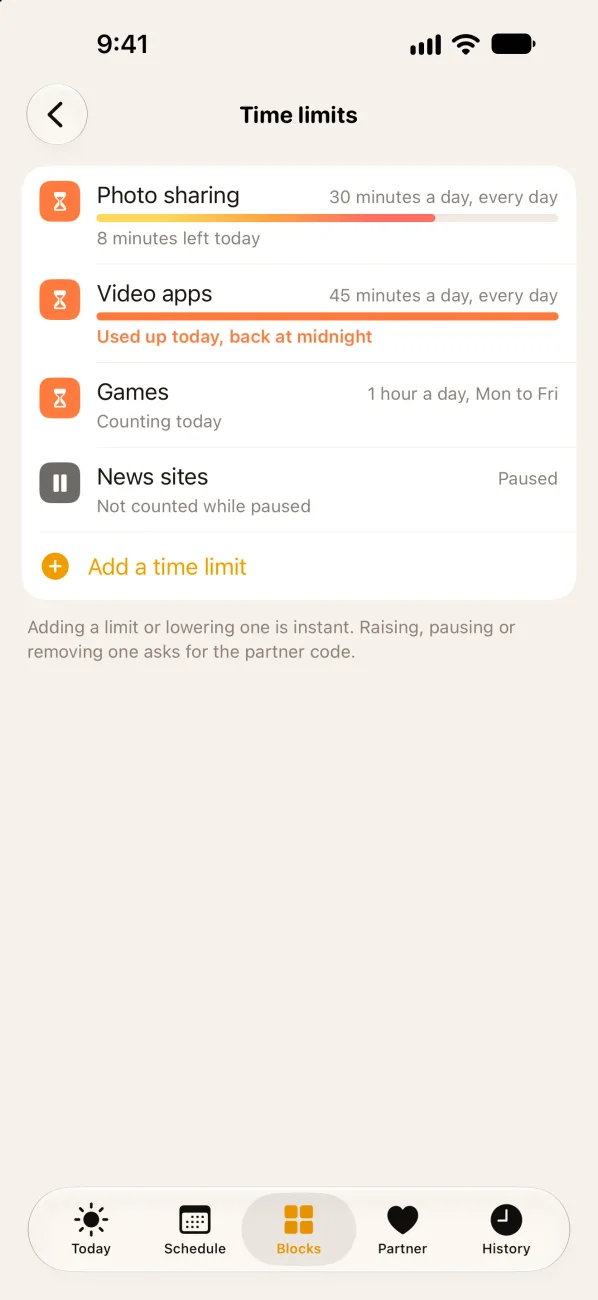
Give an app or a website a daily allowance, like 30 minutes of a social app. When the time is up it stays blocked until midnight. Up to five limits.
SAFARI PAGE WATCHING
The SFirewall Safari extension checks pages as they load and blocks any page with your page words, then closes the tab. Page text never leaves your iPhone. If the extension is switched off, your partner is told.
FILTER EVERY APP
A small VPN that runs on your iPhone and only handles DNS checks every site name apps look up against SFirewall's adult list, adult brand names, your keywords and your running blocks, then Cloudflare's family filter. It covers apps and in app browsers that use the phone's DNS. No other traffic goes through it. Another VPN, or an app with its own encrypted DNS, can bypass it; if it is switched off or another VPN takes its place, your partner is told. It also forces SafeSearch, so Google, YouTube, Bing and DuckDuckGo show safe results in every app. A lighter mode uses Cloudflare's family filter alone.
APPS AND THE APP STORE
Block apps by name, even before they are installed, set an App Store age limit, and keep apps from being deleted while Always on runs. With Partner lock, your partner also sets the Screen Time passcode, so removing SFirewall needs them too.
HISTORY AND YOUR PARTNER
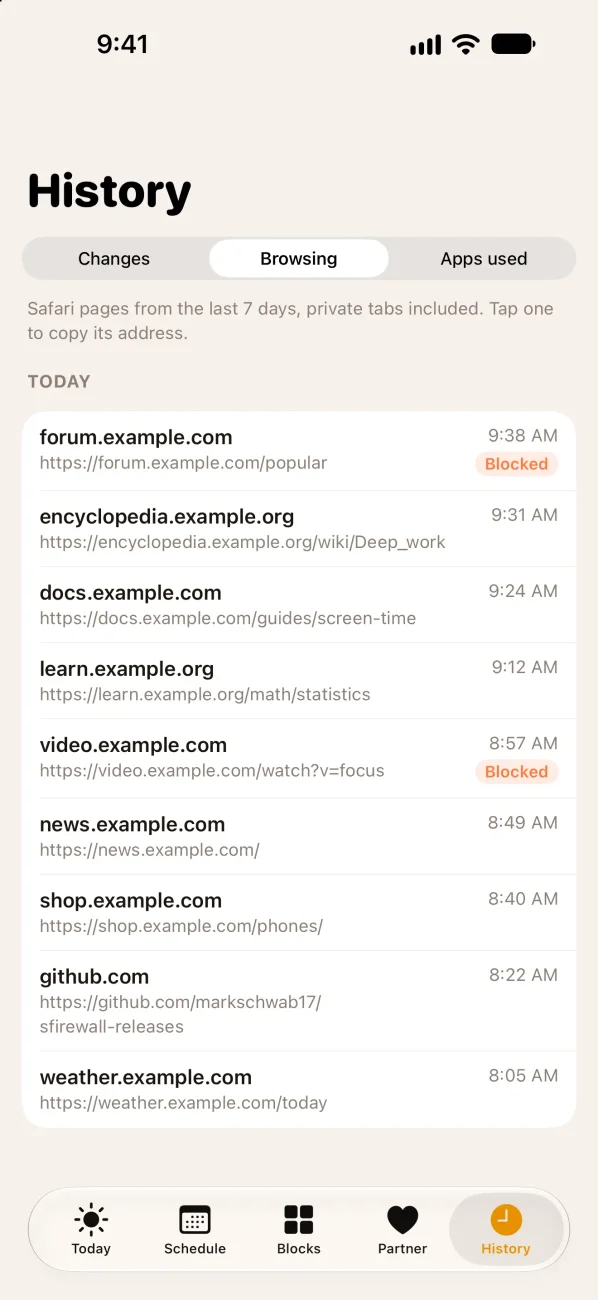
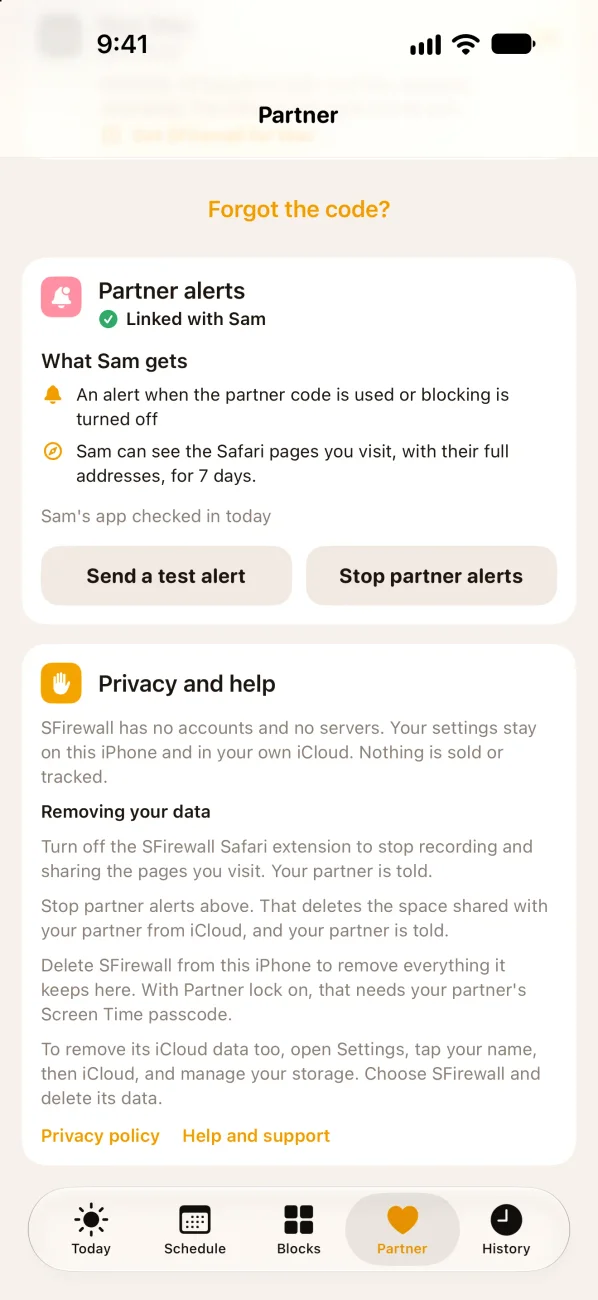
History lists every change and every use of the partner code, the Safari pages you visited in the last 7 days, and the apps you used, drawn by Screen Time. Invite your partner to the free SFirewall app on their own iPhone. They get an alert when the code is used or blocking is turned off, see whether blocking is on, and see the Safari pages you visit, with their addresses, for 7 days. SFirewall shows you exactly what is shared before you invite, and your partner has to accept.
MAC COMPANION, OPTIONAL
SFirewall for Mac is a separate free download from the SFirewall website. Link it and one partner code guards both, and your iPhone can see and change your Mac's blocks. The iPhone app works fully on its own.
PRIVACY
No accounts. No servers. No ads, analytics or tracking. Your settings live on your iPhone and in your own iCloud. The only things that leave your devices are what you choose to share with your partner, through Apple's iCloud sharing, and, with Filter every app on, the site names your iPhone looks up, which Cloudflare's family filter answers. The developer never receives any of it.
Requires Screen Time. Partner alerts need iCloud on both iPhones.
Uygulama gizliliği
Bu uygulamanın verileri nasıl işlediği hakkında Mark Schwab tarafından App Store üzerinde yapılan beyan.
-
Veri toplanmıyor
Geliştirici bu uygulamadan hiçbir veri toplamıyor.
Gizlilik uygulamaları, örneğin kullandığınız özelliklere veya yaşınıza göre değişiklik gösterebilir.
Bilgiler
- Satıcı
- Mark Schwab
- Kategori
- Üretkenlik
- Sürüm
- 1.0
- Güncellendi
- 02.10.2026
- Yayın tarihi
- 02.10.2026
- Boyut
- 40,6 MB
- Gereksinim
- iOS 26.4 veya sonrası
- Yaş sınırı
- 12+
- Fiyat
- Ücretsiz
- Diller
- İngilizce
- Telif hakkı
- © 2026 Mark Schwab
Bunları da beğenebilirsiniz
-
 Pawl: App Blocker With a KeyÜretkenlik
-
 ScreenPact: Your Focus PartnerÜretkenlik
-
 Focus Firewall - App BlockerÜretkenlik
-
 Hush - Reduce Screen TimeÜretkenlik
-
 GearChain - Inventory TrackerÜretkenlik
-
 LockPact: Screen Time PartnerÜretkenlik
-
 Hedgy: Screen Time & App BlockÜretkenlik
-
 Uygulama engelleyici - blokrEkran süresi, odak ve limit
-
 CyberGuard - Chat Bot with AIÜretkenlik
-
 GetaPro.lvÜretkenlik