- Yaş sınırı4+
- KategoriMüzik
- GeliştiriciMoriya Maeda
- Dillerİngilizce+ 9 dil daha
- Boyut17,9 MB
Resmi App Store sayfasına bağlanır
Download.org, SGGPlayerM için hiçbir dosya barındırmaz. Düğme, uygulamanın App Store üzerindeki sayfasını açar; uygulamayı orada Moriya Maeda yayınlar. Sayfanın son kontrolü: 15.11.2026.
Ekran görüntüleri
Hakkında
Geliştirici bu metni dilinizde sunmamış.
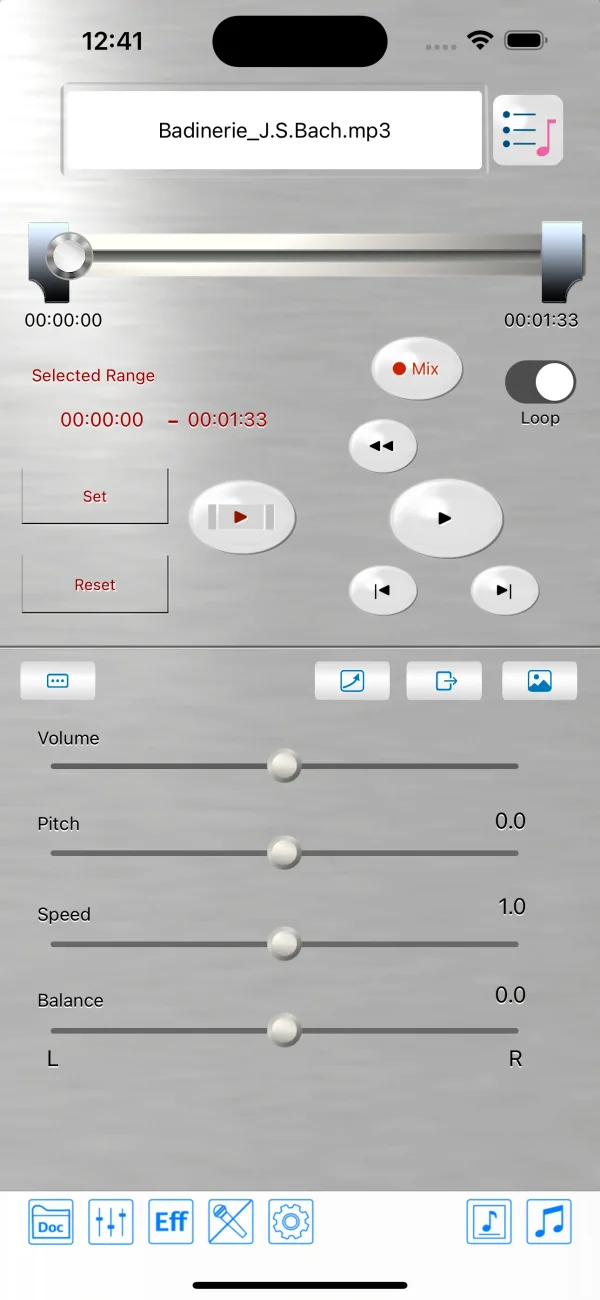
SGGPlayerM is a multifunctional audio player for music files such as AIFF, MP3 etc.
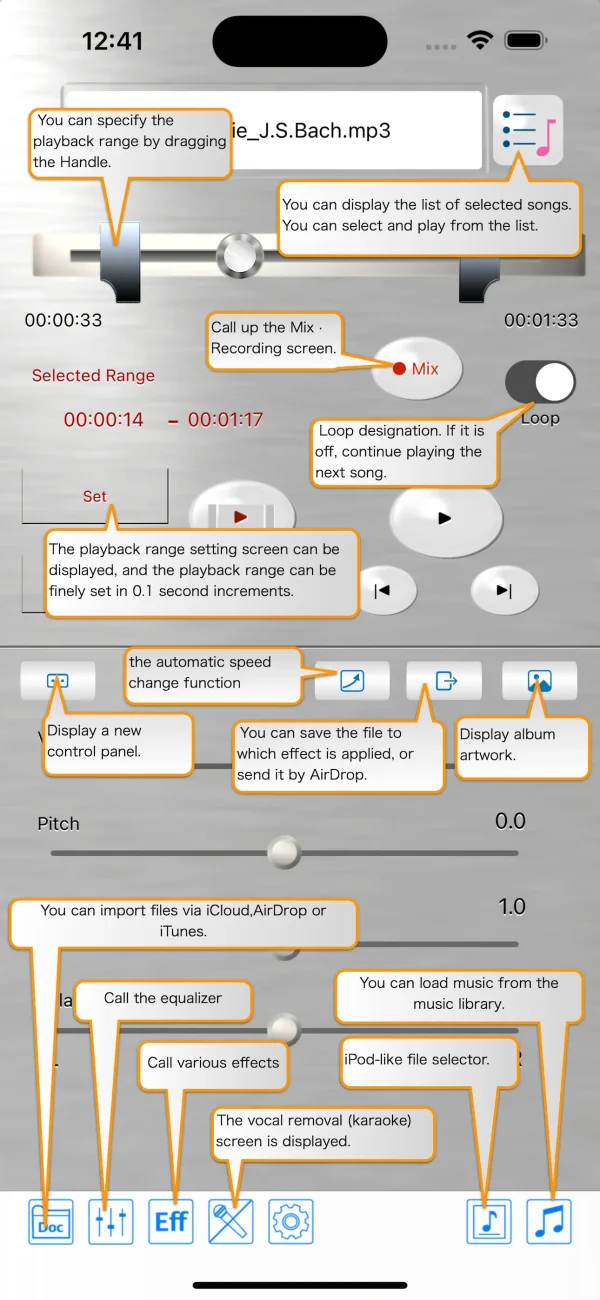
It has various functions such as repeat playback with specified range, speed change / pitch change function, vocal delete function, mix recording function, file export function and so on.
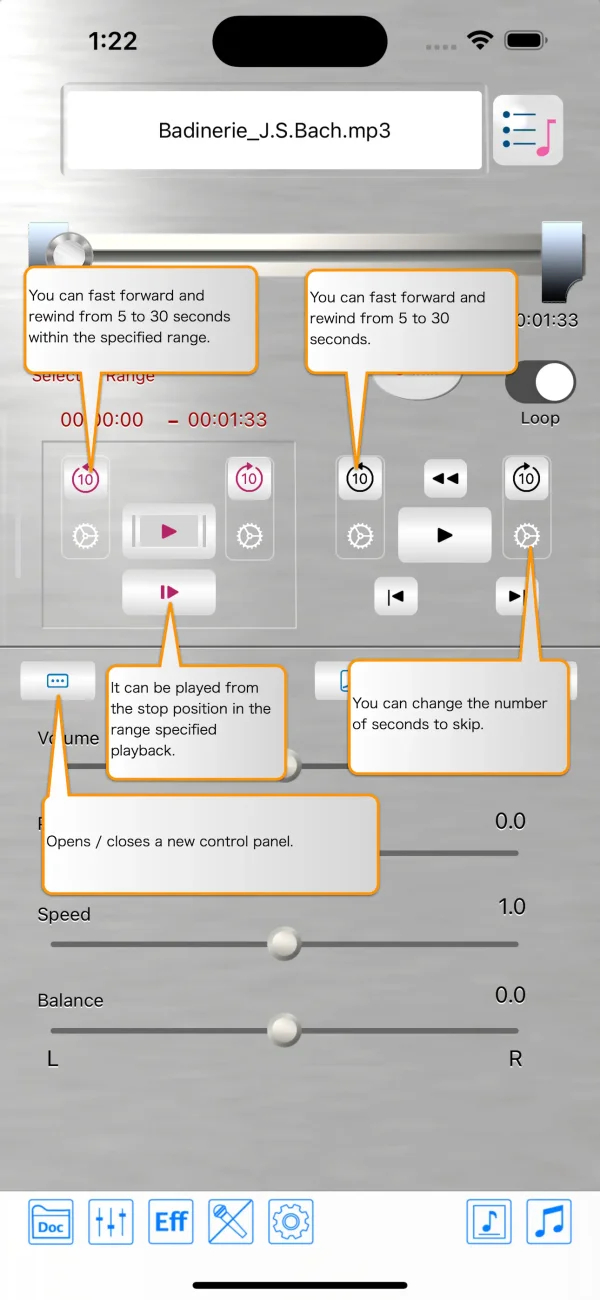
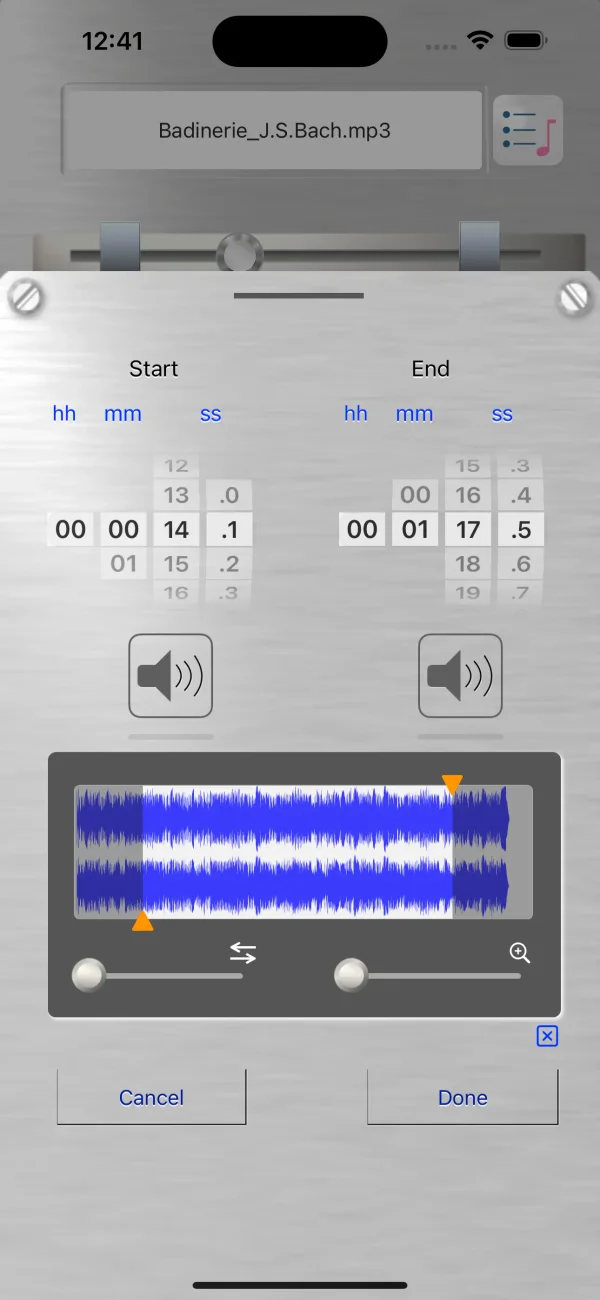
[Pitch change, playback speed change and repeat playback within selected range]
You can change the pitch in semitone steps without changing the playback speed, or change the playback speed from 0.1 to 2.0 times without changing the pitch.
There is also a repeat playback function with a specified range. It is most suitable for musical instrument practice and ear copy etc. with a lowered tempo.
You can save a file to which an effect such as pitch change or speed change has been applied and send it using AirDrop.
You can also export only the selected area.
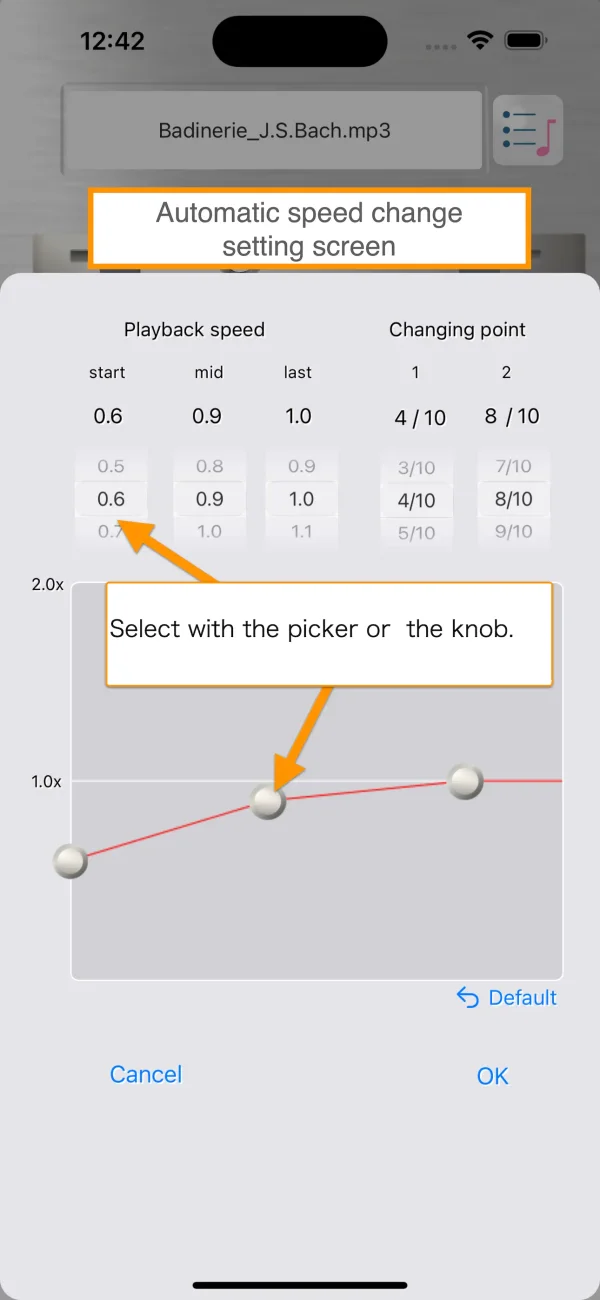
[ Automatic speed change function ]
The speed will be changed gradually according to the setting.
For example, if you set it to start slowly at first and gradually increase the speed, it is effective for listening practice of the language.
This function can also be applied when outputting a file
[Vocal removal function]
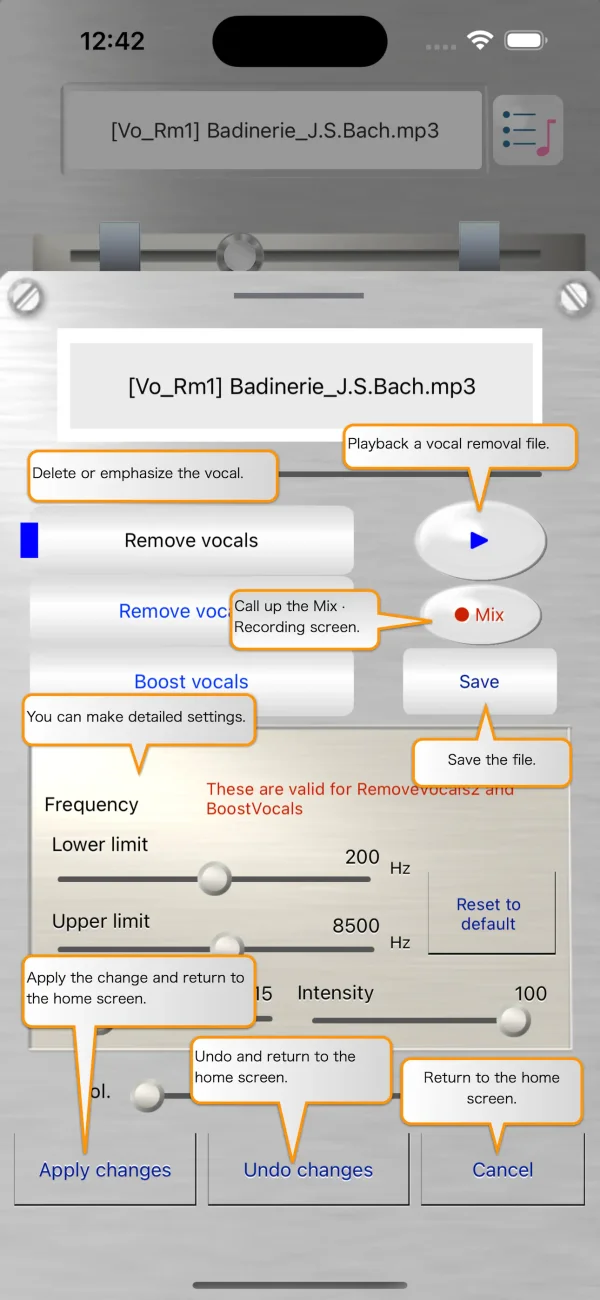
In addition to the traditional vocal removal features, new vocal removal and vocal extraction features have been added.
These allow you to fine tune the parameters and the result is a stereo output.
Vocal deletion and vocal extracted files can be saved or sent via AirDrop.
[Easy Mix Function]
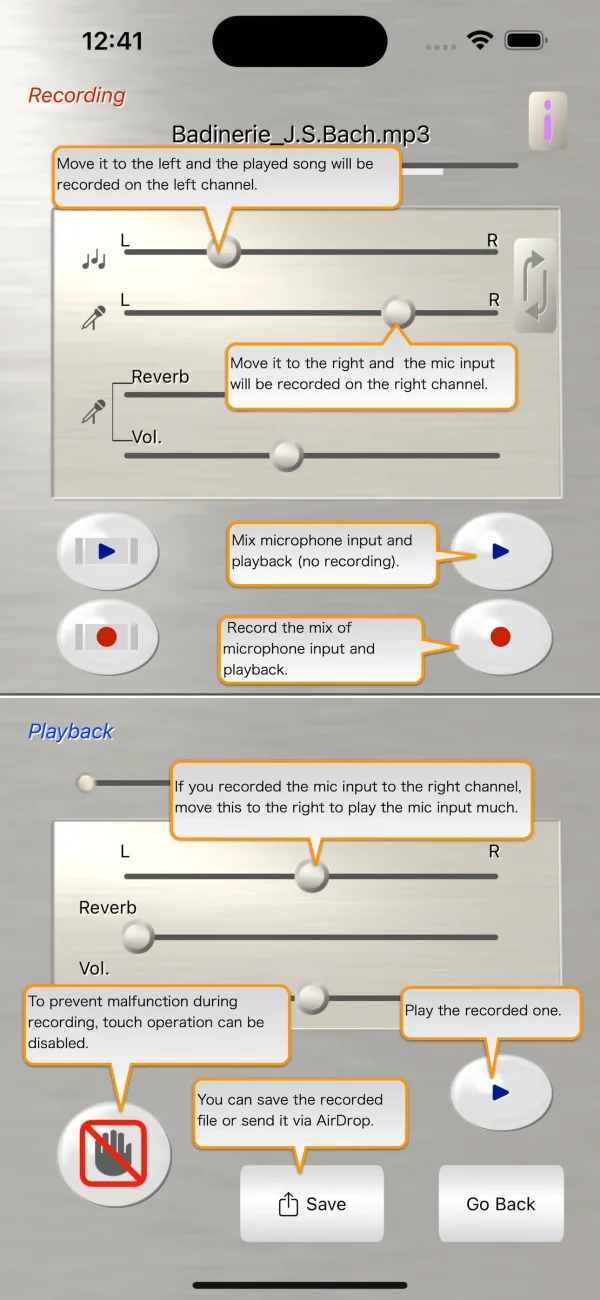
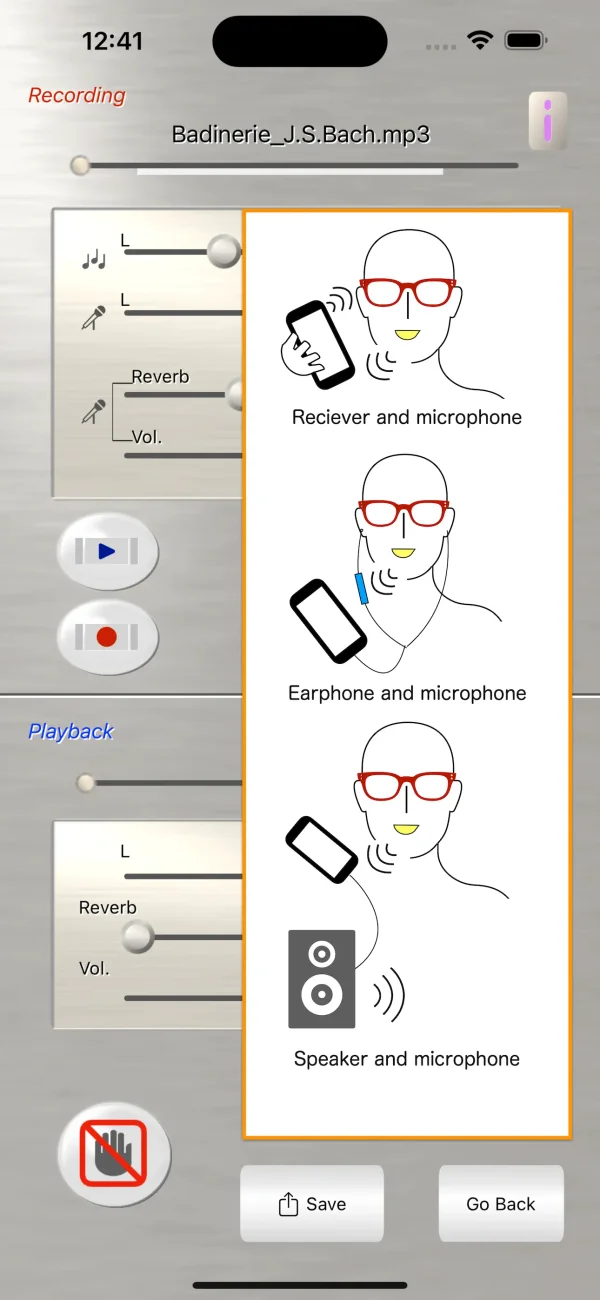
You can mix and record the input from the microphone while playing the song.
This feature is perfect for practicing karaoke.
You can also apply reverb to the input.
Also, recorded sound sources can be saved or sent via AirDrop.
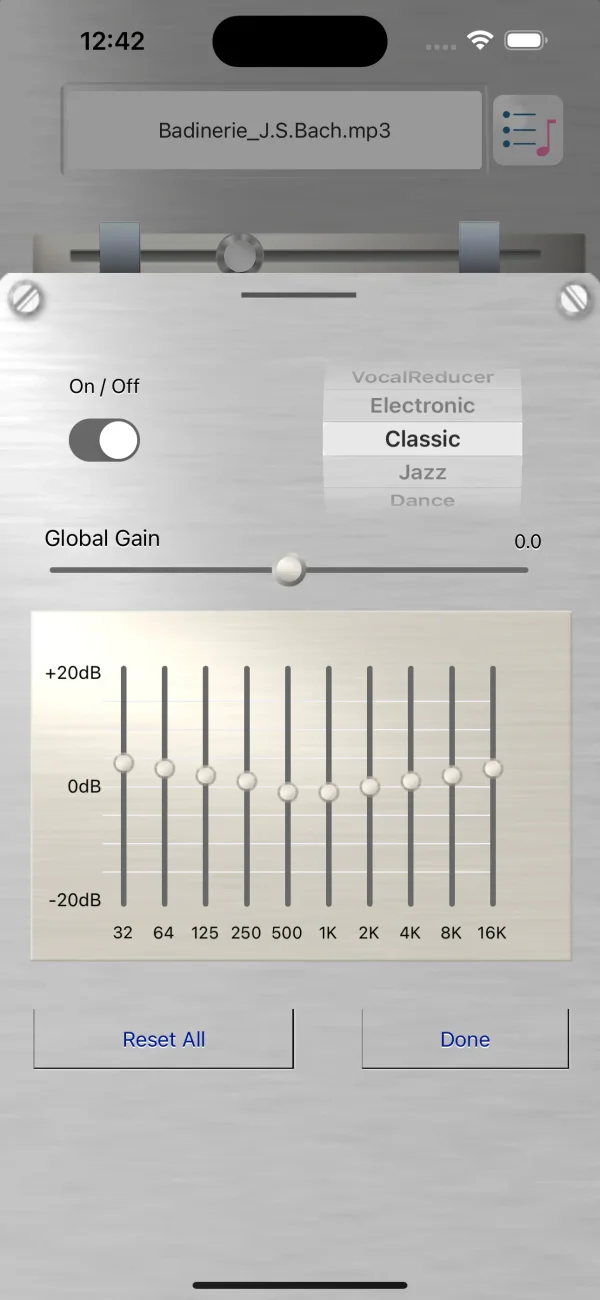
[Equalizer and effect function]
It has features such as 10-band equalizer, synchronized change of pitch and playback speed, reverb, distortion, and delay.
[Read file]
You can import files via iCloud or iTunes.
You can receive files with AirDrop.
You can play songs in your music library.
Continuous playback of songs is possible.
An iPod-like file selector has been added.
You can directly select PodCast and AudioBook stored locally.
If you have PodCast or AudioBook in your playlist, you can also select them directly.
Like an iPod, you can play a series of mixed playlists, including locally stored PodCasts and audiobooks.
[Save file]
You can save the file to Documents or iCloud.
Send files to other iPhones and Macs via AirDrop or email.
You can select flac, m4a, AIFF, or Wave as the save format when exporting the file.
[ Normalize function ]
This function can adjust the volume properly when outputting a file.
[Show songs waiting to play]
You can check and select songs waiting for playback in the cue file list.
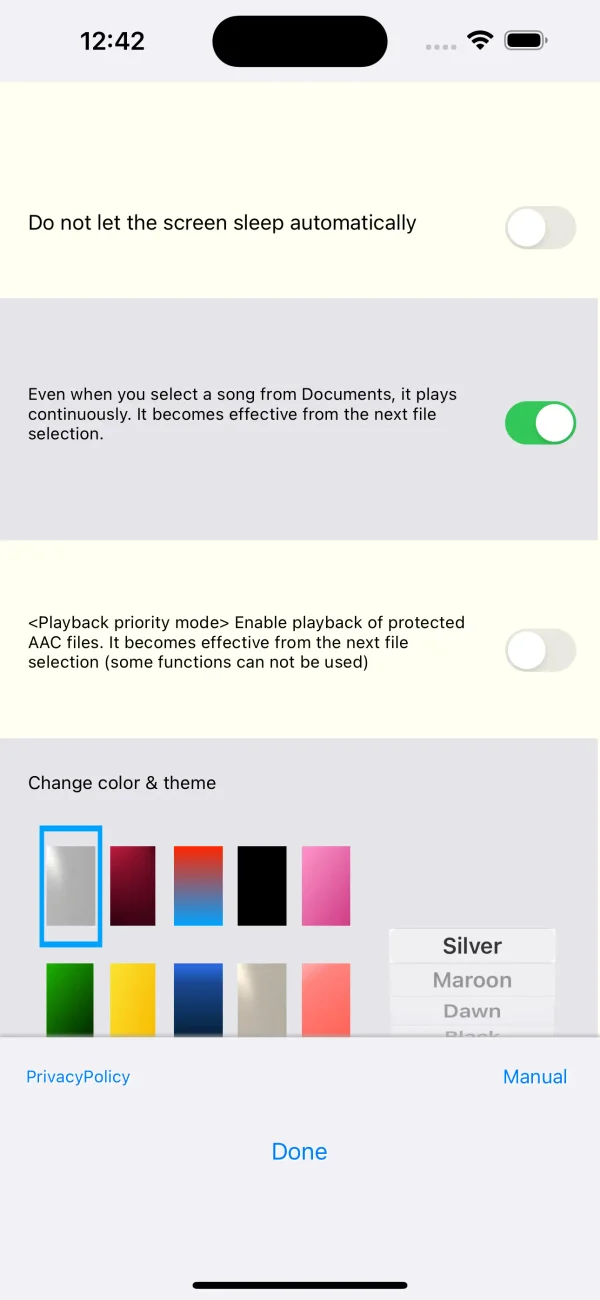
[Theme and color change function]
You can change the theme and color.
[Play protected AAC files and audiobooks]
By changing to playback priority mode, you can play locally saved protected AAC files and audiobooks.
[Automatic screen sleep on / off switching function]
You can choose to enable or disable automatic screen sleep.
* You can not memorize the playback position of PodCast or audiobook.
* In playback priority mode, various effects, vocal deletion, EasyMix and file save can not be used.
― Speed change, range selection playback function can be used.
* MIDI files are not supported.
Yenilikler
Sürüm 1.7.8 · 24.09.2026
Added support for iOS 27.
Fixed some bugs.
Uygulama gizliliği
Bu uygulamanın verileri nasıl işlediği hakkında Moriya Maeda tarafından App Store üzerinde yapılan beyan.
-
Sizi izlemek için kullanılan veriler
Başka şirketlere ait uygulamalarda ve web sitelerinde sizi izlemek için kullanılabilir.
- Konum
- Tanımlayıcılar
- Kullanım verileri
- Tanılama
-
Sizinle ilişkilendirilen veriler
Toplanabilir ve kimliğinizle ilişkilendirilebilir.
- Konum
- Tanımlayıcılar
- Kullanım verileri
- Tanılama
-
Sizinle ilişkilendirilmeyen veriler
Toplanabilir ancak kimliğinizle ilişkilendirilmez.
- Kullanım verileri
- Tanılama
Gizlilik uygulamaları, örneğin kullandığınız özelliklere veya yaşınıza göre değişiklik gösterebilir.
Bilgiler
- Satıcı
- Moriya Maeda
- Kategori
- Müzik
- Sürüm
- 1.7.8
- Güncellendi
- 24.09.2026
- Yayın tarihi
- 22.09.2017
- Boyut
- 17,9 MB
- Gereksinim
- iOS 18.6 veya sonrası
- Yaş sınırı
- 4+
- Fiyat
- Ücretsiz
- Diller
- İngilizce, Arapça, Fransızca, Almanca, Japonca, Portekizce, Rusça, Basitleştirilmiş Çince, İspanyolca, Geleneksel Çince
- Telif hakkı
- © 2017maeda