
ShotTetherPro: Camera Tether
Wireless tethering for pros
iPhone, iPad için tasarlandı
₺999,99 · Uygulama içi satın alma
- Yaş sınırı4+
- KategoriFotoğraf ve Video
- Geliştiriciarcion Inc.
- DillerJaponca+ 12 dil daha
- Boyut5,4 MB
Resmi App Store sayfasına bağlanır
Download.org, ShotTetherPro: Camera Tether için hiçbir dosya barındırmaz. Düğme, uygulamanın App Store üzerindeki sayfasını açar; uygulamayı orada arcion Inc. yayınlar. Sayfanın son kontrolü: 25.11.2026.
Ekran görüntüleri
Hakkında
Geliştirici bu metni dilinizde sunmamış.
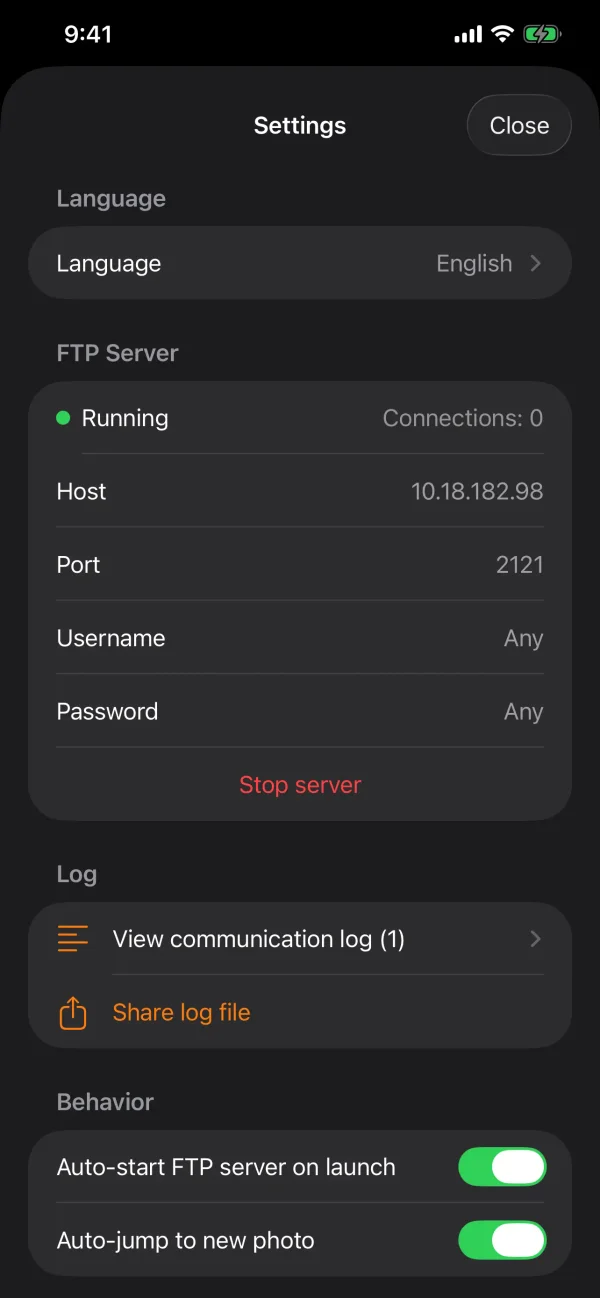
Camera tether app: receive photos from your camera on iPad and iPhone over FTP.
One-off purchase, no extra charges
Buy it once and use every feature as it is. No subscription, no additional charges.
ShotTetherPro requires a camera with built-in FTP upload.
The moment you press the shutter, your photo arrives wirelessly on your iPad / iPhone. ShotTetherPro is a wireless tethering receiver built for professional photographers — with every unnecessary feature stripped away.
[Why we built it]
ShotTetherPro was developed in-house by arcion Inc., a production studio specializing in photo and video shoots, focused only on the features that truly matter on set — rebuilt from the ground up to eliminate wasted screen space, slow transfers, and sluggish response.
[Key features]
■ Stay on camera Wi-Fi
Keeps your iPad / iPhone connected to the Wi-Fi of the camera you registered. Even if you open the app while connected to another Wi-Fi network (such as at home or in the office), it switches to the camera’s Wi-Fi automatically. If the connection drops during a shoot, a banner at the top of the screen and a vibration let you know, and the app tries to reconnect every 10 seconds until it succeeds. You can also tap ‘Connect’ to reconnect yourself. On iPadOS 18 / iOS 18 or later, once you register a camera, no confirmation screen appears on later reconnections. To set it up, join the camera’s Wi-Fi, register the camera’s name, and enter the Wi-Fi password once.
■ Register multiple cameras
Register the Wi-Fi of several cameras, such as a second body, and simply choose the one you want to use from the list.
■ A perfectly optimized display
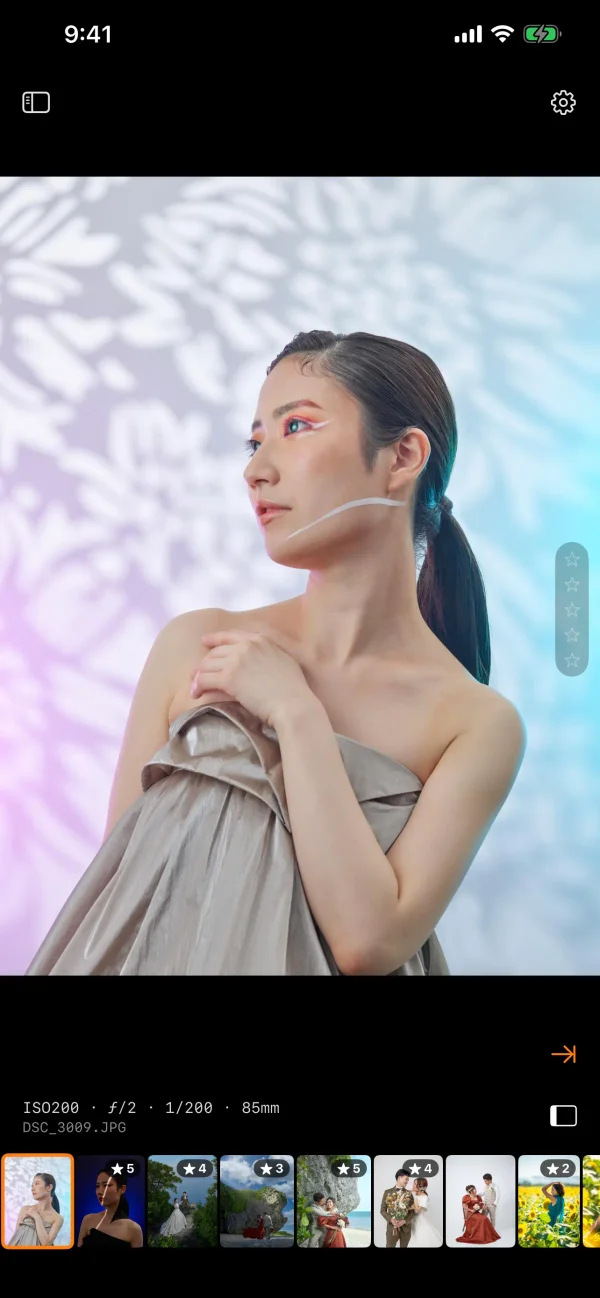
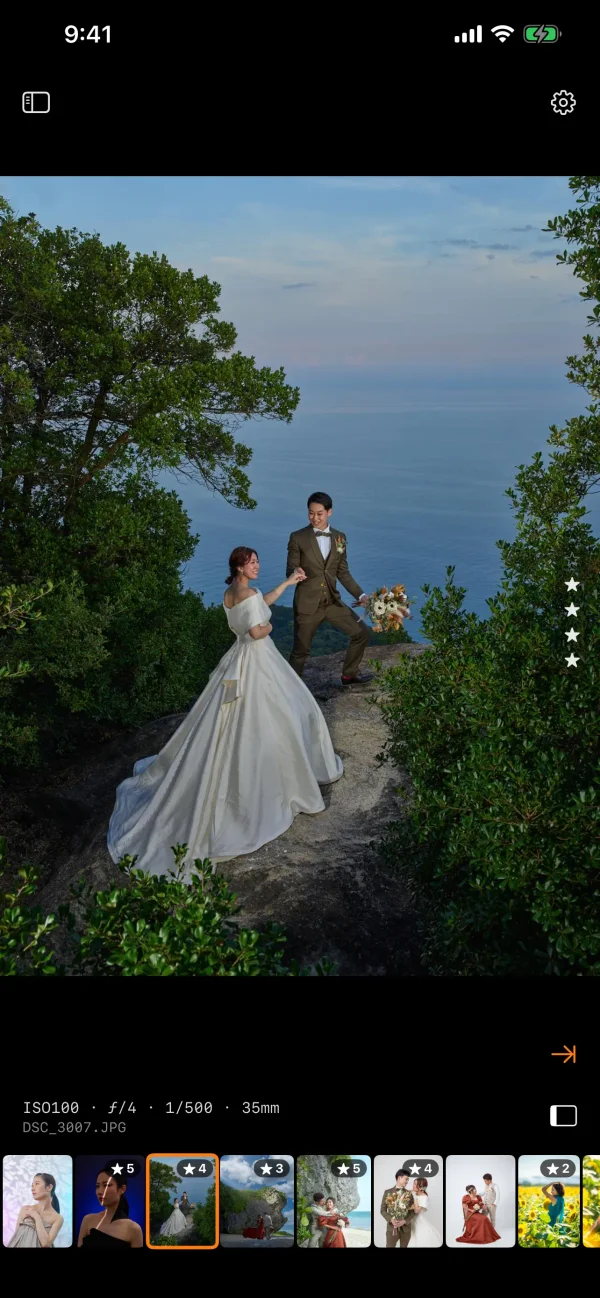
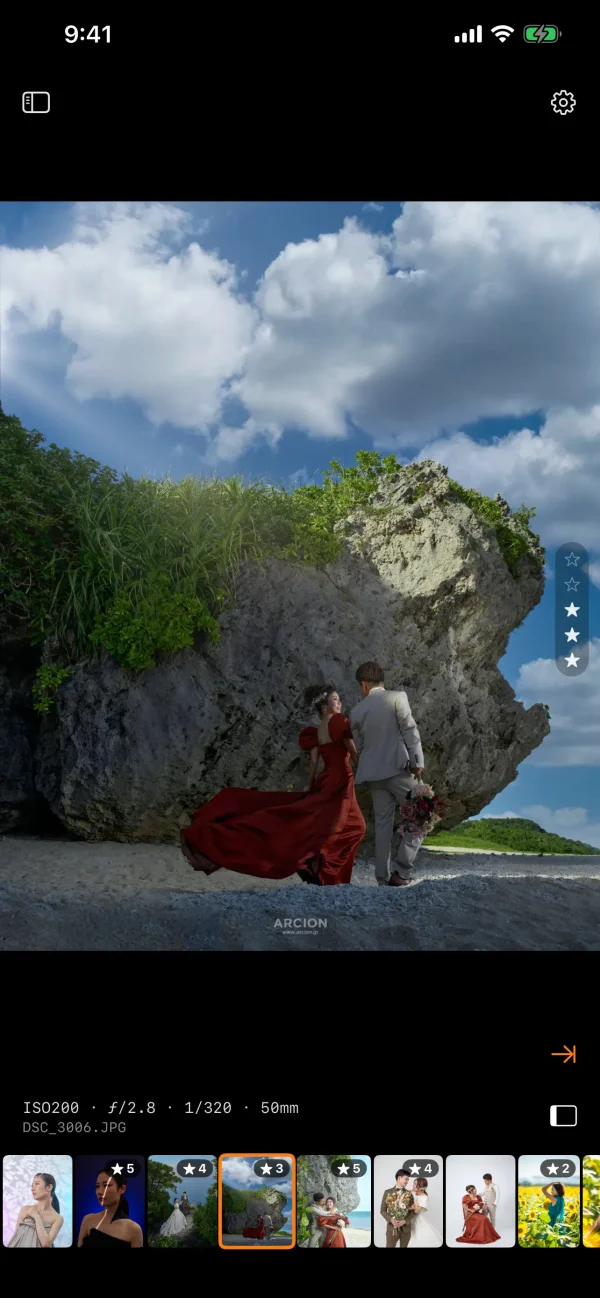
An immersive UI that fills the screen with your photo, at maximum size with aspect ratio preserved.
■ Zero bloat — blazing fast and light
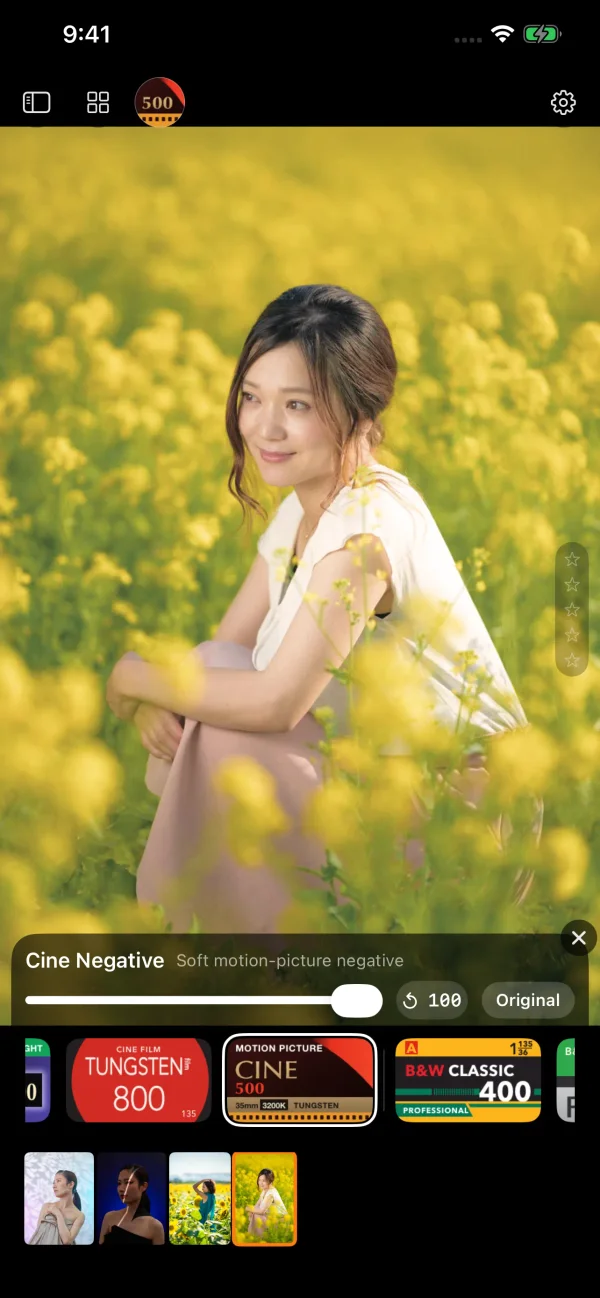
No heavy editing, social or ads; film presets set the colour. One tap from launch to the incoming shot; jumps to the newest frame even in bursts (pausable while a client reviews).
■ Freely customizable thumbnail position & size
Switch between horizontal scroll (bottom) and vertical scroll (left); drag to resize freely.
■ Works with every FTP-capable camera
Any camera that can push photos over FTP / FTPS works, regardless of brand: Nikon Z9 / Z8, Sony α1 / α7R V, Canon EOS R5 / R3, FUJIFILM GFX / X-H series, Panasonic GH series, OM SYSTEM, and more.
■ Immersive single-photo viewer
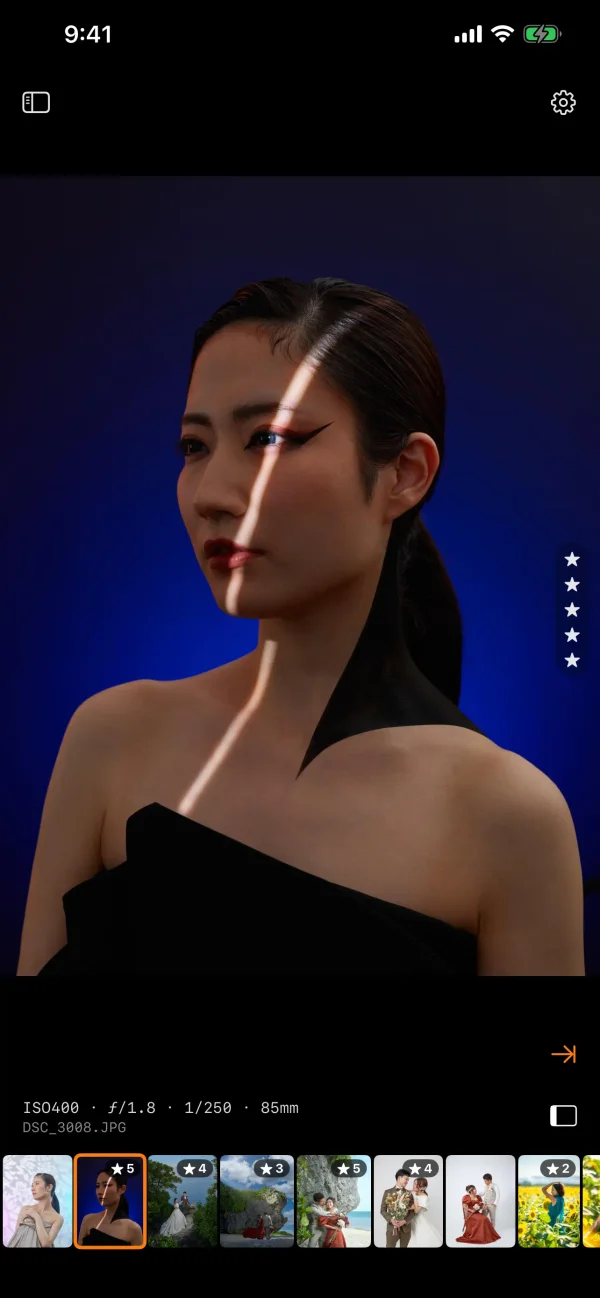
A full-screen viewer without unnecessary menus. Tap left/right for the previous/next shot.
■ Auto-display on arrival
The newest photo appears the instant it's captured, even in burst shooting. Lock it for a closer look.
■ Photo grid & save to Camera Roll
Browse in a grid, select multiple, and export to the iOS Photos app (Camera Roll) with one tap.
■ Project management
One project per shoot, named automatically by date and time; switch with one tap.
■ 5-star rating
Rate favorites instantly with the five stars on the right edge. Filter to speed up your selects.
■ Instant EXIF display
ISO, aperture, shutter speed, focal length, and file name shown at the lower left — toggle on or off.
■ Aspect-ratio-preserving thumbnails
Tell portrait and landscape shots apart at a glance and avoid mistaps.
[Requirements]
iPad (iPadOS 17 or later recommended) / iPhone (iOS 17 or later)
On the camera side, any model that can push over FTP (PASV mode)
[Setup]
1. Launch the app -> the FTP server starts automatically
2. Join your camera to the iPad's Wi-Fi (or make the camera an access point and join it with the iPad)
3. Enter the IP shown in the app and port 2121 into your camera's FTP profile
4. Press the shutter -> the photo appears within a few seconds
For detailed setup, see In-app Settings -> Camera setup examples.
[Support]
Feature requests & bug reports: info@arcion.jp
Official site: https://arcion.jp
Developed by arcion Inc.
Yenilikler
Sürüm 1.4.1 · 24.11.2026
Minor improvements.
Uygulama gizliliği
Bu uygulamanın verileri nasıl işlediği hakkında arcion Inc. tarafından App Store üzerinde yapılan beyan.
-
Veri toplanmıyor
Geliştirici bu uygulamadan hiçbir veri toplamıyor.
Gizlilik uygulamaları, örneğin kullandığınız özelliklere veya yaşınıza göre değişiklik gösterebilir.
Bilgiler
- Satıcı
- arcion Inc.
- Kategori
- Fotoğraf ve Video
- Sürüm
- 1.4.1
- Güncellendi
- 24.11.2026
- Yayın tarihi
- 06.05.2026
- Boyut
- 5,4 MB
- Gereksinim
- iOS 17.0 veya sonrası
- Yaş sınırı
- 4+
- Fiyat
- ₺999,99
- Uygulama içi satın alma
- Evet
- Diller
- Japonca, İtalyanca, Ukraynaca, İspanyolca, Tayca, Almanca, Fransızca, Portekizce, Malay, Basitleştirilmiş Çince, Geleneksel Çince, İngilizce + 1 dil daha
- Telif hakkı
- © 2026 arcion Inc.
Bunları da beğenebilirsiniz
-
 AlphaFTPFotoğraf ve Video
-
 TetherDropFotoğraf ve Video
-
 PickraFotoğraf ve Video
-
 28RcamFotoğraf ve Video
-
 Templified TetherFotoğraf ve Video
-
 SoloFrameFotoğraf ve Video
-
 Clip Cradle: Shot List PlannerFotoğraf ve Video
-
 ZIN Zine MakerFotoğraf ve Video
-
 Fotra - Tethered ShootingFotoğraf ve Video
-
 Photo Culling: RAW SifterFotoğraf ve Video