
ShutterLife: Shutter Count
Read Actuations from a Photo
iPhone, iPad, Mac için tasarlandı
₺199,99
- Yaş sınırı4+
- KategoriFotoğraf ve Video
- GeliştiriciAdriano Camonita
- Dillerİngilizce+ 1 dil daha
- Boyut8,9 MB
Resmi App Store sayfasına bağlanır
Download.org, ShutterLife: Shutter Count için hiçbir dosya barındırmaz. Düğme, uygulamanın App Store üzerindeki sayfasını açar; uygulamayı orada Adriano Camonita yayınlar. Sayfanın son kontrolü: 22.11.2026.
Ekran görüntüleri

Hakkında
Geliştirici bu metni dilinizde sunmamış.
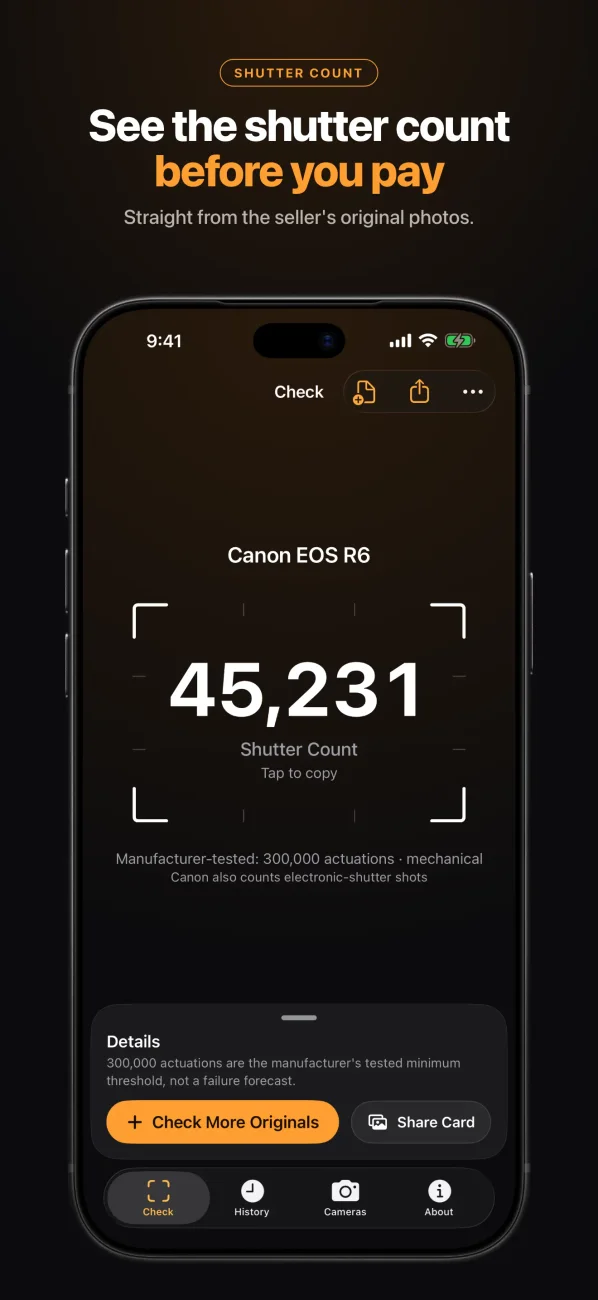
Buying a used camera? Ask the seller for a few original photos, open them in ShutterLife and see the shutter count before you pay. For the Canon, Nikon, Sony, Fujifilm, Pentax, Leica and Ricoh models on the list below. Not readable: most Canon DSLRs (e.g. EOS 5D Mark IV), the Sony ZV-E1, smartphones, most compacts and the Leica M series. No internet, no upload, no account. One purchase for iPhone, iPad and Mac.
CHECK SEVERAL PHOTOS AT ONCE
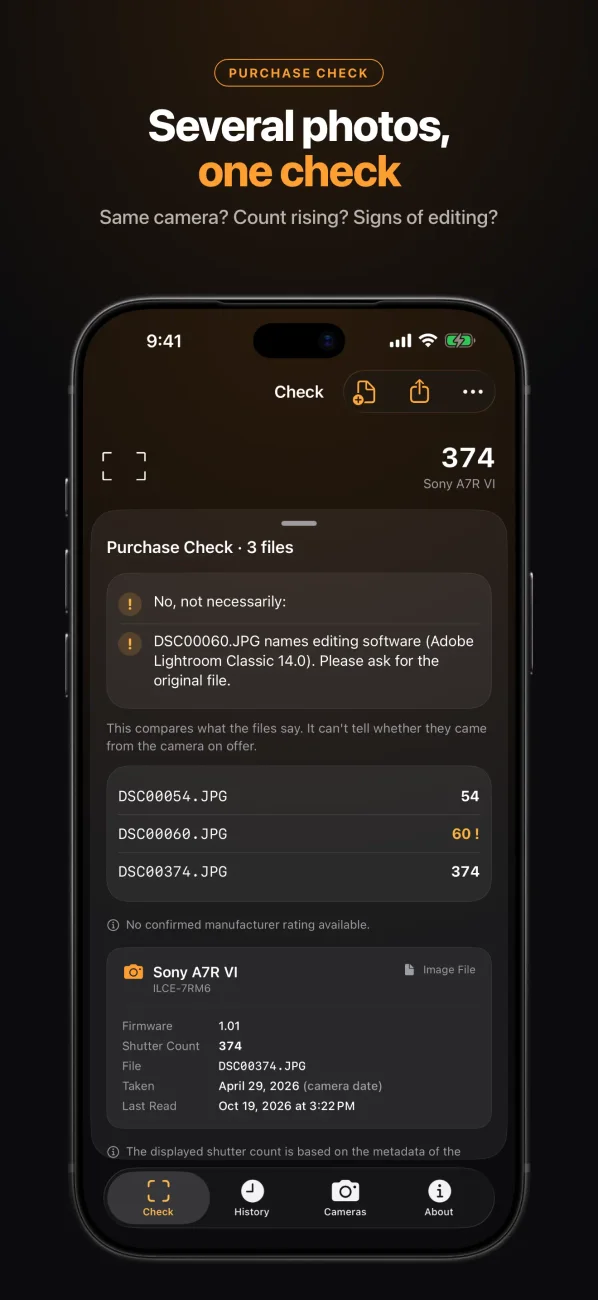
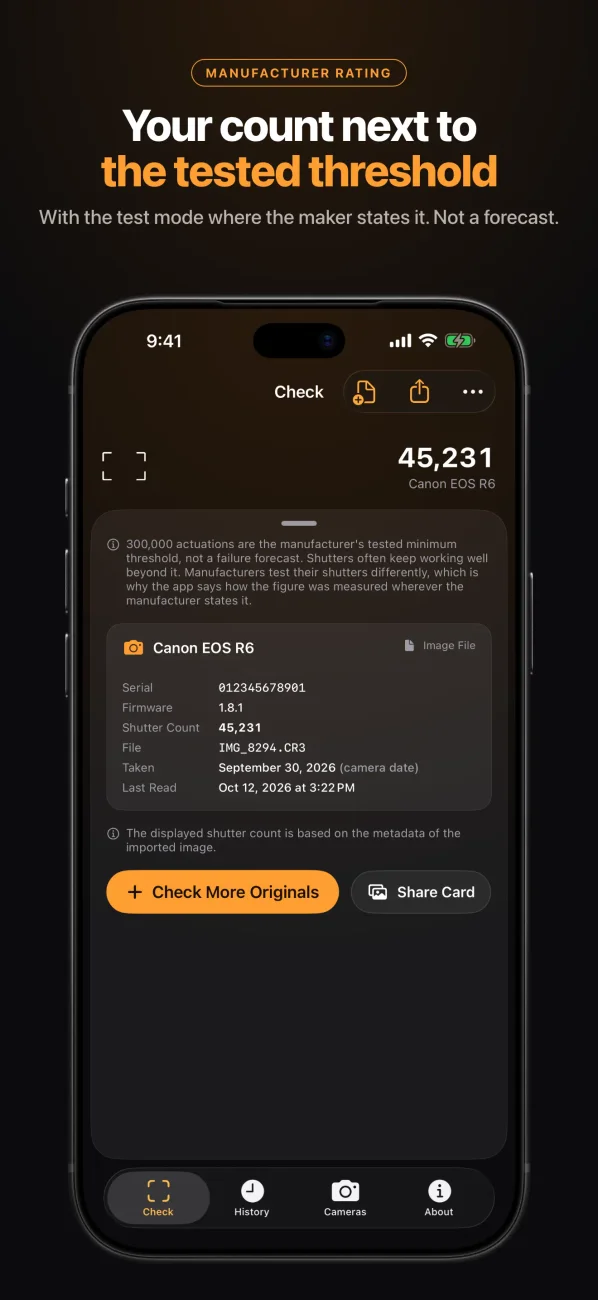
Open up to 20 original photos. ShutterLife reads every file and tells you whether they match: same camera model and serial number, no newer photo with a lower count, no editing software named in the file. If something doesn't add up, it says so and suggests what to ask the seller. It compares what the files say; it can't tell whether they came from the camera for sale.
Got the photos by email or in Files? Send them to ShutterLife from the share sheet, or pick them from your photo library.
SHARE A RESULT CARD
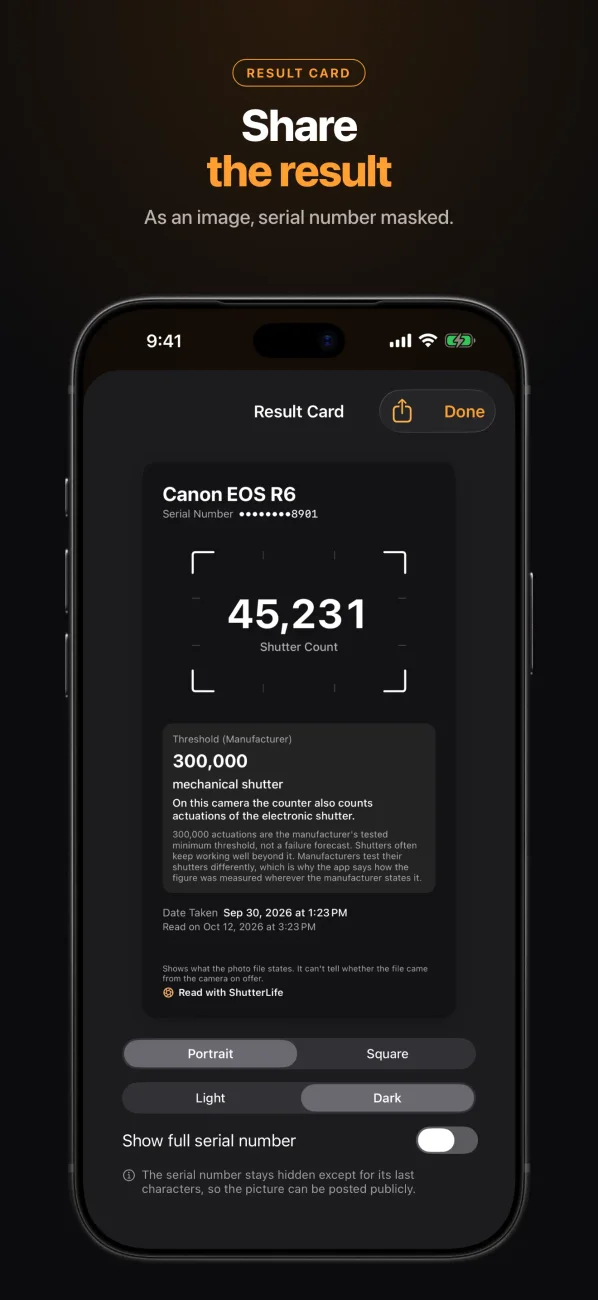
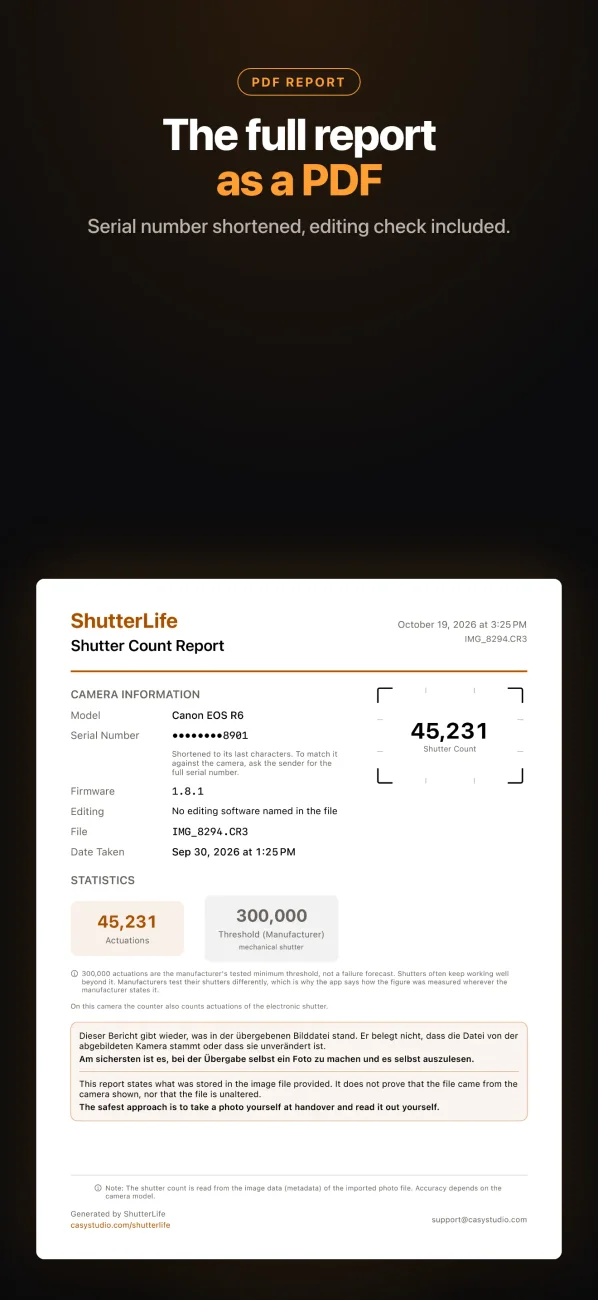
Selling? Share a clean image with the count, the capture date and the manufacturer's tested threshold where one exists, serial number masked unless you choose to show it. Or send the PDF report with lens, firmware and the editing check.
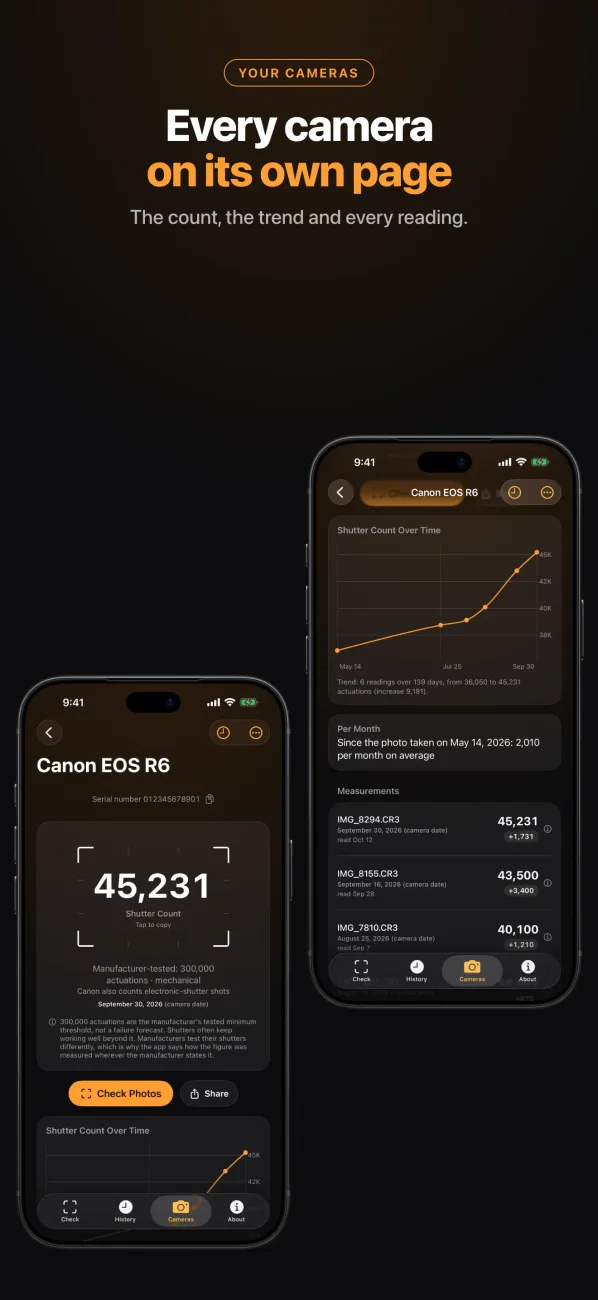
EVERY CAMERA ON ITS OWN PAGE
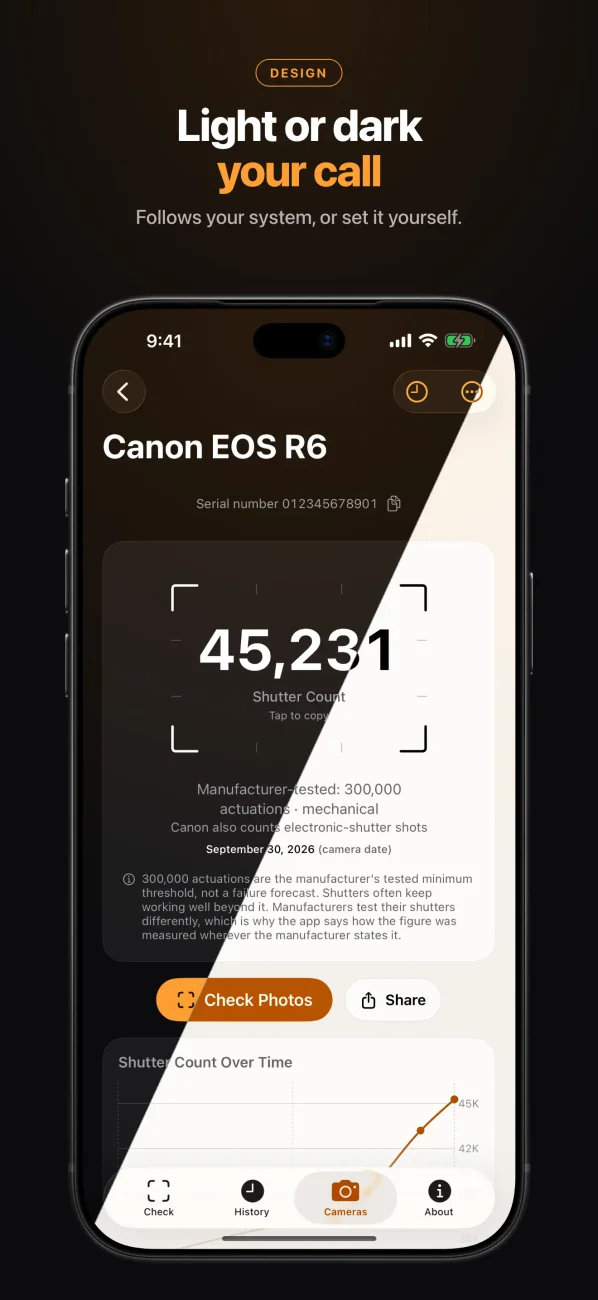
Tap a camera to see its count charted over the capture dates, how fast it has risen, and every reading. Light or dark; choose in "About".
IMPORTANT: ORIGINAL PHOTOS REQUIRED
Messaging apps like WhatsApp strip the data your camera writes into a photo, and the count with it. Ask for the originals via AirDrop, email (original size) or a cloud link.
CHECK BEFORE YOU BUY
ShutterLife shows the count only if the camera writes it into the file. Go by the list: if a model isn't on it, we haven't tested it. Nikon, Pentax and Fujifilm sometimes work anyway; with Canon and Sony, only listed models show a count. On some Canon models, ShutterLife marks the count as not yet checked on firmware versions we haven't been able to test. In a few cases it shows no number. Send us two photos using "Report a Camera" in About, and we'll add your version. Not sure about your model? Ask first: support@casystudio.com
SUPPORTED CAMERAS
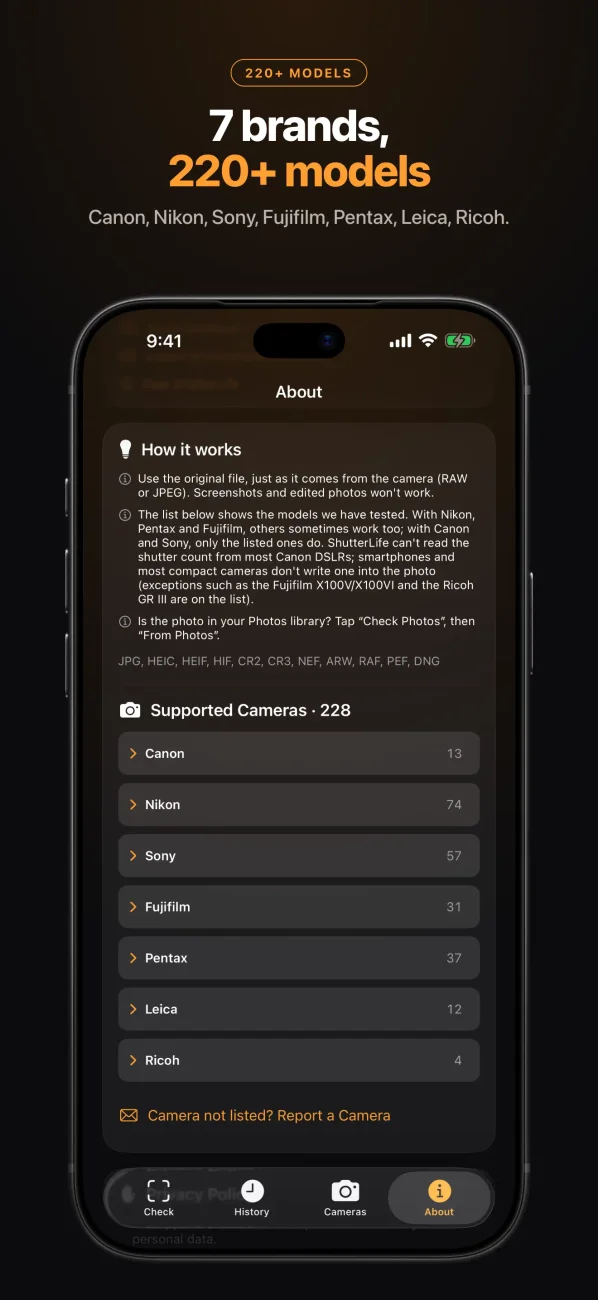
• Canon (13): EOS R, R5, R6, R6 II, R7, R8, RP, R50, R10, M50 II, 90D, 850D, 250D
• Nikon (74): Z9, Z8, Z6 III, Zf, Z50 II, D850, D780, D750, D500, D7500, D7000, D90, Nikon 1 J5 and more
• Sony (57): A1, A9 II, A7R V, A7 IV, A7S III, A7C II, A6700, A6400, A6000, A99 II and more
• Fujifilm (31): X100VI, X100F, GFX100 II, X-T5, X-T30, X-H2S, X-S20, X-Pro3, X-E5 and more
• Pentax (37): K-1 II, K-3 III, KP, K-70, K-5 II s, K-50, 645Z, Q and more
• Leica (12): Q3, Q2, Q (Typ 116), SL3, SL2-S, SL (Typ 601) and more
• Ricoh (4): GR IV, GR IIIx, GR III and more
All 228 models are listed in the app under "About > Supported Cameras".
Camera missing or not recognized? Email us right from the app, ideally with two photos taken one right after the other. The app can attach their camera data for you.
COUNT AND TESTED THRESHOLD
For 95 of the 228 models, you see the manufacturer's tested threshold next to your shutter count and, where the manufacturer names it, the shutter mode of that test. It is a tested minimum, not a failure forecast, and is shown as a figure, not a percentage. Other models show the count alone. Where a Canon counter also counts electronic-shutter actuations, the app says so. Fujifilm counters track frames; Pentax and Ricoh counters can be reset at a service center. On Nikon Z cameras that record a separate mechanical shutter count, ShutterLife shows that count.
CAREFULLY TESTED
Built and tested on real camera files, not on simulations. On the Canon EOS RP and R7 in HDR mode, the app adds the measured difference to the count and says so.
SUPPORTED FILE FORMATS
JPG, HEIC, HEIF, HIF, CR2, CR3, NEF, ARW, RAF, PEF, DNG
PRIVACY
All processing happens on your device. The app uploads nothing, runs no analytics and does not track you. Photos or camera data reach us only if you send them yourself by email.
Yenilikler
Sürüm 2.0.4 · 21.11.2026
• Eight more Sony cameras on the list, all SLT A-mount: A37, A57, A58, A65, A65V, A77, A77V and A99V. That makes 228 models, 57 of them from Sony.
• With Sony, ShutterLife shows a count for the models on the list.
• If a photo takes its time, say one still on its way from iCloud, you can cancel while it loads.
• If a purchase check can't read any of its files, it says so.
Uygulama gizliliği
Bu uygulamanın verileri nasıl işlediği hakkında Adriano Camonita tarafından App Store üzerinde yapılan beyan.
-
Sizinle ilişkilendirilen veriler
Toplanabilir ve kimliğinizle ilişkilendirilebilir.
- İletişim bilgileri
- Kullanıcı içeriği
- Diğer veriler
Gizlilik uygulamaları, örneğin kullandığınız özelliklere veya yaşınıza göre değişiklik gösterebilir.
Bilgiler
- Satıcı
- Adriano Camonita
- Kategori
- Fotoğraf ve Video
- Sürüm
- 2.0.4
- Güncellendi
- 21.11.2026
- Yayın tarihi
- 10.06.2026
- Boyut
- 8,9 MB
- Gereksinim
- iOS 17.0 veya sonrası
- Yaş sınırı
- 4+
- Fiyat
- ₺199,99
- Diller
- İngilizce, Almanca
- Telif hakkı
- © 2026 Adriano Camonita
Bunları da beğenebilirsiniz
-
 ShutterStatFotoğraf ve Video
-
 Field of DepthFotoğraf ve Video
-
 DPTH PRO: AI 3d-photo editorFotoğraf ve Video
-
 Spotter - photo spotsFotoğraf ve Video
-
 SolCalc: Güneş, Ay ve GölgeAltın saat ve alacakaranlık
-
 PhotoFix: Restore Old PhotosFotoğraf ve Video
-
 Panoscano - Photo to VideoFotoğraf ve Video
-
 foolcontrolFotoğraf ve Video
-
 Shutter Scout: Sunset ForecastFotoğraf ve Video
-
 Depth Cam - Depth EditorFotoğraf ve Video