
SmartZip: Unzip & RAR Opener
Zip File Manager, 7z Extractor
iPhone, iPad için tasarlandı
Ücretsiz
- Yaş sınırı4+
- KategoriYardımcılar
- GeliştiriciMobirizer
- Dillerİngilizce+ 6 dil daha
- Boyut21,6 MB
Resmi App Store sayfasına bağlanır
Download.org, SmartZip: Unzip & RAR Opener için hiçbir dosya barındırmaz. Düğme, uygulamanın App Store üzerindeki sayfasını açar; uygulamayı orada Mobirizer yayınlar. Sayfanın son kontrolü: 22.11.2026.
Ekran görüntüleri



Hakkında
Geliştirici bu metni dilinizde sunmamış.
SmartZip is a file manager and archive app for iPhone and iPad that opens ZIP, RAR and 7z files, makes password-protected ZIPs, and moves files between your device, the cloud and your computer. Its AI Doc Tool reads your bills and documents on the device, so you can search them and never miss a due date.
ARCHIVES
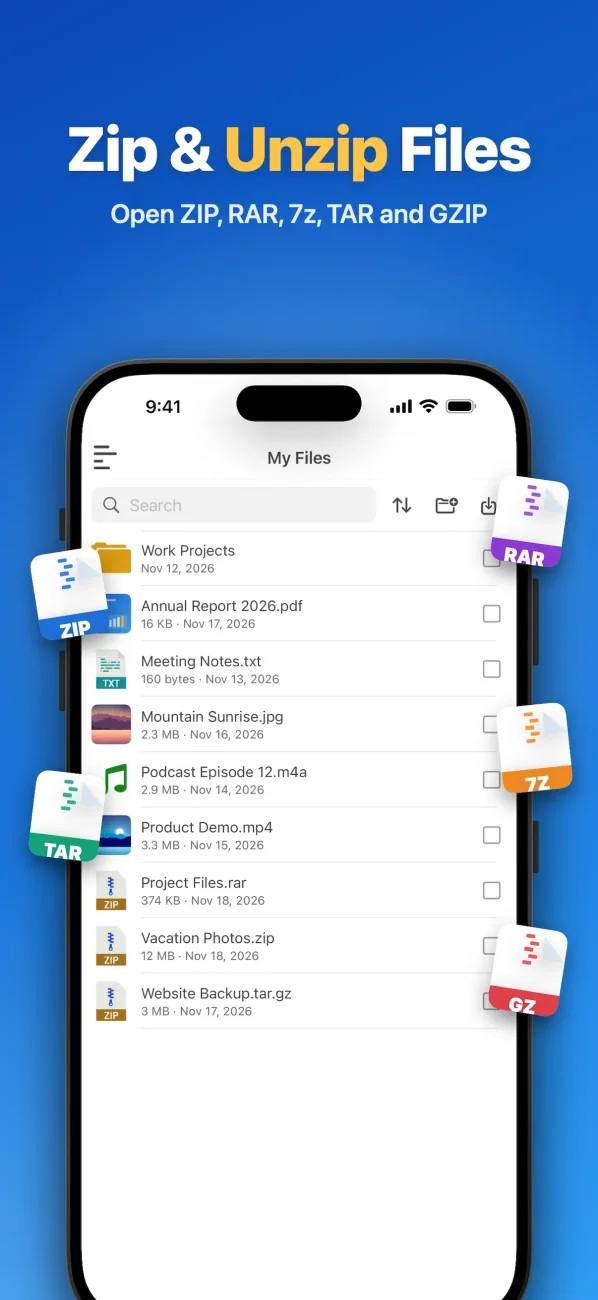
• Open ZIP, including password-protected ZIPs, and TAR, .tar.gz/.tgz, .tar.xz, .gz and .xz
• Open RAR (RAR4 and RAR5) and 7z, protected ones too (Pro)
• Make ZIPs with “Zip and Share”, and lock them with a password using AES-256 (Pro)
MY FILES
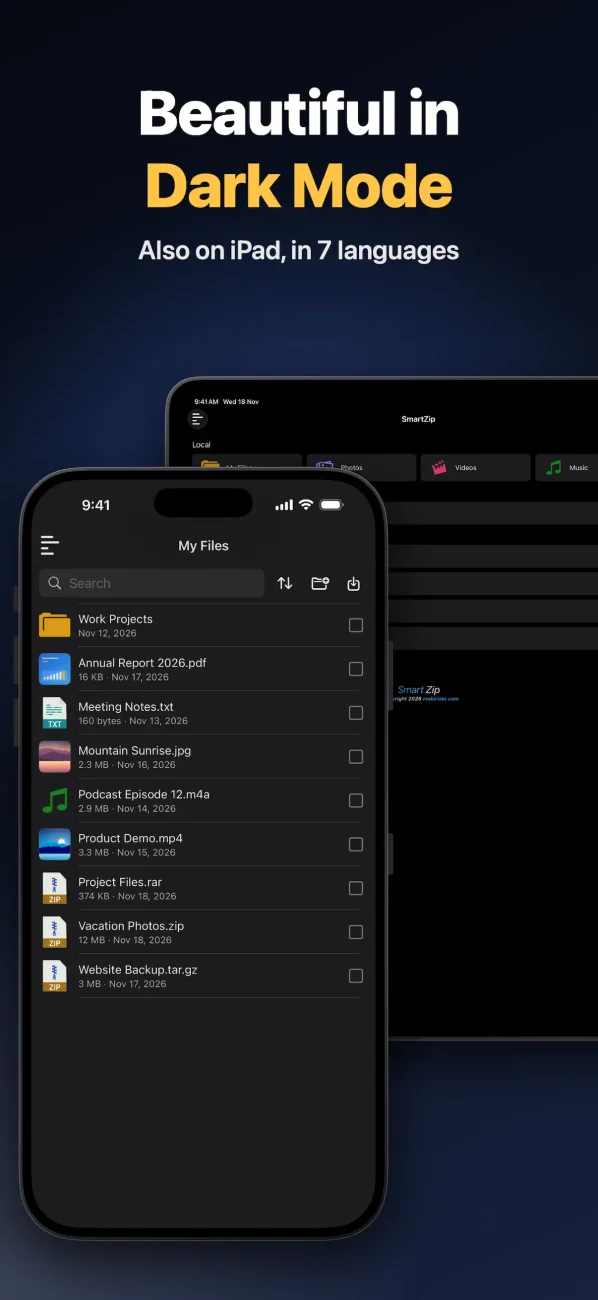
• Folders; move, rename, delete, search, sort, Quick Look and share. Also in Apple's Files app and Finder
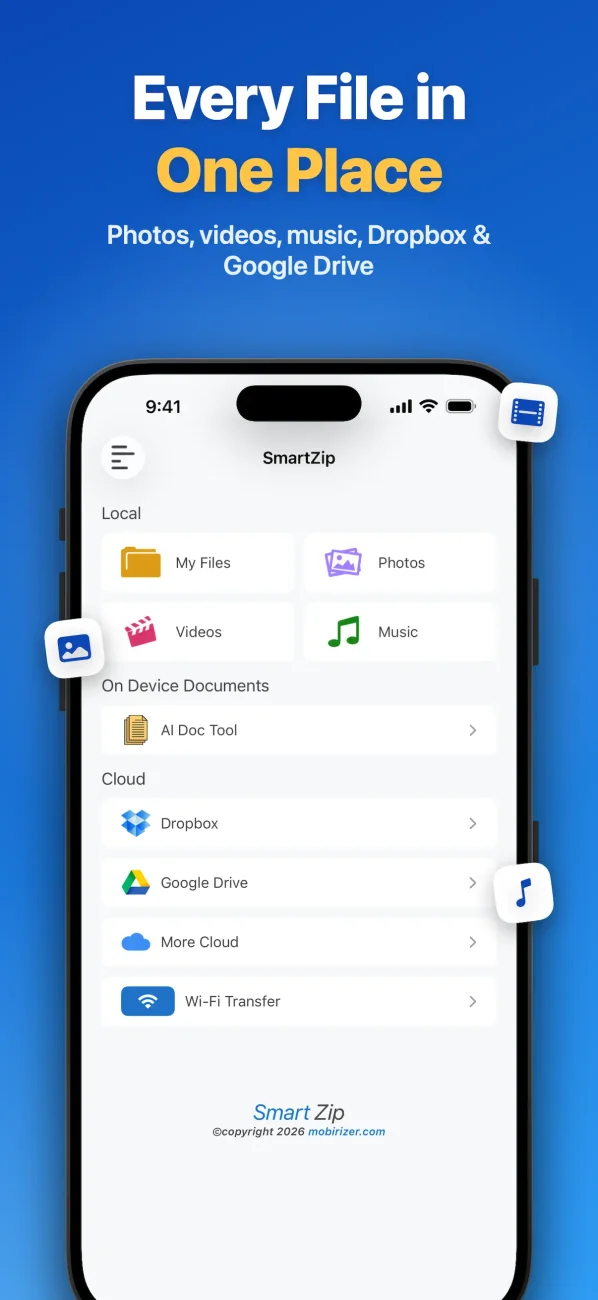
• Add photos, videos and music, import from other apps, or scan paper into a searchable PDF
CLOUD AND WI-FI TRANSFER
• Copy files from Dropbox and Google Drive to your device, and upload files and folders back (Pro; folders go up as ZIP)
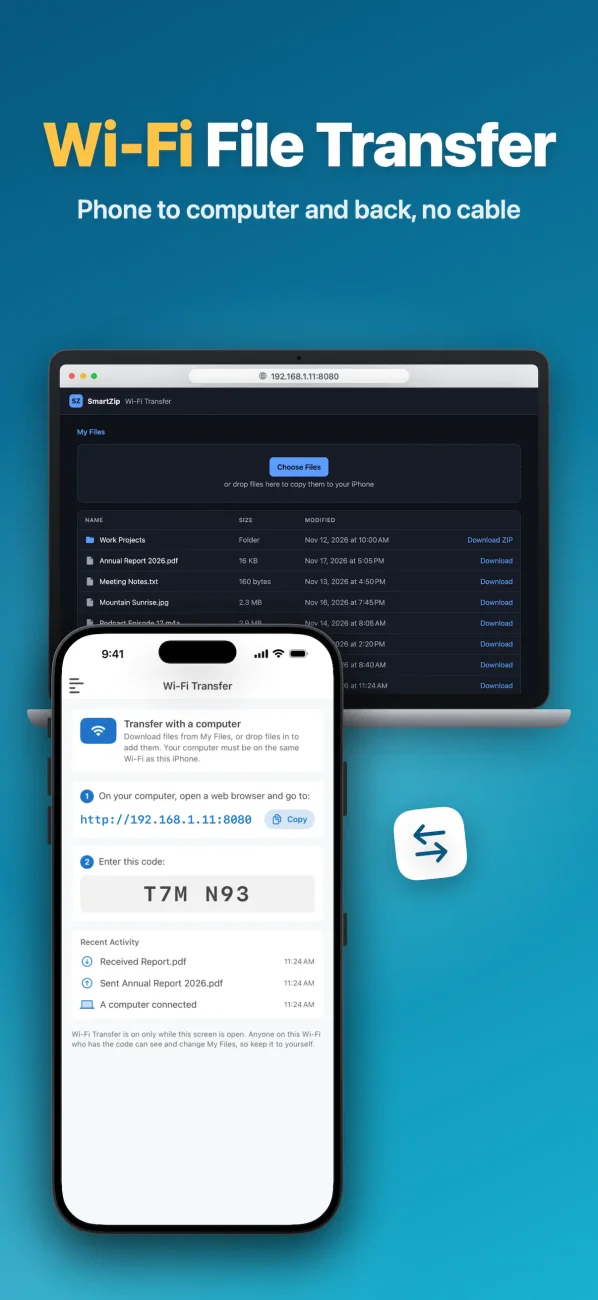
• Wi-Fi Transfer (Pro): a computer on the same Wi-Fi opens the address shown in its web browser and enters a 6-character code to download, upload by drag and drop, and make folders. No cable; it runs only while its screen is open and never uses cellular data
AI DOC TOOL, ON YOUR DEVICE
Nothing is sent to a server, and no third-party AI is used.
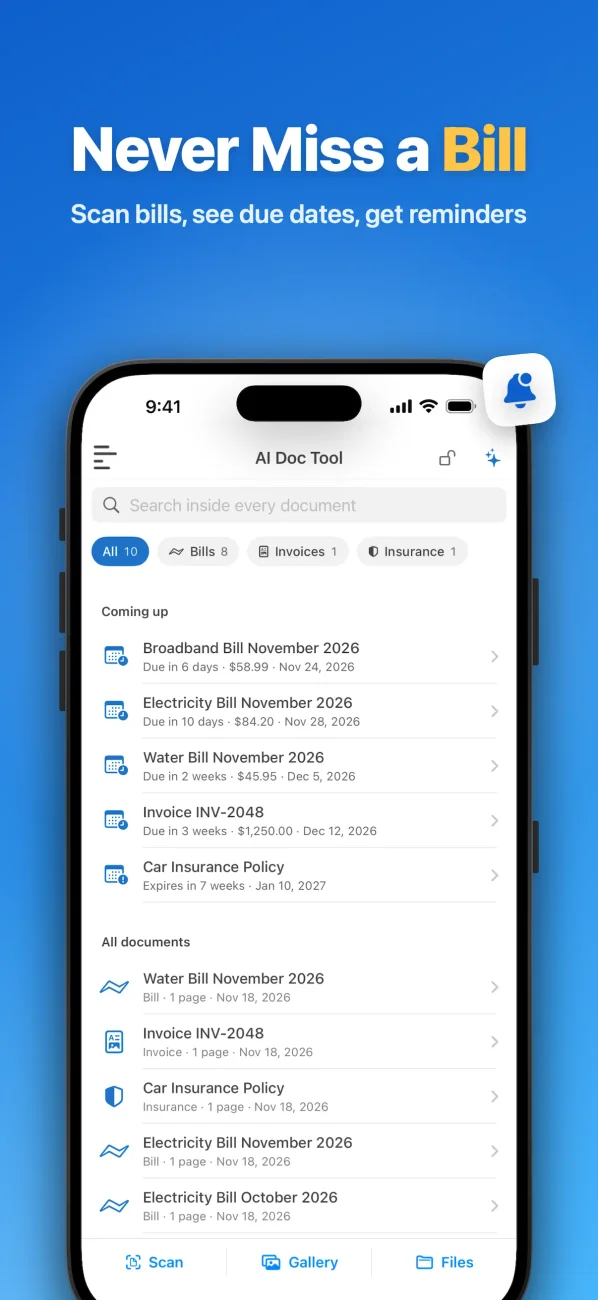
• Scan or import bills, receipts and IDs; text recognition lets you search inside every document
• Key Details on any device: account, meter, units, amount and due date, read from bills in English
• Categories: Bills, Receipts, Invoices, Statements, IDs, Insurance, Medical, Contracts
• Coming up lists due and expiry dates, “Remind me” adds them to your calendar, and Bill history charts each account by month
• iPhone search, Siri and Shortcuts (Siri phrases in English), translation (iOS 18+), and an optional Face ID, Touch ID or passcode lock
• Ask and Summarize: chat about your documents, with answers citing their pages. Needs Apple Intelligence: iOS 26 on iPhone 15 Pro or newer, or an iPad that supports it
SMARTZIP PRO
Opening RAR and 7z, making password-protected ZIPs, uploading to Dropbox and Google Drive, and Wi-Fi Transfer are Pro features. Watch a short video ad to use one once, or unlock them for good with a one-time purchase: SmartZip Pro (ads still show) or SmartZip Pro + No Ads. No subscriptions. Everything else works with ads.
IPHONE AND IPAD
Dark mode, Dynamic Type, iPad layouts and 7 languages. A short tour and How to Do in the menu explain each feature. Requires iOS 17 or later.
FAQ
How do I open a RAR file on iPhone?
Save or share it to SmartZip and tap it in My Files. RAR is a Pro feature: watch a short ad or get SmartZip Pro.
Can I password-protect a ZIP on iPhone?
Yes, as a Pro feature: select files, tap “Zip and Share” and turn on “Protect with a password”. The ZIP is encrypted with AES-256.
How do I transfer files from iPhone to PC without a cable?
Open Wi-Fi Transfer (Pro) and type the address it shows into the PC's web browser, then the code. Both must be on the same Wi-Fi.
Does SmartZip upload my documents?
No. The AI Doc Tool works on your device; files leave it only when you share them or upload them to your own cloud.
Yenilikler
Sürüm 4.0 · 19.11.2026
SmartZip 4.0 is rebuilt from the ground up, with a new design and many new features:
• Open RAR (RAR4 and RAR5) and 7z archives, password-protected ones too (Pro), plus TAR, .tar.gz, .tar.xz, .gz and .xz
• Make password-protected ZIPs with AES-256 encryption (Pro)
• Wi-Fi Transfer (Pro): move files between your device and a computer's web browser, with no cable
• Upload files and folders to Dropbox and Google Drive (Pro)
• AI Doc Tool: scan bills and documents, search inside them, see Key Details and due dates, and get reminders, all on your device
• Scan paper into a searchable PDF in My Files
• Dark mode, larger text, iPad layouts and 7 languages
• A new tour, and How to Do in the menu with step-by-step help
• SmartZip Pro: watch a short ad to use a Pro feature once, or unlock the Pro features for good with a one-time purchase. No subscriptions.
Bought Remove Ads in an earlier version? It keeps working.
Uygulama gizliliği
Bu uygulamanın verileri nasıl işlediği hakkında Mobirizer tarafından App Store üzerinde yapılan beyan.
-
Sizinle ilişkilendirilmeyen veriler
Toplanabilir ancak kimliğinizle ilişkilendirilmez.
- Konum
- Tanımlayıcılar
- Kullanım verileri
Gizlilik uygulamaları, örneğin kullandığınız özelliklere veya yaşınıza göre değişiklik gösterebilir.
Bilgiler
- Satıcı
- MOBIRIZER SERVICES PRIVATE LIMITED
- Kategori
- Yardımcılar
- Sürüm
- 4.0
- Güncellendi
- 19.11.2026
- Yayın tarihi
- 03.10.2016
- Boyut
- 21,6 MB
- Gereksinim
- iOS 17.0 veya sonrası
- Yaş sınırı
- 4+
- Fiyat
- Ücretsiz
- Diller
- İngilizce, Fransızca, Almanca, Hindi, Japonca, Portekizce, İspanyolca
- Telif hakkı
- © 2016 mobirizer.com
Bunları da beğenebilirsiniz
-
 FileCapYardımcılar
-
 Unzip & Unrar ManagerYardımcılar
-
 Unzip ZIP RAR 7Z - LAN ShareYardımcılar
-
 SmartZip Pro: ZIP, RAR & 7ZYardımcılar
-
 Calver - File ManagerYardımcılar
-
 AI Zip Ustası Pro - Hızlı AçmaAkıllı Çıkarma, Güvenli
-
 UnZip - Zip File ExtractorsYardımcılar
-
 Simple Subnet CalcYardımcılar
-
 Zip Extractor - Unzip FilesYardımcılar
-
 Vee BrowserYardımcılar