SpacesEDU
Portfolio-Based Assessment
iPhone, iPad, iPod touch için tasarlandı
Ücretsiz
- Yaş sınırı4+
- KategoriEğitim
- GeliştiriciDoublethink Inc.
- Dillerİngilizce+ 1 dil daha
- Boyut152,7 MB
Resmi App Store sayfasına bağlanır
Download.org, SpacesEDU için hiçbir dosya barındırmaz. Düğme, uygulamanın App Store üzerindeki sayfasını açar; uygulamayı orada Doublethink Inc. yayınlar. Sayfanın son kontrolü: 20.11.2026.
Ekran görüntüleri


Hakkında
Geliştirici bu metni dilinizde sunmamış.
SpacesEDU makes it easy for teachers and students to capture, communicate, and celebrate the growth that’s happening in and out of the classroom. Based on feedback from 15+ years of educator insight, SpacesEDU Portfolio-Based Assessment (PBA) tools allow teachers to assign activities, collect evidence of learning in multiple formats, assess student mastery of standards and competencies, and create visual report cards.
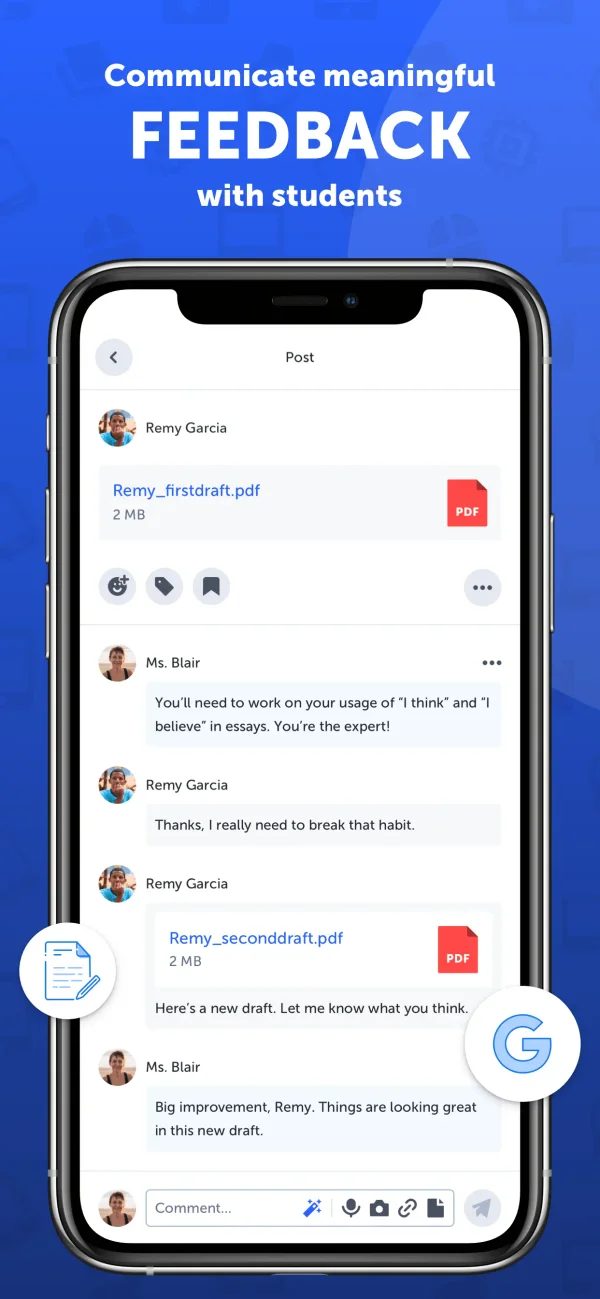
With SpacesEDU, student assessment progress becomes a two-way conversation. Students can ask questions, receive teacher feedback, peer review, and share work in an authentic and flexible way - all without leaving the SpacesEDU app.
Provide real-time feedback on student work through commenting and messaging without leaving the app.
Bring SpacesEDU into your classroom today and give your students their own space to learn, grow, and tell the stories behind their grades.
Key Features
• Activities: Easily create, track, and review activities to engage students in the learning process and provide a space for self-reflection
• 1:1 Spaces: Create a safe one-on-one (teacher to student) space for your students to showcase their work in a portfolio, on topics, units, or self-reflections. Create 1:1 Spaces to better organize all of the work happening within your classroom and tie them to your own course objectives
• Group Spaces: Spark collaboration with spaces for students to work on group projects, peer reviews, and more. Create your own groups or have them created for you
• Space to grow: Add unlimited files to student or teacher accounts
• Support for a wide variety of media types: Upload files (20 file types), capture content directly from your camera or microphone, add links from websites, or import from Google Drive and Microsoft OneDrive. You can add up to ten media attachments to a post
• Reporting Spaces: Think of it as a visual report card or summative portfolio. Teachers can easily bookmark exemplary artifacts of student learning throughout the year and add it to a Reporting Space. With Reporting Spaces, share student growth with family and/or students at the end of the year or at various progress points. Available only to schools and districts licensing SpacesEDU Pro Reporting Add-On
• Proficiency Scales: A Standards-Based Assessment feature that makes it easy for educators to assess and report on student progress on learning outcomes and competencies using a 4 point scale (customize the scale with SpacesEDU Pro!)
• Class Engagement and Read Receipts: Teachers can quickly view whether students or family have accessed the classroom or read specific messages
• Technical support for teachers and students: We offer an unparalleled support experience, including live chat support for all users & personalized onboarding and support for schools and districts
• Direct Messages: Have direct, real-time conversations with students, teachers, family members with messages (SpacesEDU Pro)
• Drafts: Not ready to publish your post? Save posts as a draft so you can come back to them once you’re ready
• Channels: With channels, you can send class announcements and communicate with all students, all family members, or both. You decide when and if to allow replies. (SpacesEDU Pro)
• Family accounts: Family members can create accounts to view, comment, and celebrate their student’s work, engage with posts, and message with the teacher. (SpacesEDU Pro)
• Advanced settings and notifications, including options to enable private or collaboration-focused workspaces
• FERPA, COPPA, and PIPEDA compliant privacy standards: Protecting student privacy is foundational in the design of this product
• Clever SSO: Users are able to signup and login using Clever
• QR Codes - Allow students to use QR Codes to log into the SpacesEDU platform - making it even easier to get started. Teachers can access, share or print QR Codes for their students directly within their Classes. Available only to schools and districts licensing SpacesEDU Pro.
Yenilikler
Sürüm 60.0.0 · 05.11.2026
We’ve added some exciting updates, such as:
• New Progress View, so students and families can see learning progress shared by their teacher
• A simpler, friendlier experience for young learners
• Long-press any text to translate it with Google Translate
• Full-screen images on iPad
• Insufficient Evidence now appears first when adding proficiencies
• New safeguards to protect your work in Feedback Companion
Uygulama gizliliği
Bu uygulamanın verileri nasıl işlediği hakkında Doublethink Inc. tarafından App Store üzerinde yapılan beyan.
-
Sizinle ilişkilendirilen veriler
Toplanabilir ve kimliğinizle ilişkilendirilebilir.
- İletişim bilgileri
- Kullanıcı içeriği
- Tanımlayıcılar
- Kullanım verileri
-
Sizinle ilişkilendirilmeyen veriler
Toplanabilir ancak kimliğinizle ilişkilendirilmez.
- Tanılama
Gizlilik uygulamaları, örneğin kullandığınız özelliklere veya yaşınıza göre değişiklik gösterebilir.
Bilgiler
- Satıcı
- Doublethink Inc.
- Kategori
- Eğitim
- Sürüm
- 60.0.0
- Güncellendi
- 05.11.2026
- Yayın tarihi
- 16.04.2020
- Boyut
- 152,7 MB
- Gereksinim
- iOS 15.1 veya sonrası
- Yaş sınırı
- 4+
- Fiyat
- Ücretsiz
- Diller
- İngilizce, Fransızca
- Telif hakkı
- © 2020 Doublethink Inc.