
Speaking Email - voice reader
Email reimagined in audio
iPhone, iPad için tasarlandı
Ücretsiz · Uygulama içi satın alma
- Yaş sınırı4+
- KategoriÜretkenlik
- GeliştiriciBEWEB LTD
- Dillerİngilizce
- Boyut32,7 MB
Resmi App Store sayfasına bağlanır
Download.org, Speaking Email - voice reader için hiçbir dosya barındırmaz. Düğme, uygulamanın App Store üzerindeki sayfasını açar; uygulamayı orada BEWEB LTD yayınlar. Sayfanın son kontrolü: 13.11.2026.
Ekran görüntüleri
Hakkında
Geliştirici bu metni dilinizde sunmamış.
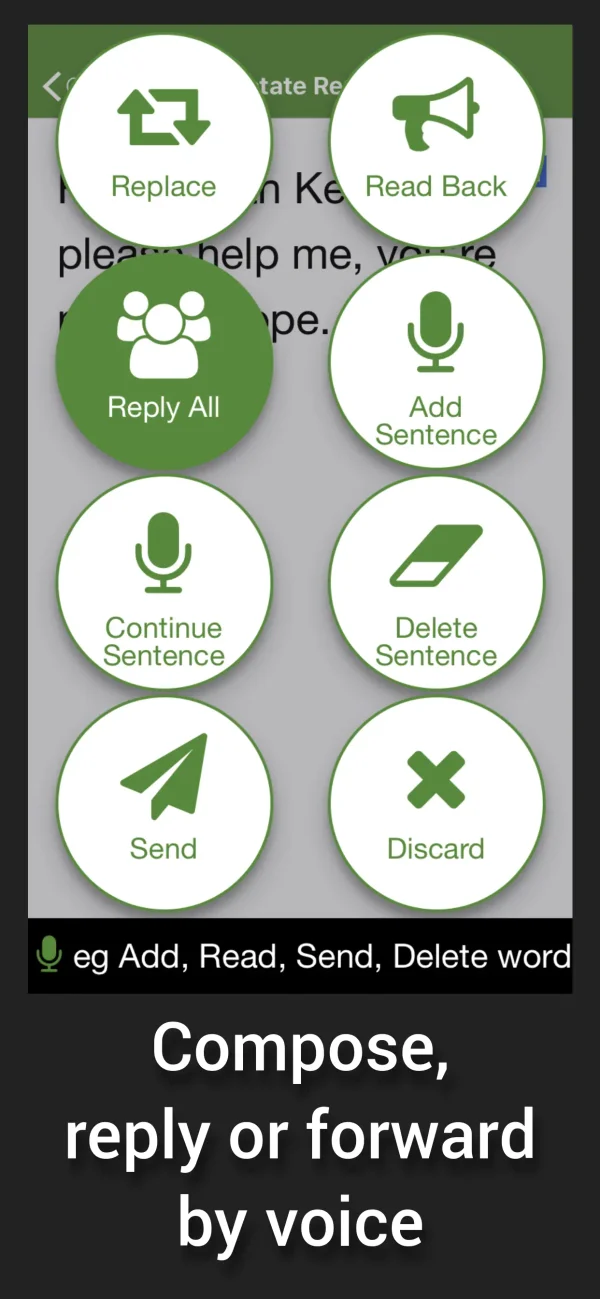
Reads your email out loud, lets you reply and manage mail by voice commands.
Ideal for visually impaired users, driving, or anytime you'd like to check email hands free & eyes free.
Premium Edition is free for 7 days. Then you are automatically switched to Basic Edition.
(Note for CarPlay users: see our other app 'Speaking Email CP')
— WHY DO I WANT IT? —
FOR DRIVERS
Get more time in your day when you check your email on the move.
Most people spend 1-2 hours in their inbox. With the help of Speaking Email during your daily drive to work, you can easily cut this time in half. Get more done, stay on top and keep a clean inbox.
Voice commands and simple gestures designed to be safe to use while driving give you the ability to archive, flag or even reply on the move.
(Note for CarPlay users: see also our other app "Speaking Email CP")
FOR ACCESSIBILITY
Makes email easy to use for those with visual impairment, blindness, dyslexia, stroke, motor dysfunction. Designed to be used without needing to see or touch the screen, Speaking Email works as a fully voice operated email app.
Note: a sighted assistant or VoiceOver is required to sign into your email account and configure the many preferences to your liking. The rest is all voice controlled!
— HOW DOES IT WORK? —
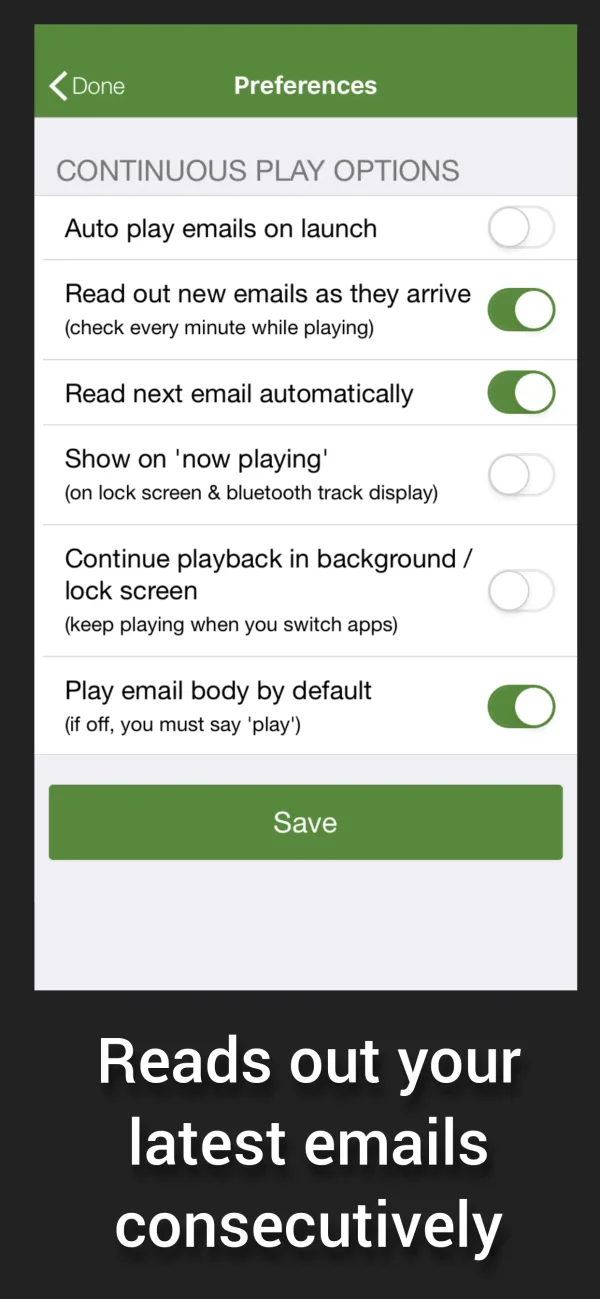
Speaking Email reads your latest emails out loud from your inbox, one by one. Swipe left and right to play your inbox like a jukebox.
Whip through your inbox, clear clutter, flag important items and make inbox zero a reality - all while on the go.
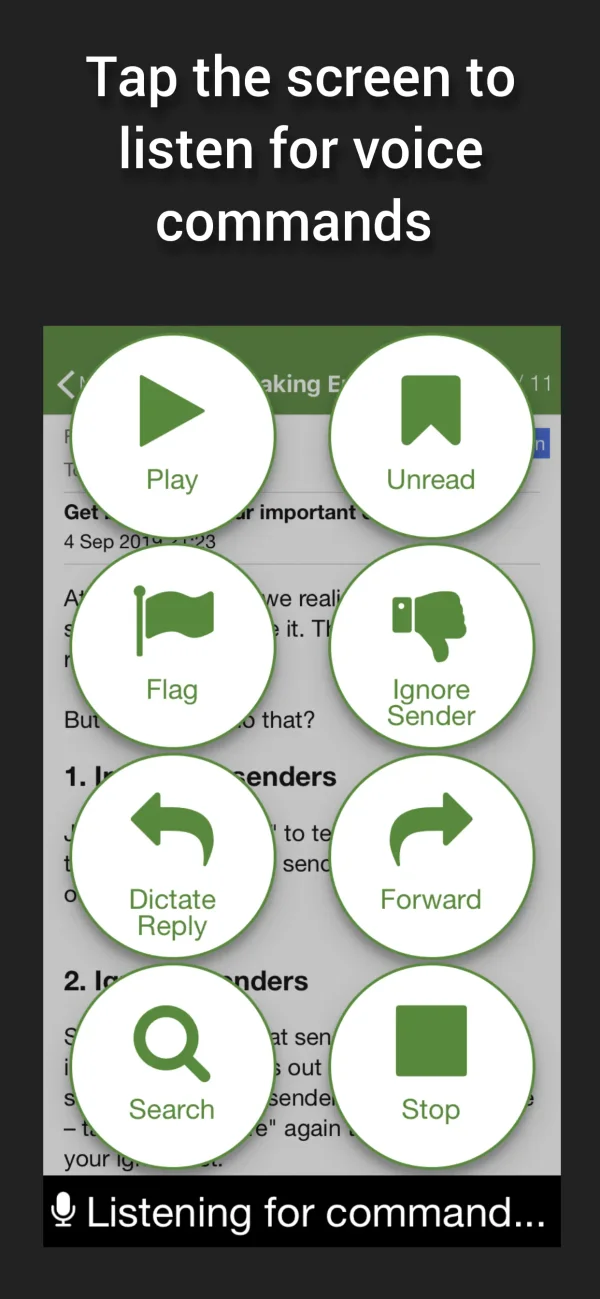
You can interact with your email using full screen taps, swipes and voice commands.
Voice recognition needs a trigger. You choose when to pause for a command - on full screen tap, every 30 seconds, at the start/end of emails.
— FEATURES —
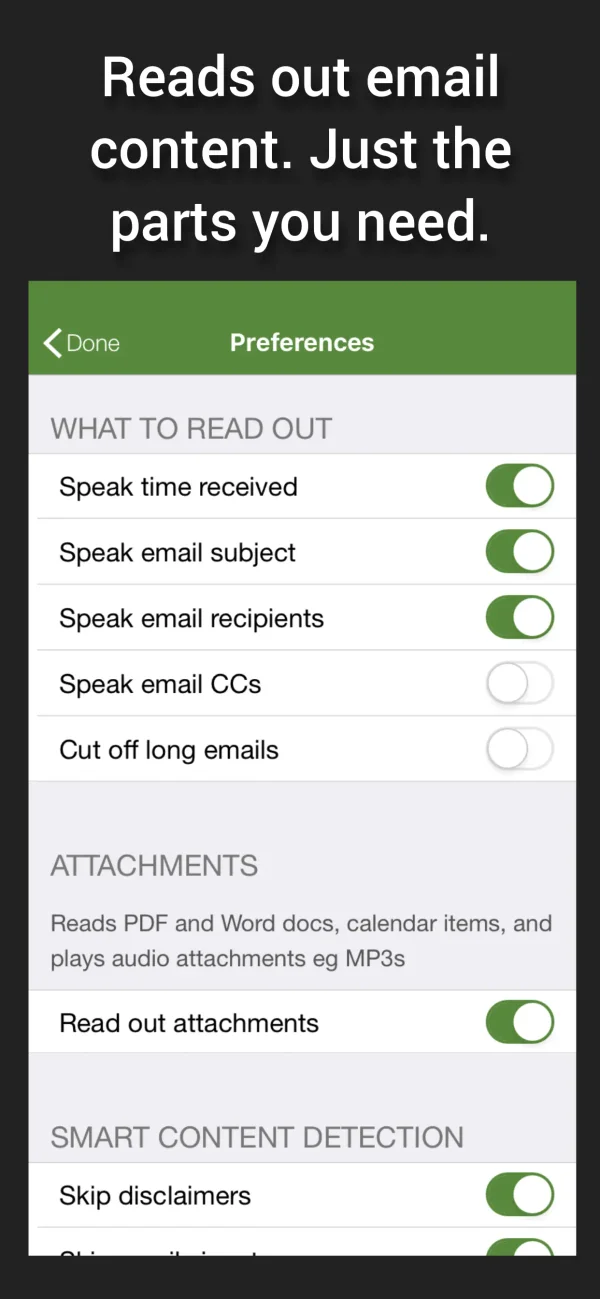
- Smart content detection skips over disclaimers, reply headers, and email signatures to speak only the content without the clutter
- Multilingual mode automatically detects the email language and switches voices to match, using Apple text-to-speech voices
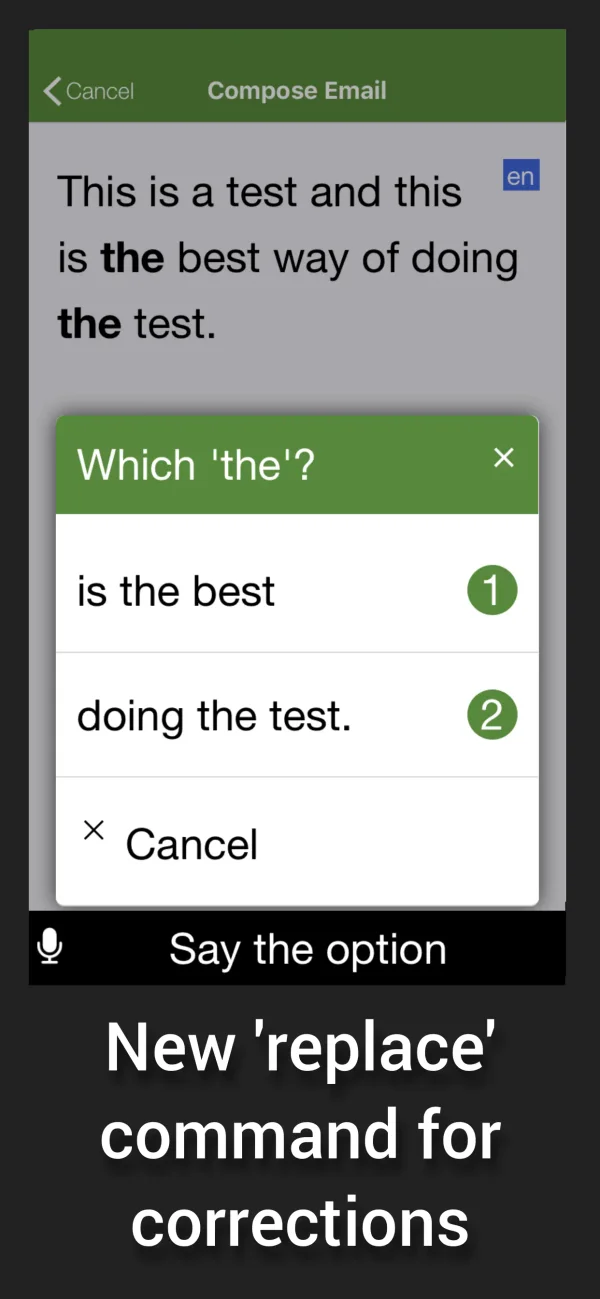
- Makes use of the latest Apple speech recognition technology lets you dictate your reply, which is read back to you before sending
- Our simple Ignore Sender command puts you in control, allowing you to avoid hearing emails from the sender in future
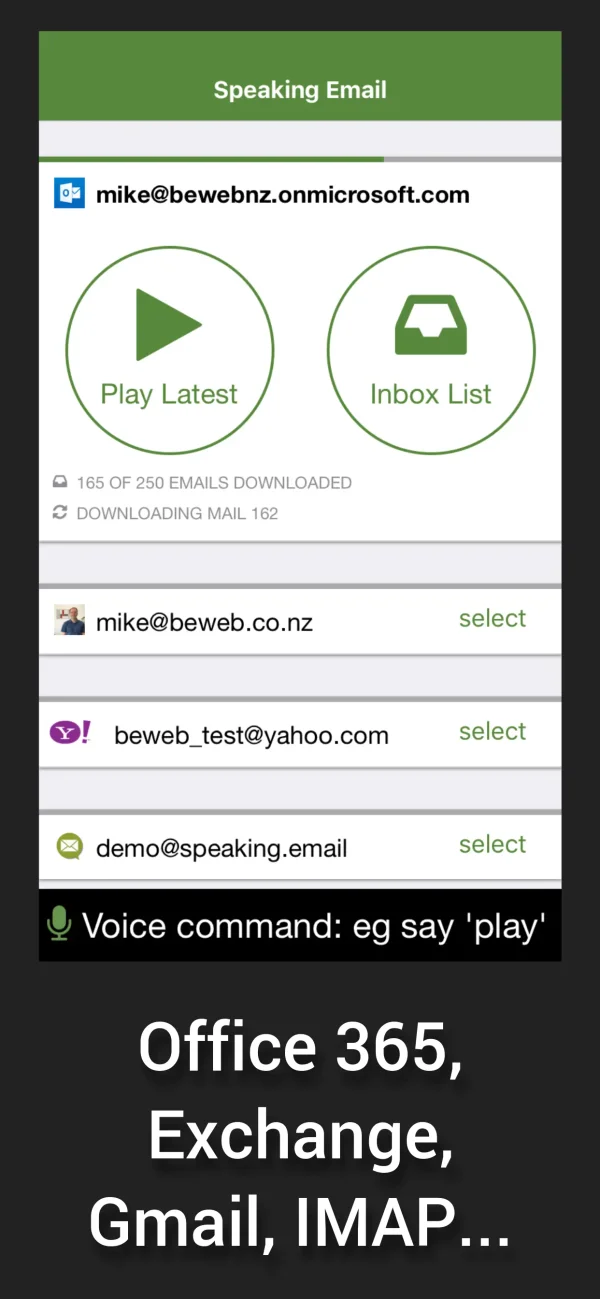
- Connects securely to all email servers, including Gmail (using Google Sign In), Microsoft 365 (aka Office 365 - using Microsoft Sign In supporting Intune, MFA and OAUTH), Exchange (via ActiveSync), IMAP, POP, iCloud (using app password), Outlook/Hotmail (using Microsoft Sign In), Yahoo (using Yahoo Sign In), AOL (using AOL Sign In)
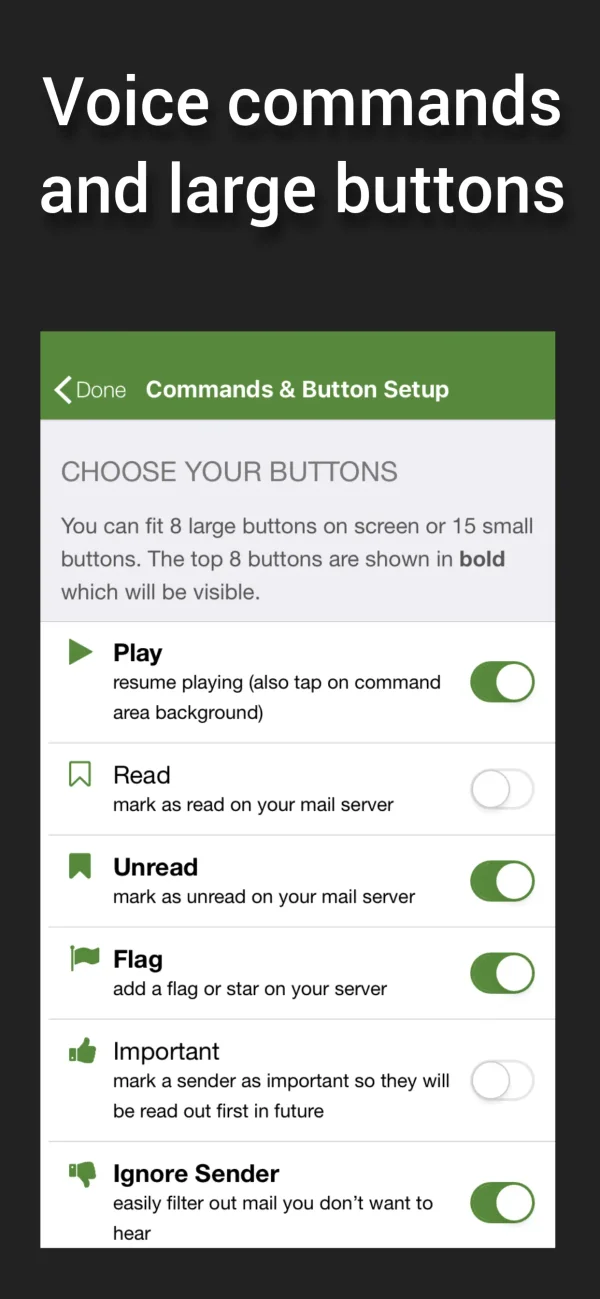
- Voice commands and buttons include:
Next
Back
Archive/Done
Flag
Trash
Reply
Forward
Ignore (thumbs down)
Important (thumbs up)
Block Sender
Rewind
Fast Forward
Compose
Search
Voice
Slower
Faster
People
When
- Many preferences to set up your experience how you like
— QUESTIONS —
Reach us at feedback@speaking.email
See our FAQ: http://www.speaking.email/faq
Feature tour: http://www.speaking.email
— RECOGNITION —
- Gizmodo
- "Highly Recommended" by Marc Saltzman in USA Today
- TV3 News (NZ), Sky News
- The Australian, Herald Sun, Daily Telegraph
- NZ Herald, National Business Review
- Featured by Apple in Best New Apps
- Voted Most Fundable App by Context.IO
- Finalist in NZ Hi Tech Awards
— QUOTES —
“This is a nifty app, and one that will make driving a little safer for inbox addicts”—NBR
“My eyesight isn’t as it was years ago, and your Speaking Email makes it so much easier for me to keep in touch with folks” — Willis Hargrave
“I absolutely love the app and being an outside sales rep in the car 4-6 hours a day find it incredibly helpful. It is literally freeing up and hour or 2 of time for me every day I am on the road by having a lot less time at the desk doing email. THANKS!!!” — Scott Middleton
https://speaking.email/page/privacy
https://speaking.email/page/terms-of-use
Yenilikler
Sürüm 4.0.3 · 02.09.2026
NEW! Listen while talking - continuous listening for commands option - you can now interject and say a command even while emails are being read out to you
See under Preferences > Voice Commands
Uygulama gizliliği
Bu uygulamanın verileri nasıl işlediği hakkında BEWEB LTD tarafından App Store üzerinde yapılan beyan.
-
Sizinle ilişkilendirilen veriler
Toplanabilir ve kimliğinizle ilişkilendirilebilir.
- Satın alımlar
- Konum
- İletişim bilgileri
- Kullanıcı içeriği
- Tanımlayıcılar
- Kullanım verileri
- Tanılama
-
Sizinle ilişkilendirilmeyen veriler
Toplanabilir ancak kimliğinizle ilişkilendirilmez.
- Tanımlayıcılar
Gizlilik uygulamaları, örneğin kullandığınız özelliklere veya yaşınıza göre değişiklik gösterebilir.
Bilgiler
- Satıcı
- BEWEB LTD
- Kategori
- Üretkenlik
- Sürüm
- 4.0.3
- Güncellendi
- 02.09.2026
- Yayın tarihi
- 07.07.2015
- Boyut
- 32,7 MB
- Gereksinim
- iOS 16.0 veya sonrası
- Yaş sınırı
- 4+
- Fiyat
- Ücretsiz
- Uygulama içi satın alma
- Evet
- Diller
- İngilizce
- Telif hakkı
- © 2015-2026 Beweb Limited
Bunları da beğenebilirsiniz
-
 OneMail - Email by NouvelwareÜretkenlik
-
 Preside emailÜretkenlik
-
 MailBuzzr for OutlookÜretkenlik
-
 Shortwave - AI EmailÜretkenlik
-
 Envision AIÜretkenlik
-
 Polymail: Email InboxÜretkenlik
-
 Email Me - Ses NotuKaydet, Yazıya Dök, Özetle
-
 Email Client - Boomerang MailÜretkenlik
-
 PiccyBotÜretkenlik
-
 Mailbutler mobileÜretkenlik