
SplitterUp: Split Bills
Split expenses with friends
iPhone, iPad için tasarlandı
Ücretsiz · Uygulama içi satın alma
- Yaş sınırı4+
- KategoriÜretkenlik
- GeliştiriciAll Day Software LLC
- Dillerİngilizce+ 8 dil daha
- Boyut70,2 MB
Resmi App Store sayfasına bağlanır
Download.org, SplitterUp: Split Bills için hiçbir dosya barındırmaz. Düğme, uygulamanın App Store üzerindeki sayfasını açar; uygulamayı orada All Day Software LLC yayınlar. Sayfanın son kontrolü: 23.11.2026.
Ekran görüntüleri

Hakkında
Geliştirici bu metni dilinizde sunmamış.
SplitterUp is the expense splitting app with no monthly fee and no daily limit on expenses. Coming from Splitwise? Bring your groups, expenses and balances across, matched to the cent.
Split with friends, roommates, partners and travel groups, then see exactly who owes what.
Switching from Splitwise
• Import your groups, expenses, payments and balances from a Splitwise export
• Balances match to the cent, with nothing duplicated
Split Any Way You Want
• Create groups for trips, households, or shared bills
• Split directly with a friend, no group needed
• Quick Split for one-off expenses: just type names, no sign-up needed
• Divide costs equally, by exact amounts, or by percentage
• Save the split you use most and reuse it in one tap
• Set up repeating expenses for rent, utilities and subscriptions
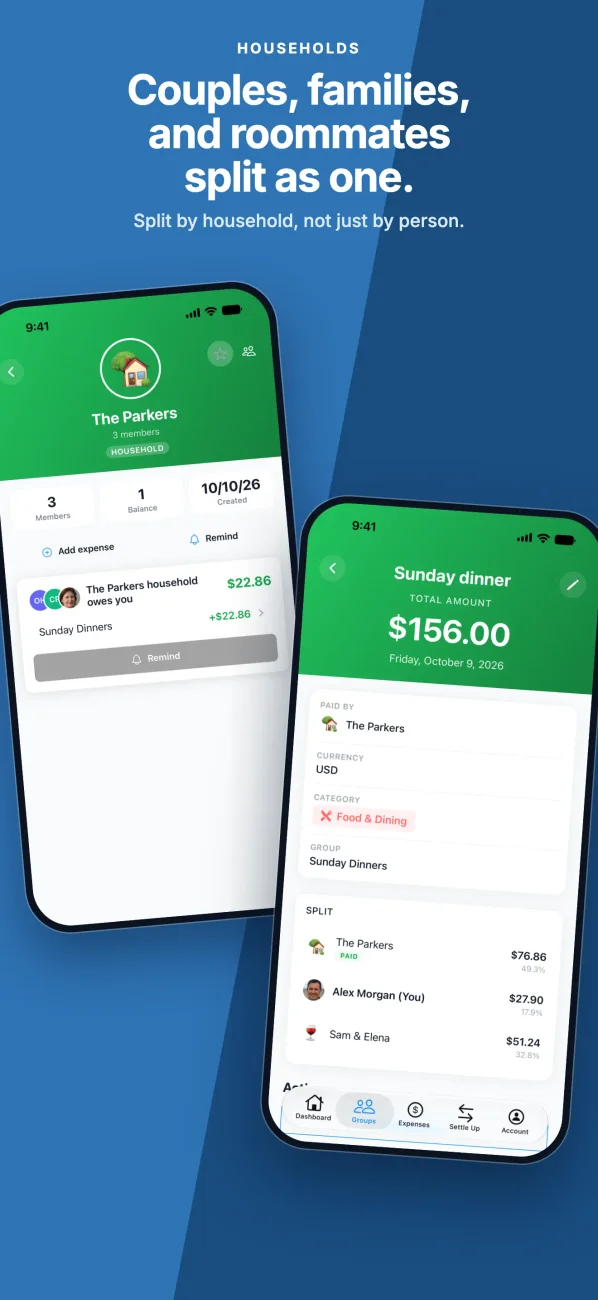
Households
• Add a couple or a whole home as one member of a group
• The household pays a share its own size, then splits it internally
• Household balances roll up on your dashboard
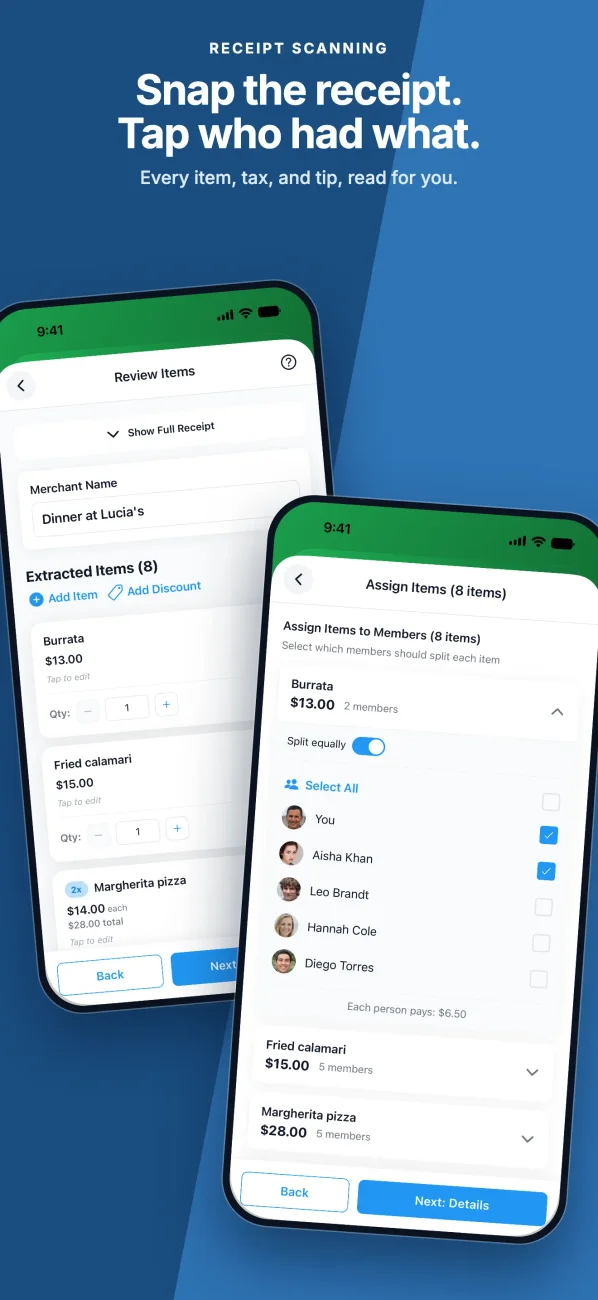
Scan Receipts, Assign Items
• Snap a photo and it's straightened and enhanced automatically
• Line items, tax, tip and totals are extracted for you
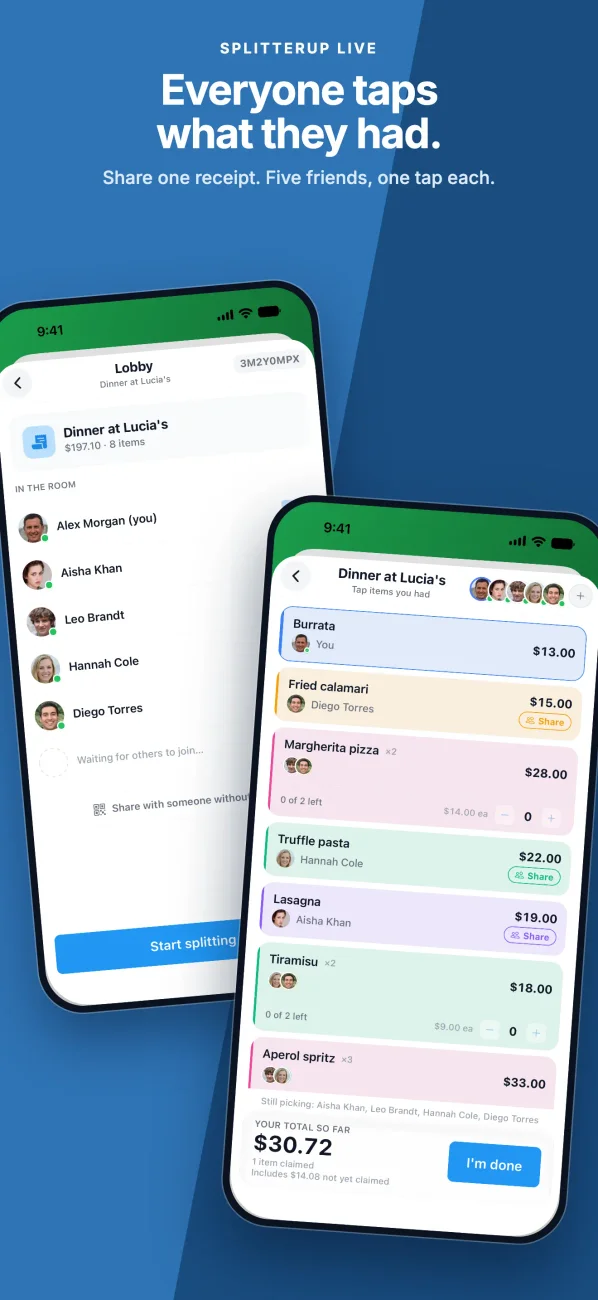
• Assign items to the people who ordered them, or let everyone claim their own
• Split a receipt together, live, with the people next to you
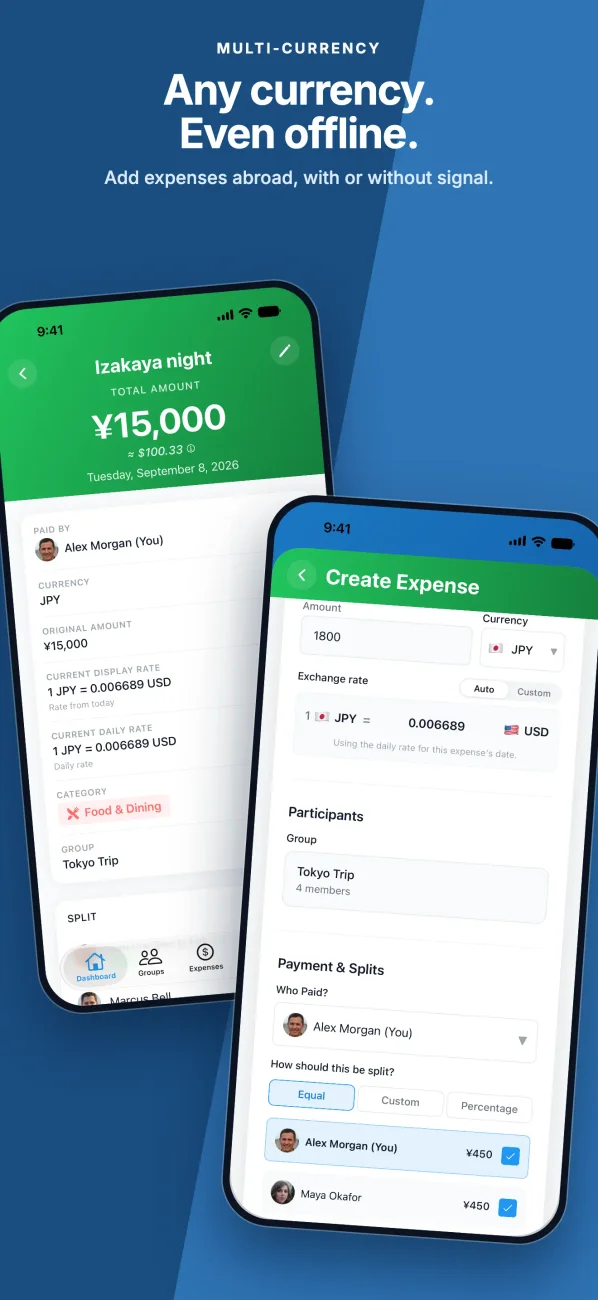
Every Currency, Handled Properly
• Search any world currency and use it anywhere
• Exchange rates are locked to the expense, so a balance doesn't drift
• Set a currency per group, or override the rate on one expense
• Always see the original amount next to the converted one
Stay on Top of Balances
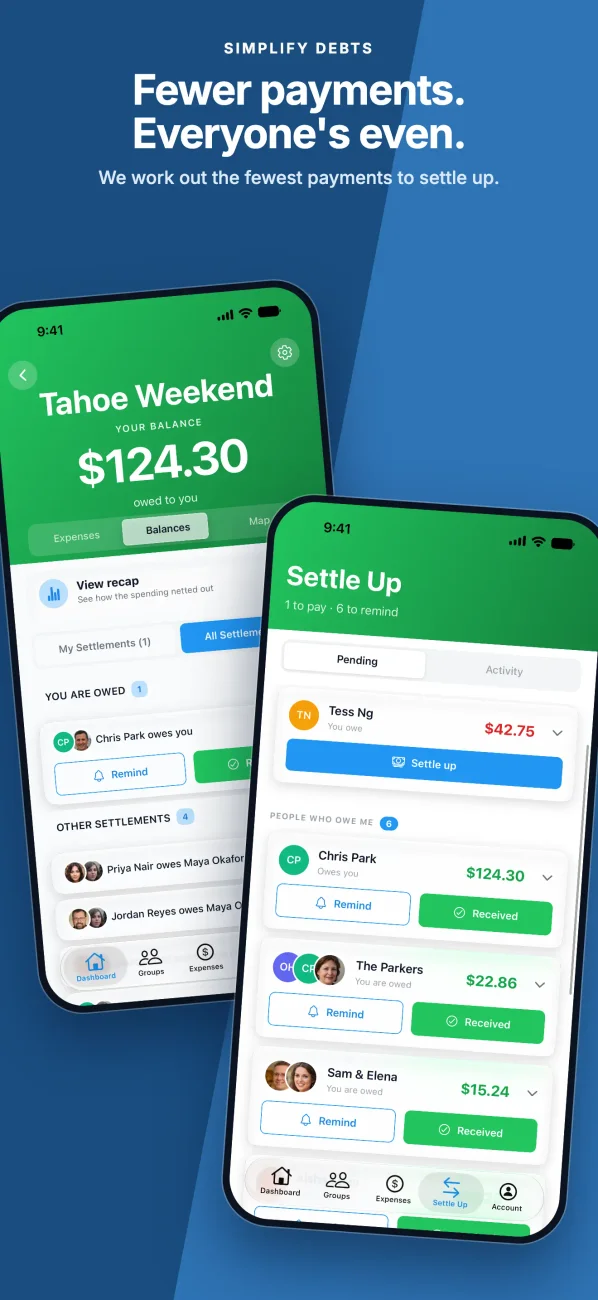
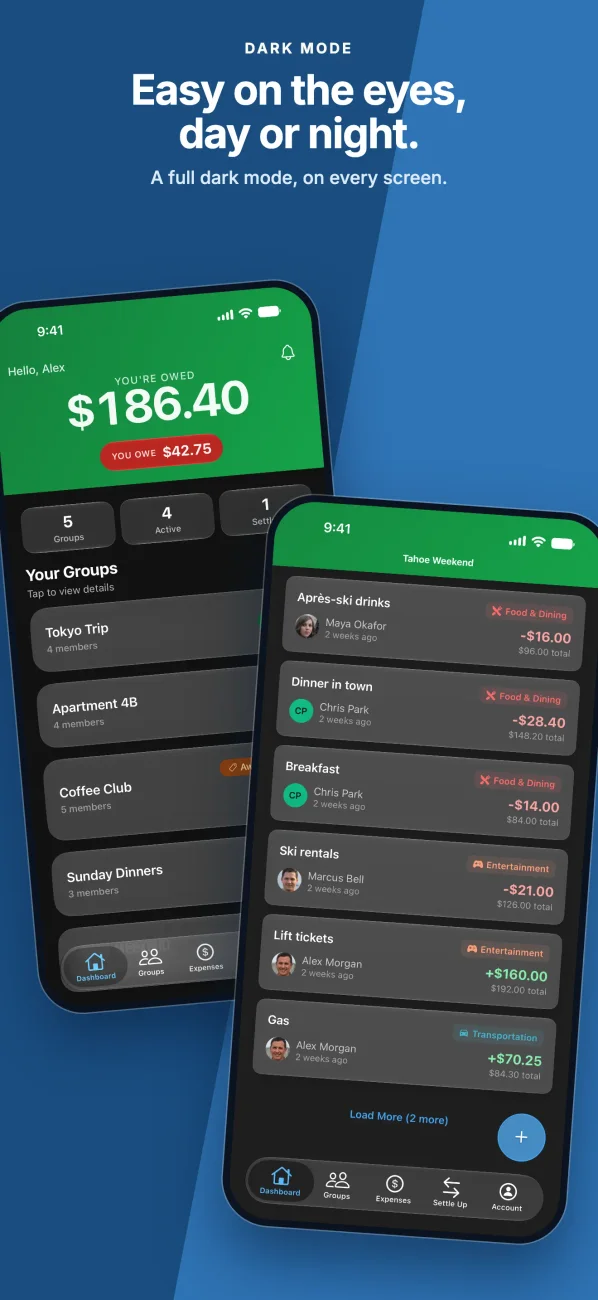
• See exactly who owes you and who you owe
• Open any balance to see how it was worked out
• Settle a group in the fewest payments possible (an admin can turn it off)
• Record a payment in full or in part, in any currency, on any date
• Add your Venmo, PayPal, Cash App or Zelle details so people can pay you back
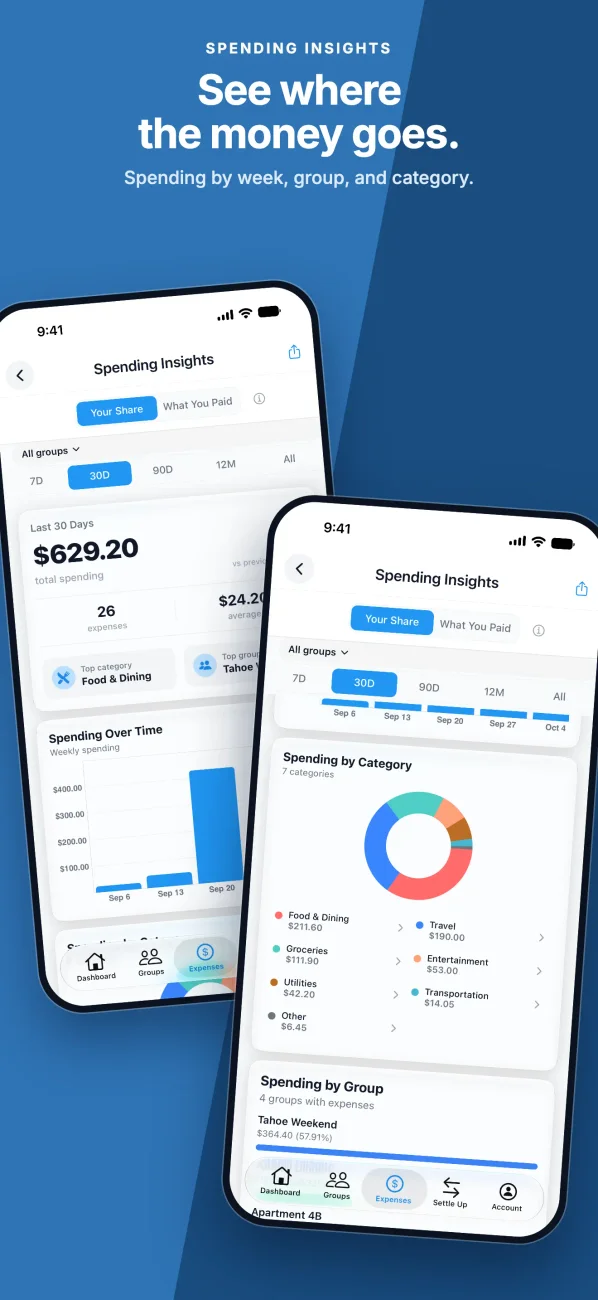
Spending Insights
• See where your money actually went, by category and by group
• Pick any date range, or drill into a single group
• Export a group's expenses to Excel or CSV
Works Anywhere, Even Offline
• Add and edit expenses with no signal. Everything syncs when you're back
• Stays in sync across iPhone, iPad and the web
• Ask Siri to start an expense, or add a Home Screen shortcut
Keep Everyone in the Loop
• Invite people by email, or share a link anyone can join from
• Split with people who don't have the app. Invite them later and their share comes with them
• Get notified when an expense is added or a payment is recorded
Find It Again Later
• Search a group by description, person, amount, category or place
• Favorite the people and groups you use most
• Archive what you're done with, without losing the history
Tag Where You Spent
• Add a location to any expense, and see the group's expenses on a map
Designed for iPhone and iPad
• iPad layouts built for the screen, not stretched from a phone
• Face ID and Touch ID for quick, secure access
Privacy First
• Export or delete your data anytime
• No ads, no data selling
Download SplitterUp and stop the awkward "who owes what" conversations.
Terms of Use: https://splitterup.app/terms
Privacy Policy: https://splitterup.app/privacy
Yenilikler
Sürüm 1.36.0 · 16.11.2026
Buttons that tell you why
Forms no longer grey out their main button without saying why. Tap it and the form takes you to what's missing.
NEW FEATURES
• Notes and payment method — Add a note to any expense, receipt or recurring expense, and record how it was paid: cash, credit or debit card, bank transfer, mobile wallet, check or something else. Both show on the expense, can be changed when you edit it, and appear in your group's export. Everyone on the expense can see its note, including notes added by a receipt scan or a Splitwise import.
IMPROVEMENTS
• Your own categories now work on group expenses. Your custom categories can now be used anywhere, including group expenses. When you create a category on a group expense, you choose whether to save it to the group or to your own categories.
• No more guessing why a form won't save. When you create or edit an expense, a receipt, a payment, a group or an import, the main button stays tappable. If something is missing, tapping it takes you to the first thing to fix, marks it in red and says what it needs.
• Mistakes get flagged the moment you make them. Something you just made invalid, like taking the last person off a receipt item, is marked straight away. Fields you haven't filled in yet stay unmarked until you tap the button.
• Know when there's nothing to save. Edit screens say "No changes yet" under Save until you change something.
• A greyed-out button now says what it's waiting for. A button that is waiting, for the group's members to load, for an exchange rate or for a new person to sync, now says what it is waiting for.
FIXES
• When a group re-split opens, its first page waits for the group's expenses to load instead of letting you continue too early, and if they can't be loaded it shows one clear way to try again.
• The exchange-rate label on the change-currency card no longer wraps onto three lines.
• In narrow windows, the buttons at the bottom of a step-by-step flow stack instead of squeezing their labels.
• Adding people to an expense with items shows the list of people to pick from again, instead of an empty sheet.
• When a change you made offline can't be saved because someone would be counted twice, reopening it now says what to fix.
• When you update your claim on a finalized receipt, the estimated tax, tip and fees now match what is saved. While you've picked more of an item than is left, no estimate is shown.
• When you change the price of a receipt item, the locked share of someone who left the group stays what it was, so the item's shares still add up to its price.
• When you split a receipt item equally and take someone off it, their part no longer goes to someone who left the group.
• A group's saved default split keeps its percentages when someone joins the group. The new person starts blank, so you can give them a share before saving.
• When you change which friend you're splitting with, the expense starts from your saved split with the new friend instead of keeping the last one's.
• A change made in an older version of the app that was never sent is no longer applied months later, where it could undo something newer, such as a group's default split. An expense you added or edited comes back as a draft to review, a payment is listed on Home so you can record it again, and for anything else that still applies the app tells you the change couldn't be applied.
Uygulama gizliliği
Bu uygulamanın verileri nasıl işlediği hakkında All Day Software LLC tarafından App Store üzerinde yapılan beyan.
-
Sizinle ilişkilendirilen veriler
Toplanabilir ve kimliğinizle ilişkilendirilebilir.
- Finansal bilgiler
- Konum
- İletişim bilgileri
- Tanımlayıcılar
- Tanılama
-
Sizinle ilişkilendirilmeyen veriler
Toplanabilir ancak kimliğinizle ilişkilendirilmez.
- Kişiler
Gizlilik uygulamaları, örneğin kullandığınız özelliklere veya yaşınıza göre değişiklik gösterebilir.
Bilgiler
- Satıcı
- All Day Software LLC
- Kategori
- Üretkenlik
- Sürüm
- 1.36.0
- Güncellendi
- 16.11.2026
- Yayın tarihi
- 28.01.2026
- Boyut
- 70,2 MB
- Gereksinim
- iOS 16.0 veya sonrası
- Yaş sınırı
- 4+
- Fiyat
- Ücretsiz
- Uygulama içi satın alma
- Evet
- Diller
- İngilizce, Çekçe, Fransızca, Almanca, İtalyanca, Lehçe, Portekizce, Slovakça, İspanyolca
- Telif hakkı
- © All Day Software LLC
Bunları da beğenebilirsiniz
-
 Flatastic: Household ChoresÜretkenlik
-
 Claude Duet by AnthropicÜretkenlik
-
 Brick - Ditch DistractionsÜretkenlik
-
 Proton Drive: Cloud StorageÜretkenlik
-
 Focus Friend, by Hank GreenÜretkenlik
-
 Todoist: To do list ve TakvimGörevler ve Hatırlatıcılar
-
 1Password: Password ManagerÜretkenlik
-
 OurFamilyWizard Co-Parent AppÜretkenlik
-
 Granola - AI Meeting NotesÜretkenlik
-
 NordPass: Güvenli şifrelerParola yarat, kaydet ve yönet