Stego-Lab
Stego, EXIF, Watermark. Batch
iPhone, iPad, Mac için tasarlandı
Ücretsiz · Uygulama içi satın alma
- Yaş sınırı4+
- KategoriFotoğraf ve Video
- GeliştiriciChristian Raith
- Dillerİngilizce
- Boyut3,8 MB
Resmi App Store sayfasına bağlanır
Download.org, Stego-Lab için hiçbir dosya barındırmaz. Düğme, uygulamanın App Store üzerindeki sayfasını açar; uygulamayı orada Christian Raith yayınlar. Sayfanın son kontrolü: 12.11.2026.
Ekran görüntüleri
Hakkında
Geliştirici bu metni dilinizde sunmamış.
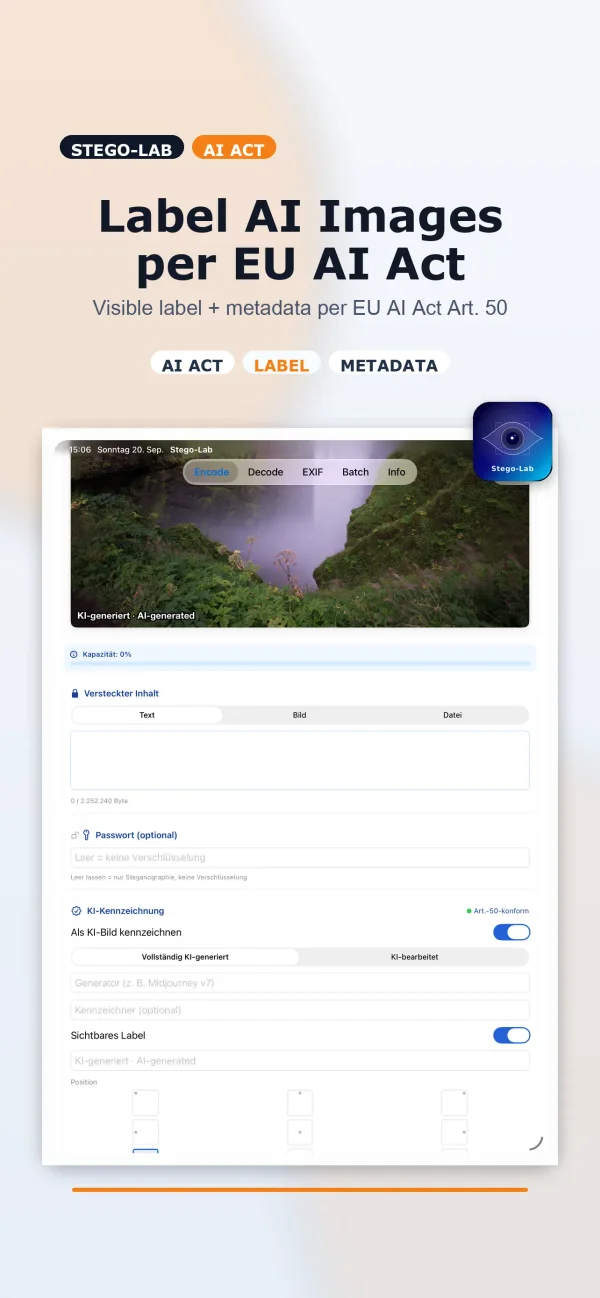
Stego-Lab labels AI images under the EU AI Act (Art. 50) and adds steganography, EXIF editing, watermarking and batch processing for iPhone, iPad and Mac. It is made for people who want to handle sensitive material locally on their own device, without relying on external servers or cloud services. On the iPhone while travelling, at the desk on the Mac, or flexibly on the iPad — Stego-Lab offers the same capabilities on every platform.
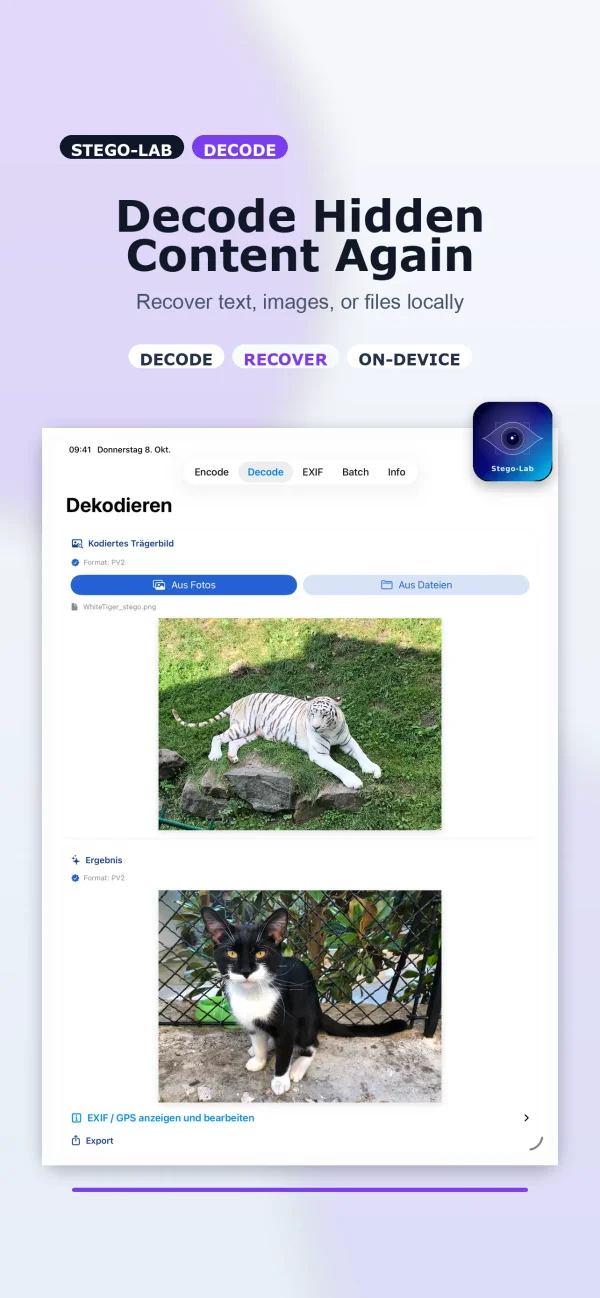
Steganography — embed content invisibly
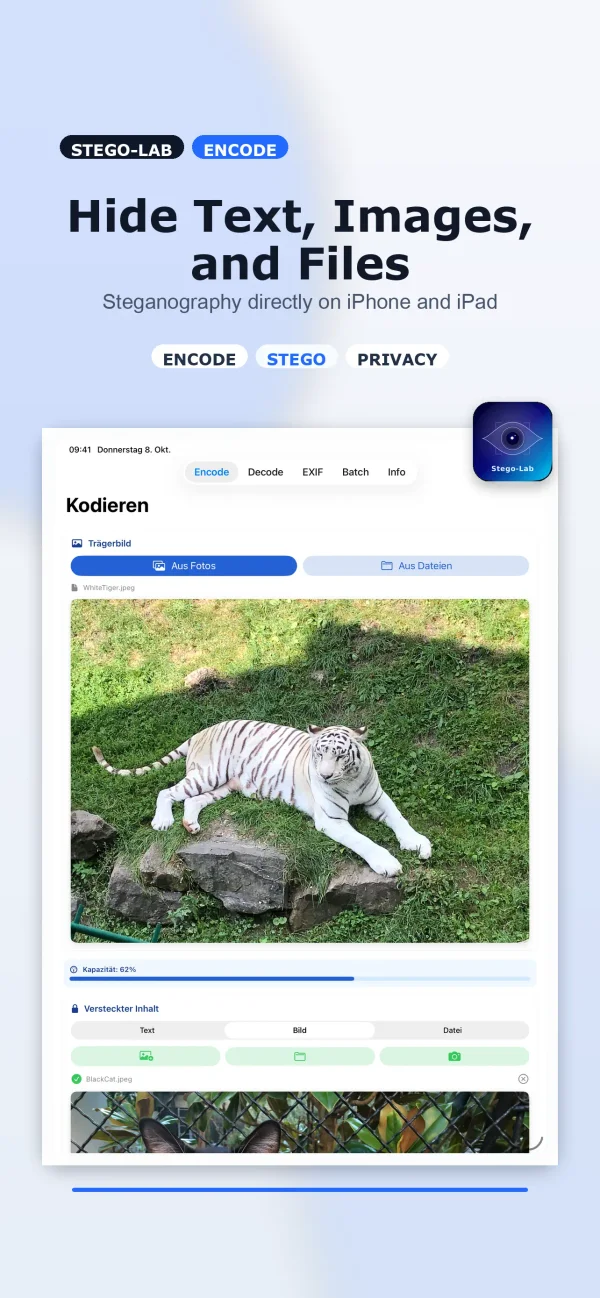
With Stego-Lab you can hide text, images or files inside photos and decode them again later. Embedded content can optionally be encrypted with a password. That makes the app suitable for private archiving, protected notes, hidden image information, documented evidence or the controlled handover of content — discreet, secure and entirely offline.
Watermarking — visible and invisible
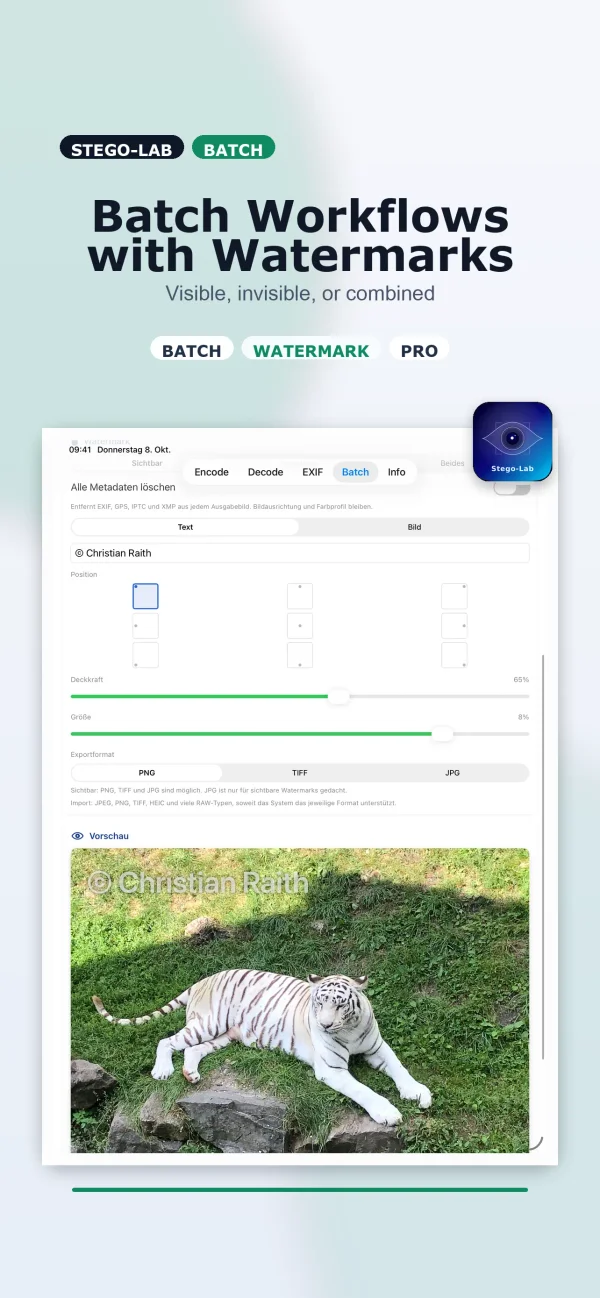
Beyond invisible steganography, Stego-Lab also does visible and invisible watermarks. Single images or whole series can be marked with text or image watermarks. In batch mode, many photos are processed in one run — ideal for applying visible, invisible or combined watermarks to entire collections. On the Mac you additionally get comfortable drag-and-drop support and a larger working area.
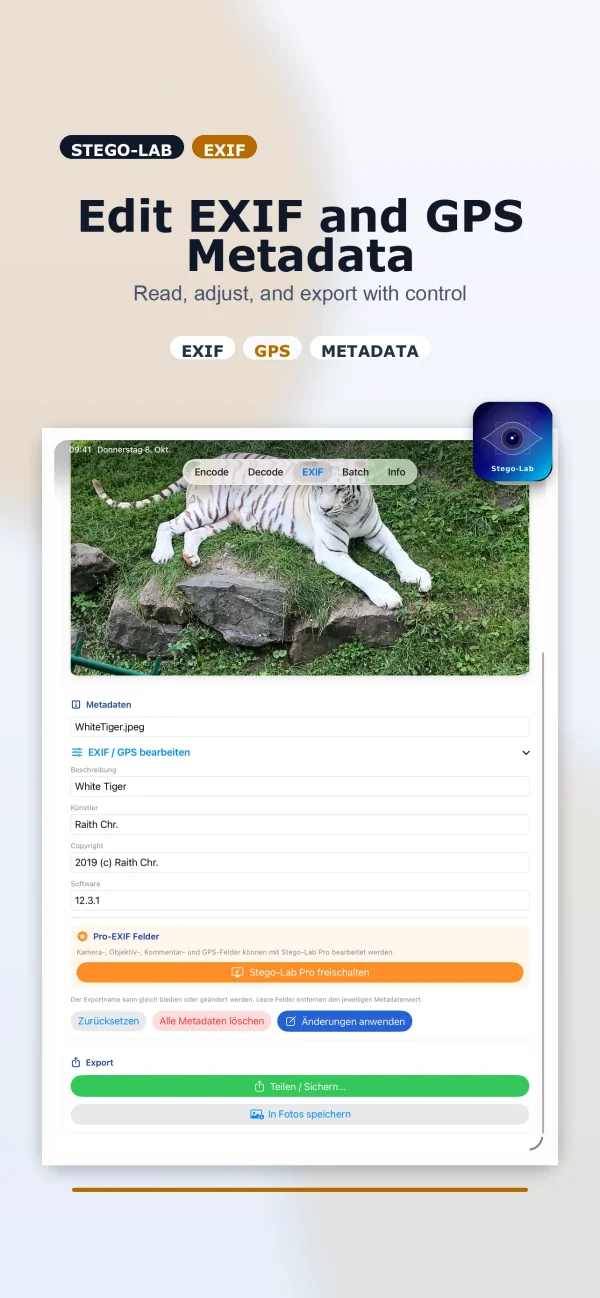
EXIF and metadata editing
A second focus is thorough EXIF and metadata editing. Stego-Lab reads, displays and selectively edits image metadata — description, creator, copyright, software, camera make and model, lens data, capture date and GPS information. Metadata can be adjusted and exported under the same or a changed file name. This makes Stego-Lab useful for photographers, archivists, content creators and privacy-minded users who want to stay in full control of their image data.
Supported formats
Stego-Lab handles the common image formats PNG, TIFF, JPG/JPEG and HEIC, plus many RAW formats. For invisible content and lossless further processing, PNG and TIFF are the formats of choice. On iOS and iPadOS, files come from the photo library or the Files app; on the Mac, the familiar Finder access is available as well. Exported results can be shared, saved directly or fed into existing workflows.
Local processing — no cloud, no compromises
Stego-Lab works exclusively on your device. Content is never transmitted to external servers. That makes the app particularly attractive wherever privacy, control over your data and offline availability matter.
A clear interface for every level of experience
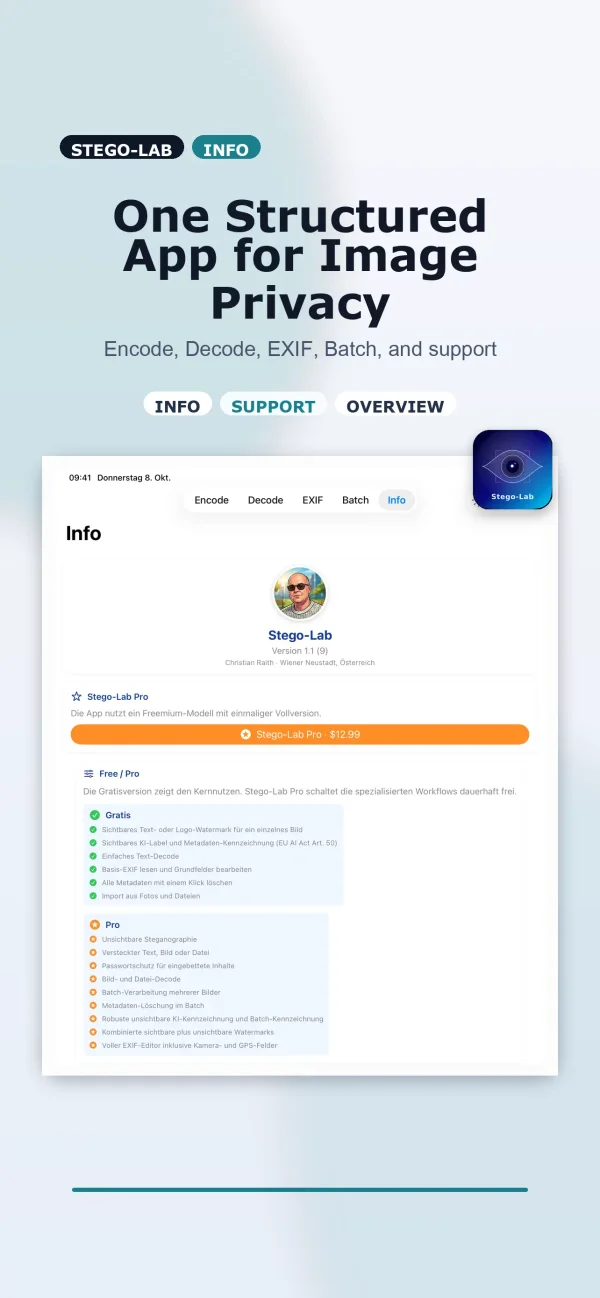
The app is organised into Encode, Decode, EXIF, Batch and Info. Newcomers and advanced users alike can run complex image workflows straight on iPhone, iPad or Mac — no extra desktop software required.
Free and Pro
Included for free:
• Visible text or logo watermark for a single image
• Label AI images under the EU AI Act (Art. 50): visible label and metadata
• Delete all metadata with one click
• Simple text decoding
• Read EXIF and edit the core fields
• Import from Photos and Files
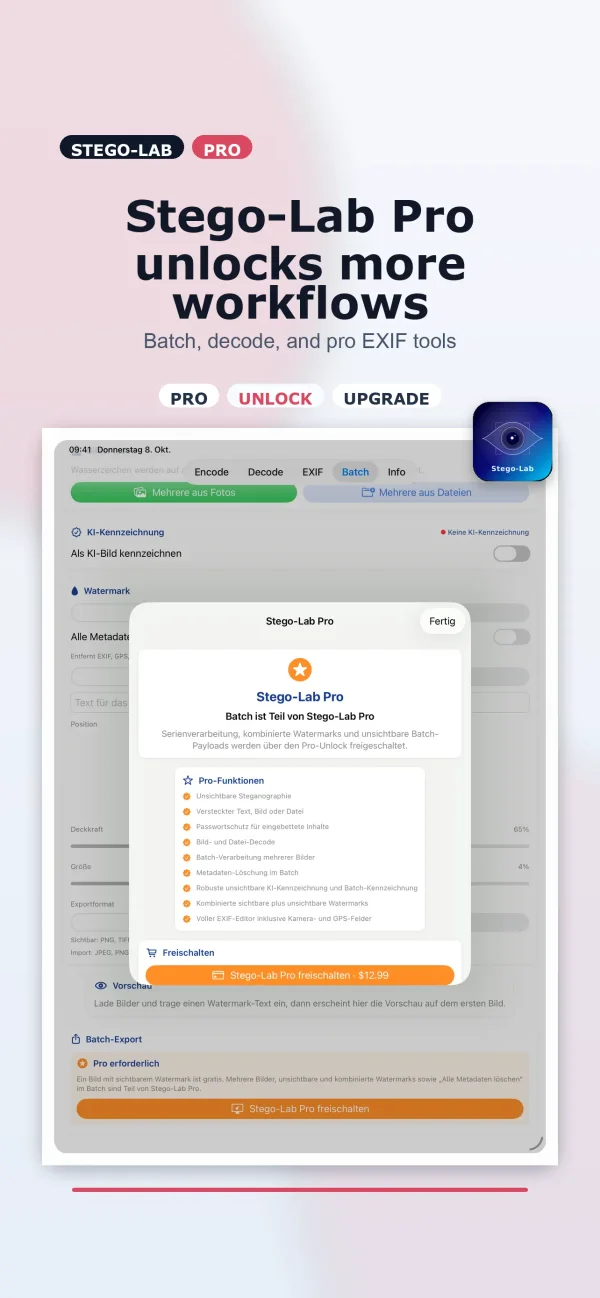
Stego-Lab Pro – a one-time in-app purchase, no subscription – unlocks:
• Invisible embedding of text, images and files, optionally password-protected (AES-256-GCM)
• Image and file decoding and password-protected content
• Batch processing of multiple images, including metadata deletion
• Robust invisible AI labelling and batch labelling
• Visible and invisible watermarks combined
• The full EXIF editor including camera and GPS fields
• Direct camera capture
Stego-Lab brings privacy, creative image editing and technical image analysis together in a single app — across the whole Apple ecosystem. Whether you protect content, control metadata, mark series of images or manage hidden information: Stego-Lab gives you a focused, capable toolbox — right on your device.
Yenilikler
Sürüm 1.1 · 12.10.2026
Stego-Lab 1.1 brings labelling for AI images under EU AI Act Art. 50, one-click removal of all metadata, and a substantial security hardening pass.
AI labelling (EU AI Act Art. 50)
• Preset "Label as AI image" in Encode and Batch: a visible label in the picture plus machine-readable metadata (IPTC, XMP, EXIF)
• A traffic light shows at a glance whether the labelling is complete
• Badge "AI labelling detected" in Decode and in the EXIF area
• Pro: robust invisible labelling and labelling of entire batches
• New manual chapter on the legal frame, the workflow, the fields written, and the limits
Metadata
• Delete all metadata in one click (EXIF area, free): EXIF, GPS, IPTC, XMP, camera and lens data, and embedded thumbnails. Orientation and colour profile stay intact
• In Batch for whole series of images (Pro)
• New switch "Keep original metadata on purpose" in Encode on Mac, off by default: location and camera data from the carrier image no longer end up in the export unasked
Also new
• Dark-mode picker on iPhone and iPad (System, Light, Dark)
• Consolidated file picker in Decode and Batch: one tap, one sheet
• Clearer warnings about lost passwords: no backdoor, no master key, no recovery
Fixed
• Batch export: images sharing a name but differing in extension overwrote each other. Every output file now gets its own name
• Encode on Mac: with AI labelling switched on, the left column was too narrow and cut off labels
• EXIF area on iPhone: the buttons sat too close together and their labels broke apart into syllables
• Numerous texts in the app spelled German umlauts as ue, ae, and oe
Under the hood
• Pre-release security audit: AES-GCM parity, filename sanitization, and Pro gating hardened on both layers
• Independent reviews of security, project conventions, and code quality, with all findings fixed, among them several parity gaps between iPhone and Mac
• Shared engine layer expanded: validation and feature lists now live in a single place
Thanks to everyone who tested!
Uygulama gizliliği
Bu uygulamanın verileri nasıl işlediği hakkında Christian Raith tarafından App Store üzerinde yapılan beyan.
-
Veri toplanmıyor
Geliştirici bu uygulamadan hiçbir veri toplamıyor.
Gizlilik uygulamaları, örneğin kullandığınız özelliklere veya yaşınıza göre değişiklik gösterebilir.
Bilgiler
- Satıcı
- Christian Raith
- Kategori
- Fotoğraf ve Video
- Sürüm
- 1.1
- Güncellendi
- 12.10.2026
- Yayın tarihi
- 16.04.2026
- Boyut
- 3,8 MB
- Gereksinim
- iOS 17.0 veya sonrası
- Yaş sınırı
- 4+
- Fiyat
- Ücretsiz
- Uygulama içi satın alma
- Evet
- Diller
- İngilizce
- Telif hakkı
- © 2026 Raith Chr.
Bunları da beğenebilirsiniz
-
 TapMaskFotoğraf ve Video
-
 Photo Ma MaFotoğraf ve Video
-
 Pimo - Photo Memo & NotesFotoğrafta metin gizle, oku
-
 TiMarkFotoğraf ve Video
-
 Culla: Photo OrganizerFotoğraf ve Video
-
 Photo_OrganizerFotoğraf ve Video
-
 Swap RGBFotoğraf ve Video
-
 NeoCam - Pixel art cameraFotoğraf ve Video
-
 Timestamp Camera-GPS LocationFotoğraf ve Video
-
 MirageCamFotoğraf ve Video